

 Sidify Amazon Music to MP3 Converter


How to Convert Amazon Music to MP3
Convert Amazon Music Songs and Playlists to High Quality MP3s

Audiophiles enjoy Amazon Music's HD (16-bit, 44.1 kHz, ~850 kbps) and Ultra HD (up to 24-bit, 192 kHz, ~3,730 kbps) high-quality audio. And converting Amazon music to MP3 is some listeners would prefer. But this small thing has frustrate most. Nevertheless, Amazon Music Converter can help you out. In this article, we'll show you practical ways to convert Amazon Music (both streaming and store purchases) into MP3 files.
Part 1. Convert Amazon Music Puchased Songs as MP3
If you have bought MP3 tracks from Amazon Music, you can convert Amazon Music purchases to MP3 directly anytime. This way, you don't need Amazon subscription at all.
1.1). How to Convert Purchased Amazon Music to MP3
-
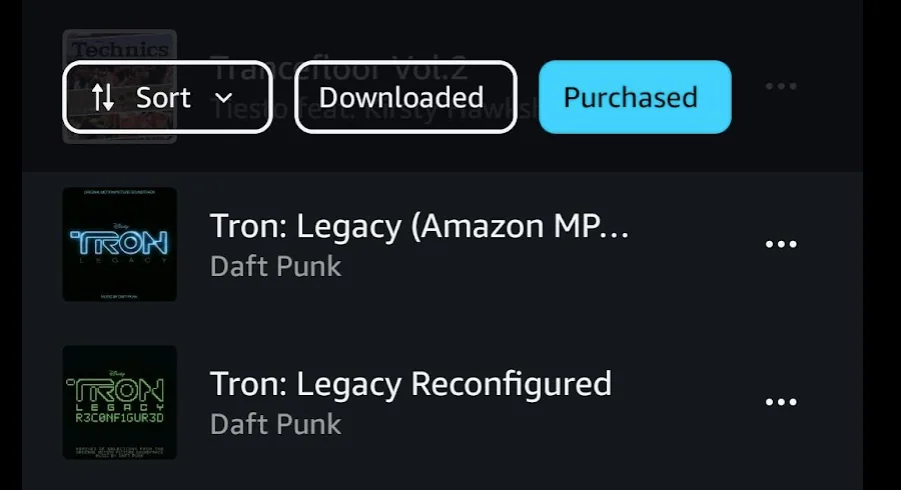
Step 1Go to the library on Amazon Music web or app and locate purchased songs under the Music tab.
-
Step 2Click the Purchased tab to display all the songs you bought from Amazon Music.
-
Step 3Click the 3 dots after your selected songs, then click download. This will start the download process and save the MP3 to computer.
Part 2. Convert Amazon Music & Playlists to MP3 320kbps Files
You can download Amazon Music songs to MP3 formats and get by perfectly fine with Sidify Amazon Music Converter. This desktop program works with both Amazon Prime and Unlimited accounts. It supports MP3 downloading copious amounts of Amazon Music tracks and playlists, including Dolby Atmos and Spatial Audio content. Besides MP3 output, Sidify also supports FLAC, ALAC, AIFF, WAV, Dolby Atmos, EAC3 (*.m4a), and AC-4 (*.m4a). Batch Amazon Music playlists downloading is also supported, enabling you to put multiple Amazon music playlists to MP3 conversion at one go.
Sidify Amazon Music Converter
- Convert Amazon Music to MP3, AAC, ALAC, AIFF, WAV, FLAC, EAC3 (*.m4a) and AC4 (*.m4a).
- Download Amazon Music MP3 songs, playlists, albums, and podcasts.
- Export Amazon Music to 320kbps, Ultra HD and HD audio fidelity.
- Preserve Amazon Music HD artworks, lyrics and ID3 tags.
- Transfer Amazon Music to USB drives or burn into CDs.
 Security verified. Over 600,000+ downloads.
2.1). Convert Streaming Amazon Music to High Quality MP3s
-
Step 1Run Sidify Amazon Music Converter
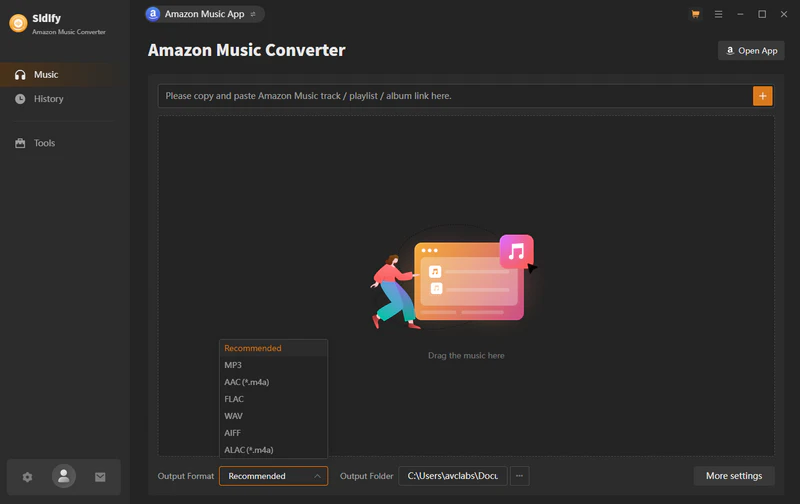
Open Sidify Amazon Music Converter when the Amazon Music app will pop up at the same time. Log into the Amazon Music account and access the music library.
-
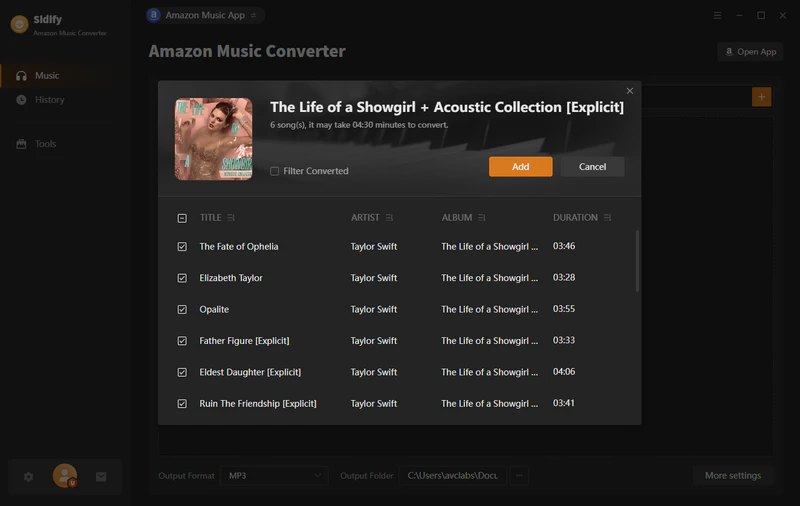
Step 2Add Amazon Music playlist
Find the Amazon music playlist with the songs that you want for MP3 conversion. Drag and drop the whole playlist to Sidify. Choose the entire Amazon Music playlist or single songs to convert/
-
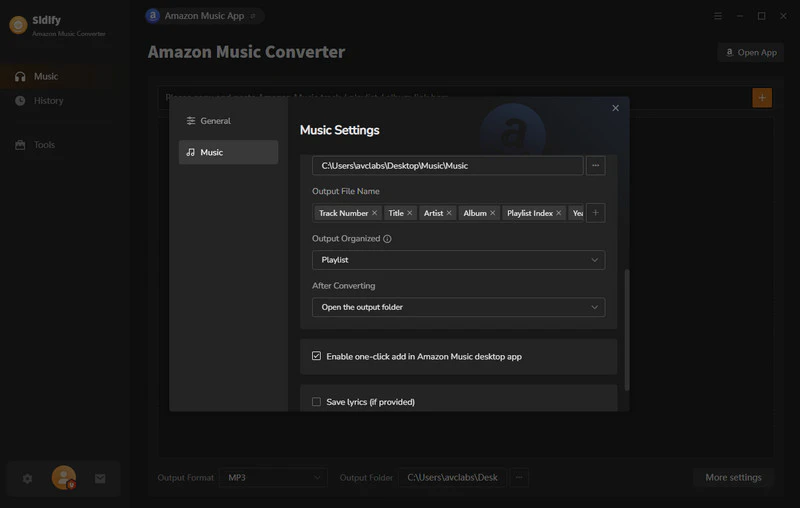
Step 3Set Up Amazon Music MP3 Output Format
Head to the Settings menu, choose the convert format to MP3, 320kbps quality, and path location to store Amazon Music downloads on local path.
-
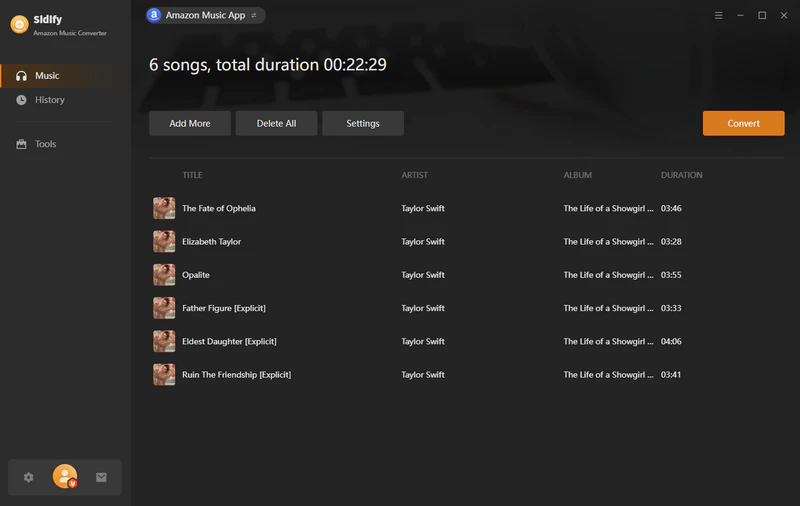
Step 4MP3 Converting Amazon Music
Tap the Convert button and start the Amazon Music to MP3 downloading process.
-
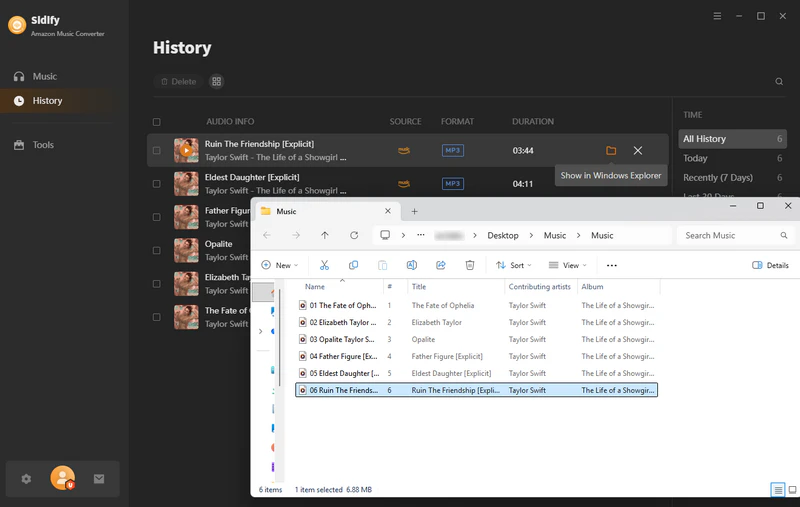
Step 5
When it finishes, go to the History part and check all MP3 downloads. Or click the folder icon to view the MP3 music files in local directory.
Part 3. Convert Amazon Music into MP3 Online (Free)
Some people get kind of spoiled by online MP3 downloaders. Not saying that is a bad thing though. It seems like online tools do make Amazon Music conversion easier. But you have to admit, online Amazon Music downloaders can sometimes show errors for hours on end. Still, if you are trying to convert Amazon Music to MP3 online, these are honestly worth a shot.
3.1). AmazonMusicConverter
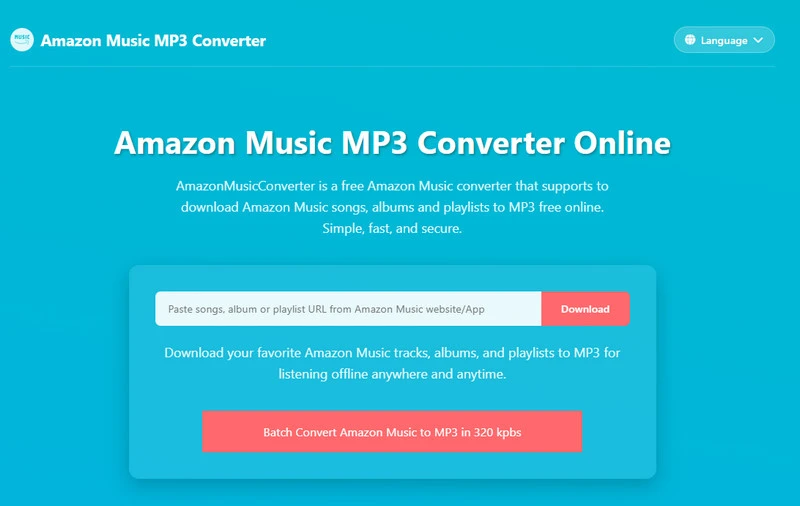
AmazonMusicConverter (https://www.amazon-music-converter.com/en/) is a free online Amazon Music converter that supports to download Amazon Music songs, albums and playlists to MP3 free online. You can just copy and paste the Amazon Music link to the online server and get MP3 download files. No specific output settings or batch playlist conversion features. Better for single songs conversion. It is free but it is more than offset by time consuming.
- Free Convert Amazon Music to MP3 online.
- Get Amazon Music MP3 files by copy & paste.
- Clean converter interface with clear instruction.
-
Step 1Copy Amazon Music Song/Playlist URL
Open Amazon Music Website/App, then find the track, album or playlist you want to download, click the share button and click "Copy link" from Amazon Music Website/App.
-
Step 2Paste Music URL & Choose Format
Paste the link into above search bar and click "Download" button, select the output format, audio quality.
-
Step 3Download Amazon Music to MP3
Click the "Download" button and confirm to click "Download MP3", wait for few minutes, your Amazon Music tracks will be saved onto computer for playback offline.
3.2). Amazon Music SquidWTF
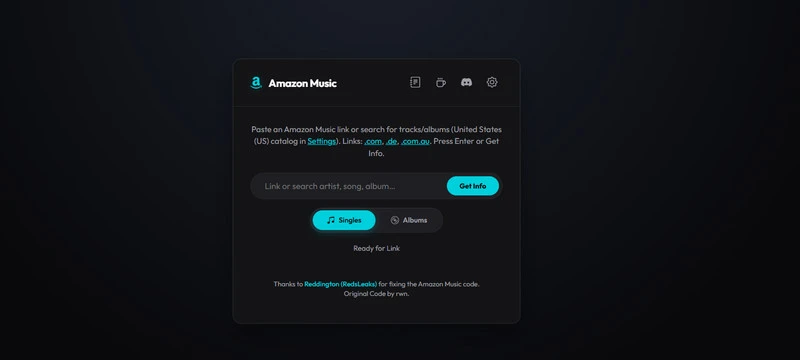
SquidWTF Amazon Music Downloader (https://amz.squid.wtf/) is pretty amazing. It supports converting Amazon Music albums to Ultra HD FLAC (24-bit), HD FLAC (16-bit), High quality (256 kbps AAC), Opus, Dolby Atmos, and 360 Reality Audio. For final MP3 output, you can first convert Amazon Music to AAC, then convert AAC to MP3 as a kind of “roundabout solution”. But if you want clean 320kbps MP3 conversion, it might still be better to go back to Sidify, like we mentioned earlier. The process is simple: just copy the link of the Amazon Music track or album, paste it into the website, customize the settings, and download it as local music files.
- Free download Amazon Music and albums to AAC and FLAC. (AAC to MP3 conversion needed.)
- Customizable Amazon music download formats and tags.
- Download entire Amazon music playlist (Zip file) for free.
-
Step 1Go to the gear Settings icon and opt for AAC or FLAC format and the file name way.Step 2Copy the album or individual song link from Amazon Music library, and paste it to the blank area on amz.squid.wtf. And tag "Get Info".Step 3Go ahead, choose "Download Album" to save all songs in the playlist as a Zip file. Or click the download icon to save desired songs individually.
 Tip
Tip
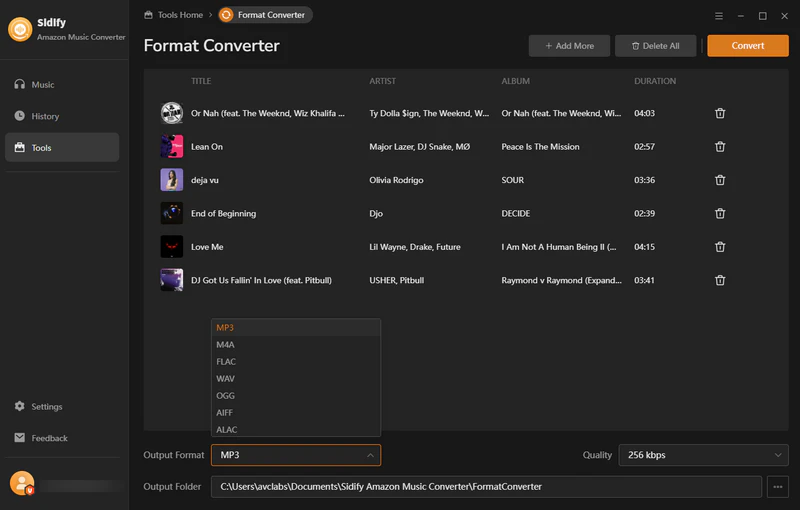
If you are okay with the final offline files in FLAC or AAC. Skip this. But if you insist on MP3 conversion, you can go to Sidify Amazon Music Converter > Tools > Format Converter. Import and output the Amazon Music songs in MP3 format.
Frequently Asked Questions
1. Can streaming songs (Prime or Unlimited) be converted to MP3?
Yes. Sidify enables both these 2 types songs convert to mp3s format. but note that the highest quality for mp3 is always up to 320kbps.
2. Can I convert Amazon Music to MP3 directly?
Only for purchased songs not for the streaming ones. But use sidify or online downloader can make this happen.
3. Will converting Amazon Music to MP3 affect sound quality?
It depends on the source quality. If the original stream is high quality (HD/Ultra HD), the converted output can preserve similar quality, but it is still technically a re-encoded file.
Conclusion
In this article, we introduce you how to convert Amazon music streams (Prime/Unlimited) and purchases to MP3 output formats. And in the end, it’s really simple: Amazon keeps your music locked inside its own system, and MP3 just gives you back control. One is a walled garden, the other is just a folder on your computer that actually works everywhere. If you want your music on a USB stick, in Serato, in your car, or anywhere without needing an internet connection or an app doing the thinking for you, MP3 is still the format that quietly wins.
What You Will Need
Sidify Amazon Music Converter
Convert Amazon Music to MP3, AAC, WAV, FLAC, AIFF, ALAC, EAC3, or AC4 formats with original high quality kept.
They're Also Downloading You May Be Interested In
 Format SolutionsListen Anywhere