
Explore Amazon Music guides, conversion tips, and solutions for downloading, managing, and enjoying your music offline.
Learn how to enjoy Dolby Atmos music on Amazon Music, find compatible tracks, and listen offline with the right tools for a better immersive audio experience.
Learn how to download Amazon Music Dolby Atmos tracks for offline playback and explore options to save and convert tracks for permanent listening beyond app limitations.
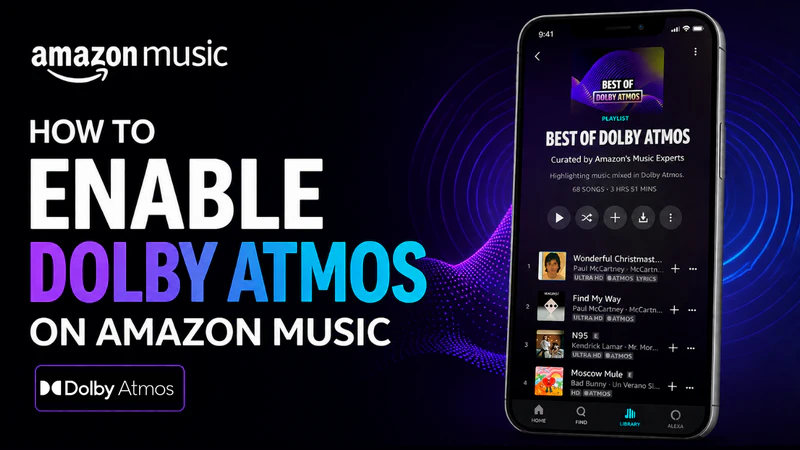
Learn how to enable Dolby Atmos on Amazon Music step by step. Discover how to keep Dolby Atmos or Ultra HD tracks offline for an immersive listening experience on any device.
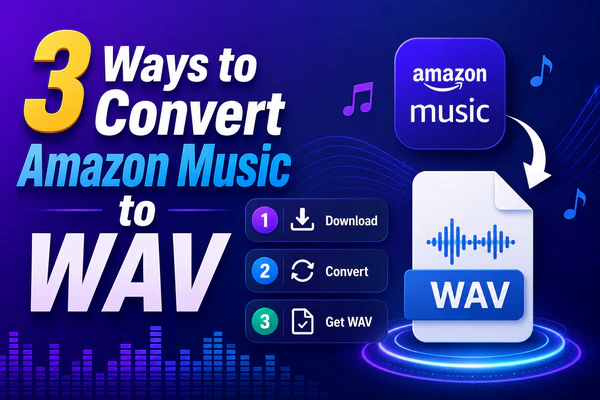
This guide explains three practical ways to convert Amazon Music to WAV, including paid and free methods.
Dwonload and convert Amazon Music to FLAC losslessly with the best Amazon Music FLAC Downloader. Save HD/Ultra HD audio with ID3 tags at 10X speed and keep original quality.
This article explains how to transfer Amazon Music to Sony Walkman and provides specific solutions and steps to convert Amazon Music HD to MP3 using the practical tool.
Suppose you are wondering how to import Amazon Music to Traktor DJ or how to use Amazon Music in Traktor DJ for mixing. Take a little time following this passage, and you will get the most straightforward guide on how to import Amazon Music to Traktor DJ.
Amazon Music is not compatible with PS5. But you can download and convert Amazon Music to MP3, OGG, AAC, M4A, and ALAC accepted by PS5, and then transfer your downloaded songs to PS5 to play.
The solution lies in a simple truth: while djay Pro may not directly support Amazon Music, a workaround dances just within reach. By exporting your cherished Amazon Music downloads to your PC as local audio files, you're one step closer to unlocking the mix-master potential of djay Pro.
Djers can't stream music directly from Amazon Music on Serato DJ Pro or Lite. There is a workaround that allows you to load and add your Amazon Music tracks into your Serato DJ library.
In this article, we'll go over the reasons why Amazon music turns gray and what you can do about it. Not only will we cover tips for troubleshooting, but also answer any questions you might have regarding playback streaming issues with Amazon Music. So if you've been having trouble getting your Amazon Music to play and run normally.
It will also guide you through the various methods of DJing with Amazon Music, addressing limitations and presenting solutions to help you create seamless mixes and unforgettable performances.
Amazon Music has removed some of the exclusive features that were previously available to Amazon Prime members. What has happened to the Amazon Prime Music update this time? Can Amazon Prime Music users keep full on-demand access and offline listening without paying extra for the Amazon Music Unlimited tier?
This article will tell you the best way to download podcasts from the Amazon Music app and make Amazon podcasts offline playable on different platforms. Therefore, you can play your podcasts anywhere, anytime!
In this article, you’ll learn how to download albums from Amazon Music for offline streaming as well as how to save albums to your PC/Mac as physical files.
Sidify Amazon Music Converter is an easy-to-use tool that can help you download and convert Amazon Music to MP3. You can then transfer the MP3 downloads to an iPod for normal playback.
What’s the best Amazon Music Converter? How does it perform? What are the pros and cons? Is there any free Amazon Music Converter? You can find all the answers in this article.
Before you can set Amazon Music as your phone’s ringtone, you need to use Sidify Amazon Music Converter to download the Amazon music that you’d like to set as custom ringtone as an MP3 file.
In this article, we are going to explain how to find the purchased Amazon Music downloads and the songs downloaded from the Amazon Music app. In addition, you’ll learn a simple way to copy and move Amazon Music downloads to other devices for normal playback.
It’s completely free to get Amazon Prime Music if you are a Prime member. If you want to stream more Amazon Music or listen to Amazon Music in higher audio quality, you can pay $9.99/month to upgrade to the Amazon Music Unlimited.
After canceling the subscription, you can still access Amazon Music till your next billing date. After then, your Amazon Music would all be greyed out with the playback option removed. Yet you can use Sidify Amazon Music Converter to keep playing Amazon Music after canceling the subscription.
Amazon Music Unlimited songs can be downloaded for offline streaming. Can we keep the Amazon Music downloads forever? Yes! By Sidify Amazon Music Converter, we can download and export music from Amazon Music Unlimited to any device for safe keeping.
Found an excellent tune or podcast on Spotify that you want to download on the latest Windows 11? There are two ways to get Spotify audios. Here's how it works.
This article introduces two ways to download music from Amazon Prime for offline playback, one of which enables you to download and save Amazon Prime music as local files as well.
Trying to find the best solution to import a music from Amazon Music to Final Cut Pro? In this article, we’re going to show you a robust tool to help you convert Amazon Music to plain MP3s for importing into your new FCPX project.
Open Sidify Amazon Music Converter, import Amazon Prime music to Sidify, click the Convert button and Sidify would immediately start exporting the songs to your local drive. You can then keep the Amazon Prime music forever.
Looking for the best way to add Amazon Music to PowerPoint Presentaions as background music? In this article, we'll show you how to use a reliable Spotify to MP3 converter that will successfully do the trick.
Thinking of a unqiue way to download playlists from Amazon Music on your Mac? Well, Sidify Amazon Music Converter is definitely a tool you should try out. Read this article to get the best two methods.
Want to know about the best Amazon Music converter software? Confused about how to convert music from Amazon? Read this article to find the best solution. We have reviewed the best Amazon Music converter in the market.
Amazon Music is not an option available on Virtual DJ, but you can use Sidify Amazon Music Converter to download music from Amazon Music to the local drive and then import the downloaded Amazon Music to Virtual DJ for mixing.
Do you want to download a whole playlist from Amazon Music to your Windows or Mac computer? In this article, we'll present you with two methods for downloading a playlist from Amazon Music to your desktop.
Find it a little bit tricky to download music from Amazon Music to your to your Android or iPhone? Here we offer an easy solution for you. Go find more details in this article!
Does the Amazon Music track fail to play on one of your devices? Read this article to find out how to get your Amazon Music playing on multiple devices with these Amazon Music tricks.
What’s the easiest way to convert Amazon Music to AIFF format? Sidify Amazon Music Converter enables you to download and export your Amazon music as AIFF files within five simple steps.
This article introduces the detailed steps to cancel your subscription to Amazon Music after free trial on iOS devices and non-iOS devices. You can also cancel your subscription to Amazon Music through www.amazon.com.
Follow the five simple steps in this article, you can easily download HD/Ultra HD songs from Amazon to your local computer. All you need is an easy-to-use music tool - Sidify Amazon Music Converter.
Can we rip music from Amazon Music? Absolutely yes. Sidify Amazon Music Converter is an easy-to-use and efficient tool that enables you to rip Amazon Music to your local computer by five simple steps.
You can convert Amazon Music to WAV format by some simple steps – Add Amazon Music to Sidify, choose WAV as the output format and then export your Amazon Music as WAV files to the local drive.
Amazon Music can be accessed on a very few MP3 players, such as on Mighty and select Garmin smartwatches. If you want to know about how to play Amazon Music on other MP3 players that is not compatible with Amazon Music, then this article can help you out.
By Sidify Amazon Music Converter, you can not only export your playlists from Amazon Music, but also import Amazon Music to Spotify or to any other apps or devices for normal playback.
Here you’ll learn two ways to download Amazon Music to Android phones. One method is by the Amazon Music app while the other one is through Sidify Amazon Music Converter.
With an Amazon Prime membership, you can download Amazon Prime music to your PC for offline listening. By Amazon Music Converter, you can download music from Amazon Prime as local files on your computer.
It’s a fact that you’ll lose your music if you cancel Amazon Music, but you can use Amazon Music Converter to download and export Amazon Music to your local computer before your subscription expires. In this way, you can keep playing Amazon Music after canceling subscription.
With Amazon Prime membership, you can access Amazon Prime music for free. By Amazon Music Converter, you can convert Amazon Prime music to MP3 format by five simple steps.
It’s much easier to access music now, but hard to find a reliable way to download music to the local computer. This article introduces five efficient ways to get music to your local drive.
It’s not something hard to most people on how to set the local track as an alarm, but you will need more help if you want to set an alarm using a track from Spotify, Apple Music, or Amazon Music. This article will show you how to set Amazon Music as a cell phone alarm for both Android and iOS devices.
You can download tracks from Amazon Music to your iPhone directly through the official app and listen to them offline, but you can also make the songs from Amazon Music to mp3 files so that they can be streamed on your iPhone more convenient.
How to transfer the songs from Amazon Music to Samsung phone? In this article, we will show you how to download the songs from Amazon Music to your local drive and transfer them to Samsung.
Here you’ll learn three ways to play Amazon Music on Google Home step by step. Besides, you’ll learn extra tips to enjoy Amazon Music on Google Home without limits.
PS4 is not only a video game console, if you want to transfer the music and stream on it, this article will show you the detailed method on how to download songs from Amazon Music with Amazon Music Converter and play them on PS4.
Altough you can't add or edit songs directly from Amazon Music to iMovie, you can use the Amazon Music Converter to convert Amazon Music songs to MP3, and then you can add and edit them to the video as BGM.
How to upload the songs on Amazon Music to Dropbox? Don't just lisen to Amazon Music online, it's time to download the songs to your local disk and share with others without any limits
How can I import songs on Amazon Music to Garageband? In this article, we will show you how to download the songs from Amazon Music to your local drive and import into GarageBand.
Is Amazon Music available on Apple Watch and how can we listen to Amazon Music on Apple Watch? You’ll find the best answer in this article.
Here’s a detailed guide to show you the best way to download songs from Amazon Music as MP3 files on your local computer so that you can enjoy Amazon Music without limits.
This tutorial will show you step by step how to convert and burn Amazon Music to an Audio CD (that will play on any CD player or car stereo) in a few different ways.
How do I cancel Amazon Music unlimited subscription and also keep them playable after unsubscribed? In this post, we would comprehensively show you how to cancel your Amazon Music Unlimited and also keep Amazon Music playable with few steps.
It's not an easy job to download your favorite songs, albums, playlists from Amazon Music to your computer. Luckily, with Amazon Music Converter, it enables you to easily download any Amazon Music to PC for streaming without an internet connection.
How can we save Amazon Music to an SD Card? This guide will teach us how to download Amazon Music to MP3, AAC, FLAC, WAV, AIFF or ALAC for syncing to your SD card.
Is it possible to play Amazon Music in our car player? The anwser is yes! In this article, we would show you how to download Amazon Music to MP3 with Amazon Music Converter and then you can sync them to your car player for streaming.
To make Amazon songs available for offline use anywhere and anytime, we suggest you can try to download Amazon Music to plain MP3 format with Amazon Music Converter.
What is Amazon Music Converter? Amazon Music Converter is the best Amazon Music downloader software which is well-designed for converting any Amazon Music to MP3 with the best audio quality kept.
To make Amazon songs available for offline use anywhere and anytime, we suggest you can try to download Amazon Music to plain MP3 format with Amazon Music Converter.
Amazon Music Converter is not only a Amazon Music Converter tool to convert Amazon Music files, but also an excellent Amazon Music Downloader to download Amazon Music files as MP3 on Mac.
In this article, we would like to demonstrate the best way you can use to add songs or playlists from Amazon Music to iTunes library.
You can look at the FAQs to get better knowledge of Amazon Music Unlimited, including what is Amazon Music Unlimited, how it costs, how to download Amazon Music to computer, etc.
Here we will focus on the main differences between Amazon Prime Music and Amazon Music Unlimited, so that you can easily tell apart and choose the best service for yourself.
In this tutorial, we will introduce what is Amazon Music Unlimited and how to download Amazon Music to MP3 with Amazon Music Converter at 10X faster speed and keep the original audio quality.


Download and install Sidify Amazon Music Converter, then launch the program on your computer.

Drag and drop Amazon Music songs, albums, or playlists into the converter, or copy and paste the Amazon Music URL onto the panel.

Select output format (e.g., MP3, FLAC), adjust quality settings, and set the destination folder.

Click the 'Convert' button to start the process and wait for the conversion to complete itself.