
Sidify Tidal Music Converter enables users to convert the first minute of Tidal tracks for sample testing. You need to purchase a license to unlock the full version.
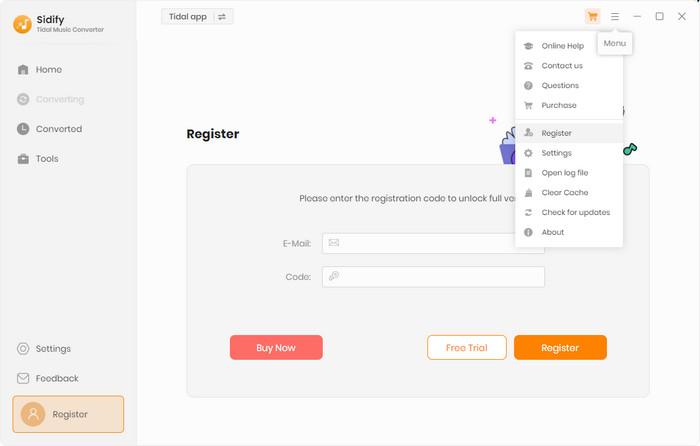
[1]Run Sidify and click the Sign in button in the lower left corner, you'll then get the registration window.
[2]Fill in the blanks with your E-mail address and Code you have received from the email and then click OK.
[1] Please make sure that the program you have installed matches the product and version you purchased.
[2] Please check that the registration code is exactly the same as the one you received in your purchase email. Make sure there are no extra spaces or incorrect characters.
[3] Each registration code can only be used on one device. If it has already been activated on another device, please sign out or deactivate it on the previous device before trying to activate it on the current device.
If the above methods do not resolve the issue, please contact our support team at support@sidify.com via e-mail for further assistance.
Currently Sidify Tidal Music Converter is able to convert Tidal songs, artists, albums and playlists to MP3, AAC, WAV, FLAC, AIFF or ALAC format.
Yes. Sidify Tidal Music Converter supports downloading Tidal music in HiFi quality. When you select Recommend output format, you can save your music in lossless audio quality for a high-fidelity listening experience.
Sidify Tidal Converter is compatible with macOS systems, but only with macOS 11 or later. The program is specifically built for macOS 11 and above, and has been tested up to macOS 26 (Tahoe).
Note: The earlier versions of macOS (below 11) are not supported. If your Mac is running an older version and there’s no compatible build available, we recommend upgrading to macOS 11 or newer to ensure full functionality. If upgrading isn’t possible and you’re a paid user, we can provide you with a free Windows license as an alternative. To request this option, please contact our support team.
Yes, this is completely normal. On ARM systems, the nativeBridgeHelper prompt appears to request authorization from your operating system. Please enter your computer’s username and password to allow the program to run properly. This step is required only once to grant the necessary system permissions. Your credentials are not stored or transmitted anywhere—they are used solely by your system to authorize the application.
If you encounter a problem that cannot be solved using the solutions above, please try the following steps first:
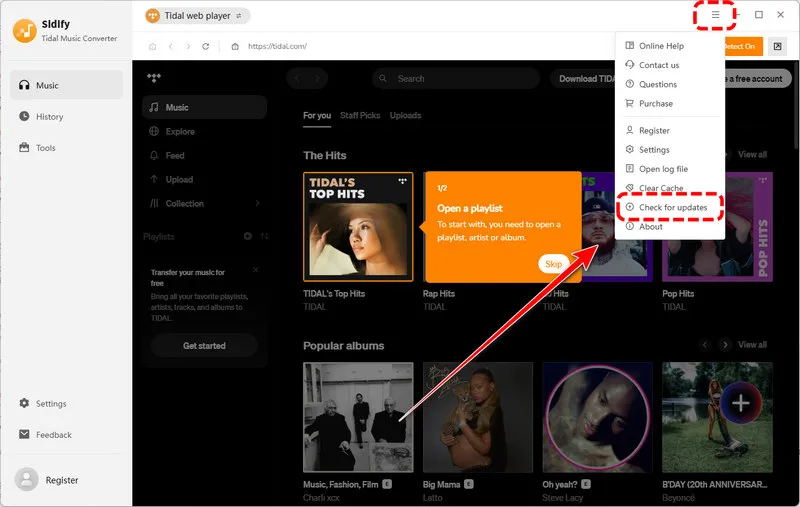
[1] Update or reinstall the latest version
In the program, go to Menu > Check for updates to check for the latest version. You can also download the latest version from the Download page on our website: https://www.sidify.com/download-center.html.
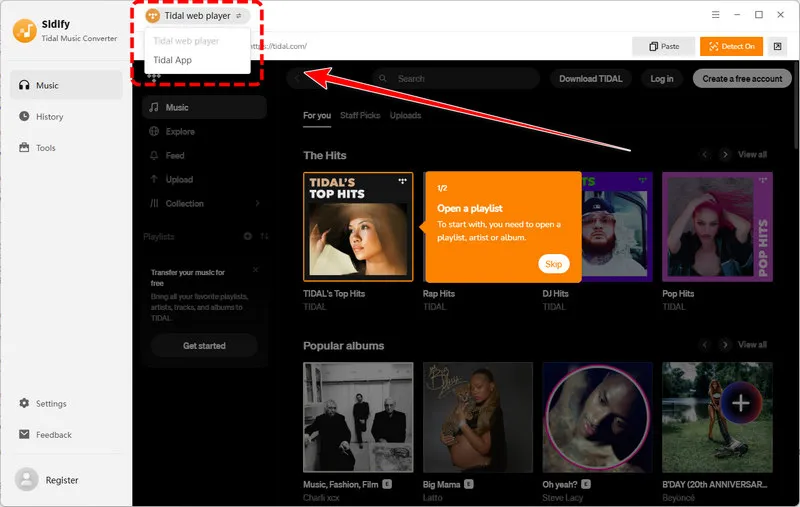
[2] Switch the conversion mode
Try switching between the available App/Web conversion modes and then try the conversion again.
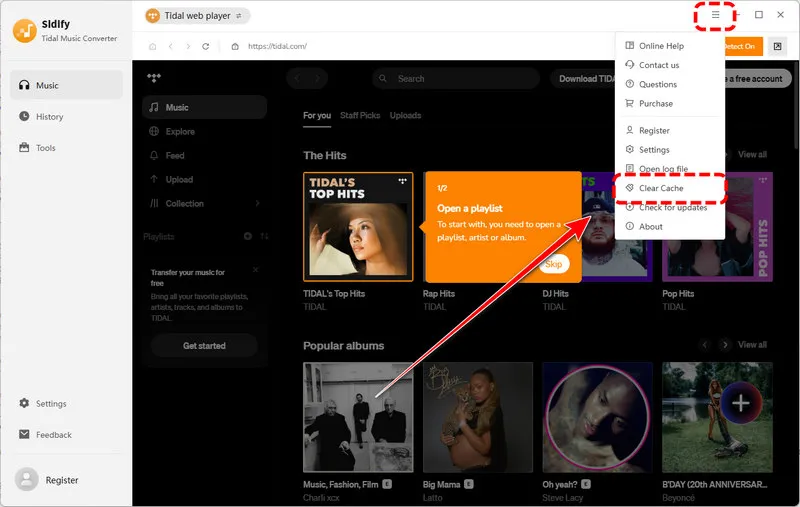
[3] Clear the program cache
For a basic cache cleanup, go to Menu > Clear Caches in the program.
If the problem persists, you can perform a complete cache cleanup on Windows:
[4] Check your account status
Make sure that you can log in to your Tidal Music account normally through an external web browser. If you are using Tidal Music, please also make sure that your subscription is active.
[5] Check your IP address and regional restrictions
If you are using a VPN, try turning it off or switching to another server, and then try again.
[6] Contact our technical support team
If the problem still cannot be resolved, click Feedback in the lower-left corner of the program to contact our support team at support@sidify.com.
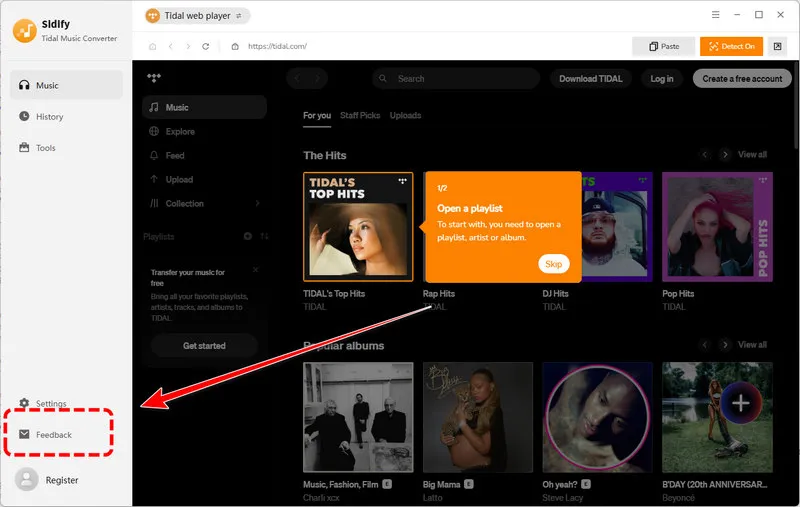
To help us identify the problem more quickly, please describe the issue clearly and include the troubleshooting steps you have already tried and their results. If possible, please also provide:


