
Deezer is a fantastic music platform, offering high-quality 320kbps streams and HiFi 1411kbps FLAC lossless audio, which makes it a solid choice for audiophiles. However, some users may want to take things a step further by exporting music files from Deezer. In this article, we will take a closer look at some of the best Deezer downloaders out there. Some are perfect for getting Deezer music in MP3 format, and others are better for even downloading Deezer's FLAC lossless music in HiFi quality.
| Downloader | Key Feature Snapshot | Formats | Free | Rate |
|---|---|---|---|---|
| Sidify Deezer Music Converter | Lossless Deezer Playlist Downloader, download Deezer playlists, albums, and tracks in original high-quality. | MP3, AAC, WAV, FLAC, AIFF, ALAC | ❌ | ⭐⭐⭐⭐⭐ |
| DeeMix | Free Deezer Music to MP3 Downloader | MP3, FLAC | ✔️ | ⭐⭐ |
| Allavsoft | Deezer Songs to MP3 Downloader | MP4, MP3, etc. | ❌ | ⭐⭐ |
| Acethinker | Download songs from YouTube using Deezer track or playlist links | MP3 | ❌ | ⭐⭐ |
| ReFreezer | Best Android Deezer MP3 Music Downloader | MP3 | ✔️ | ⭐⭐⭐⭐ |
| AIDS Downloader | Download and convert Deezer to MP3 music on Android | MP3, FLAC | ✔️ | ⭐⭐⭐ |
| Telegram Bots | Deezer Music Bot Downloader for Android and iOS | MP3, AAC, FLAC | ✔️❌ | ⭐⭐⭐ |
| Murglar | Deezer Music Downloader on Desktop | MP3,FLAC | ❌ | ⭐⭐ |

Sidify Deezer Music Converter is a professional music downloader for deezer music library. This desktop program allows you to download original music from deezer in both MP3, FLAC and other audio file formats (AAC, ALAC, AIFF, WAV). The Deezer music downloads will be saved as real music files in your preferred path. The program outputs the same quality level as you listen on the deezer player, either 320kbps or 1411+kbps. Most importantly, ID3 tags or lyrics are well kept along with the Deezer downloads.
 Download Deezer Music with Free and Premium accounts.Download Deezer podcasts, music, albums, playlists, and audiobooks, etc.Convert Deezer Music to MP3/AAC/WAV/FLAC/AIFF/ALAC.10X faster conversion speed is supported.Preserve the original Deezer HiFi quality and keep the ID3 tags.No need to install the Deezer Music app.
| OS | Download Type | Format | Quality | Metadata | Batch Conversion | Speed | |
| Windows and Mac | Songs, Playlists, Albums, Radio, Podcast | MP3, AAC, FLAC, WAV, ALAC or AIFF | 320kbps, 1411+kbps | Title, Artist, Track Number, and Album | ✅ | 10× | |
|
|||||||
😀 Pros
|
☹️Cons
|
||||||
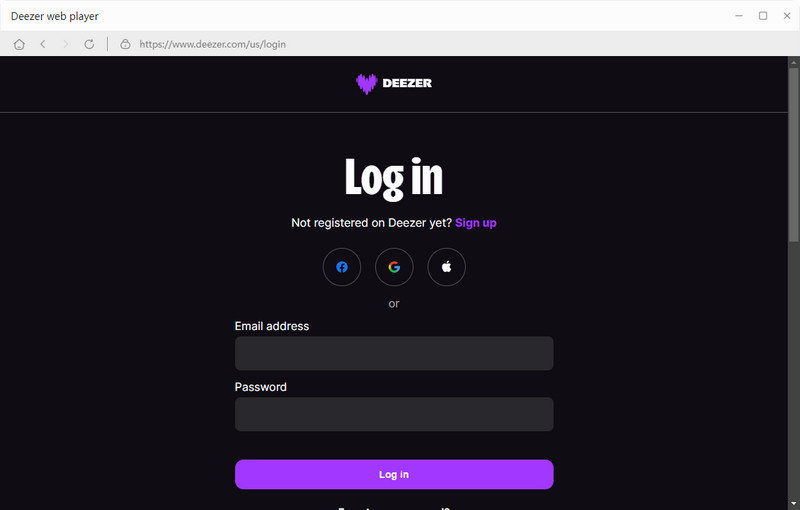
Step 1Run Sidify Deezer Music Converter. From the pop-up windows, log into with a Deezer account to visit the Deezer music library.
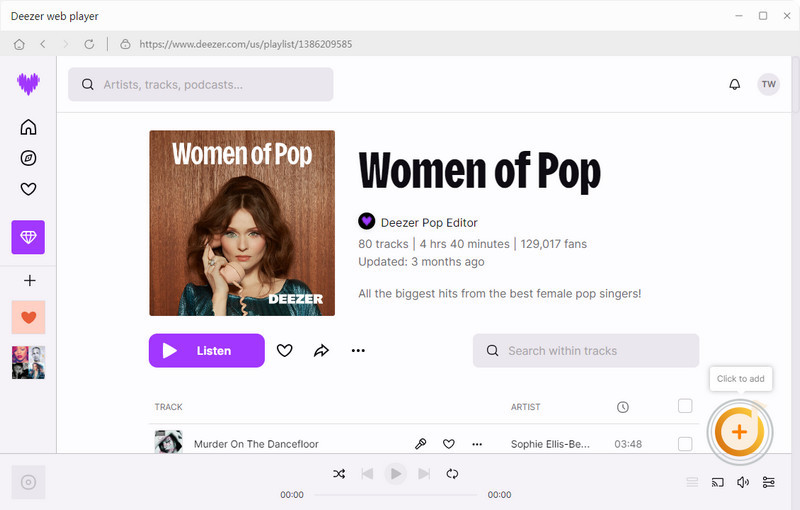
Step 2Open the playlist in your Deezer web library and click "Click to Add" to load all songs into the conversion panel. You can then select songs one by one to convert.
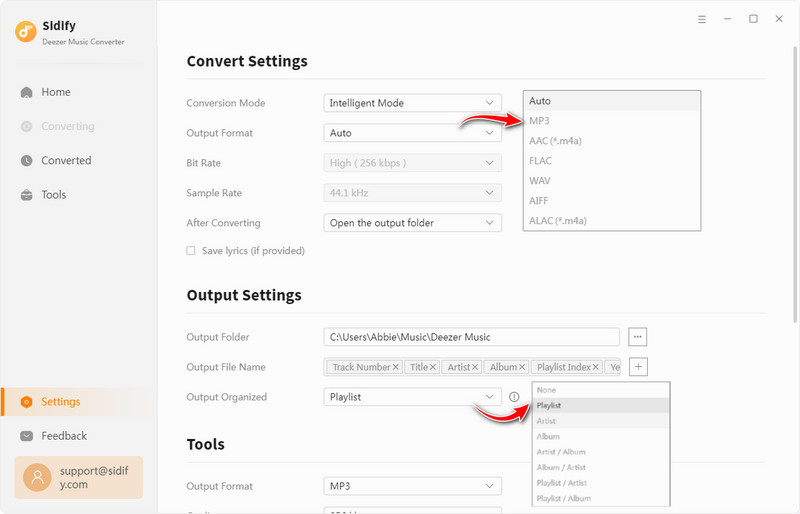
Step 3Open the "Settings" menu in the converter. Here, you can customize the Deezer music output format (e.g., MP3), set the output quality, and choose the folder where the downloaded Deezer tracks will be saved locally.
Step 4 Hit "Convert" to download Deezer music in MP3 format. The converter works up to 10× faster than normal playback.
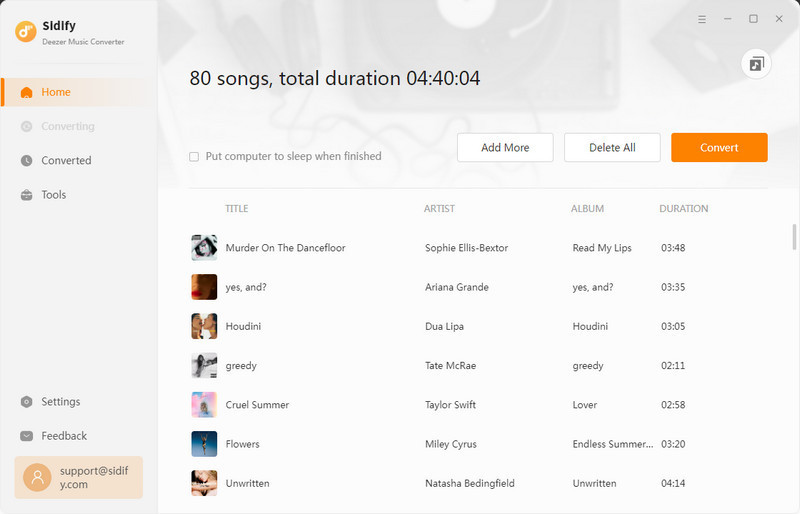
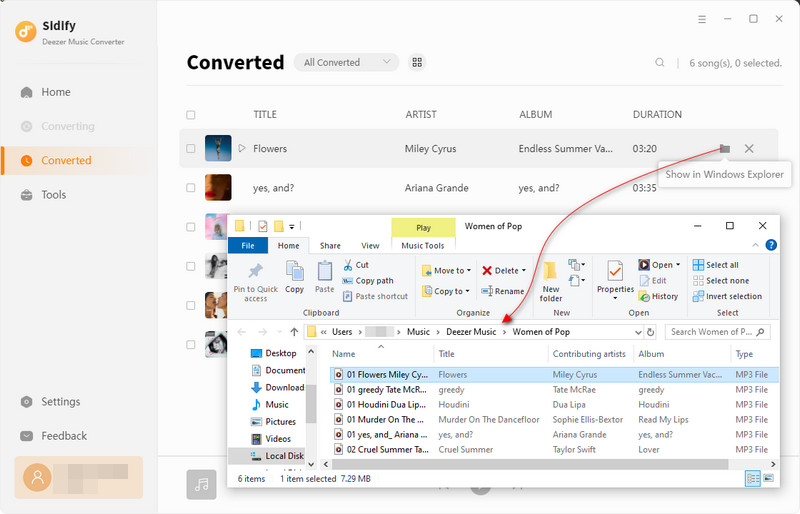
Step 5 After downloading all Deezer tracks, open the Converted section to find them. Tap the folder icon next to a song to see its local backup on your computer. You can now enjoy Deezer music even without a Premium subscription, and on any device.
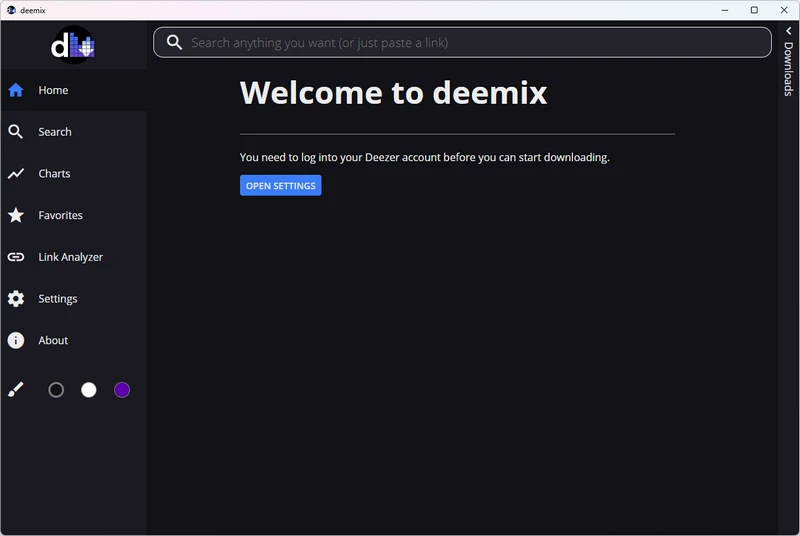
DeeMix is an open-source music downloader that allows users to download songs, albums, and playlists directly from Deezer service. It can convert Deezer music to MP3 (128 kbps to 320 kbps) or FLAC (1411 kbps) and supports downloading entire Deezer playlists. It offers customizable settings, including language, appearance, download path, file naming, folder structure, cover saving, and keeping tags. Deemix runs on Android, iOS and requires a login token from the streaming service to access Deezer music library.
| OS | Download Type | Format | Quality | Metadata | Batch Conversion | Speed | |
| Windows, Mac, Linux, Android, and iOS | Songs, Albums, Playlists | MP3, FLAC | 128kbps, 320kbps, 1411+kbps | Title, Artist, and Album | ✅ | Fast | |
|
|||||||
😀Pros
|
☹️Cons
|
||||||
Step 1 Open the Deemix program that is embeded with Deezer music library. Follow the on-screen tip to log in your Deezer account.
Step 2 Tap settings on the left panel, customize the deezer download preference like the download path and format as well as the quality you like.
Step 3 Hover over the playlist and click the one-click download option, or open the playlist to download songs individually.
Step 4 When the download is done, you can find the Deezer music downloads inside the download location that you set before.
Allavsoft is an all-in-one video and music downloader that supports 1,000+ platforms, including Deezer. The desktop version is not completely free. It allows up to 5 video downloads or 5 minutes of conversion for free. A license is required to unlock the full download features. In addition to Deezer, it also supports downloading music from Spotify, YouTube, Qobuz, SoundCloud, and Napster in MP3 and FLAC formats.
| OS | Download Type | Format | Quality | Metadata | Batch Conversion | Speed | |
| Windows, MacOS | Videos & Music | MP3, FLAC, AIFF, etc. | 128kbps ~ 320kbps | Title | ✅ | Fast | |
|
|||||||
😀Pros
|
☹️Cons
|
||||||
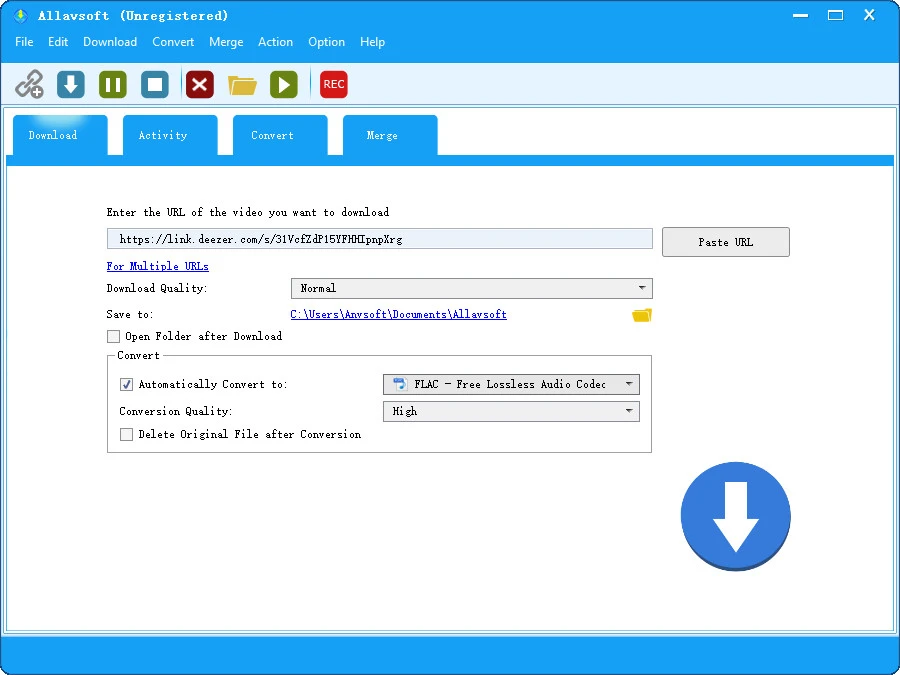
Step 1 Copy and paste the Deezer music or playlist link to Allavsoft.
Step 2 Set the Deezer music format to MP3 via the General Audio drop-down menu.
Step 3 Click the big round Download button to start and finish downloading Deezer music to MP3 conversion.
AceThinker is an online music downloader tool that can convert and download music from streaming links, including Deezer, into MP3 or other audio and video formats. By default, the output format is MP3. Simply paste the Deezer track URL into the downloader, select your desired format and quality, and download the real audio file.
| OS | Download Type | Format | Quality | Metadata | Batch Conversion | Speed | |
| Windows, Mac | Music, Videos | MP3 | 256kbps | Title, Artist | ❌ | Fast | |
|
|||||||
😀Pros
|
☹️Cons
|
||||||
Step 1 Download and run the program on the computer.
Step 2 Go to the settings, set up the download format to MP3 music.
Step 3 Input the Deezer music url when the program will analyze the link information and show out the resultes from YouTube (yeah not literally the deezer music version).
Step 4 Click the MP3 download option and the program will start to download the music from online to offline local path.
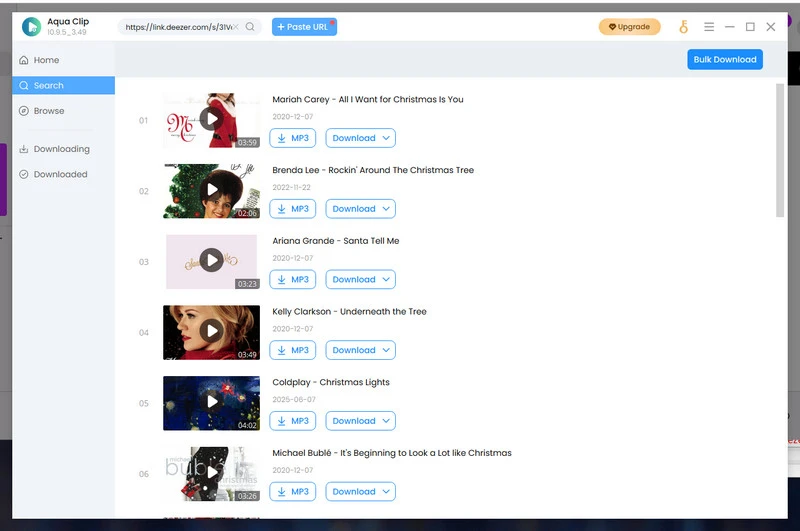
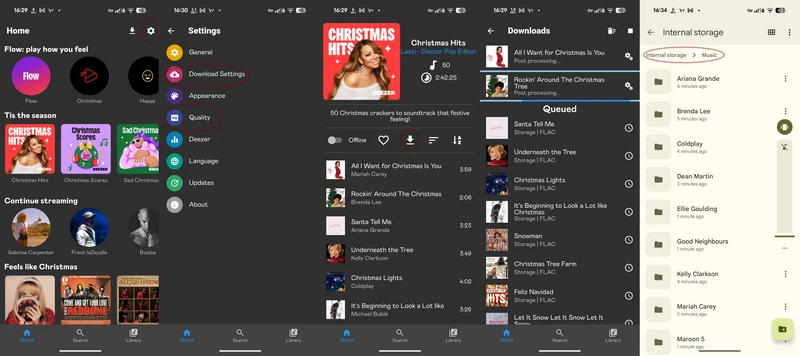
ReFreezer (for Android) is a wonderful Deezer music downloader for android phones. Firstly, it is easy to uninstall without ads. As you access the Deezer music library with your account info, you can view all the songs with an additional download option which is exactly free to use! That said, you can one-click download your preferred songs on Deezer for free. Most importantly, all the downloads are directly download to the Android internal storage. You can further set the Deezer music downloads as Android ringtone if needed.
| OS | Download Type | Format | Quality | Metadata | Batch Conversion | Speed | |
| Android | Songs & Playlists | MP3 | 128kbps ~ 320kbps | Title, Artist, Cover, Lyrics and TrackNum | ✅ | Fast | |
|
|||||||
😀Pros
|
☹️Cons
|
||||||
Step 1 Download the Freezer apk from the official website to your Android phone. Allow the permission to install on the device.
Step 2 Run the deezer music downloader and log in with your Deezer music account. Once you logged in, you can browse the music library as you do with the official deezer app.
Step 3 Tap the Settings icon at the top right corner and set up the download path as well as the qualiy where you can set up the download quality to FLAC or MP3.
Step 4 Now, from the deezer music library, you can visit into the playlist and you can see a download button available. Tap on it, then the playlist song will be queued to download as you set for them.
Step 5 When the downloads is done, you can go to the download path on your phone, and check the music files in a local way. That all the songs are now yours.
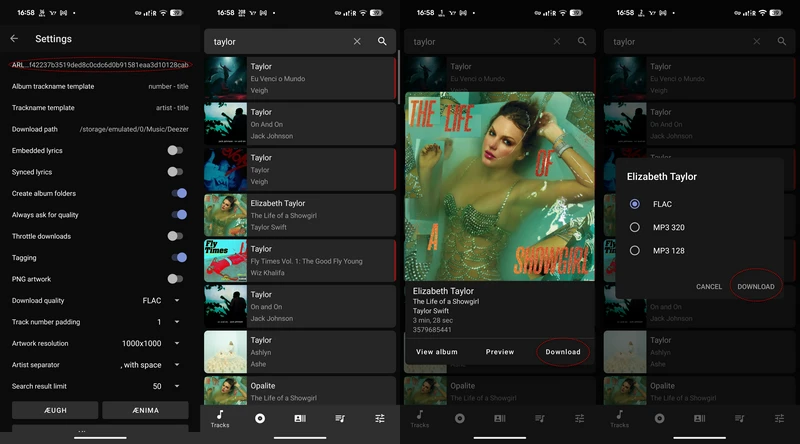
AIDS Deezer Downloader works as a free Deezer music downloader application on Android, but stability can be an issue. Login connection errors and occasional failures are common. In daily use, searching tracks by keywords works, and most Deezer songs and playlists can still be downloaded. The downloader supports Deezer to FLAC and MP3 formats (128 kbps and 320 kbps). Downloaded music is saved directly to a local customized folder.
| OS | Download Type | Format | Quality | Metadata | Batch Conversion | Speed | |
| Android | Songs, Playlists & Albums | MP3, FLAC | High Quality | Title, Artist, and Album | ✅ | Fast | |
|
|||||||
😀Pros
|
☹️Cons
|
||||||
Step 1 Download the AIDS Android from the Malavida's server and install AIDS application to your Android phone.
Step 2 Open the application and go to the Settings tap. From there, tap ARL and enter the Deezer account ARL to log your Deezer music account.
Step 3 Simply enter the keywords on the search bar and it will come out the results. Tap into the results that you are searching for, and you will see a download option provided. You can opt to download the whole album tracks or download single songs as your like. And decide to download Deezer music to MP3 320kbps or FLAC format.
Step 4 At last, check the downloads by going to the download location you set for, it is locally saved in the android storage.
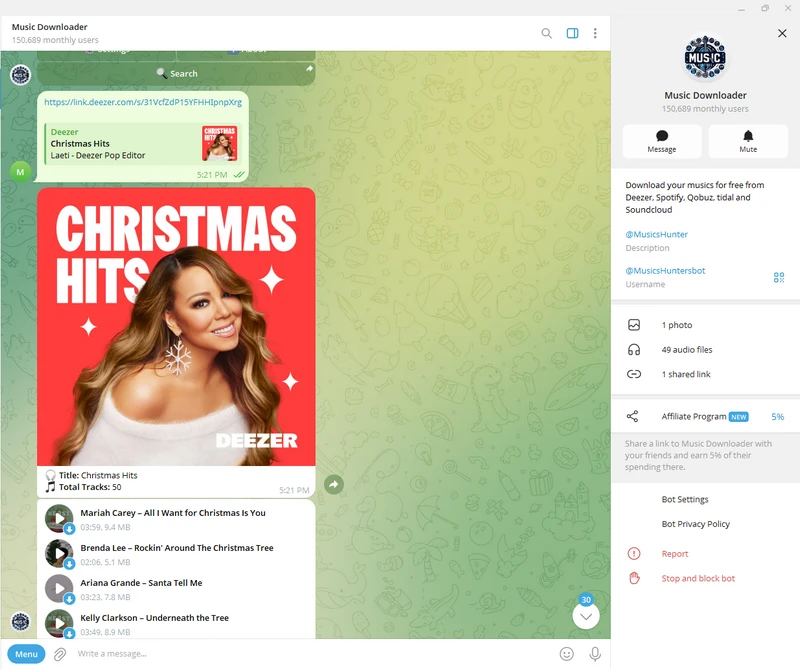
Yes, Telegram can be used as a Deezer downloader on both Android and iOS phone, due to its powerful bot downloader feature. There are some useful bots aiming to downloading songs from Deezer, Spotify, Tidal etc. Songs are downloaded through a chat-based workflow. The steps to using Telegram to download Deezer music are similar. Just send the Deezer links or keywords to the bot and it will response to you with tracks available for download. You then just click the download option and save it to the local directory.
| Compatibility | Download Type | Format | Quality | Metadata | Batch Conversion | Speed | |
| Desktop, Android, iOS | Songs, Playlists, Albums | MP3, AAC, ALAC | 128kbps-320kbps | Title, Artist, Albums, Lyrics | Yes | Fast | |
|
|||||||
😀Pros
|
☹️Cons
|
||||||
Step 1 Find the bot and get into the group.
Step 2 Send the Deezer link and get the playlist songs with a download option one by one.
Note If to download the whole Deezer playlist, you will need to make a donate.
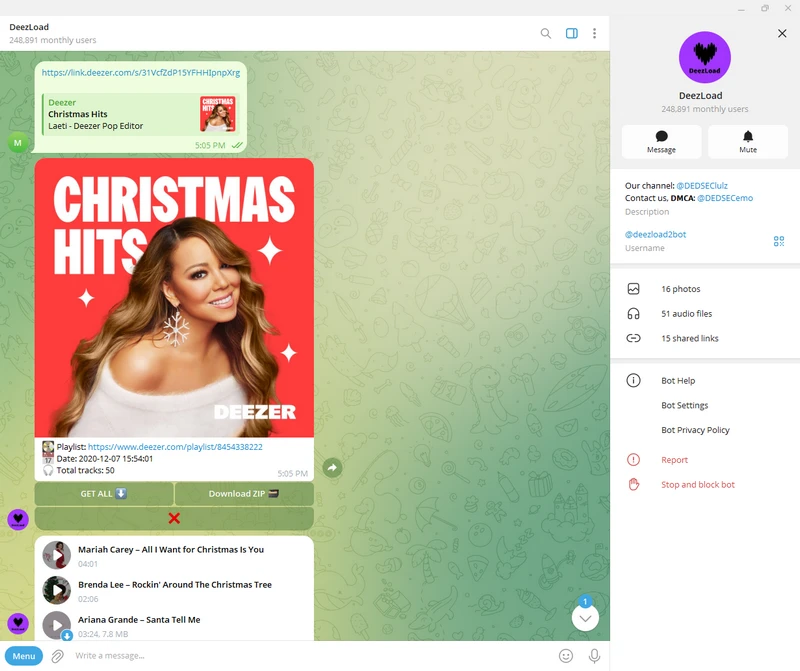
Step 1 Access the bot chat window and start by sending your Deezer link to the bot.
Step 2 The bot will reply with all the playlist songs, each one with a download instruction to get the Deezer music file.
Note: You can only to download playlist songs one by one, no whole playlist download or bulk songs download feature.
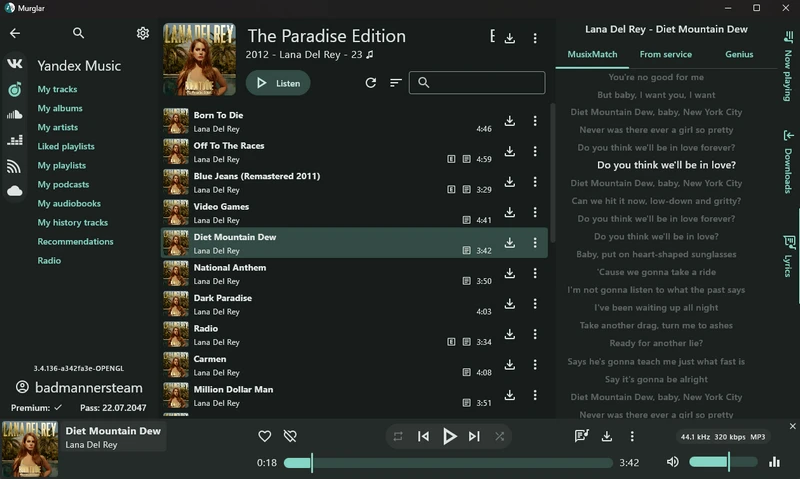
Murglar is a music player and downloader that works with VK, Yandex Music, SoundCloud, Deezer, Zvuk, and WebDAV. It lets you download tracks as real audio files with tags, artwork, and lyrics. Download locations can be customized, even to an SD card. Murglar can connect to third-party players such as Poweramp, AIMP, BubbleUPNP, and Fermata Auto, so music can be streamed without storing it locally.
| OS | Download Type | Format | Quality | Metadata | Batch Conversion | Speed | |
| Android/Windows/Linux/Mac | Songs, Playlists, Albums | MP3 | 320 kbps | Title, Artist, Albums | Yes | Fast | |
|
|||||||
😀Pros
|
☹️Cons
|
||||||
Step 1 Download Murglar from the official website and install it on your device.
Step 2 Open settings and connect your Deezer account. Set your preferred download options.
Step 3 Browse Deezer playlists, tap the download arrow, and save the songs to your device.
Tools like Sidify Deezer Music Converter, Deemix, and Telegram Deezer Downloader bots can download Deezer music. Sidify is the best choice for downloading entire and bulk playlists at once, quickly and in original quality.
Both yes and no. Free accounts can download Deezer music in 128kbps MP3, but for better audio quality, a Premium account is better.
HiFi or lossless Deezer downloads are fully supported by Sidify Deezer Music Converter. Deemix claims HiFi support. Allavsoft, AceThinker, AIDS Deezer Downloader, Telegram Deezer Downloader Bots, and Murglar, the download quality vary and is generally limited to standard or MP3 quality.
Absolutely. The downloaders above save Deezer tracks as real MP3 or FLAC music files, which can be used on any compatible device or player.
These top Deezer music downloaders make it easy to save your liked Deezer tracks and playlists from online to offline. If you are after high-quality MP3s or lossless FLAC files, head to the professional Sidify Deezer Music Converter without doubt. Or explore the options, try the free ones, pick the one that suits you best, and enjoy Deezer music in your ways!

Harper North | Staff Writer


 700,000+ Downloads


