


A safe YouTube to MP3 download means you get the audio file, not a chain of ads, extra pages, or an installer you never asked for. Plenty of free sites still do some of that, and a few also ask you to sign in before a public video will convert. On September 22, 2026, we tested 11 popular YouTube to MP3 converters for redirects, ads, login requirements, download behavior, and whether the file matched the quality on the button.
⚠️Disclaimer: This guide is for educational purposes or personal use only. Please respect copyright and follow YouTube's Terms of Service.

Quick Reference: 11 YouTube to MP3 Sites
| Tool | Safety | Audio quality | Formats | Ads | Login | Playlist |
|---|---|---|---|---|---|---|
| Sidify All-In-One | Safer | 320kbps matched | MP3, AAC, ALAC, AIFF, WAV, FLAC | No ads observed | Required | ✅ Full batch |
| CNVMP3 | Safer | 320kbps selected → 256kbps VBR | MP3, MP4 | No ads observed | Not required | ❌ |
| Youtube2mp3.net | Safer | No quality selector | MP3 | No ads observed | Not required | ❌ |
| PullMP3 | Safer | 320kbps matched | MP3, M4A, AAC,FLAC, OPUS, OGG, WAV | No ads observed | Not required | ❌ |
| AceThinker | Safer | About 171kbps in our test | MP3, WAV, FLAC, OGG, AAC, M4A | No ads; desktop-app promo at limit | Not required | ❌ |
| OnlyMP3 | Safer | No quality selector | MP3, MP4 | Donation pop-up | Not required | ❌ |
| YTMP3 | Moderate | About 129kbps | MP3 | No on-page ads observed; ad redirect reported | Not required | ❌ |
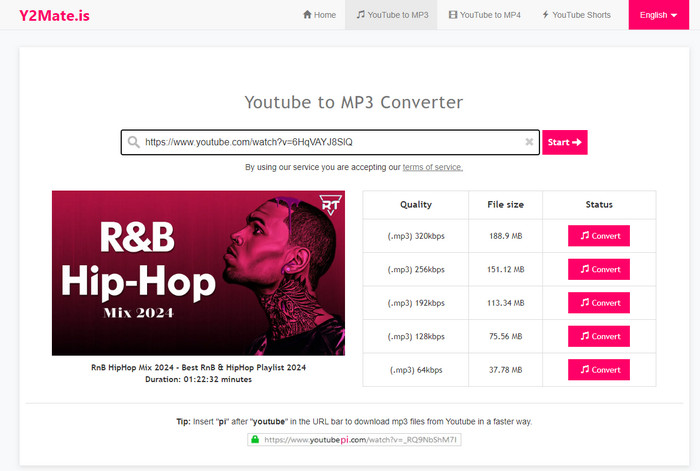
| Y2Mate | Moderate | No quality selector in our test | MP3, MP4 | 2 third-party ads observed | Not required | ❌ |
| YT1S | Moderate | 320kbps selected → 128kbps VBR | MP3, MP4 | No intrusive ads observed | Not required | ❌ |
| YouTubeToolkit | Moderate | 320kbps failed; 128kbps worked | MP3 | Small on-page ads | Not required | ❌ |
| FLVTO | Moderate | 320kbps matched | MP3 | Third-party downloader ad observed | Not required | One by one |
| Convert2MP3 | Avoid | Not verified | MP3, MP4, and other listed formats | Many promotional ads observed | Not required | Not tested |
Last full test: September 22, 2026. Latest site verification: October 26, 2026.
We tested each YouTube to MP3 converter under the same conditions. “Safer” does not mean the tool is risk-free or that the output is always accurate. It means that in our single test session, the download path was relatively clean. Online converters can change their ads, redirects, and quality behavior at any time.
#1. CNVMP3
Website: https://cnvmp3.com/v55
CNVMP3 is a practical option for YouTube to MP3 downloads without ads or sign-up, based on the clean, single-page workflow we observed in our tests. That makes it a practical starting point for an occasional MP3 download when you want minimal setup. The free browser tool accepts YouTube videos and Shorts, offers several MP3 bitrate settings, and lists other sources including TikTok, Reddit, Instagram, Facebook, Twitch clips, and X. Its main appeal is the uncluttered workflow; the quality menu deserves more caution, because our downloaded file did not match the highest setting we selected. It is also a better fit for individual links than for a playlist.
- Supports MP3 and MP4 output with 96, 128, 256, and 320kbps MP3 options.
- Runs in the browser without ads, software installation, or account registration.
- Conversions can occasionally return incorrect or unexpected audio, so the finished file should be checked.
- Copycat domains and fake apps make it important to use the correct cnvmp3.com address.
Our Test Results of CNVMP3
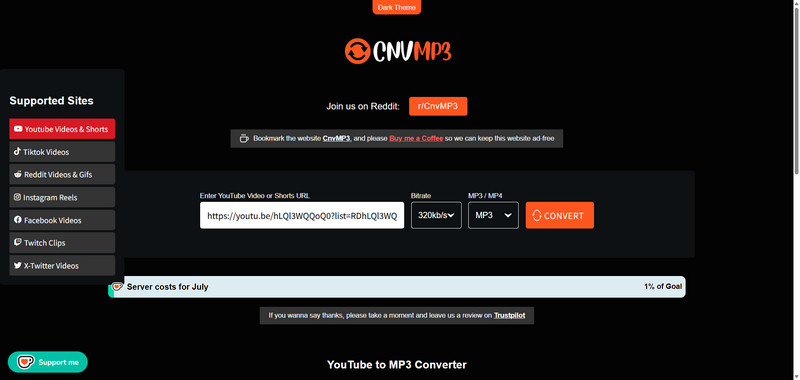
We converted two YouTube videos in CNVMP3, and the whole job stayed on one page. Those downloads had no ads, pop-ups, third-party redirects, or unexpected files, both files arrived, and no account was required. The bitrate list offers 96kbps, 128kbps, 256kbps, and 320kbps. We chose 320kbps and checked the file in MediaInfo, which reported 256kbps VBR, so the button and the file did not match. Our playlist URL failed to parse, so playlist downloading did not work in this test. CNVMP3 may also be unavailable in some countries or regions.
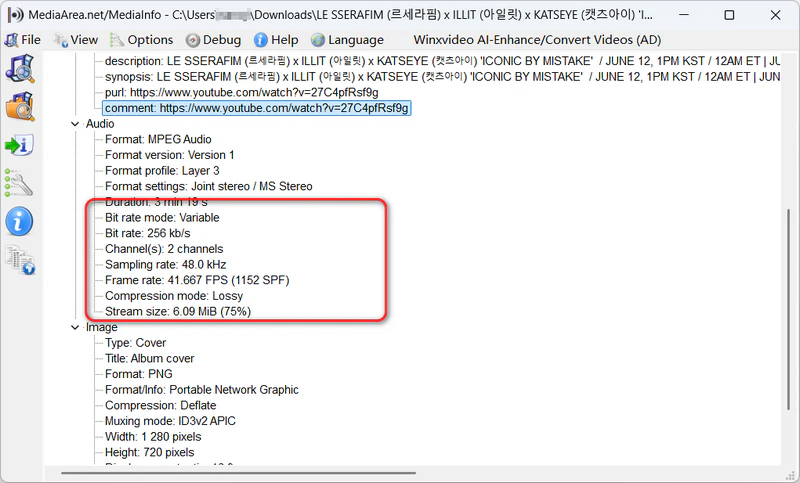
MediaInfo reported 256kbps VBR for our test file after we selected the 320kbps MP3 option in CNVMP3.
#2. Youtube2mp3.net
Website: www.you2mp3.org/en30/
For a short video and a simple download, Youtube2mp3.net offers a straightforward browser-based YouTube to MP3 conversion workflow. The version we tested at you2mp3.org/en30/ completed downloads without ads, unexpected redirects, or a login, making it approachable if you do not want to configure output settings. Its interface is available in English, Italian, Turkish, Romanian, and Dutch. The trade-off is limited control: there is no MP3 bitrate selector, and longer recordings fall outside the online tool’s scope. The service also promotes a separate desktop app, so readers looking for a browser-only solution should check the duration limit in the test notes before starting.
- Offers a simple paste-and-convert workflow with no software installation.
- Provides privacy, terms, and contact pages.
- Only MP3 output is available, with no documented bitrate selection.
- Playlist support and clear video-length limits are not documented.
Our Test Results of Youtube2mp3.net
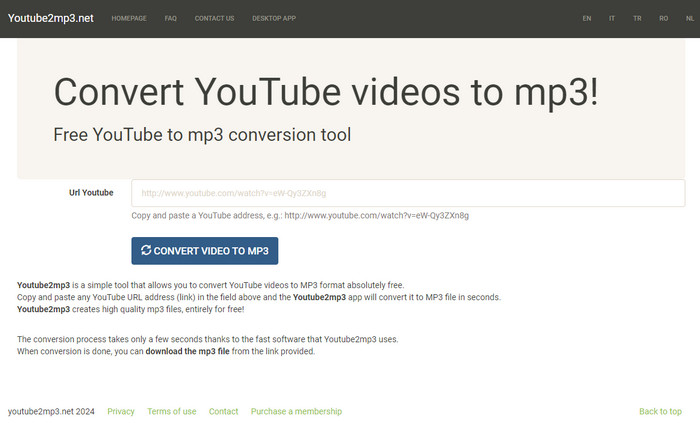
The online session at you2mp3.org/en30/ was simple, and the videos we tried downloaded successfully. Youtube2mp3.net is safer because that session had no ads and no unexpected redirects, and we were not asked to log in. There is no control for MP3 quality. Youtube2mp3.net cannot process videos longer than 15 minutes online; the page stops and asks you to open its desktop app instead. A playlist URL returned “Url not well formed,” so Youtube2mp3.net does not support playlist downloads.
#3. PullMP3
Website: https://pullmp3.cc/
PullMP3 stands out for readers seeking a 320kbps YouTube to MP3 converter, because the selected bitrate matched the file we checked. This audio-focused browser tool keeps the workflow simple, with two bitrate options and no competing video-format menu, so there are fewer settings to work through. Our conversion also avoided intrusive ads and third-party redirects, which made the download easier to follow. This combination makes PullMP3 worth considering for individual videos when output bitrate matters. It does not offer a playlist workflow in our tests, and a higher MP3 bitrate should not be confused with recovering audio detail that was absent from the source.
- Offers 128 and 320kbps MP3 options.
- Works in mobile and desktop browsers without installing software.
- Conversion times are not guaranteed and can vary by source video and connection.
Our Test Results of PullMP3
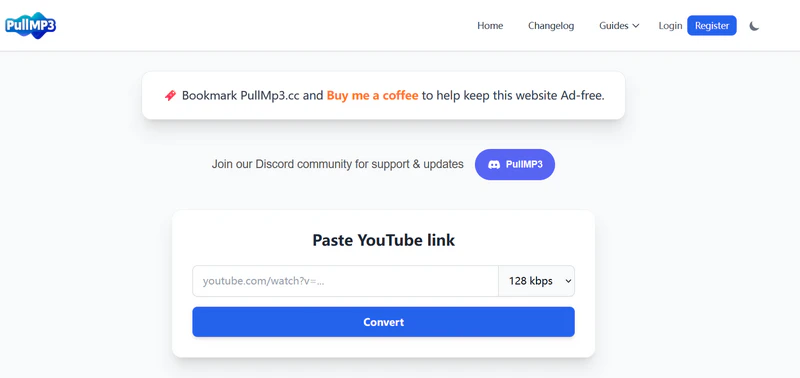
We pasted a YouTube link into PullMP3, picked a bitrate, and downloaded without signing in. PullMP3 is safer because that conversion had no intrusive ads or third-party redirects. The only choices are 128kbps and 320kbps. We selected 320kbps and opened the file in MediaInfo, which reported a constant 320kbps, so the label matched the download. Playlist URLs could not be parsed, which means PullMP3 does not support playlist downloads and is limited to single videos.
#4. AceThinker
Website: https://www.acethinker.ai/online-downloader
AceThinker is a flexible online YouTube audio downloader for short clips when you need formats beyond MP3. Its output menu lists MP3, WAV, FLAC, OGG, AAC, and M4A, alongside support for sources such as YouTube, Facebook, Instagram, and TikTok. That broader menu may be useful when you need a format suited to a particular player or editing workflow. Our shorter YouTube conversions followed a clean download path, but the saved filename needed attention and a longer video triggered a desktop-app promotion. The online version therefore makes more sense for short clips than extended recordings; its format list alone should not be read as a promise of better source quality.
- Works across common browsers and devices and supports links from multiple social platforms.
- Includes separate tools for audio conversion, video conversion, and basic editing.
- Free online use is limited to 30-minute clips, five files per day, and 128kbps audio.
- Playlist and batch downloads require the paid desktop product.
Our Test Results of AceThinker
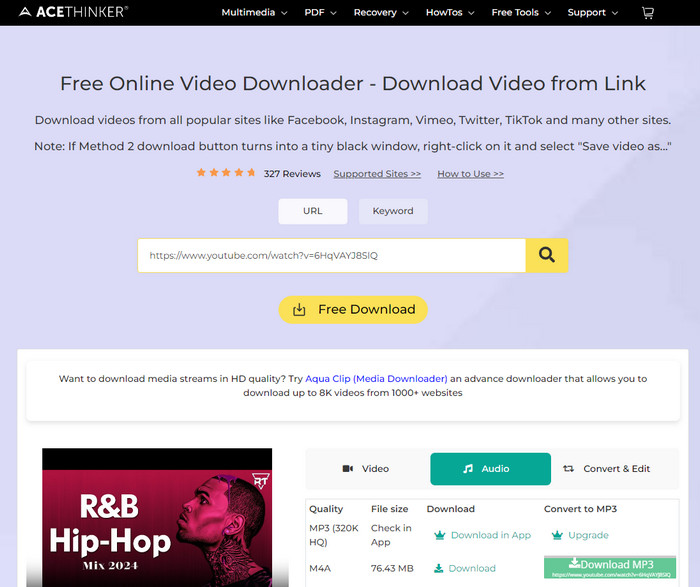
Shorter YouTube videos converted in AceThinker without trouble. AceThinker is safer on those clips because the normal download had no intrusive ads, no redirects, and no unexpected files. Output can be MP3, WAV, FLAC, OGG, AAC, or M4A. The file we saved did not keep the video title; the filename was unreadable, and the bitrate was about 171kb/s. A video over 30 minutes was refused, and AceThinker showed a pop-up promoting the desktop app instead of finishing the online download. After we pasted a playlist URL, the videos on screen did not match that playlist, so AceThinker does not support playlist downloads.
#5. OnlyMP3
Website: https://en.onlymp3.to/converter-v2
OnlyMP3 keeps online YouTube to MP3 conversion simple: paste a YouTube link, convert it, and save the MP3 without choosing a bitrate. That simplicity is its main attraction for readers who want an occasional audio file and do not need control over encoding settings. In our test, a dismissible donation request interrupted the process, but the download continued directly afterward. The site also advertises unlimited conversions and saving to Dropbox, although those claims should be distinguished from the local download we tested. OnlyMP3 is best approached as a tool for individual links, with convenience taking priority over advanced output settings or playlist handling.
- Works without signup or installation and accepts videos up to four hours.
- Supports YouTube videos, Shorts, YouTube Music links, and saving to Dropbox.
- Unexpected redirects to another downloader can occur.
- Converted files and links are temporary, and Dropbox saving depends on a third-party service.
Our Test Results of OnlyMP3
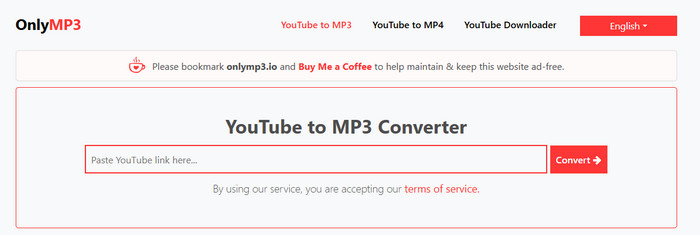
OnlyMP3 detected our YouTube video, then opened a pop-up asking visitors to support its server and maintenance costs. The message could be closed. OnlyMP3 is safer because, after that, Download MP3 started the file directly, with no further pop-ups or redirects. There is no bitrate menu. OnlyMP3 also advertises unlimited conversions. A playlist URL returned “Enter a valid YouTube URL,” so OnlyMP3 does not support playlist downloads.
#6. YTMP3
Website: https://yt-to-mp3.net/
YTMP3 needs to be judged by its exact address, because several sites use the same name. This review covers the YouTube to MP3 converter at yt-to-mp3.net, whose page looked clean but whose download path was less direct than that first impression suggested. The file eventually arrived in our test, making it usable for a basic individual conversion, though readers who want a predictable sequence of clicks may prefer the cleaner options above. There is no quality selector to tailor the output. The site also offers Firefox and Edge extensions, but those were outside our test; the browser-page findings do not establish how the extensions or other YTMP3 domains behave.
- Runs in the browser without requiring a desktop program.
- The domain was not listed on the major public browser blocklists checked.
- The conversion flow can load third-party notification and tracking scripts.
- Download clicks can open advertising pages, new tabs, or YouTube redirects.
Our Test Results of YTMP3
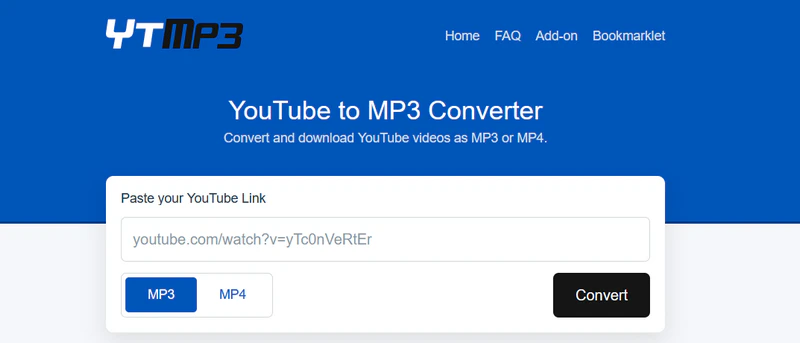
The convertytmp3.org page itself was clean: no intrusive ads or pop-ups, and nothing unexpected was installed. Parsing the YouTube URL took longer than on the safer sites. YTMP3 is only moderately safe because clicking Download sent us to a YouTube video before the MP3 could be saved. There was no quality option. We checked the finished file in MediaInfo, which reported about 129kbps. A playlist URL failed with “Code: 0.0,” so YTMP3 does not support playlist downloads. These notes apply only to convertytmp3.org, not to other sites that use the YTMP3 name.
#7. Y2Mate
Website: https://en.y2mate.st/x14/youtube-to-mp3.html
Y2Mate’s strength in our test was completing individual YouTube to MP3 downloads, while its weakness was the number of interruptions before the transfer began. Once started, the files downloaded quickly, but getting to that point involved ads and redirects that made the correct download path harder to follow. This gives it less appeal for readers whose priority is a quiet, straightforward conversion. The version reviewed here is en.y2mate.sx/v10/youtube-to-mp3.html, which offered no quality selector and did not accept our playlist link. Because other domains copy the Y2Mate name and layout, these findings apply to this address rather than every site carrying the brand.
- Offers free conversion with MP3 and MP4 options and no registration.
- Works in major browsers and can save files to Google Drive or Dropbox.
- Pop-ups, unrelated downloads, and redirects can interrupt the download path.
- Multiple unrelated domains use the Y2Mate name, making the genuine service difficult to identify.
Our Test Results of Y2Mate
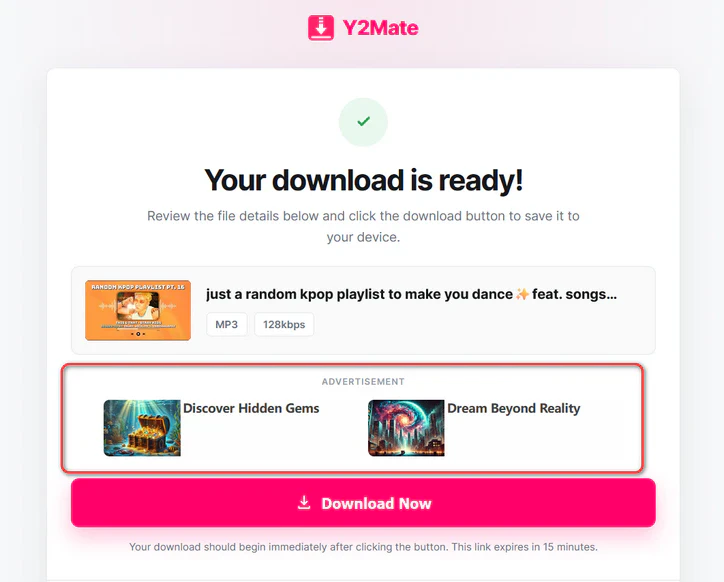
Both of our test videos did download from en.y2mate.sx, and the transfer was fast once it actually started. Getting there took at least three clicks. Y2Mate is only moderately safe because that path included two third-party ads and three redirects, one of them a page that asked whether we were over 18. There is no quality selection on this version. A playlist URL returned “Please paste a valid YouTube URL,” so Y2Mate does not support playlist downloads. Other sites that copy the Y2Mate name may not behave the same way.
#8. YT1S
Website: https://v3.yt1s.click/youtube-to-mp3/
YT1S combines YouTube to MP3 and MP4 conversion, which may suit readers who switch between saving audio and keeping a video. It also advertises a preview and presents a broad MP3 quality menu. Our test, however, showed why the available settings are only part of the picture: the downloaded audio did not match the selected bitrate, and the path to the file included redirects. YT1S therefore offers more choices on screen than confidence in the resulting output. If your main requirement is a verified MP3 bitrate or a download with fewer interruptions, its menu alone is not a strong reason to choose it.
- Supports both MP3 and MP4 conversion with several displayed audio-quality options.
- Handles individual conversions in a browser without an account or desktop installation.
- The listed URL is not consistently accessible, so availability can be unreliable.
- Ownership and feature claims are difficult to verify across the many YT1S-branded domains.
Our Test Results of YT1S
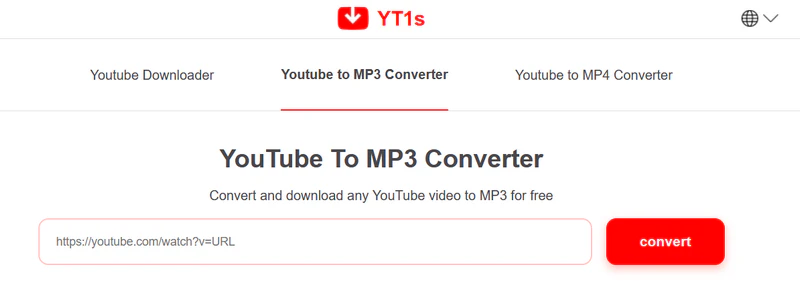
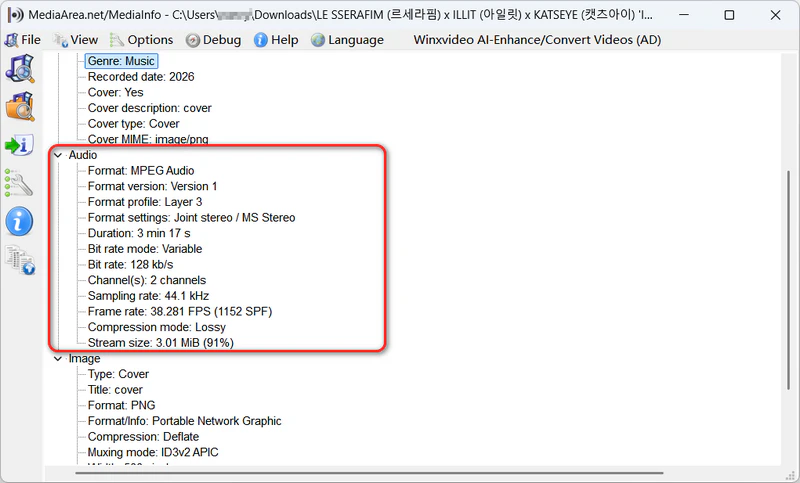
YT1S showed no intrusive pop-up ads, and it did not offer an installer in place of the audio. YT1S is only moderately safe because the download still passed through several redirects back to YouTube before the file started. The quality list runs from 64kbps to 320kbps. We selected 320kbps, and MediaInfo reported only 128kbps VBR for the file that arrived. Parsing a playlist URL returned no results, so YT1S does not support playlist downloads.
#9. YouTubeToolkit
Website: https://youtubetoolkit.com/tools/mp3-downloader
YouTubeToolkit is geared more toward occasional downloads than collecting a series of files. Its YouTube to MP3 downloader accepts videos and Shorts and displays several bitrate options, but our session ran into both a daily download cap and failures at the highest setting. A lower setting completed successfully, so the tool was usable within those limits. The page also stayed on-site during the test, although small ads remained visible. Its practical appeal is a browser conversion for a small number of links; readers planning repeated downloads or relying on the highest advertised bitrate should pay particular attention to the restrictions recorded below.
- Supports standard YouTube videos and Shorts with 64, 128, 192, and 320kbps choices.
- Works without registration and shows the video title and channel before downloading.
- Standard downloads may be subject to usage limits.
- Bulk downloading requires a separate premium platform, and playlists are not supported by the standard converter.
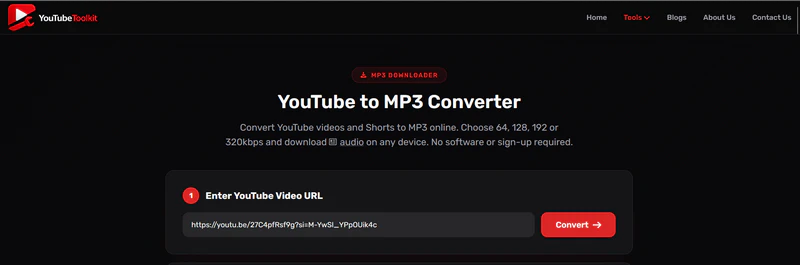
Our Test Results of YouTubeToolkit
YouTubeToolkit showed small ads at the bottom and along the left side, which is why it is only moderately safe, even though the page did not redirect us. After a YouTube URL was parsed, it listed 64, 128, 192, and 320kbps. We tried 320kbps on more than one video, and those downloads failed, while 128kbps downloads completed. Free use stopped at three downloads a day. YouTubeToolkit does not support playlist downloads.
#10. FLVTO
Website: https://flvto.world/
FLVTO offers a more flexible starting point for YouTube to MP3 conversion: you can start with a URL or search using a song or video title. It also recognized the entries in our test playlist, making it more useful for browsing a collection than tools that rejected the playlist link altogether. FLVTO can list a YouTube playlist, but each video must be downloaded individually. Our selected MP3 bitrate matched the resulting file, although ads and redirects made starting the download less convenient. It is therefore an option for readers willing to handle files one at a time, rather than a substitute for full-playlist batch downloading.
- Accepts either a YouTube URL or a title search and offers MP3 output up to 320kbps.
- Works in desktop and mobile browsers without an account.
- Ads or redirects may appear despite the clean-download claims on the page.
- Playlists cannot be downloaded in a batch; every video must be processed separately.
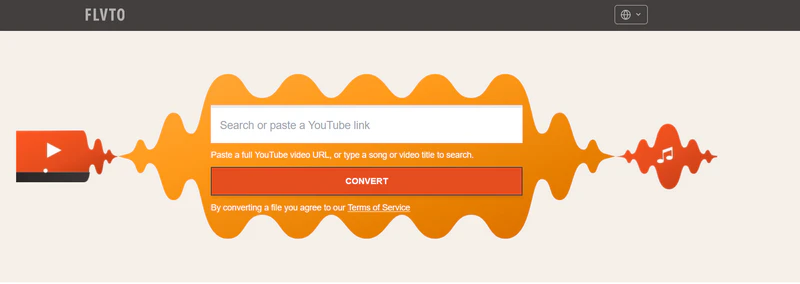
Our Test Results of FLVTO
FLVTO offered several bitrates, from 128kbps to 320kbps, and the 320kbps option produced a 320kbps MP3 in our test. Starting that download was less smooth: it took more than one attempt, a third-party downloader ad appeared, and we were sent to YouTube more than once before the file began. That path is why FLVTO is only moderately safe. FLVTO did detect every video in our test playlist, but there was no batch button, so each video had to be downloaded on its own.
#11. Convert2MP3
Website: https://en.convert2mp3.club/index_20.html
Convert2MP3 advertises more YouTube audio conversion features than its test performance could support. Alongside several audio formats, it lists on-site YouTube search and an ID3 tag editor, features that could help users find a video and label the resulting MP3. We could not establish that practical value because repeated promotional pages prevented us from completing a download. For someone choosing a converter primarily to obtain a usable audio file, this is a more significant limitation than the length of the format list. Its advertised extras remain unverified, and the tested version is difficult to recommend over tools that completed the basic task.
- Supports link conversion, on-site video search, multiple languages, and ID3 tag editing.
- The domain has a multi-year history and no major malware or phishing detections in current automated checks.
- Advertising redirects and notification prompts can interrupt the conversion flow.
- The current domain has no clearly verified connection to the original Convert2MP3.net service.
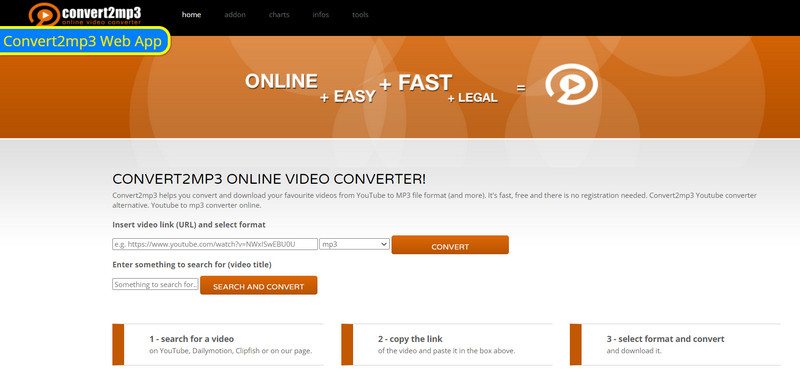
Our Test Results of Convert2MP3
Convert2MP3 was the hardest page to use, and the only one we marked Avoid. Redirects and promotional ads came up often enough that clicking different parts of the page could leave the converter. Both the Convert button and Download MP3 repeatedly opened another page instead of starting a file. We never found a working download flow, so Convert2MP3 never finished an MP3. Output quality stayed unverified, and the playlist test could not be run. On-site search and the ID3 tag editor remain advertised features, not results we could confirm.
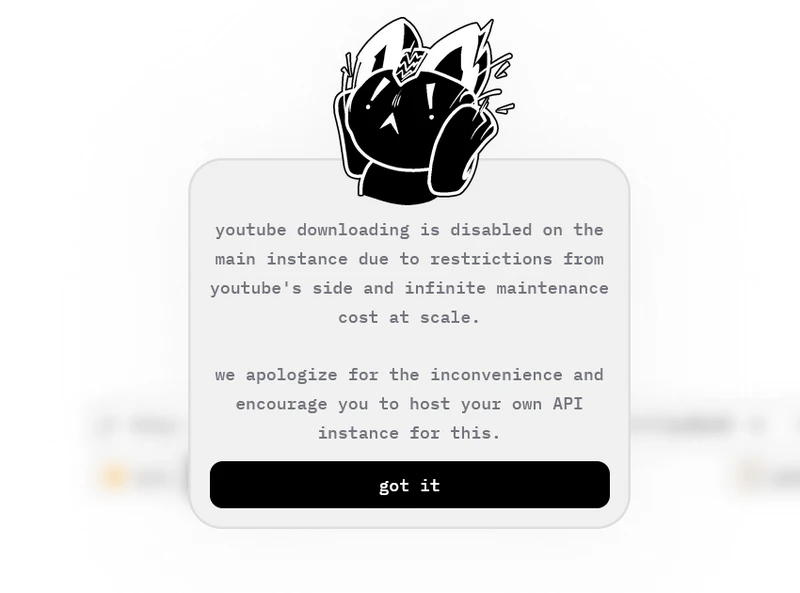
Many forums and AI tools recommend Cobalt Tools as a safe way to download YouTube videos as MP3 files without installing any software. However, in our tests, YouTube downloads were disabled on Cobalt Tools site. Cobalt displayed the following message: “YouTube downloading is disabled on the main instance due to restrictions from YouTube's side and infinite maintenance cost at scale.” Some Reddit users have also reported similar issues.
A Safer Desktop YouTube to MP3 Alternative: Sidify All-In-One
The online tools above work best for individual videos, but most rejected our playlist link, while FLVTO required a separate download for each entry. Sidify All-In-One is a desktop YouTube to MP3 converter for Windows and Mac that makes multiple downloads easier to manage. In our test, it completed a full YouTube playlist in one batch without ads, pop-ups, or third-party redirects, making it a practical step up for regular downloads.
Sidify lets you queue playlist entries, choose an output folder, and save audio as MP3 at up to 320kbps or in AAC, ALAC, AIFF, WAV, and FLAC formats. These controls reduce repeated work and help keep downloaded files organized. The app also supports services such as YouTube Music, Spotify, and Apple Music. It requires installation, and our YouTube test required signing in before downloading; for an occasional single clip, a browser tool may still be more convenient.
Why choose Sidify All-In-One?
- No ads, pop-ups, or third-party redirects observed in our conversion test
- Download YouTube tracks, playlists, and albums to MP3 at up to 320kbps
- Queue playlist entries together instead of starting a separate download for each video
- Multiple output formats: MP3, AAC, ALAC, AIFF, WAV, FLAC
- Available for Windows and Mac
- Choose an output folder to keep downloaded files together

Our Test Results of Sidify All-in-One
Test Notes: On September 22, 2026, we ran Sidify on two individual YouTube tracks and one playlist of 76 videos, 122 minutes in total. Sidify is safer for that job because the conversion stayed clear of ads, pop-ups, and third-party redirects, and no unexpected file or misleading download button appeared. The playlist finished in about 10 minutes. We set the output to 320kbps MP3 and checked one file in MediaInfo, which reported a constant 320kbps. Sidify did require us to sign in before the download.
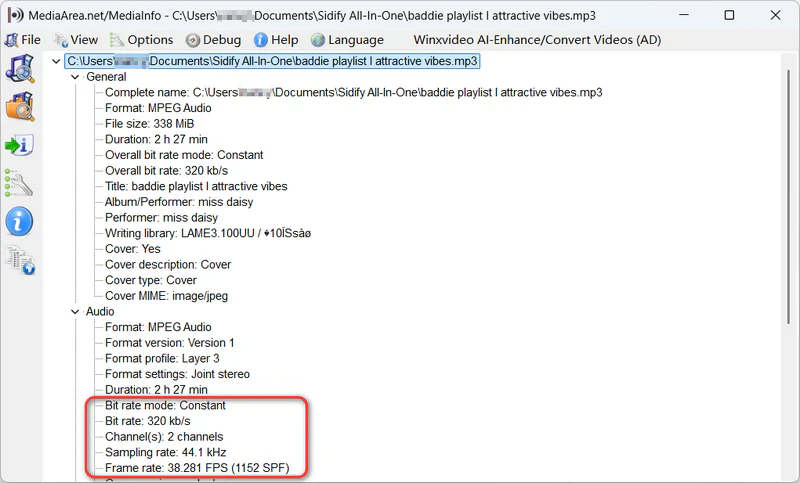
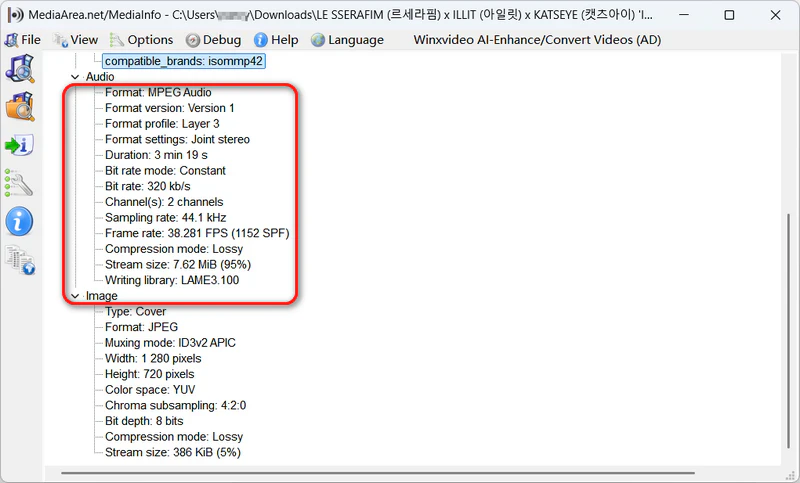
MediaInfo confirms that the MP3 downloaded with Sidify was encoded at a constant 320kbps bitrate.
How to Download YouTube Playlists to MP3
If a whole playlist is the reason the browser sites above are not enough, these are the steps that completed the batch in our test.
Step 1 Run Sidify All-In-One on your computer and choose the "YouTube" module to start.
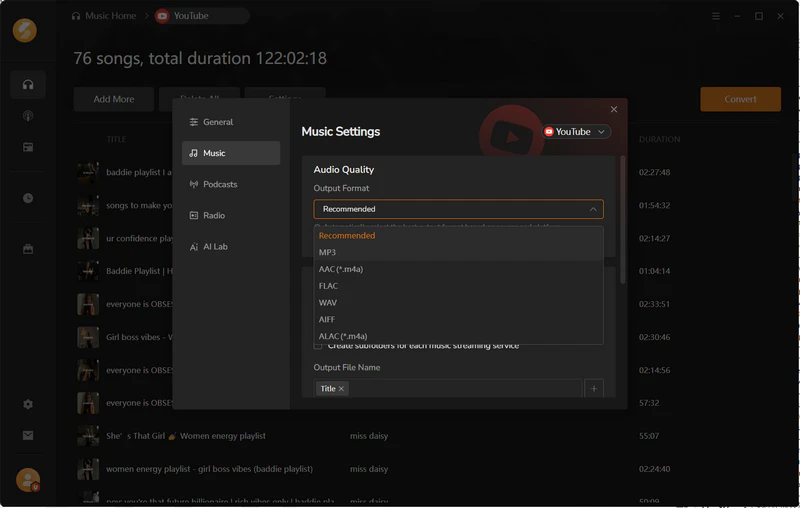
Step 2 In Settings, choose MP3 as the output format, select 320kbps, and specify the output folder.
Step 3 Open the YouTube playlist you want to download and click Add.
Step 4 Click the "Convert" button to start downloading the whole playlist to MP3.
Safe YouTube to MP3: Common Questions
1. Is it legal to download YouTube videos as MP3?
It depends on the rights to the content, how you obtain it, and the law in your country. Personal use alone does not automatically make a download legal. You generally need permission from the relevant rights holders, a license that allows the intended use, or an applicable legal exception; public-domain content may also be usable. Separately, YouTube restricts downloading unless its service permits it, YouTube and any relevant rights holders give prior written permission, or applicable law allows it. Check both the content rights and YouTube's Terms of Service before using a converter.
2. What formats can I convert YouTube video to besides MP3?
You can convert YouTube audio to formats such as AAC, OGG, WAV, or FLAC if your chosen converter supports them. AceThinker lists these options, while Sidify offers AAC, ALAC, AIFF, WAV, and FLAC alongside MP3. Choose a format your player or editor accepts; saving compressed source audio as WAV or FLAC does not restore missing detail.
3. Does 320kbps YouTube to MP3 Really Mean 320kbps?
Selecting 320kbps in a YouTube to MP3 converter does not guarantee a 320kbps output file or improved source audio quality. In our tests, PullMP3 and FLVTO produced 320kbps MP3 files, while CNVMP3 produced 256kbps VBR and YT1S produced 128kbps VBR after 320kbps was selected. A higher output bitrate does not restore detail missing from the source.
4. Are online YouTube to MP3 websites safe?
A YouTube to MP3 website is not guaranteed safe just because it completes a download or requires no login. CNVMP3 and PullMP3 showed no intrusive ads or third-party redirects in our tests; Y2Mate, YT1S, and FLVTO introduced ads and/or redirects into the download path. No unexpected file downloads were recorded for the tested tools. Close unexpected pages, decline notification requests, and do not open an .exe or .dmg offered in place of an audio file.
5. Can YouTube to MP3 converters download long videos?
YouTube to MP3 converters have different video-length limits, so a tool that works for a short song may reject a longer recording. In our tests, Youtube2mp3.net rejected videos over 15 minutes, and AceThinker’s online tool did not support videos over 30 minutes. Sidify All-In-One successfully downloaded a one-hour video from our test playlist.
 Note:
Note:If you enjoy movies, series and shows offline across Netflix, Amazon, Disney+, Hulu, and more, All-In-One Video Downloader is your perfect solution! Download your favorite videos from over 1000 major streaming video sites in one place for a hassle-free viewing experience!
 Sidify YouTube Converter
Batch download and convert YouTube to MP3 in original quality — one click to save your full playlist for offline listening. We don’t just convert — we perfect every track.












