

Spotify now offers music videos for a richer listening experience. However, Spotify does not allow users to download videos—such as music videos or video podcast episodes—as local MP4 files for true offline use outside the app. That’s why many users look for a Spotify video downloader. In this guide, we introduce the best 8+ Spotify video downloaders that can help you save Spotify videos, including Canvas loops, music videos, and podcast episodes, as MP4 or MP3 files on your computer for offline viewing and playback.
Part 1. What is Spotify Music Videos: How to Watch/Turn Off?
| Spotify Music Videos | |
| What is Spotify MV |
Spotify Music Videos are full-length official music videos for songs on Spotify. These are real MVs — not Canvas, not Clips, and not video podcasts. |
| Supported Devices | Mobile/Tablet (iOS and Android), Desktop, Web Player, and TV |
| Premium Requirement | ✅ Spotify Premium is required. |
| How to Watch |
Play a supported song and tap “Switch to video” on the Now Playing screen. Tap “Switch to audio” to return to audio-only playback. |
| How to Turn Off | You can disable Music Videos in Spotify’s Video settings, or switch back to audio from the Now Playing screen. |
| Pros 🙂 |
• Watch full music videos directly in Spotify instead of switching to YouTube • Better experience on desktop and TV with larger screens • A more immersive experience by combining audio and video |
| Cons 🙁 |
• Video ads cannot be turned off through Video settings • May disrupt a pure audio listening experience • Slow loading, freezing issues when videos are available |
Part 2. Can You Download Spotify Videos to MP4?
No. Spotify does not support downloading or converting any music or video content into MP4 or MP3 files. Even with Premium, all downloads are encrypted and playable only within the Spotify App. If you want to convert Spotify content to MP4 or MP3 format, a dedicated tool is necessary. → See Part 3: Best Spotify Video Downloader
| Spotify Video | Official Download | Downloaded Format | What You Can Do | Export as MP4 / MP3 |
| Music Videos (MV) | No | ✖ | Watch only in the Spotify App | ❌ |
| Video Podcasts | Available for Premium | Encrypted file | Offline listening in the app | ❌ |
| Canvas | No | ✖ | Displayed on the Now Playing screen | ❌ |
| Clips New uploads ended June 17, 2026; existing Clips remain available. Spotify update |
No | ✖ | Watch only in the Spotify App | ❌ |
Spotify Video Downloader Comparison
| Tool | Best For | Content | Output | Method |
|---|---|---|---|---|
| Sidify | Music videos | MV / Podcast / Music | MP4 / MP3 | Download/convert |
| Canvas Downloader for Spotify | Canvas | Canvas | MP4 | Online |
| Spotify Canvas Downloader | Canvas | Canvas | MP4 | Online |
| PasteDownload | Podcasts | Public podcast | MP4 / MP3 | Online |
| OBS Studio | Any playable video | MV / Podcast | Video | Recording |
| Podbay | Public podcast audio | Non-exclusive podcast audio | MP3 | Online |
| Audacity | Audio only | Music / Podcast | MP3/WAV/FLAC | Recording |
| PodcastToMp3 | Bulk podcast audio downloads | Non-exclusive podcast audio | MP3 | Online |
Part 3. ⭐ Best Spotify Video Downloader — Sidify Spotify Converter [Top Pick]
Sidify is a dedicated and safe Spotify converter that turns Spotify content into local files for flexible use. It downloads Spotify music videos and podcast videos as MP4 files, and converts Spotify playlists, albums or podcasts to 320 kbps MP3 as well as lossless formats such as FLAC, WAV, AAC, AIFF, and ALAC. With batch conversion support, Sidify helps to download and save Spotify music and videos as MP3 or MP4 local files that can be kept permanently, even after a subscription ends.
By converting Spotify content to MP3 and MP4 formats, Sidify makes it easy to enjoy music and videos offline and use them across a wide range of devices, including MP4 players, USB drives, car audio systems, and MP3 players. It’s ideal for users who want to keep their music and videos permanent, access them offline or play and use them on multiple devices.
⚠️Disclaimer: Sidify is intended for personal and non-commercial use only. Spotify User Guidelines prohibit unauthorized copying or ripping of content, so users should ensure they have the appropriate rights to the content and comply with local laws and Spotify terms and policies.
Sidify Music Converter (Win/Mac/Android)
- Save Spotify music videos and podcast videos as MP4 files.
- Export Spotify playlists to MP3, AAC, FLAC, WAV, AIFF, and ALAC.
- Keep original metadata such as title, artist, album, and cover art.
- Use MP4 and MP3 Spotify content freely across different devices.
- Save Spotify video and music in high quality or lossless audio.

How to Download Spotify Music Videos to MP4?
Now Spotify offers music videos for many songs. Sidify allows users to download these music videos as local MP4 files, while also converting Spotify songs to MP3, WAV, FLAC, and ALAC with lossless quality. You can keep the audio and video permanent for offline listening/watching, or use them across multiple devices. .
Step 1 Launch Sidify and choose a mode: Open Sidify Music Converter and switch between Spotify Web Player or Spotify App. Sidify has a built-in Spotify Web Player for direct access.
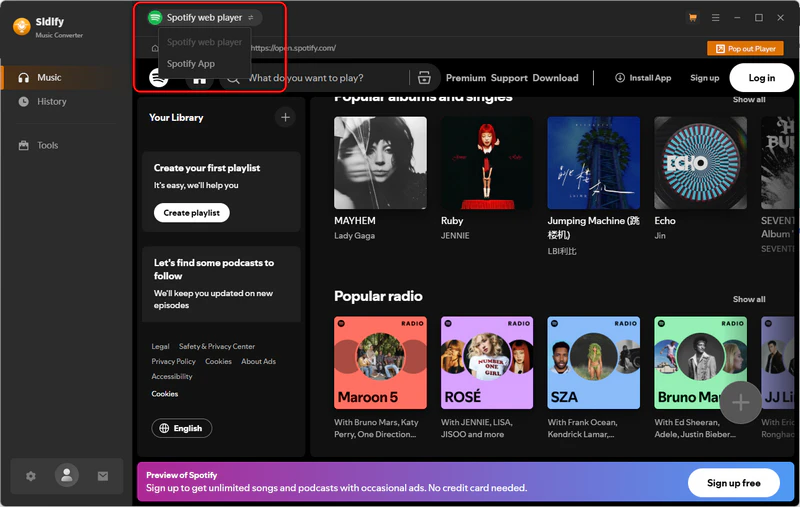
Step 2 Search and open Spotify songs: Search for or open the song you want to download. If music videos are available in your region, the MV will appear while the song is playing.
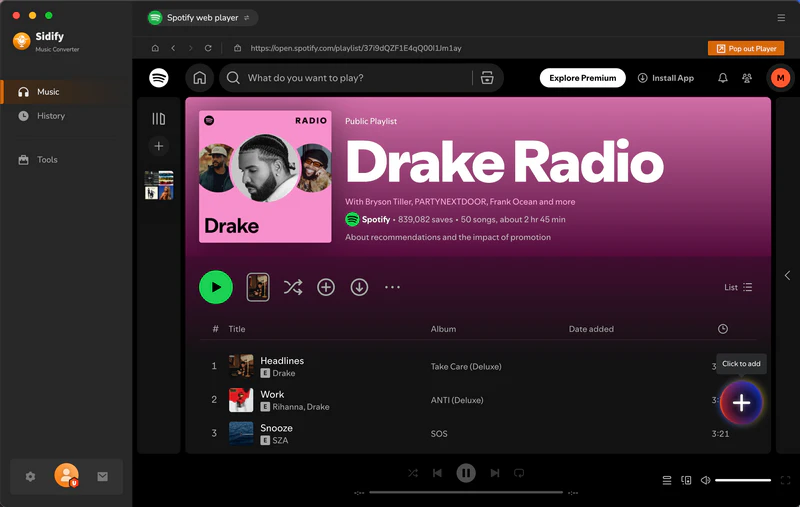
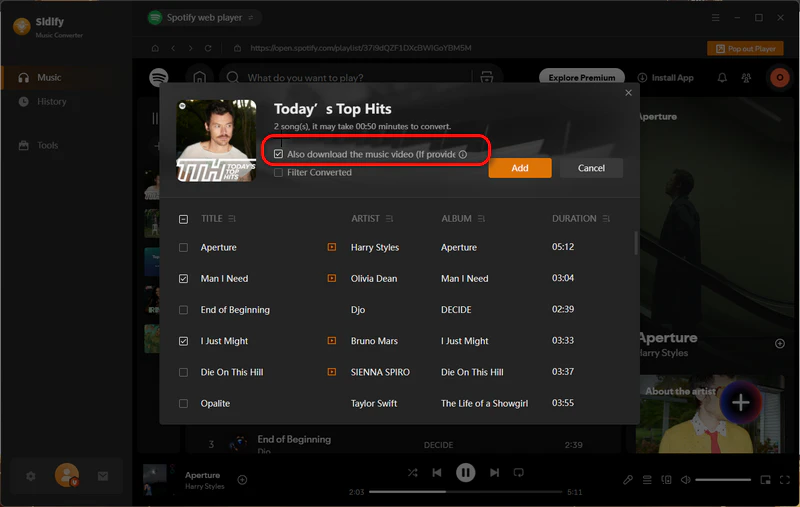
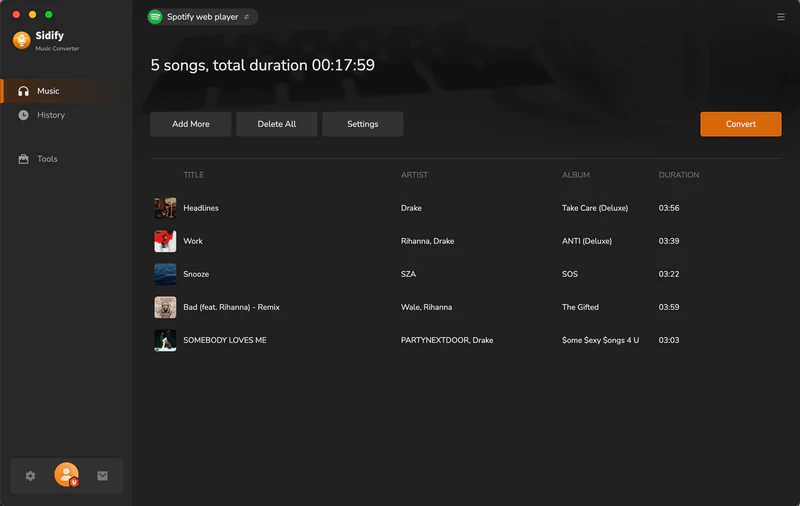
Step 3 Add the songs or music videos to the converter: Click "Click to Add" and Sidify will load the content. Select the songs or music videos you want to add to the download list. Also, remember to check "Also download the music video (if provided)".
Step 4 Set Output Options and Convert: Open Settings to choose the output format, bitrate, and metadata options, then click Convert to start downloading.
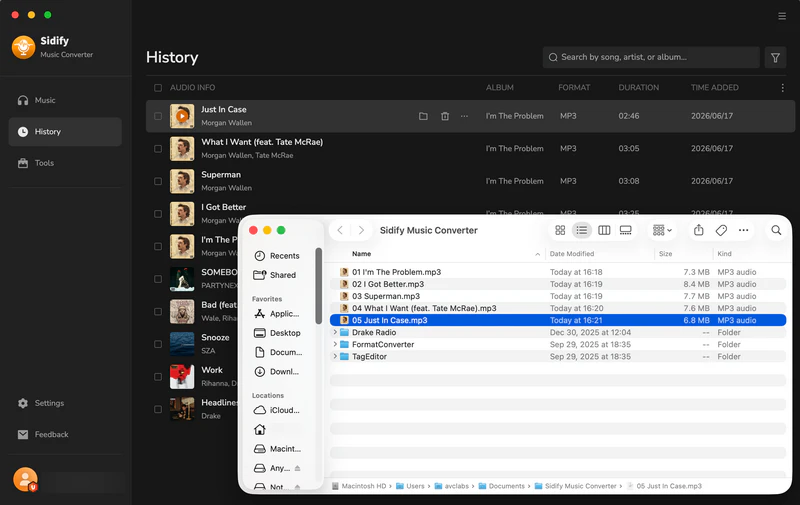
Step 5 Check Download History: Go to History to view your downloaded Spotify songs and music videos saved as local MP3 or MP4 files.
Part 4. Alternative Spotify Video Downloaders [Free]
Sidify is designed to download Spotify music videos and podcast videos. If you want to download other types of Spotify video content, such as Canvas or Clips, there are also some free Spotify video downloaders available. These tools can help download Spotify Canvas videos and save them as MP4 files. Some of them also provide a way to download podcast episodes from Spotify for offline use.
NO.1. Canvas Downloader for Spotify
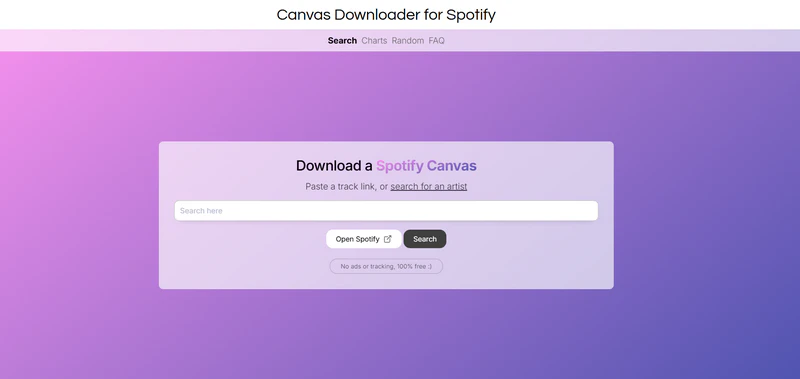
Canvas Downloader for Spotify is a free online tool that allows users to watch and download Spotify Canvas videos. You can paste a song link or search for an artist to find the related Canvas and download it to a local device with one click. The site also allows users to browse a Canvas collection by artist or explore Canvas videos at random. It supports exporting Spotify Canvas videos to MP4 in their original resolution and size.
| Canvas Downloader for Spotify | |
| Website | https://www.canvasdownloader.com/ |
| Pros🙂 |
• Free and easy to download Spotify Canvas • No need to install software or subscribe • Export Spotify videos to MP4 files |
| Cons🙁 |
• Canvas-only downloader (no music videos or podcasts) • Limited output quality and format |
NO.2. Spotify Canvas Downloader
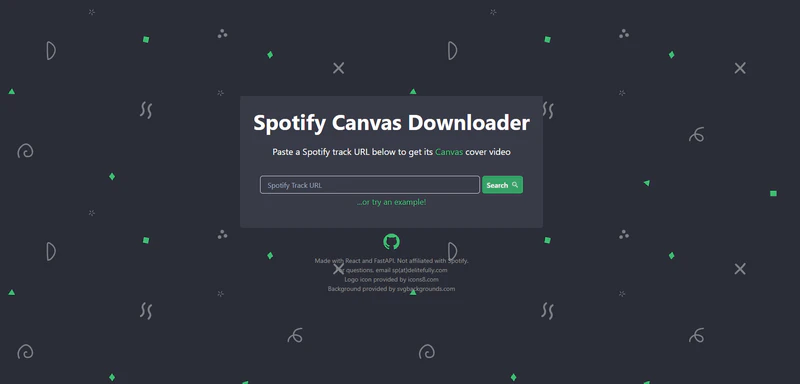
Spotify Canvas Downloader is an online tool that allows users to download Canvas videos from Spotify song playback pages. By simply pasting a Spotify track link into the site, users can extract the looping short video and save it as a local MP4 file for offline viewing or personal use. The tool focuses specifically on Spotify Canvas content and exports the original Canvas video from the song, rather than compressed or reprocessed preview clips. It is well suited for users who want to preserve Spotify Canvas visuals in original quality.
| Spotify Canvas Downloader | |
| Website | https://canvastify.delitefully.com/ |
| Pros🙂 |
• Simple to download Spotify videos by pasting a link • No software installation required |
| Cons🙁 |
• Only works for Spotify Canvas • Unstable performance with errors or downtime |
NO.3. PasteDownload
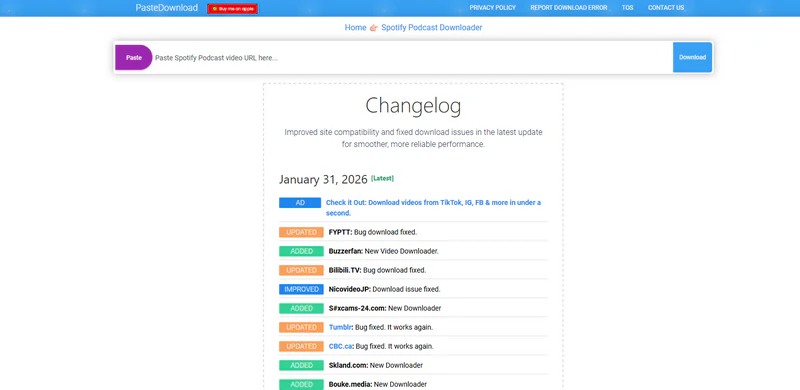
PasteDownload is a web-based online tool that allows users to download Spotify podcast content. By pasting a Spotify podcast link into the site, users can extract the podcast and save it as a local file for offline use. Depending on the podcast type, PasteDownload can download video podcasts as MP4 files or save podcast audio in MP3 format, making it compatible with most devices and media players. The tool works directly in the browser, requires no software installation or account login, and is suitable for users who want a quick and simple way to save Spotify podcast content.
| PasteDownload | |
| Website | https://pastedownload.com/spotify-podcast-downloader/ |
| Pros🙂 |
• Download Spotify podcast audio in MP3 • Supports downloading Spotify podcast videos as MP4 • Free online tool with no software installation required |
| Cons🙁 |
• Frequent ads and pop-ups • Limited to podcast content, not support downloading Spotify music or playlists |
NO.4. OBS Studio
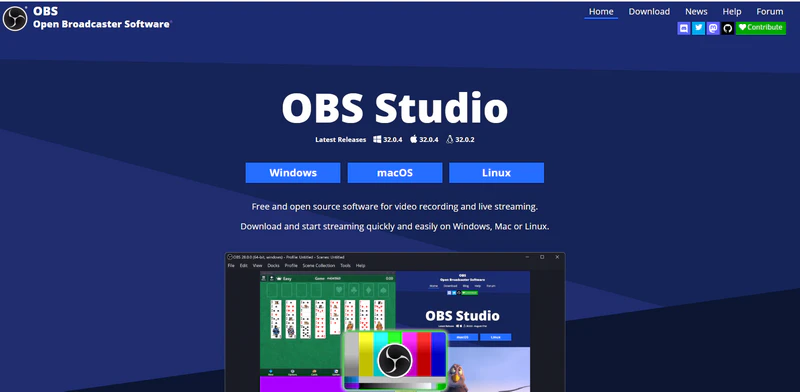
OBS Studio is a free, open-source screen recording tool that some users use to save Spotify videos as local files. Instead of directly downloading Spotify videos, OBS records the video and audio played on the Spotify Web Player or desktop app in real time and saves it as a video file, which can be exported to MP4 for playback or editing. While OBS does not extract original Spotify video or audio files or convert music to MP3 directly, it is often used for recording Spotify music videos or podcast videos when direct downloading is not available.
| OBS Studio | |
| Website | https://obsproject.com/ |
| Pros🙂 |
• Free and open-source screen recording software
• Works on Windows, macOS, and Linux • Record Spotify videos and save them as MP4 |
| Cons🙁 |
• Only record Spotify videos one by one • Not download Spotify to MP3 |
NO.5. Podbay
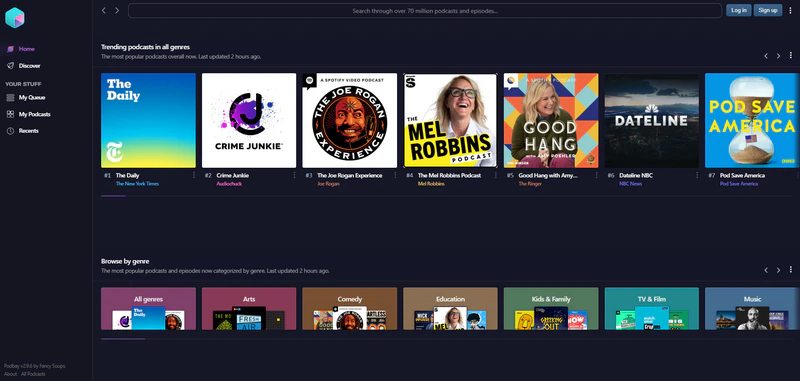
Podbay is a web-based podcast platform that you can listen and download podcast episodes in your browser. For podcasts that are publicly available and not exclusive to Spotify, Podbay allows you to download episodes as MP3 files for offline listening and use on any device. This makes it useful if you find a podcast on Spotify and want to save the audio locally without using the Spotify App. However, Podbay focuses on standard podcast audio and does not download Spotify-exclusive content or video podcasts as MP4 files.
| Podbay | |
| Website | https://podbay.fm/ |
| Pros🙂 |
• Free to use with no account required
• Allows direct download of podcast episodes as MP3 |
| Cons🙁 |
• Cannot download Spotify video podcasts as MP4
• Does not support Spotify-exclusive podcasts • Ads on the site may affect the using experience |
NO.6. Audacity
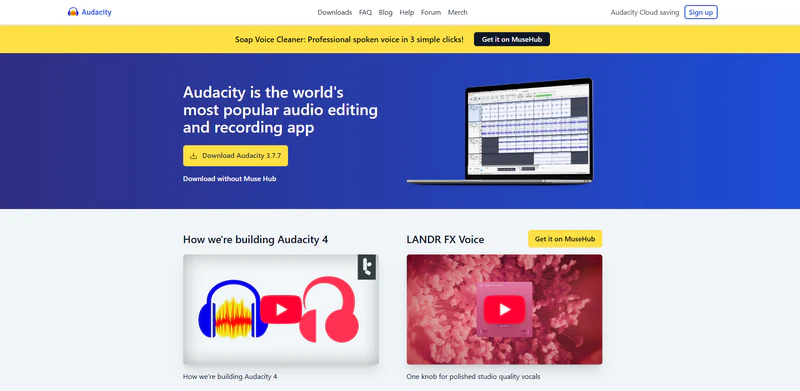
Audacity is a free, open-source audio recording and editing tool that lets users capture sound played on their computer and save it as local audio files. When used with Spotify, Audacity can record the audio from Spotify music or video podcasts while they are playing and export the recording as MP3, WAV, or FLAC for offline listening. It does not download Spotify videos or extract original media files, but it can be used to save Spotify audio as local MP3 files.
| Audacity | |
| Website | https://www.audacityteam.org/ |
| Pros🙂 |
• Free tool to record Spotify audio • Supports exporting audio to MP3, WAV, and FLAC • Useful for basic editing and offline audio saving |
| Cons🙁 |
• Cannot download Spotify videos or export MP4
• Does not preserve metadata |
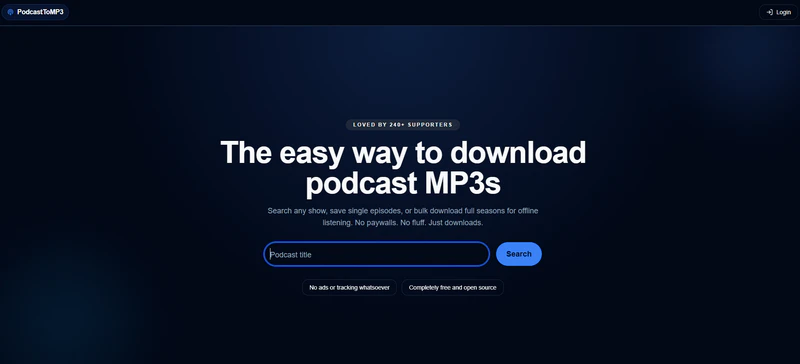
NO.7. PodcastToMp3
PodcastToMp3 is a free online tool that helps to download podcast episodes as MP3 files for offline listening. You can simply search for a podcast on this site, pick an episode, and download it with one click. It also supports downloading multiple episodes or full seasons in bulk. However, it does not support downloading video podcasts as MP4 files.
| PodcastToMp3 | |
| Website | https://podcasttomp3.com/ |
| Pros🙂 |
• Free online tool with no registration required • Supports bulk downloads, including full seasons |
| Cons🙁 |
• Cannot download Spotify-exclusive podcasts
• Occasional browser or download issues |
Part 5. FAQs about Spotify Videos
Q1. How to watch music videos on Spotify?
A1: To watch videos on Spotify, play a supported song or podcast and open the Now Playing screen. If video is available, tap “Switch to video” to start watching, and “Switch to audio” to return to audio-only playback. The availability of music videos depends on the content, region, and not all songs have music videos.
Q2. Why don’t I see “Switch to video” on Spotify even though I have Premium?
A2: Spotify Music Videos are available to Premium users in supported markets. Availability varies by country, plan, and content.
Q3. How to turn off videos on Spotify?
A3: You can disable Music Videos in Spotify’s Video settings, or switch back to audio from the Now Playing screen. Video settings provide separate controls for Music Videos, Other Videos, and Canvas across mobile/tablet, desktop, Web Player, and TV. Video ads cannot be turned off.
If you enjoy movies, series and shows offline across Netflix, Amazon, Disney+, Hulu, and more, All-In-One Video Downloader is your perfect solution! Download your favorite videos from over 1000 major streaming video sites in one place for a hassle-free viewing experience!
Video Tutorial: How to Download Spotify Music with Sidify?
 Sidify Spotify Music Converter
Batch download Spotify Music to multiple formats for offline listening on any device.