

Beatport is an electronic music platform built for DJs. It stands out for chart-based discovery, clear genre classification, and high-quality downloads, so you can quickly find tracks that are ready for live sets. But how do you download Beatport music to your laptop and save it as MP3, WAV, or AIFF local files? This guide covers both: the official way to download purchased tracks from Beatport, and four popular Beatport downloaders that can save songs as local files and convert them to MP3, WAV, AIFF. You'll also see a clear pros-and-cons breakdown for each option, so you can pick the most convenient Beatport music downloader . After that, you can listen Beatport music offline, and import tracks into Rekordbox, Serato, or Traktor for mixing.
Part 1. How to Download Music from Beatport [Official Way]
Beatport is a music platform where you purchase tracks before you can download them. After you buy a track or album on Beatport, you can download and save it as a local audio file on your computer in formats like MP3, WAV, or AIFF, usually with metadata included. You can then use these files offline or import them into Rekordbox, Serato, or Traktor for DJ library prep and performance. The process is simple:
How to Purchase and Download Beatport MP3 Music?
Step 1 Visit the Beatport website and browse music by genre, charts, or search for specific artists and tracks. You can preview tracks before buying.
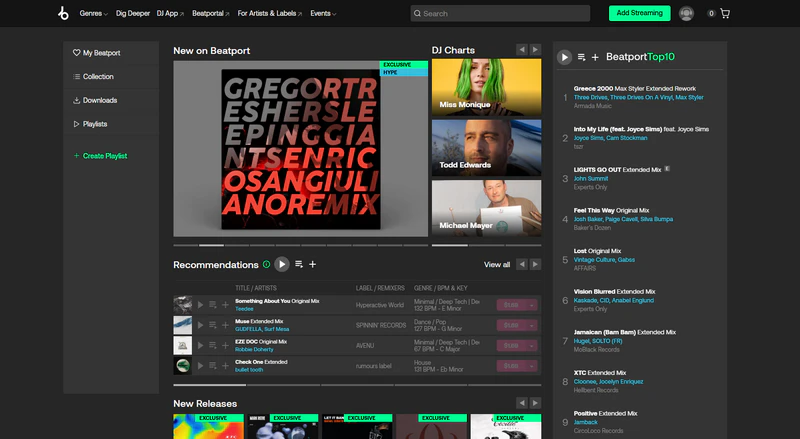
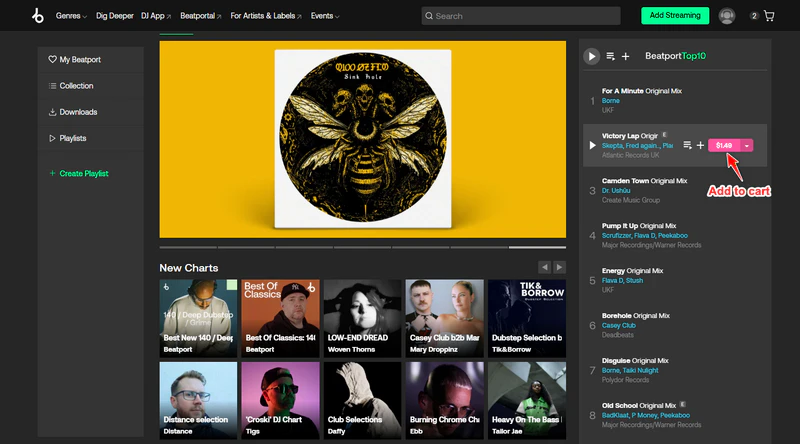
Step 2 Add the track or album to the cart before purchasing the songs.
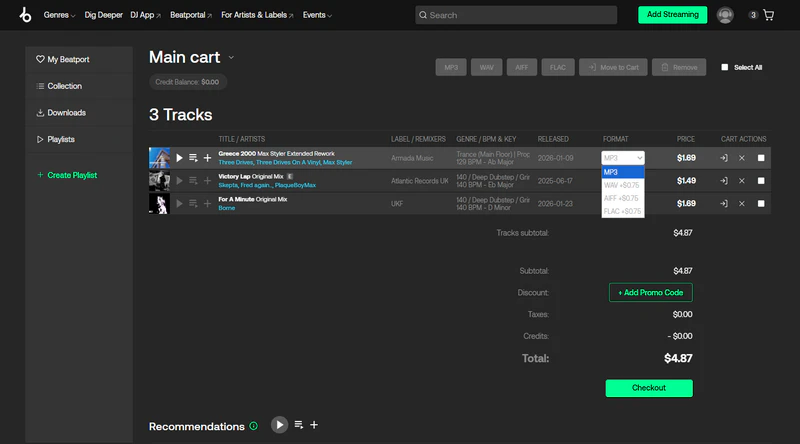
Step 3 Choose the download format as MP3, or upgrade to WAV or AIFF if you need lossless audio. And then complete the purchase. Beatport only allows downloads after purchase.
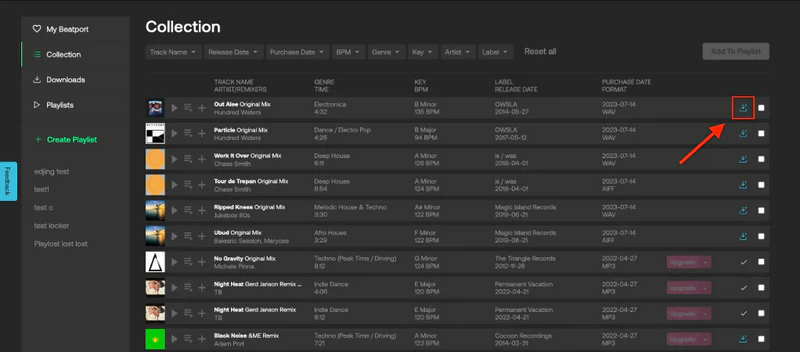
Step 4 Download the purchased music. In 'Your Collection', click the blue download icon next to a track to download it.
Step 5 Once downloaded, import the music files into Rekordbox, Serato, or Traktor for offline use, library preparation, and live performances.
Why Download Music from Beatport?
Beatport is a DJ-focused platform for electronic music. It lets you buy and download performance-ready files, with the option to upgrade MP3s to lossless formats like WAV or AIFF for better sound quality. What sets it apart is faster track discovery through Top 100 and genre charts, Hype lists, and curated picks that help DJs spot trends and find stage-ready tracks quickly.
| Platform | Music Type | Download Music Files | Music Quality | Track Discovery | DJ Friendly ⭐ |
|---|---|---|---|---|---|
| Beatport | Electronic music; DJ-focused | ✅ | 320kbps MP3, WAV, AIFF | Top 100, genre charts, Hype, curated picks | ⭐⭐⭐⭐⭐ |
| Bandcamp | Independent artists; All genres | ✅ | MP3, WAV, FLAC, AIFF | Artist and label driven discovery | ⭐⭐⭐⭐☆ |
| SoundCloud | Community uploads; All genres | ⚠️ | Depends on uploader | Many unreleased tracks | ⭐⭐⭐☆☆ |
| Juno Download | Electronic music; DJ downloads | ✅ | MP3, WAV, FLAC | Clear categories, catalog browsing | ⭐⭐⭐⭐☆ |
| YouTube | Streaming & videos; All genres | ❌ | Compressed audio quality | Large and broad music library | ⭐☆☆☆☆ |
Part 2. Best Beatport Music Downloader —— Sidify All-In-One
Sidify All-In-One Music Converter is a powerful Beatport music downloader. You can download Beatport songs to high-quality local files. It supports converting music to MP3, WAV, AAC, FLAC, AIFF, and ALAC formats, allowing you to listen offline or use the files on various devices. You can export MP3 files at up to 320 kbps. In addition, Sidify All-In-One supports music download or recording from multiple platforms, such as Spotify, Apple Music, SoundCloud, Audible, Qobuz, Amazon Music, and YouTube Music. This makes it a one-stop tool for multi-platform music downloads.
Sidify All-in-one Music Converter
- Download music from all streaming music platforms (Spotify, Apple Music, etc.)
- Convert music to MP3/AAC/WAV/FLAC/AIFF/ALAC
- Losslessly download music to the computer.
- Rip music from online library and burn music to CD.
- Built-in free podcast and radio to mp3 downloader and vocal remover.

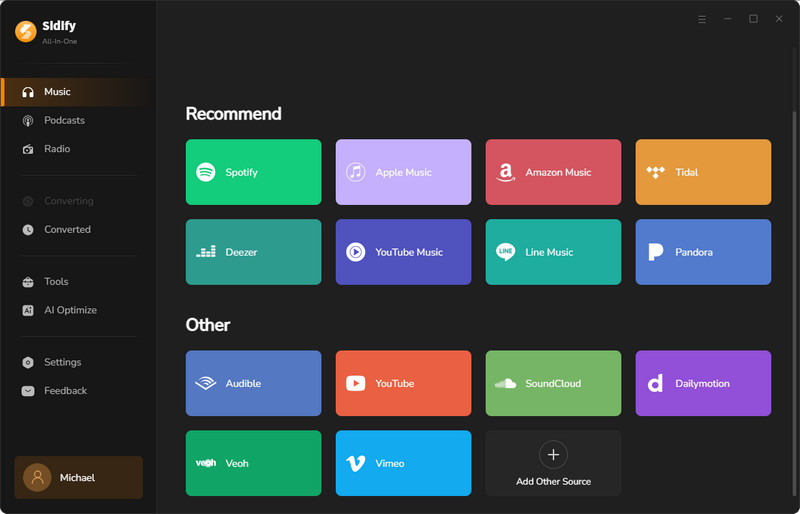
Step 1 Open Sidify and choose Beatport.
Launch Sidify All-In-One Music Converter and select Beatport as the source.
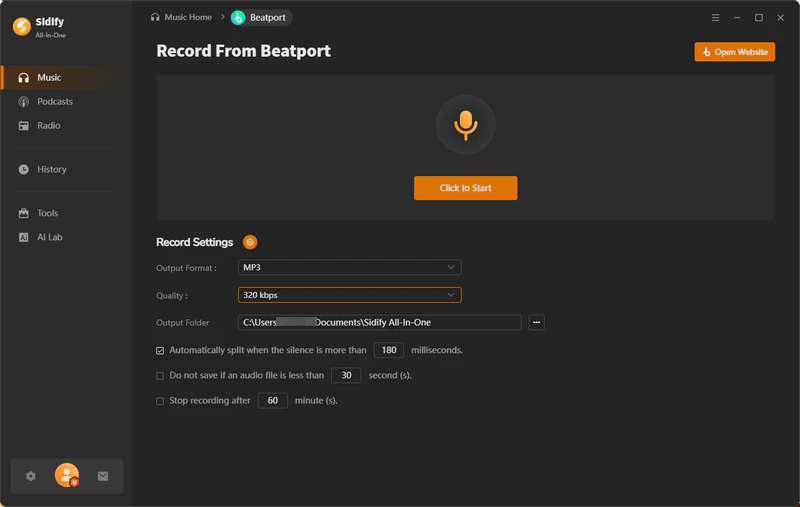
Step 2 Personalize record settings.
Open Record Settings and set your preferences. Choose an output format such as MP3, AAC, FLAC, WAV, AIFF, or ALAC. Choose an output quality such as 128 kbps, 192 kbps, 256 kbps, or 320 kbps. Select an output folder to save the recorded files.
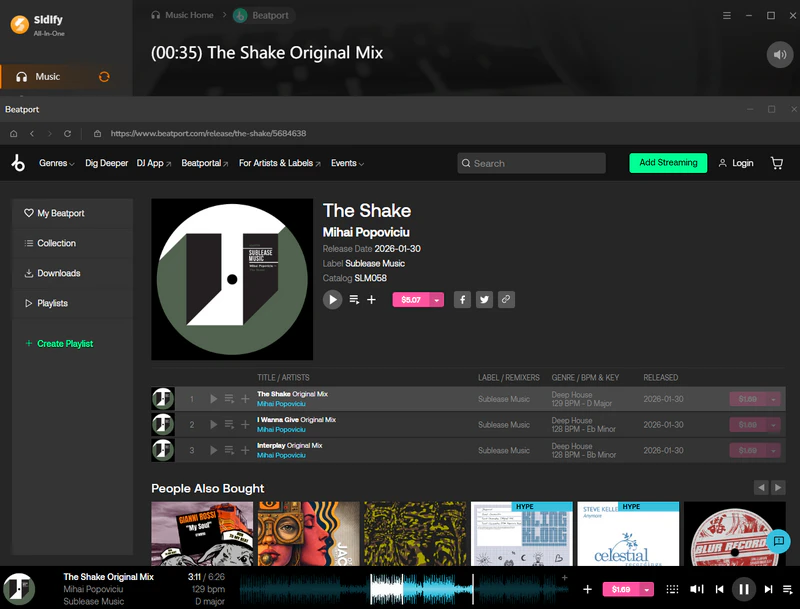
Step 3 Start recording and play music on Beatport.
Click 'Click to Record' in Sidify. Then open Beatport and play the track you want to record. Keep the audio playing normally on your computer during the recording.
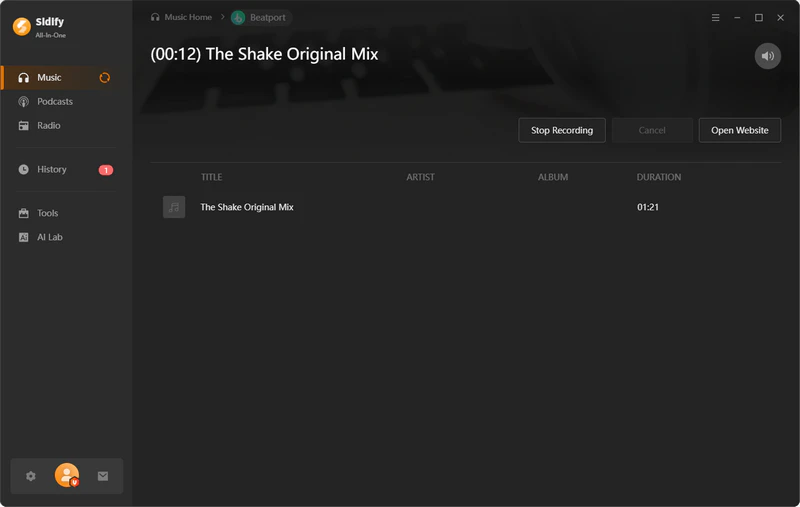
Step 4 Stop recording.
When the track finishes or you want to end the recording, click Stop Recording and Sidify will process the recording and save the file to your output folder.
Step 5 Check recording history.
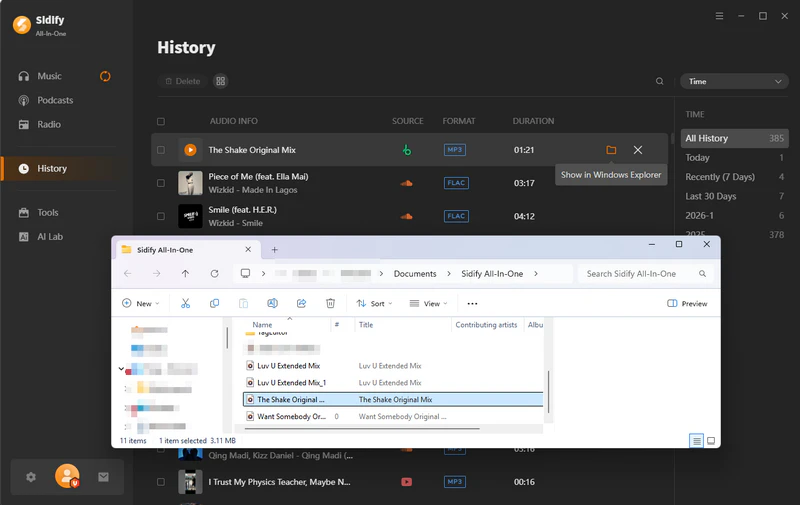
Go to 'History' to review your recorded tracks and locate the saved files on your computer.
Part 3. Free Beatport Downloader to Download Beatport Music
1.Tubeninja
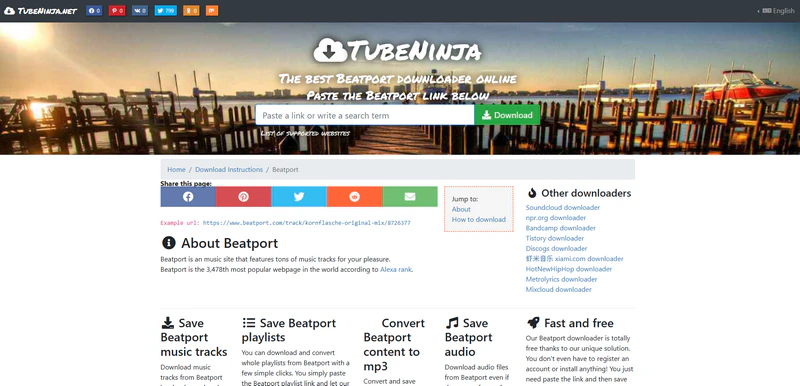
TubeNinja is an online Beatport music downloader designed for users who prefer a quick, installation-free solution. It works directly in web browser, allowing you to paste a Beatport track or playlist link and generate downloadable audio files without installing any software. TubeNinja is commonly used to convert Beatport content into formats like MP3, making it convenient for offline listening across different devices.
Website: https://www.tubeninja.net/how-to-download/beatport
- Easy to use, no need to download software
- Download music from multiple streaming sites
- Ads and redirect pop-ups
- Download stability is inconsistent and may fail sometimes
- Limited output quality
2.Beatport Downloader Bot
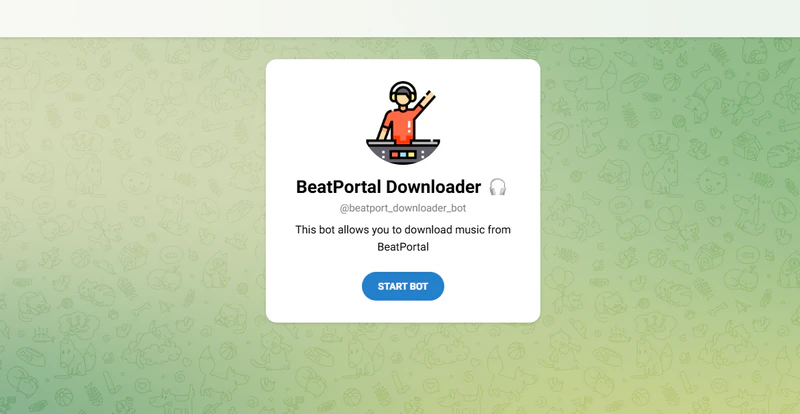
Beatport Downloader Bot is a Telegram bot for downloading music from Beatport. You send a Beatport track, album, or playlist link to the bot, and it returns an audio file directly in Telegram. No software installation is required, and it works on both desktop and mobile devices. It usually provides common formats such as MP3 or AAC, including high-quality options like 320 kbps.
Website: https://t.me/beatport_downloader_bot
- Works simply by sending a Beatport link to the bot
- Works on multiple devices
- Do not support lossless formats like WAV or AIFF
- The bot may stop working or become unavailable. Inconsistent service
3.Beatportdl
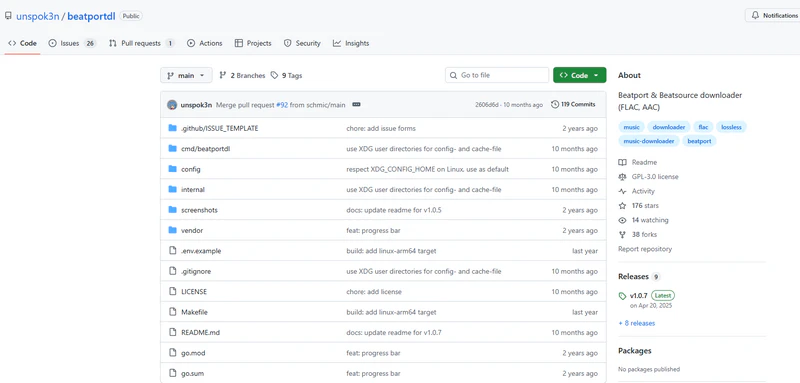
Beatportdl is an open-source downloader for Beatsource music. It allows users to download tracks, releases, playlists, and charts directly from your account by entering your Beatport username, password, and desired quality settings. Beatportdl supports multiple platforms including Windows, macOS, and Linux, and offers quality options from AAC to lossless FLAC. The tool lets you choose download folders, keep metadata tags, and customize file names, making it suitable for users who prefer a technical or automated way to save music locally.
Website: https://github.com/unspok3n/beatportdl
- Support multiple output format
- Download music from Beatport and Beatsource
- Uses command-line operation and is not beginner-friendly
- Downloads may fail due to platform changes
- Requires a valid Beatport or Beatsource subscription
Looking for more sources? See the Best DJ Music Download Sites for record pools, free tracks, and high-quality music stores.
FAQs about Beatport Music
What is Beatport?
Beatport is a digital music platform and online store focused on electronic music, especially for DJs and producers. It offers a large catalog of tracks that can be purchased individually or accessed with a streaming subscription.
Is Beatport free?
Beatport is not free. You can browse the site and preview short samples of music for free, but to listen to full tracks or download high-quality files you must buy tracks or sign up for a paid subscription.
How much is beatport? Does Beatport have a subscription?
Beatport offers different paid options: Track purchases are pay-per-song or album (prices vary by track). Beatport Streaming subscriptions start around $10.99 per month for access to the full catalog, with higher tiers offering better quality and offline features.
Can I download Beatport music for free?
No. You cannot download full Beatport tracks for free. Beatport is a paid music store, and to download music legally you must purchase the tracks or use an official paid subscription. Free previews or short clips are available, but full downloads require payment.
Is Beatport worth it?
Beatport works perfect. It offers a strong catalog, extended mixes, and DJ-friendly features such as BPM and key information, making it useful for discovering and buying tracks. However, it is more expensive than many alternatives, and streaming subscriptions do not include permanent file ownership, so whether it is worth it depends on how often you buy music and how you use it.
Conclusion
Beatport is a professional music store. After purchase, tracks can be downloaded as MP3, WAV, or AIFF files. MP3 is easy to use, while WAV and AIFF offer better sound quality. Official downloads are stable and legal, and files work well with DJ software and other devices. In addition, there are several Beatport music downloader available. Sidify can help to download Beatport to MP3, WAV, FLAC, AIFF in high quality. Sidify All-In-One Music Converter is a one-stop streaming music downloader that saves songs to your computer for offline listening and flexible use across devices. Download from all major platforms: Beatport, SoundCloud, Spotify, Apple Music, Amazon Music, YouTube Music, Tidal, Deezer, Pandora, LINE Music, Audible, YouTube, Qobuz, Vimeo, Dailymotion, and more.
 Sidify All-In-One Music Converter
Download streaming songs, albums, and playlists to MP3 with 100% original quality.