

Compared to MP3, M4A maintains high sound quality while taking up less storage space, making it suitable for playback on various devices. Therefore, many users want to convert YouTube videos to M4A format for offline playback and long-term storage. This article will introduce the top 10+ YouTube to M4A converters to help you download your favorite YouTube videos to high-quality M4A formats with ease.
Part 1. Best Way to Convert YouTube to M4A - Sidify All-In-One Converter⭐
Using a professional YouTube downloader is the simplest and most efficient way to obtain high-quality M4A files. Sidify All-In-One Converter is a powerful music downloader that supports converting songs, albums, and playlists from multiple platforms, including YouTube, Spotify, and Apple Music, into M4A, MP3, FLAC, WAV, and AIFF, while maintaining the original sound quality.
Sidify supports batch download, you can convert multiple songs or entire playlists at once at speeds up to 10x, saving you significant time. Additionally, it offers built-in format conversion, making it easy to convert downloaded audio files between various formats, such as M4A to MP3, to accommodate the playback needs of different devices.
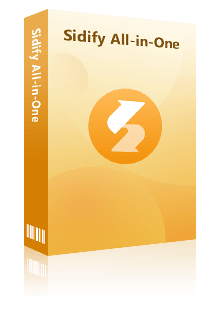
Sidify All-in-one Music Converter
- Download music from all major music platforms (Spotify, Apple Music, etc.)
- Convert music to MP3/AAC/WAV/FLAC/AIFF/ALAC
- Losslessly download music to the computer.
- Rip music from online library and burn music to CD.
- Built-in free podcast and radio to mp3 downloader and vocal remover.

| Login Requirement | Quality Options | Format | Speed | Batch conversion | Video Length Limit | Ads & Popups | Safety |
| License Registered | Original | M4A/MP3/FLAC /WAV/AIFF |
10x | Multiple Full Playlists | Unlimited | ❌ | ⭐⭐⭐⭐⭐ |
| 🌐 Entrance: https://www.sidify.com/all-in-one-windows.html | |||||||
|---|---|---|---|---|---|---|---|
|
😀Pros 🔼 Supports music downloads from multiple platforms 🔼 High-quality audio output, up to 320kbps 🔼 No ads, safe and stable |
☹️Cons 🔽 Desktop only |
||||||
How to convert YouTube to M4A using Sidify?
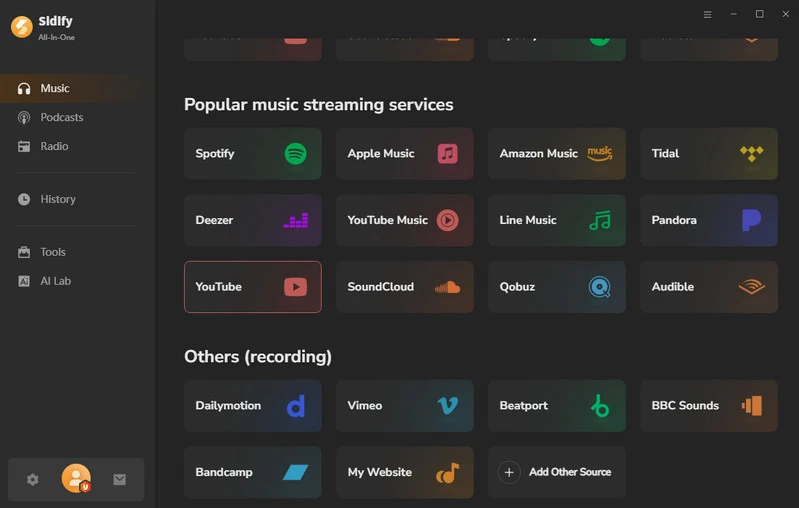
Step 1 Launch Sidify on your computer and select 'YouTube' from the list of supported music.
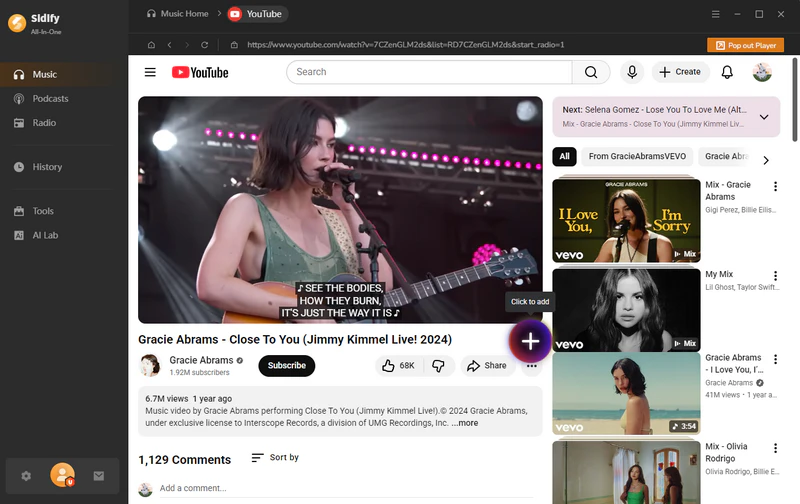
Step 2 Log in to your YouTube account, browse your favorite YouTube videos, and click the '+' button to add videos to Sidify.
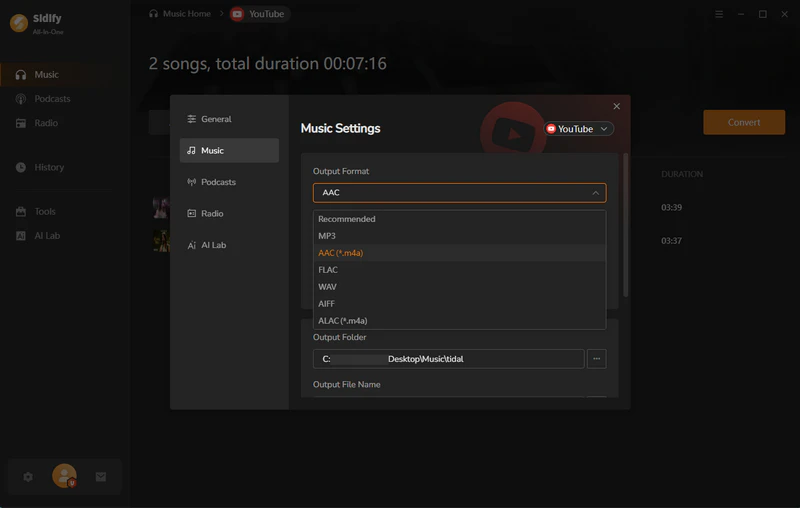
Step 3 Go to the YouTube music settings page, select AAC or ALAC as the output format, and you can also customize the output filename, including title, artist, year, album, etc.
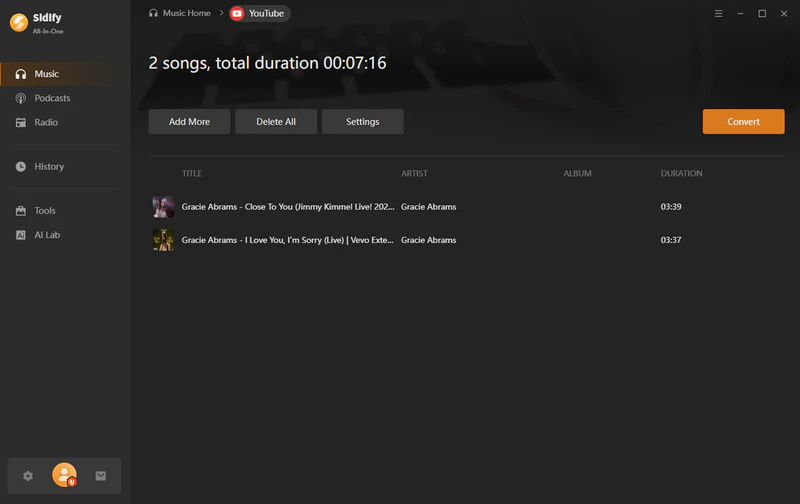
Step 4 Click the 'Convert' button to start downloading your selected YouTube video to your local computer.
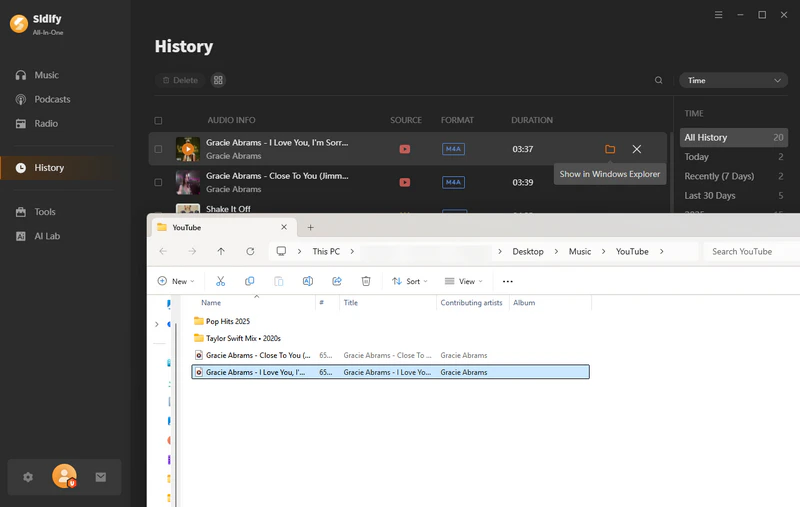
Step 5 After the download is complete, you can go to the 'History' section to view the downloaded M4A YouTube file.
Part 2. 10 Best Free Online YouTube to M4A Converter
Free online YouTube to M4A converters require no login or software installation; simply paste the YouTube video link to convert the video to M4A format and download it to your local device. However, these tools may have some limitations in terms of conversion speed, stability, and audio quality. Below are the 11 most used online YouTube to M4A converters for you.
1. AM4A
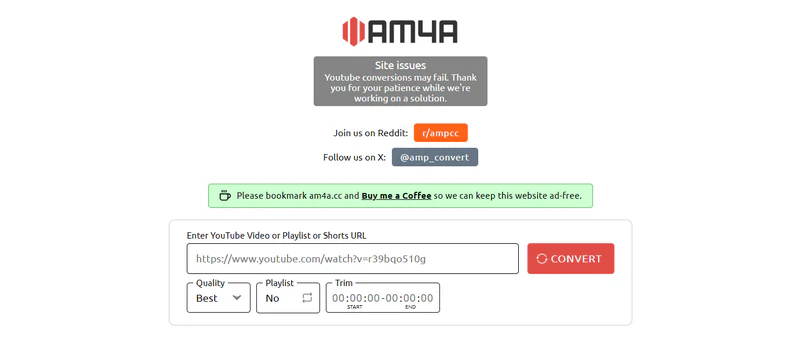
AM4A is a free online video downloader that converts YouTube videos, shorts, or playlists to the M4A audio format. The website has a clean, ad-free interface and is intuitive to use. You can choose the audio quality (Worst/Medium/Best) according to your needs. Free users can convert playlists with a total duration of approximately 240 minutes. For converting a single video, you can also customize and trim the desired segments, making downloading more flexible and convenient.
| Login Requirement | Quality Options | Format | Speed | Batch conversion | Video Length Limit | Ads & Popups | Safety |
| No Need | 256 kbps | M4A/MP3/MP4 | fast | ❌ | up to 12 hours(Premium need) | ❌ | ⭐⭐⭐ |
| 🌐 Entrance: https://am4a.cc/ | |||||||
|---|---|---|---|---|---|---|---|
|
😀Pros 🔼 Free to use 🔼 Simple interface with no ads 🔼 Can trim individual video clips |
☹️Cons 🔽 Simple function 🔽 Limited video length 🔽 Downloads are often unstable |
||||||
Step 1 Copy the video, short or playlist link and paste the link into the search box.
Step 2 Choose the sound quality you need(Worst/Medium/Best).
Step 3 Click 'Convert' to start downloading audio to your computer.
2. Evano
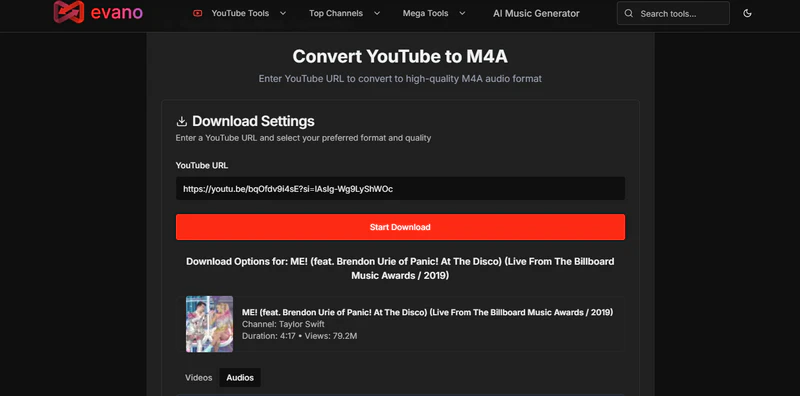
Evano is a free YouTube downloader that can convert YouTube videos to M4A audio files, while also supporting MP3, MP4, WebM, and other formats. When converting to M4A, it only offers Low and Medium audio quality options. The tool is free to use and has no download limits, but redirecting ads may appear during use, always be mindful of page redirects.
| Login Requirement | Quality Options | Format | Speed | Batch conversion | Video Length Limit | Ads & Popups | Safety |
| No Need | Lossy | MP3/M4A/MP4/WebM | 5x | ❌ | No restrictions | Contains retargeting ads | ⭐⭐ |
|
😀Pros 🔼 No download limit 🔼 Multiple output formats 🔼 No registration or fee required |
☹️Cons 🔽 Limited sound quality 🔽 Redirect ads exist 🔽 Stability is average |
||||||
Step 1 Copy the YouTube video link and paste it into the input box.
Step 2 Click the 'Start Download' button and wait for the download link to be generated.
Step 3 Choose the M4A format and audio quality (Low/Medium).
Step 4 Click the 'Download' button to save the file to your local device.
3. Y2WAV.com
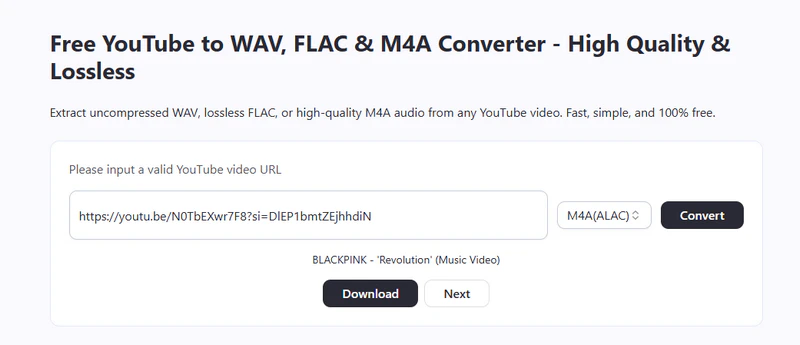
Y2WAV.com is a free online YouTube to M4A downloader that can convert YouTube videos into M4A audio files. It also supports multiple formats such as WAV, FLAC, and MP3 to meet the needs of different users. No registration or login is required. However, Y2WAV.com only supports videos up to 2 hours, and the downloaded audio bitrate is between 128–256kbps.
| Login Requirement | Quality Options | Format | Speed | Batch conversion | Video Length Limit | Ads & Popups | Safety |
| No Need | 128–256 kbps | M4A/WAV/MP3/MP4/FLAC | 1X | ❌ | up to 2 hours | With banner ads and retargeting ads | ⭐⭐ |
| 🌐 Entrance: https://y2wav.com/ | |||||||
|---|---|---|---|---|---|---|---|
|
😀Pros 🔼 100% Free 🔼 Multiple format support 🔼 Easy to use |
☹️Cons 🔽 Video length limitation 🔽 Ads and redirects 🔽 Limited audio quality |
||||||
Step 1 Copy the valid YouTube video link and paste it into the search box.
Step 2 Select either M4A (AAC) or M4A (ALAC) format, click convert, and wait for the download link to be generated.
Step 3 Click the 'Download' button to download the video in M4A format.
4. ytb.rip
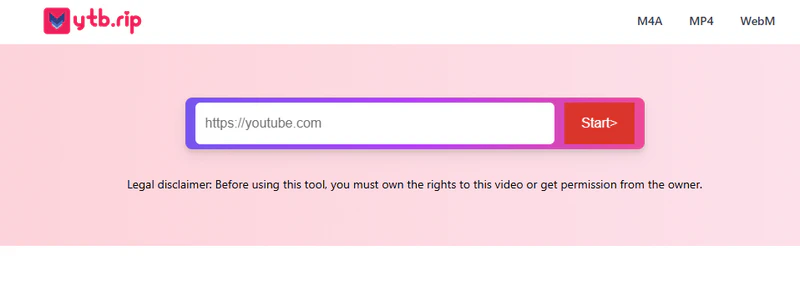
ytb.rip is an ad-free online YouTube M4A downloader that can convert YouTube videos into high-quality M4A, MP4, or WebM formats. The website supports audio output up to 320kbps, making it suitable for offline playback on phones, tablets, and computers. It boasts fast conversion speeds, sufficient for most everyday audio extraction needs, but not all YouTube videos will download successfully.
| Login Requirement | Quality Options | Format | Speed | Batch conversion | Video Length Limit | Ads & Popups | Safety |
| No Need | 320 kbps | M4A/MP4/WebM | fast | ❌ | No mention | ❌ | ⭐⭐⭐ |
| 🌐 Entrance: https://ytb.rip/zh7/youtube-to-m4a | |||||||
|---|---|---|---|---|---|---|---|
|
😀Pros 🔼 AD-free page 🔼 Supports 320 kbps audio output 🔼 Simple to download music |
☹️Cons 🔽 Unable to select sound quality 🔽 Unable to download in batches 🔽 Not all YouTube videos will download successfully |
||||||
Step 1 Insert the YouTube link into the search box on the ytb.rip website.
Step 2 The website will automatically analyze the links and generate download links.
Step 3 Select the M4A format and the desired file size, then click the download button next to it to download the files.
5. Y2down.cc
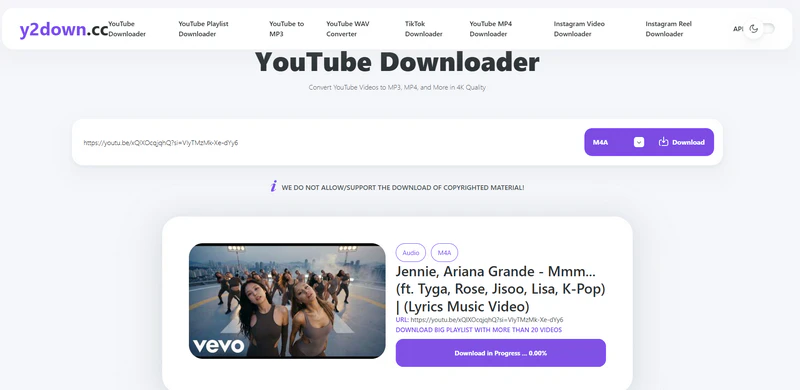
Y2down.cc is a free online video converter that supports downloading videos from multiple platforms, such as YouTube, Instagram, and Facebook into various formats including M4A, WAV, MP3, and MP4. This tool can batch process YouTube playlists and is easy to use. However, it may encounter ad redirects during use, and conversion speed and stability can be affected by network conditions.
| Login Requirement | Quality Options | Format | Speed | Batch conversion | Video Length Limit | Ads & Popups | Safety |
| No Need | 320 kbps | M4A/MP3/WAV/MP4 | fast | Batch processing for YouTube playlists | No restrictions | Redirecting ads | ⭐⭐ |
| 🌐 Entrance: https://y2down.cc/enmw/ | |||||||
|---|---|---|---|---|---|---|---|
|
😀Pros 🔼 Supports batch processing 🔼 Multi-platform and multi-format support |
☹️Cons 🔽 Contains retargeting ads 🔽 Limited sound quality when converting to M4A |
||||||
Step 1 Open the website and paste the YouTube video URL into the input box.
Step 2 Select the M4A format and click the download button.
Step 3 Click the download button again after the download link appears.
6. CutYT
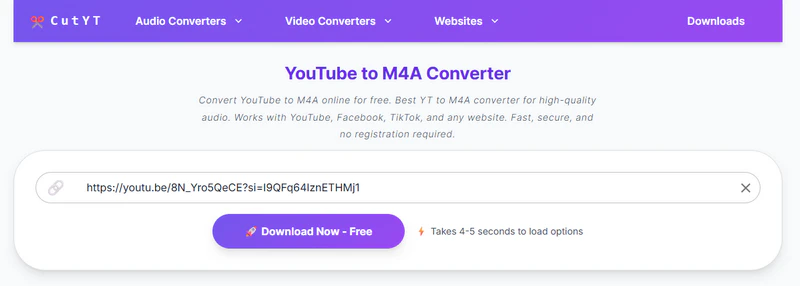
CutYT is a web-based YouTube video downloader that extracts video content into M4A audio files. The generated M4A files have good compatibility and can be played offline on various devices. The tool also supports customizing the video length before downloading, allowing you to extract only the desired segments. However, it does not support batch downloading, you can only download one video at a time.
| Login Requirement | Quality Options | Format | Speed | Batch conversion | Video Length Limit | Ads & Popups | Safety |
| No Need | Original | M4A/MP3/WAV/MP4 | 5X | ❌ | Unlimited | Redirecting & Pop-up ads | ⭐⭐ |
| 🌐 Entrance: https://www.cutyt.com/yt-m4a | |||||||
|---|---|---|---|---|---|---|---|
|
😀Pros 🔼 No installation required 🔼 Supports video length trimming |
☹️Cons 🔽 Includes ads and retargeting 🔽 Only one video can be processed at a time |
||||||
Step 1 Enter the link to the YouTube video you want to download.
Step 2 Click the 'Download now-free' button and wait for the download link to appear.
Step 3 Select the M4A file, and you will be directed to the trim page. You can choose trim the download or click the "Download" button to save the video directly.
7. Tuberipper
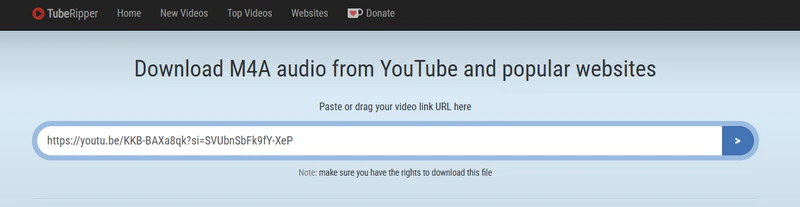
Tuberipper supports downloading M4A audio from YouTube and other popular websites. It also supports multiple formats, including MP3 and MP4, allowing you to extract audio or save video as needed. Unlike other online tools, you can download videos not only by copying links but also by entering keywords.
| Login Requirement | Quality Options | Format | Speed | Batch conversion | Video Length Limit | Ads & Popups | Safety |
| No Need | 128kbps, 256kbps | M4A/MP3/WAV/MP4/WebM | fast | ❌ | Unrestricted | Banner ads | ⭐⭐⭐ |
| 🌐 Entrance: https://tuberipper.cc/67/save/m4a | |||||||
|---|---|---|---|---|---|---|---|
|
😀Pros 🔼 Free and easy to use 🔼 Supports multiple platforms |
☹️Cons 🔽 Batch video download is not supported 🔽 Limited sound quality when converting to M4A |
||||||
Step 1 Enter your YouTube link into the box and click the > button.
Step 2 You will see a download link. Select the m4a format and then click 'Extract Audio (m4a)' to download the video.
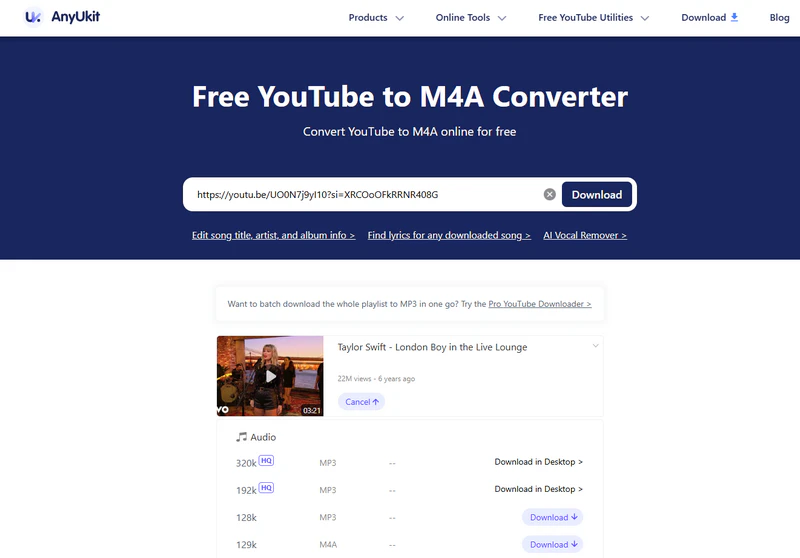
8. Anyukit
AnyuKit supports online downloading and converting YouTube videos to M4A, MP3, and MP4 formats. It's simple to use; just enter the video link to start the conversion, making it ideal for temporary download needs. However, the free web version only supports videos no longer than 10 minutes, does not support batch downloads, and has limited audio quality.
| Login Requirement | Quality Options | Format | Speed | Batch conversion | Video Length Limit | Ads & Popups | Safety |
| No Need | 128kbps | M4A/MP3/MP4 | 5X | Need update to pro | Free for up to 10 minutes | Redirecting ads | ⭐⭐ |
| 🌐 Entrance: https://anyukit.com/youtube-to-m4a/ | |||||||
|---|---|---|---|---|---|---|---|
|
😀Pros 🔼 Beginner-friendly 🔼 No software installation or login required |
☹️Cons 🔽 Free for up to 10 minutes 🔽 Limited output audio quality |
||||||
Step 1 Open the AnyuKit page and paste the YouTube link. Then, click the 'Download' button.
Step 2 Choose the M4A format, then click the 'Download' button again to start converting the YouTube video to M4A for free.
9. Dubs.io
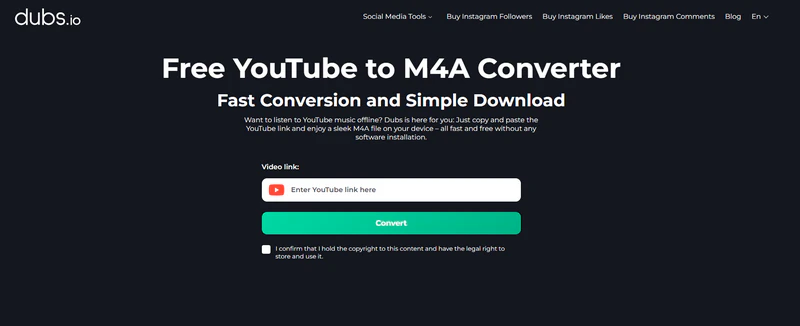
Dubs is an online YouTube to M4A downloader with a clean and ad-free interface. It allows you to download videos for free with no limit on the number of downloads. Additionally, Dubs supports mobile applications, allowing you to convert YouTube videos directly to M4A format on your Android or iPhone. However, it only supports videos up to around 45 minutes in length and does not offer batch downloading.
| Login Requirement | Quality Options | Format | Speed | Batch conversion | Video Length Limit | Ads & Popups | Safety |
| No Need | Lossy | M4A/MP3/MP4 | Fast | ❌ | up to 45 minutes | ❌ | ⭐⭐⭐ |
| 🌐 Entrance: https://dubs.io/youtube-to-m4a | |||||||
|---|---|---|---|---|---|---|---|
|
😀Pros 🔼 Clean interface with no ads 🔼 Supports web pages and mobile apps |
☹️Cons 🔽 Video length is limited 🔽 The sound quality is lossy |
||||||
Step 1 Enter the YouTube link into the input box.
Step 2 Click the convert button and select the M4A as the output format.
Step 3 Tap the 'Download' button to save the M4A files to your local device.
10. Y2meta
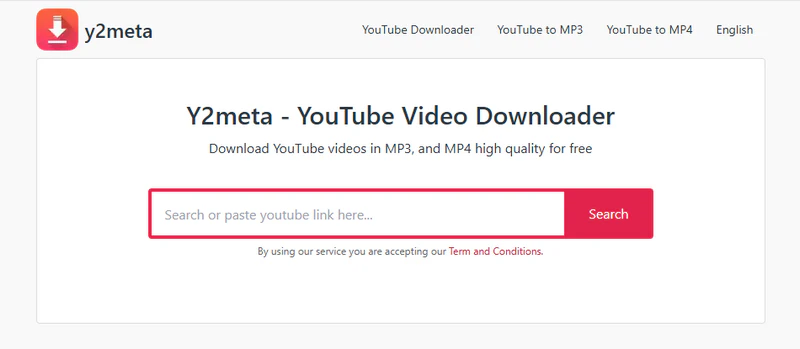
Y2Meta is a completely free online YouTube converter that can save YouTube videos in various formats, including M4A audio, MP3, MP4, etc., and supports different quality options. Download speeds are fast and the operation is intuitive, but batch downloads are not supported.
| Login Requirement | Quality Options | Format | Speed | Batch conversion | Video Length Limit | Ads & Popups | Safety |
| No Need | 64-320 kbps | M4A/MP3/OPUS/MP4 | fast | ❌ | Unlimited | Redirecting ads | ⭐⭐ |
| 🌐 Entrance: https://v1.y2meta-us.com/ | |||||||
|---|---|---|---|---|---|---|---|
|
😀Pros 🔼 Unlimited download 🔼 Completely free to use |
☹️Cons 🔽 Free for up to 10 minutes 🔽 Limited output audio quality |
||||||
Step 1 Copy the YouTube video's URL from the address bar and paste the copied URL into the search box.
Step 2 Click the 'Download' button next to the M4A format to save your YouTube video for free.
Part 3. M4A vs MP3 – Why Choose M4A
When downloading YouTube audio as a local file, choosing the right audio format is crucial. M4A and MP3 are the two most common formats, but M4A offers advantages in sound quality and file efficiency. The comparison table below will give you a more intuitive understanding of the differences between M4A and MP3:
| Format | M4A | MP3 |
|---|---|---|
| Compression | Lossless(ALAC) & Lossy(AAC) | Lossy |
| Sound quality | Higher | Average sound quality |
| File size | Smaller | Larger |
| Metadata Support | Full Support | Full Support |
| Compatibility | Native support for iPhone, iPad, iTunes, and Mac | Almost all devices |
| Best For | High-fidelity audio demand, Apple device users | General audience |
Part 4. Comparison - Choose the Best YouTube to M4A Downloader
To help you choose the best downloader for you, we compared the 10+ YouTube M4A downloaders mentioned above.
| Website | Ads-Free | Highest Quality | Download Format | Speed | Video Length Limit | Batch Download | Safety Score |
|---|---|---|---|---|---|---|---|
| Sidify All-In-One | ✅ | 320kbps | MP3/AAC/WAV/FLAC/AIFF/ALAC | 10X | Unlimited | ✅ | ⭐⭐⭐⭐⭐ |
| AM4A | ✅ | 256kbps | M4A/MP3/MP4 | fast | up to 12 hours(Premium need) | ❌ | ⭐⭐⭐ |
| Evano | Retargeting ads | 256kbps | MP3/M4A/MP4/WebM | 5x | Unlimited | ❌ | ⭐⭐ |
| Y2WAV.com | Banner & retargeting ads | 256kbps | M4A/WAV/MP3/MP4/FLAC | 1x | up to 2 hours | ❌ | ⭐⭐ |
| ytb.rip | ✅ | 320kbps | M4A/MP4/WebM | fast | Unlimited | ❌ | ⭐⭐⭐ |
| Y2down.cc | Redirecting ads | 320kbps | M4A/MP3/WAV/MP4 | fast | Unlimited | ❌ | ⭐⭐ |
| CutYT | Banner & redirecting ads | 256kbps | M4A/MP3/WAV/MP4 | 5X | Unlimited | ❌ | ⭐⭐ |
| Tuberipper | Banner ads | 256kbps | M4A/MP3/WAV/MP4/WebM | fast | Unlimited | ❌ | ⭐⭐⭐ |
| AnyUkit | Redirecting ads | 128 kbps | M4A/MP3/MP4 | 5X | Free for up to 10 minutes | ❌ | ⭐⭐ |
| Dubs.io | ✅ | 256kbps | M4A/MP3/MP4 | fast | up to 45 minutes | ❌ | ⭐⭐⭐ |
| Y2meta | Redirecting ads | 320kbps | M4A/MP3/OPUS/MP4 | fast | Unlimited | ❌ | ⭐⭐ |
While free online YouTube to M4A converters are convenient to use, Sidify offers advantages in sound quality, conversion speed, batch downloading, and security, making it a better choice for converting YouTube videos to M4A.
FAQs about YouTube to M4A Converter
Will the YouTube to M4A conversion affect the audio quality?
Using free online converters may result in audio quality loss. If you want high-quality audio, you can use Sidify, which can preserve the original audio.
Are free online YouTube to M4A Converters safe?
Most of the free online tools mentioned above are safe, but some contain ads or download restrictions. For a 100% ad-free and stable experience, we recommend using Sidify All-in-One.
Is it legal to use a YouTube to M4A converter?
Using a YouTube to M4A converter for personal offline use is generally considered legal. However, downloading copyrighted content without permission or for commercial purposes may violate copyright laws. Always make sure you have the right or permission to download any files.
Conclusion
This article introduces 10+ video downloaders that allow you to easily convert YouTube videos to M4A. Free online converters are easy to use, but security and sound quality are limited; while Sidify All-In-One Converter excels in sound quality, speed, and security, making it the best choice for fast and high-quality downloads. Ultimately, choosing the right YouTube to M4A converter depends on your needs.
 Sidify All-In-One Music Converter
Download streaming songs, albums, and playlists to MP3 with 100% original quality.