Among the many YouTube to MP3 converters, EzMP3 has attracted considerable attention from users due to its free and no installation requirement. However, before using it, many people wonder: Is EzMP3 safe? Is it legal? Are there more reliable alternatives?
In this EzMP3 review 2026, we'll analyze its main features, pros and cons, how it works, and potential risks. More importantly, we will list the best EzMP3 alternatives in 2026 for downloading YouTube to MP3.
Part 1. What is EzMP3?
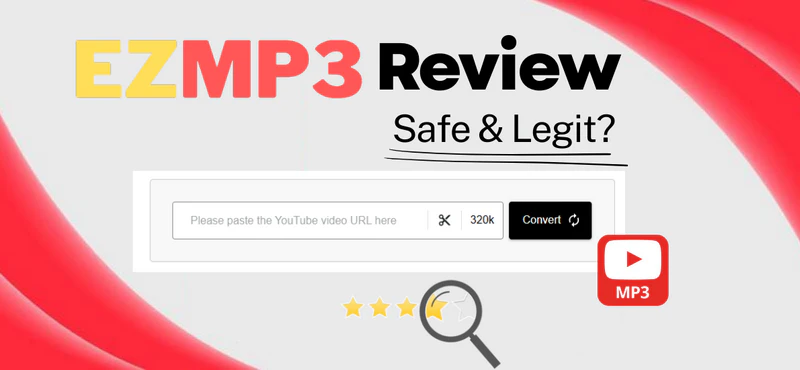
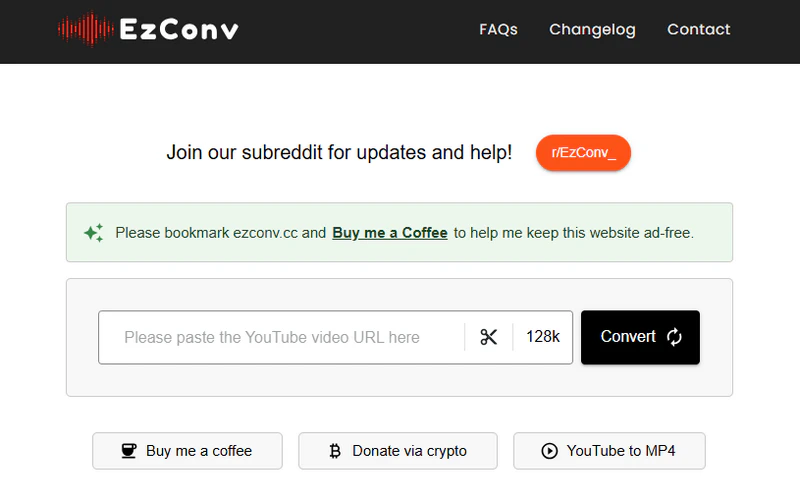
EzMP3 (EzConv) is a free online YouTube to MP3 converter that allows you to extract and download YouTube videos to MP3 files. It supports audio output quality ranging from 64kbps to 320kbps and provides a basic Trim Audio function, allowing you to easily extract the desired audio segments. No software download or installation is required, and no account registration is needed. EzMP3 is best suited for light and occasional YouTube to MP3 downloads.
🔗The current domain URL is: https://ezconv.cc/
Key Feature of EzMP3
- Multiple Sound Quality: From low quality (64kbps) to high quality (320kbps), meeting different needs.
- Trim Audio: Allows you to select and save a segment of audio from a video.
- No registration or software installation is required: Download YouTube videos as MP3 files online.
- Widely compatible: Accessible via multiple devices, including desktop and mobile browsers.
- Easy to operate: Simply copy and paste the YouTube video link into the input box to generate an MP3 download link.
- Completely free of charge.
- No registration or installation required.
- Ad-free interface and easy to use.
- Supports 64–320kbps audio quality.
- Provides basic trimming functionality.
- Does not support batch downloading.
- The stability is sometimes poor.
- Unable to save lyrics.
- Only MP3 downloads are available.
Part 2. How to Use EzMP3 to Download YouTube to MP3?
Using EzMP3 to convert YouTube videos to MP3 is relatively simple and does not require any software installation. Follow the steps below:
Step 1 Open the YouTube website, find the video you want to download, and copy the video link from the address bar or the "Share" button.
Step 2 Visit the EzMP3 official website and paste the YouTube link into the input field.
Step 3 Choose the audio quality you need, from 64kbps to 320kbps. If you only want to download a specific part of the video, you can use the "Trim Audio" function to extract the desired segment.
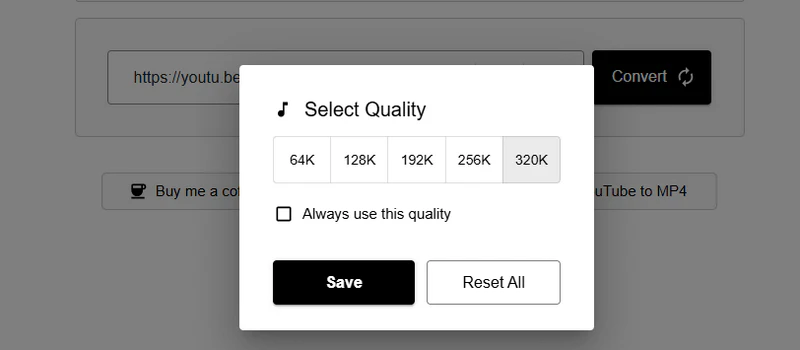
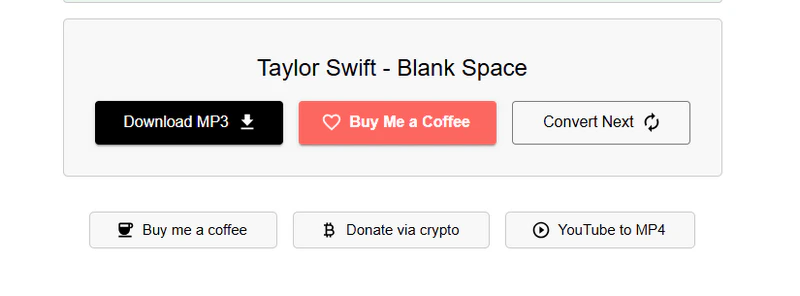
Step 4 Click the "Convert" button, wait for the MP3 download link to load, and then click the "Download MP3" button to save the audio to your local device.
Part 3. Is EzMP3 Safe and Legit to Use?
Many online YouTube to MP3 converters contain pop-up ads and redirect links, which not only affect the download experience but also pose potential security risks. So, is EzMP3, as a free online music downloader, truly safe and reliable to use? Is its use legal? These are the questions many users are most concerned about before using it.
Is EzMP3 Safe?
Overall, EzMP3 is safe under normal use. It is completely ad-free and requires no software installation or account registration. This means you won't be bothered by pop-ups or redirecting links, reducing the risk of accidental clicks and potential malware threats. Furthermore, EzMP3 does not request any personal or payment information, maximizing your privacy and security during use.
Is EzMP3 Legit?
EzMP3 itself does not provide copyright authorization; it is merely a technical tool. Whether converting YouTube videos to MP3 is legal depends on local copyright laws and whether the video content is protected by copyright. Therefore, please always comply with YouTube's Terms of Service and local laws and regulations.
Part 4. Best EzMP3 Alternatives in 2026
1. Safest Alternative: Sidify All-in-one
Sidify All-In-One is a comprehensive desktop music downloader that supports downloading music from all major music platforms, including YouTube, YouTube Music, Spotify, Apple Music, and more. With Sidify, you can lossless download and convert YouTube videos to MP3, AAC, ALAC, AIFF, WAV, and FLAC while preserving complete ID3 tags and lyrics. Sidify not only offers 10x faster batch downloading but also includes built-in tools like audio editing, tag editing, format conversion, and CD burning. Unlike free online music converters, Sidify is 100% ad-free, offering higher security and reliability. It is suitable for users who frequently download music, create content, or require high-quality audio, and is the best and safest alternative to EzMP3.
Sidify All-In-One Converter
- Download music from different streaming platforms, including YouTube.
- Convert YouTube Video or Music in MP3/AAC/WAV/FLAC/AIFF/ALAC.
- Losslessly download YouTube music to the computer.
- Rip music from YouTube and burn music to a CD.
- Built-in free podcast and radio to mp3 downloader and vocal remover.


- Supports music downloads from multiple platforms
- Multiple Output Formats: MP3, AAC, FLAC, WAV, AIFF, ALAC
- 10x speed batch downloading songs, albums, playlists.
- Retain complete ID3 tags and lyrics.
- Free customer support & regular updates.
- Only available on Windows and Mac, not mobile
Step 1 Open Sidify All-in-One converter on your computer and select YouTube from the list of supported music platforms.
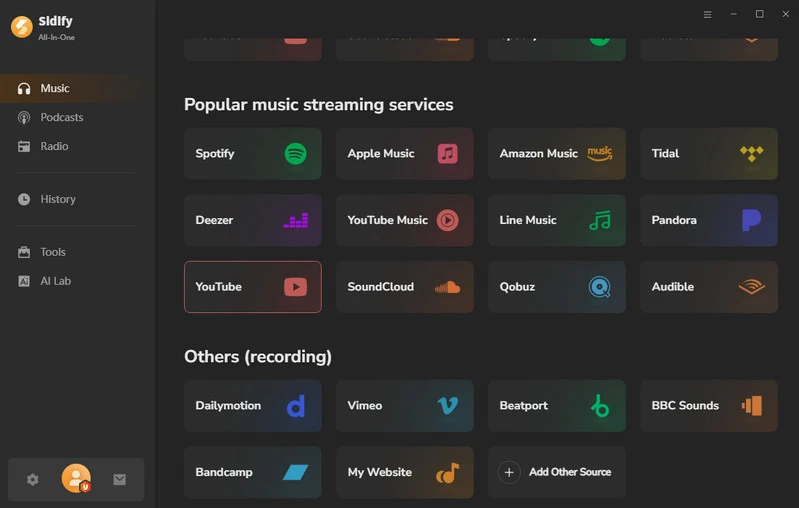
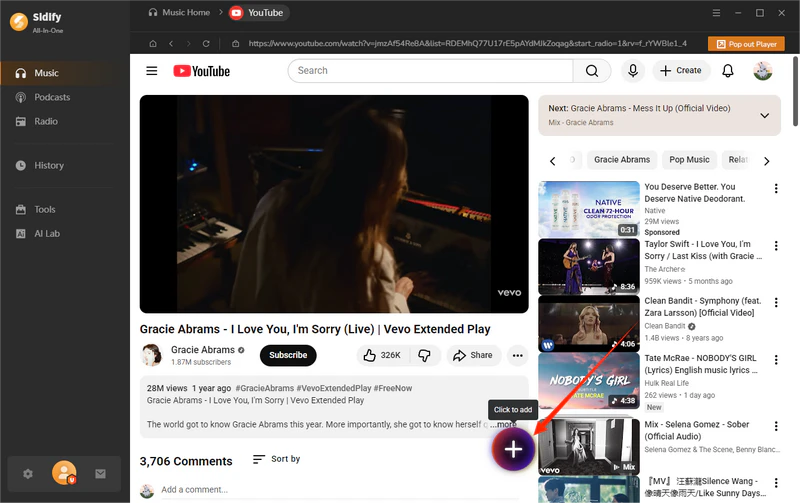
Step 2 Log in to your YouTube account, find the video you want to save, and then click the floating "+" button to add the video to Sidify. Sidify will automatically parse the link.
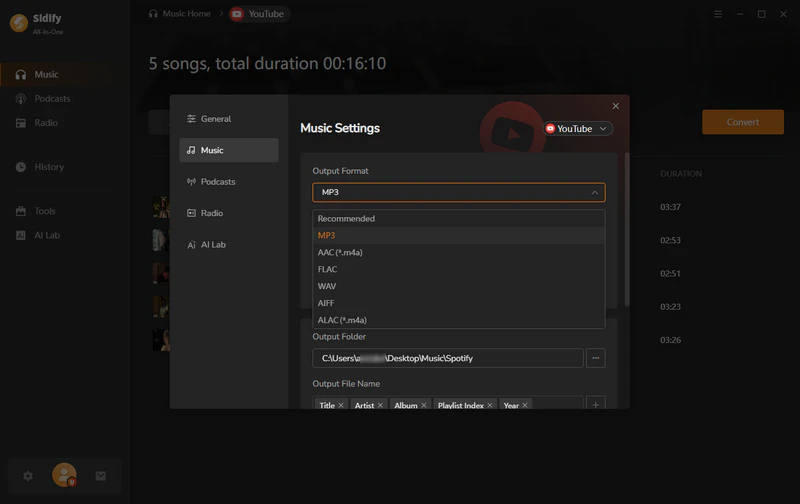
Step 3 Tap on the "Settings" button and enter the YouTube music settings page, select MP3 as the output format, and you can also customize the output file name.
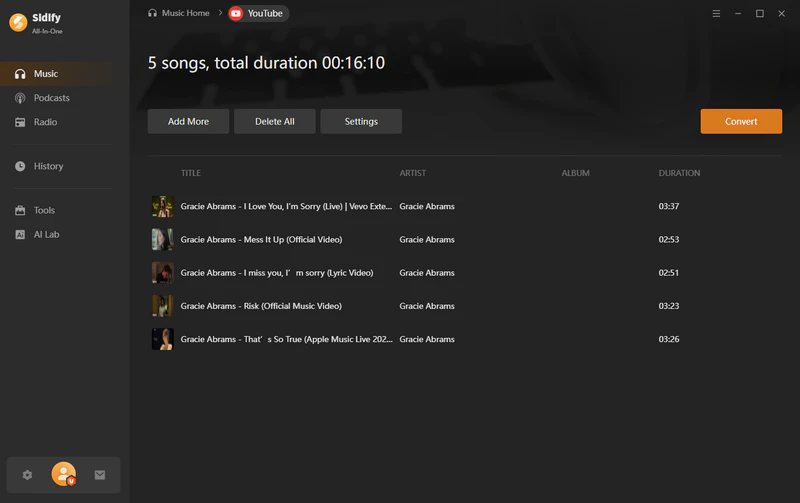
Step 4 Click the "Convert" button to start downloading the YouTube audio to your local computer.
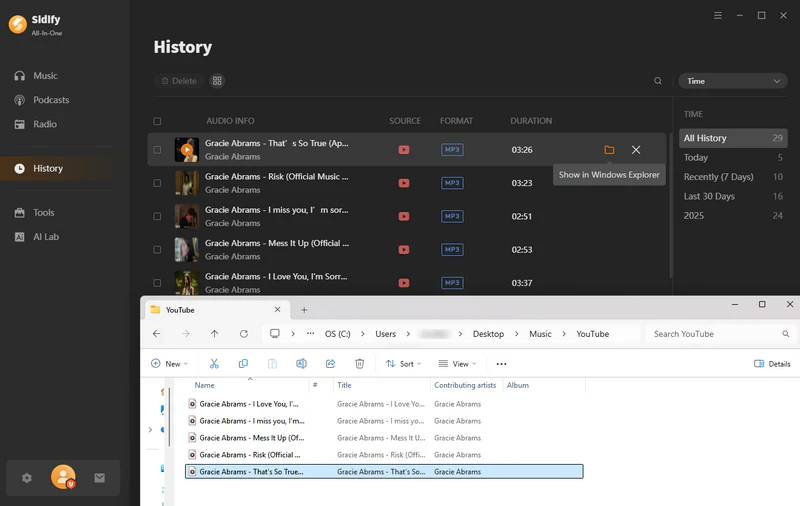
Step 5 Once the conversion is complete, go to the "History" section to view the downloaded MP3 file. You can also click the file icon next to the song to locate the file on your local device.
2. MP3Juice
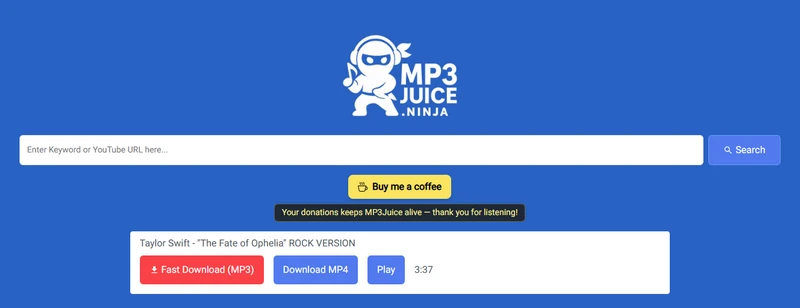
MP3Juice is a free online YouTube to MP3/MP4 downloader that requires no software installation or account registration. You can simply paste the video link to quickly generate and download MP3 or MP4 files. It is easy to use and suitable for casual users who need to quickly obtain audio or video content. However, MP3Juice does not support multiple audio quality options. Overall, it's a viable alternative to EzMP3 and is suitable for occasional use.
🔗https://mp3juice.ninja/
- Free to use
- Web tool, no installation required
- Easy to use, just copy and paste the link to download
- With Pop-up Ads
- Batch downloading is not supported
Step 1 Open YouTube, find the video you want to download, and copy the video link.
Step 2 Open the MP3Juice website and paste the copied link into the input field.
Step 3 Click the "Search" button, wait for the download link to load, and then click the "Download MP3" button to save the MP3 file to your local computer.
3. Y2Mate
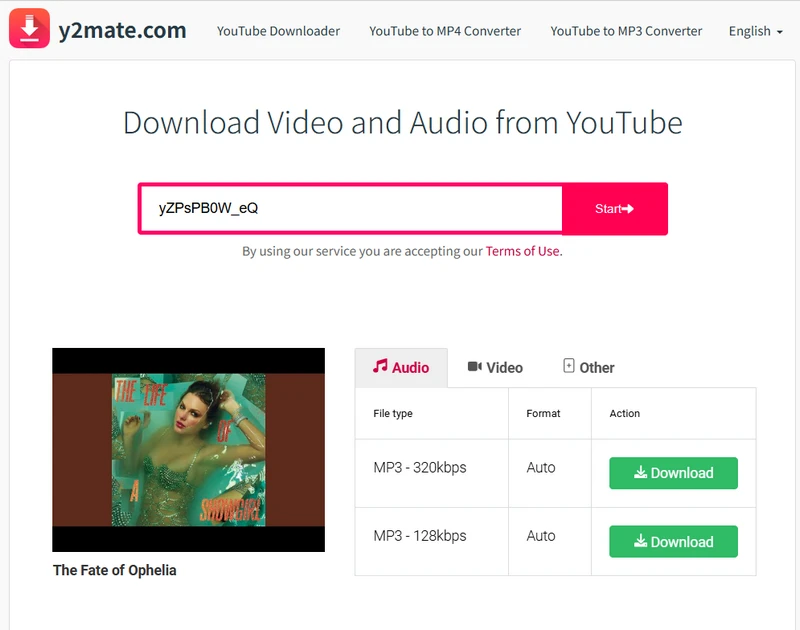
Y2Mate is a free web tool designed for downloading YouTube videos as MP3/MP4 files, supporting 128kbps and 320kbps audio quality options. No installation or registration is required, making it simple and convenient to use. Simply paste the video link to start the conversion. However, the Y2Mate page contains potential redirect links, so be careful when using the site. For most users, Y2Mate is one of the effective alternatives to EzMP3.
🔗https://v6.www-y2mate.com/
- User-friendly
- Unlimited free downloads
- Supports multiple audio quality options: 128kbps & 320kbps
- Limited download speed
- No batch downloading
- Contains redirecting ads
Step 1 Copy the link of the video you want to download from YouTube.
Step 2 Open Y2Mate and paste the link into the input box. The website will automatically parse the link.
Step 3 Choose the MP3 audio quality or MP4 video quality you want to download.
Step 4 Click the "Download" button, and the file will be automatically saved to your local device.
4. YTMP3
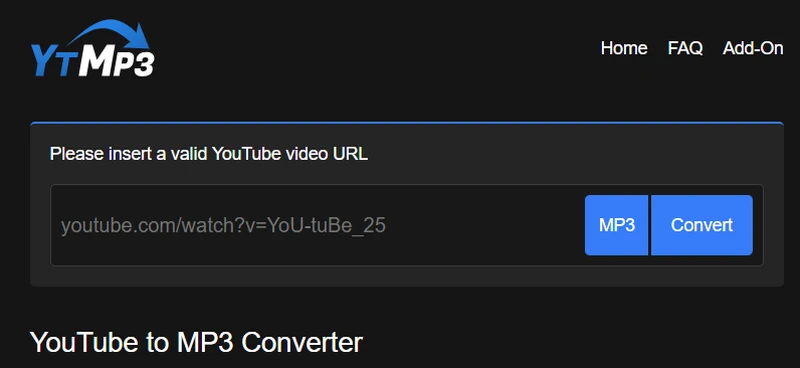
YTMP3 is a simple online YouTube video downloader that supports downloading YouTube videos as MP3 or MP4 files. It works on both desktop and mobile browsers. It doesn't support multiple audio quality options or batch downloading, but its interface is simple and intuitive, making it suitable for light users who occasionally download single YouTube audio or video files. It's a suitable alternative to EzMP3.
🔗https://media.ytmp3.gg/
- Simple and easy-to-use interface
- Completely free and no account registration required
- Limited sound quality
- Unable to batch download
- Contains redirect links.
Step 1 Go to the YouTube website, find the video you want to download, and copy its link.
Step 2 Open YTMP3 and paste the copied YouTube video link into the input field.
Step 3 Select MP3 or MP4, then click the "Convert" button, and the download link will be generated.
Step 4 Click the "Download" button, and the file will start saving.
Part 5. EzMP3 vs Alternatives (Comparison Table)
To provide a clearer understanding of the differences between EzMP3 and alternatives, the table below compares them across key aspects such as sound quality, Output format, and batch downloading capabilities. This will help you choose the most suitable tool based on your specific needs.
| Tools | EzMP3 | Sidify All-in-One | MP3Juice | Y2Mate | YTMP3 |
|---|---|---|---|---|---|
| Output Format | MP3 / MP4 | MP3, FLAC, AAC, AIFF, ALAC, WAV | MP3 / MP4 | MP3 / MP4 | MP3 / MP4 |
| Highest Quality | 320kbps / 1080p | 320kbps, Lossless, HiFi, HD, Ultra HD | 320kbps / 1080p | 320kbps / 4K | 320kbps / 1080p |
| Batch Process | ❌ | ✅ | ❌ | ❌ | ❌ |
| Price | Free | Paid | Free | Free | Free |
| Ad-Free | ✅ | ✅ | ❌ | ❌ | ❌ |
| Compatibility | All Browsers | Windows / macOS | All Browsers | All Browsers | All Browsers |
| Additional tools | Audio trimming | Format Converter, Burn CD, Audio Editor, Tag Editor, AA/AAX Converter, Audio Splitter | ❌ | ❌ | ❌ |
| Other platforms | YouTube | YouTube, YouTube Music, Spotify, Apple Music, Amazon Music, Tidal Music, Qobuz, SoundCloud, Bandcamp, etc. | YouTube | YouTube | YouTube |
| Stability & Security | ⭐⭐⭐ | ⭐⭐⭐⭐⭐ | ⭐⭐⭐ | ⭐⭐⭐ | ⭐⭐⭐ |
Part 6. Final Verdict: Is EzMP3 Worth Using in 2026?
If you only need to convert a few YouTube videos to MP3 occasionally, EzMP3 can meet your basic needs and is still a usable YouTube to MP3 converter. However, if you require higher stability, batch downloading, or long-term use, EzMP3's features are still quite limited. In contrast, Sidify All-in-One performs better in terms of security, audio quality control, batch processing, and overall stability, making it more suitable for frequent downloaders and content creators.
Therefore, EzMP3 is suitable for occasional, lightweight use, while Sidify All-in-One is a more professional and secure long-term solution. You can choose between convenience and functionality based on your own needs.