


You've found a video you want to watch, but your media player won’t open it. Your music library is growing, yet finding the right song is becoming a chore. Sound familiar?
Whether you need something that plays a wide range of video formats, handles subtitles without a hassle, or keeps your music collection organized, we have tested the best media players for Windows that can do the job.

Best Media Players for Windows at a Glance
Others' choices are not yours. Have a quick look at the top media players and pick the one that can really solve your problem.
| Free Media Player | Best For |
|---|---|
| Sonikr Media Hub | Organizing and playing a music library |
| VLC Media Player | Everyday video and audio playback |
| PotPlayer | Customizing video playback |
| MPC-BE | Simple video playback |
| mpv | Advanced playback customization |
| Kodi | Home theater and media center |
| MusicBee | Managing music collections |
| Windows Media Player | Basic playback on Windows |
Part 1. How We Test the Best Media Players for Windows
A media player may look good on paper, but what matters is whether it works well with your files and fits your daily routine. To make this comparison useful for everyday users, we focused on common media formats and tested the players using their latest stable versions available at the time of testing.
| Operating System | Test Date | Software Versions | Audio Test Files | Video Test Files | Audio Output |
|---|---|---|---|---|---|
| Windows 11 Pro | October 2026 | Latest versions | MP3, FLAC | MKV, MP4, OGG | Over-ear headphone |
We used the same set of media files to test each player. We not only played a file, but also checked how easy each player is to use, how well it handles everyday playback, and what extra features it offers.
| Test Category | Test Files / Method | What We Check |
|---|---|---|
| Video Playback |
Sintel.2010.720p.mkvBigBuckBunny_320x180 .mp4big_buck_bunny_1080p_stereo .ogg
|
Smooth playback, clear picture and sound, and easy seeking. |
| Audio Playback |
After Hours — The Weeknd (MP3 files)02 Yeah! (feat. Lil Jon & Ludacris) .flac
|
Reliable playback, accurate track information, and easy volume and track controls. |
| Music Management | Browse a folder of MP3 and FLAC files; try search and playlist features where available | Easy music browsing, song search, and playlist creation. |
| Installation | Install each player using its official installer | Unwanted bundled software, optional add-ons, and clear installation choices. |
| Ease of Use | Open a file, pause and resume playback, seek, adjust volume, and switch to full-screen mode | Easy-to-find controls and straightforward everyday playback. |
Part 2. 8 Best Media Players for Windows
Whether you need a simple way to play videos, a tool to manage a large music library, or more control over playback and subtitles, there are the best media players for Windows worth considering.
Top 1. Sonikr Media Hub - Best for Music Library Management
Windows Mac
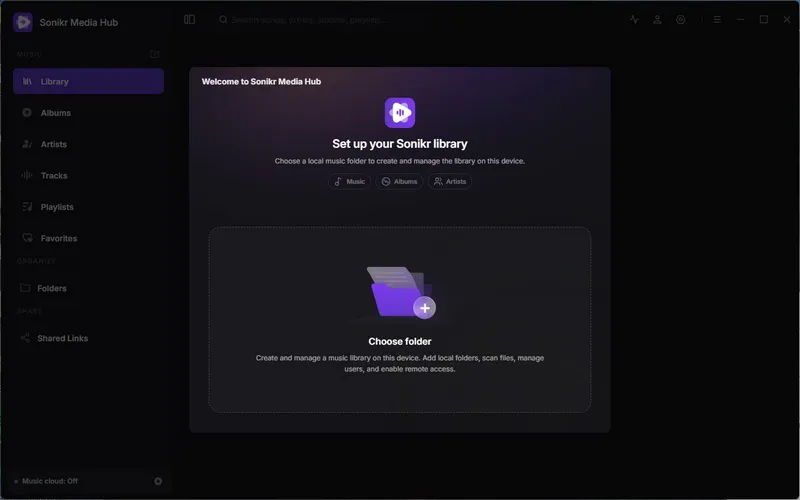
If you have a large music collection on your computer, Sonikr Media Hub makes it easier to keep everything organized. This free music library software brings your existing music files into one searchable library, helping you browse songs by artist or album, find tracks quickly, and create playlists.
Your music files stay where they are, so you don’t have to move or rename them just to organize your collection. Sonikr is a good fit for listeners who prefer managing their own music files rather than relying on a streaming service.
🔺 Pros
- Free to use, with your music files staying in their original folders.
- Organizes music by album, artist, track, and folder.
- Makes it easy to find songs with search, favorites, and playlists.
- Offers optional remote access and share links for your music library.
- Available for Windows and macOS.
🔻 Cons
- Focuses on music currently.
- Remote access and music sharing require a free account.
Real Experience
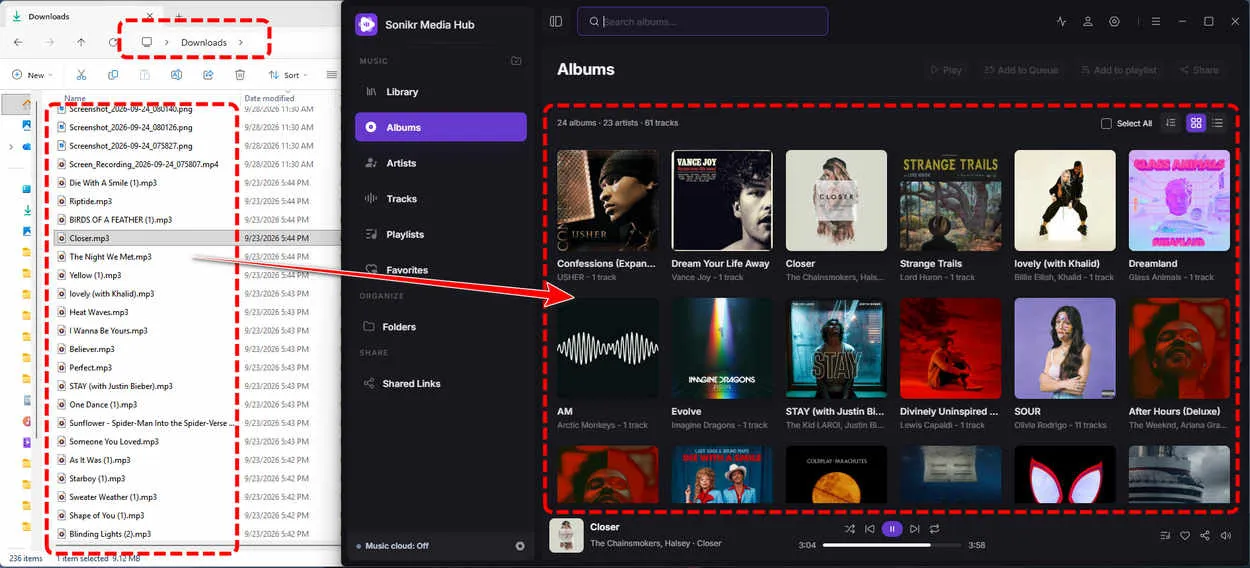
Getting started with Sonikr Media Hub was easy. After installation, it guided me to import a folder from my computer. I selected C:\Users\****\Downloads, which contained a mix of MP3 and FLAC songs, videos, images, and documents. Within seconds, Sonikr picked out the music files and organized them into a library without moving or copying the original files.
I could then browse my songs and play them right away. Playback was smooth, and switching between tracks worked very well. My only complaint was the dark interface, which was uncomfortable to look at on my computer. A light theme or more color options would be a welcome improvement.
Video Tutorial: Turn Your Music Files into a Personal Music Library
 Want to add streaming music to your local library?
Downloads from Spotify, Apple Music, SoundCloud, Deezer, etc. usually only play in their own apps. With Sidify All-In-One Music Converter, you can convert supported tracks to MP3, AAC, FLAC, WAV, AIFF, or ALAC and play them in Sonikr or other media players.
Top 2. VLC Media Player
Windows Mac Linux iOS Android
VLC Media Player is one of the best media players for Windows because it supports a wide range of formats without requiring extra codec packs. You can also load subtitles, adjust playback speed, and play DVDs or network streams. VLC is free, open source, and ad-free, making it a practical choice for everyday media playback.
- Plays a wide range of audio and video formats without extra codec packs.
- Free, open source, and ad-free.
- Supports subtitles, playback speed controls, and network streams.
- Available for Windows, macOS, Linux, and mobile devices.
- The interface looks dated.
- Some advanced settings can be difficult to find.
Real Experience
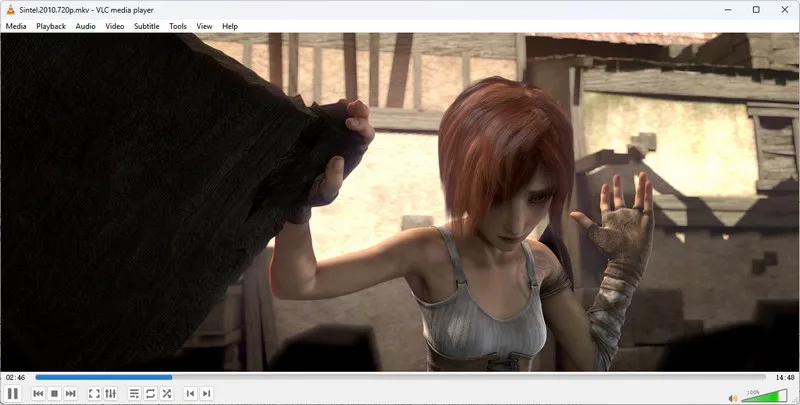
As a first-time user, I found the many tabs and options a little confusing at first, but it was easy to get the hang of after a short time exploring the interface. To test different formats, I used Media > Open File to open each audio and video file. All the test files played smoothly, with no stuttering or playback issues.
VLC is a good choice when you need a player that can handle a wide range of file formats, especially files that other players struggle to open. However, if you mainly listen to music, you have a better fit. I'd say the interface also looks a little dated.
Top 3. PotPlayer
Windows
PotPlayer is a free media player for Windows with a wide range of playback settings. It supports common audio and video formats, including 4K and 8K video, and offers hardware-accelerated playback, detailed subtitle controls, and customizable settings for individual files. You can adjust playback to suit your preferences, but the many options may take some time to learn. PotPlayer is best for users who want more control over how their media plays.
- Offers flexible controls, including keyboard shortcuts, mouse gestures, and per-file settings.
- Provides detailed subtitle settings and customization options.
- Supports hardware-accelerated playback and high-resolution videos, including 4K and 8K.
- The many settings can be overwhelming for new users.
- Only have the Windows version.
Real Experience
PotPlayer played all the audio and video test files without any issues and I noticed a few differences compared with VLC. When playing music, it did not display album artwork. It also couldn't open a video stored inside a ZIP archive directly, as VLC could.
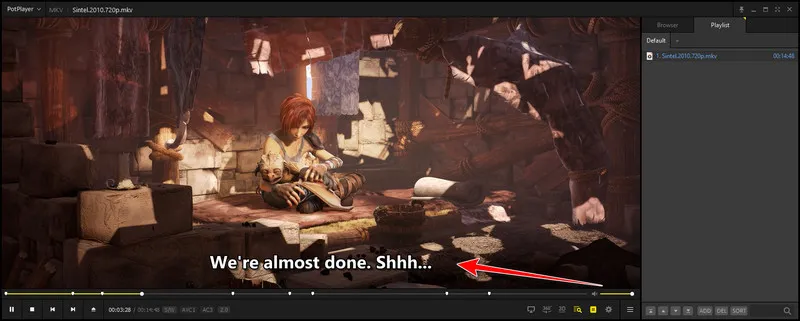
One thing I liked was that subtitles could appear automatically during playback, without me having to load them manually. PotPlayer offers plenty of playback settings, but learning how to use them all takes time.
Top 4. MPC-BE
Windows
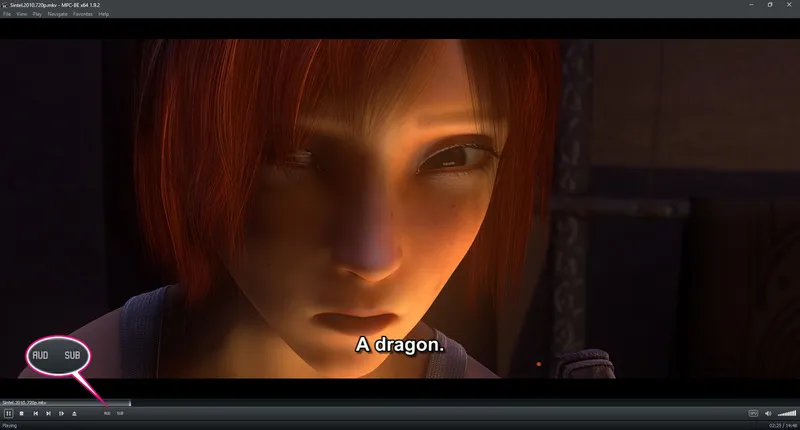
MPC-BE (Media Player Classic Black Edition) is a free, open-source media player for Windows. It has a simple interface, starts quickly, and uses relatively few system resources, making it a good option for older PCs or users who prefer a lightweight player. It focuses on straightforward audio and video playback rather than a large set of extra features.
- Lightweight and quick to start, even on older PCs.
- Free and open source.
- Simple interface with familiar playback controls.
- Supports hardware-accelerated decoding and built-in filters.
- Portable version available, so you can use it without installing it.
- The classic interface looks dated.
- Fewer subtitle customization options.
- Available for Windows only.
Real Experience
MPC-BE has a classic look, with a clapperboard icon that gives it a simple, old-school feel. MP3 and more files played smoothly, and the player displayed album artwork. During video playback, I could choose from subtitles in 10 different languages. However, MPC-BE did not retain the original chapter markers in the video files I tested.
Top 5. mpv
Windows Mac Linux Android
mpv is a free, open-source media player for Windows, macOS, and Linux. It has a minimalist interface and supports keyboard shortcuts, configuration files, and Lua scripting, giving experienced users plenty of control over playback. It is also known for its high-quality video rendering and color management.
- Fast and lightweight.
- Supports custom settings and scripts.
- Provides high-quality video playback.
- Free, open source, and ad-free.
- Lacks a traditional menu interface.
- Takes time to learn and configure.
Real Experience
I downloaded the latest version of mpv from GitHub. Its interface is simple, with no unnecessary menus or settings. I liked that I could play media by dragging and dropping a file or link into the player. During video playback, mpv offered subtitles in 10 languages and preserved the chapter markers in my test files, making it one of the best media players for Windows.

Top 6. Kodi
Windows Mac Linux iOS Android tvOS webOS Raspberry Pi
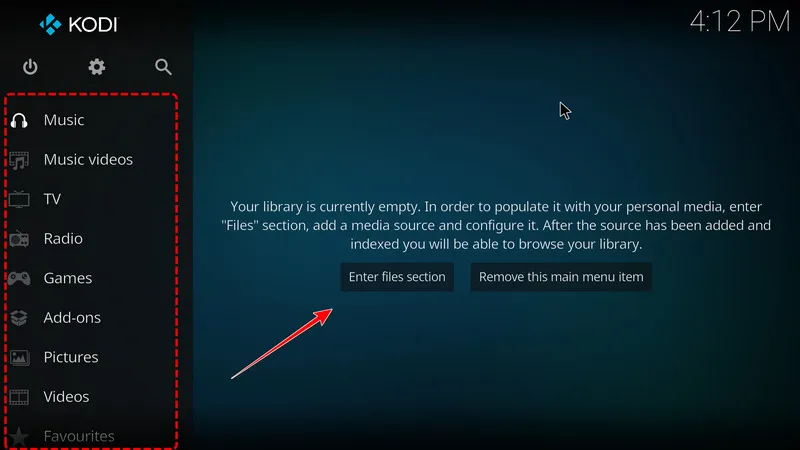
Kodi is a free, open-source media center for organizing and playing movies, TV shows, and music. It collects artwork and details for your media files and displays them in a library. Kodi also supports add-ons, live TV, and PVR features.
- Organizes movies, TV shows, and music into a library.
- Supports add-ons, live TV, and PVR.
- Works well with remote controls and large screens.
- Free, open source, and available on multiple platforms.
- Has more features than needed for simple playback.
- Takes longer to start than lightweight players.
- Can be awkward to navigate with a mouse.
Real Experience
Kodi organizes movies and TV shows into a library with posters and descriptions. However, I found it less convenient to use with a mouse on a computer. Sometimes, I also had trouble finding the file I wanted to play. Kodi may work better on a TV with a remote control than on a desktop PC.
Top 7. MusicBee
Windows
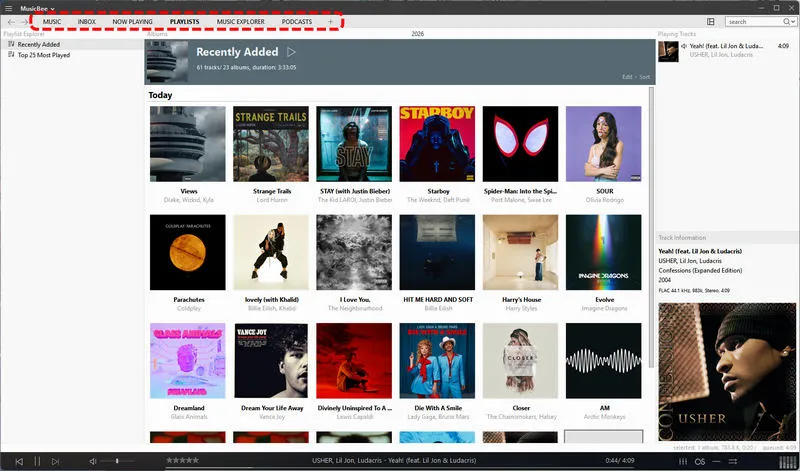
MusicBee is a free music player and manager for Windows. It helps you organize your music library, edit song tags, find album artwork, and customize the player with skins and plugins. It also supports gapless playback and high-quality audio output. A portable version is available if you want to run it from a USB drive.
- Helps organize large music libraries.
- Offers tag editing and album artwork tools.
- Free to use.
- Supports skins, plugins, and a portable version.
- Supports gapless playback and high-quality audio output.
- Only for Windows.
- Focuses on local music, not streaming services.
- The interface looks old.
Real Experience
MusicBee focuses on managing music, much like Sonikr Media Hub. After importing a folder, it organizes the songs into a library and offers tools to edit tags, rate tracks, create playlists, and adjust playback settings. It has plenty of features for managing a music collection, but the interface looks very outdated.
Top 8. Windows Media Player
Windows
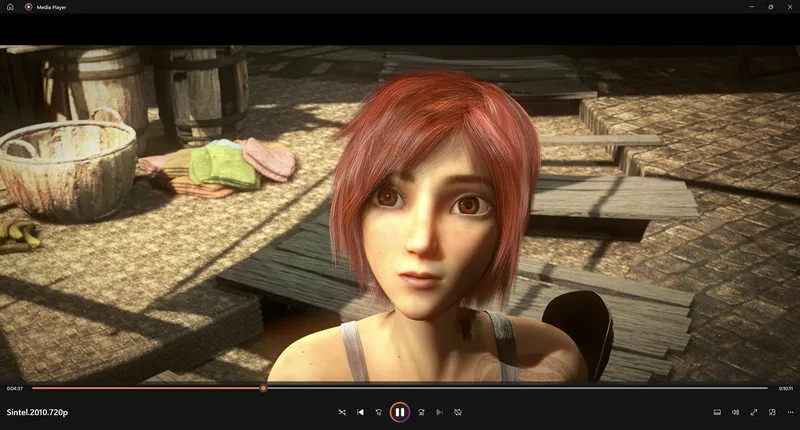
Media Player is built into Windows 11 and lets you play music and videos without installing another app. It has a simple interface and supports basic media playback. However, it offers fewer features for managing large music and video collections than dedicated media players.
- Built into the Windows computer.
- Simple to use for everyday music and video playback.
- Clean and modern interface.
- Plays local media files offline.
- Supports fewer formats.
- Some files may require extra codecs to play.
- Offers limited subtitle options.
Real Experience
Media Player worked fine with most of the music and video files I tested. Basic formats played without any issues, but some files could not be played. It is good enough for everyday use, but if you need support for more formats or advanced features, you may want to try another media player.
Part 3. Best Media Players for Windows Compared
Not sure which player to choose? Start with what you need most and find the one that fits the way you listen to music and watch videos.
| Best Media Player | Best For | Price | Supported Formats | Music Library Management |
|---|---|---|---|---|
| Sonikr Media Hub | Organizing local music libraries | Free | MP3, AAC, FLAC, WAV, AIFF, ALAC and more | Yes |
| VLC | Playing a wide range of media formats | Free | MP4, MKV, AVI, MP3, FLAC, AAC, and more | Limited |
| PotPlayer | Customizing video playback | Free | MP4, MKV, AVI, MP3, FLAC, and more | Limited |
| MPC-BE | Lightweight playback on Windows | Free | MP4, MKV, AVI, MP3, FLAC, and more | Limited |
| mpv | Custom playback settings and scripts | Free | MP4, MKV, WebM, MP3, FLAC, and more | No |
| Kodi | Building a home theater media center | Free | MP4, MKV, AVI, MP3, FLAC, AAC, and more | Yes |
| MusicBee | Managing and tagging music collections | Free | MP3, AAC, FLAC, WAV, AIFF, ALAC and more | Yes |
| Windows Media Player | Simple, built-in playback | Free | MP3, WAV, MP4, WMV, and more; codec support varies | Limited |
FAQs About Best Media Player for Windows
1. Which is better, Windows Media Player or VLC media player?
VLC Media Player is a better choice for most users because it supports more audio and video formats and offers features such as subtitle support and network streaming. Windows Media Player is simpler to use and works well for basic playback, but it has fewer features. If you often play different types of media files, VLC is worth trying.
2. Is the VLC player still safe?
Yes. VLC is a free, open-source media player maintained by the VideoLAN project. Its official installer does not include ads or bundled software. To avoid unsafe downloads, get VLC from the official VideoLAN website and keep it updated.
3. What's the best music player for Windows?
If you have a collection of music files saved on your computer, Sonikr Media Hub is a good choice. It brings your music into one library, making it easier to find songs, browse by artist or album, and create playlists without moving your files. MusicBee is another option, but its interface is not as good as Sonikr.
4. Which media player is best for Windows 11?
The best choice depends on what you need. VLC is a good option if you want to play various audio and video formats. If you prefer a lightweight player, try MPC-BE. If you want more playback settings to adjust, PotPlayer is worth considering.
Final Words
After testing these best media players for Windows, I noticed that some are simple and easy to use, while others offer more settings and features. You don't need to try them all. The key is to find one that fits your needs.
If you love listening to music and have a growing collection of downloaded songs that is getting harder to manage, give Sonikr Media Hub a try. It helps you bring your local music files into one library, so you can find your favorite tracks without sorting through folders one by one. If you need a player for both music and videos, VLC is a good place to start.
Choose the player that makes your everyday listening or viewing easier. After all, the best media player is the one that works for you.
 Sidify All-in-one Music Converter
Download and convert music from major streaming services with Sidify All-in-One. Save your favorite tracks as MP3, AAC, FLAC, WAV, AIFF, or ALAC, with ID3 tags and lyrics preserved. Build your local music library and enjoy your favorite songs offline.












