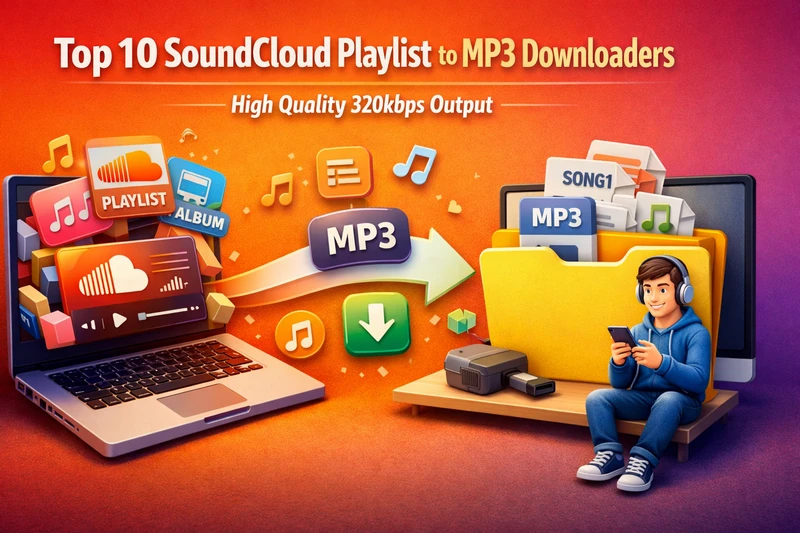
If you like to download playlists on SoundCloud to real MP3 music files, this article is right for you. Here, we show you the best 11 SoundCloud playlist to MP3 downloaders, with some being able to download SoundCloud songs in high-quality MP3 formats.
📍 Also Read: 10 Best Free Spotify Playlist 320kbps MP3 Downloaders
Top Pick: Sidify SoundCloud Playlist Downloader
To download complete SoundCloud playlist to high quality MP3 format, Sidify SoundCloud Music Downloader is a top priority. This program works with the SoundCloud web player and includes a download feature. When accessing the SoundCloud library, you can queue different playlists to the converter and start multiple playlists to MP3 conversion simultaneously. SoundCloud playlists downloads are output in MP3, AAC, ALAC, AIFF, WAV, and FLAC formats, with all original tags preserved for every playlist track.
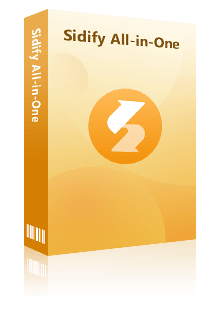
Sidify All-In-One Converter
- Download music from different streaming platforms, including SoundCloud and Qobuz.
- Convert Qobuz songs in MP3/AAC/WAV/FLAC/AIFF/ALAC
- Losslessly download Qobuz music to the computer.
- Rip music from Qobuz and burn music to CD.
- Built-in free podcast and radio to mp3 downloader and vocal remover.


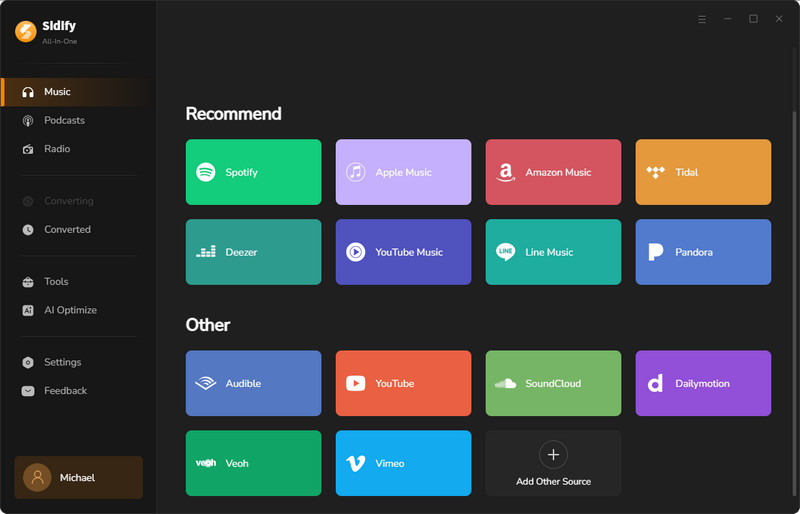
Step 1 Open the Sidify All-In-One program on your computer. Tap the SoundCloud logo and enter the SoundCloud Music Converter.
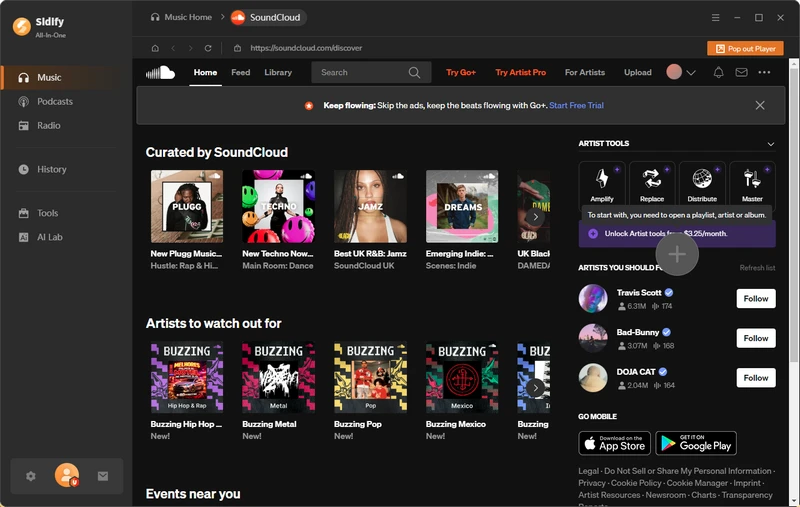
Step 2 Now from the SoundCloud web player, log into the SoundCloud account and access the playlist that you want to download.
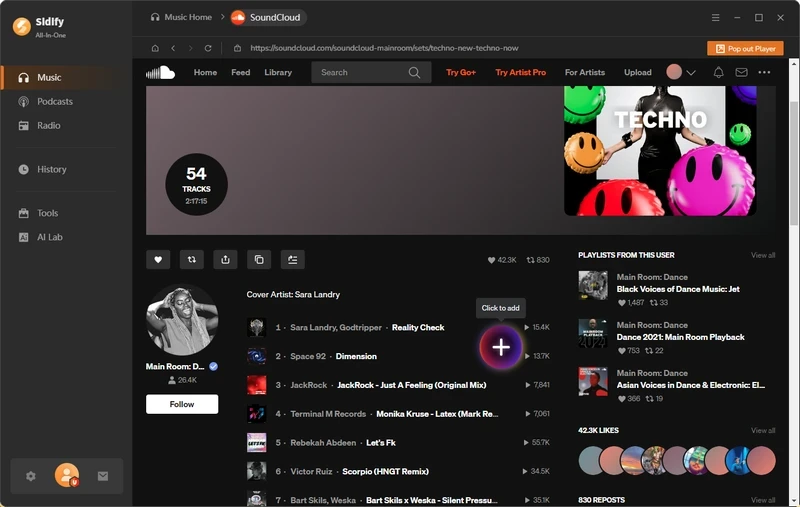
Tap the Plus icon to put the whole playlist the Sidify converter. You can opt to download all the songs in the playlist or download the full playlist.
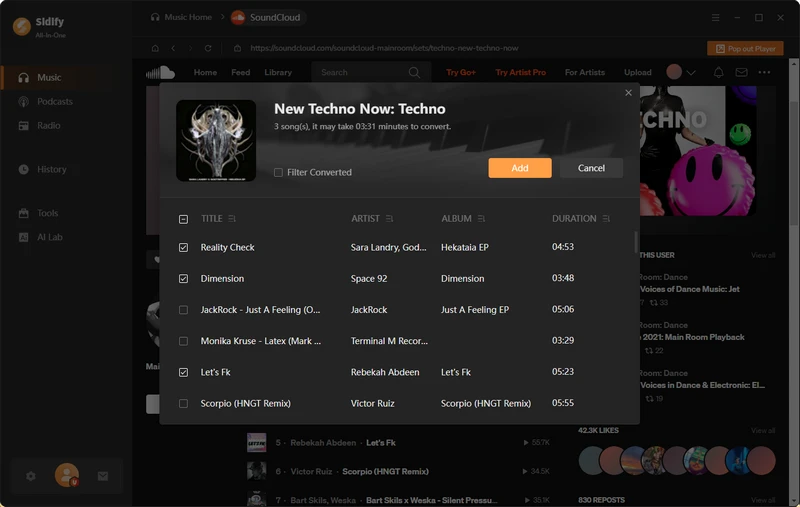
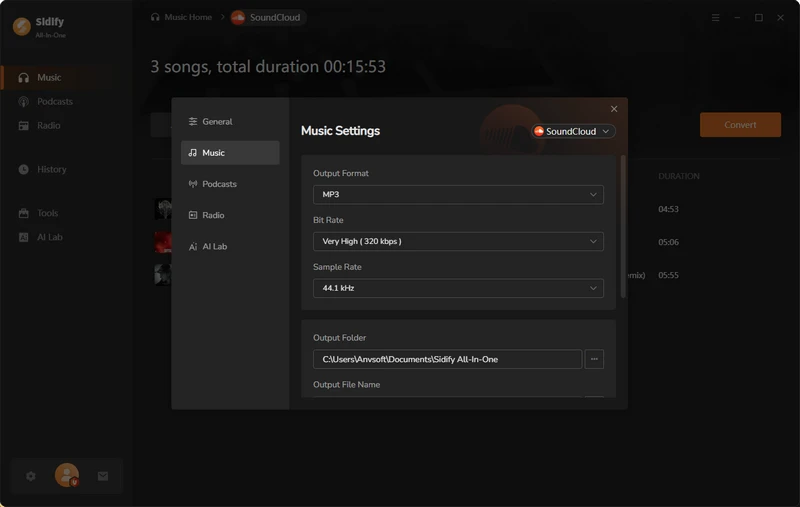
Step 3 Go to the Converter settings, customize the SoundCloud download format to MP3, output quality to 320kbps. You can also customize the playlist organized structure by artist, albums or playlist.
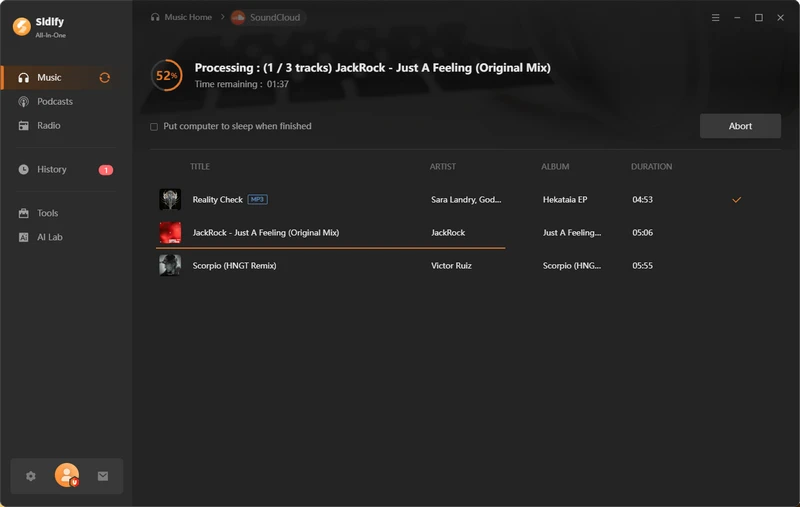
Step 4 Click the 'Convert' button to start the SoundCloud playlist to MP3 downloading process.
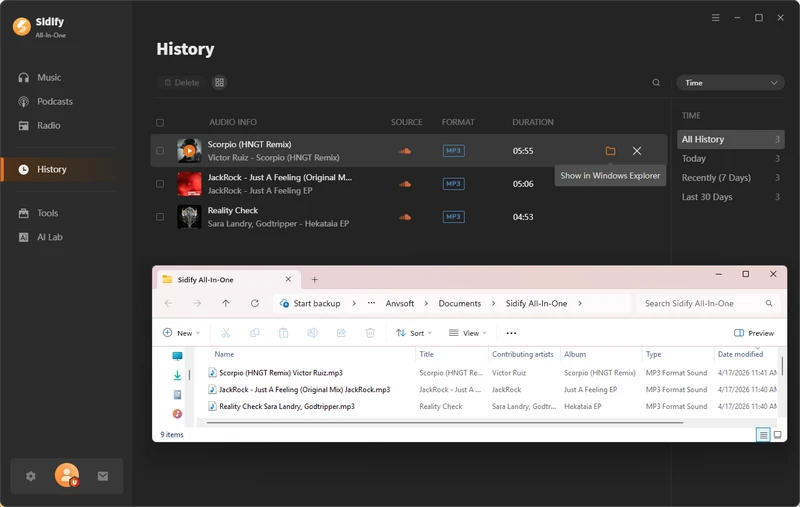
Step 5 When the task bar reaches 100% complete, go to the 'History' tab and view all MP3 downloads from the SoundCloud.
 Note:
Note:If you want a tool to convert any streaming music (including Spotify, Apple Music, Amazon Music, Tidal, Deezer, YouTube, YouTube Music, SoundCloud, DailyMotion …) to MP3, Sidify All-In-One is the go-to choice.
Top 2. SCloud SoundCloud Downloader (https://downloadscloudmp3.com/)
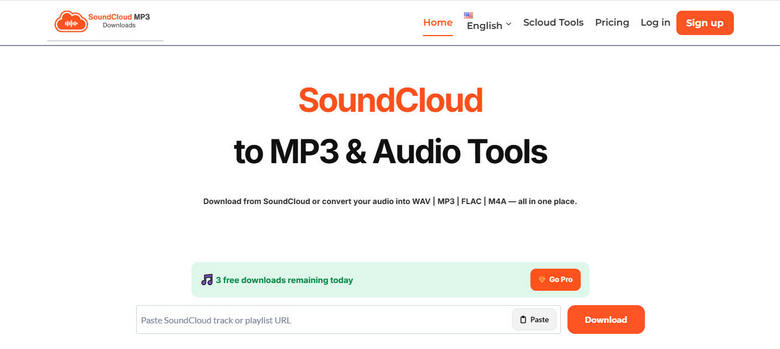
SCloud is a browser-based SoundCloud to MP3 downloader for saving audio without installing desktop software. Its straightforward copy-and-paste workflow makes it suitable for occasional downloads: copy a public SoundCloud track URL, paste it into SCloud, and let the service prepare an MP3 file. Although SCloud includes a playlist section, playlist availability and the number of tracks it can process may vary, so it is better suited to individual tracks or smaller download tasks than large libraries.
- Works online without software installation.
- Simple URL-based SoundCloud to MP3 workflow.
- Accessible from desktop and mobile browsers.
- Playlist parsing and track availability can vary.
- Not designed for managing multiple large playlist downloads.
How to Download SoundCloud Music to MP3 with SCloud?
Step 1: Open SoundCloud, find the public track or playlist you want, and copy its URL from the Share menu or browser address bar.
Step 2: Open SCloud in your browser and paste the copied SoundCloud URL into the input field.
Step 3: Click the download button and wait for SCloud to process the link.
Step 4: Save each available MP3 file to your device. Only download audio you have permission to use.
Top 3. DownCloudMe (https://downcloudme.com)
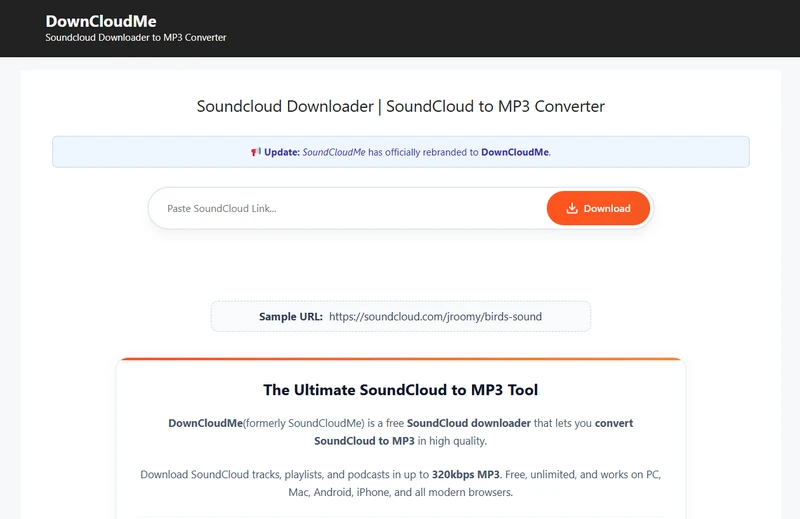
DownCloudMe is a free online SoundCloud playlist downloader that can download SoundCloud tracks, playlists, and podcasts in up to 320kbps MP3. The web SoundCloud downloader is able to convert full SoundCloud playlists to individual MP3 tracks. Full playlists are supported, only the first 5 tracks can be downloaded, and each track must be processed individually.
- Free online playlist downloader with simple steps.
- Limited to the first 5 tracks per playlist.
- Audio quality is limited to 128 kbps, which is lower than 320kbps advertised.
How to Download Spotify Playlist Music to MP3 Online?
Step 1: Go to SoundCloud web or app, open the desired SoundCloud playlist. Tap the "Share" button (arrow-up icon) and copy the playlist URL.
Step 2: Paste the link into the input box on the DownCloudMe site, then click "Download" and wait the server to process it.
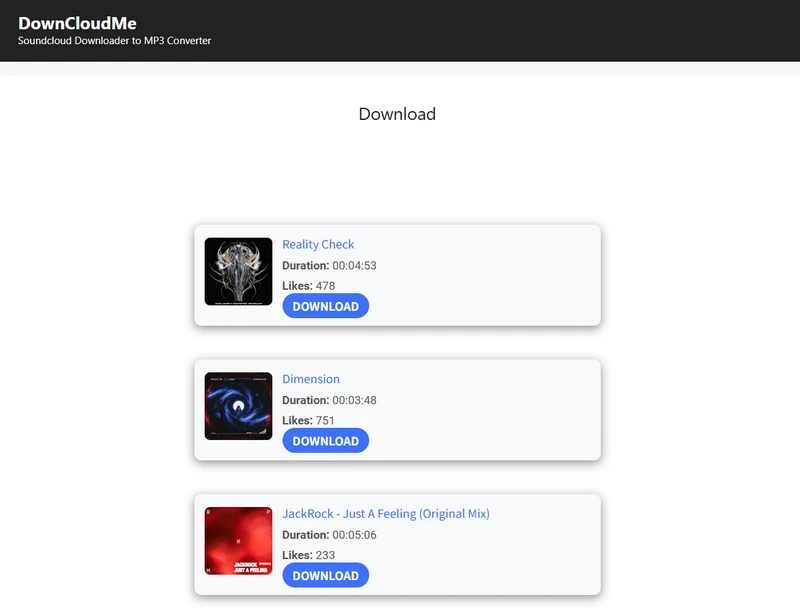
Step 3: Download each song from the playlist individually to the local folder.
Top 4. Squid SoundCloud Downloader (https://squid.wtf/)
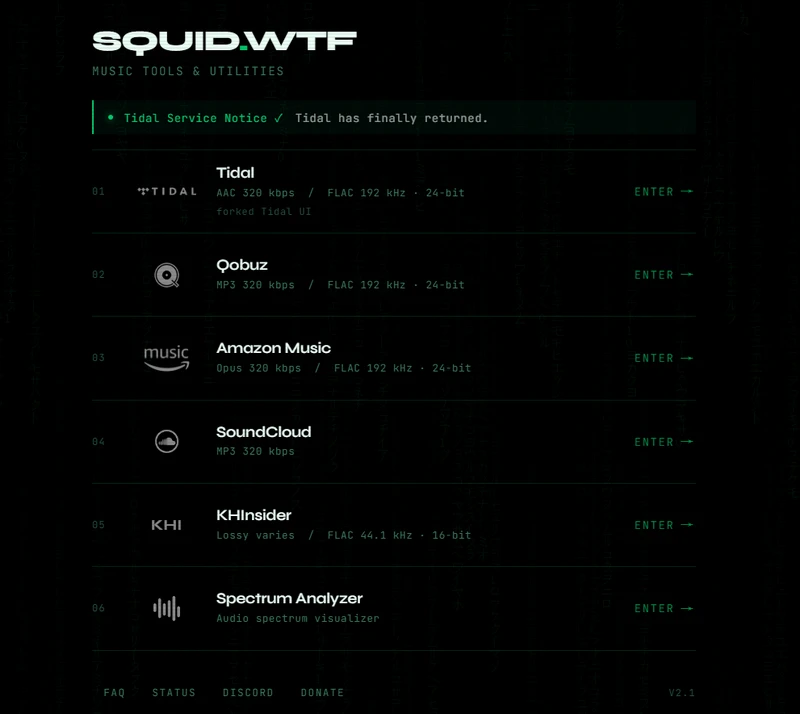
Squid.wtf features music ripping, downloading, and format conversion. It supports six music services, including Tidal, Qobuz, Amazon Music, SoundCloud, KHInsider, and Spectrum Analyzer. It is therefore a SoundCloud MP3 Downloader that supports direct conversion of SoundCloud playlists to MP3 format. A big plus is the ability to download entire SoundCloud playlists at once. But multiple SoundCloud playlists are downloaded individually, one after another.
- Free SoundCloud playlist to MP3 conversion.
- Batch download of SoundCloud playlist songs.
- Also Works with Tidal, Qobuz, Amazon Music, and SoundCloud platforms.
- High quality and lossless audio.
- Audio quality is not always consistent.
- Single playlist conversion per session
How to Rip Playlists from SoundCloud to MP3 Tracks for Free?
Step 1: Copy the url of the soundcloud playlist from the soundcloud web or app.
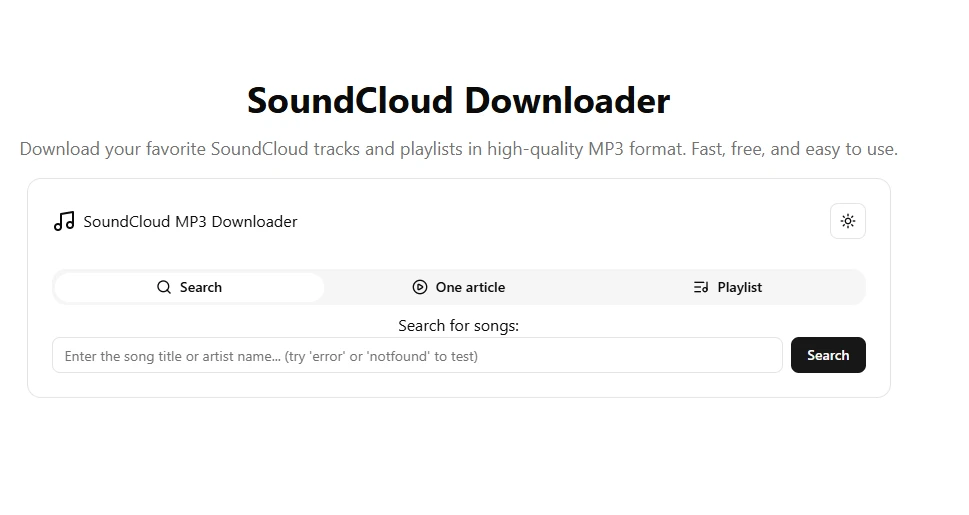
Step 2: Paste the link into the Squid.wtf SoundCloud to MP3 downloader > Playlist tab and tap "Get Playlist".
Step 3: Click "Download All" to download the entire SoundCloud playlist as a ZIP file containing all MP3 tracks. Alternatively, you can click the download option next to each song to save individual tracks as MP3 files.
Top 5. Lucida (https://lucida.to/)
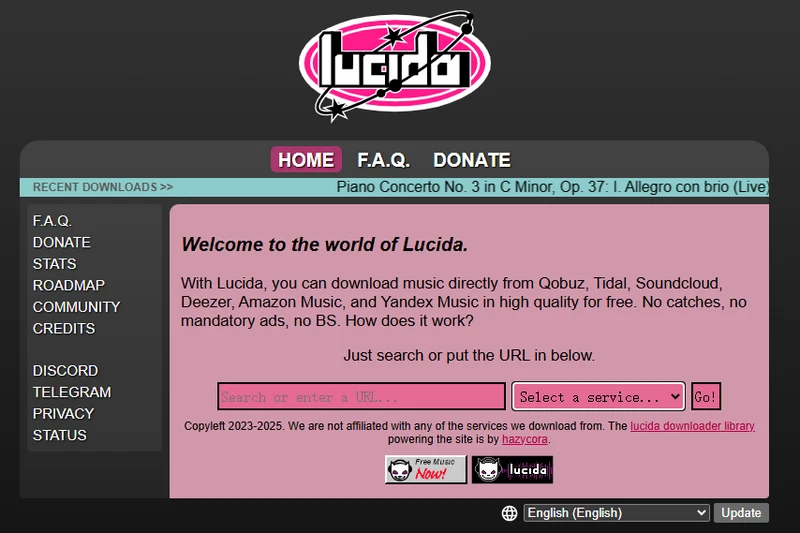
Lucida is no doubt an efficient downloader to export whole playlists from SoundCloud as MP3 audio files. The online free playlist downloader supports downloading music directly from Qobuz, Tidal, Soundcloud, Deezer, Amazon Music, and Yandex Music in MP3 high quality for free. It is credited for the free download feature which you can simply copy and paste the SoundCloud playlist URL and export the full playlist songs in MP3, FLAC, OGG, WAV and other formats.
- Free download SoundCloud playlists and tracks online.
- Different SoundCloud download formats.
- Download SoundCloud tracks with metadata (optional).
- Longer wait time for large playlist downloads.
How to Free Save SoundCloud playlists as MP3 Audio?
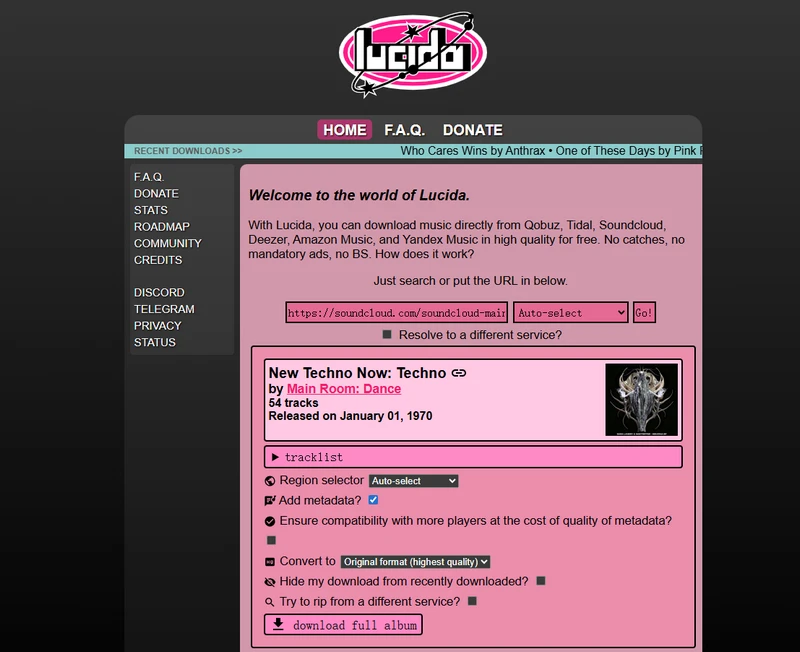
Step 1: Open the Lucida site on the browser and enter the SoundCloud playlist URL in the designated area, and tap go.
Step 2: Wait for the result to come out, and choose specific download settings for the playlist tracklist, including the metadata, convert format.
Step 3: Tap "download full album and save the whole SoundCloud playlist as ZIP file onto the local storage.
Top 6. SoundCloudDL (https://soundclouddl.cc/)
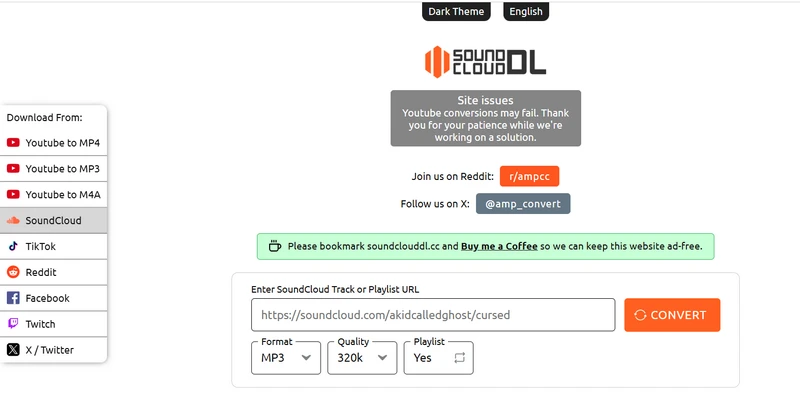
SoundCloudDL SoundCloud Playlist Downloader is completely free used for downloading MP3 music files of SoundCloud tracks and playlists. One of the features is converting SoundCloud playlists (music, podcasts, DJ sets, and audiobooks) to high-quality 320kbps MP3 and 256kbps AAC formats. The free online downloader supports not only individual tracks but also full playlists and bulk downloads in one go.
- Free SoundCloud playlist to MP3 downloader.
- Supports batch downloading for full playlists.
- Offers multiple formats (MP3, AAC) for SoundCloud playlist downloads.
- Simple and free to use with no ads.
- Supports high-quality audio output (up to 320kbps).
- Time-consuming for large libraries.
How to Free Convert Entire SoundCloud playlist to MP3?
Step 1: Copy the link of your desired SoundCloud track or playlist.
Step 2: Go to soundclouddl.cc and paste the copied URL into the input field..
Step 3: Select SoundCloud playlist downloading settings by choosing MP3 as the output format, setting the audio quality to 320kbps for high-quality sound, and enabling the playlist option by selecting "Yes" so the entire SoundCloud playlist can be downloaded at once.
Step 4: Click the "Download button to start processing. After completion, click "Download another" to start a new task.
Top 7. Scloudsave (https://scloudsave.com/)
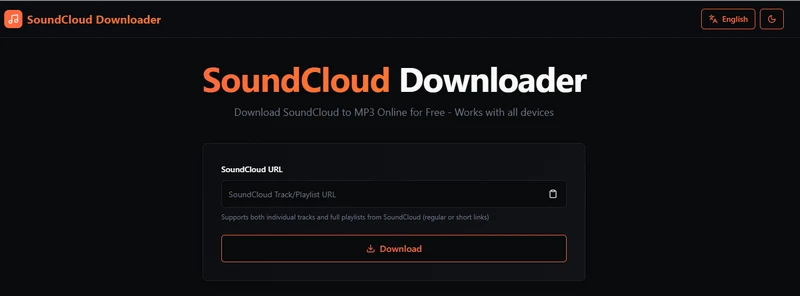
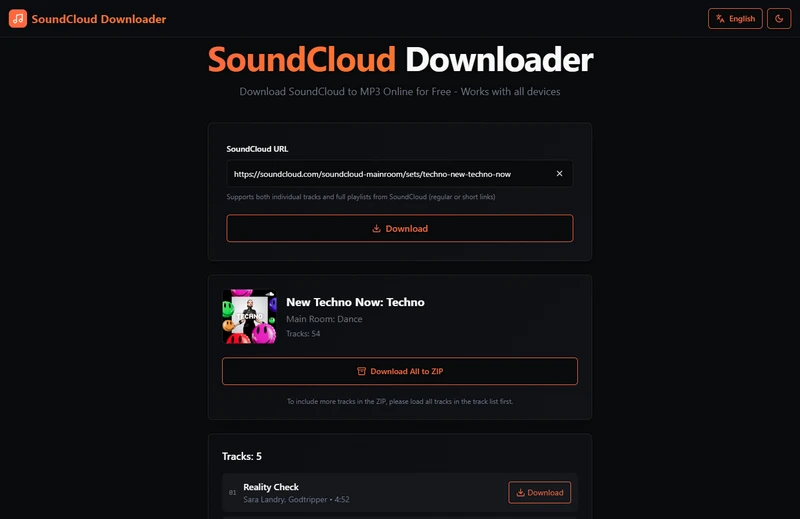
Scloudsave is an online SoundCloud playlist downloader that you can convert SoundCloud audio content into MP3 files for offline use. It supports bulk SoundCloud playlist to MP3 downloading as ZIP downloads with metadata tags like artists, title, albums, year, genre, artwork and comments.
- Free SoundCloud playlist to ZIP MP3 download.
- Supports batch downloading of multiple tracks in one click.
- Preserves SoundCloud metadata (such as track title and tags).
- No software installation required, works directly in browser.
- Simple workflow for SoundCloud playlist MP3 downloads.
- Incomplete playlist parsing/missing tracks.
How to Rip Playlists from SoundCloud to MP3 Tracks for Free?
Step 1: Go to SoundCloud and copy the URL of a single track or a full playlist.
Step 2: Open scloudsave.com and paste the copied link into the input box.
Step 3: Wait for the tool to load all available tracks in the playlist.
Step 4: Once all tracks are displayed, click "Download All to ZIP" to download the full playlist as MP3 files.
Note: To ensure a complete ZIP file, make sure the entire track list is fully loaded before starting the download.
Top 8. KlickAud (https://www.klickaud.org/)
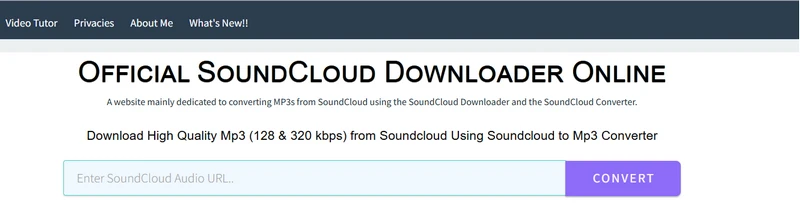
KlickAud features a SoundCloud Downloader Online that is able to download high-quality MP3 files (128kbps and 320kbps) directly from SoundCloud and works with individual tracks, remixes, playlists, DJ sets, and even long audio content such as podcasts.
- SoundCloud playlist MP3 converter online for free.
- Failed to reponse to the pasted links promtly
How to Rip Playlists from SoundCloud to MP3 Tracks for Free?
Step 1: Go to SoundCloud and copy the URL of the track, playlist, or podcast you want to download as MP3 offline files.
Step 2: Open the KlickAud website and paste the copied URL into the input box.
Step 3: Click the Convert button. The system will begin processing the audio file.
Step 4: Once the conversion is complete, a download page will appear. And click the available MP3 download links to save the SoundCloud audio to local location.
You may also like 👉: Klickaud Tested Review 2026: Is It Free, Safe & Worth It?
Top 9. SoundCloudRips (https://soundcloudrips.com/enUe/)
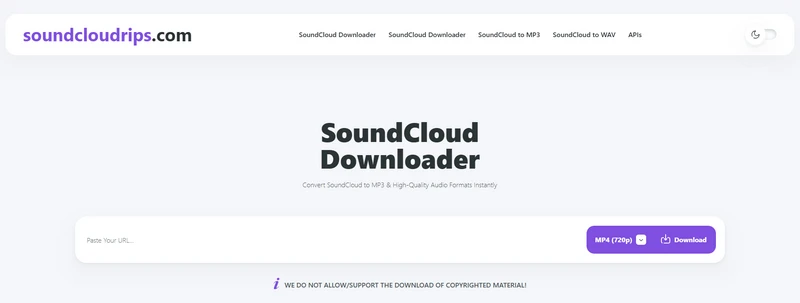
SoundCloudRips is an online converter that is used to download SoundCloud music playlists into permanent high-quality 320kbps MP3 files. It also outputs SoundCloud music to M4A, AAC, OGG, FLAC formats, and automatically preserves ID3 metadata such as artist name, track title, album artwork, and more.
- Free tool for downloading SoundCloud playlists as MP3 files.
- Supports full playlist one-click downloads.
- Preserves high-quality audio (up to 320kbps) and ID3 tags.
- Not optimized for fast, on-demand downloading.
How to Batch Extract SoundCloud Playlist Songs to MP3?
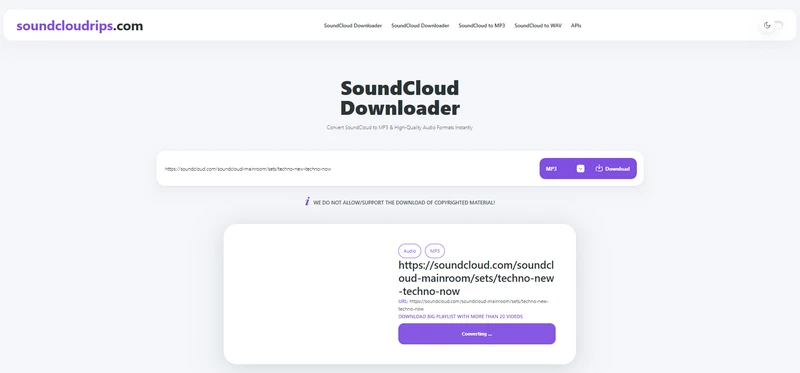
Step 1: Copy the SoundCloud URL of the playlist and paste the link into the download box on the SoundCloudRips website.
Step 2: Select the preferred format to MP3 for its broad compatibility and tap Download.
Step 3: From the result track list, click the Download below the track and save the MP3 file to the computer or phone internal local storage.
Top 10. Addoncrop (https://addoncrop.com/exension/soundcloud-music-downloader/)
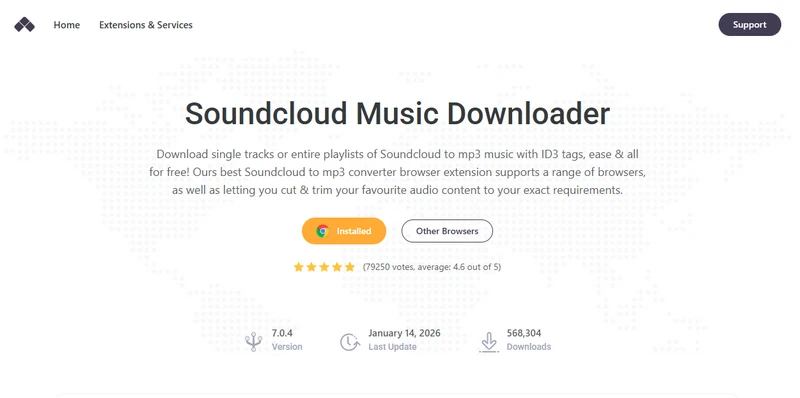
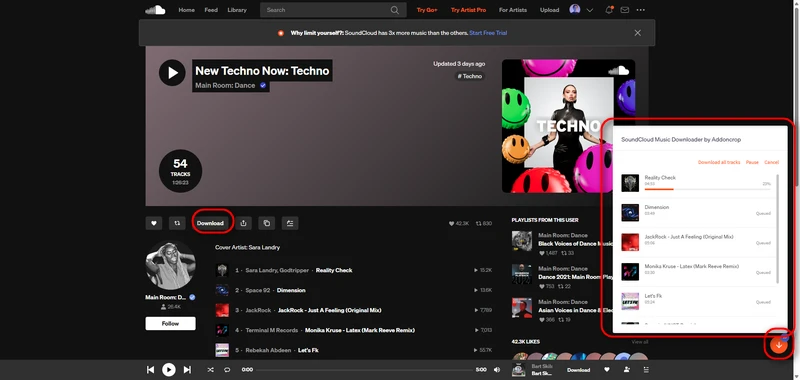
Addoncrop is a website that provides browser extension tools, including downloaders for YouTube, MP3 converters, and a SoundCloud music downloader. Install the SoundCloud Music Downloader extension on Chrome or Edge to enable built-in download buttons and conversion tools on the SoundCloud library. You can easily download single tracks or full playlists as MP3 files with ID3 tags, all for free.
- Downloads directly inside SoundCloud pages (no need to copy links).
- Supports full playlist downloads.
- Keeps ID3 tags (artist, title, cover art).
- Easy one-click downloading once installed.
- Requires additional extension (Crosspilot)
- Installation process is more complicated than normal websites.
- Need additional extension (Crosspilot).
How to One-click Download SoundCloud Full Playlist to MP3 320kbps?
Step 1: Go to the Addoncrop website and select "SoundCloud Music Downloader".
Step 2: Click "Add to Chrome" and install the required Crosspilot extension first.
Step 3: Follow the browser prompts to complete installation and grant permissions.
Step 4: Open SoundCloud in your browser.
Step 5: Open a track or playlist page.
Step 6: A Download button will appear on the page.
Step 7: Click it to download audio as MP3.
Top 11. SoundCloudDownloader (https://soundclouddownloader.io/en4)
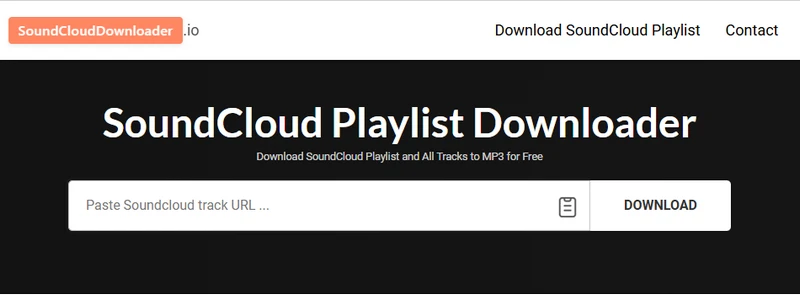
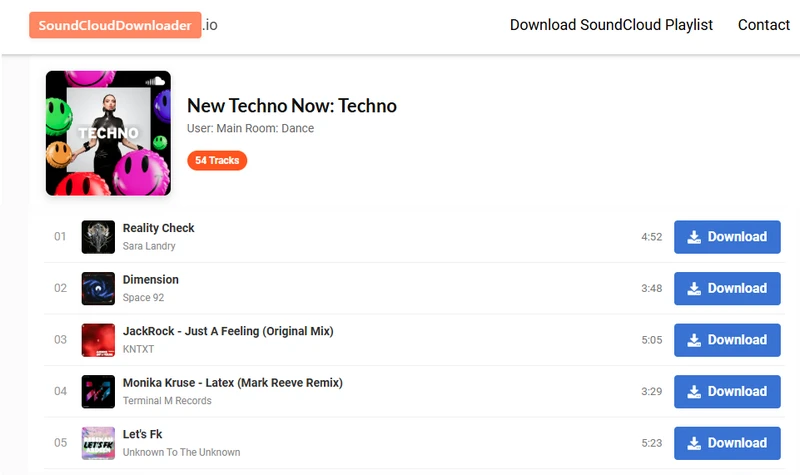
SoundCloudDownloader.io functions to extract all tracks from SoundCloud playlist or album in MP3 format for free. It does not support true one-click batch downloading, but it still enables playlist downloads by saving playlist tracks individually.
- Free SoundCloud playlist downloader.
- Supports full playlist and album extraction.
- Manual downloading of individual tracks.
- Popup ads.
How to Grab All Songs in SoundCloud Playlists to MP3?
Step 1: Go to SoundCloud and copy the full link of the playlist.
Step 2: Insert the URL into the input field on the website.
Step 3: Hit the download button to start processing and wait the server to fetch and display all tracks in the playlist.
Step 4: Download the playlist songs as MP3 file one by one.
🗨️ FAQ about SoundCloud Playlist 320kbps MP3 Downloads
1. What is SoundCloud audio quality officially?
Streaming SoundCloud audio quality provided by official ranges from 128 kbps (free) to 256 kbps AAC (Go+). The 256 kbps AAC is roughly equivalent to ~320 kbps MP3 in perceived quality. In short, SoundCloud does not natively stream MP3 at 320 kbps.
| Features/Subscription | SoundCloud Free | SoundCloud Go+ |
|---|---|---|
| Streaming Quality | ~128 kbps (MP3 or equivalent) | ~256 kbps (AAC) |
| Audio Format | Compressed (MP3/AAC) | AAC (higher efficiency) |
| 320 kbps MP3 Support | ❌ Not supported | ❌ Not supported |
| Download (if enabled by artist) | Original file (may be WAV, FLAC, or high-bitrate MP3) | |
2. Can I preserve original metadata like artist, artwork, and track order?
Sidify All-In-One, Lucida, Scloudsave, and the Addoncrop SoundCloud Downloader extension are able to preserve this information during downloads. That said, SoundCloud metadata isn't always clean or consistent. Track titles and artist names are often created by users, so you might still see messy naming, duplicates, or missing details in some downloaded files.
3. Why do some downloaded tracks have inconsistent volume levels?
Some downloaded tracks can have different volume levels because SoundCloud does not balance (normalize) the loudness of all uploads. Each track comes from a different source with its own volume settings, so one track may sound very loud while another sounds much quieter.
4. Is it better to download SoundCloud music as MP3 or keep original formats?
If original file exists, WAV or FLAC gives better quality but takes more space. MP3 is smaller and easier to use. when converting SoundCloud music playlists, MP3 is usually enough, just the quality is capped by the original source.
Conclusion
And there you have it. 11 different playlist downloaders for SoundCloud music, all promising to solve the same headache: SoundCloud full playlists to MP3 conversion. SCloud offers a convenient browser-based option for occasional downloads, while Sidify All-In-One is better suited to users who want stability, no pop-ups or ads, and download support for more than just SoundCloud. Now go on. Hit convert. And may your bitrate be high and your pop-ups be none.
Note:Sidify works for both Spotify premium and free users. The trial version of Sidify Music Converter enables you to convert the first minute of each audio file for sample testing. You can purchase the full version to unlock the time limitation.