When you choose a music video downloader, you probably want more than just fast downloads. You want to save your favorite music videos in HD quality, avoid annoying ads and watermarks, and keep the process simple and safe.
Good news: We tested several music video downloaders and picked 7 useful options for music video to MP4 download. Keep reading to find the best one for you and enjoy your favorite MVs offline anytime.
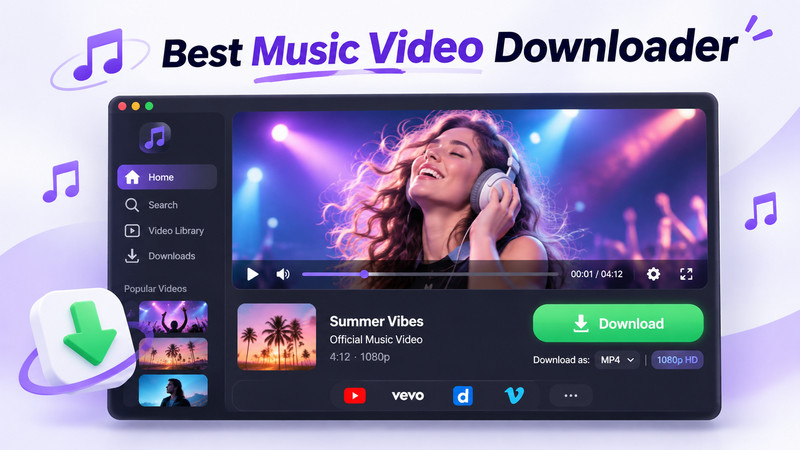
Best Music Video Downloaders for YouTube, Spotify, TikTok, More
| Tool | Best for | Max quality | Platform | Ease of use |
|---|---|---|---|---|
| Sidify Music One | Download Spotify and YouTube Music videos;
Download songs & MVs together 👍 |
4K | Windows, Mac | 🟢 Very easy |
| 4K Video Downloader Plus | Download High-quality YouTube MVs | 4K | Windows, Mac, Linux | 🟢 Easy |
| cobalt.tools | Free online music video downloads | 4K | Browser | 🟢Easy |
| FlixiCam | Free download MVs from YouTube, 1000+ sites | 4K | Windows, Mac | 🟢 Easy |
| Seal | Music Video Downloader on Android | 4K | Android | 🟡 Medium |
| Stacher | Free yt-dlp GUI | 4K | Windows, Mac, Linux | 🟡 Medium |
| JDownloader 2 | Advanced batch management on MVs | Varies | Windows, Mac, Linux | 🟠 Hard |
1. Sidify Music One - Download Music Videos from Spotify & YouTube
- Compatibility: Windows and Mac
- Download Music Videos from: Spotify and YouTube Music
- Website: https://www.sidify.com/all-in-one-windows.html
Sidify is the best fit when your main goal is downloading Spotify music videos, Spotify video podcasts, and YouTube Music videos. It allows to save official music videos as local MP4 files. It also works as a streaming music converter for Spotify, Apple Music, and more.
Sidify Music Video Downloader
- Download supported Spotify and YouTube Music videos as MP4.
- Save music videos, playlists, and video podcasts in a few steps.
- Keep available HD or 4K video quality and clear audio.
- Preserve available titles, artwork, and metadata.
- Compatible with Windows and macOS.

After our testing: Sidify was straightforward to use. We could add a music video from Spotify & YouTube Music directly on this tool, and start the task without command-line settings or ad redirects. Our test showed up to 4K output for YouTube Music MV , and 1080P for Spotify MVs. Audio and video stayed in sync, and playlist or batch tasks were easier than one-by-one browser downloads.
Notably, while downloading a music video, Sidify also downloads the official song as an MP3 file, which is very convenient.
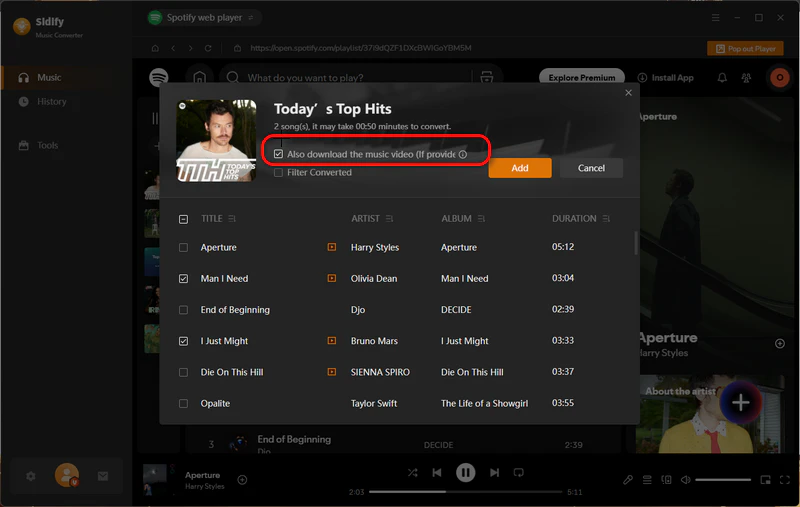
- Download MP3 songs and MP4 music videos from Spotify and YouTube Music.
- Save Up to 4K output resolution.
- Download MV playlists in batch.
- No pop-up ads or redirects.
- Desktop software is required.
- Doesn't support TikTok or Instagram MV currently.
How to use it:
- Open Sidify Music Video Downloader and select Spotify or YouTube Music.
- Choose the music songs that provide MVs, then enable the video download option.
- Click Convert and Sidify will download MP3 and MP4 together.
For audio-only files, see our guide to downloading music to MP3.
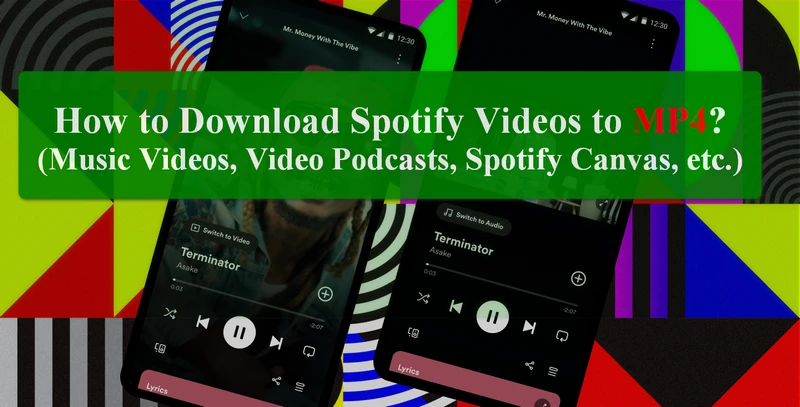
Want to save Spotify music videos as MP4 files? Explore practical ways to download Spotify videos and enjoy them offline.
Learn More →2. 4K Video Downloader Plus - Best for High-Quality YouTube MVs
- Compatibility: Windows, Mac, and Linux
- Download Music Videos from: YouTube
- Website: https://www.4kdownload.com/products/videodownloader-42
4K Video Downloader Plus is a reliable desktop tool to download music videos and music songs from YouTube for free. You can use it to download individual videos, playlists, or entire channels. It supports MP4 and MKV output format, and high-resolution output quality.
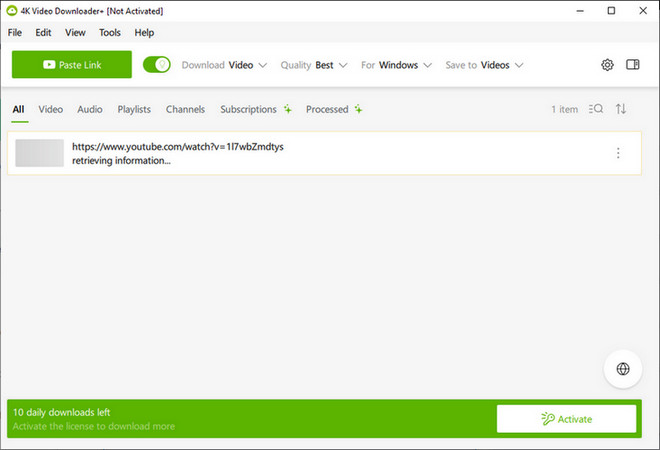
After our testing: It handled common YouTube MV links well and offered 4K, 1440p, and 1080p options when available. Playlist downloads were useful for music channels. We also saw occasional "Failed to download" or "Can't parse link " messages. When we download more than 10 MVs from one YouTube Music playlist, it prompts to upgrade to a paid plan. The free version only allows up to 10 video downloads per day .
- A good music video to MP4 downloader with 4K options
- Download music video playlist in batch
- Clear desktop interface
- Some MV links failed to parse in our test
- Not totally free, get download limits always.
How to use it:
- Copy the link of the YouTube music video you want to save.
- Paste the link into 4K Video Downloader Plus and wait for the available formats.
- Select MP4, choose the video quality and output folder, then click Download.
3. cobalt.tools - Best Free Online Music Video Downloader
- Compatibility: Browser on desktop or mobile
- Download Music Videos from: Vimeo, Dailymotion, Bilibili, TikTok, and Instagram
- Website: https://cobalt.tools/
cobalt.tools is the simplest music video downloader online in this list. Paste a supported URL, choose the available output, and download from the browser. It is open source and focuses on a clean experience without ads, trackers, or paywalls.
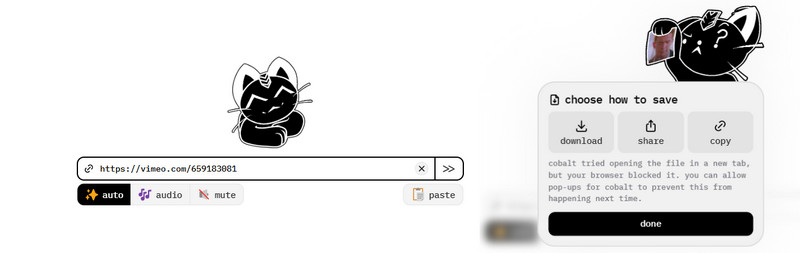
After our testing: cobalt parsed our Vimeo music video without pop-ups or unexpected redirects. The tested video reached 4K when available, with normal audio-video sync. It is best for one-off downloads, not large playlists. And it will become unstable when a video source changes rules.
- Download MVs from Vimeo and multiple video platforms
- No ads or redirects in our test
- A totally free music video downloader
- Doesn't support YouTube music videos right now
- Will download failure when the video source change rules
- Not support batch downloads
How to use it:
- Copy the URL of the music video you want to download.
- Open cobalt.tools and paste the URL into the download box.
- Select video and quality if available, then click the download button.
4. FlixiCam - Download Music Videos from 1000+ Sites
- Compatibility: Windows and Mac
- Download Music Videos from: YouTube and other supported 1000+ video sites
- Website: https://www.flixicam.com/download.html
FlixiCam has a user-friendly interface, so you can get started quickly. Its main screen clearly shows that you can download different types of videos, including music videos, from multiple streaming platforms—even movies and TV shows.
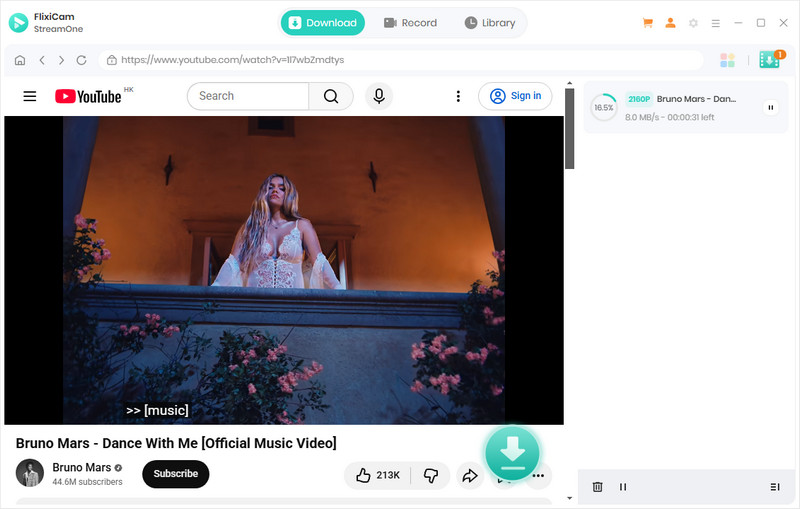
After our testing: We could select 1080p and 4K options, download subtitles, and keep video and audio in sync. It felt more approachable than a command-line workflow. The biggest drawback is, not all platforms are free to download.
- Free download MVs from YouTube, TikTok and 1000+ sites
- 1080p and 4K options in our test
- Some features may require a paid plan
How to use it:
- Install the FlixiCam product that supports your video source.
- Paste the MV URL and wait for the available video formats.
- Select MP4, resolution, and subtitles if needed, then choose the output folder and start the download.
5. Seal - Best Music Video Downloader for Android
- Compatibility: Android
- Download Music Videos from: YouTube, YouTube Music, Vimeo, Dailymotion, Bilibili, TikTok, Instagram, Facebook, X, and more
- Website: https://github.com/JunkFood02/Seal
Seal is an Android music video and audio downloader based on yt-dlp. It supports many yt-dlp sites, playlists, metadata, thumbnails, subtitles, and advanced options. It is a good choice for beginners who do not know how to use the command line, but want an Android music (video) downloader with the versatile yt-dlp engine built in.
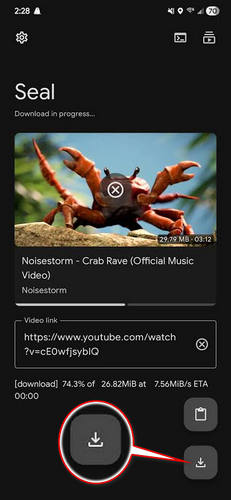
After our testing: Seal supports downloading in 4K when supported and handling playlists and metadata. But we also found 4/10 YouTube MV URLs failed with HTTP 403 or HTTP 429 errors. Our Android device also showed a sideloading warning, because Seal wasn't installed from Google Play.
- Free download music video playlist. support
- Save metadata, thumbnail, and subtitle
- No ads in our test
- Some MV URLs returned 403 or 429 errors
- Relies heavily on yt-dlp, which needs frequent updates
How to use it:
- Install Seal from its official release page and open the app.
- Copy the MV URL, or use Android's share menu to send it to Seal.
- Select MP4 and the quality you want, review the save location, and start the download.
6. Stacher - Best Free yt-dlp GUI for Desktop
- Compatibility: Windows, Mac, and Linux
- Download Music Videos from: YouTube, YouTube Music, Vimeo, Dailymotion, Bilibili, TikTok, Instagram, Facebook, X, and more
- Website: https://stacher.io/
Stacher is similar to Seal: you do not need to know command-line tools to use yt-dlp and free download music videos from multiple platforms. The main difference is that Stacher runs on desktop and supports Windows, Mac, and Linux.
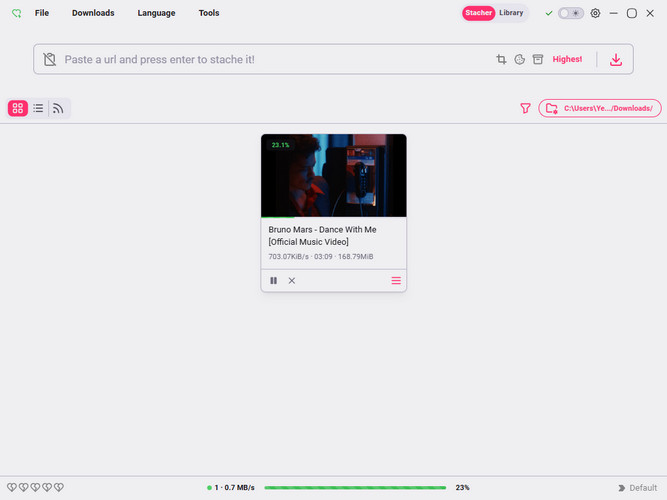
After our testing: A 3.5-minute MV finished in about one minute in our test. Most music videos offered 1080p or 4K, but a few returned 403 errors.
- Totally free to download music video playlist, no daily limit
- Fast downloads MVs in our test
- Support 4K and 1080P output resolution
- Some HD video downloads require FFmpeg, but you may still need to set it up manually
- Some music videos failed with 403 error
How to use it:
- Install Stacher and complete the setup for its required components.
- Paste the MV URL and wait for Stacher to read the available formats.
- Select the output format, quality, and folder, then click the download button.
7. JDownloader 2 - Detect Music Video to Download Automatically
- Compatibility: Windows, Mac, and Linux
- Download Music Videos from: YouTube, Vimeo, Dailymotion, Facebook, Instagram, TikTok, X, and other plugin-supported websites
- Website: https://jdownloader.org/
JDownloader 2 lets you download music videos completely free. When you copy a supported MV link on your computer, it can quickly detect the link and show the available download versions. It is also a good choice when you want to add and download several music videos at the same time.
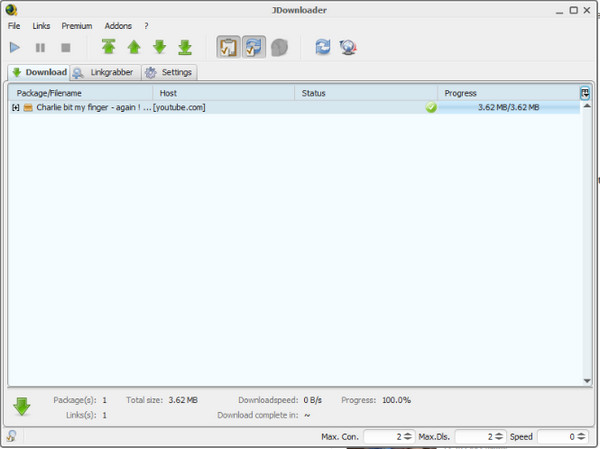
After our testing: JDownloader did not redirect us to ad pages when we downloaded music videos as MP4. It can also collect multiple MV links first and download them in one batch. The main drawback is its relatively complex interface, which took us some time to learn the first time.
- Detect music video to download simply
- Download all music videos in batch
- Free & open-source
- Not beginner-friendly
How to use it:
- Open JDownloader and copy one or more music video URLs.
- Open LinkGrabber and review the detected links and available variants.
- Select the video files you want, choose the save folder, and send them to the download queue.
Detailed Comparison of Music Video Downloader
| Tool | Supported platforms | Max quality | Output formats | Batch download | Ad-Free | Compatibility |
|---|---|---|---|---|---|---|
| Sidify | Spotify, YouTube Music | 4K | MP4, MP3 | ✅ | ✅ | Windows, Mac |
| 4K Video Downloader | YouTube | 4K | MP4, MKV | ❌ (Limited) | ❌ | Windows, Mac, Linux |
| cobalt.tools | Vimeo, Dailymotion, etc. | 4K | MP4 | ❌ | ✅ | Desktop, mobile browser |
| FlixiCam | YouTube, 1000+ sites | 4K | MP4, etc. | ✅ | ✅ | Windows, Mac |
| Seal | YouTube, YouTube Music, etc. | 4K | MP4, etc. | ✅ | ✅ | Android |
| Stacher | YouTube, YouTube Music, etc. | 4K | MP4, etc. | ✅ | ✅ | Windows, Mac, Linux |
| JDownloader | YouTube, Vimeo, etc. | Varies | MP4, etc. | ✅ | ❌ | Windows, Mac, Linux |
Which is the best music video downloader?
Overall, choose Sidify for Spotify and YouTube Music, cobalt.tools for a quick online download, and FlixiCam for downloads from many video sites.
FAQs About Music Video Downloaders
1. What is the difference between a music video downloader and a music & video downloader?
A music video downloader mainly saves MVs as video files. A music and video downloader is broader: it may save general videos as well as standalone audio. If you want to download music and music video together, Sidify Music One is all you need.
2. Is there a free music video downloader?
Yes. cobalt.tools, Stacher, Seal, and JDownloader are free options. 4K Video Downloader Plus also offers a free tier with limits. If you also need audio files, see these top free music downloaders.
3. Are music video downloaders safe?
Use official download sources. In our test, cobalt, Stacher, Seal, and JDownloader did not show unexpected ad redirects.
4. What is the best music video downloader for Android?
Seal is one of the best music video downloaders for Android. It can help you download music videos from social platforms such as YouTube, TikTok, and Instagram.
If you want to download music videos from Spotify, try Sidify's Spotify Music & Music Video Downloader for Android.
Final Verdict
If you want to download music videos from Spotify or YouTube Music, Sidify is the best choice. For quick downloads from different music video sites, cobalt.tools is the simplest free online tool. If you want to download music videos from multiple platforms, including concert livestreams, try FlixiCam.
Overall, the tools in this guide can meet your basic needs. Just enjoy!
 Sidify Music Video Downloader
Download music videos from Spotify and YouTube Music as MP4 files with HD or 4K quality kept; Also supports to download music videos and songs together.