Want to download SoundCloud music to M4A for offline listening on your iPhone, iPad, or Mac? A SoundCloud to M4A converter can help you save your favorite music in M4A format.
In this guide, we'll compare all three ways based on audio quality, playlist support, ease of use, and more.
Quick verdict
| Method | Recommended Tool | Best For | Key Features |
|---|---|---|---|
| Free Online Converters | Lucida, SoundyLoader | Individual tracks | Free, quick, no installation |
| Desktop Software ⭐ | Sidify SoundCloud Music Converter | Playlists & large music collections | Batch downloads, high quality M4A output, ID3 tags |
| Download & Convert | SoundCloud + FreeConvert | Artist-approved tracks | Official download, extra conversion step |
Method 1. Convert SoundCloud to M4A Online for Free
Free online SoundCloud to M4A converters can download regular tracks, but Go+ songs are often limited to 30-second previews. For full-length Go+ downloads, desktop software like Sidify may be a better choice. Below are three free SoundCloud music download websites we tested, along with their results and limitations.
| Tool | Single Track | Playlist | Audio Output | Main Limitation |
|---|---|---|---|---|
| SoundyLoader | Passed (2 tracks) | Not supported | M4A / AAC | Ads and no playlists download |
| Lucida | Not separately tested | Passed (18/18) | M4A / AAC | Slow playlist processing |
| SoundCloudTools | Not separately tested | Inconsistent | M4A / AAC | Missing tracks |
Results are based on our tests with selected SoundCloud tracks and playlists. Availability, download limits, and conversion results may vary by source content and service.
Option 1. SoundyLoader — Free Online SoundCloud M4A Converter
Verdict: Good for downloading individual M4A tracks, but not our first choice for playlists.
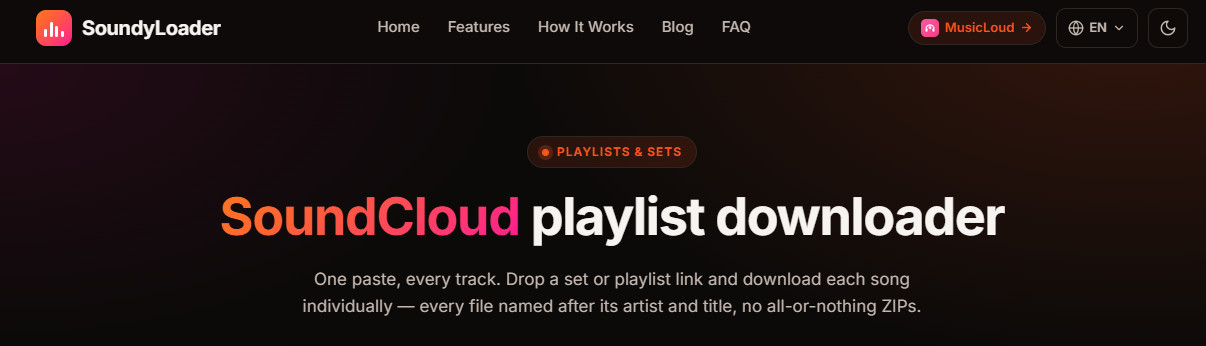
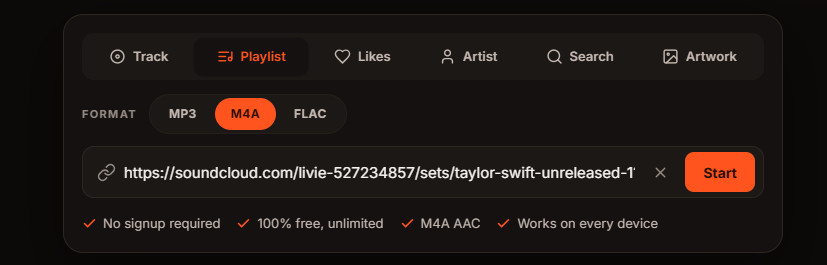
SoundyLoader is a free online SoundCloud downloader that supports MP3, M4A, and FLAC formats. No SoundCloud account is required, and the website claims unlimited downloads.
How to convert SoundCloud to M4A with SoundyLoader:
Step 1 Open SoundCloud and copy the URL of the song you want to download.
Step 2 Visit SoundyLoader, select M4A and paste the link into the search box.
Step 3 Click Get Link to process the song.
Step 4 Click download to save the audio file.
Our Test Results:
We successfully downloaded two SoundCloud tracks as M4A files. Both played without issues.
| Test Item | Result |
|---|---|
| Download Success Rate | 100% (2/2 tracks) |
| Output Format | M4A (AAC) |
| Audio Quality | 96 / 160.6 kbps, 44.1 kHz, stereo |
| Download Speed | A few seconds per track |
| File Naming | Inconsistent; one filename included a numeric user ID |
- Go+ tracks: SoundyLoader can recognize Go+ tracks (We tested Cassie's "Long Way 2 Go"), but only downloaded the 30-second preview instead of the full song.
- Playlists: No batch downloads. You have to download tracks one by one, which can be time-consuming for large playlists.
- Ads: Clicking Get Link opened an advertising window every time during our tests.
Option 2. Lucida — Best Free SoundCloud Playlists Downloader
Verdict: Our best-tested free online option for downloading complete SoundCloud playlists as M4A files, but it doesn't work with Go+ tracks.
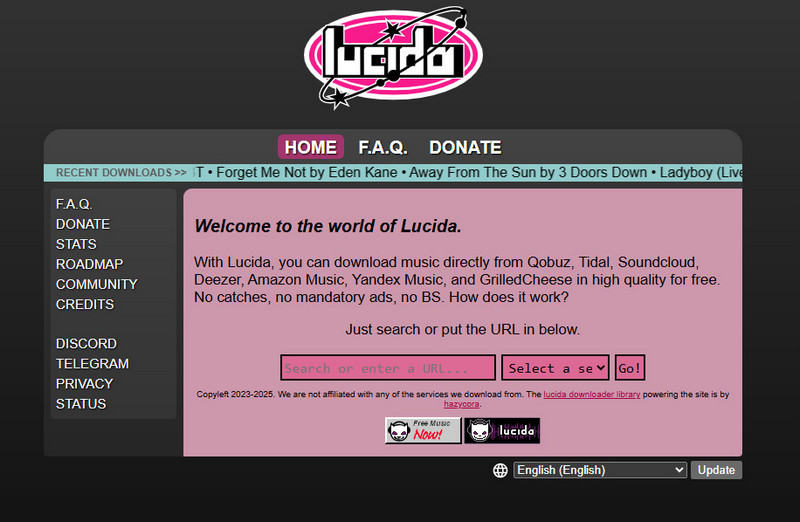
Lucida is a free online music downloader that supports SoundCloud tracks and playlists. It lets you download multiple songs together as a ZIP file without signing up.
How to Batch Download a SoundCloud Playlist to M4A with Lucida:
Step 1 Visit Lucida and paste the SoundCloud playlist URL into the download field.
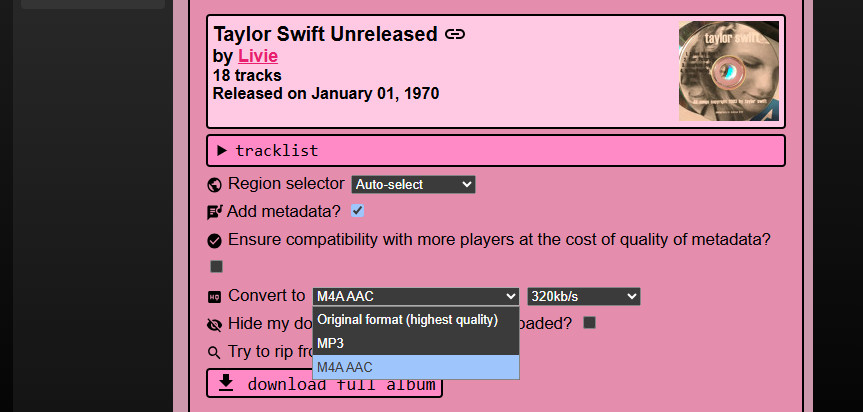
Step 2 Select M4A and set the output bitrate to 320 kbps.
Step 3 Start processing the playlist.
Step 4 Download the ZIP file and extract the M4A tracks.
Our Test Results:
Lucida performed well in our playlist test, with no missing tracks or playback issues. Here's a breakdown of the results:
| Test Item | Result |
|---|---|
| Download Success Rate | 100% (18/18 tracks) |
| Output Format | M4A (AAC) |
| Audio Quality | AAC, 241.5–321.3 kbps (305.8 kbps average) |
| Processing Time | 4 min 32 sec (18 tracks) |
| File Naming | Correct, including track numbers, artists, and titles |
| ZIP Contents | 18 M4A files + cover artwork |
SoundCloud Go+ streams at up to 256 kbps AAC. Converting it to 320 kbps won't improve the original audio quality.
- Go+ tracks: Lucida recognized Cassie's "Long Way 2 Go", but the download failed with an error.
- Speed: Larger playlists may take longer.
Option 3. SoundCloudTools — Another Online SoundCloud M4A Converter
Verdict: Fast and free, but unreliable for downloading complete SoundCloud playlists.
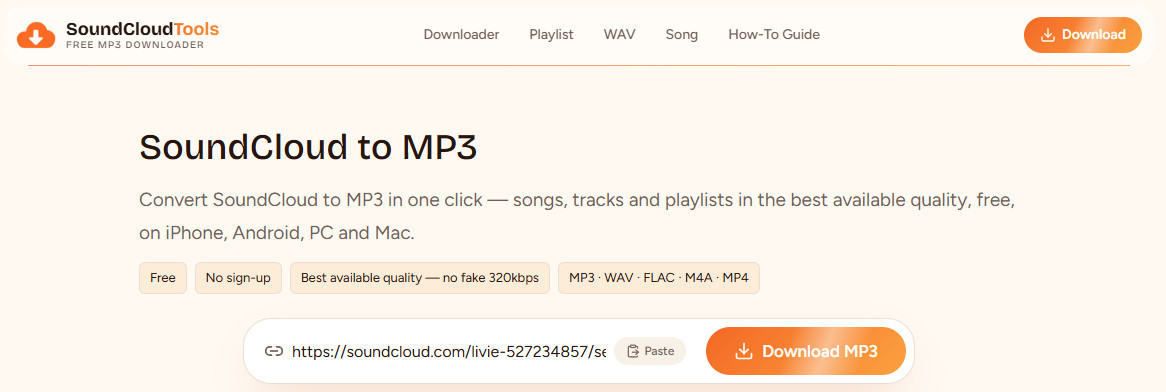
SoundCloudTools is a free online converter that supports MP3, M4A, WAV, FLAC, and MP4 formats. It also supports batch downloads in ZIP files, with no account required.
How to Convert SoundCloud to M4A with SoundCloudTools:
Step 1 Visit SoundCloudTools and paste the SoundCloud link into the download field.
Step 2 Select M4A as the output format.
Step 3 Start the conversion and download the M4A file or ZIP archive.
Our Test Results:
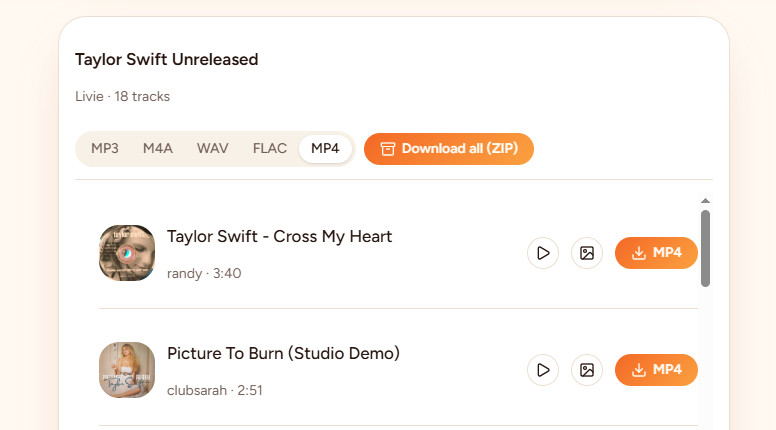
SoundCloudTools processed playlists quickly, but the download results were inconsistent. All 31 audio files obtained across three tests were playable.
| Test Item | Result |
|---|---|
| Playlist Test 1 | 94.4% (17/18 tracks) |
| Playlist Test 2 | 61.1% (11/18 tracks) |
| Large Playlist Test | 1.9% (3/154 tracks) |
| Output Format | M4A (AAC) |
| Download Speed | About 10–20 sec to process; 3 sec to download |
| File Naming | Mostly correct; one filename had corrupted characters |
- Go+ tracks: SoundCloudTools recognized protected tracks but couldn't download them, displaying a protected-content message.
- Playlist reliability: Repeated downloads of the same playlist produced different results, so check the ZIP file for missing tracks.
Other Online M4A Converters We Tested
Not every online tool is a good choice for converting SoundCloud music to M4A. Here are three alternatives we don't recommend.
| Tool | Issue Found |
|---|---|
| Soundverter | M4A downloads require a paid subscription, while the free MP3 download failed in our test. |
| Apowersoft Free Online Audio Recorder | Requires real-time recording, takes longer, and doesn't automatically preserve ID3 tags. Audio quality also depends on the recording settings. |
| SCloudPlaylistDownloader | Successfully downloaded individual SoundCloud tracks as M4A files, but the free version limits playlist ZIP downloads to two tracks. A paid plan is required to download complete playlists. |

Looking for a SoundCloud downloader extension? Compare 10 top options for Chrome, Firefox, Edge, Opera and more.
Learn More → Want to Download Full SoundCloud Go+ Songs?
Free online converters only save 30-second previews or fail to download Go+ tracks. Sidify All-In-One Converter lets you download full-length Go+ songs as M4A files, including entire playlists.
Method 2. Batch Convert SoundCloud to M4A on Windows/Mac (Go+)
Want to download entire SoundCloud playlists or save multiple songs at once? A desktop SoundCloud to M4A converter makes it easier to download music in batches, choose your preferred audio quality, and keep your music organized. Here, we'll use Sidify All-In-One Converter to show you how.
Why Choose Sidify SoundCloud to M4A Converter?
Sidify All-In-One Converter is a music converter for Windows and Mac that supports SoundCloud, Spotify, Apple Music, and other streaming services. It can download full-length SoundCloud Go+ songs, convert entire playlists, and save music in M4A format.
Sidify Best SoundCloud Music Downloader
- Ad-free interface and easy SoundCloud downloads in just a few clicks.
- Download full-length SoundCloud songs with Free, Go, or Go+ accounts.
- Quickly download multiple songs, albums, and entire playlists in batches.
- Convert SoundCloud music to M4A (AAC/ALAC), MP3, FLAC, WAV, and AIFF.
- Keep the original audio quality, up to 256 kbps AAC.
- Preserve song titles, artists, albums, cover artwork, and the original playlist order.
- Use built-in free tools, including a podcast downloader, radio downloader, and CD burner.
How to Convert SoundCloud Music to M4A with Sidify All-In-One Converter
Step 1. Install Sidify All-In-One Converter
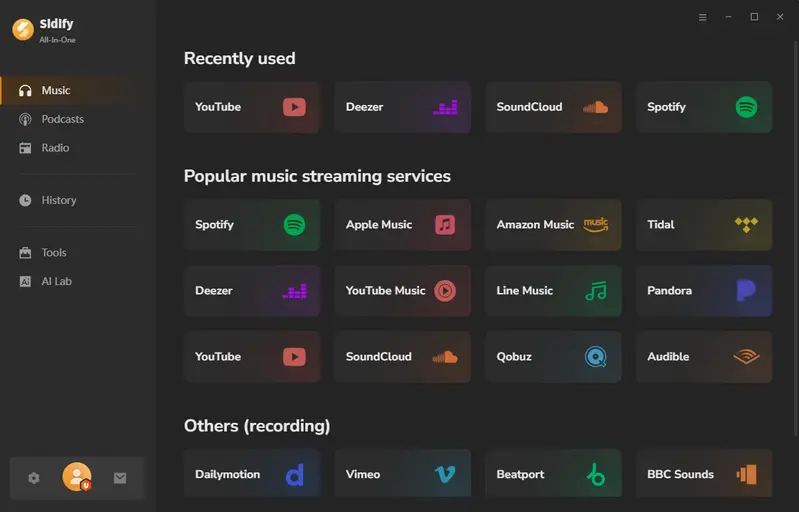
Download and install Sidify All-In-One Converter on your Windows PC or Mac. Launch the program and select SoundCloud from the list of supported music platforms.
Step 2. Set M4A as the Output Format
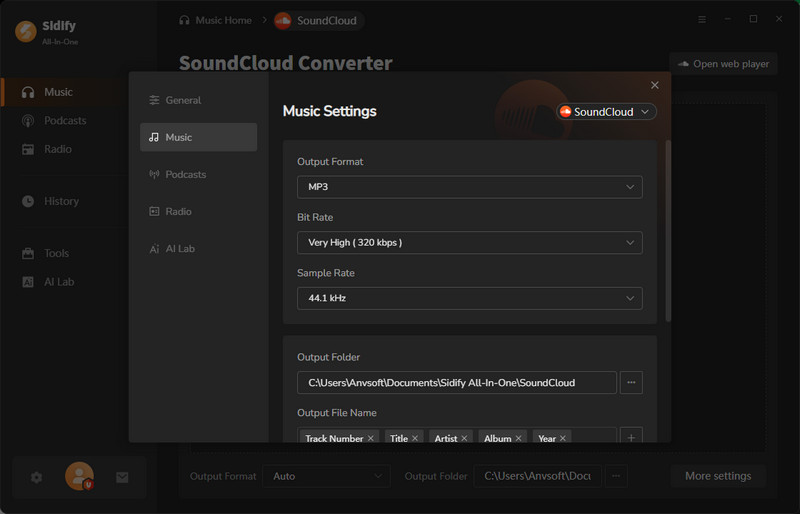
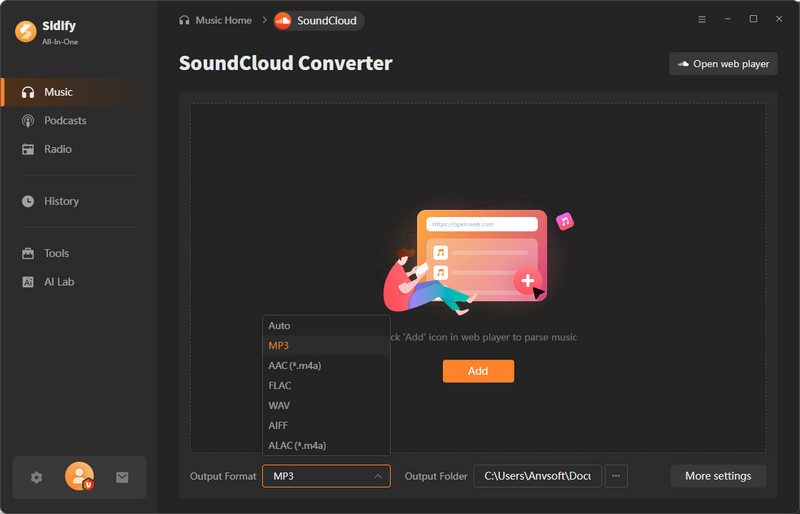
Choose AAC as the output format to save songs as M4A files. You can also adjust the audio quality, output folder, file naming, and playlist order in More Settings.
Step 3. Add SoundCloud Songs or Playlists
Sign in to your SoundCloud account through Sidify's built-in web player. Open the song, album, or playlist you want to download, then click Add to load the tracks. Select the songs you want to keep.
Step 4. Convert SoundCloud Music to M4A
Click Convert to start downloading. Once finished, open History to find your downloaded M4A files.

| Test Item | Result |
|---|---|
| Playlist Download Success | 100% (18/18 tracks) |
| Large Playlist Download | 100% (100/100 tracks) |
| Go+ Track Download | 100% success (2/2) |
| Output Format | M4A (AAC), 256 kbps |
| ID3 Tags | Preserves title, artist, album, track number, genre, and cover artwork |
| File Naming | Customizable by title, artist, album, track number, etc. |
| Playlist Order | Supports preserving the original playlist order |
- Paid license: The free trial only converts the first minute of each song. Full-length downloads require a paid license.
- Installation required: You need to install Sidify on a Windows PC or Mac
Method 3. Download SoundCloud Tracks and Convert Them to M4A
Verdict: Best for users who already have a SoundCloud audio file and just need to convert it to M4A.
If an artist allows downloads on SoundCloud, you can save the original audio file and convert it to M4A using a free online format converter like FreeConvert.
How to Download and Convert SoundCloud to M4A:
Step 1 Open SoundCloud, find your song, and click More > Download file (if available).
Step 2 Visit FreeConvert and upload the downloaded audio file.
Step 3 Select M4A as the output format and click Convert.
Step 4 Download the converted M4A file.
Our Test Results:
| Test Item | FreeConvert Result |
|---|---|
| Conversion Success Rate | 100% (2/2 files) |
| Output Format | M4A (AAC) |
| Audio Bitrate | Approximately 132–135 kbps |
| Audio Duration | Preserved |
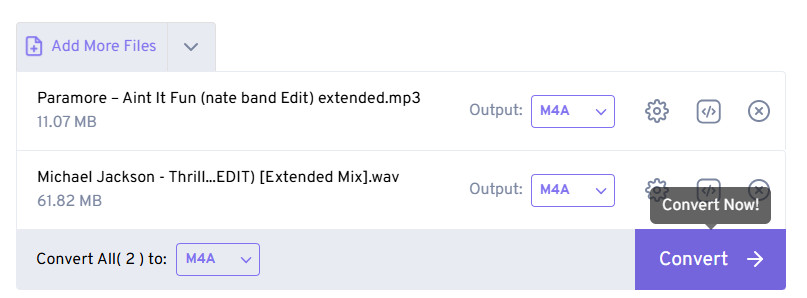
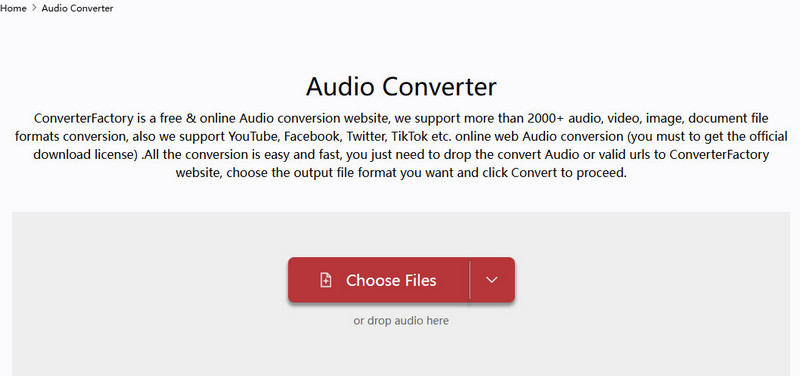
We also tried ConverterFactory, but both single-track and playlist conversions failed. The tool either got stuck during conversion or showed an "Upload failed" error.
- Only tracks with creator-enabled downloads can be downloaded directly.
- Converting lossy audio to AAC may reduce audio quality.

In this post, you'll find how to download songs from SoundCloud as MP3 files and add them to your MP3 player.
Learn More →Online vs. Desktop SoundCloud to M4A Converters: Which Is Better?
Both online and desktop converters can save SoundCloud music as M4A files, but they differ in features, download limits, and ease of use. Here's a quick comparison based on our tests and the available software features.
| Feature | Free Online Converters | Desktop Converter (Sidify) |
|---|---|---|
| Installation | Not required | Windows / Mac |
| Single Tracks | Supported | Supported |
| Playlist Downloads | Varies by tool; may be incomplete | Batch downloads |
| Output Formats | M4A, MP3, and others (varies) | M4A, MP3, FLAC, WAV, etc. |
| Audio Quality | Varies by converter | Customizable; preserves source quality |
| ID3 Tags | Varies; not fully tested | Preserves music tags and artwork |
| Go+ Tracks | 30-second previews or download failures in our tests | Full-length downloads |
| Cost | Free, some restrictions | Free trial; paid license for full songs |
| Main Limitation | Ads, missing tracks, or batch limits | Installation and paid license required |
For a few regular SoundCloud tracks, use a free online converter like Lucida; for full-length Go+ songs or large playlists, Sidify All-In-One is the more reliable choice.
FAQs About SoundCloud to M4A
1. Can I convert SoundCloud to M4A for free?
Yes. Free online tools like Lucida and SoundyLoader can download regular SoundCloud tracks as M4A files. However, playlist support and Go+ downloads may be limited.
2. Can I download an entire SoundCloud playlist as M4A?
Yes. Lucida downloaded all 18 tracks in our playlist test. Sidify All-In-One also supports batch downloads, including Go+ playlists.
3. Can I convert SoundCloud to M4A on my iPhone?
Yes. You can try an online converter in Safari, although some websites may not work well on mobile devices. You can also convert tracks on a computer and transfer them to your iPhone.
4. Does SoundCloud support M4A files?
Yes. SoundCloud supports M4A uploads, but it doesn't provide a built-in feature to download every track as an M4A file.
5. Is M4A better than MP3 for SoundCloud music?
M4A with AAC generally offers better audio quality than MP3 at similar bitrates. However, the original SoundCloud audio quality matters more than the file extension.
6. Is SoundCloud to M4A lossless?
Not necessarily. M4A can contain lossy AAC or lossless ALAC. Converting lossy SoundCloud audio to ALAC or higher-bitrate AAC won't restore lost sound quality.
7. Can I download SoundCloud tracks as M4A without converting to MP3 first?
Yes. Lucida, SoundyLoader, and Sidify All-In-One Converter can output M4A files without an intermediate MP3 conversion. However, the audio may still be re-encoded during the process.
Final Verdict: Which is the Best SoundCloud to M4A Converter
Converting SoundCloud to M4A doesn't have to be complicated. Lucida is a good free option for regular tracks and playlists, while SoundyLoader works for individual songs. If the artist allows downloads, you can also use FreeConvert to change the downloaded audio to M4A.
For full-length Go+ songs, larger playlists, and organized music downloads, Sidify All-In-One Converter offers a more convenient desktop solution for Windows and Mac.
Sidify All-In-One SoundCloud to M4A Converter
Download full-length SoundCloud tracks and playlists as M4A files on Windows or Mac.