



Want to convert a YouTube video to an OGG audio file quickly and easily? A good YouTube to OGG Converter can help you extract audio without complicated steps. In this guide, we compare popular online and desktop YouTube audio converters, looking at audio quality, supported formats, conversion speed, batch conversion, and ease of use to help you find the right tool.
In this guide, we compare popular online and desktop YouTube audio converters, looking at audio quality, supported formats, conversion speed, batch conversion, and ease of use to help you find the right tool.
Part 1: How to Choose the Best YouTube to OGG Converter?
Choosing the right YouTube to OGG converter is important if you want a smooth and reliable conversion experience. A good converter should not only change YouTube videos into OGG files but also provide better performance for different conversion needs. For users who frequently download audio, features like batch conversion and playlist support can save a lot of time by allowing multiple videos to be processed at once. It is also important to choose a converter that can handle long YouTube videos, such as podcasts, live streams, and extended music sessions, without interruptions or conversion failures.
Audio quality is another key factor to consider. A reliable YouTube to OGG converter should preserve the original audio quality and offer suitable output settings for users who care about sound performance. In addition, safety and stability should not be overlooked. Some free online converters may include intrusive ads or unreliable download links, while dedicated desktop software usually provides a cleaner and more stable experience. For users who regularly convert YouTube content, a professional converter can offer faster processing, better reliability, and a more convenient way to manage audio files.
Part 2: Best Desktop YouTube to OGG Converter
If you are looking for a desktop solution to convert YouTube videos to OGG, Sidify All-In-One Converter is worth considering. Unlike browser-based YouTube to OGG converters that are mainly designed for quick, one-off conversions, Sidify provides a more complete desktop workflow for users who regularly convert YouTube content.
With Sidify, you can convert both YouTube videos and YouTube Music tracks into various audio formats, including OGG, MP3, AAC, FLAC, AIFF, ALAC, and WAV, while retaining the available audio quality and essential metadata such as the artist, album, and track title. This makes it easier to organize your converted audio files and use them with different music players and devices.
Sidify All-in-one Music Converter
- Download music from all major music platforms (Spotify, Apple Music, etc.)
- Convert music to MP3/AAC/WAV/FLAC/AIFF/ALAC
- Losslessly download music to the computer.
- Rip music from online library and burn music to CD.
- Built-in free podcast and radio to mp3 downloader and vocal remover.

How to Convert YouTube to OGG with Sidify
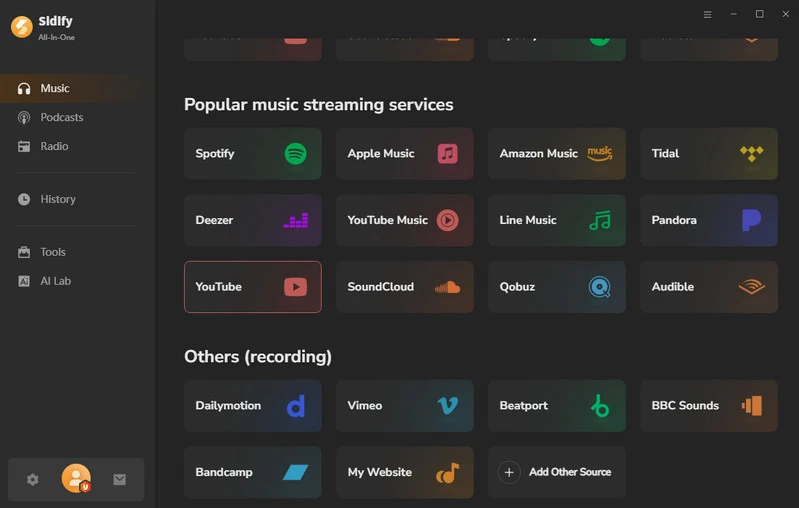
Step 1 Open Sidify on your computer and choose YouTube from the available music sources.
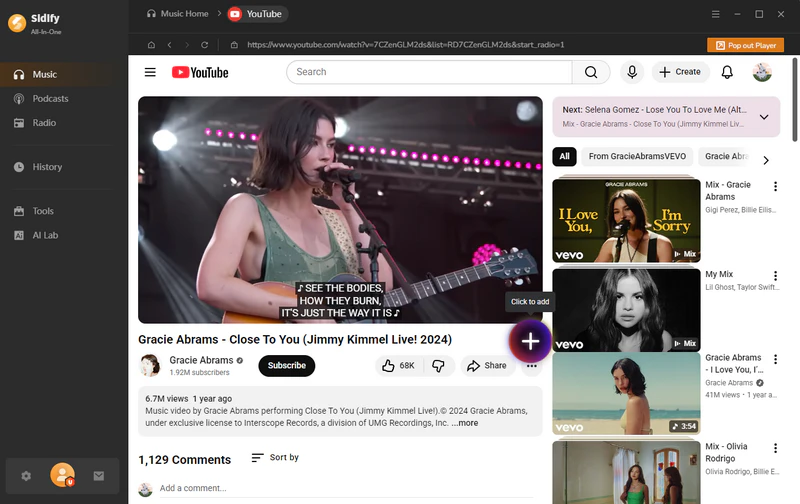
Step 2 Sign in to your YouTube account, find the video you want to convert, and click the '+' button to add it to the conversion list.
Step 3 Open the YouTube music settings and choose your preferred output format. Select any format you want, and customize the file naming options with details such as the title, artist, year, and album.
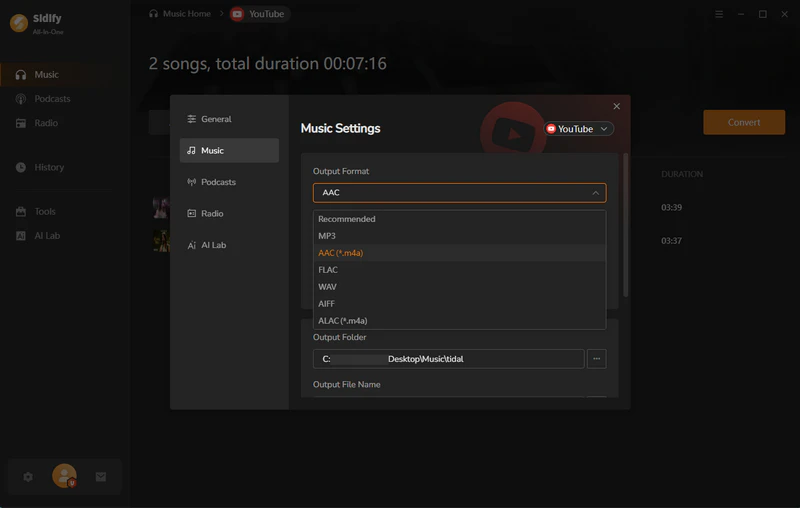
Step 4 Once your settings are ready, click 'Convert' to begin processing the selected YouTube video and save the converted audio to your computer.
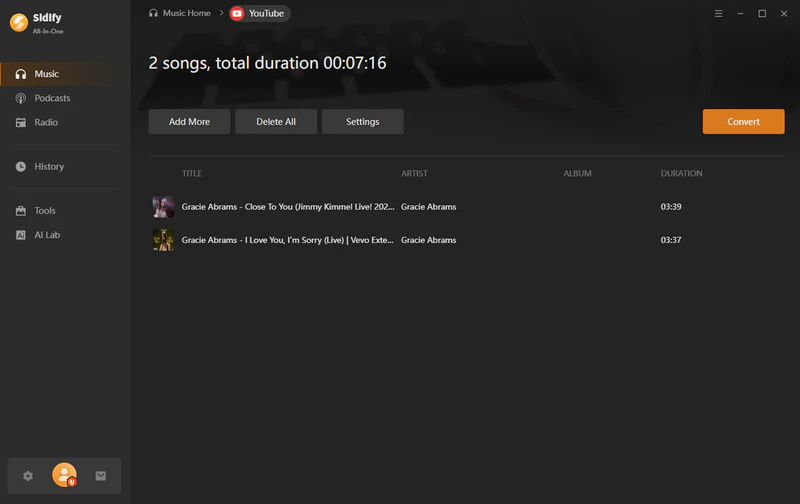
Step 5 After the conversion finishes, open Tools > Format Converter, select OGG under Output Format, and start the conversion to create an OGG file from your YouTube audio.
Part 3: Best Online YouTube to OGG Converters
Who has better audio quality, Spotify or YouTube Music? To answer this question, I summarized a table comparing YouTube Music, Spotify, and Apple Music in terms of bitrate, codec, and lossless audio support.
ytmp3.gg
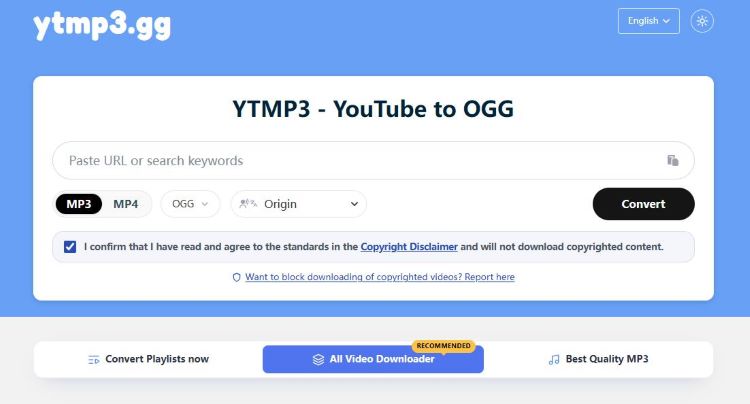
In my experience, ytmp3.gg is a convenient option if you are looking for a quick online YouTube to OGG Converter. It supports a wide range of output formats, including OGG, MP3, FLAC, Opus, AAC, and ALAC, which gives me plenty of flexibility.
However, I found its audio quality settings to be a little limited. MP3 users can choose a quality level of up to 320 kbps, but there are no similar bitrate or quality options for OGG and the other supported formats. This means that while ytmp3.gg works well for straightforward YouTube to OGG conversions, it may not be the best choice for users who want more control over the final audio quality.
- No intrusive pop-ups.
- No registration or email required.
- Works on both mobile devices and computers.
- Supports multiple output formats.
- Output quality cannot be customized for most formats.
- Only MP3 supports selectable quality settings; other formats do not offer bitrate options.
Toolesh
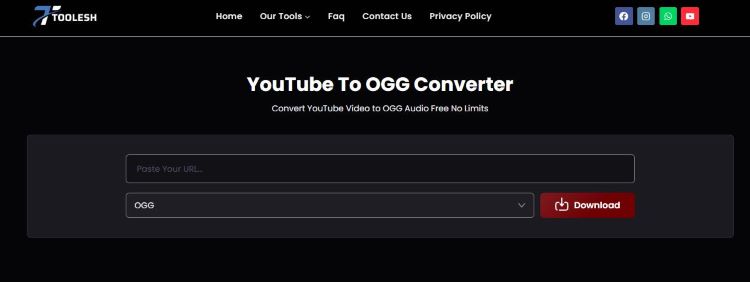
Toolesh YouTube to OGG Converter works on both mobile devices and computers. I particularly like its browser compatibility, as it can be used directly in Chrome on Android and Safari on iOS without requiring any additional software.
The conversion process is also straightforward: simply copy a YouTube video URL, paste it into Toolesh, and let the converter handle the rest. No email address is required, and there is no daily download limit, which makes it practical for frequent use. In my test, a 50-second YouTube video took around 8 seconds to convert and download, so the overall speed was quite impressive for a browser-based converter.
- No hidden fees or unexpected charges.
- No account registration or email address required.
- No daily download limits.
- Contains ads and pop-ups.
- No quality options are available when downloading OGG files.
Cutyt
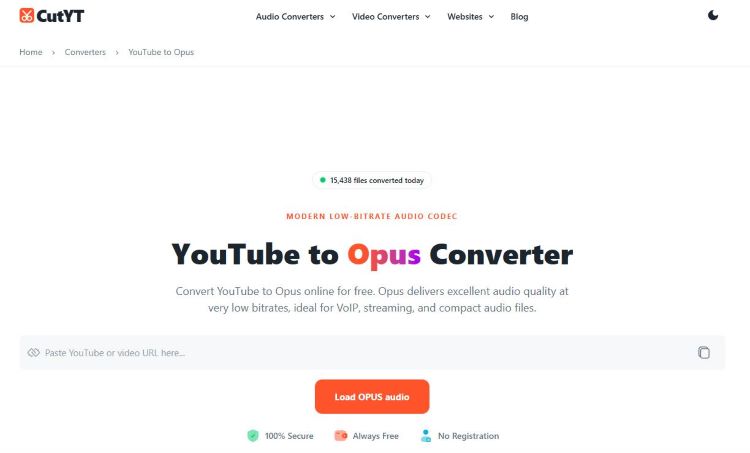
Cutyt is another YouTube to OGG Converter worth considering, especially if you want to convert multiple videos without a strict download limit. After pasting a YouTube link into the converter, it analyzes the URL automatically. One feature I found particularly useful is the built-in preview and trimming option.
Before downloading, you can preview the video and cut out unwanted sections, so you only keep the part you actually need. Once the selection is ready, you are taken to a second page where you can click “Download OGG Now” to start the download.
Beyond YouTube, Cutyt also supports extracting audio from other popular platforms, including Facebook, Instagram, TikTok, and X. Overall, its unlimited conversion and built-in trimming features make it a practical choice for users.
- Built-in audio trimming and editing features.
- Supports audio downloads from YouTube, Facebook, Instagram, TikTok, and X.
- Compatible with Linux, Android, and desktop devices.
- The download process can feel a little complicated for users who do not need the trimming feature.
- The interface feels slightly more complicated than some simpler converters.
Part 4: Comparison - Choose the Best YouTube to OGG Converter
| Feature | Sidify | ytmp3.gg | Toolesh | Cutyt |
| Login Requirement | Required | No Need | No Need | No Need |
| Quality Options | Flexible | Limited | No options for OGG | Not specified |
| Format | OGG/MP3/AAC/FLAC/AIFF/ALAC/WAV | OGG/MP3/FLAC/Opus/AAC/ALAC | Multiple audio formats | OGG/Other audio formats |
| Speed | ~6 sec for a 50-sec video in our test | ~9 sec for a 50-sec video in our test | ~8 sec for a 50-sec video in our test | ~12 sec for a 50-sec video in our test |
| Batch Conversion | ✅ | ❌ | ❌ | ❌ |
| Video Length Limit | No specific limit | No specific limit | No specific limit | No specific limit |
| No Ads & Popups | ✅ | ✅ | ❌ | ✅ |
| Safety | ⭐⭐⭐⭐⭐ | ⭐⭐⭐⭐ | ⭐⭐⭐ | ⭐⭐⭐ |
Frequently Asked Questions
What is the best YouTube to OGG converter?
The best YouTube to OGG converter should offer high-quality audio output, fast conversion, and support for a wide range of YouTube content. Sidify YouTube Converter is a practical choice for users who want to convert YouTube video and YouTube Music and other supported online music sources to common audio formats. It supports high-quality audio conversion while allowing you to customize output settings such as format, bitrate, and sample rate.
Is YouTube to OGG conversion free?
There are free online YouTube to OGG converters, but they may come with limitations such as ads, conversion limits, lower audio quality, or restricted customization options. A dedicated desktop converter like Sidify can provide a more stable experience with features such as batch conversion, customizable audio quality, and faster processing. Always make sure you have the necessary rights or permission to convert and save the content you use.
Does converting YouTube to OGG affect audio quality?
Converting YouTube audio to OGG does not automatically mean a significant loss of quality, but the final quality depends on the original audio source and selected output settings. Since YouTube audio is already compressed, converting it to another lossy format may not improve the original quality. For better results, choose an appropriate bitrate and avoid unnecessary re-encoding. Sidify lets you customize audio settings so you can balance sound quality and file size according to your needs.
Conclusion
The best YouTube to OGG Converter depends on your needs. Online tools are convenient for quick, one-time conversions, while desktop software is better suited to playlists, batch conversion, and frequent use. If you want a more flexible and stable way to convert YouTube to OGG, Sidify is a strong option worth considering.
 Sidify All-In-One Music Converter
Download streaming songs, albums, and playlists to MP3 with 100% original quality.












