YouTube audio quality generally offers up to 256 kbps (AAC/Opus) for Premium users and free users often get up to 128 kbps. And to rip the original AAC format of YouTube audio, it is not a one-shot thing. Instead, you can gain assistance by some online YouTube downloader, specifically, YouTube to AAC converter. Many online YouTube downloaders are capable of converting videos to AAC efficiently. You can take a further look on the tools and get help when needed.
📢 YouTube video downloaded in AAC format is intended for personal use only. Users are responsible for complying with YouTube’s terms of service and all applicable copyright laws.
YouTube to AAC vs. YouTube to MP3
When converting audio from YouTube, MP3 is usually the default choice due to its wide compatibility and familiarity. However, since most YouTube videos are originally encoded in AAC, converting YouTube audio directly to AAC can better preserve the original sound quality while avoiding unnecessary re-encoding. In practice, AAC also delivers similar or better perceived quality at smaller file sizes, so it is a more efficient option for lossless audio quality, storage space, and modern device compatibility.
| Aspect | YouTube to AAC | YouTube to MP3 |
|---|---|---|
| Audio quality | Better (more efficient codec) | Lower than AAC |
| Bitrate | 128–256 kbps | 128–320 kbps |
| File Extension | .m4a (AAC) | .mp3 |
| File size | 0.9 MB ~2.2 MB | 1 MB ~2.4 MB |
| Compression | High at same bitrate | Need higher bitrate to match AAC |
| Sound clarity | Cleaner highs | Flatter at lower bitrates |
| Lossless support | ❌ (always lossy) | ❌ (always lossy) |
| Device compatibility | Excellent (iOS, macOS, modern Android, browsers) | Universal (all devices, old & new) |
| Metadata support | Rich: title, artist, album, track number, year, genre, album art, lyrics, composer, album artist, grouping, and full Unicode/multi-language | Basic: title, artist, album, track number, year, genre, and limited album art and comments. |
| Best Case use | Native format for YouTube, Apple Music, offline storage efficiency | Older smartphones, car audio systems, MP3 players, Home stereo systems, Bluetooth speakers |
Best NO 1. Sidify YouTube AAC Downloader
Sidify All-In-One or Sidify YouTube AAC Downloader is a flexible YouTube downloader that it is able to rip audio from YouTube in formats of AAC, MP3, ALAC, AIFF, WAV, and FLAC. Unlike online YouTube downloaders, Sidify All-In-One can download entire YouTube playlists to AAC in one go. The original YouTube audio quality is preserved up to 256 kbps. If higher-quality music is desired, the program also supports downloading Spotify tracks at 320 kbps MP3, Spotify FLAC lossless files, Tidal HiFi sound, and Amazon UltraHD quality. Most importantly, detailed metadata information will be kept along the downloaded YouTube music. So all the things are easy to accomplish in one step.
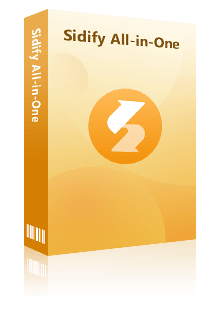
Sidify All-In-One Converter
- Download music playlists from a broad leading streaming sources.
- Convert YouTube playlists in MP3/AAC/WAV/FLAC/AIFF/ALAC
- Download multiple YouTube playlists in one go.
- Preserve the original audio quality and keep the ID3 tags.
- Transfer YouTube playlists to USB drives and other offline devices.
- Built-in free podcast and radio to mp3 downloader and vocal remover.

Sidify All-In-One vs. YouTube to AAC Online Downloader
| Feature | Sidify YouTube to AAC Downloader | YouTube AAC Online Downloader |
|---|---|---|
| Pricing | Free Trial | Free |
| Compatibility | Windows 8 ~ 11 & Mac OS 11 and above | Any Browsers |
| Conversion Mode | App + Web Mode | ❌ |
| Downloads | Single Songs, Playlists, Albums, Podcasts, Audiobooks, Radio | Single Songs, Playlists, Albums |
| Supported Formats | MP3, AAC, FLAC, WAV, ALAC, AIFF | MP3, AAC, MP4 |
| YouTube Audio Quality | 128kbps to 256kbps | 64kbps to 320kbps |
| Speed | 10x speed | 5x+ |
| Batch Download | Yes | Varies |
| Metadata Preservation | Full (Title, Album, Artist, Track Number, Year tags etc.) | Basic |
| User Interface | Intuitive, no Ads | Banner or redirect Ads |
| Advanced Tools | Lyrics Extractor, CD Burner, Audio Editor, Tag Editor, AA/AAX Converter | Video editor |
| Customer Support | 24/7 Support, Scheduled Updates | NO |
| Perfect For | Large YouTube playlists | Single YouTube video or clip |
How to Download YouTube Playlists to AAC Songs?
Step 1 Download and install the latest version of Sidify All-In-One, then go to the “YouTube” section in the program.
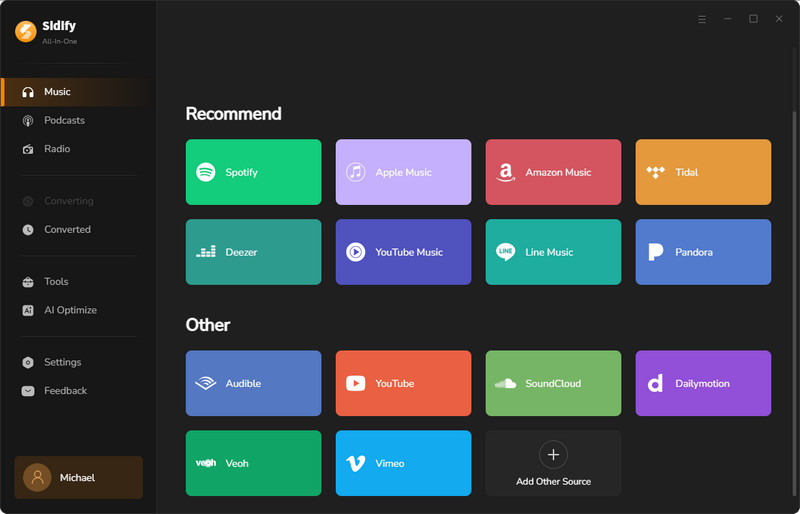
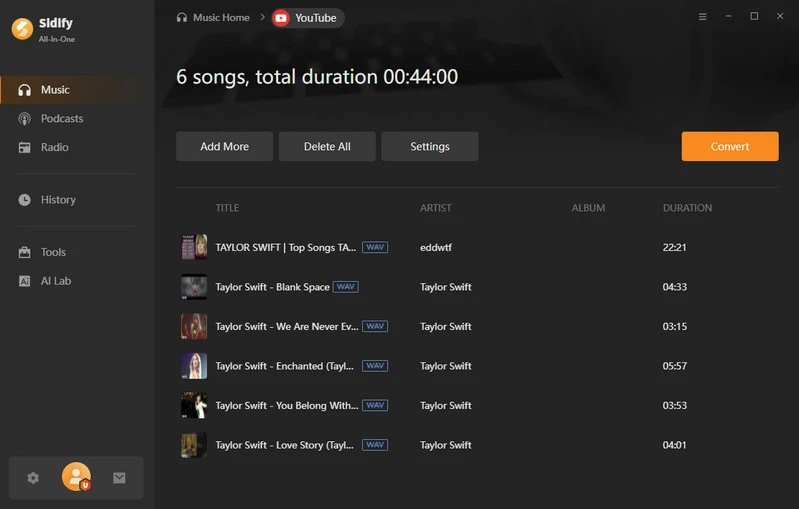
Step 2 Open a YouTube video, click the “+” button to add it, and repeat to add multiple videos or entire playlists.
Step 3 Go to Settings, select AAC as the output format, and set the output folder, file name, and how you want files organized.
Step 4 Click Convert to start downloading the YouTube videos as AAC audio files.
Step 5 Once finished, check all your downloads in the History section.
NO.2. Any Video Converter
Any Video Converter is initially a video downloader with built-in support for YouTube. It also allows YouTube videos to be downloaded and converted to audio formats such as AAC and MP3. In addition to YouTube AAC conversion, AVC supports media downloads from 1,000+ websites. With a single program, it is possible to download YouTube videos in MP4 format or extract AAC audio directly from YouTube.
| Cost | Highest AAC Quality | YouTube Playlist Download | Batch Download | Metadata | Speed | Safety |
|---|---|---|---|---|---|---|
| No-Cost | 256kbps | ✔ | ✔ | ✔ | 10x | ✔ |
|
||||||
- Download AAC music from diverse video platforms, not just YouTube.
- Download YouTube playlists in bulk.
- Pro version needed to get more advanced features.
How to Download AAC Files from YouTube?
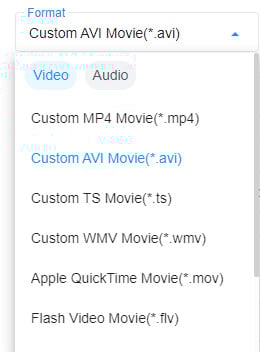
Step 1 Launch Any Video Converter and select the "Format Convert" tool, then click the "Add Media File(s)" to add the video or audio files.
Step 2 At the right of the "Output Profile" section, you can select MP4 as the output format from the "Container" list, then select the output resolution, quality, video and audio codec, FPS, bitrate, and more.
Step 3 Click the "Convert Now" button to initiate the conversion process. Once the conversion is complete, you can find the converted files from the "History" tab.
NO.3. YTDown
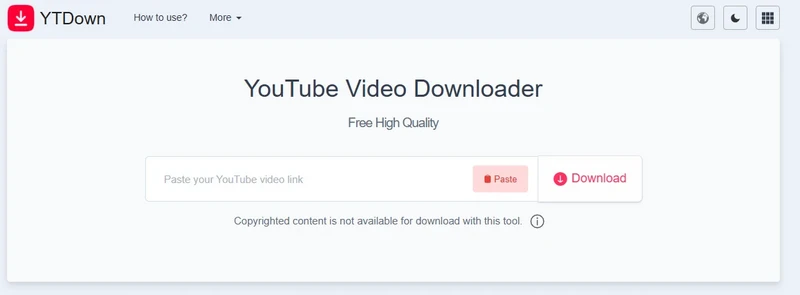
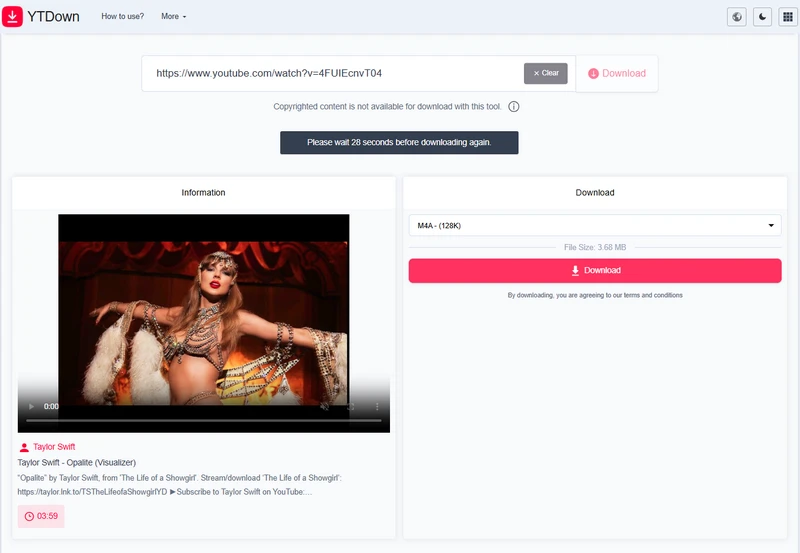
YTDown is a YouTube video downloader for AAC and MP4 formats. It downloads YouTube audio as M4A files, which usually contain AAC (Advanced Audio Coding) audio. The online downloader works with YouTube videos, YouTube Shorts, and YouTube posts.
⭐⭐⭐YTDown: https://ytdown.to/en2/
| Cost | Highest AAC Quality | YouTube Playlist Download | Batch Download | Metadata | Speed | Safety |
|---|---|---|---|---|---|---|
| Free | 128kbps | ❌ | ❌ | ❌ | 10x | Copyrighted content is not available for download with this tool. |
|
||||||
- Unlimited YouTube video and AAC audio downloads.
- Complete free YouTube downloader.
- Download size note.
- Can only download YouTube videos one by one.
- Must wait 1 minute between downloads.
How to Extract AAC Audio from YouTube Videos?
Step 1 Go to the YTDownload AAC Converter site and paste the YouTube video link into the input box. Click Download.
Step 2 From the result, select the desired audio format, recommended: M4A (128K).
Step 3 Click Download again and wait for the server to save the AAC file to the local folder.
NO.4. CutYT YouTube to AAC Converter
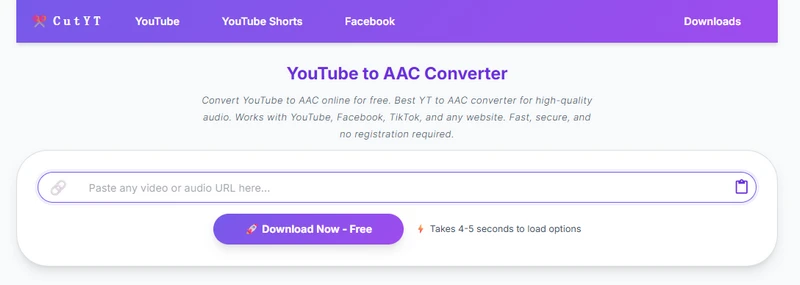
YouTube to AAC Converter, as its name suggests, is a free online tool that converts YouTube videos to AAC. It can rip high-quality audio from YouTube, up to 512 kbps, claiming to deliver the best audio quality available from the source video. Besides converting videos from YouTube to AAC format, the online converter also supports other social media platforms like Facebook, TikTok, and more.
⭐⭐⭐CutYT YouTube to AAC Converter: https://www.cutyt.com/yt-aac
| Cost | Highest AAC Quality | YouTube Playlist Download | Batch Download | Metadata | Speed | Safety |
|---|---|---|---|---|---|---|
| Free | 512kbps | ❌ | ❌ | ❌ | 1x | ✔ |
|
||||||
- Free YouTube to AAC conversion online.
- Long process YouTube url time.
- No specific sample rate download settings.
How to Download YouTube Videos to AAC Format?
Step 1 Open the website link on a browser, enter the YouTube video link into the search area. Tap Download and let the server to process.
Step 2 Click the Download Now button and follow the on-screen tips to save the YouTube videos in AAC audio downloads.
NO.5. Evano
Evano boasts a lot of YouTube tools and YouTube to AAC Converter is one of them. The independent feature is to process the YouTube video URL and output it as high-quality AAC audio file. The YouTube to AAC conversion is 100% free to use and gives users unlimited YouTube videos to the AAC format.
⭐⭐⭐Evano: https://evano.com/youtube-to-aac
| Cost | Highest AAC Quality | YouTube Playlist Download | Batch Download | Metadata | Speed | Safety |
|---|---|---|---|---|---|---|
| Free | 320kbps | ❌ | ❌ | ✔ | 1x | ✔ |
|
||||||
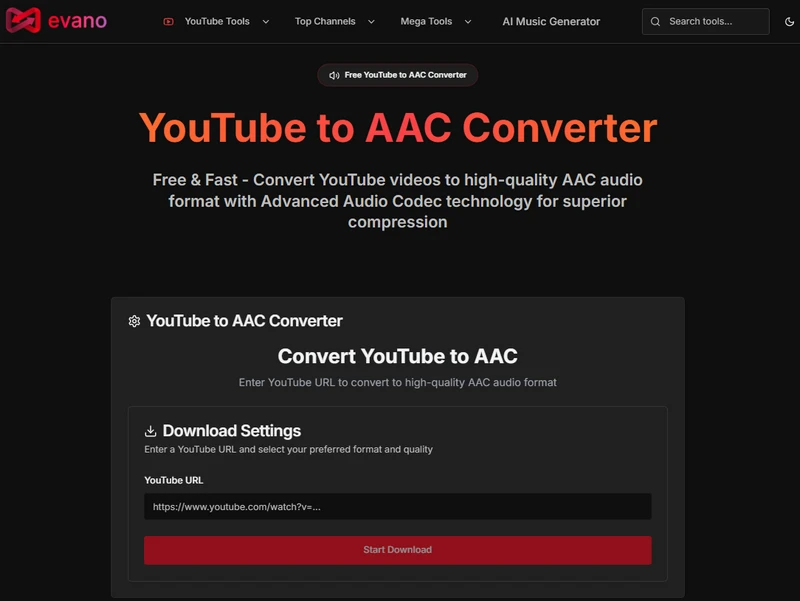
- Interactive interface and diverse YouTube download options.
- YouTube conversion to AAC, MP3, MP4, M4A, WEBM, OGG, FLAC, WAV
- Slow processing for downloads.
- Ad redirects.
How to Download YouTube Videos in AAC Audio Format?
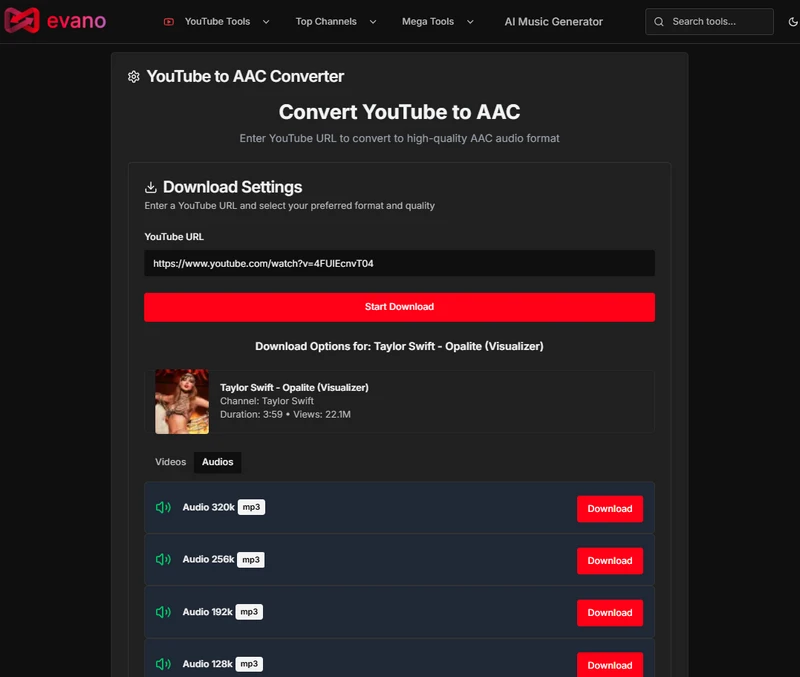
Step 1 Input one YouTube video url into the YouTube URL area on evano site, and tap "Start Download".
Step 2 Click the Download option after the audio parameters (Audio HQ aac) and save the YouTube AAC file locally.
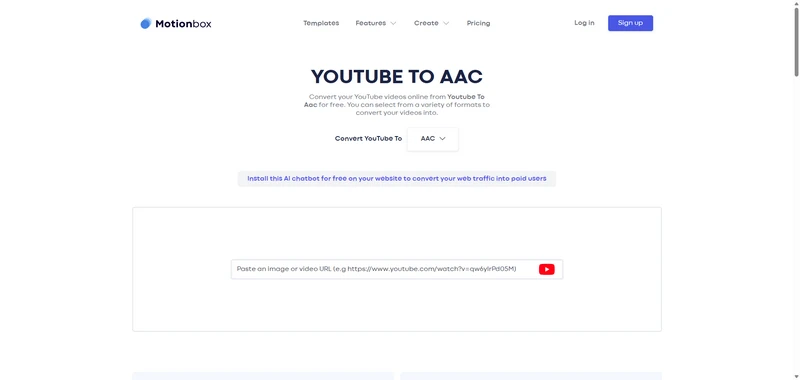
NO.6. Motionbox YouTube to AAC Downloader
Motionbox YouTube to AAC Downloader provides lots of YouTube download formats, including audio formats like AAC, MP3, M4A, FLAC, etc. and video formats like MP4, MKV, etc. The Features tab on the site gives access to tools for music and video, including a visualizer, subtitle editor, and more.
⭐⭐⭐Motionbox YouTube to AAC Downloader: https://motionbox.io/tools/youtube-to-aac
| Cost | Highest AAC Quality | YouTube Playlist Download | Batch Download | Metadata | Speed | Safety |
|---|---|---|---|---|---|---|
| Free | 256kbps | ❌ | ❌ | ❌ | 7x | ✔ |
|
||||||
- DFree YouTube to AAC downloading tool.
- Occasional YouTube URL loading errors.
How to Download AAC Format of YouTube Videos?
Step 1 Go to the Motionbox website and select AAC as the output format in the "Convert YouTube to" column.
Step 2 Paste the YouTube video URL into the input box, the site tool will load and display the available results.
NO.7. Subeasy
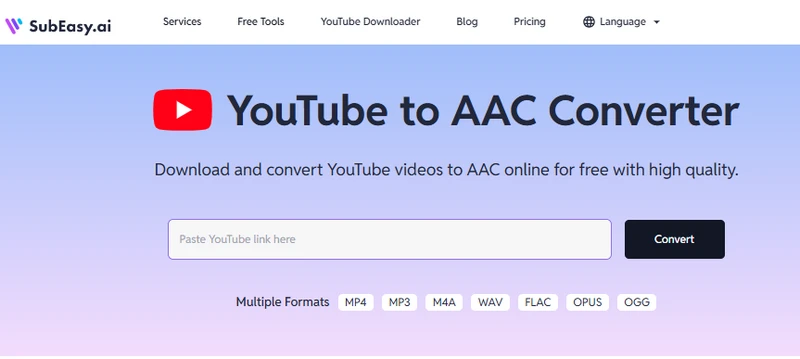
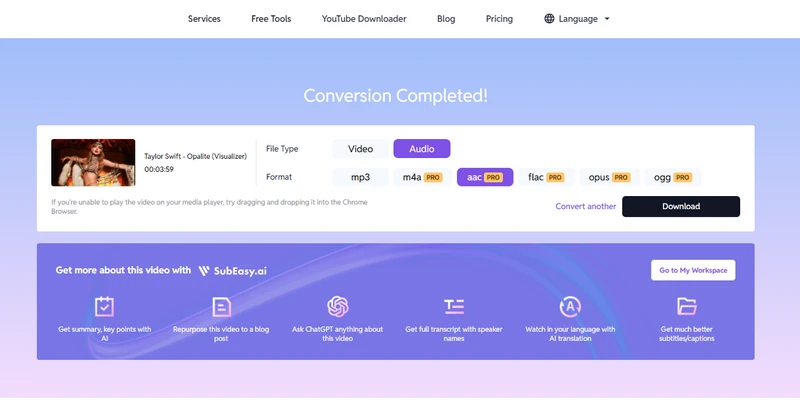
Subeasy downloads and converts YouTube videos to different audio and video formats, including MP4, MP3, M4A, WAV, FLAC, OPUS, OGG. It is free to download YouTube in MP3 audio format while you need to upgrade to its Pro plan to convert YouTube in AAC or other formats.
⭐⭐⭐Subeasy: https://www.subeasy.ai/youtube-to-aac
| Cost | Highest AAC Quality | YouTube Playlist Download | Batch Download | Metadata | Speed | Safety |
|---|---|---|---|---|---|---|
| Pro paid | 256kbps | ❌ | ❌ | ❌ | 5x | ✔ |
|
||||||
- Various YouTube to audio download format options.
- Pro upgrade is needed to download YouTube audio AAC format.
- Need human verification all the time.
How to Get High-Quality AAC Audio from YouTube?
Step 1 Go to the website, paste the copied YouTube link into the designated area, and click Convert.
Step 2 Once the conversion is complete, choose AAC as the download format and save the YouTube file to your local end.
NO.8. PlaylistDownloadr
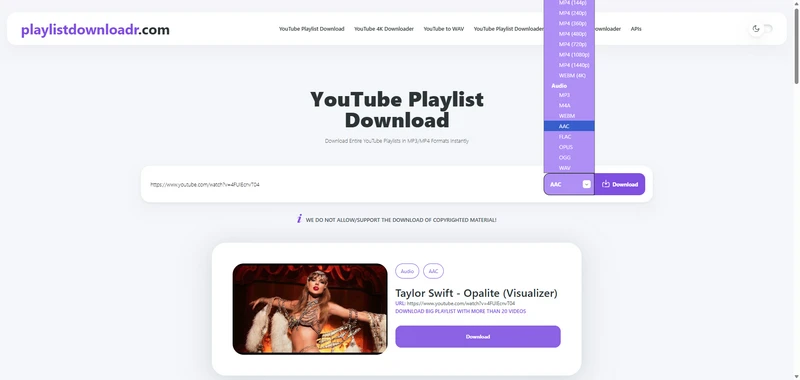
PlaylistDownloadr.com offers a range of tools to convert YouTube videos into different formats. One of them, the YouTube to AAC converter downloads videos as AAC at 256 kbps stereo while preserving the original audio quality, while MP3 downloads reach 320 kbps stereo, and FLAC downloads can achieve lossless 1411 kbps stereo for maximum fidelity. It preserves playlist titles, descriptions, and metadata, and even supports downloading hidden or unlisted playlists. Conversion is up to 50× faster, and premium features include no daily download limits, no account registration, no watermarks or ads in files, and a dark mode interface.
⭐⭐⭐PlaylistDownloadr: https://playlistdownloadr.com/
| Cost | Highest AAC Quality | YouTube Playlist Download | Batch Download | Metadata | Speed | Safety |
|---|---|---|---|---|---|---|
| Free | 256kbps | ✔ | ❌ | ✔ | 3x | ✔ |
|
||||||
- Losslessly download YouTube audio in the original AAC codec.
- Work well with long-duration videos.
- Final download step triggers many ad pop-ups.
How to Download YouTube Playlists as AAC Files?
Step 1 Open the playlistdownloadr.com website and enter the YouTube link. Choose AAC as the download format next to the Download button.
Step 2 Tap Download and wait for the AAC downloading process. Further tap "Download" under the title, and save the file.
NO.9. Loader.to
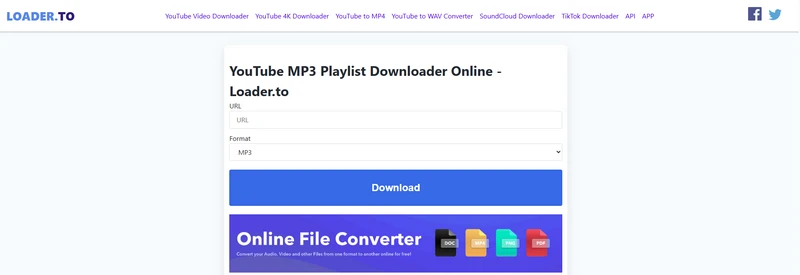
Loader.to is a free online tool that grabs YouTube videos in a variety of formats, including MP3, M4A, WEBM, AAC, FLAC, OPUS, WAV for audio, and MP4 for video. It pulls the audio straight from the video and saves it locally on the device. One neat feature is the ability to handle playlists, letting up to 20 videos be downloaded in one go.
⭐⭐⭐Loader.to: https://en.loader.to/
| Cost | Highest AAC Quality | YouTube Playlist Download | Batch Download | Metadata | Speed | Safety |
|---|---|---|---|---|---|---|
| Free | 128kbps | ✔ | ❌ | ✔ | 1x | ✔ |
|
||||||
- Download YouTube playlists in both MP4 video and AAC audio tracks.
- Multiple different YouTube to audio formats.
- Redirect ads when clicking key instructions.
How to Save YouTube Audio as AAC Files?
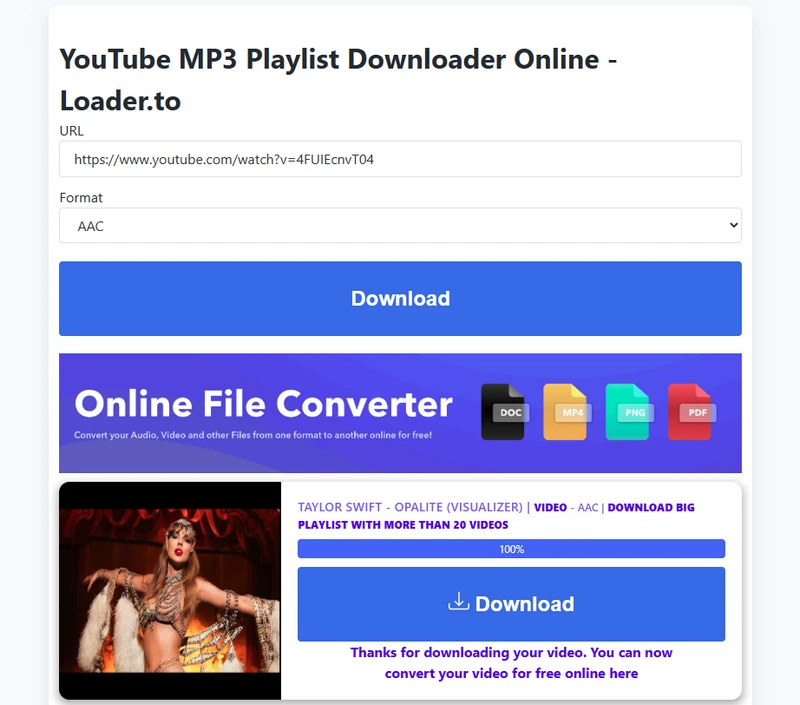
Step 1 Go to the LOADER.TO website, paste the YouTube video link into the URL field, select AAC from the format drop-down menu, and click Download.
Step 2 Wait a few seconds for the result to appear, then click the download button and save the file from the pop-up window.
NO.10. AceThinker
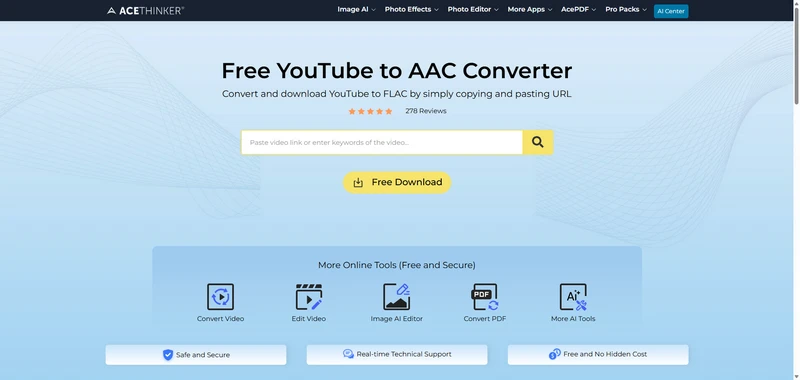
AceThinker makes it a breeze to grab YouTube videos as AAC, just paste the link and go. MP3, WAV, and FLAC are also supported, keeping every bit of the original sound. On top of that, it’s packed with handy tools for video editing, AI image tweaks, PDF conversion, and plenty more AI-powered goodies.
⭐⭐⭐AceThinker: https://www.acethinker.com/youtube-to-aac-1
| Cost | Highest AAC Quality | YouTube Playlist Download | Batch Download | Metadata | Speed | Safety |
|---|---|---|---|---|---|---|
| Free | 256kbps | ✔ | ❌ | ✔ | 5x | ✔ |
|
||||||
- Multiple YouTube video and audio download options.
- Highest YouTube to MP3 320kbps HQ download.
- Pro paid version is required to get unlimited YouTube downloads.
How to Download YouTube Music in AAC Format?
Step 1 Open https://www.acethinker.com/ in Chrome and input the YouTube video link into the search field.
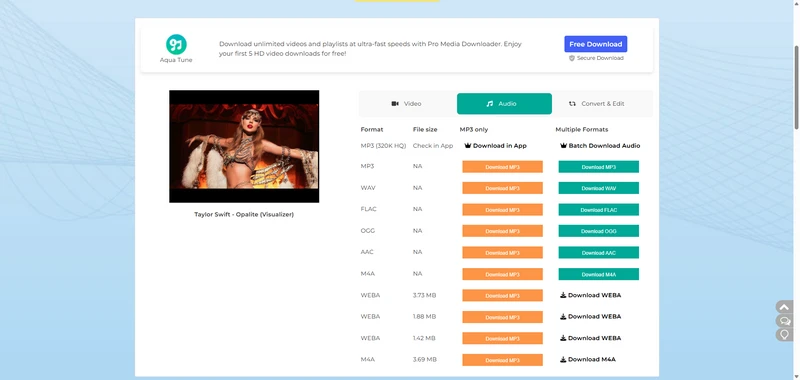
Step 2 Let the results display, then choose your download preference, e.g., Audio → AAC → Download AAC.
Step 3 Wait for the server to process your request, then click Download Now to save the file to your device.
NO.11. Anything2MP3
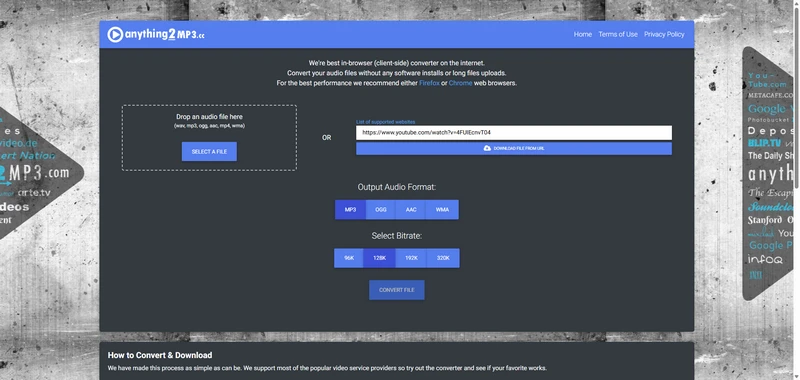
Anything2MP3 is an in-browser audio converter and downloader that works with files from a local device or URLs, including YouTube, MetaCafe, and Vimeo links. By pasting a video link, audio can be extracted directly from the source platform. Supported output formats include MP3, OGG, AAC, and WMA, with quality options ranging from 96 kbps to 320 kbps.
⭐⭐⭐Anything2MP3: https://anything2mp3.cc/en2
| Cost | Highest AAC Quality | YouTube Playlist Download | Batch Download | Metadata | Speed | Safety |
|---|---|---|---|---|---|---|
| Free | 256kbps | ✔ | ❌ | ✔ | 5x | ✔ |
|
||||||
- Easy-to-follow converter instructions and settings.
- Higher AAC sound quality output.
- Slow URL processing and timeout error.
How to Convert YouTube Videos to AAC Audio?
Step 1 In the website's URL input field, paste the YouTube link you copied and click DOWNLOAD FILE FROM URL.
Step 2 In the Output Audio Format settings, select AAC and choose 320 kbps in the Bitrate column.
Step 3 Click CONVERT FILE to convert and download the YouTube audio as an AAC file to the computer.
NO.12. Seekin
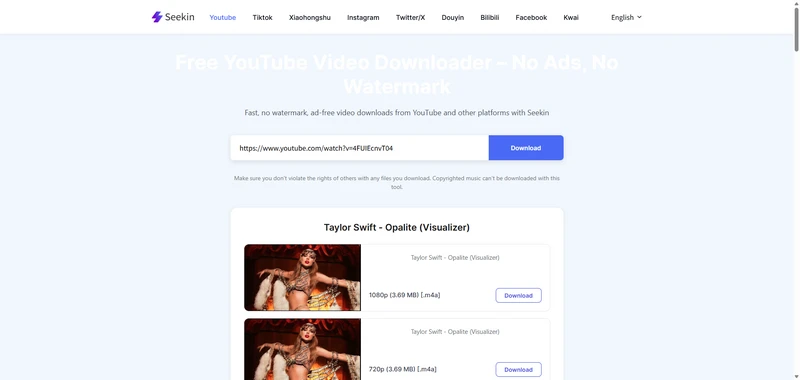
Seekin.ai is a free YouTube video downloader that boasts YouTube to video and audio download options. YouTube audio is saved as .m4a, which is actually an AAC format, so the audio quality is preserved while remaining compatible with most devices and media players. Besides YouTube, the online AAC downloader also works with TikTok, Instagram, Facebook, Twitter/X, Kwai and more.
⭐⭐⭐Seekin: https://www.seekin.ai/youtube-video-downloader/
| Cost | Highest AAC Quality | YouTube Playlist Download | Batch Download | Metadata | Speed | Safety |
|---|---|---|---|---|---|---|
| Free | 256kbps | ✔ | ❌ | ✔ | 5x | Make sure you don't violate the rights of others with any files you download. Copyrighted music can't be downloaded with this tool. |
|
||||||
- 100% free to use
- Clean, original video output.
- No batch YouTube videos or playlists process support.
How to grab AAC audio files from YouTube videos?
Step 1 Paste the YouTube link into the Seekin YouTube download section and click Download.
Step 2 Once the results show, click the Download button next to the preferred version, such as 1080 [.m4a], which preserves the original YouTube audio quality.
Step 3 A new window will open. Click the three dots next to the audio file and save it to your computer.
NO.13. Sidify YouTube Music Converter
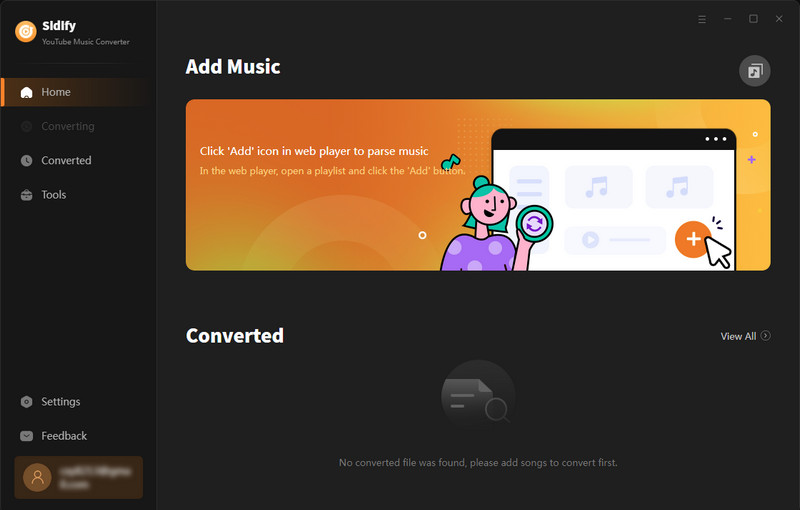
Sidify YouTube Music Converter can serve as a reliable backup tool when the official YouTube Music downloads aren’t available from YouTube. It ensures you get real AAC audio directly from the official YouTube music library, unlike some online tools that may not provide the true AAC format. This desktop program also supports converting YouTube music to MP3, ALAC, AIFF, WAV, and FLAC, maintaining streaming quality up to 256 kbps. Essential music information, such as title, artist, album, year, and genre—is preserved in the downloaded files.
⭐⭐⭐Sidify YouTube Music to AAC Downloader: https://www.sidify.com/youtube-music-converter-windows/
| Cost | Highest AAC Quality | YouTube Playlist Download | Batch Download | Metadata | Speed | Safety |
|---|---|---|---|---|---|---|
| Free Trial | 256kbps | ✔ | ✔ | ✔ | 10x | Personal use only |
|
||||||
- 100% clean and safe YouTube music to AAC downloads.
- Download entire YouTube playlists without losing quality.
- 1-minute trial per track
How to Download All YouTube Music Playlists to AAC At Once?
Step 1 Download and run Sidify YouTube Music Converter on your computer when the YouTube music library is embeded that you can directly log in with your YouTube music account and access the YouTube Music library.
Step 2 Go to the YouTube music download settings menu, set up the YouTube music output format to AAC and output quality to the highest 256kbps. If needed, customize the YouTube music file name and folder structure as you like.
Step 3 From the YouTube Music library, open the playlist and tap the add button to add them to the converter. You can repeat this stop to add multiple youtube playlists to aac conversion at one time.
Step 4 After adding all YouTube music to convert, tap the Convert button to start downloading YouTube music to AAC. The process is normally at 10x speed.
Step 5 Go to the History section and check all the YouTube music AAC downloads.
Comparison: Which is the Best YouTube to AAC Downloader for You❓
In fact, there’s no need to struggle over which free YouTube downloader to choose. Most free tools offer the same basic features, paste a YouTube link and extract audio in AAC format. But online web tools often fail to deliver true high-quality audio at the YouTube original 256 kbps level.
Dedicated YouTube converter (Sidify All-In-One) or YouTube Music downloaders, on the flip side, are designed to access the real audio source and download it in authentic quality. They are also more stable, so there’s no need to keep switching between unreliable online sites.
| YouTube to AAC Conversion | Max Quality | YouTube Format | Batch & Playlist Download | Conversion Speed | Metadata & Tags | Download limits | Ratings |
|---|---|---|---|---|---|---|---|
| Sidify All-In-One | 256kbps | MP3, AAC, ALAC, AIFF, WAV, FLAC | ✔ | 10X | Title, Album, Artist, TrackNum, Playlist Index, Year, Genre, Artwork | Unlimited | ⭐⭐⭐⭐⭐ |
| Any Video Converter | 256kbps | AAC, MP3, MP4, 1000+ formats | ✔ | 10X | Title, Album, Artist | Unlimited | ⭐⭐⭐⭐ |
| YTDown | 128kbps | MP4, M4A | ❌ | 10X | Title | Unlimited | ⭐⭐⭐ |
| CutYT | 512 kbps | AAC | ❌ | 1X | N/A | Unlimited | ⭐⭐ |
| Evano | 320kbps | AAC, MP3, MP4, M4A, WEBM, OGG, FLAC, WAV | ❌ | 1X | Title | Unlimited | ⭐⭐⭐ |
| Motionbox | 256kbps | AAC, MP3 | ❌ | 1X | Title | Unlimited | ⭐ |
| Subeasy | 124kbps | AAC, MP3, M4A, FLAC, OPUS, OGG, MP4 | ❌ | 5X | Title | Unlimited | ⭐⭐ |
| PlaylistDownloadr | 256kbps | MP3, M4A, FLAC, OPUS, WAV | ✔ | 3X | Title | Unlimited | ⭐⭐⭐ |
| Loader.to | 128kbps | MP3, M4A, WEBM, AAC, FLAC, OPUS, WAV | ✔ | 10X | Title, Artist | Unlimited | ⭐⭐⭐ |
| AceThinker | 320kbps | MP3, AAC | ✔ | 5X | N/A | Unlimited | ⭐⭐⭐ |
| Anything2MP3 | 320kbps | MP3, OGG, AAC, or WMA | ❌ | 5X | N/A | Unlimited | ⭐⭐⭐ |
| Seekin | 320kbps | M4A, MP4 | ❌ | 10X | N/A | Unlimited | ⭐⭐⭐ |
| Sidify YouTube Music Converter | 256kbps | MP3, AAC, ALAC, AIFF, WAV, FLAC | ✔ | 10X | Title, Artist, Album, TrackNum, Playlist Index, Year, Genre, Artwork | Unlimited | ⭐⭐⭐⭐ |
Frequently Asked Questions
Does downloading YouTube to AAC preserve the original audio quality?
Many online converters re-encode audio, which can reduce quality. True AAC downloaders preserve the original YouTube audio stream (up to 256 kbps depending on source).
Can I keep full metadata (title, artist, album) when downloading YouTube to AAC?
Not all downloaders keep metadata. Only desktop tools or dedicated converters often preserve YouTube metadata fully.
Why does the downloaded AAC sometimes have a different bitrate than expected?
YouTube streams audio in variable bitrates depending on video quality. Some downloaders will keep the original stream, others re-encode it to a fixed bitrate, affecting file size and fidelity.
Is AAC downloaded from YouTube truly lossless?
No. YouTube streams are lossy (usually AAC at 128–256 kbps). “Lossless” can only happen if the source is lossless (rare for YouTube).
Can I batch download entire YouTube playlists in AAC format without losing quality?
Certain desktop tools support bulk playlist downloads with full metadata and original audio quality preserved. Many online converters handle single videos only.
Are there differences in AAC quality between music videos, live streams, and user-generated content?
Yes. Official music uploads often have higher bitrate audio; live streams or user-generated content may be lower quality, even if saved as AAC.
Conclusion
Choosing the right YouTube to AAC downloader depends on your priorities: audio fidelity, metadata preservation, batch download capability, and device compatibility. Sidify All-In-One and Sidify YouTube Music Converter ensure the downloaded AAC files retain original quality, correct titles, album art, and support multiple tracks or playlists without repeated effort.
Note: Sidify works for both YouTube premium and free users. The trial version of Sidify Converter enables you to convert the first minute of each audio file for sample testing. You can purchase the full version to unlock the time limitation.
 Sidify All-In-One
Rip audio from YouTube in formats of AAC, MP3, ALAC, AIFF, WAV, and FLAC.