



Searching for an Apple Podcast downloader usually means you want more than an in-app download. You may want an Apple Podcast MP3 file to listen without internet, copy an episode to a USB drive, or play it on a phone, car, or MP3 player.
In fact, an Apple Podcasts download stays managed by the official app, while an Apple/iTunes Podcast downloader can save it as standard MP3 or other local audio files. If you want to download Apple Podcasts to MP3, this guide explains the available options that are still working in 2026.
Quick Comparison of the Best Apple Podcast Downloaders
We tested multiple tools and found 8 Apple Podcast episode-to-MP3 downloaders that are currently available. We tested Apple Podcast recognition and downloading, batch episode downloads, output formats, audio quality, metadata, and ease of use. You can see our test results in the table below.
| Apple Podcast Downloader | Format | Audio Quality | Batch Download | ID3 Tags | Ease of Use |
|---|---|---|---|---|---|
| Sidify Apple Podcast Downloader Desktop app |
MP3, M4A, More | Apple Lossless Quality 👍 | ✅ | ✅ | ✅ |
| PodcastToMP3 Online |
MP3 | 128 kbps | ✅ (Limited) | ❌ | ✅ |
| PodcastDownloadRSS RSS Downloader |
MP3, M4A | 128 kbps | ❌ | ❌ (Limited) | ✅ |
| Swell AI Online Episode Downloader |
MP3, M4A | 128 kbps | ❌ | ❌ (Limited) | ✅ |
| CastLoom Chrome Extension |
MP3 | 128 kbps | ❌ | ❌ (Limited) | ✅ |
| XYZDownloader Link Downloader |
MP3, M4A, More | 128 kbps | ✅ (Limited) | ❌ | ✅ |
| crazynomad GitHub Downloader |
MP3, M4A | 128 kbps | ✅ | ❌ | ❌ |
| Owen2373-bit Apple Shortcut |
MP3 | 128 kbps | ✅ (Limited) | ❌ (Limited) | ❌ |
1. Sidify Apple Podcast Downloader - Keep Lossless Quality
If you need an Apple Podcast downloader for PC or Mac, Sidify Apple Podcast Downloader is a practical choice. You can search for a podcast with this tool, and save the podcast as ordinary local files such as MP3, M4A, FLAC, or others. By this, you can play Apple podcasts on other devices.
Why Choose It: Sidify is especially useful when you need to download all Apple Podcast episodes at once. Instead of copying episode URLs one by one, you can search for a show, select several episodes, and download them together. More importantly, Sidify works with the Apple Podcasts source and keeps the original audio quality available from Apple, including Apple Lossless quality when provided by the source.
Sidify Apple Podcast Converter
- Convert Apple Podcast to MP3, AAC, ALAC, AIFF, WAV, and FLAC.
- Download Apple Podcasts, playlists, albums, and others.
- Preserve the Apple Lossless quality whenever available.
- Keep Apple Podcasts HD artworks and ID3 tags.
- Compatible with Windows and macOS.

How to Download Apple Podcasts with Sidify
- Open Sidify, (Apple) Podcast app or iTunes app.
- Choose the Apple podcast or select the episodes you want to download from the list.
- Go to Settings window, select MP3 or another output format, then click Convert.
- Open the output folder and copy the Apple podcast MP3s to your phone, USB drive, or music player.

Looking for a free podcast to MP3 downloader? Explore 8 useful tools for downloading podcasts from different platforms as MP3 files.
Learn More →2. PodcastToMP3 - Online Free Apple Podcast Downloader
PodcastToMP3 (podcasttomp3.com) lets you search Apple Podcast with keywords, find a matching show or episode, and download it as an MP3 file for free. This approach is less convenient than Sidify, as you need to find the content on the website first. Still, it requires no installation, supports public Apple shows and episode links, and we did not see distracting ads during the download. Overall, it is a useful option for a quick MP3 download.
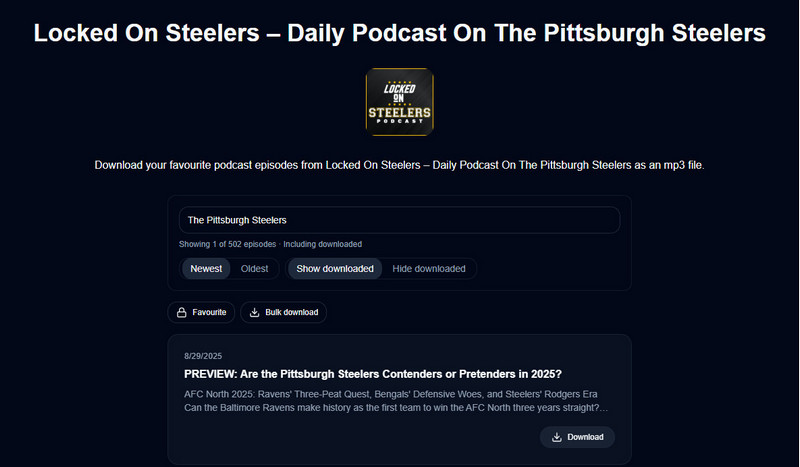
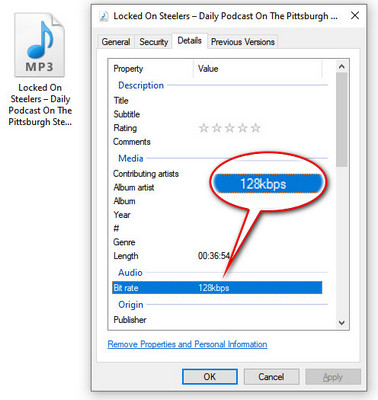
What to Know: In our test, PodcastToMP3 recognized only some older podcast content. The downloaded Apple Podcast files were MP3s in 128kbps without ID3 tags. It works well for a quick download, but it does not deliver consistent results for every Apple Podcast.
How to Use PodcastToMP3
- Open PodcastToMP3 in web browser.
- Enter the Apple Podcast show name in the search box. Then click Search.
- Find the episode you want and click Download.
- To download several episodes, select them at once. You can usually download up to 100 Apple episodes.
3. PodcastDownloadRSS: Download Public Apple Podcast to MP3
PodcastDownloadRSS (podcastdownloadrss.top/apple-podcast-downloader.html) downloads a public Apple show URL through its RSS feed. You can paste Apple podcast URLs on it and download them to MP3 easily. Besides, PodcastDownloadRSS also downloads podcasts from Spotify and RSS to MP3.
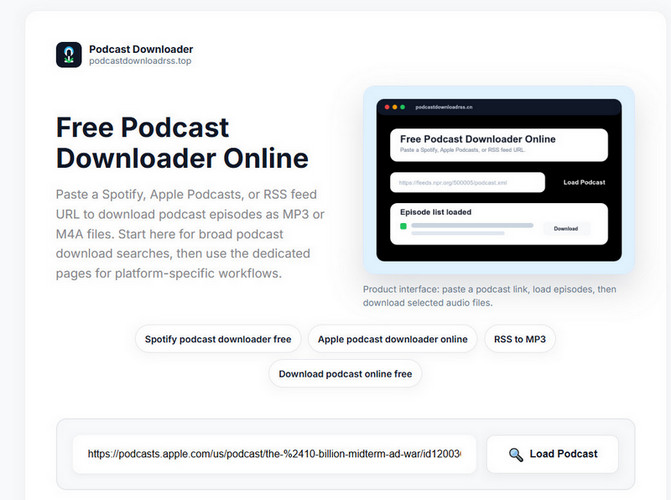
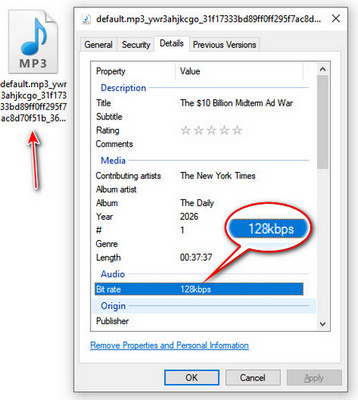
What to Know: In our test, we found this tool could identify all episodes in an Apple Podcasts show. However, there's an error message " Direct browser download blocked." We had to right-click it and choose "Save as MP3" to download Apple episodes one by one. It can't download Apple Podcasts in bulk. The downloaded files are 128kbps, and some ID3 metadata fields are missing. The interface is clean and easy to use, so it is a good choice when you only need to download a few Apple MP3 episodes.
How to Use PodcastDownloadRSS
- Open the PodcastDownloadRSS Free Apple Podcast downloader website.
- Open Apple Podcasts in your browser. Find the show you want, copy and paste the link to this tool.
- Right click and "Save as MP3" or "Save as M4A".
4. Swell AI: Ad-Free Apple Podcast Converter
Swell AI (swellai.com/apple-podcast-downloader) is an easy-to-use Apple Podcast episode downloader with no ads or pop-ups. Just paste your Apple Podcasts episode link and you can quickly extract an MP3 file. You don't even need to register.
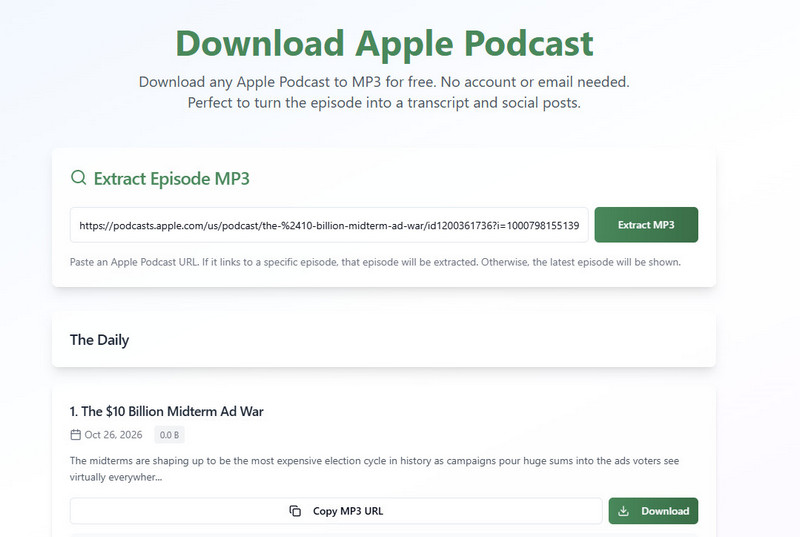
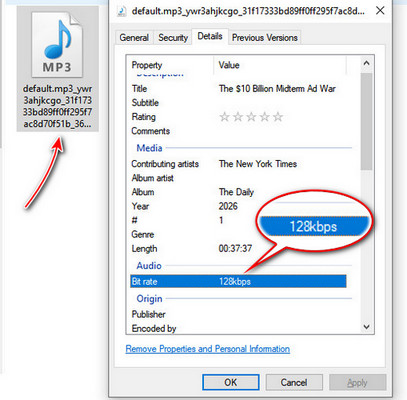
What to Know: In our test, Swell AI correctly identified the Apple Podcast episode and successfully downloaded it as an MP3. However, the downloaded file used a different filename from the original episode title, and its ID3 metadata was limited to basic fields such as title, artist, and album. The audio was also capped at 128 kbps. Like many free online Apple Podcast downloaders, Swell AI may not preserve the original audio quality, as the downloaded audio is sourced from YouTube rather than directly from Apple Podcasts.
How to Use Swell AI
- Open Swell AI and paste the Apple Podcast link here.
- Wait for the page to identify the Podcast audio and check the title.
- Download the available Apple Podcast offline.
5. CastLoom: Free Apple Podcast Downloader Chrome Extension
CastLoom Apple Podcast Downloader is available as a Chrome extension. It can not only download Apple Podcast MP3, but also extract the episode artwork.
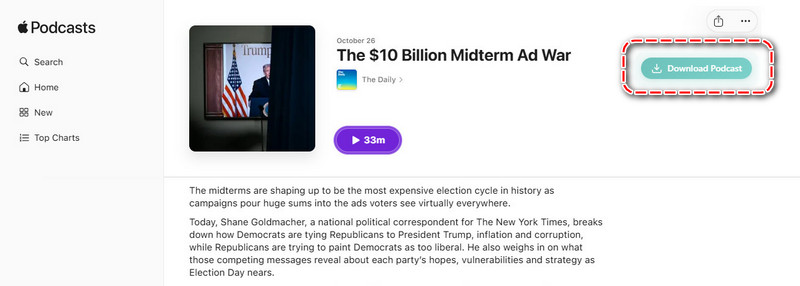
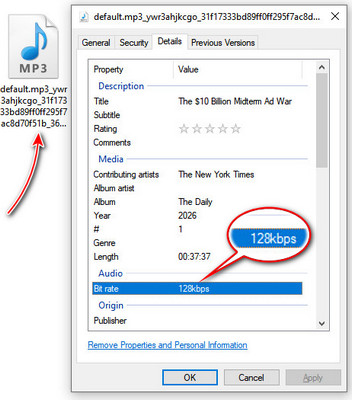
What to Know: In our test, this CastLoom tool showed many ads, which was distracting and raised some safety concerns. It could recognize multiple podcast episodes, but we had to download them one at a time. Each download took a long time, so the process was slow. One useful feature is that it could also download the podcast cover image. However, the output file names were still garbled, and the audio quality was limited to 128kbps.
How to Use CastLoom
- Install CastLoom from the Chrome Web Store.
- Open the Apple Podcasts page for the show or episode, and you will find the "Download Podcast" button in the upper right corner.
- Click download and wait for the MP3 to save.
6. XYZDownloader: Get Apple Podcast MP3 via RSS
XYZDownloader (xyzdownloader.xyz) lets you paste an Apple Podcast episode link to find the real RSS audio URL and download the file. It supports common formats such as MP3, M4A, AAC, FLAC, and OGG. If you want to download a full Apple Podcast show in bulk, you need to use its free desktop app.
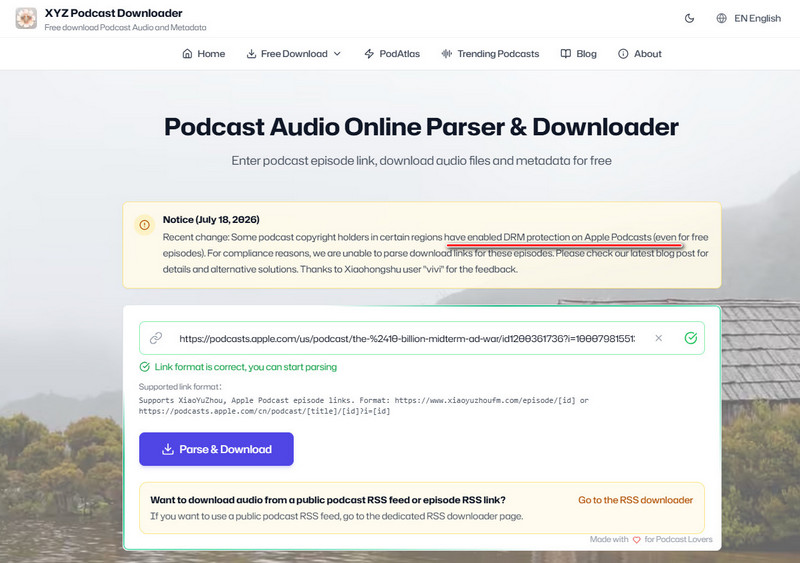
What to Know: In our test, XYZDownloader could not download paid Apple Podcasts and some free Apple Podcasts also could not be processed because of protection. Its compatibility with Apple Podcasts is not 100%.
How to Use XYZDownloader
- Copy and paste an Apple Podcast episode URL to the XYZDownloader site.
- Check whether the result is the correct Apple episode.
- Choose MP3 or M4A when available and save the file.
7. Crazynomad Apple Podcast Downloader on GitHub
Crazynomad Apple Podcast Downloader lets you search for podcasts inside the tool through the Apple iTunes Search API. You do not need to find and copy an Apple Podcasts link first. You can also download multiple Apple Podcast episodes at the same time, which makes it a convenient option.
What to Know: In our test, the Crazynomad project was not easy to install. We needed some knowledge of Python and GitHub, as well as command-line setup. For this reason, it may not be a good choice for beginners.
How to Use Crazynomad GitHub Apple Podcast Downloader with Claude Code
- Add the plugin marketplace. You only need to do this once:
/plugin marketplace add BurnWang/apple-podcast-downloader - Install the skill:
/plugin install podcast-downloader - Then ask Claude in plain language. For example, you can say:
- Find podcasts about Python programming.
- Download the latest episode of The Daily.
- Search for the podcast.
- Show the five latest episodes of Talk Python To Me.
- Claude will call the skill to search for and download the podcast.
8. Owen2373 Apple Podcast Downloader Shortcut for iOS Devices
Owen2373-bit Apple Podcast Downloader is an Apple Shortcut that lets you download Apple Podcasts as MP3 files on your iPhone, iPad, or Mac. It is a convenient choice if you use Apple devices.
How to Use the Owen2373-bit Apple Podcast Shortcut
On your iPhone, iPad, or Mac, open this iCloud Shortcut link. Click Get Shortcut or Add Shortcut to install it. You can also download the .shortcut file from GitHub and import it manually.
How to use it:
- Open the Shortcuts app and run Apple Podcast Downloader.
- Enter the podcast name you want to download. You may also paste a share link, depending on the version.
- Choose the episodes you want from the list.
- Choose where to save the files, such as the Files app or a local folder.
- When the download is complete, find the audio files in the Files app or Finder.
Which Apple Podcast Downloader Is Best for You?
| What you need | Recommended Tool | Why it is good |
|---|---|---|
| Download many Apple Podcast episodes at once | Sidify | Supports batch download, keeps Apple lossless quality, tags, and cover art. |
| Download just a few Apple episodes | Swell AI / PodcastToMP3 / PodcastDownloadRSS | Free online Apple Podcast downloader, no need to install extra apps. |
| Download Apple Podcast on iPhone / iPad | Owen2373 Shortcut | Uses Apple Podcast Downloader Shortcuts and saves MP3 files directly to iOS device. |
Want to keep the best sound quality on your Mac? Learn how to convert Apple Music to lossless audio with a simple step-by-step guide.
Learn More →FAQs About Apple Podcast Downloaders
Can I download Apple Podcasts as MP3?
Apple does not officially offer a direct MP3 export. You can download episodes in the Apple Podcasts app for offline listening, but you cannot freely export those files as standard MP3 files for use on other devices.
The Apple Podcast downloaders in this article have been tested and can help you save local audio files. For the most complete option, try Sidify Apple Podcast Converter. It supports batch downloads, keeps the original lossless audio quality, and preserves ID3 tags.
Is there a free Apple Podcast downloader?
Most of the Apple Podcast downloaders above are free to use. However, many free tools download audio from YouTube or other RSS sources instead of the original Apple Podcast source. As a result, the output audio quality may be lower.
Can I download an entire podcast series?
Yes. You can use Sidify Apple Podcast Downloader or the Crazynomad GitHub project. Both tools support downloading a full podcast and saving the episodes as MP3 files.
Is downloading podcasts legal?
Download content you are allowed to save for personal use. Do not repost, sell, or share copyrighted episodes without permission.
Can I download Apple Podcasts on iPhone?
For offline listening, use the Apple Podcasts app and tap the download option on an episode. If you need a local MP3 podcast file, try to use Owen2373-bit shortcut.
The End
You can use the above tools to download Apple Podcasts as local MP3 audio files. If you want batch episode downloads and better audio quality, Sidify is the most complete option, while free online Apple Podcast downloading tools are better for quick single-episode downloads. You can also choose GitHub downloaders, or an Apple Shortcut for a try.
 Sidify Apple Music Converter
Save supported Apple podcasts and other Apple audio as organized local files for offline listening.











