
The iPod is dead, but the portable music player is still having a massive resurgence thanks to the Sony Walkman. Combining the nostalgia of a high-end music player with modern essentials like expandable microSD storage and native support for high-res formats including FLAC, DSD, and MQA, as well as Hi-Fi player for the Bluetooth DACs, DAPs, and IEMs.
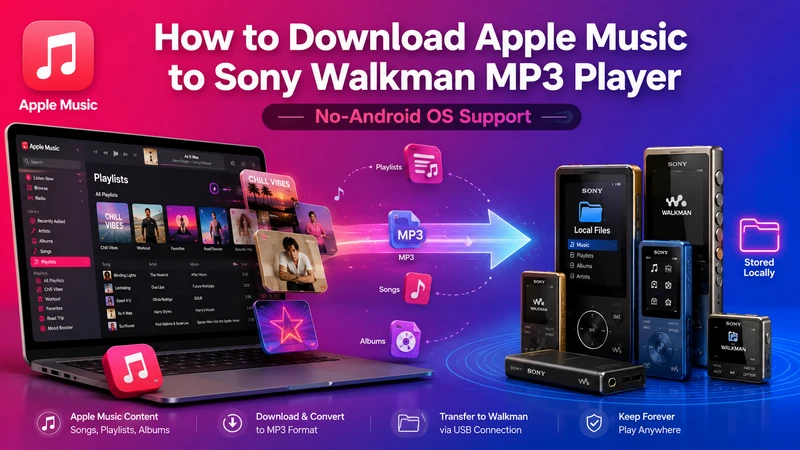
But there’s a catch. The Walkman lineup is split: while Android-powered models offer Wi-Fi streaming and offline Apple Music downloads, Sony’s proprietary "Pure OS" models remain offline and app-free. If you own one of these non-Android player devices, how do you solve the problem to downloading Apple Music for offline playback on Sony Walkman player? This guide provides the exact steps to download and import Apple Music library to any Walkman player.
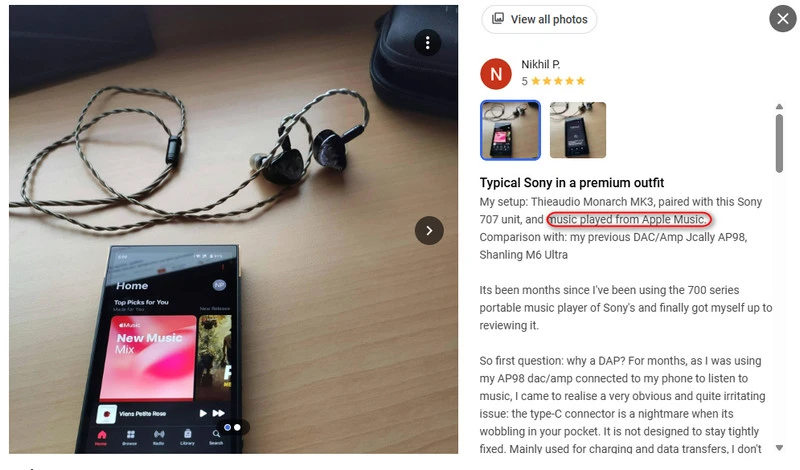
Recent mid-to-high-end Walkmans like the Sony NW-A306 and NW-WM1AM2 now run on Android. Think of them as smartphones designed specifically for music, just without the phone calls. Because the Android-based Walkman MP3 players have the Google Play Store built-in, you can use the official Apple Music app just like you would on a phone. Furthermore, listeners with an active Apple Music subscription can download playlists and songs directly to the app for high-quality playback even when you are on the go.
Classic Android Walkman Models: Sony NW-A306/A307 (32GB Hi-Res Portable Digital Music Player with Android), Sony NW-ZX707, Sony NW-WM1ZM2/WM1AM2, Sony NW-A105
Step 1Get the Sony Walkman online, and go to the Google play store on the player, download and install the Apple music app to the main desktop.
Step 2Open the Apple Music app and log in with an Apple Music account to access the whole library.
Step 3Just tap the download icon on any album or track. Apple music will be saved directly to the Walkman MP3 player (or MicroSD card) for offline listening, though keep in mind the music files stay encrypted and only play within an active subscription period.
Here is another question. How to download music from Apple Music library to old Walkmans products that runs on Sony's own OS, not Android or iOS? Fact is that Apple Music is a subscription service, and the files you download are "rented" and encrypted within the App only. What's worse, standard Walkmans cannot play the cached offline files. To make Apple music songs playable on Walkman players, you must strip the encryption and convert the Apple music streams into a universal format like MP3 or FLAC.
| What Prevents Apple Music from Working on Walkmans? | Step 1. Apple Music Conversion | Step 2. Import Apple Music | ||||||
|
|
|
Sidify Apple Music Converter is therefore in use. The program downloads the Apple Music as real audio files in different formats, such as MP3, AAC, ALAC, AIFF, WAV, and FLAC. The batch download feature enables you to put over 10,000 Apple Music songs to convert at one go. Original tags and lyrics are kept. In this way, you are owning the Apple music over renting, since all the Apple Music downloads with Sidify are independently stored on the computer, saving Apple Music playlists as standard high-quality ALAC or AAC (.m4a) files that Sony Walkman support natively.
Sidify Apple Music Converter
 Download and remove encrypted protection on Apple Music.Convert Apple Music to MP3, AAC, FLAC, WAV, AIFF, or ALAC.Preserve the lossless audio quality and retain ID3 tags.Burn Apple Music to CD and edit ID3 tags.Fully support Windows 11 & macOS Tahoe 26.
Step 1Launch Sidify Apple Music Converter on the computer and wait for the main dashboard to load completely. Once opened, the built-in Apple Music web player and conversion interface will appear automatically.
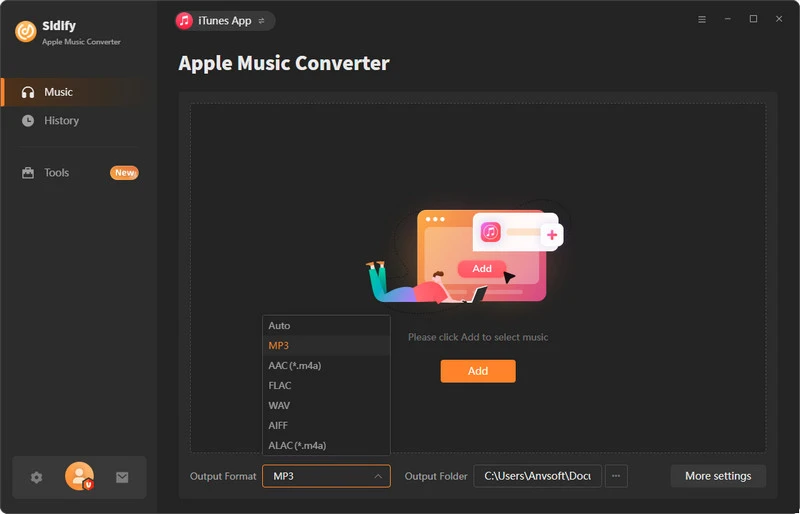
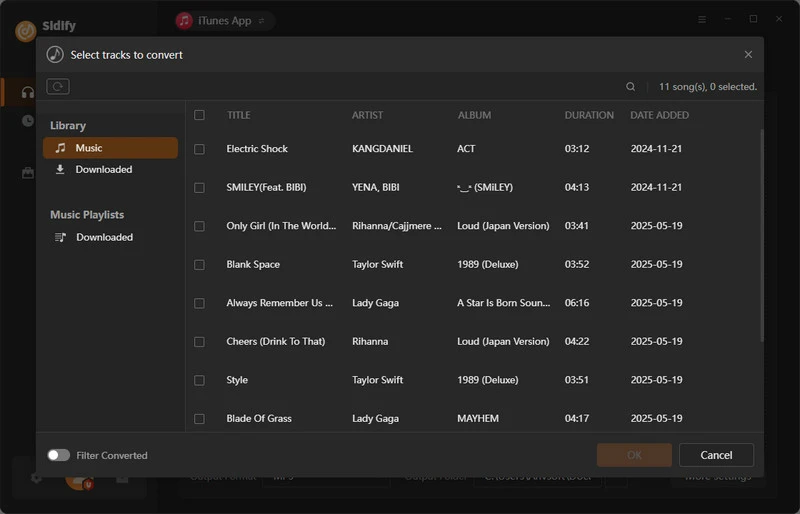
Step 2Add Apple Music Tracks to Converter
Log in to your Apple Music account via the web player and go to your music library. Open a song, album, or playlist page, then click the “Add” button in the bottom-right corner to add the targeted songs to the converter. At this step, you can also import full playlists or multiple playlists for batch conversion.
Step 3 Choose Apple Music Download Format and Saving Locations
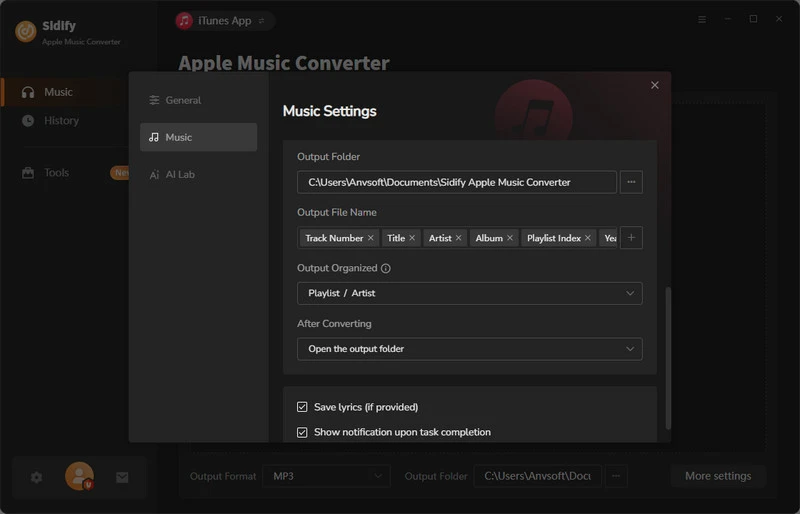
Click the Settings icon in the left panel. From there, you can select the output format for Apple Music downloads (MP3, AAC, WAV, FLAC, AIFF, or ALAC), adjust the download quality, and set the destination folder for saving files. You can also define how the converted tracks are named and organized for better file management.
Step 4 Convert Apple Music to Sony Walkman Compatible Format
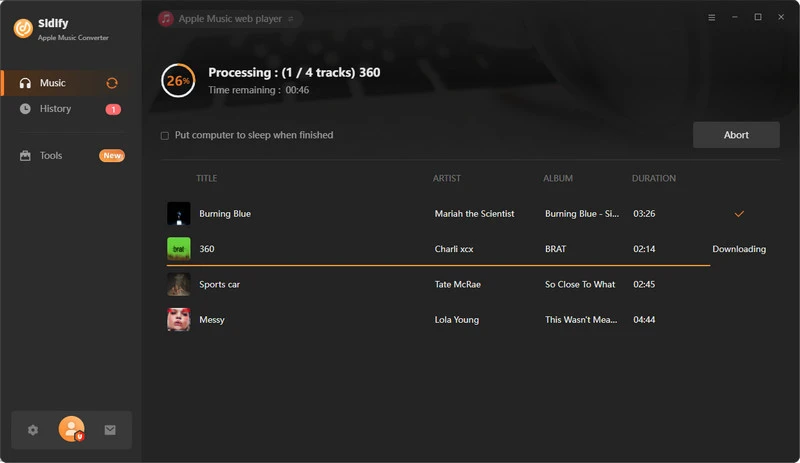
Click the Convert button to begin converting Apple Music tracks into MP3 files. Once started, Sidify will automatically process and save the converted songs to your chosen output folder.
Step 5 Find the MP3 downloads on the Local Drive.
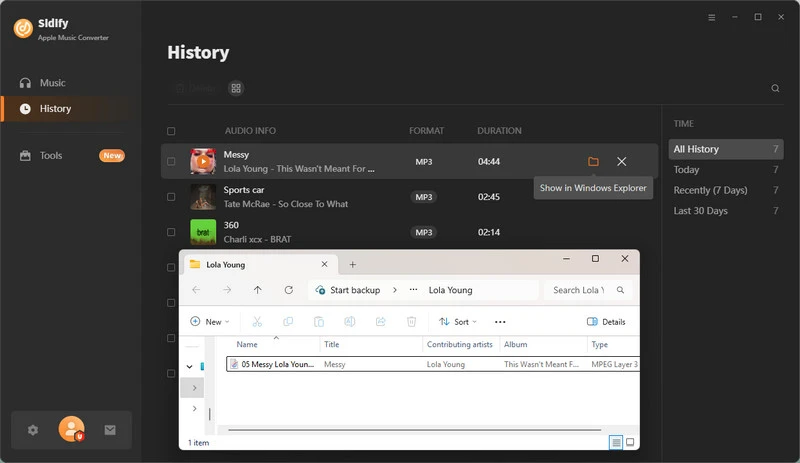
After the conversion finishes, click the History tab to view all successfully converted Apple Music tracks. Then open the output folder you selected earlier to locate and access the downloaded MP3 files.
Step 6 Transfer Apple Music Downloads to Walkman
Now, just transfer the Apple Music files or iTunes playlists to the Walkman the same way you transfer local music files from your PC. You can use Sony apps like Music Center for PC for Windows or Content Transfer for Mac, which vary by Walkman model as well. For a simpler method, just drag and drop the songs from the Sidify Apple Music Converter output folder into the Music folder of the connected Walkman player on the computer.
Transfer Apple music to a Walkman using a computer: https://www.sony.com/electronics/support/articles/00176985
Transfer Apple music to a Walkman player: https://www.sony.com/electronics/support/articles/00016843
Transfer Apple music to a Walkman microSD card: https://www.sony.com/electronics/support/articles/00251336
Transfer Apple music using iTunes drag-and-drop to Walkman: https://www.sony.com/electronics/support/articles/00044842
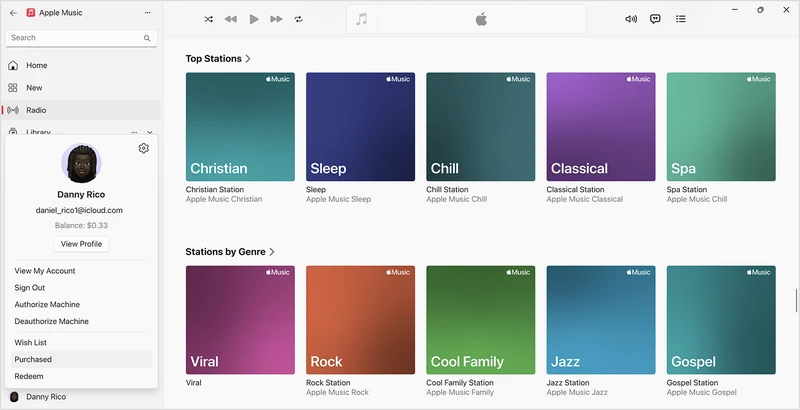
Apple Music subscription songs are still encrypted, but music purchased directly from the iTunes Store has been without copy protection since 2009. The purchase downloads are 256kbps AAC formats that are natively supported by almost every Sony Walkman ever made. This is the most "official" way to migrate music from the Apple ecosystem to Sony Walkman players without streaming services. But note that purcahsed Apple Music in hi-res or lossless is stil in an encrypted file after downloads.

Different from the iTunes purchases which are lossy AAC 256kbps, songs purchased on Qobuz are Hi-Res Audio (24-bit/96kHz or 192kHz) and even DSD files. You can download and export the Qobuz master-quality files and import them to Walkman’s high-end DAC (Digital-to-Analog Converter). Buy using Sidify All-In-One, you can download entire high-fidelity Apple music or Qobuz library in one place.
Step 1Open iTunes on Windows or the Music app on Mac, then sign in with an Apple ID. Go to the iTunes Store, purchase the desired songs or albums, and they will be added to the library.
Step 2Go to the Library, find the song or album, and click the download icon (usually a cloud or download symbol). Once the download is finished, the music files are stored locally on the computer and are ready to be accessed.
Step 3Locate the downloaded files by right-clicking the song and selecting "Show in Windows Explorer" on Windows or "Show in Finder" on Mac. This will open the exact folder where the audio files are stored, or they can be found in the default Music/iTunes Media directory.
Step 4Check that the file format is typically .m4a, which is the standard format for Apple Music purchases and compatible with Walkman players.
Step 5 Connect the Walkman to the computer via USB. Transfer the music using Sony’s Music Center for PC (Windows) or Content Transfer (Mac), or simply drag and drop the .m4a files into the Walkman’s Music folder. Safely eject the device after transfer completes.
Sony Walkman models focused purely on music include the NW series, such as the NW-A55/A55HN, NW-A45, NW-A35/A36/A37, NW-WM1A/WM1Z, and NW-M505.
On Mac, iTunes or Apple Music downloads can be located in Finder by right-clicking a song and selecting "Show in Finder," which opens the exact file location. On Windows, purchased Apple Music or iTunes files are typically stored under:
C:\Users[Username]\Music\iTunes\iTunes Media\Music
C:\Users[Username]\Music\Apple Music\
iTunes Store purchases are permanent digital purchases and no copy protection, full legal rights to download and use as you like. In contrast, Apple Music subscription tracks are protected streaming files and can' be exported or used outside Apple environments. You can use Sidify Apple Music Converter to bulk download Apple Music playlists to ALAC formats and transfer to the Sony players.
Check if your Walkman is with Android OS or not. Android-based models can install Apple Music and stream directly through the app. Non-Android models cannot run streaming apps, so Apple music needs to be downloaded as local files. In that case, the options are either converting Apple Music into compatible audio formats or using music purchased from the iTunes Store.
So to work Apple Music with Sony Walkman player, go with the methods we provided above. There is no clever shortcut, no hidden trick, just the right match between device type and method. Get that right, and Apple Music with Sony Walkman works without drama.
Note: The trial version of Sidify Apple Music converter enables us to convert the first minute of each audio file. We need to purchase a license to unlock the time limitation.
Sidify Music Converter Free is a free tool used to convert Spotify music to MP3, AAC, WAV, FLAC, AIFF and ALAC. It works for both Spotify Free and Premium users, fully supporting the latest Windows 11 and macOS Tahoe 26.


 850,000+ Downloads


