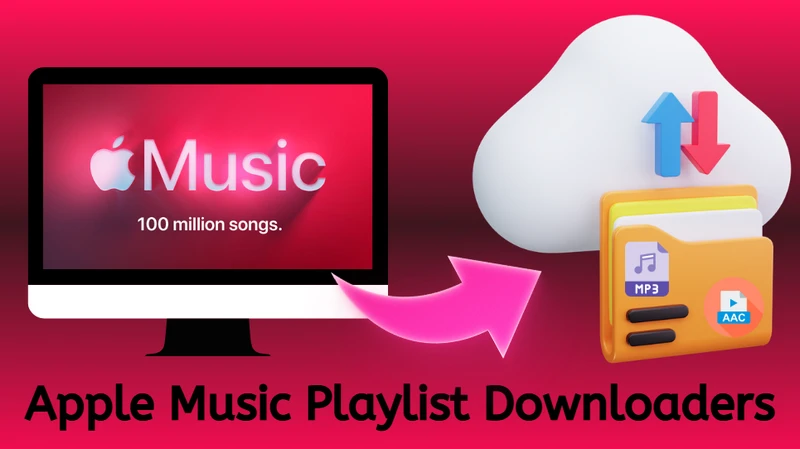
Many music listeners look for ways to keep Apple Music playlists offline without limitations. A high-quality downloader for Apple Music playlists allows bulk conversion of Apple Music songs while preserving audio quality and metadata. The entire Apple Music playlist library downloads at ALAC lossless quality can also become possible. This way, Apple Music songs and playlists can keep original sound quality, metadata, and playlist structure for long‑term offline use and personal music backup.
Part 1. Apple Music Downloaders
NO 1. Sidify Apple Music Downloader
Sidify Apple Music Converter is a professional Apple Music playlist downloader that works on both Windows and Mac computer. The program is able to download full Apple Music playlists at high quality ALAC, FLAC, AIFF, WAV, AAC and MP3 formats. Several playlists can be put to convert at the same time and downloading process is normally 10x faster speed. ID3 tags, lyrics, and album artworks are well kept along with the Apple Music downloads.
Sidify Apple Music Converter
- Download Apple Music playlists, albums, and songs.
- Convert to MP3, AAC, FLAC, WAV, AIFF, ALAC.
- Get ALAC lossless music files from Apple Music library.
- Rip synced lyrics from Apple Music.
- Preserve ID3 tags (artist, album, artwork, year, genre, etc.).
- Batch download playlists at up to 10X speed.


| Sidify Apple Music Converter | https://www.sidify.com/apple-music-win/apple-music-converter.html |
|---|---|
| Apple Music Playlist Download | ✔ |
| One-click full playlist download | ✔ |
| Bulk Playlists Download | ✔ |
| Download Quality | Up to 24-bit / 192kHz (Lossless) |
| Download Format | MP3, AAC, FLAC, WAV, AIFF, ALAC |
| Download Speed | ✔ 10X speed |
| Playlist Metadata | ID3 tags, artwork, lyrics preserved |
| Custom Settings | Download location, Playlist Organization Structure, Playlist Track Name (Title, Artist, Album, Year, Playlist Index, Track Num) |
| Pricing | $44.95/year, $89.90 lifetime |
- Lossless download Apple Music playlists
- Batch Apple Music playlists download at 10x faster speed.
- Retain complete Apple Music ID3 tags and lyrics.
- 1-minute limits for free trial version.
- No mobile version.
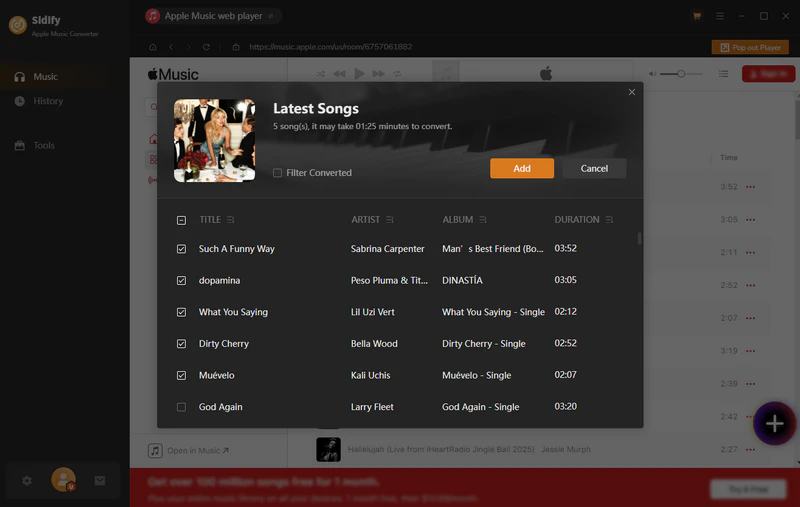
Step 1 Download and run Sidify Apple Music Converter onto your computer. From the built-in Apple Music web player, log into your Apple Music account and access the Apple Music library.
Step 2 Furthermore, open the Apple Music playlist and click the Add button to put the whole playlist songs to the converter. There, you can choose to download the entire Apple music playlist or just some of the playlist songs. By repeating this step, you can add as many playlists as possible to download in one go.
Step 3 Open the Settings menu and set up the Apple Music download format to MP3 and output quality to the highest one. Also, you can customize the Apple Music playlist download location, playlist organization structures, etc.
Step 4 Now, click the Convert button to start the Apple Music playlist MP3 process.
Step 5 When the task is done, you can go to the History section and view all Apple Music real files. You can also access the downloaded files directly from your local folder and transfer the Apple music to the player or software you prefer for playback.
NO.2. NoteCable Apple Music Converter
NoteCable Apple Music Converter is another desktop program that can directly export full playlists from Apple Music library, saving the Apple Music songs seperatly onto the computer local storage. Similarily, NoteCable offers Apple Music conversion services with output formats like MP3, AAC, ALAC, AIFF, WAV, and FLAC. Batch playlist downloading and 10✘ faster speed can save a huge amount of time, especially if you have large Apple Music playlists to download.
| NoteCable Apple Music Converter | https://www.notecable.com/atunes-music-converter.html |
|---|---|
| Feature |
|
| Apple Music Playlist Download | ✔ |
| One-click full playlist download | ✔ |
| Bulk Playlists Download | ✔ |
| Download Quality | Up to 24-bit / 192kHz (Lossless) |
| Download Format | MP3, AAC, FLAC, WAV, AIFF, ALAC |
| Download Speed | ✔ 10X speed |
| Playlist Metadata | ID3 tags, artwork, lyrics preserved |
| Custom Settings | Download location, Playlist Organization Structure, Playlist Track Name (Title, Artist, Album, Year, Playlist Index, Track Num) |
| Pricing | $14.95/month, $44.95/year, $89.90 lifetime |
- Download as many Apple Music playlists as you like.
- Forever keep Apple Music songs in personal end.
- Paid program with free trial limited features.
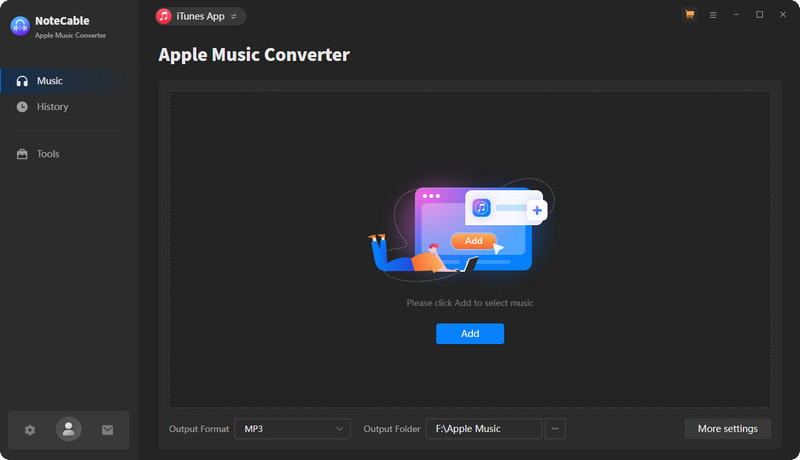
Step 1 Run the Apple Music converter and log into Apple music account.
Step 2 Click the "Settings" icon and choose MP3 as the output format, then adjust other audio settings if needed.
Step 3 Open the Apple Music playlist and add the playlist tracks to the converter.
Step 4 Start to convert the added Apple playlist songs to MP3 output process.
Step 5 Go to the Converted part to check all downloaded Apple playlists in local path.
NO.3. APLMate Apple Music Downloader
APLMate is an online Apple Music downloader for MP3 conversion. The downloader work with URL from Apple Music, including single song, playlists or albums. It works by putting the Apple Music url to the server and come out with a downlodable music file. It is not clear whether the music source is from Apple music. But surely, you can get your wanted music as real MP3 music files.
| APLMate | https://aplmate.com/ |
|---|---|
| Feature |
|
| Apple Music Playlist Download | ✔ |
| One-click full playlist download | ✘ |
| Bulk Playlists Download | ✘ |
| Download Quality | Up to 129kbps |
| Download Format | MP3 |
| Download Speed | 5X speed |
| Playlist Metadata | Title, Album, Artwork |
| Custom Settings | MP3, Cover[HD] |
| Pricing | Free |
| Ads | Pop-up ads |
- Free Apple Music playlist downloader.
- Download Apple Music HD cover art.
- Process one playlist downloading at a time.
- Website banner ads from VPNs.
- Sometimes show invalid url, need to try more time.
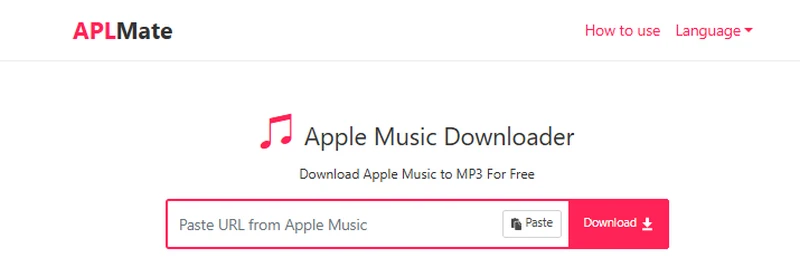
Step 1 Open the website and paste the Apple music playlist URL copied from the Music app or the web music player.
Step 2 Click download and click download again from the results and you will download the Apple Music in MP3 format.
Note: If you need to download all the songs in the Apple Music playlist, you will need to download each song separately.
NO.4. Apple Music MP3 Downloader
The website apple-music-downloader works for Apple Music to MP3 downloading on browsers. Likewise, you can simply input the Apple Music link and get Apple music free download as MP3 files onto your local storage. Every time, you can only put one song, one playlist or one album to go with download process. From Apple music playlists, there is no bulk option, so each song in the Apple Music playlist needs to be downloaded individually.
| Apple Music MP3 Downloader | https://apple-music-downloader.com/ |
|---|---|
| Feature |
|
| Apple Music Playlist Download | ✔ |
| One-click full playlist download | ✘ |
| Bulk Playlists Download | ✘ |
| Download Quality | 256kbps |
| Download Format | MP3 |
| Download Speed | 3X speed |
| Playlist Metadata | Title, Album, Artwork |
| Custom Settings | MP3 |
| Pricing | Free |
| Ads | ✘ |
- Free Apple Music to MP3 downloader for playlists.
- No way to download all songs in a playlist at once.
- Sometimes error prompts.
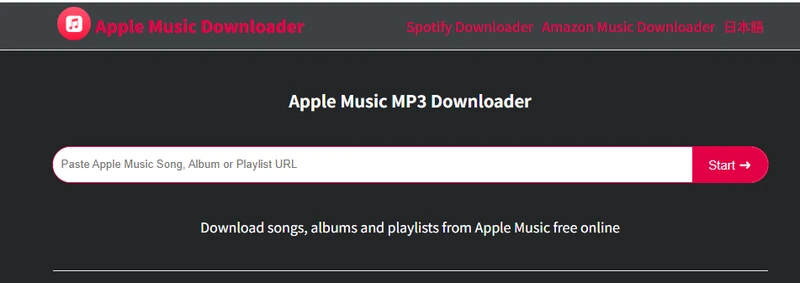
Step 1 Go to Apple Music. Find the playlist and copy its link.
Step 2 Input the copied link and click "Start" and "Get Download".
Step 3 Following the instructions and save the MP3 file to the computer.
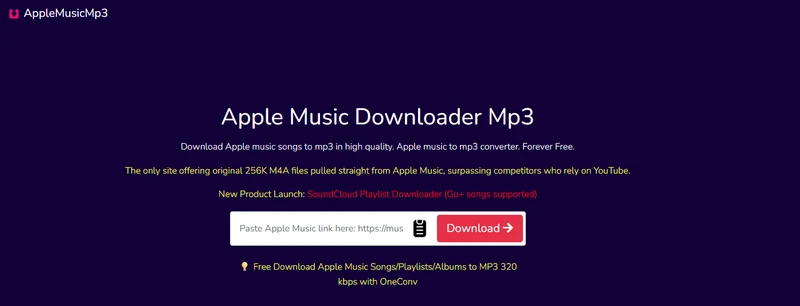
NO.5. AppleMusicMp3
The AppleMusicMP3 downloader supports downloading the full Apple Music playlists in one click in one zipped file. The online Apple Music downloader interface looks clean. Being able to proceed with Apple Music songs, albums and playlists to MP3 320Kbps conversion, the website also convert Apple music tracks to 256K M4A. But if you want unlimited Apple music downloads, you will need to pay for the upgrade subscription $27.99/Lifetime, $17.99/Year, $8.99/Month.
| AppleMusicMp3 | https://aaplmusicdownloader.com/ |
|---|---|
| Feature |
|
| Apple Music Playlist Download | ✔ |
| One-click full playlist download | ✔ |
| Bulk Playlists Download | ✘ |
| Download Quality | 320kbps |
| Download Format | MP3, AAC |
| Download Speed | Fast |
| Playlist Metadata | Title, Album, Artwork, Year, TrackNum |
| Custom Settings | Select Audio Quality (64kbps-320kbps) |
| Pricing | $8.99/Month, $17.99/Year, $27.99/Lifetime |
| Ads | ✘ |
- High quality Apple music downloader for single songs.
- Limited downloads and zip feature for free users.
Step 1 Open the Apple Music app or website, find the song or playlist you want, and copy its link.
Step 2 Go to the downloader page, paste the link into the input box, and click the button to start processing.
Step 3 When the results are ready, choose a song to download or use the ZIP option to save all files at once.
NO.6. AM-DL
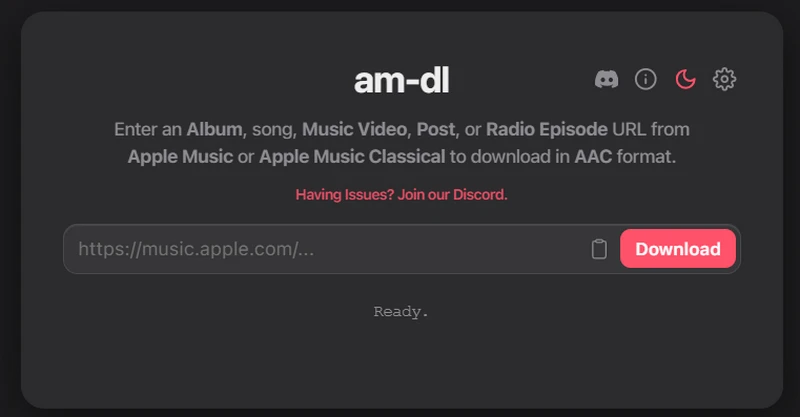
This is an online Apple Music downloader that you can simply add the links from Apple Music web player or the Music desktop and download the Apple Music to AAC format. This online tool includes the personal settings for the Apple music file name as well as create separate folder per disc in Album ZIP, etc. Moreover, you can use this tool to download Apple music videos with subtitle kept or export Apple music with synced lyrics!
| AM-DL | https://am-dl.pages.dev/ |
|---|---|
| Feature |
|
| Apple Music Playlist Download | ✔ |
| One-click full playlist download | ✔ |
| Bulk Playlists Download | ✘ |
| Download Quality | 256kbps |
| Download Format | AAC |
| Download Speed | 5X speed |
| Playlist Metadata | Artist, Title, Album, Year, Artwork, Genre |
| Custom Settings | File(Tracks, Albums) name, Mv quality, subtitle, animated artwork |
| Pricing | Free |
| Ads | ✘ |
- Free to download the whole Apple music playlist at once.
- Various download settings.
- No MP3 format output.
Step 1 Copy the links from the Apple music single track or playlist and paste it to the blank area on the downloader site.
Step 2 Click "Download" and wait the loading process.
Step 3 Click the arrow download icon and save the entire playlists to the computer. Extract the zip file to listen to your favorite songs offline.
NO.7. Apple-Music-Downloader-Browser
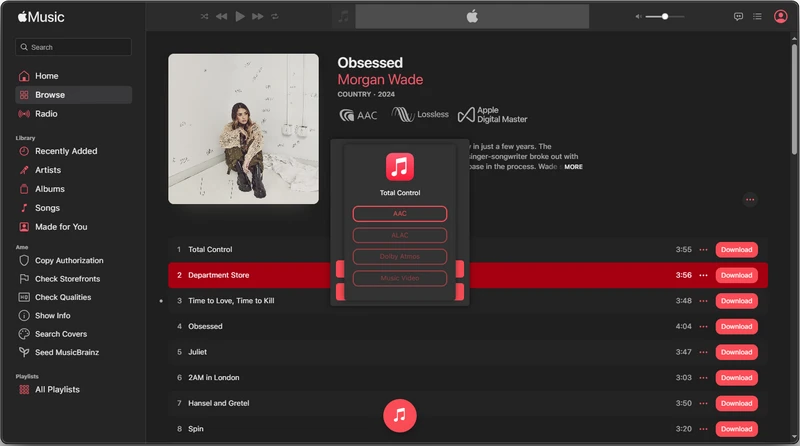
The Apple Music Downloader Browser Extension available on GitHub is an experimental, open-source script designed to extract audio streams from Apple Music Web. It is not a full-featured Apple Music downloader, but rather a developer-oriented tool that demonstrates how Apple Music playback data can be accessed through browser sessions.
Source: https://github.com/JemPH/Apple-Music-Downloader-Browser
Part 2. Apple Music Downloader Alternatives
NO.8. PlaylistGo
If you are thinking about deleting Apple Music subscription but still want to keep all the created playlists, there is another option. Instead of downloading everything right away, you can move Apple Music playlists to another music platform and keep listening there.
To migrate Apple Music playlists between other services, you can use a tool like PlaylistGo, which helps transfer playlists from Apple Music to other major streaming platforms such as Spotify. And if you want to download those playlists later, you can use tools like Sidify Spotify Music Converter.
| PlaylistGo Apple Music Playlist Transfer | https://www.playlistgo.io/ |
|---|---|
| Feature |
|
| Platforms Supported | Spotify, Apple Music, Amazon Music, YouTube Music, Tidal, Deezer |
| Content Transfer | Playlists, albums, liked songs, and music library |
| Pricing | $14.95/Month, $24.95/Year, $47.95/Lifetime |
- Transfer Apple Music playlists directly to other platforms.
- Bulk transfer supported.
- Copy Apple Music playlists without lossless or download process.
- Free trial transfers only 5 songs per playlist.
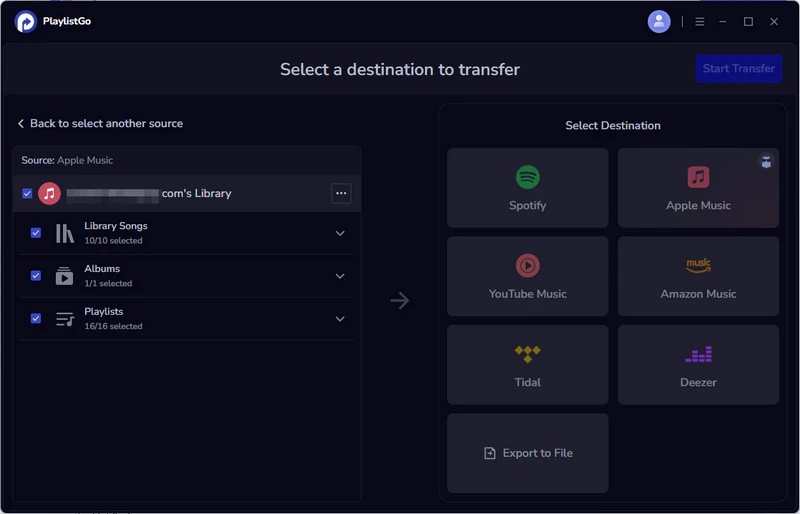
Step 1 Open PlaylistGo and choose Apple Music as the source platform.
Step 2 Sign in to your Apple Music account and select the playlist you want to transfer.
Step 3 Choose Spotify as the destination platform and log in to your Spotify account.
Step 4 Start the transfer and wait for the playlist to appear in your Spotify library. Once your playlists are on the new platform, you can use its download feature to save songs for offline listening.
 Note:
Note:If you want a tool to convert any streaming music (including Spotify, Apple Music, Amazon Music, Tidal, Deezer, YouTube, YouTube Music, SoundCloud, DailyMotion …) to MP3, Sidify All-In-One is the go-to choice.
NO.9. Lucida
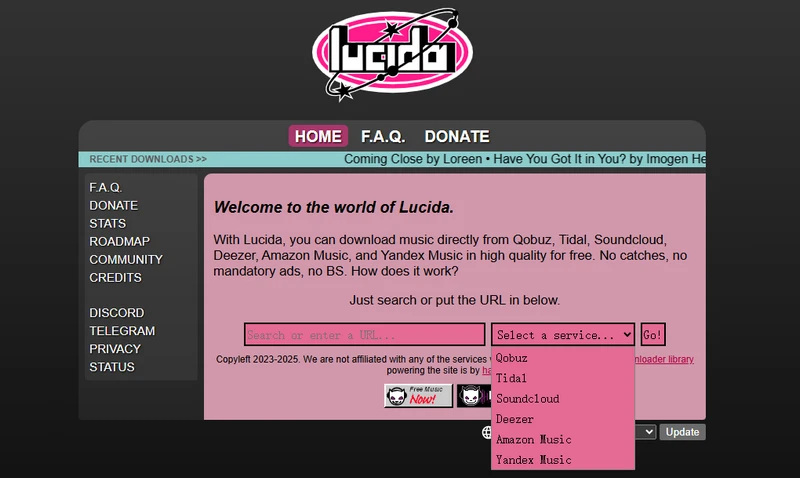
In many cases, you are not looking for perfect Apple Music playlist sync, clean metadata, or platform matching. You just don't want to be tied to Apple Music itself but keep the playlist songs. So instead of focusing on downloading playlists from Apple Music, you can take a more practical approach: skip the platform and go straight for the playlist and music.
Lucida is one of the free music download sites that enables you to download songs that are also available on Apple Music. This means even if the free Apple Music downloader fails to work, you can still get the same tracks elsewhere.
| Lucida High Quality and Lossless Apple Music Downloader | https://lucida.to/ |
|---|---|
| Feature |
|
| Music Sources | Qobuz, Tidal, SoundCloud, Deezer, Amazon Music, Yandex Music |
| Apple Music alternative playlists download | ✔ |
| Bulk playlists download | ✔ |
| One-click playlist download | ✘ |
| Apple Music matching lossless audio | ✔ |
| Pricing | Free |
- Download high-quality music and playlists.
- Supports multiple streaming platforms.
- Free online downloader.
- Playlists need to be rebuilt manually.
- No one-click playlist download.
Step 1 Go to any music streaming site supported by Lucida, then copy the link of the song or playlist you want to download.
Step 2 Open lucida.to and paste the track link. Select the account region (such as United States) and tap "Go".
Step 3 Still, choose to convert "the audio to original format with the highest quality" or customized formats.
Step 4 Tap "download full playlist" and save the music playlist to your local end.
NO.10. SQUID.WTF
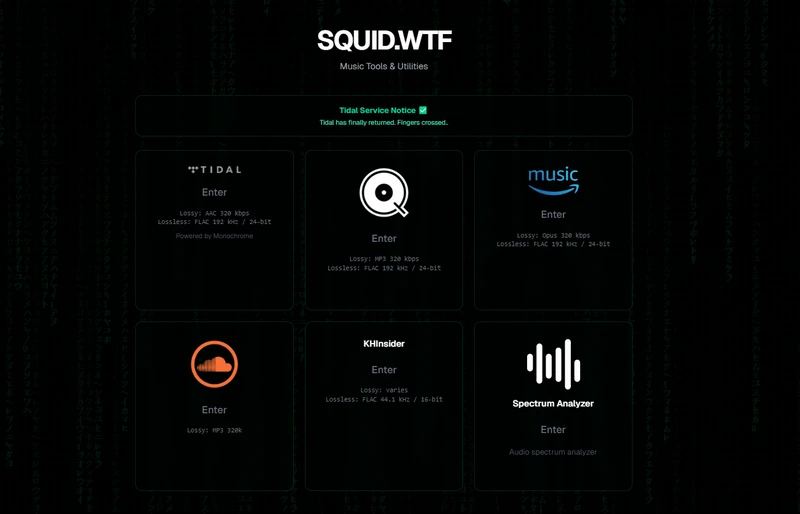
SQUID.WTF is a web program hosted on GitHub. It is meant to download audio (lossy or lossless) from streaming sites like TIDAL, Qobuz, Amazon Music, SoundCloud, etc. without installing software. You can take good use of this one to download Apple Music playlists at the same high quality to specific audio formats.
| SQUID.WTF Apple Music High Quality Downloader | https://squid.wtf/ |
|---|---|
| Feature |
|
| Apple Music alternative playlists download | ✔ |
| Bulk playlists download | ✔ |
| One-click playlist download | ✘ |
| Apple Music matching lossless audio | ✔ |
| Music Sources | Qobuz, Tidal, SoundCloud, Amazon Music |
| Pricing | Free |
| Best For | Downloading artist or official album playlists |
- Free downloader for multiple streaming platforms.
- Supports lossless audio downloads.
- Works online without installing software.
- No batch playlist downloads.
- Amazon Music supports tracks and albums only.
Step 1 Go to https://squid.wtf/ and choose the platform you want to download music from, such as Tidal or Amazon Music, then click "Enter".
Step 2 A new window will open with the corresponding music downloader, take Amazon Music downloader as an example.
Step 3 Copy the playlist URL from your Amazon Music library and paste it into the downloader. Then click "Get Info" to load the playlist.
Step 4 Click "Download Album" to download and save the full playlist to your computer.
NO.11. Yams.tf
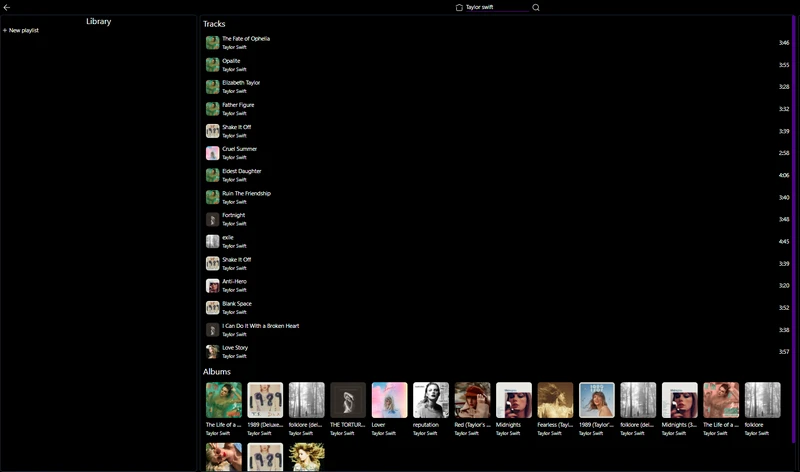
Yams.tf features a music ripping site that you can simply search and download the songs across different streaming platfroms including Apple Music. And the music can be downloaded in FLAC lossless quality. This alternative way is helpful to get music files when you can not download directly from Apple Music.
Step 1 Navigate to https://yams.tf/ on any broswer. Directly type the artist name or album and track title and it will roll out the related results.
Step 2 Right click the mouse and click "Download" to download single track or full album as you expect.
NO.12. Telegram Bot for Apple Music Downloads
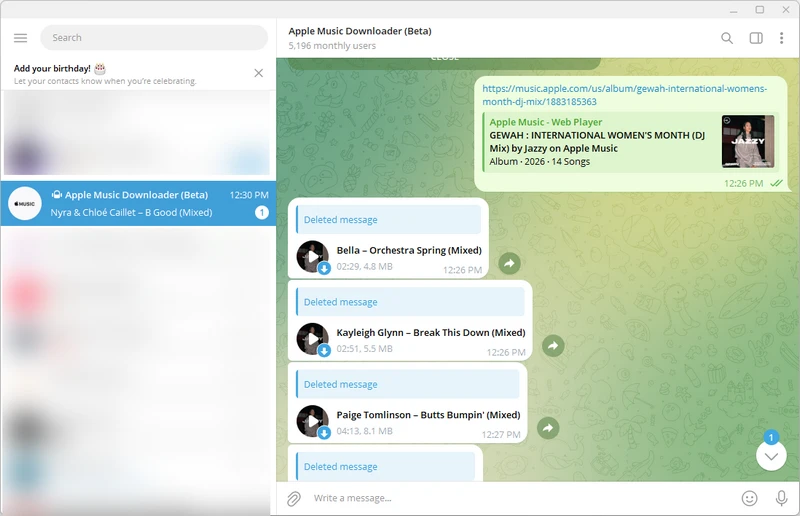
Using Telegram bot is convenient when you are on mobile and want to download the Apple Music playlists for personal backup. Telegram bot GetAppleMusicBot (https://t.me/GetAppleMusicbot) is the one that comes with features to get playlists and albums off Apple Music essentials as AAC files. It works entirely inside Telegram chats. You copy the Apple Music playlist link, send it to the bot in Telegram, and the bot analyzes the playlist and returns downloadable audio files.
NO.13. 1337x
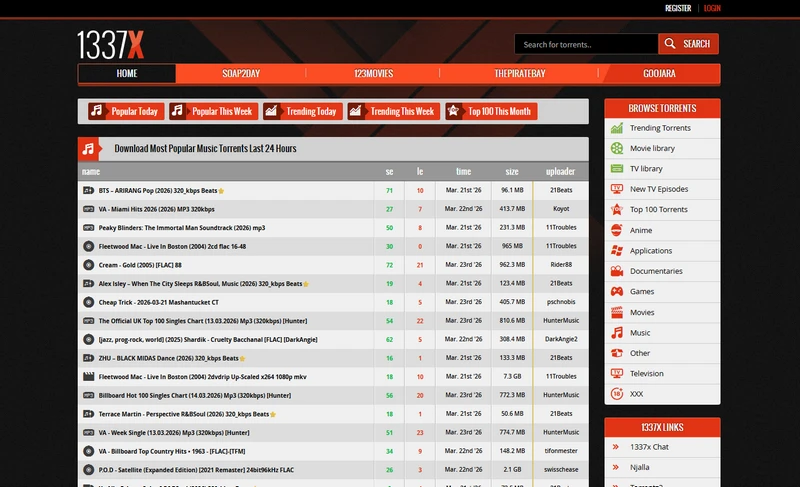
1337x is a torrent index website that provides a searchable directory of torrent files, mainly used to find downloadable music collections for music users. It can be considered a fallback solution for downloading music similar to an Apple Music playlist. 1337x provides full discographies, album collections, and sometimes curated MP3 or FLAC music packs.
Conclusion
To conclude, downloading Apple Music playlists isn't difficult. It's just about using the right tool for the right job. If you want permanent offline music, use a proper desktop downloader. If you only need a few songs, an online tool will do the trick. If you're moving from Apple Music to another platform, a playlist transfer tool makes far more sense than downloading everything again. And if all else fails, there are always other ways to find the same music outside the Apple Music platform.
Note:The trial version of Sidify Apple Music converter enables us to convert the first minute of each audio file. We need to purchase a license to unlock the time limitation.
 Sidify Apple Music Converter
Download Apple Music playlists losslessly to MP3, AAC, FLAC, WAV, AIFF, or ALAC at 10X speed.
Spotify music listeners, you can find these online tools to download and convert songs from Spotify as MP3 format without cost.
Learn More →💡 How to Transfer Apple Music Playlists to Spotify, YouTube Music, Amazon Music, Tidal, Deezer and More? Playlist Transfer makes it quick and simple.