

Tired of Spotify's Premium paywall? Look here! Free online Spotify downloaders solve this by downloading tracks to a computer, which you can keep offline and forever, but finding reliable, working options is tough. After rigorous testing, we've cut through the clutter to bring you the 10 best free online Spotify downloaders that actually deliver. Here's what works.
Quick Comparison: Free Online Spotify Downloaders
How we tested: We tested these tools on October 09, 2026, using Spotify’s public 50-track Today’s Top Hits playlist. We tested the free version of each service and checked single-track speed, playlist limits, downloaded file count, metadata, artwork, displayed bitrate, Spek frequency results, and VirusTotal URL scan results.
| Downloader | Free Download | Speed | Hands-On Result | VirusTotal URL Scan |
|---|---|---|---|---|
| SpotiDownloader | Full playlist ZIP | 5 sec/track; 7 min/ZIP | 48/50 downloaded; 2 mismatched | 0/90 detections |
| SpotiDown | Up to 5 playlist tracks | 5 sec/track; 1 min/5 tracks | 5/5 matched; incomplete Artist tag | 5/90 detections |
| SpotMate | Up to 3 tracks per ZIP | About 3 sec/track | Mini ZIP failed; no artwork | 2/97 detections |
| SpotiSongDownloader | Up to 2 tracks per ZIP | 5 sec/track; 30 sec/ZIP | Year tag missing | 0/90 detections |
| SpowLoad | Single tracks only | About 3 sec/track | No artwork | 2/90 detections |
Recommended: Sidify Music Converter
Sidify Music Converter is a versatile software solution designed for both free and premium Spotify users. It enables high-fidelity conversion of all playable Spotify audio content - including songs, playlists, and podcasts - into universal formats such as MP3, AAC, WAV, FLAC, AIFF, and ALAC. The converted files are saved directly to your local storage and can be transferred to USB drives, MP3 players, phones, tablets, and car stereos for offline playback.
Best Spotify 320kbps Converter
- Download Spotify Music without Premium
- Works on Windows/Mac/Android
- Convert Spotify to MP3, AAC, FLAC, WAV, ALAC, or AIFF files.
- Save Spotify songs, playlists, albums, podcasts, audiobooks, and radios
- Keep Spotify 320kbps and Lossless quality after conversion.
- Rip Spotify music 40 times faster.
- Preserve ID3 tags, Spotify lyrics, and metadata after conversion.
- Built-in free tools: CD burner, etc.
- Free updates and technical support.

 Security verified. 2,568,912 people have downloaded it.
 Tips:
Tips:If you want a tool to convert any streaming music (including Spotify, Apple Music, Amazon Music, Tidal, Deezer, YouTube, YouTube Music, SoundCloud, DailyMotion …) to MP3, Sidify All-In-One is the go-to choice.
Free Online Spotify Downloader Safety Tips- Avoid fake download buttons and only download MP3 files.
- Free downloader sites may frequently change domains or stop working.
- Some tools may lose ID3 tags, album covers, or other metadata.
- Most free sites offer no official customer support.
If you want a more stable option with better audio quality, complete metadata, and batch downloads, Sidify Music Converter is a better alternative.
NO.1. SpotiDownloader
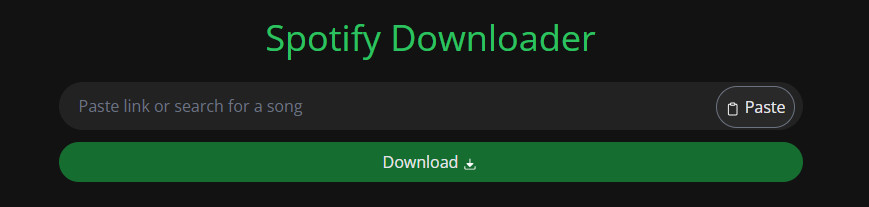
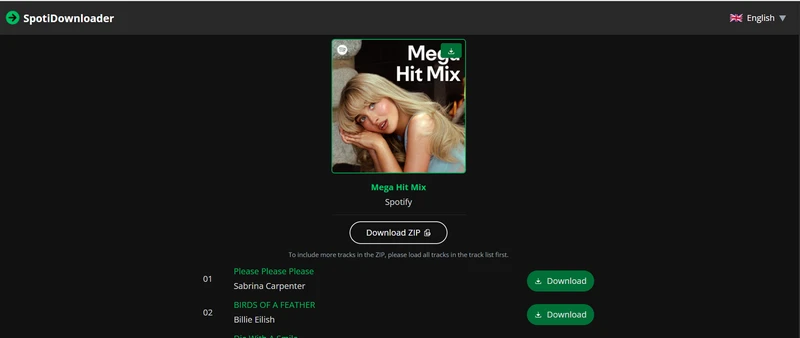
SpotiDownloader is a free online Spotify MP3 downloader that allows users to directly download songs and playlists from Spotify in MP3 format. One of its standout features is the Zip download option, which is especially useful for users with playlists containing hundreds or thousands of songs. This feature enables users to bundle all playlist tracks into a single download with just one click.
SpotiDownloader Spotify Playlist Downloader Rating: ⭐⭐⭐⭐
Our Test Result: We tested SpotiDownloader twice with Spotify’s 50-track Today’s Top Hits playlist. Both attempts produced consistent results, while “Rein Me In (with Olivia Dean)” and “Raindance (feat. Tems)” did not match the Spotify versions. SpotiDownloader is fast and convenient for occasional downloads, but it is less reliable for complete playlists, and the displayed bitrate should not be treated as proof of source audio quality.
| Test Item | Result |
|---|---|
| Pricing | Free |
| Download Types | Songs, albums, and playlists |
| Output Format | MP3 |
| Playlist Downloads | 48/50 tracks in both tests |
| Mismatched Tracks | 2 |
| Speed | About 5 sec/track; 7 min/ZIP |
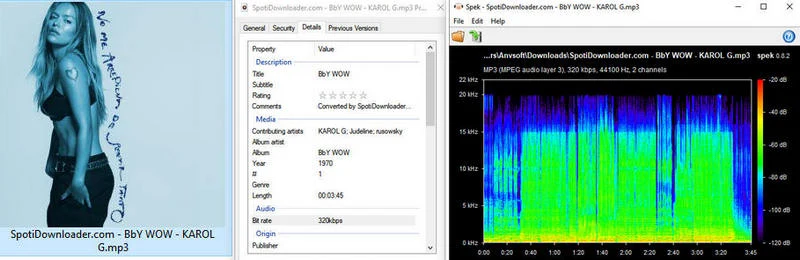
| Audio Check | 320kbps displayed; ~15kHz Spek cutoff |
| Metadata | Artwork kept; year and album inaccurate |
| Filename | Contains “SpotiDownloader.com” |
| VirusTotal URL Scan | 0/90 detections |
| Extra Feature | Search by song title |
| Access | https://spotidownloader.com/en |

- Free Spotify playlist downloader online.
- Batch convert Spotify playlist songs.
- Only MP3 output format.
- No Spotify lossless FLAC output.
- Pop-up ads; donating about $10 removes ads for 7 days.
- Downloaded Spotify filenames include the website name.
How to Download Spotify Playlists to MP3s Online for Free?
Step 1 Launch the Spotify App or website and navigate to the album or playlist containing the song you want to download.
Step 2 Select the song, click the ••• (three dots), then click the ↑ Share button and choose ⧉ Copy Link to Song/Playlist.
Step 3 Go to SpotiDownloader.com, paste the copied link, and click the Download button to process it.
Step 4 Click the "Download ZIP" or "Download" button to download the Spotify playlist or song.
NO.2. SpotiDown
SpotiDown is a free online tool for downloading MP3 songs from Spotify. It also supports downloading Spotify playlists and albums, though this feature is available when upgrading to SpotiDown plans. As a web-based Spotify downloader, SpotiDown is compatible with both mobile and desktop browsers, and no Spotify Premium subscription is required to download songs.
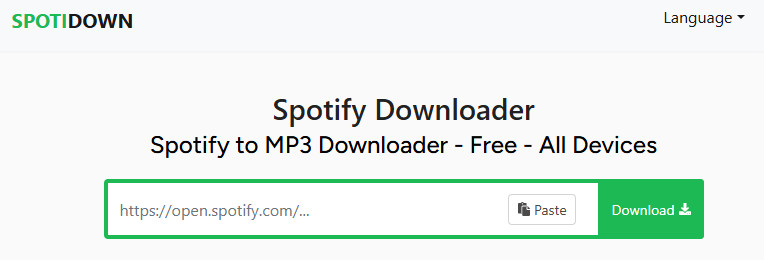
SpotiDown Free Online Spotify MP3 Downloader Rating: ⭐⭐⭐
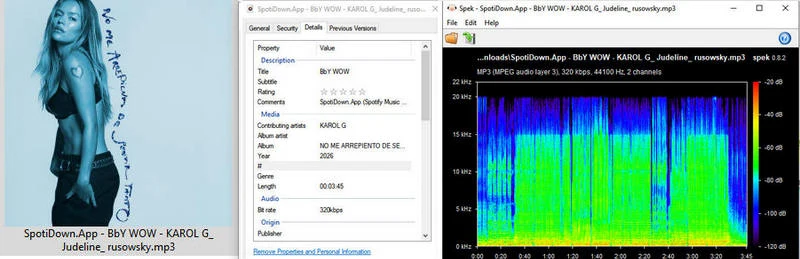
Our Test Result: We tested SpotiDown with Spotify’s 50-track Today’s Top Hits playlist. All five downloaded files matched the Spotify versions, but they were not the playlist’s first five tracks. Metadata was mostly accurate, although “BbY WOW” omitted Judeline and rusowsky from its Artist tag. SpotiDown is suitable for small downloads, while larger playlists require Premium.
| Test Item | Result |
|---|---|
| Pricing | Free; Premium from $20/month |
| Download Types | Songs, playlists, and albums |
| Output Format | MP3 |
| Free Playlist Limit | Up to 5 tracks |
| Speed | About 5 sec/track; 1 min/5 tracks |
| Audio Check | 320kbps displayed; Spek indicates lower source quality |
| Metadata | Artwork and albums kept; one incomplete Artist tag |
| Filename | Contains “SpotiDown.App” |
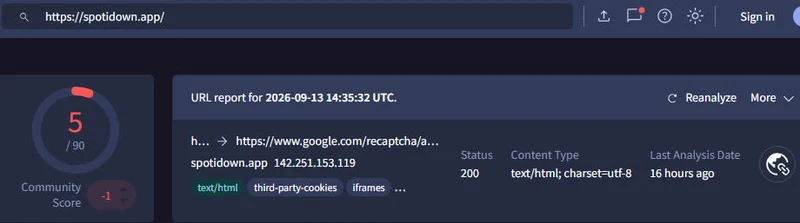
| VirusTotal URL Scan | 5/90 detections |
| Extra Features | Song-title search; separate HD cover download |
| Access | https://spotidown.app/ |
- Free to download actual Spotify MP3 files.
- Remove Spotify ads.
- Mainly MP3 as the download format.
- Download Spotify playlists individually.
- Free downloads of the playlist are limited to 5 songs.
- Pop-up ads appear when clicking Download.
Is SpotiDown safe to download Spotify to MP3? Discover SpotiDown's audio quality, safety risks, step-by-step guide, and the best lossless desktop alternative.
Learn More →How to Export and Save Spotify Playlists to MP3?
Step 1 Paste the copied links for Spotify songs, playlists, or albums into SpotDown's input field, and tap "Download" instruction.
Step 2 Tap "Download Playlist" if you like to download all songs in the playlist. Or tap the download button after each song to download individual tracks.
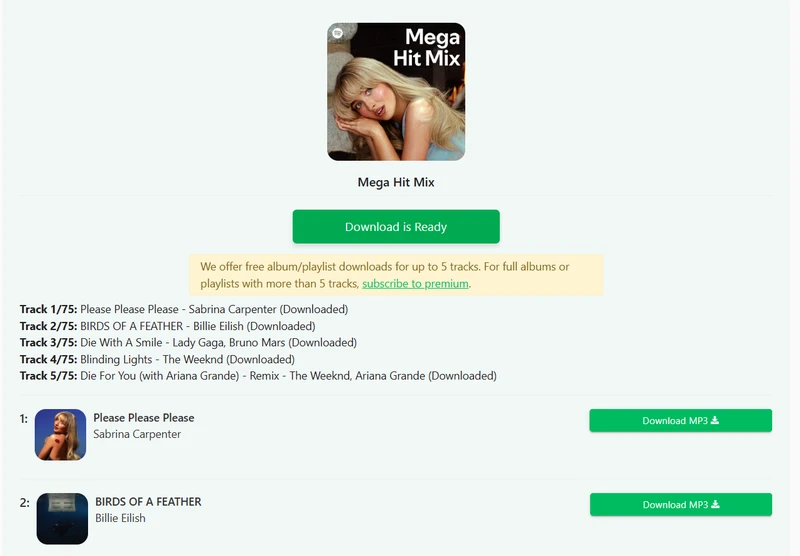
NO.3. SpotMate
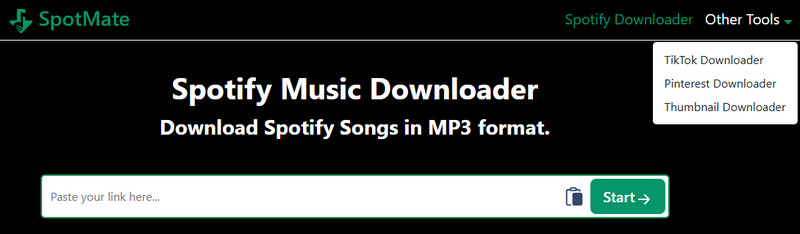
It takes no effort to download Spotify songs in MP3 format with SpotMate. Like most online downloaders, the Spotify links are simply input, and SpotMate parses the links to provide a download option. SpotMate follows a commercial model similar to SpotiDown, with SpotMate allowing only 3 tracks to be ZIP downloaded from a playlist for free, while SpotiDown permits 5. A premium payment step is required to pack all playlist songs into a ZIP file.
Playlists failing halfway? 320kbps files sound flat? We tested tracks, albums, and playlists with SpotMate. See our test results and find a better tool.
Learn More →SpotMate Spotify Music Online Downloader Rating: ⭐⭐
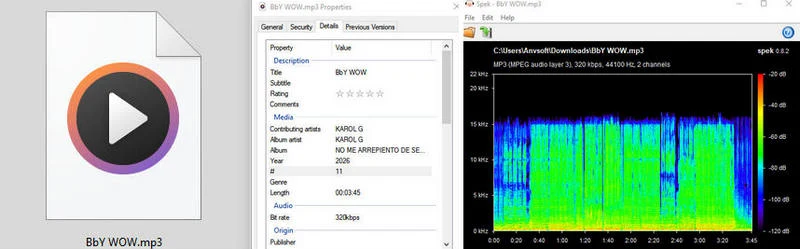
Our Test Result: SpotMate is fast for individual songs, but its free playlist ZIP feature failed during our test with the messages “Archive: failed to build mini ZIP” and “This link is no longer valid.” Its displayed bitrate should not be treated as proof of genuine source quality.
| Test Item | Result |
|---|---|
| Pricing | Free; supporter plans from $5 |
| Download Types | Tracks, playlists, and albums |
| Output Formats | MP3 and FLAC for supporters |
| Single-Track Speed | About 3 seconds |
| Free Playlist Limit | Up to 3 tracks per ZIP |
| ZIP Test | Failed |
| Supporter Features | 2,000+ track ZIPs and no rate limits |
| Audio Check | 320kbps displayed; Spek indicates lower source quality |
| Artwork | Not preserved |
| VirusTotal URL Scan | 2/97 detections |
| Extra Feature | Android app available |
| Access | https://spotmate.online/en |

- No Spotify Premium needed to download songs.
- Not completely free to download Spotify songs.
- Download tracks one by one.
- No album cover
- Limited features for free users.
How to Download Playlists in MP3 from Spotify Library?
Step 1 Copy the Spotify playlist link and paste it into SpotMate input area and tap "Start".
Step 2 Following the results, tap "Convert" and "Download" after the Spotify tracks you like to download one by one. If you want to download full Spotify playlist to MP3, support the SpotMate KO-fi plan via payment and unlock Spotify unlimited playlist ZIPs.

NO.4. SpotiSongDownloader
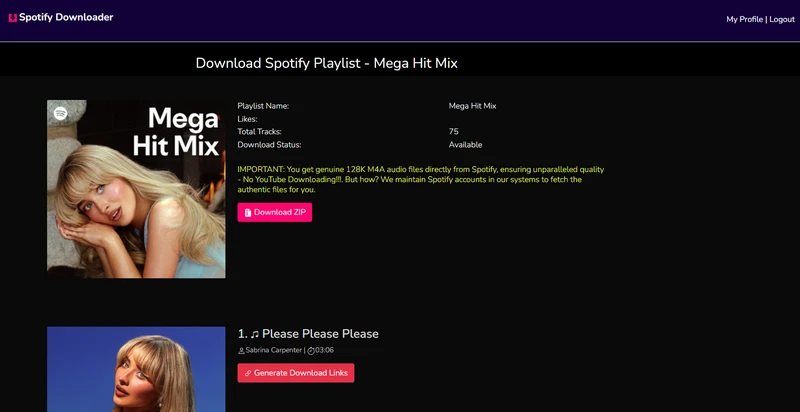
With SpotiSongDownloader, you can download Spotify songs, albums, and playlists in high-quality M4A (128kbps) and MP3 (320kbps) formats on website. The downloaded songs are directly from Spotify's servers but not YouTube sources. This web-based Spotify MP3 converter works across all major browsers (Chrome, Firefox, Safari, etc.). Features include one-click ZIP download of entire playlists, with original audio quality kept.
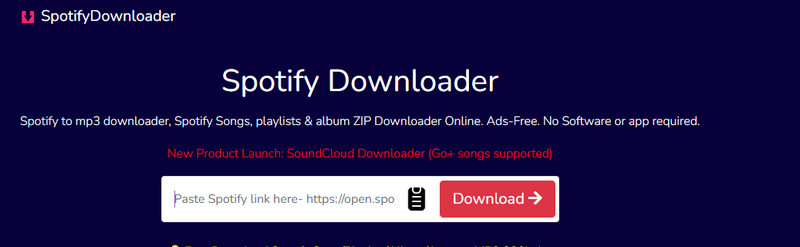
SpotiSongDownloader Online Rating: ⭐⭐⭐⭐
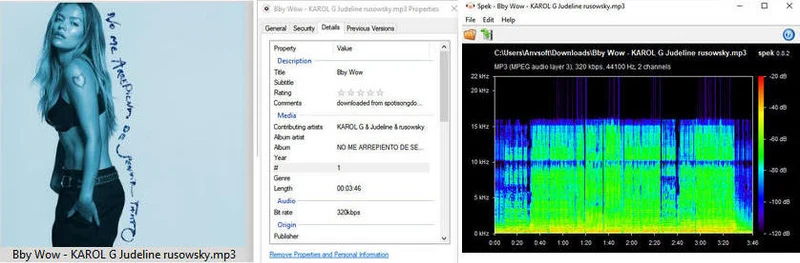
Our Test Result: SpotiSongDownloader offers more format and quality options than most online alternatives. However, free batch downloading is highly limited, the Year tag is missing, and the selected 320kbps setting does not necessarily represent genuine source quality.
| Test Item | Result |
|---|---|
| Pricing | Free; Premium from $7.99/month |
| Download Types | Single songs, playlists, and albums |
| Output Formats | MP3 and M4A |
| Single-Track Speed | About 5 seconds |
| Free ZIP Download | 2 tracks in about 30 seconds |
| Audio Quality Options | 64–320kbps |
| Audio Check | 320kbps displayed; Spek indicates lower source quality |
| Artwork | Preserved |
| Metadata | Year tag missing |
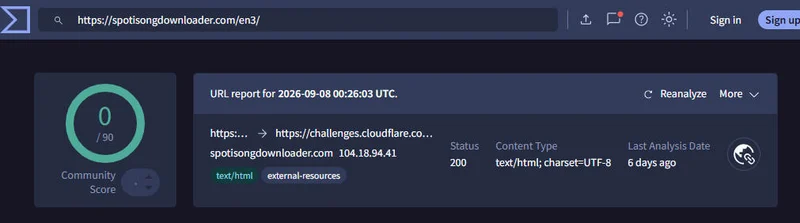
| VirusTotal URL Scan | 0/90 detections |
| Access | https://spotisongdownloader.com/en3/ |
- Free to download Spotify MP3 songs.
- Keep Spotify music ID3 tags.
- Support downloading Spotify music in AAC (M4A) format.
- Various download quality options for Spotify (320 Kbps, 256 Kbps, 192 Kbps, and 128 Kbps).
- Website login required.
- Free accounts are limited to 100 songs per playlist.
- Only 2 tracks per playlist can be downloaded in ZIP format by free users.
How to Free Download Spotify Songs to MP3?
Step 1 Open the Spotify page or app for the desired track or playlist. Click on the three dots, select "Share", and then choose "Copy Link to Song/Playlist".
Step 2 Paste the copied URL into the input field at the top of the SpotiSongDownloader page and wait for 2 seconds.
Step 3 Click the "Generate Download Link" button on the next page, and select your preferred audio quality.
Step 4 Wait for the download to begin. If downloading a ZIP file, expect to receive a .zip containing all the songs.
NO.5. SpowLoad
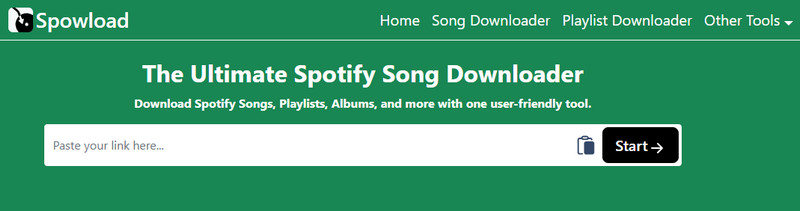
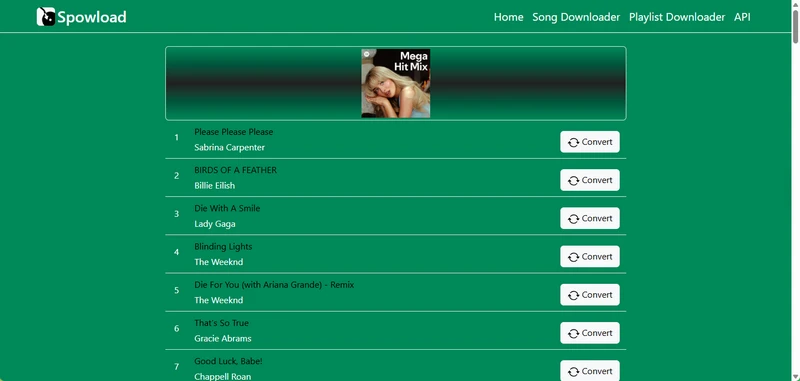
SpowLoad functions similarly to other online Spotify downloaders - allowing you to easily download MP3 files of music, playlists, and albums from Spotify without a Spotify Premium upgrade. Despite processing a playlist, Spotify tracks can only be downloaded one by one. In contrast, SpowLoad has a dedicated Spotify downloader app for Android.
Spowload Ultimate Spotify Downloader Rating: ⭐⭐⭐⭐
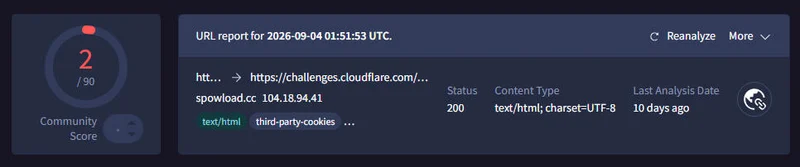
Our Test Result: SpowLoad is fast and straightforward for individual tracks, but it does not support free playlist downloads and fails to preserve album artwork.
| Test Item | Result |
|---|---|
| Pricing | Free |
| Free Download Type | Single tracks only |
| Output Format | MP3 |
| Single-Track Speed | About 3 seconds |
| Artwork | Not preserved |
| VirusTotal URL Scan | 2/90 detections |
| Extra Feature | Android app available |
| Access | https://spowload.cc/en2 |
- 100% free Spotify MP3 music downloader.
- No bulk Spotify songs download support.
- Redirect ads.
- No album cover.
How to Rip MP3 Songs from Spotify?
Step 1 Open Spotify and locate the track, album, or playlist you wish to download.
Step 2 Copy the URL of the selected song; this will be needed for the conversion process.
Step 3 Paste the URL into the SpowLoad downloader, and click the Convert button to start downloading.
Step 4 The downloader will convert Spotify tracks to MP3 format and provide a download link so you can save your music.
NO.6. Podcast MP3 Downloader
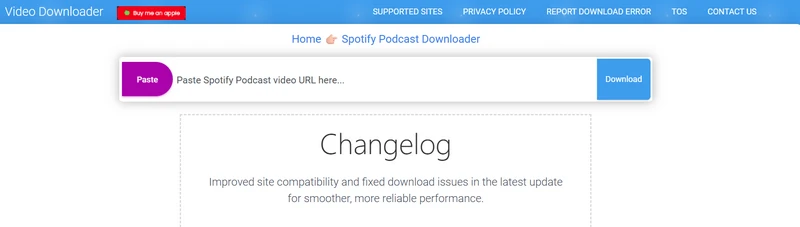
If you're frustrated with Spotify online downloaders that only support music, but not podcasts or audiobooks, consider Podcast MP3 Downloader. This Spotify podcast downloader is perfect for offline podcast listeners. With it, you can save Spotify podcast episodes and shows as MP3 downloads.
Podcast MP3 Downloader for Spotify Rating: ⭐⭐⭐
| Pricing | Download Type | Format | Best Quality | Batch Download | Unique Features |
|---|---|---|---|---|---|
| Free | Podcasts | MP3 | 128kbps | ❌ | ❌ |
|
Access 🔗 https://podcastmp3.com/ Features
|
|||||
- Free Spotify podcasts to MP3 downloader.
- Each podcast episode must be downloaded separately.
- Long loading time for podcasts.
- No ID3 tags.
How to Free Download Spotify Podcasts to MP3 Files?
Step 1 On Podcast MP3 Downloader for Spotify site, put the Spotify episode link and tap it to go for loading.
Step 2 After processing, and tap the provided "Download Now" to save the MP3 podcast to your local end.
NO.7. SpotDownloader
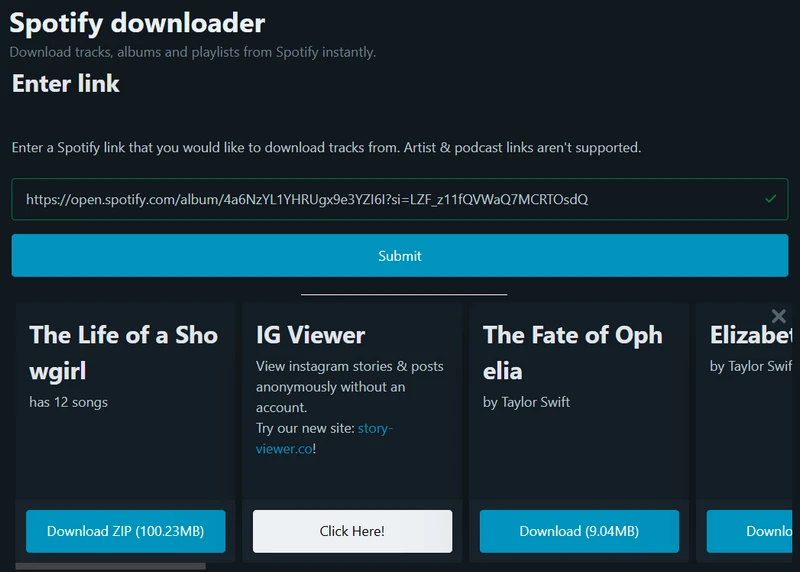
SpotDownloader is a straightforward web tool designed for downloading songs from Spotify. Users can download individual tracks, albums, or playlists by simply entering the corresponding link. Meanwhile, it offers the option to download entire albums or playlists in ZIP archive. The tool also includes all relevant metadata, such as cover images, artist names, and release dates, in the downloaded files.
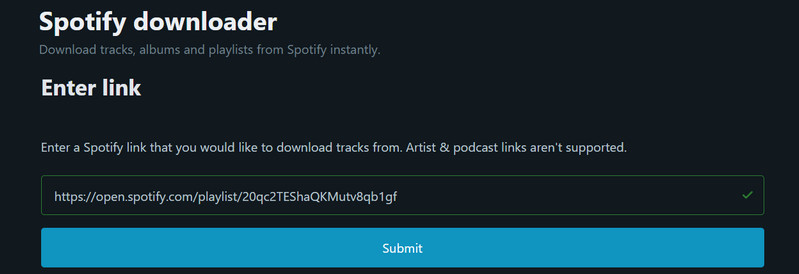
SpotDownload Spotify Downloader Rating: ⭐⭐⭐
| Pricing | Download Type | Format | Best Quality | Batch Download | Unique Features |
|---|---|---|---|---|---|
| Free | Music and Album playlists | MP3 | Up to 320kbps | Zip File | ❌ |
|
Access 🔗 https://spotidown.co/ Features
|
|||||
- Free Spotify web downloader for MP3 conversions.
- Occasionally fail to fetch the entire playlist.
- The sound quality does not meet the advertised standards.
- Banner ads.
How to Convert Spotify Playlists to MP3 Online?
Step 1 Put the copied Spotify playlist link to the Enter Link area and click "Submit".
Step 2 Likewise, choose to download the Spotify playlist entirely by clicking "Download ZIP," or download specific songs by clicking the download button below.
NO.8. Spotisaver
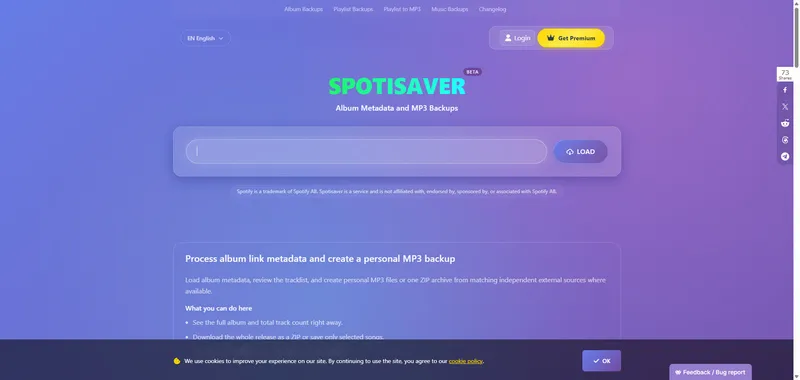
Spotisaver is a free online Spotify playlist downloader that supports downloading individual songs, albums, and playlists as MP3 files. It also allows users to download multiple tracks together in a ZIP file without installing software or signing into Spotify. In our test, a 14-track Spotify playlist downloaded successfully. However, a larger 50-track playlist triggered a "no download slots are free" warning, with Premium users receiving priority. Therefore, Spotisaver is a convenient option for smaller Spotify playlists, but larger batch downloads may be less reliable for free users.
Spotisaver Spotify Playlist Downloader Rating: ⭐⭐⭐
| Pricing | Download Type | Format | Best Quality | Batch Download | Unique Features |
|---|---|---|---|---|---|
| Free, Premium | Spotify Songs, Playlists, Albums | MP3, ZIP | Up to 320kbps (claimed) | ✅ (14 tracks tested) | Playlist ZIP & TXT Export |
|
Access 🔗
https://spotisaver.net/ Features
|
|||||
- Successfully downloaded a 14-track Spotify playlist in our test.
- Supports downloading multiple Spotify songs together as a ZIP file.
- No software installation or Spotify login required.
- A 50-track playlist failed to download during our test due to unavailable server slots.
- Free batch downloads may be restricted during periods of high server load.
- Premium users receive priority processing over free users.
How to Download Spotify Playlists to MP3 with Spotisaver?
Step 1 Open Spotify, find the song, album, or playlist you want to download, and copy its URL.
Step 2 Visit Spotisaver, paste the Spotify URL into the input field, and click "Load" to retrieve the track list.
Step 3 Select the songs you want to save or choose the playlist download option to download multiple tracks together as a ZIP file.
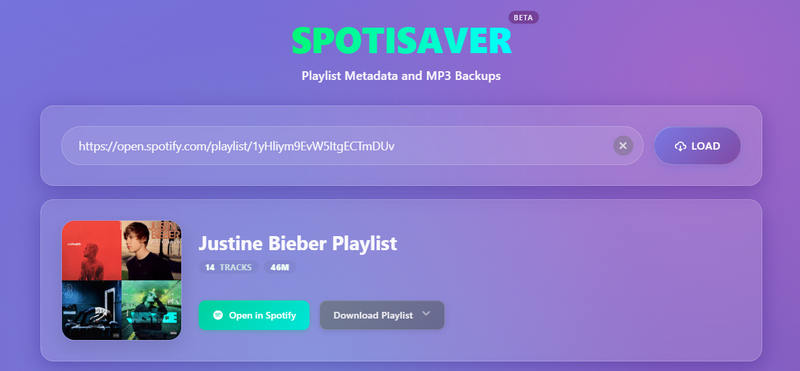
Note: Spotisaver successfully downloaded a 14-track Spotify playlist in our test, but a 50-track playlist failed due to unavailable server slots. Free playlist downloads work, but larger batches may encounter server capacity limits. Premium users receive priority processing.
NO.9. SpotyLoader
SpotyLoader is a free online Spotify downloader that supports Spotify songs and playlist links without requiring software installation. It can successfully load a Spotify playlist and display its tracks, but songs must be downloaded individually rather than as a batch. In our test, downloaded MP3 files had a bitrate of 192kbps, with no album artwork or ID3 tags preserved. While SpotyLoader is useful for downloading a few Spotify songs, it is less convenient for entire playlists.
SpotyLoader Spotify MP3 Downloader Rating: ⭐⭐
| Pricing | Download Type | Format | Best Quality | Batch Download | Unique Features |
|---|---|---|---|---|---|
| Free | Spotify Songs, Playlist Tracks | MP3 | 192kbps (tested) | ❌ | Playlist Link Parsing |
|
Access 🔗
https://spotyloader.com/ Features
|
|||||
- Successfully parsed Spotify playlist links in our test.
- Supports individual MP3 downloads from Spotify playlists.
- No software installation required.
- No batch download; playlist tracks must be saved one by one.
- Downloaded MP3 files were limited to 192kbps in our test.
- Album artwork and ID3 metadata were not preserved.
How to Download Spotify Playlist Songs with SpotyLoader?
Step 1 Open Spotify, find the song or playlist you want to download, and copy its URL.
Step 2 Visit SpotyLoader, paste the Spotify URL into the input field, and submit the link to load the available tracks.
Step 3 Select the download option for each song and save the MP3 files individually. Repeat the process for additional tracks.
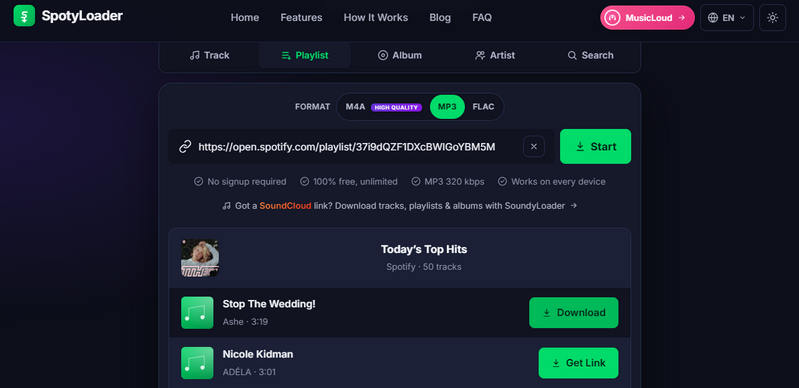
Note: SpotyLoader can parse Spotify playlists, but it does not support batch downloading. Our test produced 192kbps MP3 files without album artwork or ID3 tags. It is better suited to downloading a few individual songs than complete playlists.
NO.10. ACEThinker Spotify Downloader
AceThinker offers a variety of online tools designed to streamline tasks related to multimedia processing, including video downloading, conversion, and editing, as well as an online Spotify downloader. Similar to other online Spotify downloaders, users simply need to input the Spotify URL of the song, album, or playlist they wish to download. AceThinker will automatically handle the downloading process, providing high-quality audio files.
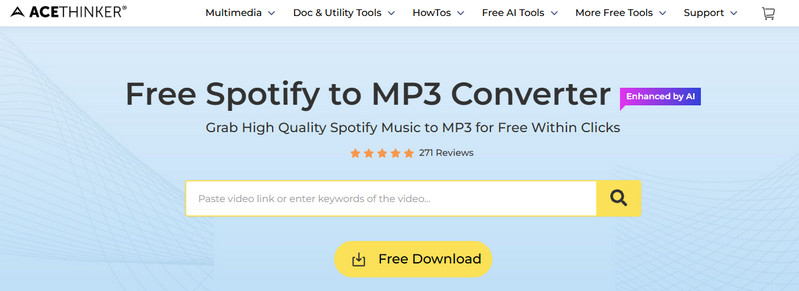
ACEThinker Free Spotify Song Downloader Online Rating: ⭐⭐⭐
| Pricing | Download Type | Format | Best Quality | Batch Download | Unique Features |
|---|---|---|---|---|---|
| Free | Single Songs | MP3 (Other formats require app installation) | Up to 320kbps | Requires app installation |
1. Audio Editor 2. Turn video to MKV, AVI and other formats |
|
Access 🔗 https://www.acethinker.ai/mp3-downloader Features
|
|||||
- Online convert Spotify tracks to MP3 without charge.
- Music source is from YouTube instead of Spotify library.
- No batch songs or playlist download options.
How to Extract MP3 versions of Spotify Songs?
Step 1 Visit the Spotify website and locate the song you wish to download.
Step 2 Paste the copied audio URL into the designated box on the page, and then click the "Convert" button to initiate the process.
Step 3 After the conversion is finished, choose your desired download quality and click "Download" to save the MP3 file to your device.
For Android users who want to download entire Spotify playlists, see our comparison of Spotify playlist downloader apps and online tools for Android.
Comparison: Which is the Best Spotify Downloader for You❓
All the free online Spotify downloaders listed in this article have been thoroughly tested and verified for safe use. The following table will help you make a quick selection:
| Downloaders | Download Quality | Output Format | Conversion Speed | ID3 Tags Kept | Batch Download | Recommendation |
|---|---|---|---|---|---|---|
| SpotiDownloader | 320kbps | MP3 | 1x | ✔ | ✔ | ⭐⭐⭐⭐ |
| SpotiDown | 320kbps | MP3 | 1X | ✔ | Premium Required | ⭐⭐⭐ |
| SpotMate | 320kbps | MP3/FLAC | 1X | ✔ | ❌ | ⭐⭐ |
| SpotiSongDownloader | 320kbps | MP3/M4A | 1X | ✔ | ✔ | ⭐⭐⭐⭐ |
| SpowLoad | 320kbps | MP3 | 1X | ✔ | ❌ | ⭐⭐⭐⭐ |
| Podcast MP3 Downloader | 128kbps | MP3 | 1X | ❌ | ❌ | ⭐⭐⭐ |
| SpotDownloader | 320kbps | MP3 | 1X | ✔ | ✔ | ⭐⭐⭐ |
| Spotisaver | 320kbps | MP3 | 1X | ✔ | ✔ | ⭐⭐ |
| SpotyLoader | 192kbps | MP3 | 1X | ❌ | ❌ | ⭐⭐ |
| ACEThinker Spotify Downloader | Up to 128kbps (free online version) | MP3 (Other formats require app installation) | 1X | ❌ (online version) | Installation Required | ⭐⭐⭐ |
Sidify Music Converter vs. Online Spotify Downloaders
| Feature | Sidify Music Converter | Online Spotify Downloaders |
|---|---|---|
| Offer Type | Freemium | Free |
| Compatibility | Windows 8 ~ 11 & Mac OS 11 and above | Any Browser |
| Conversion Mode | App + Web Mode | ❌ |
| Downloads | Single Songs, Playlists, Albums, Podcasts, Audiobooks, Radio | Single Songs, Playlists, Albums |
| Supported Formats | MP3, AAC, FLAC, WAV, ALAC, AIFF | Focus on MP3 |
| Audio Quality | Up to 320kbps | Varies from tools |
| Speed | Up to 40x speed | 1x |
| Batch Download | Yes | Limited |
| Metadata Preservation | Yes (Title, Album, Artist, Track Number, Year tags etc.) | Limited |
| User Interface | Intuitive, no Ads | Non-closable Banner Ads |
| Languages | 40+ | Limited |
| Advanced Tools | Lyrics Saving, CD Burner, Audio Editor, Tag Editor, AA/AAX Converter | Varies from tools |
| Customer Support | 24/7 Support, Scheduled Updates | Limited |
| Perfect For | Long-time Spotify Users & Music Lovers | Users who need temporary Spotify downloads |
The tools mentioned above are intended for personal use only. Please respect Spotify's terms and the copyrights of creators, and avoid any commercial use.
How to Batch Download Spotify Playlists and Songs to MP3s with Sidify?
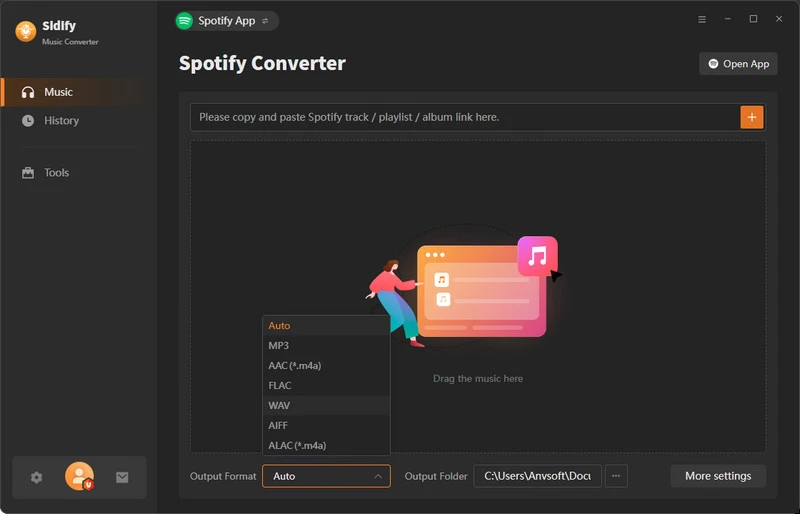
Step 1 Open Sidify Music Converter, drag & drop a playlist from Spotify to Sidify. Repeat this step to input multiple Spotify playlists to download at one go.
Step 2 Go to Settings in the bottom-left corner, choose your desired output format, and specify the output folder.
Step 3 Click Convert to start downloading the Spotify music to the location you chose in Step 2.
Step 4 Go to the History tab and view all Spotify downloads in your chosen format. Tap the folder icon, and you can view the Spotify songs in the local place.
Frequently Asked Questions
What are free online Spotify downloaders?
Free online Spotify downloaders are web-based tools that claim to help users convert Spotify songs, playlists, or albums into downloadable audio files such as MP3. Most of these tools work without installing software, but they may have limitations such as ads, lower audio quality, download limits, or unstable performance.
Can you download Spotify songs directly as MP3 for free?
Some online Spotify downloaders claim to provide free MP3 downloads, but their availability and performance can vary. Many free tools have restrictions, including limited downloads, slower speeds, advertisements, or reduced audio quality.
Are free online Spotify downloaders safe to use?
Safety depends on the specific tool. Some free online downloaders may contain intrusive ads, misleading download buttons, or require unnecessary permissions. Users should choose trusted tools and avoid websites that request suspicious information or software installation.
What is the best alternative to online Spotify downloaders?
If you are comfortable installing an app and configuring music providers, see how to use SpotiFLAC for another approach to downloading matching FLAC tracks. Desktop Spotify music converters are often a more stable alternative because they usually provide faster conversion speeds, better output quality, batch downloading, and additional features such as ID3 tag preservation.
What is the difference between online Spotify downloaders and Sidify Music Converter?
Online Spotify downloaders are browser-based and convenient for occasional downloads, but they often have limitations in speed, quality, and batch processing. Sidify Music Converter is a desktop solution designed to convert Spotify songs, playlists, and albums with features such as multiple output formats, faster conversion speed, and metadata preservation.
Can You Download Spotify Playlists Without Premium?
Spotify Free users cannot officially download music playlists for offline listening in the Spotify app. Some third-party online tools accept public Spotify playlist links without Premium, but they may limit the number of tracks, use matched audio from other sources, or fail to download the complete playlist.
Conclusion
This article concludes here. The tools mentioned above can meet most Spotify download needs; however, not every downloader may function properly due to various factors. You can try each one individually to find the free online Spotify downloader that best meets your needs. If you seek stability and have long-term downloading requirements, we recommend trying Sidify Music Converter. With a simple installation and a few clicks, it offers advantages that surpass those of online downloaders.
Note:Sidify works for both Spotify Premium and free users. The trial version of Sidify Music Converter enables you to convert the first minute of each audio file for sample testing. You can purchase the full version to unlock the time limitation.