

When downloading Spotify music to MP3, users often encounter several questions: low output quality, ID3 tags that are not fully preserved, and converters that are not compatible with macOS or Apple Silicon.
Therefore, this article provides a hands-on review of the 6 best Spotify to MP3 Converters for Mac based on Mac compatibility, audio quality, batch conversion performance, and free vs. paid versions, helping you choose the best tool for your needs.
🔍 Related Reading: 10 Best Free Online Spotify Downloaders in 2026
Quick Comparison of the Best Spotify to MP3 Converters for Mac
| Converter | Price | Free Trial | macOS Support | Output Formats | Audio Quality | Batch Conversion | Claimed Conversion Speed |
|---|---|---|---|---|---|---|---|
| Sidify | $44.95/year | First 1 min per track | macOS 11+; Intel & Apple Silicon | MP3, AAC, FLAC, WAV, AIFF, ALAC | Up to 24-bit/44.1 kHz Lossless | ✅ | Up to 40X |
| TuneMobie | $49.95/3 months | First 1 min per track | macOS 11+; Intel & Apple Silicon | MP3, AAC, FLAC, WAV, AIFF, ALAC | Up to 24-bit/44.1 kHz Lossless | ✅ | Up to 40X |
| ViWizard | $19.95/month | First 30 sec per track | macOS 11+ | MP3, FLAC, WAV, AIFF, M4A, M4B | 320kbps | ✅ | Up to 15X |
| DRmare | $19.95/month | First 30 sec per track | macOS 11–macOS 26 | MP3, FLAC, WAV, AIFF, M4B, M4A | 24-bit/44.1 kHz or 320kbps | ✅ | Up to 15X |
| TuneFab | $25.95/month | 3 full songs in total | macOS 10.15+ | MP3, M4A, WAV, FLAC, AIFF | Up to 320kbps for MP3; 24-bit for FLAC/WAV | ✅ | Up to 35X |
| TuneSolo | $20.97/month | First 3 min per track; 14-day trial | macOS 10.11+ | MP3, AAC, FLAC, ALAC, WAV, AIFF | Up to 320kbps / 48kHz | ✅ | Up to 35X |
1. Sidify Spotify Music Converter – Best for Lossless Audio & Batch Conversion
If you want to download Spotify music to MP3 while maintaining high quality, preserving complete metadata, and batch-downloading multiple tracks, Sidify Spotify Music Converter is your top choice.
Sidify can output Spotify music at up to 24-bit/44.1 kHz lossless quality (Spotify Premium account required) and supports multiple output formats, including MP3, AAC, FLAC, WAV, AIFF, and ALAC. In addition, it offers conversion speeds of up to 40X faster in Spotify Web Player Mode, so you can convert multiple tracks or an entire playlist very quickly.
Sidify Free Trial vs Pro Plan Comparison
| Feature | Free | Pro (Paid) |
|---|---|---|
| Pricing | Free | $44.95/year |
| Full-track Conversion | × | √ |


How to Download Spotify Music to MP3
The following steps demonstrate how to convert Spotify music to MP3 using Sidify's Web Player Mode. If you want to download Spotify Lossless audio, switch to Spotify App Mode instead.
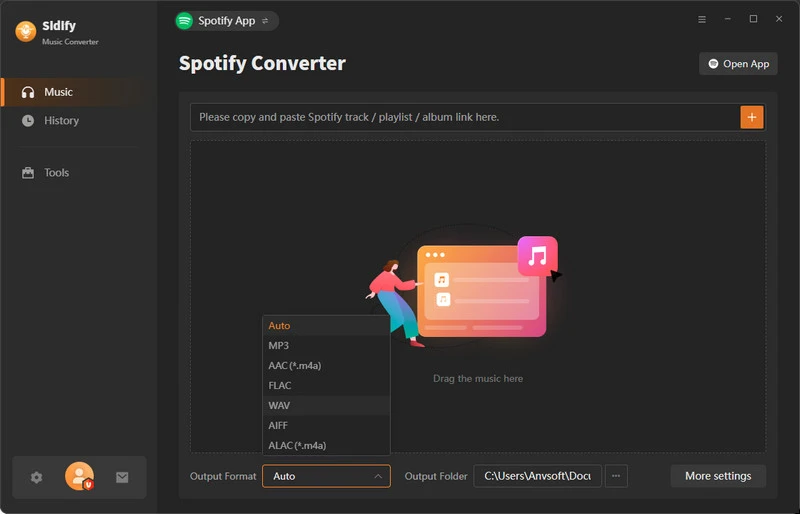
Step 1 Install Sidify Spotify Music Converter
Install Sidify Spotify Music Converter from its official website. Then log in to your Spotify account in the built-in web player.
Step 2 Adjust Output Settings
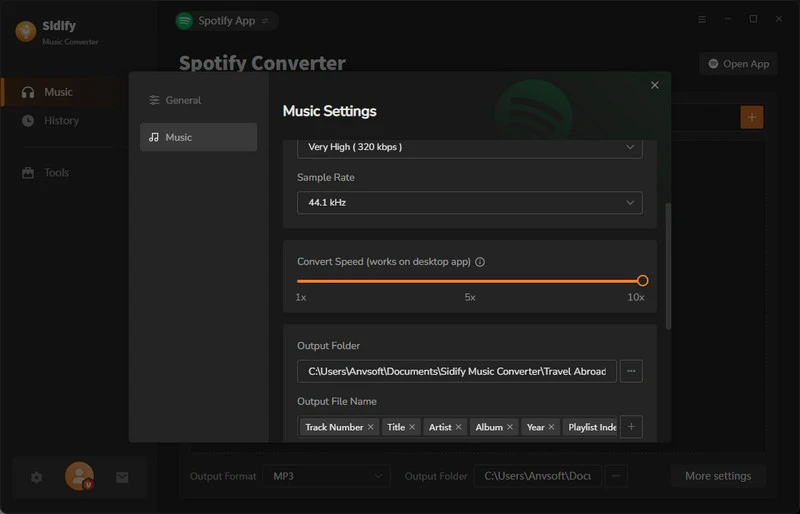
Click the Menu icon in the top-right corner and select "Settings". Choose MP3 as the output format. You can also customize the audio quality, output folder, and other settings.
Step 3 Add Spotify Music to Sidify
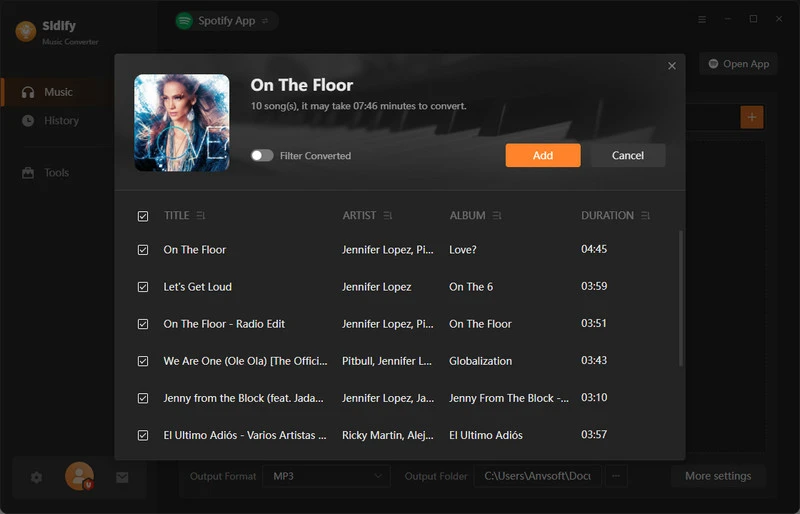
Browse or search for the Spotify music you want to download. Drag and drop a track from Spotify into Sidify, or click "Add" to import it.
Step 4 Start Converting Music
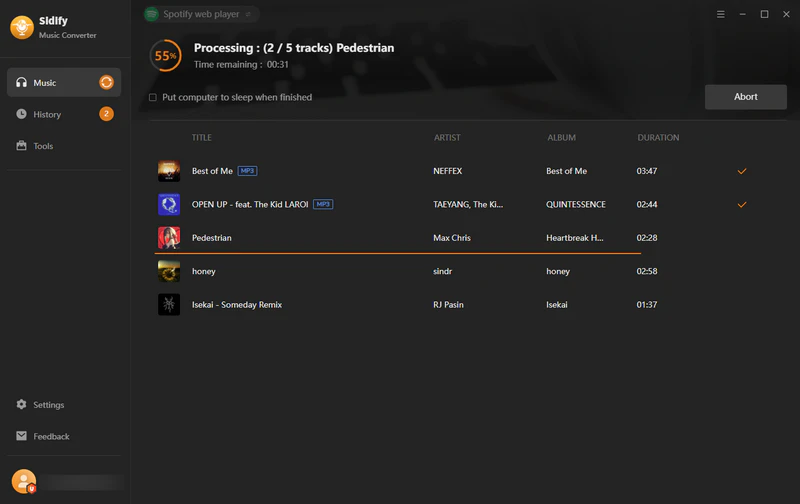
Click the "Convert" button to download and convert the selected tracks to MP3.
Step 5 Find the Downloaded MP3 Files
Once the conversion is complete, Sidify will save the MP3 files to your Mac. You can also open the History tab on the left to locate your downloaded MP3 files.
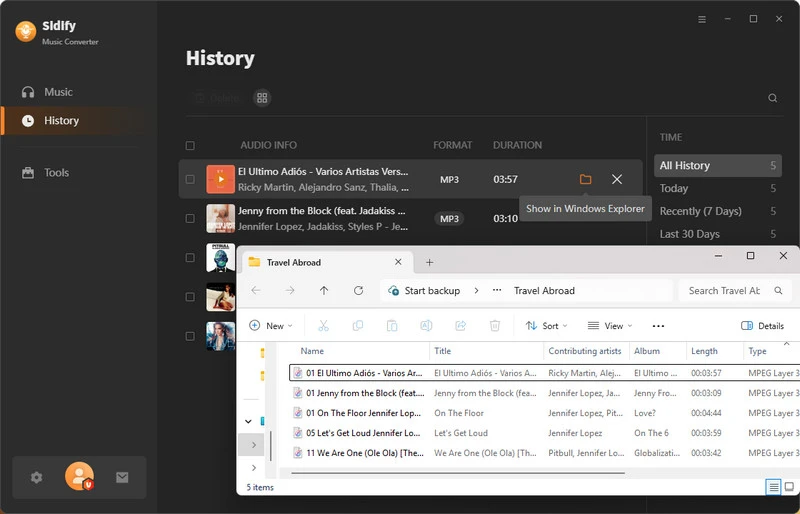
Pros and Cons of Sidify Spotify Music Converter
- Works on both Intel and Apple Silicon Macs and supports recent macOS versions.
- Outputs up to 24-bit/44.1 kHz lossless audio (Spotify Premium required).
- Preserves full ID3 tags, cover art, lyrics, and track information.
- Supports multiple output formats: MP3, AAC, FLAC, WAV, AIFF, and ALAC.
- Offers batch conversion at up to 40X speed.
- The free trial converts only the first 1 minute of each track.
- Spotify Lossless output requires a Spotify Premium account.
2. TuneMobie Spotify Music Converter – Best for High Quality & High-Speed Conversion
TuneMobie is another solid Spotify to MP3 Converter that works well on macOS, including Intel and Apple Silicon Macs. No need to install the Spotify app—you can easily download Spotify music in high quality while preserving full ID3 tags, including titles, artists, album names, and cover art. It also supports multiple formats and batch conversion at high speed. One drawback: free trial features are limited, and full features require an upgrade.
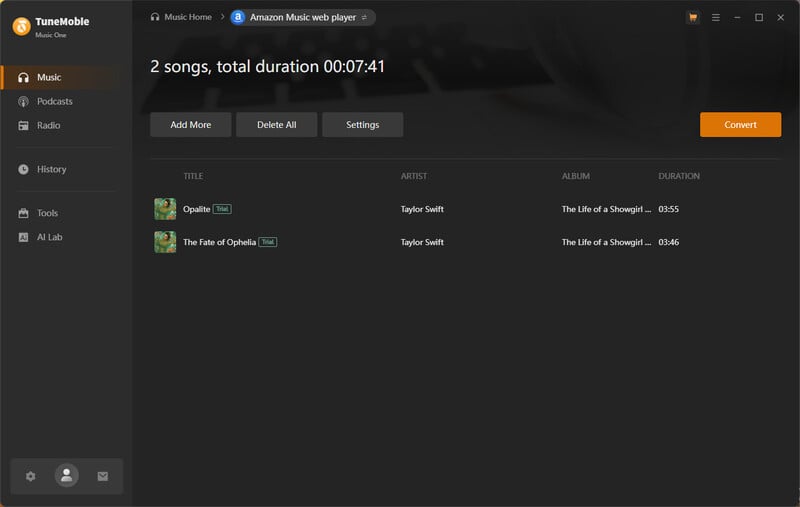
TuneMobie Free Trial vs Pro Plan Comparison
| Feature | Free Trial | Pro (Paid) |
|---|---|---|
| Pricing | Free | $49.95 / 3 months |
| Full-track Conversion | × First 1 minute only |
√ |
Pros and Cons of TuneMobie Spotify Music Converter
- Works natively on Intel and Apple Silicon Macs without requiring the Spotify desktop app.
- Preserves full ID3 tags (title, artist, album, cover art) during conversion.
- Supports multiple output formats, including MP3, M4A, WAV, and FLAC.
- Fast batch conversion for playlists.
- The free trial is extremely limited: only the first 1 minute of each track can be converted.
- Full features require a paid license.
3. ViWizard Spotify Music Converter – Best for Auto-Organizing Your Spotify Music Library
As another good Spotify to MP3 converter, one of ViWizard’s best benefits is its easy music library organization. ViWizard can automatically save output files sorted by artist, album, or playlist, so you don’t have to manually organize folders after conversion.
It also offers useful features such as automatically filtering out previously converted tracks to avoid duplicate downloads and adjusting playback speed for downloaded music.
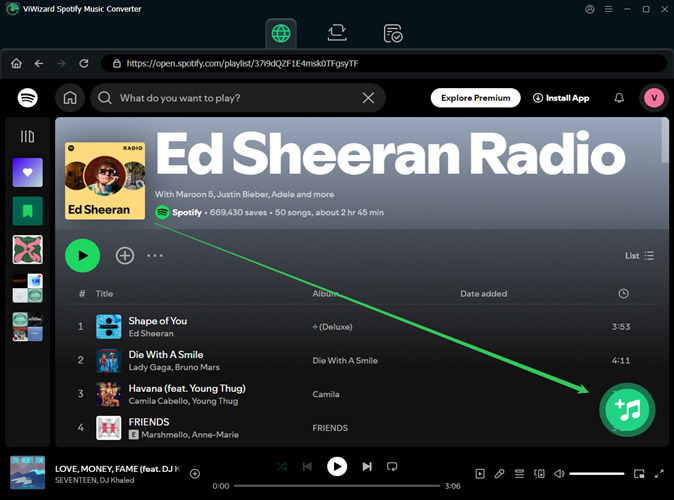
ViWizard Free Trial vs Pro Plan Comparison
| Feature | Free Trial | Pro (Paid) |
|---|---|---|
| Pricing | Free | $19.95 / month |
| Full-track Conversion | × Only the first 30 seconds |
√ |
Pros and Cons of ViWizard Spotify Music Converter
- Auto-sorts files by artist, album, or playlist.
- Preserves ID3 tags and artwork.
- Filters out previously converted tracks to avoid duplicate downloads.
- Supports playback speed adjustment for downloaded music.
- Free trial limited to 30 seconds per track.
- Quality capped by Spotify’s web player.
- Mac conversion speed can be slow.
- Force-quit may leave partial files behind.
4. DRmare Spotify Music Converter – Best for Custom Spotify Audio Settings
What's stand out for DRmare Spotify Music Converter is that it provides extensive audio output settings. In addition to choosing output formats such as MP3, FLAC, WAV, and AIFF, users can also adjust parameters such as bitrate, sample rate, bit depth, and number of channels to suit their needs. These options are particularly u.seful for users who prefer to customize the specifications of their output files rather than simply using the default settings.
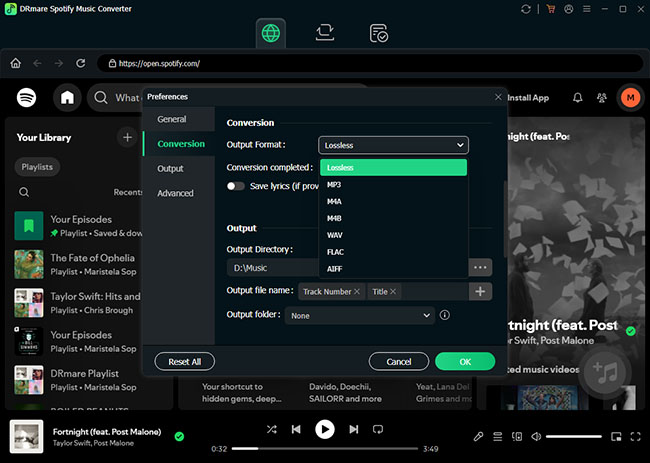
DRmare Free Trial vs Pro Plan Comparison
| Feature | Free Trial | Pro (Paid) |
|---|---|---|
| Pricing | Free | $19.95 / month |
| Full-track Conversion | × First 30 seconds of each track* |
√ |
Pros and Cons of DRmare Spotify Music Converter
- Customizable audio settings, including bitrate, sample rate, and bit depth.
- Supports multiple output formats.
- Preserves and allows editing of ID3 tags.
- Free trial only converts the first 30 seconds of each track.
- Requires a paid license for full-track conversion.
5. TuneFab Spotify Music Converter – Batch Conversion, Multiple Formats & ID3 Tags
TuneFab is a solid option to convert Spotify music to MP3 in batch. Its official website claims that it can batch-convert Spotify music at speeds of up to 35X. Actual conversion speed may vary depending on your Mac's performance, network conditions, and playlist size. It also supports preserving metadata such as ID3 tags and offers multiple output formats.
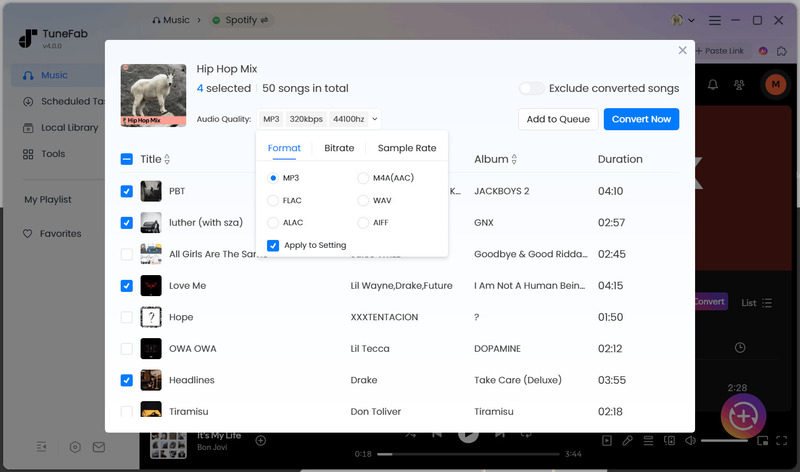
TuneFab Free Trial vs Pro Plan Comparison
| Feature | Free Trial | Pro (Paid) |
|---|---|---|
| Pricing | Free | $25.95 / month |
| Full-track Conversion | √ 3 full songs in total |
√ (unlimited) |
Pros and Cons of TuneFab Spotify Music Converter
- Fast batch conversion.
- Supports multiple output formats, including MP3, FLAC, WAV, and M4A.
- Preserves ID3 tags on converted files.
- Works with both Spotify Free and Premium accounts.
- The free trial is very limited, allowing only 3 full songs in total.
6. TuneSolo Spotify Music Converter – Easy Spotify to MP3 Conversion
TuneSolo Spotify Music Converter is an easy-to-use tool for beginners who want to convert Spotify music to MP3. It features a built-in Spotify Web Player, so you don't need to install the Spotify desktop app. You can log in, browse your music library, and convert Spotify tracks directly within the software. It supports both Spotify Free and Premium accounts and preserves ID3 tags, making it a convenient option for users who want to save and organize their Spotify music.
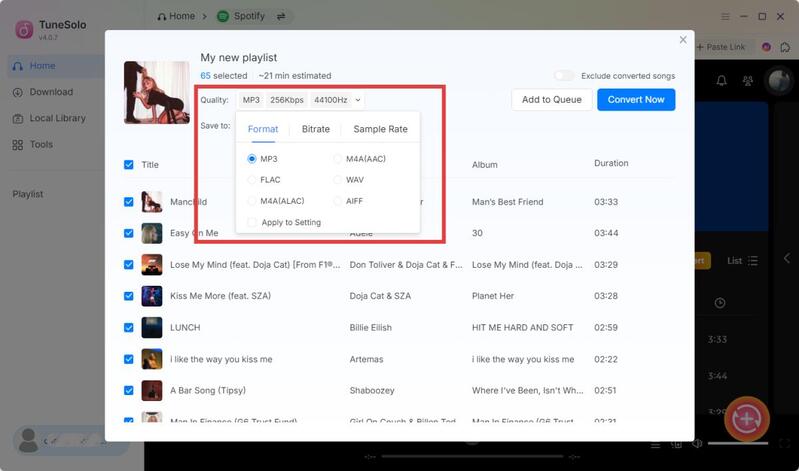
TuneSolo Free Trial vs Pro Plan Comparison
| Feature | Free Trial | Pro (Paid) |
|---|---|---|
| Pricing | Free | $20.97/month |
| Trial Period | 14 days | — |
| Full-track Conversion | First 3 minutes per song | Unlimited |
Pros and Cons of TuneSolo Spotify Music Converter
- Easy-to-use interface with a built-in Spotify Web Player.
- Supports both Spotify Free and Premium accounts.
- Preserves ID3 tags and supports multiple output formats.
- Free trial only converts the first 3 minutes of each track.
FAQs About Spotify to MP3 Converter for Mac
Can You Convert Spotify Music to MP3 on Mac for Free?
Most desktop Spotify converters offer free trials with limitations, such as converting only the first 30 seconds or 1 minute of each track. Online tools may offer free downloads, but often come with lower audio quality and no batch download support.
For more options, check out our guide to the 10 Best Free Online Spotify Downloaders in 2026.
Do You Need Spotify Premium to Convert Spotify Music to MP3?
Not necessarily. Some Spotify converters support both Free and Premium accounts, so you can convert tracks without a paid subscription. However, certain features, such as Spotify Lossless conversion, may require a Premium account.
Can You Import Converted Spotify Songs into Apple Music on Mac?
Yes. After converting Spotify songs into local audio files, open Apple Music and select File > Add to Library to import them. You can also drag and drop the files into the Music app. Once imported, you can organize them in your local music library and create playlists.
Conclusion
Choosing the right Spotify to MP3 converter for Mac depends on your needs, such as audio quality, conversion speed, batch downloads, and budget. The six tools reviewed above each offer different features and pricing plans.
If you value high-quality audio, batch conversion, and reliable performance, Sidify Spotify Music Converter is a well-rounded option worth considering.
 Sidify Spotify Music Converter