


Occasionally, Spotify offers a 3-month free trial promotion. They sometimes do this on their own, or team up with other companies to bring you the deal. Keep reading, and we'll walk you through 11 reliable methods to get Spotify Premium for free that are current in 2026.
You may also like 👉: How to Get Apple Music Family Membership
Spotify Free Trial Availability Check
Last checked: September 18, 2026.
| Method | Status | Location | Who can use it |
|---|---|---|---|
| Use Spotify's own trial | ✅ Available | United States | New Premium users |
| Use the Starbucks offer | ⚠️ Limited | United States | Starbucks partners |
| Complete Microsoft Rewards tasks | ✅ Available | Selected markets | Rewards members who finish the tasks |
| Use the Opera offer | ✅ Available | Selected countries | Opera users in those countries |
| Invite a friend | ⚠️ Limited | Selected accounts | Users who see the invite option |
| Use a Vi postpaid plan | ✅ Available | India | Eligible Vi postpaid users |
| Join H&M Member | ✅ Available | Canada | New H&M Members |
| Buy a Xiaomi, Redmi, or POCO device | ✅ Available | Selected markets | Buyers of eligible devices |
| Buy a Samsung Galaxy A device | ✅ Available | Latin America | Buyers of eligible devices |
| Buy an eligible OnePlus phone | ✅ Available | India | Red Cable Club members |
| Use ACT Smart WiFi | ✅ Available | India | ACT Smart WiFi users |
| Use the Rakuten Viber offer | ❌ Expired | Selected markets | No longer available |
| Pay with PayPal | ❌ Expired | N/A | No longer available |
1. Sign Up for Spotify Premium Individual 3-Month Free Trial
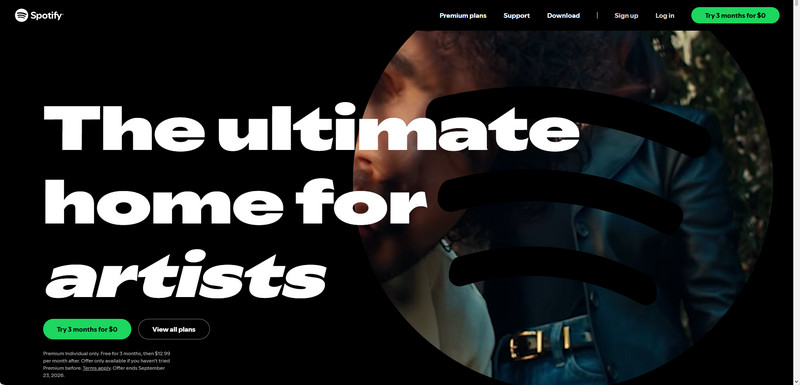
Spotify's current U.S. offer gives eligible new subscribers 3 months of Premium Individual for $0, followed by $12.99 per month. It is available only to users who have not tried Spotify Premium before.
Spotify Official Premium Individual Offer: $0 for 3 months, then $12.99 per month after [Offer ends September 23, 2026.]
Step 1 Go to the official Spotify website or download the Spotify App on your device.
Step 2 Click on the "Get Spotify Free" or "Get Premium" button on the homepage. You will be prompted to create a new account by providing your email address, choosing a password, and selecting a username.
Step 3 Select Premium Individual and enter your payment details.
Step 4 Complete the sign-up process to activate 3 months of Spotify Premium Individual for $0. Unless you cancel, the plan renews at $12.99 per month after the trial.
 Sidify Spotify Music Downloader
Once Spotify Premium Free Trial ends, you will lose all Spotify downloads. But if you still want to keep streaming Spotify ad-free tracks offline, you can use this Sidify Spotify Music Converter to continue enjoying Spotify Premium features.
2. Get 3-Month Free Spotify Premium with Starbucks Partner
Lucky is Starbucks staff! You can get another 3-month Spotify Premium for free! Following the steps below to register and get 3 months of Spotify offline streaming for free! Please note it could take a few hours to activate your new subscription.
- Access Offer Link: Spotify Premium Subscription with Starbucks App
- Offer ends: Unclear
Step 1 Log in or sign up for a Spotify subscription.
Step 2 Connect your Spotify account with Spotify's Partner Provisioning Portal. This will help link Spotify and Starbucks verification systems.
Step 3 Verify you're a partner by entering your last name and Starbucks Global User Name. Your Global User Name is your 2-character country code + your partner number.

3. Join Microsoft Rewards to Get Free Spotify Premium 3 Months
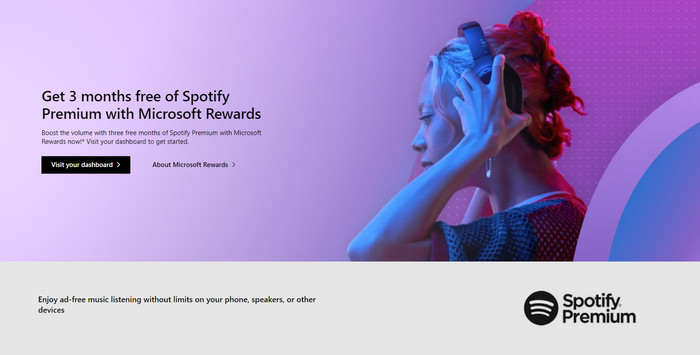
New promotion of getting a 3 month free Spotify Premium is for Microsoft Rewards members who should do the task by searching with Microsoft Bing on Microsoft Edge for three consecutive days within 14 days. After three days, you can redeem the three months of Spotify via a code that will be sent to your email. Offer applies to Spotify Premium Individual. And $12.99/month after trial.
- Access Offer Link: Join the rhythm of Rewards + Spotify Premium | Spotify Premium Subscription - 3 months free
- Offer ends: January 21, 2028
Step 1 Sign in with your Microsoft Account, then navigate to your Microsoft Rewards dashboard to find your Spotify offer.
Step 2 To receive a free 3-month Spotify Premium subscription, activate the offer on your dashboard and search on Bing for 3 days over 14 days.
Step 3 Get three months of free Spotify Premium and listen to your favorite artists, podcasts, and audiobooks.
4. Get 3-Month Spotify Premium Free with Opera
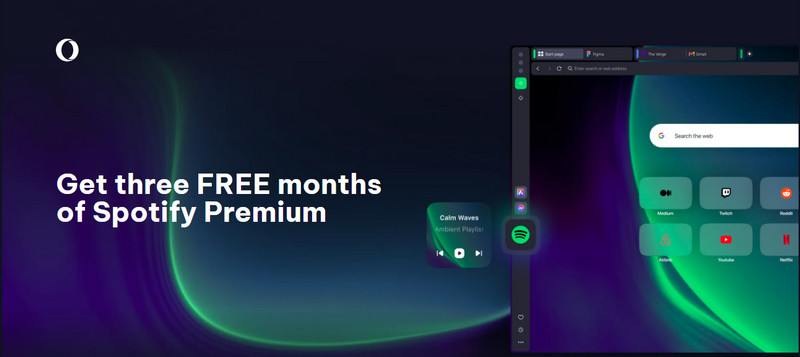
Opera desktop browser now integrates a built-in Spotify music player, accessible directly from the browser's left sidebar. As an added bonus, free account users who stream Spotify on Opera can receive three months of Spotify Premium for free. The offer is limited to the Spotify Premium Individual plan in selected regions. When the free time is over, users can choose to continue with a paid subscription or cancel.
- Access Offer Link: Unlock Spotify Premium Free on Opera
- Offer ends: November 1, 2027
- Countries: The United States, the United Kingdom, France, Germany, Italy, Spain, Poland, Brazil, and Argentina
Step 1 Download, install, and launch the latest Opera browser from Opera's official website.
Step 2 Click the Spotify icon in the left sidebar (visible by default) to open the music player.
Step 3 Sign in (or sign up for free) Spotify and follow the prompt to activate Spotify Premium free for 3 months.
What happens to your Spotify downloads after the free trial? How can you keep the downloaded Spotify songs forever? This article gives you the best solution.
Learn More →5. Invite Friends with 3 Months Free Spotify Premium
Regarding to posts in the Spotify Community, your friends might be able to get 3 months of Spotify Premium for free by receiving your invitation. But just note that this offer isn't available to everyone. It's targeted, meaning only certain Premium accounts get it.
How to Send Your Invitation
Step 1 Open the Spotify App on your phone and log in to your Premium account. Tap Profile > Settings and privacy > Account.
Step 2 Find and tap an option called Free Premium for friends, then send the unique invite link to your friend.
How to Receive Invitation to Get Spotify Premium Free
Step 1 Open the invitation link your friend sent you and create a new Spotify account.
Step 2 If the page shows 3 months free or 3 months of Premium for free, go ahead and follow the steps to get it.
6. Join Vi Postpaid Plans to Get Spotify Premium Free [India]
Eligible Vodafone Idea (Vi) postpaid users can get 3 months of free Spotify Premium. This includes both new and existing Vi subscribers. It covers Individual Postpaid plans from ₹451 to ₹1201, and Family Postpaid plans from ₹701 to ₹1601 (including REDX Family). For family plans, only the primary account holder can claim the benefit. After the 3-month free trial, you can choose to continue Spotify Premium. Monthly Spotify Premium is ₹139 which can pay through Vi's Add to Bill service. Or stop the Premium during the last 15 days of the trial. The account will go back to Spotify Free with ads when the free trial ends.
- Access Offer Link: Get Spotify Premium for 3 Months at No Extra Cost with Vi Postpaid
- Offer ends: November, 2026
- Country: India
Step 1 Make sure your postpaid plan is eligible (Individual or Family eligible plans) and your account is active with Vi postpaid service.
Step 2 Open the Vi App and log in to your Vi account. Find the Spotify offer on the Home page banner ("Spotify Premium Free").
Step 3 Tap "Claim Offer" and link it to a Spotify Free account. It will then be automatically upgraded to Premium.
7. H&M × Spotify for Free 3 Months [Canada]
With a new H&M Member account, you can get 3 months of Spotify Premium for free. If you already have a Spotify account and are eligible to come back, you might get 2 months instead.
- Access Offer Link: Spotify 3 Month Trial - free H&M account required
- Offer ends: October 3, 2026
- Countries: Canada
Step 1 Enter the link above and create or log in to your new H&M Member account.
Step 2 Then you will get your Account & Rewards with Spotify Premium 3-month free trial.

8. Get Free Spotify Premium with Xiaomi, Redmi, or POCO Devices
Xiaomi is currently offering 2 / 3 / 4 months of Spotify Premium for free when you buy select Xiaomi, Redmi, or POCO products. This depends on which device you buy.
3-Month Eligible Devices: POCO X8 Pro Max, POCO X8 Pro, POCO F8 Pro, REDMI Note 12 Series, REDMI Note 13 Series, REDMI Note 14 Series, selected REDMI Note 15 models, Xiaomi Buds 5, Xiaomi Buds 5 Pro, Xiaomi Watch 2, Xiaomi Watch 2 Pro, Xiaomi Watch 5, Xiaomi OpenWear Stereo, Xiaomi OpenWear Stereo Pro, and selected Mijia Smart Audio Glasses.
- Access Offer Link: Get Free Spotify Premium with Xiaomi
- Offer ends: September 25, 2026
- Countries: Selected markets in Europe, Asia, Latin America, the Middle East, and Africa, including the United Kingdom, France, Germany, Spain, Italy, Hong Kong, Japan, Singapore, Malaysia, the Philippines, India, Mexico, Brazil, and others listed in the official terms
Step 1 Purchase and activate an eligible Xiaomi, Redmi, or POCO device.
Step 2 Open the Mi Store app, then Account > My Benefits (or Exclusive Benefits) > Spotify Premium, and tap Claim Now.
Step 3 Tap Copy and Redeem, then sign in to your Spotify account or create a new one.
To download music from Spotify to phone, you can use Sidify Music Converter to download songs from Spotify to MP3 and then transfer the MP3 downloads to your phone.
Learn More →9. Buy Samsung A Device & Win Free Spotify Premium
Samsung and Spotify have teamed up, offering Galaxy users in Latin America Spotify Premium Individual for free. If you're new to Spotify Premium, you can get the full 3-month trial. If you've had Premium before, you might still qualify, but for 2 months instead.
Eligible Devices: Galaxy A57 5G, Galaxy A37 5G, Galaxy A17, Galaxy A17 5G, and Galaxy A07. Galaxy A27 5G is also confirmed as eligible in Brazil.
- Access Offer Link: Samsung Galaxy A Spotify Premium Offer
- Offer ends: July 12, 2027
- Countries: Latin America
Step 1 Purchase a participating Samsung Galaxy A device.
Step 2 Open the Samsung Members app and sign in with your Samsung Account.
Step 3 Go to the Benefits section, find and select the Spotify Premium promotional banner.
Step 4 Open the redemption link, create a new Spotify account, and complete the activation process.
10. Purchase OnePlus & Get Spotify Premium Free [India]
If you're a OnePlus Red Cable Club member in India and have purchased eligible OnePlus smartphones, you can also get free Spotify Premium Standard.
Eligible Devices: Eligible OnePlus N and Nord Series smartphones
- Access Offer Link: Get Spotify Premium Free with OnePlus Red Cable Club
- Offer ends: March 30, 2028
- Country: India
Step 1 During the device Setup Wizard, link your eligible OnePlus smartphone to Red Cable Club.
Step 2 Open Settings, look for the Spotify Premium banner and tap Claim Now.
Step 3 Tap Activate Free Trial, then follow the Spotify prompts to create an account and activate your 3-month Premium Standard trial.
11. Get 3 Months of Spotify Premium with ACT Smart WiFi [India]
If you use an ACT Smart WiFi plan in India, you may get 3 months of Spotify Premium Standard at no extra cost.
- Access Offer Link: Activate Spotify Premium with ACT Smart WiFi
- Country: India
Step 1 Open the ACT App and log in to your account.
Step 2 Go to the Offers section and find the Spotify Premium Standard offer.
Step 3 Tap Activate, then follow the instructions to link your ACT account with Spotify.
If you do not use ACT Smart WiFi, upgrade to an eligible ACT Smart WiFi plan first. Then follow the steps above.
Extra Tips: Get Spotify Premium Downloads Benefit Forever
Actually, there is another way of getting Spotify download premium features forever,that is Sidify Spotify Music Converter. With Sidify, you can download songs, playlists, albums, podcasts, and audiobooks from Spotify to computer local storage, all downloads are permanently keepable.
Whether you are a Spotify Free user or a Spotify Premium subscriber, you can always use Sidify convert any Spotify song to MP3, AAC, WAV, FLAC, AIFF, ALAC files at 40X faster speed with lossless quality kept.
Sidify Spotify Music Converter
- Download Spotify songs as MP3, AAC, FLAC, WAV, ALAC, or AIFF.
- Keep Spotify Lossless original quality after conversion.
- 40X faster speed to batch download Spotify playlists.
- Preserve ID3 tags and other lyrics after conversion.
- Free updates and technical support.

 Tips:
Tips:If you want a tool to convert any streaming music (including Spotify, Apple Music, Amazon Music, Tidal, Deezer, YouTube Music) to MP3, Sidify All-In-One is the go-to choice.
Now, let's go over the steps to make good use of Sidify to get Spotify songs downloaded permanently to your device.
Step 1 Launch Sidify Music Converter
Run Sidify Music Converter to access the modern interface of the program.
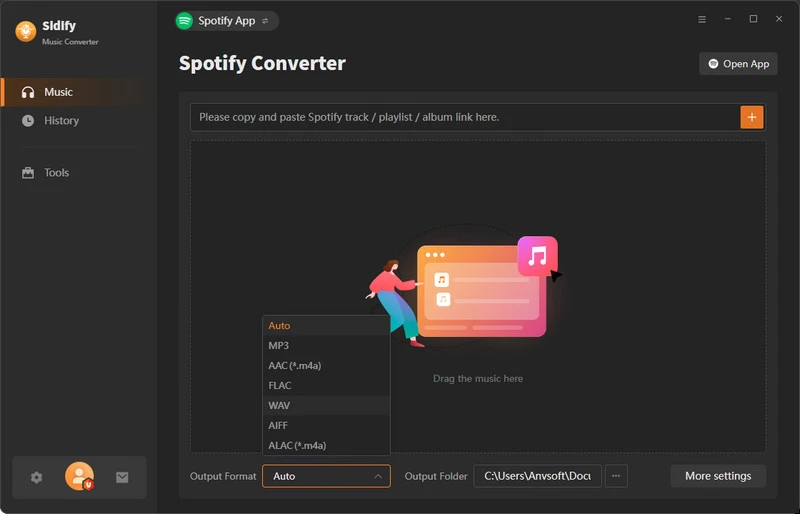
Step 2 Add Songs from Spotify to Sidify
From the Spotify desktop app, find and locate the songs you want to download. Then add the songs from Spotify to Sidify by drag-and-drop operation. You can also do it by copying the song URL and pasting it to Sidify.
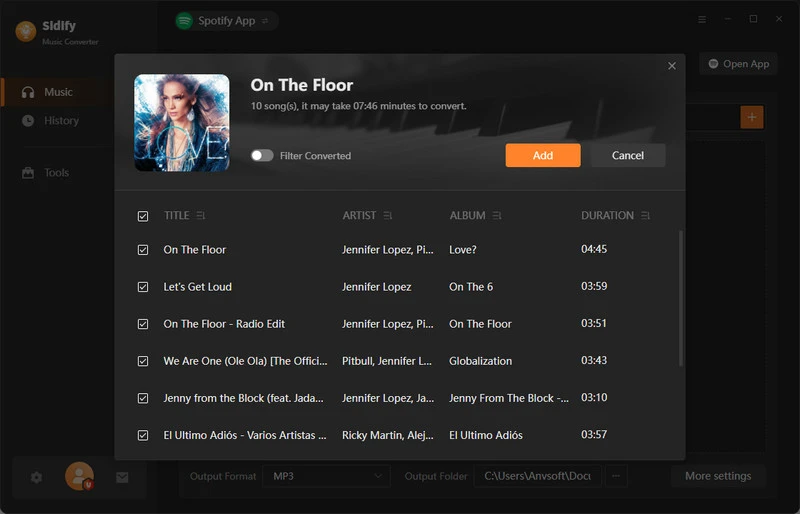
Step 3 Customize Spotify Songs Output Settings
Tap the "Settings" button on the left-hand panel and open the settings menu. Here, choose the Spotify output format (MP3/AAC/WAV/FLAC/AIFF/ALAC), output quality, as well as output path.
For Spotify Premium users, you can set up to download Spotify Lossless original quality.
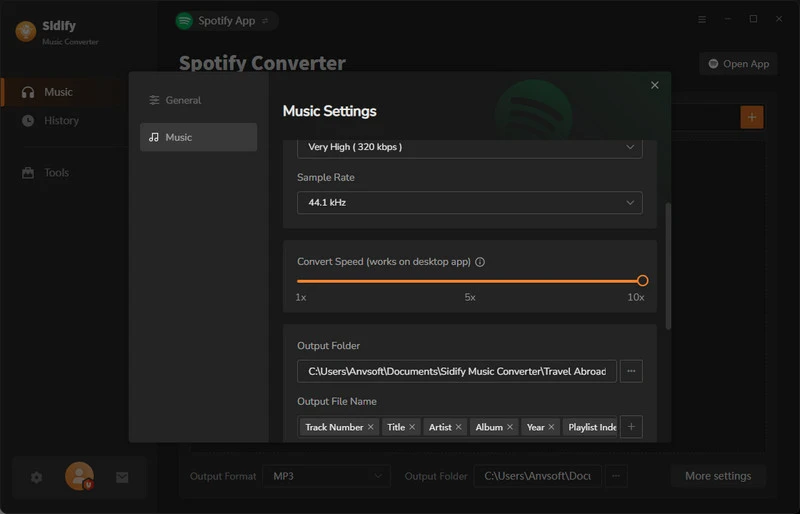
Step 4 Download Spotify Music As Independent Audio Files
Click the "Convert" button to start downloading Spotify songs as common audio files. Sidify will save the Spotify downloads directly to the local storage on the computer. You can also go to the History section and find all Spotify downloaded songs.
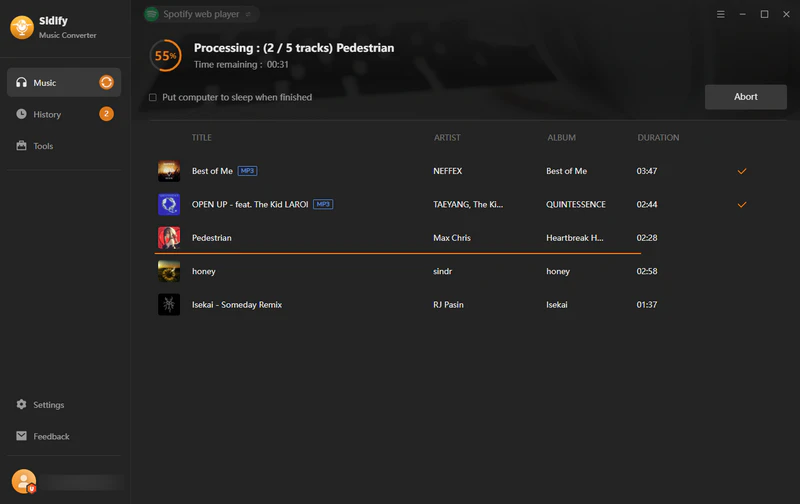
Note: Sidify works for both Spotify Premium and free users. The trial version of Sidify Music Converter enables you to convert the first minute of each audio file for sample testing. You can purchase the full version to unlock the time limitation.
Video Tutorial: How to Free Get Spotify Premium 3 Month, Up to Lifetime!
Free Spotify 3-Month Promos That Has Expired
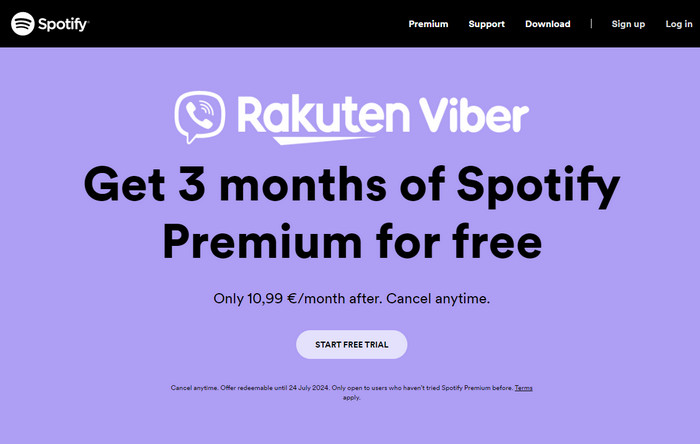
Obtain 3 Months Free of Spotify via Rakuten Viber [Expired]
Rakuten Viber and Spotify have teamed up to offer a special Free Premium deal for up to 3 months. Spotify is to give discounts or free trials of Spotify Premium subscriptions to Rakuten Viber users. The partnership involves a free three-month Premium trial of Spotify for eligible users in specific countries in Europe, the Middle East, and Asia. In the Philippines and Vietnam, qualified users will get an exclusive discount of up to 90% on the premium features.
Access Offer Link: https://www.spotify.com/de-en/ppt/viber/ (Validity: EXPIRED)
Enjoy Spotify Premium Free for 3 Months with PayPal [Expired]
PayPal users can get the first 3 months of Spotify Premium for free when signing up for Spotify Premium using PayPal as the payment method. The process is quite simple: simply download Spotify, if you haven't already done so, choose to activate the Premium subscription, and select PayPal as your payment method.
Step 1 Get into the Spotify Premium offer page and click Get Offer. Then you sign up or sign into your Paypal account.
Step 2 It will then redirect you to Spotify offer and you just click Start Free Trial. Spotify will guide you to the signup process and you have to enter the payment details. Then you should choose Paypal as the payment method.
Step 3 Once the payment is completed, your Spotify Premium free trial will be activated for a duration of 3 months.
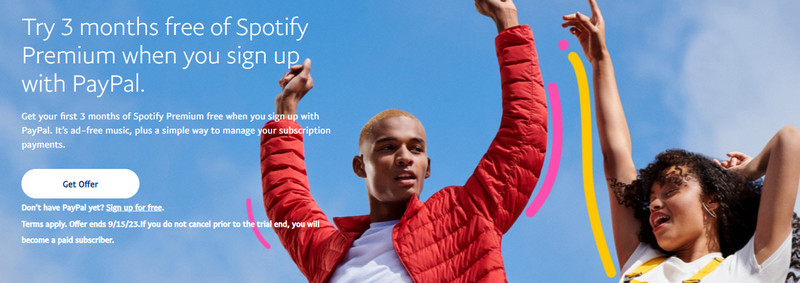
Note: This special offer is good but expired. It's only for the Individual Plan of Spotify Premium for 3 months. If necessary, keep track of the trial end date and cancel it before the trial period ends to avoid being charged for the subsequent months ($12.99/month).
Frequently Asked Questions
Who qualifies for Spotify's 3-month free trial?
Spotify's 3-month free trial is available only to new Premium subscribers in eligible countries. Existing users, Family/Duo plan members, and residents of excluded regions (e.g., Brazil) cannot claim it.
Do I need a credit card for the 3-month trial?
Yes, but you can cancel immediately and still retain access for 3 months.
Can I use the 3-month trial with Premium Duo/Family?
No. The trial only applies to Individual Premium plans.
Does the trial include all Premium features?
Yes! You can enjoy ad-free listening, downloads, and unlimited skips.
Can I download music offline during the trial?
Yes, you can download music for offline listening during Spotify's 3-month free trial — this is one of the key Premium features included in the offer.
Where are the Spotify downloads stored?
Spotify stores downloaded songs in a hidden, encrypted folder within the app's storage. You cannot directly access or transfer these files to other devices, unless you use a tool like Sidify Music Converter.
Conclusion
Now you have 11 current methods to enjoy Spotify Premium for free for 3 months (or longer) — led by Spotify's official Premium Individual trial, along with partner promotions, reward programs, and browser perks. For permanent offline access beyond the trial period, consider using Sidify Music Converter.
Sidify Spotify Music Converter
Download Spotify songs, albums, and playlists to MP3 at 40X speed with 100% original quality.












