Spotify doesn't feel the same anymore.
AI-generated music and junk tracks keep popping up in Discover Weekly. Premium now costs $12.99/month, the limits keep getting more annoying, and even Spotify's new lossless audio still stops at CD quality — while Apple Music and Tidal go higher.
Looking for a free Spotify alternative, or a paid app with better sound? You're not alone. We've rounded up 7 music streaming platforms worth switching to in 2026, based on our own experience and what we've seen across Reddit and other social platforms.
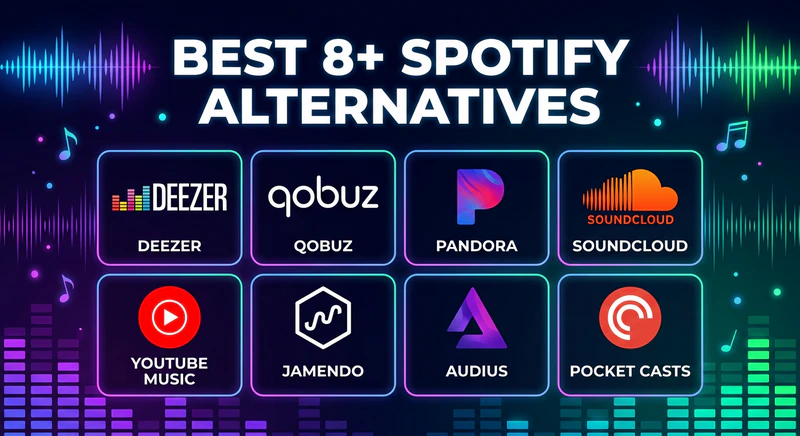
Top 7 Spotify Alternatives in 2026
Not sure which Spotify alternative is right for you? The table below compares US individual plans as of August 2026, set against Spotify Premium at $12.99 — including free tiers, audio quality, and what each one does best. If one catches your eye, click it and scroll down for our detailed review.
Compare the Best Spotify Alternatives at a Glance
| Platform | Price (Individual) | Free Plan | Catalog | Audio Quality | Best For |
|---|---|---|---|---|---|
| Spotify | $12.99/month | ✔️ Yes (with ads) | 100M+ songs | Lossy up to 320 kbps; lossless up to CD quality | Playlists & discovery |
| Apple Music | $11.99/month | ❌ No | 100M+ songs | Lossless / Hi-Res Lossless + Dolby Atmos | Best overall switch, Apple users |
| YouTube Music | $11.99/month | ✔️ Yes (with ads) | 100M+ songs + videos | Up to 256 kbps AAC / OPUS | Best free tier; live tracks & covers |
| TIDAL | $11.99/month | ❌ No | 180M+ tracks | Lossless / Hi-Res FLAC + Dolby Atmos | Best sound quality in a regular app |
| Amazon Music | $11.99–$12.99/month | ✔️ Limited / Prime catalog | 100M+ songs | HD / Ultra HD lossless | Prime members & Alexa homes |
| Deezer | $11.99/month | ✔️ Yes (with ads) | 120M+ songs | HiFi FLAC 16-bit / 44.1 kHz | Closest Spotify-like app with CD-quality audio |
| Qobuz | $12.99/month | ❌ No | 100M+ tracks | Hi-Res FLAC up to 24-bit/192 kHz | Album-focused audiophiles |
| SoundCloud | $9.99/month | ✔️ Yes (with ads) | 400M+ tracks | Up to 256 kbps AAC | Indie, remixes, DJ sets |
How to Choose the Right Spotify Alternative
If you already know what matters most, start here:
- Best overall: Apple Music — a dollar less than Spotify Premium, with Hi-Res included.
- Best free: YouTube Music for mainstream catalogs; SoundCloud for remixes and underground tracks.
- Best sound quality: Tidal for Hi-Res in a regular app; Qobuz if you prefer listening by album.
- Already pay for Prime or use Echo: Amazon Music.
- Want a Spotify-like app with lossless audio: Deezer — Flow also filters AI-generated tracks.
If collaborative playlists and Discover Weekly are the main reasons you stay on Spotify, no other app copies that experience exactly. Transfer your library first, then cancel when you're ready.
 Back up your playlists before you switch
Playlist transfer tools are convenient, but they don't always match every track. Save a local copy with Sidify Music Converter so your collection stays intact even if a song isn't available on the new platform.
1. Apple Music: Best Overall Alternative to Spotify
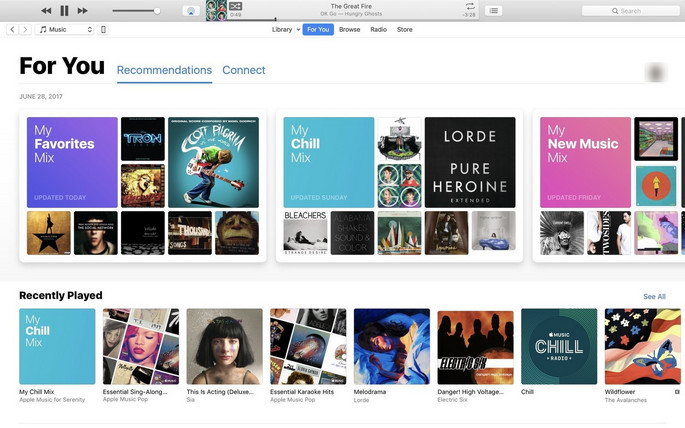
If you want one service that covers most needs, start with Apple Music. There is no free plan. What you do get is a catalog of over 100 million songs, plus lossless audio and Dolby Atmos in the standard $11.99 subscription — a dollar less than Spotify Premium.
Spotify’s own lossless tier still tops out around CD quality. Apple Music goes to Hi-Res Lossless up to 24-bit/192 kHz. It works best if you already use an iPhone, Mac, Apple Watch, or HomePod, but the Android app is usable. Local files drop into the same library. Podcasts and audiobooks live in separate Apple apps, so the music library stays focused.
The main downsides? Discovery isn't as aggressive as Spotify's algorithm, so you'll have to put in a bit more work to find new music. And again, no free tier. If price is your primary concern, YouTube Music or SoundCloud are worth a look instead.
| Feature | Apple Music |
|---|---|
| Website | https://music.apple.com/ |
| Free Tier | ❌ (trial only) |
| Price | Individual: $11.99/month Student: $6.99/month Family: $19.99/month (up to 6 people) |
| Local files / uploads | Yes — same library as the catalog |
- Cheaper than Spotify Premium, with Hi-Res and Dolby Atmos included
- Strong Apple device integration (AirPlay, Apple Watch, HomePod)
- Solid support for personal libraries and local files
- Clean, album-focused interface with fewer distractions
- No free tier
- Android app feels less polished than iOS
- Weaker social features and playlist sharing than Spotify
- Recommendations feel less personalized than Spotify
If Apple Music is still the one you want, you don't have to rebuild your library from scratch. You can move your Spotify playlists over — most songs will match, though a few rare edits or region-locked tracks may not show up. Sidify can transfer the lists for you, and back up anything that doesn't make it.
2. YouTube Music: Best Free Spotify Alternative
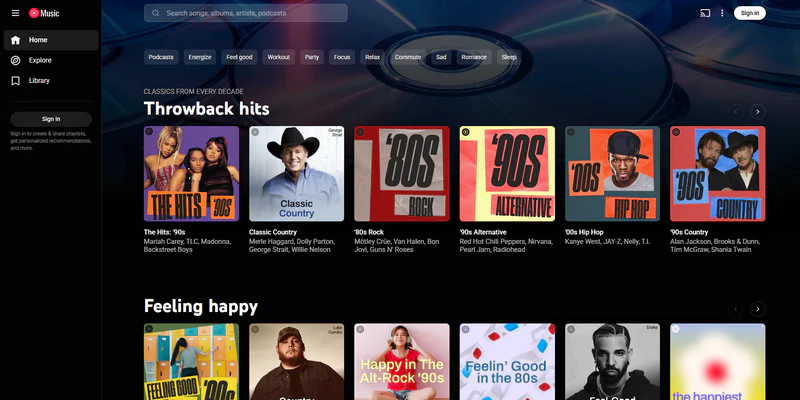
YouTube Music is our top pick among free Spotify alternatives. Its biggest advantage is its unique content library. You can find covers, remixes, live performances, and unofficial uploads that never show up on Spotify — I've pulled up live versions and old remixes here more than once.
You can also upload up to 100,000 personal songs to the cloud, so your local library can stream across devices alongside the official catalog. Search is more flexible than most streamers, too, including humming recognition when you remember a melody but not the title.
If you already pay for YouTube Premium, Music is included. If not, the free ad-supported plan works for casual listening, though background playback and offline downloads stay Premium-only, similar to Spotify Free.
The main downside is audio quality, which is limited to 256 kbps AAC/OPUS. Premium still doesn't add lossless, so you trade fidelity for lives, covers, and a free plan that actually works. Playlist tools also feel thinner than Spotify or Apple Music. Even so, for catalog size and free access, it remains one of the most practical switches this year.
| Feature | YouTube Music |
|---|---|
| Website | https://music.youtube.com/ |
| Free Tier | ✔️ Ads; background play limited on mobile |
| Price | YouTube Music Premium: $11.99/month YouTube Premium (includes Music): $15.99/month YouTube Premium Family: $26.99/month (up to 6 members) |
| Local files / uploads | Yes — up to 100,000 songs |
- Huge library beyond official albums — covers, remixes, live versions, and videos
- Upload up to 100,000 personal songs to the cloud
- Humming search to identify songs by melody
- Free ad-supported plan available
- No lossless or Hi-Res streaming
- Audio quality tops out at 256 kbps
- Free plan limits background play and offline downloads
- Playlist tools and library management feel limited
3. TIDAL: Best Spotify Alternative for Sound Quality
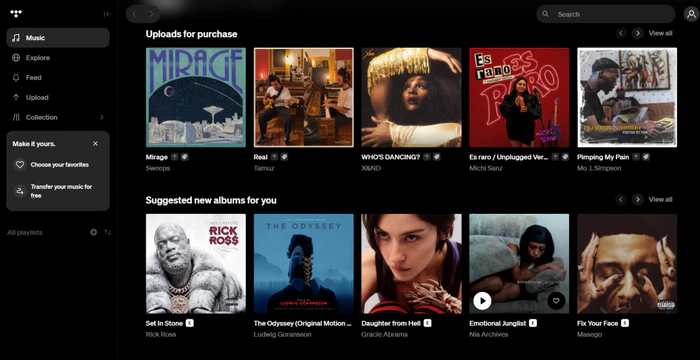
TIDAL is a strong Spotify competitor for listeners who prioritize sound quality. It previously offered separate HiFi and HiFi Plus tiers, but its current Individual plan costs $11.99/month in the U.S. and includes lossless FLAC, HiRes FLAC, and Dolby Atmos at no extra charge — $1 less than Spotify Premium Individual. TIDAL's Max quality reaches up to 24-bit/192 kHz, compared with Spotify Lossless at up to 24-bit/44.1 kHz. On compatible high-end audio equipment, the difference may be noticeable on well-mastered tracks, though it varies by recording, hardware, and listener.
It also pays artists roughly three times more per stream than Spotify, which matters if you care about where your subscription money goes. The trade-offs are also noticeable. Collaborative playlists and social features feel weaker than Spotify's, and there's no free plan — just a 30-day trial. There's no local file support either, and the user base is much smaller, so you cannot get the same sense of community.
Still, if sound quality and artist payouts are what you care about most, Tidal is worth the switch. Most mainstream playlists transfer over; gaps usually show up on obscure edits and some regional releases.
| Feature | TIDAL |
|---|---|
| Website | https://tidal.com/ |
| Free Tier | ❌ 30-day trial |
| Price | Individual: $11.99/month Family: $19.99/month (up to 6 members) Student: $6.99/month |
| Local files / uploads | No |
- Lossless FLAC, Hi-Res FLAC, and Dolby Atmos in the standard plan
- Cheaper than Spotify Premium
- Higher per-stream artist payouts (often cited as ~3× Spotify)
- Detailed artist credits and curated playlists
- No free plan
- Weaker collaborative playlists and social features than Spotify
- No local file support
4. Amazon Music: Best Alternative If You Already Pay for Prime
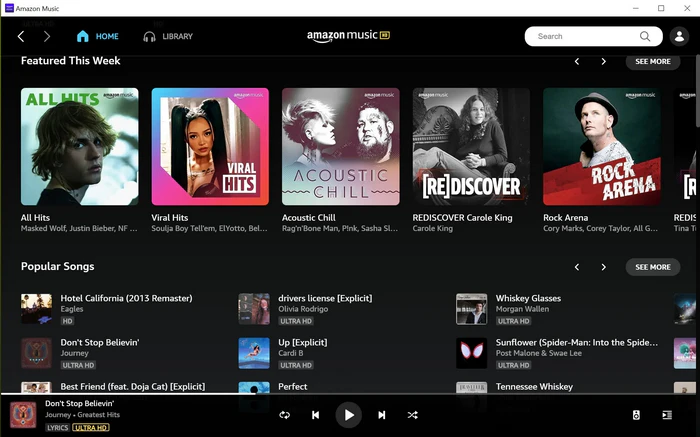
If you already pay for Amazon Prime, Amazon Music is a practical switch from Spotify. Prime members can enjoy a selection of songs, playlists, and stations at no extra cost. If that's not enough, you can pay $12.99/month ($11.99 for Prime members) to upgrade to Amazon Music Unlimited, which unlocks 100M+ songs with ad-free listening, offline downloads, and HD / Ultra HD lossless.
Alexa integration is another major advantage, especially if you have Echo devices or an Amazon smart home setup. Discovery and social sharing still trail Spotify and Apple Music. The free ad-supported stations are also not a full on-demand library. Unlimited no longer undercuts the field: with Prime it matches Apple Music and Tidal at $11.99; without Prime it matches Spotify. Echo and Prime are the real reasons to bother.
| Feature | Amazon Music |
|---|---|
| Website | https://music.amazon.com/ |
| Free Tier | ✔️ Limited catalog / ad-supported stations; Prime includes shuffle access |
| Price | Unlimited Individual: $12.99/month Prime member: $11.99/month Family: $21.99/month (up to 6 members) Student: $5.99/month |
| Local files / uploads | Limited compared with Apple Music / YouTube Music |
- Prime members get a catalog without a second full-price subscription
- HD and Ultra HD lossless on Unlimited
- Strong Alexa and Echo / smart home integration
- Offline listening on paid plans
- Weaker music discovery than Spotify
- Interface feels less polished than Spotify or Apple Music
- Free version is not a full on-demand library
- Social features lag behind Spotify
5. Deezer: Closest Spotify-Like App With Lossless FLAC
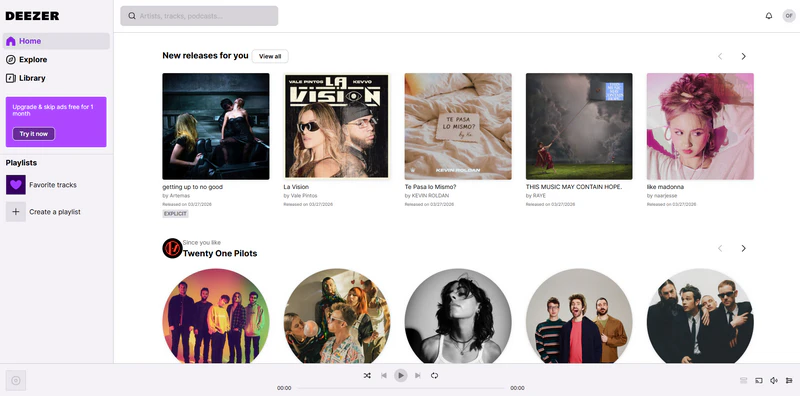
If you want a Spotify-like experience with better sound quality and a cleaner interface, Deezer is worth a serious look. The layout feels familiar enough that switching doesn't take much effort, and paid plans unlock HiFi lossless CD-quality audio (1,411 kbps FLAC). Flow, its personalized recommendation engine, adapts to your listening habits and actually improves over time. Deezer also filters out AI-generated music from its algorithmic recommendations, which I personally appreciate as more AI tracks flood streaming platforms.
The free tier opens the full catalog with ads at about 128 kbps. Social features are much smaller than Spotify's, and HiFi doesn't go above CD-quality FLAC. If you want 24-bit, Tidal or Qobuz are the better bet. At $11.99 Deezer matches Apple Music and Tidal — a dollar under Spotify — so price isn't the reason to pick it. Flow also won't recreate your Discover Weekly overnight — give it time after you move your playlists.
| Feature | Deezer |
|---|---|
| Website | https://www.deezer.com/ |
| Free Tier | ✔️ Full catalog with ads, ~128 kbps |
| Price | Premium Individual: $11.99/month Student: $5.99/month Duo: $15.99/month (2 accounts) Family: $19.99/month (up to 6 accounts) |
| Local files / uploads | Yes on paid plans |
- Strong discovery with Flow recommendations
- HiFi lossless FLAC at 1,411 kbps on premium plans
- Free tier opens the full catalog with ads
- Identifies AI-generated music and filters junk tracks from Flow
- Free plan limited to about 128 kbps
- No Hi-Res above CD quality
- Smaller community and weaker social features than Spotify
6. Qobuz: Best Album-Focused Hi-Res Alternative
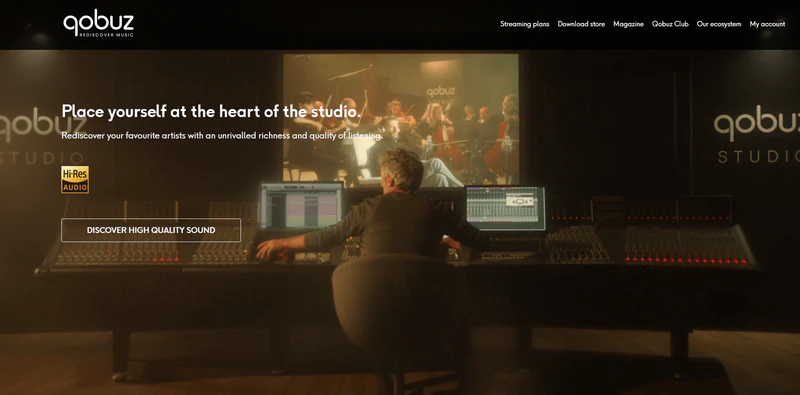
Qobuz is a hi-fi streaming service designed for serious listeners. Its catalog includes over 100 million tracks, with lossless FLAC streaming available in CD quality and Hi-Res formats up to 24-bit/192 kHz. There's no extra charge for higher-quality audio — it's just part of the subscription.
What really sets Qobuz apart is its album-focused experience. The editorial playlists, reviews, and detailed album information feel more thoughtfully curated than the algorithm-heavy recommendations you get elsewhere. If you're tired of endless personalized mixes and want to spend more time exploring complete albums, Qobuz offers a refreshing change.
Studio Solo is $12.99/month — the same as Spotify Premium — and there's no cheaper lossy plan underneath it. There's no free tier, and auto-play recommendations are weaker if you rely on Spotify-style Mixes. Classical, jazz, and well-mastered albums benefit most.
| Feature | Qobuz |
|---|---|
| Website | https://www.qobuz.com/ |
| Free Tier | ❌ |
| Price | Studio Solo: $12.99/month Studio Duo: $17.99/month (2 accounts) Studio Family: $21.90/month (up to 6 accounts) |
| Local files / uploads | Download store + offline on subscription |
- Hi-Res FLAC up to 24-bit/192 kHz included
- Strong for classical, jazz, and audiophile listening
- Rich album notes, credits, and editorial picks
- Fairer artist pay and clearer transparency
- No free tier
- Weaker auto-play recommendations than Spotify
- Limited social sharing
7. SoundCloud: Best Free Pick for Underground Music
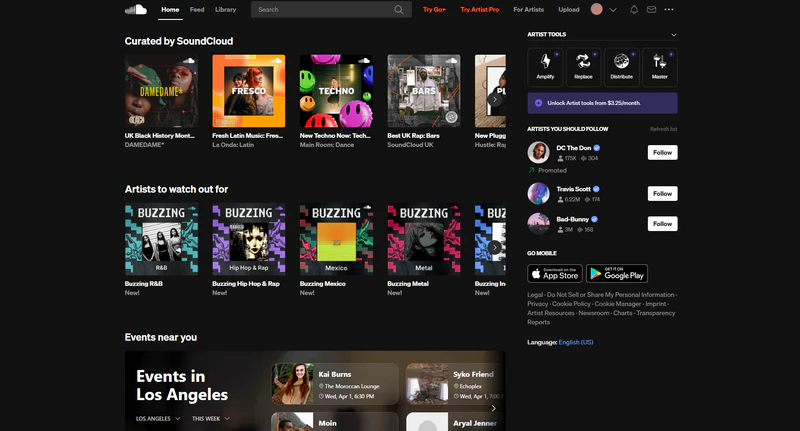
SoundCloud is a strong free Spotify alternative if you want to discover something beyond mainstream hits. While you won't find every major artist here, it offers a massive creator community with remixes, covers, DJ sets, and underground tracks that don't exist elsewhere. Artists upload directly, so the platform feels more discovery-focused than Spotify — less polished, but that's the point. The catalog is huge: 400M+ tracks.
The free plan has ads and no offline playback. SoundCloud Go ($4.99/month) removes ads and adds offline listening. Go+ ($9.99/month) is the closer paid tier, still without lossless, and upload quality varies. If chart albums are most of what you play, this won't replace Spotify — it's the extra place you go for remixes and DJ sets.
| Feature | SoundCloud |
|---|---|
| Website | https://www.soundcloud.com/ |
| Free Tier | ✔️ Ads, online-only |
| Price | SoundCloud Go: $4.99/month SoundCloud Go+: $9.99/month SoundCloud DJ: $19.99/month |
| Local files / uploads | Creators upload directly; not a local-file locker like Apple Music |
- Huge indie and underground catalog
- Strong for remixes, DJ sets, and rare tracks
- Active creator community
- Free listening option available
- Free plan has ads and no offline playback
- Fewer official mainstream releases
- Upload quality can be inconsistent
Other Spotify Alternatives for Specific Needs
If you don't need a complete Spotify replacement, a few other apps still come up often. They're useful in specific cases, but they won't cover everyday music listening the way the seven above do.
| App | What it is | Best for |
|---|---|---|
| Pandora | Personalized radio (mainly US) | You want stations, not a playlist library |
| Jamendo | Indie / Creative Commons catalog | You need royalty-friendly music for a project |
| Audius | Creator-upload / Web3 discovery | You follow underground electronic and early releases |
| Pocket Casts | Podcast app, not a music service | Spotify was mostly your podcast player |
Pandora’s Music Genome stations are still good for hands-off US listening, with Plus at $5.99/month and Premium at $10.99. Jamendo is free and built for licensing, not chart coverage. Audius is free and artist-uploaded — much smaller than Spotify. Pocket Casts Plus is $3.99/month and has no albums or artist radio.
How to Move Your Spotify Playlists Before You Switch
Once you've chosen a new app, the last step is moving your music. Playlists took years to build, and not every song exists on the new service — rare edits, regional exclusives, and some uploads simply won't match.
The easiest way is to send the lists over first. Playlistgo connects your Spotify account and copies playlists, liked songs, and albums to Apple Music, YouTube Music, Tidal, Amazon Music, Deezer, Qobuz, or SoundCloud, so you can keep listening on the new app without rebuilding everything by hand.
A few tracks may still be missing after that. If you cancel Spotify too early, those gaps are hard to get back. That's when a local backup helps: Sidify Music Converter can convert Spotify to MP3, or export FLAC, AAC, AIFF, and WAV with ID3 tags kept intact. Save those files on your computer for the car, an MP3 player, or a local import on Apple Music or YouTube Music — then leave Spotify when you're ready.
Sidify Music Converter
- Convert Spotify to MP3, AAC, FLAC, WAV, AIFF, or ALAC.
- Download Spotify playlist offline for permanent access.
- Export FLAC audio and keep original metadata (title, artist, album, cover).
- Backup Spotify playlists before you switch platforms.
 Disclaimer
Sidify is intended for personal and non-commercial use only. Spotify User Guidelines prohibit unauthorized copying or ripping of content, so users should ensure they have the appropriate rights to the content and comply with local laws and Spotify terms and policies.
How to Download Spotify Playlist to MP3 (Step-by-Step)?
Step 1 Launch Sidify, and then choose from two options to download your playlist: built-in Spotify web player or Spotify App mode.
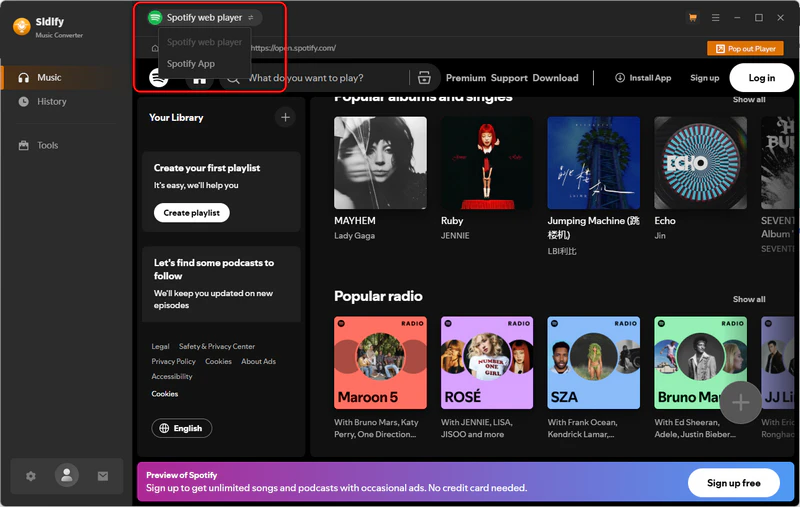
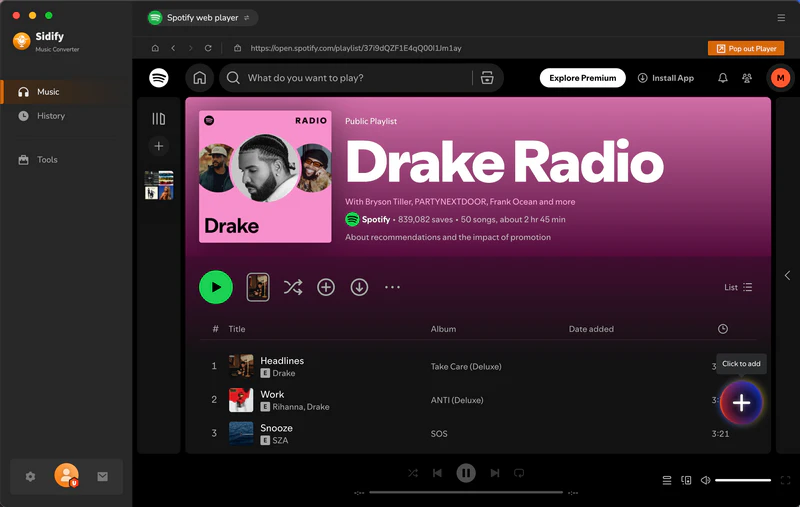
Step 2 Then find and choose the playlist you want to back up, click Click to Add. You can add multiple songs, albums, or playlists at once and batch convert Spotify to MP3.
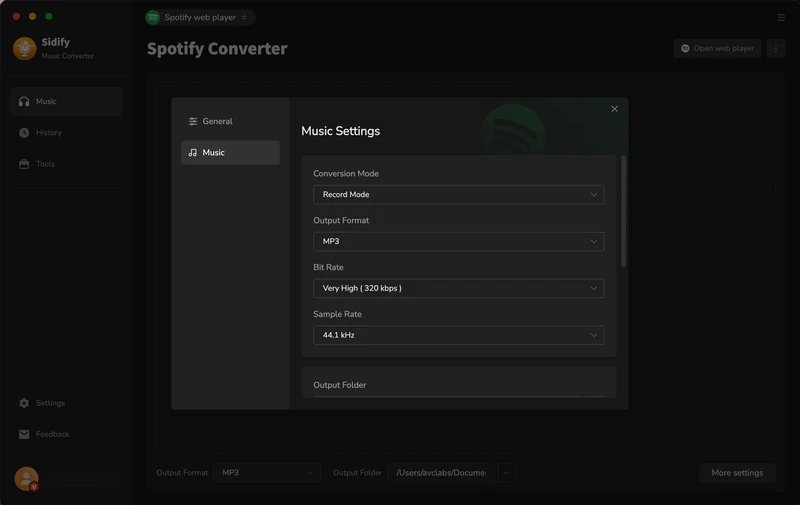
Step 3 Go to Settings and choose output format, output folder, and audio quality. Then select MP3 as the output format and click Convert to start the conversion.
Step 4 When the conversion is finished, click History to check the converted files. Your Spotify playlists have now been saved as MP3 files on the local computer, and you can transfer them to another music service that supports local importing.
FAQ about Spotify Alternatives
What is the best alternative to Spotify overall in 2026?
Apple Music is the cleanest switch for most people: $11.99/month, lossless and Dolby Atmos included, and a catalog on par with Spotify. Choose Tidal if sound quality and artist payouts matter more, or YouTube Music if you need a usable free tier.
What is the best free Spotify alternative?
YouTube Music is the strongest free option for mainstream catalogs, covers, and live tracks, though ads and mobile background limits still apply. SoundCloud is better if you want remixes, DJ sets, and underground uploads. Jamendo and Audius are also free, but their catalogs focus on independent and creator-uploaded music, not major-label artists.
Is any Spotify alternative cheaper than Spotify Premium?
Yes, by a dollar. Apple Music, Tidal, Deezer, and YouTube Music Premium are $11.99/month versus Spotify Premium at $12.99. Amazon Music Unlimited is $11.99 for Prime members ($12.99 without Prime). Apple Music and Tidal still include lossless and Hi-Res at that price.
Can I transfer my Spotify playlists to another service?
Yes. Use Playlistgo (or similar transfer tools) to move playlists, liked songs, and albums. Some tracks may be missing due to licensing differences between platforms. To avoid losing music, create a local backup before you cancel Spotify.
Does Spotify lossless mean I should stay on Spotify?
Not necessarily. Spotify lossless tops out around CD quality. Apple Music, Tidal, Amazon Music, and Qobuz still offer Hi-Res up to 24-bit/192 kHz. Price, discovery, and the devices you already own still matter just as much as the lossless label.
Conclusion
We've listed the Spotify alternatives worth trying above — pick the one that best fits your needs. Apple Music is the easiest all-around switch, YouTube Music is the strongest free option, Tidal and Qobuz win on Hi-Res, Amazon Music makes sense if you already have Prime, Deezer feels closest to Spotify with lossless audio, and SoundCloud is the pick for underground music.
Before you make the final switch, transfer your playlists with Playlistgo, and back up your collection with Sidify Music Converter so nothing gets left behind.
 Sidify Music Converter
Download Spotify playlists as MP3, AAC, FLAC, WAV, AIFF, or ALAC and keep your music for offline and permanent access.