

Spotify is a popular platform for listening to podcasts. However, if you want to save your favorite podcasts as MP3 files for offline listening, you'll find that Spotify has several download limitations.
Therefore, this guide features 10 of the best Spotify Podcast to MP3 Downloaders to meet your needs for stable downloads, batch downloading, and high audio quality. All the tools have been tested and verified. Let's take a look!
🔍 Related Reading: How to Download Spotify Podcasts to MP3 in 2026 (Free & Easy Methods)
Quick Comparison – Which Is the Best Spotify Podcast Downloader?
To help you choose the right tool, we've tested 10 tools including 8 Spotify podcast MP3 downloaders and 2 bonus tools for saving podcast transcripts. Whether you want to download audio files or save episode text for later reference, this comparison will help you find a suitable option.
| Tool | MP3 | Batch Download | Audio Quality | No Installation | Ease of Use | Reliability | Free |
|---|---|---|---|---|---|---|---|
| Sidify | ✓ | ✓ | 320 kbps | ✗ | ★★★★★ | ★★★★★ | ✗ |
| AudiFab | ✓ | ✓ | 320 kbps | ✗ | ★★★★★ | ★★★★★ | ✗ |
| SpotMP3 | ✓ | ✗ | 128 kbps | ✓ | ★★★★☆ | ★★★★☆ | ✓ |
| Podcast Downloader | ✓ | ✗ | 128 kbps | ✓ | ★★★☆☆ | ★★★★☆ | ✓ |
| Podcast Download RSS | ✓ | ✓ | 128 kbps | ✓ | ★★★★☆ | ★★★★☆ | ✓ |
| SpotScribe | ✓ | ✗ | 128 kbps | ✓ | ★★★☆☆ | ★★★☆☆ | ✓ |
| PodcastMP3 | ✓ | ✗ | 128 kbps | ✓ | ★★★★☆ | ★★★☆☆ | ✓ |
| PodcastToMP3 | ✓ | ✓ | 128 kbps | ✓ | ★★★★☆ | ★★☆☆☆ Search may fail |
✓ |
| SpotiSaver | ✗ | ✗ | N/A (Transcript only) | ✓ | ★★★★☆ | ★★★☆☆ | ✓ |
| Podcast Transcript AI Downloader | ✗ | ✗ | N/A (Transcript only) | ✓ | ★★☆☆☆ | ★★☆☆☆ Slow delivery |
✓ |
1. Sidify Spotify Podcast to MP3 Downloader – Best Overall for High-Quality Downloads
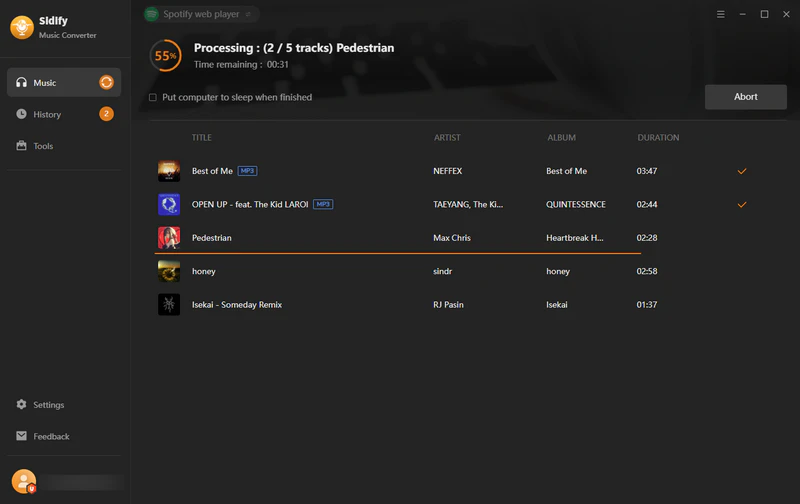
Sidify Spotify Podcast Downloader is a desktop program that helps you not just download Spotify music to MP3 but also works to convert podcasts and audiobooks to MP3 easily. With Sidify, you can rip podcasts from Spotify to MP3, save Spotify podcasts to local files, and convert podcasts on Spotify to AAC, FLAC, ALAC, AIFF, or WAV formats.
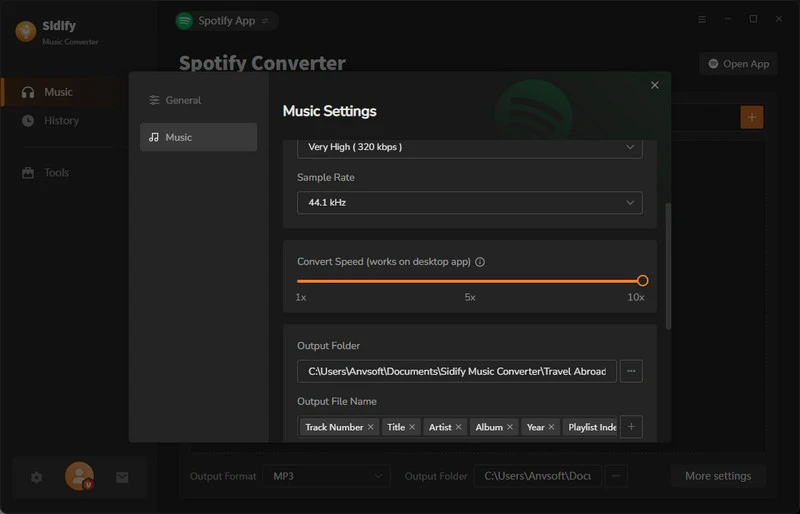
Working at 10x speed and with no podcast download limits, Sidify sets the stage for getting every episode of a podcast in one download shortly. Downloaded podcasts are kept with matching tags such as podcast show name, episode number, title, released date and cover art.
Free Podcast to MP3 Downloader
- Download and convert Spotify podcasts to MP3.
- Support multiple formats including AAC, FLAC, ALAC, AIFF, or WAV.
- Preserve the original podcast sound quality.
- Preserve ID3 tags after conversion.
- Compatible with Windows 10, 11, and Mac 11.x and later with M1 or Intel.


How to Download Spotify Podcasts as MP3 with Sidify
Step 1 Install and open Sidify Spotify Podcast Downloader on your computer.
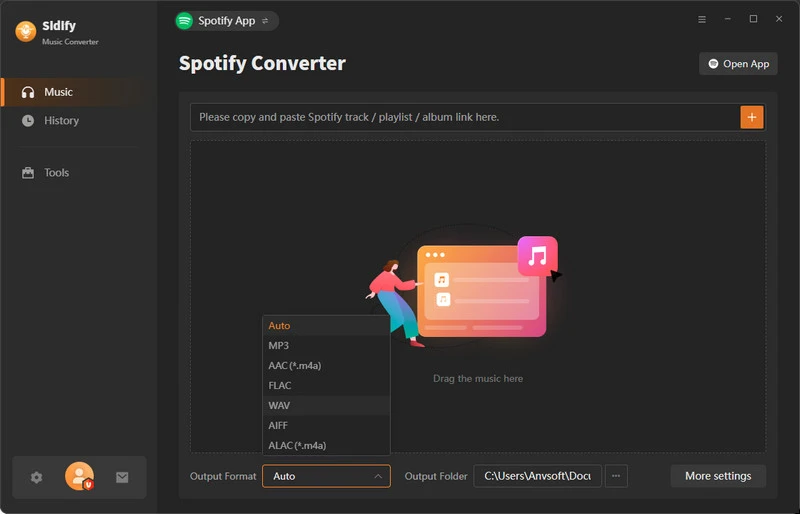
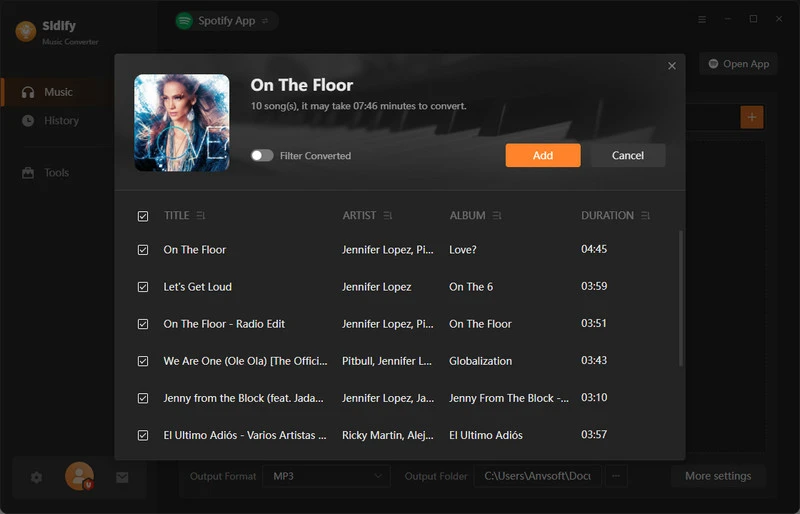
Step 2 Drag and drop your desired podcast episode from Spotify to Sidify.
Step 3 Go to the converter settings, and change the output format to MP3. If you are a Spotify Premium listener, set the output quality to 320kbps.
Step 4 Click "Convert" to download the episode as an MP3 file. Go to the "Converted" part to view all Spotify podcast downloads.
2. AudiFab – Reliable Spotify Podcast to MP3 Batch Converter
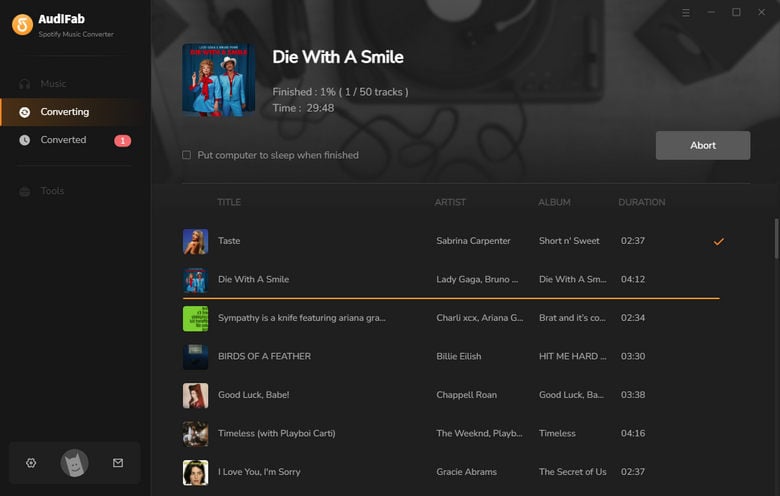
AudiFab is another Spotify podcast to MP3 download tool available for both Windows and Mac. If you need to download multiple podcast episodes and don't want to do it manually one by one, it can help you save your favorite podcast episodes in batches. Users can also choose the output format and audio quality based on their needs and save the downloaded podcasts locally for convenient offline listening and management.
How to Download Spotify Podcasts as MP3 with AudiFab
Step 1 Install and launch AudiFab on your Windows computer.
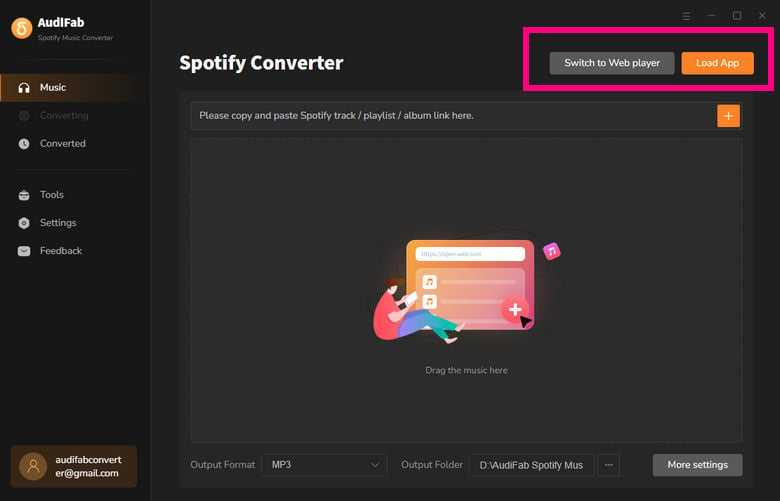
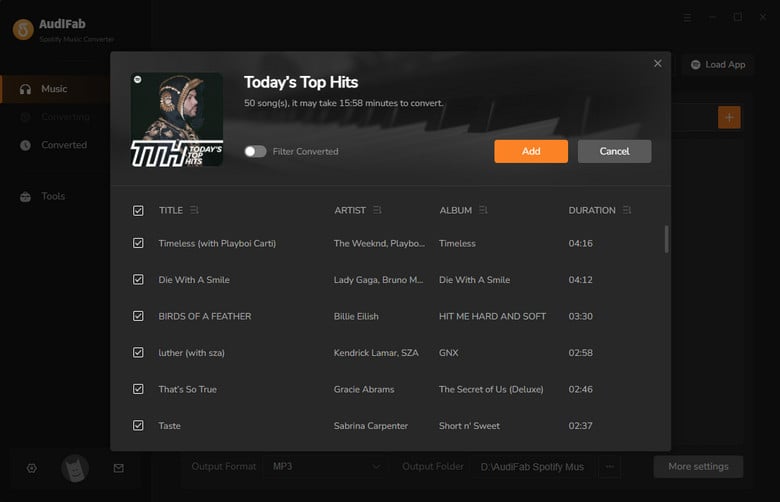
Step 2 Open Spotify and find the podcast episodes you want to download. Click + icon to add podcast episodes.
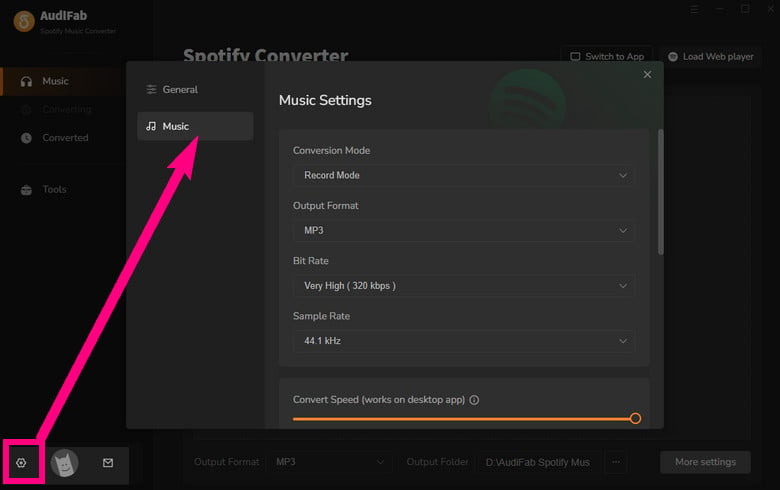
Step 3 Choose MP3 as the output format and customize the audio quality.
Step 4 Click Convert to start downloading. Once finished, find your downloaded podcast episodes in the output folder.
Pros and Cons of AudiFab
- Supports batch downloading Spotify podcast episodes.
- Supports MP3 and multiple output formats.
- Allows users to customize audio quality.
- Available for both Windows and Mac.
- Requires software installation.
- Not free to use.
3. SpotMP3 – Best Online Spotify Podcast to MP3 Downloader
SpotMP3 is one of the best online Spotify Podcast to MP3 downloaders we recommend. It features a modern, high-tech interface that looks clean and well-designed. Most importantly, it supports downloading Spotify podcasts as MP3 files. One particularly useful feature is that it can retrieve all episodes from a single podcast link, making it convenient for users who want to download multiple episodes from the same podcast.
How to Download Spotify Podcasts to MP3 with SpotMP3
Step 1 Open SpotMP3 in your browser.
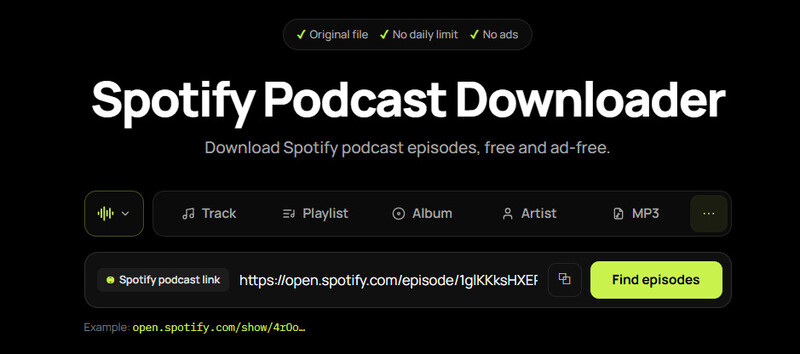
Step 2 Click the three-dot (More) icon to switch to Podcast mode.
Step 3 Copy and paste a Spotify podcast link into the input box, then click "Find Episodes".
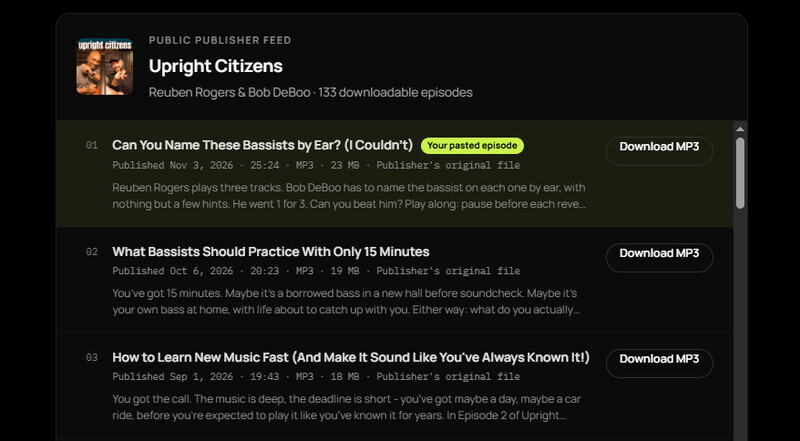
Step 4 Select the episode you want to download and click "Download MP3".
Pros and Cons of SpotMP3
- Clean, modern, and high-tech interface.
- No ads.
- Easy to use.
- Can retrieve all episodes using a single podcast link.
- Audio quality is limited to 128 kbps.
- Multiple episodes must be downloaded one by one.
4. Podcast Downloader – Easily Access Full MP3 Podcast Series
Podcast Downloader is another good Spotify Podcast to MP3 downloader, similar to SpotMP3. It can retrieve all episodes using a single podcast link. The interface is also clean and ad-free. One drawback is that it requires users to complete a Cloudflare CAPTCHA before each conversion, making the process a little slower and less convenient for those who want quick downloads.
How to Download Spotify Podcasts to MP3 with Podcast Downloader
Step 1 Visit Podcast Downloader in your browser.
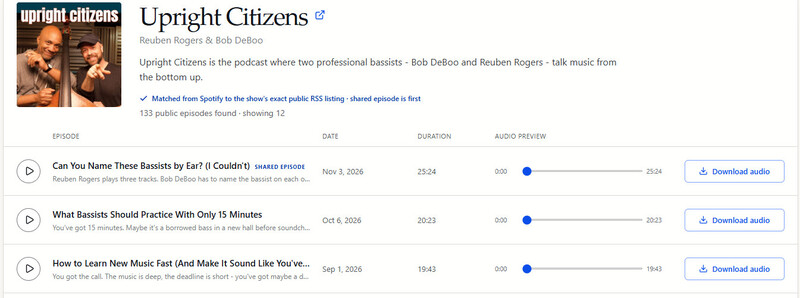
Step 2 Copy a Spotify podcast URL and paste it into the input box, then click "Find Episodes".
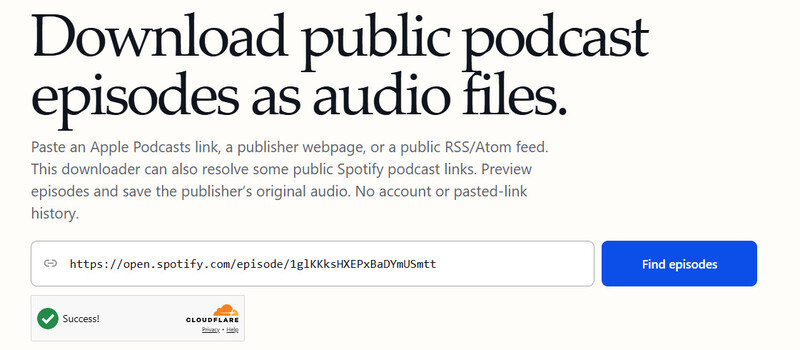
Step 3 Complete the Cloudflare CAPTCHA, scroll down, and select the episode you want to download. Then click "Download Audio".
Pros and Cons of Podcast Downloader
- Clean and ad-free interface.
- Easy to convert Spotify podcasts to MP3.
- Can retrieve all episodes using a single podcast link.
- Requires a Cloudflare CAPTCHA before each conversion.
- Requires users to click and download episodes one by one.
5. Podcast Download RSS – Online Batch Podcast to MP3 Downloads
Podcast Download RSS is a free online podcast-to-MP3 tool that supports Spotify, Apple Podcasts, and RSS feeds. The biggest difference between Podcast Download RSS and other online downloaders is that it retrieves original audio tracks and supports batch downloading. No login or software installation is required. Simply copy and paste a Spotify podcast link, and you can download multiple episodes at once.
How to Download Spotify Podcasts to MP3 with Podcast Download RSS
Step 1 Open Podcast Download RSS in your browser.
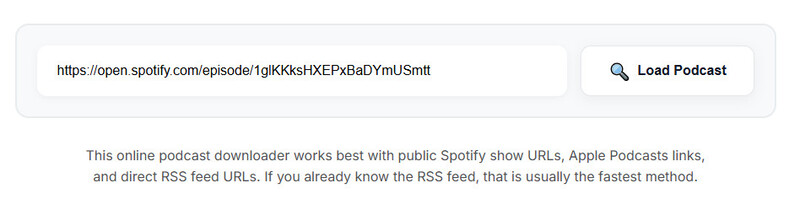
Step 2 Copy the Spotify podcast show URL and paste it into the input box.
Step 3 Click Load Podcast and wait for the tool to retrieve the available episodes.
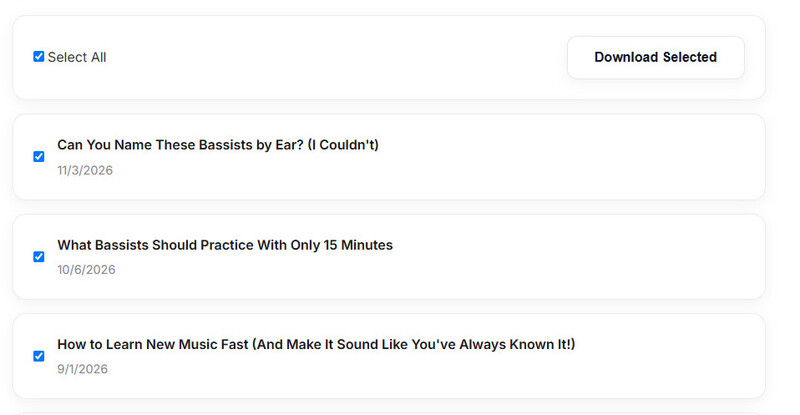
Step 4 Select the episodes you want to download, or click Select All to choose the entire series.
Step 5 Click Download Selected to save the podcast episodes.
Pros and Cons of Podcast Download RSS
- Free to use, with no registration required.
- Supports Spotify, Apple Podcasts, and RSS feeds.
- Retrieves original audio tracks, helping preserve the original audio quality.
- Supports batch downloading of entire podcast series.
- Cannot download Spotify-exclusive podcasts without public RSS feeds.
- Audio quality depends on the original podcast files.
6. SpotScribe – Download Podcasts & Get AI Summaries
SpotScribe is another clean and ad-free website that allows you to download Spotify podcasts as MP3 files. Besides downloading, it also allows users to generate podcast transcripts for quick reference (login required, up to 60 minutes) and AI-generated summaries.
However, SpotScribe is more suitable for downloading individual episodes, as it can't download an entire podcast series at once. If you want to save multiple episodes, you have to enter each episode link and download them one by one.
How to Download Spotify Podcasts to MP3 with SpotScribe
Step 1 Open SpotScribe's Spotify Podcast Downloader in your browser.
Step 2 Copy and paste the URL of the Spotify podcast episode you want to download.
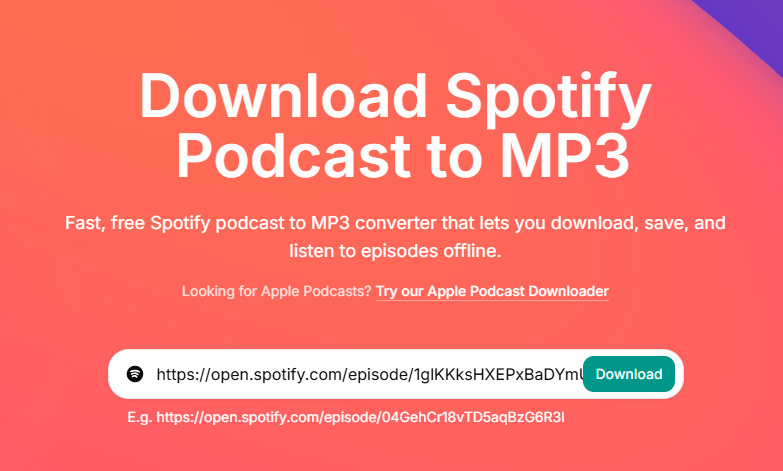
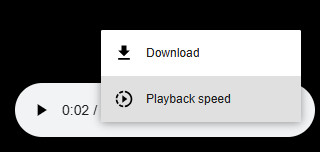
Step 3 Click the Download button and wait for a new window to open.
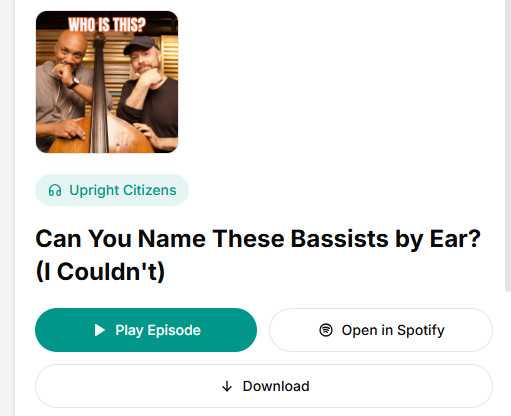
Step 4 Finally, click Download on the preview page.
Pros and Cons of SpotScribe
- Free to use.
- No software installation required.
- Offers podcast transcripts and AI-generated summaries.
- Only supports downloading one episode at a time.
- Requires login to access some features.
- The download process is a little cumbersome, requiring three clicks to download an episode.
7. PodcastMP3 – Easy Single-Episode MP3 Downloads
Downloading podcasts with PodcastMP3 is straightforward. You don't need to install any software or log in. Simply paste a podcast episode link from a supported platform, and you can get the MP3 audio file for offline listening. However, it can't download an entire podcast series at once, so you have to download each episode individually if you want to save multiple episodes.
How to Download Spotify Podcasts to MP3 with PodcastMP3
Step 1 Open PodcastMP3 official website.
Step 2 Paste the link to the Spotify podcast episode you wish to download.
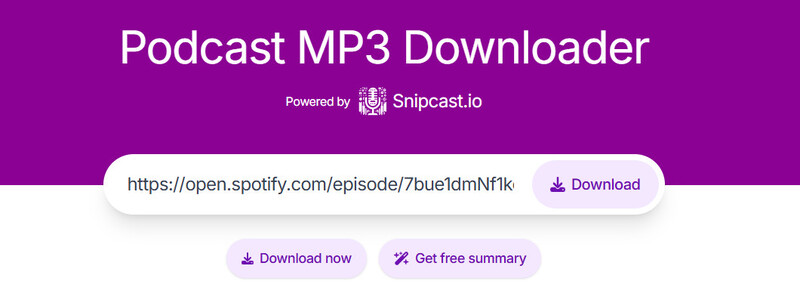
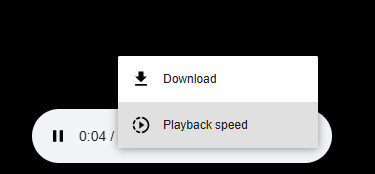
Step 3 Click the Download button and in the preview page click Download again.
Pros and Cons of PodcastMP3
- Free to use.
- No software installation or login required.
- Only supports downloading one episode at a time.
- Cannot download an entire podcast series in bulk.
- Requires multiple clicks to complete a download.
8. PodcastToMP3 – Simple Spotify Podcast to MP3 Search & Downloads
PodcastToMP3 is currently one of the best free options among online tools for batch downloading Spotify podcast to MP3. What sets it apart from other online tools is that it allows you to search for a podcast by name to find the show directly, and then download multiple episodes at once, without having to copy links one episode at a time.
How to Download Spotify Podcasts to MP3 with PodcastToMP3
Step 1 Open the PodcastToMP3 official website.
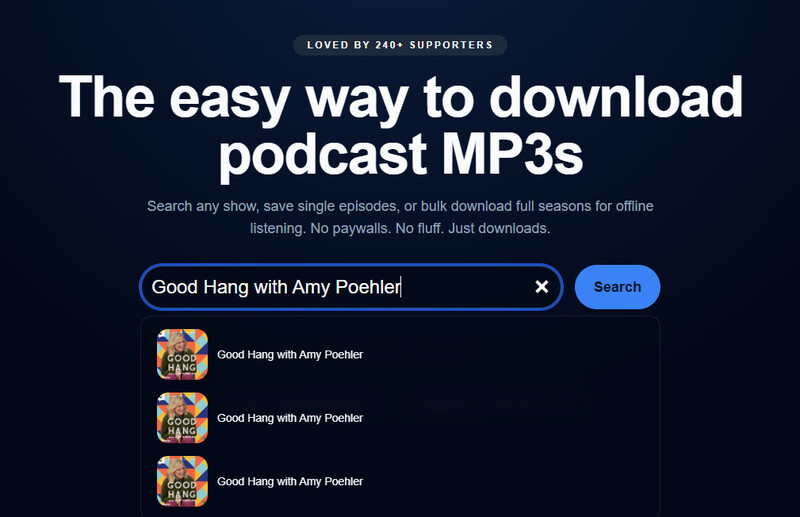
Step 2 Enter the name of the Spotify podcast you want to download in the search bar, then click Search.
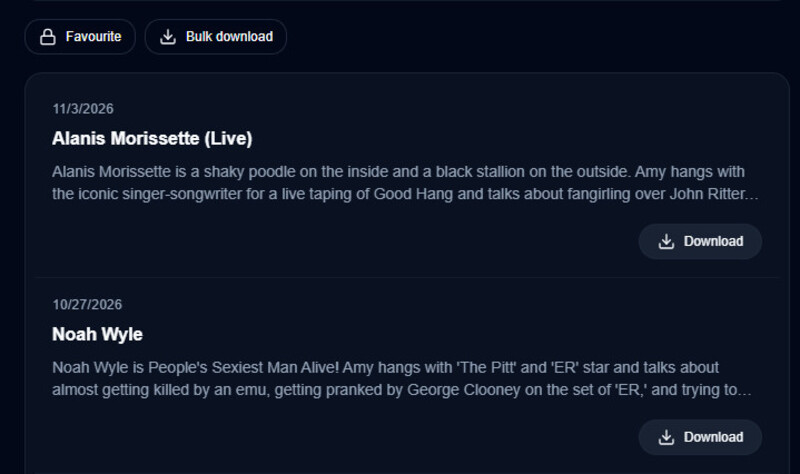
Step 3 Click the Download button next to an episode to download it individually, or click Bulk Download at the top to download multiple episodes at once.
Pros and Cons of PodcastToMP3
- Free to use.
- Ad-free.
- Supports bulk downloading of multiple episodes at once.
- Sometimes fails to find the podcast you're looking for.
- Search is sensitive to typos, so even a small spelling mistake may prevent you from finding the podcast.
9. SpotiSaver – Easy Podcast Transcripts
AlthoughSpotiSaver is primarily an online Spotify converter for tracks, playlists, and albums, it also supports extracting podcast transcripts and exporting them as TXT files, making it convenient for quick review.
How to Download Spotify Podcast Transcripts with SpotiSaver
Step 1 Open the SpotiSaver website in your browser.
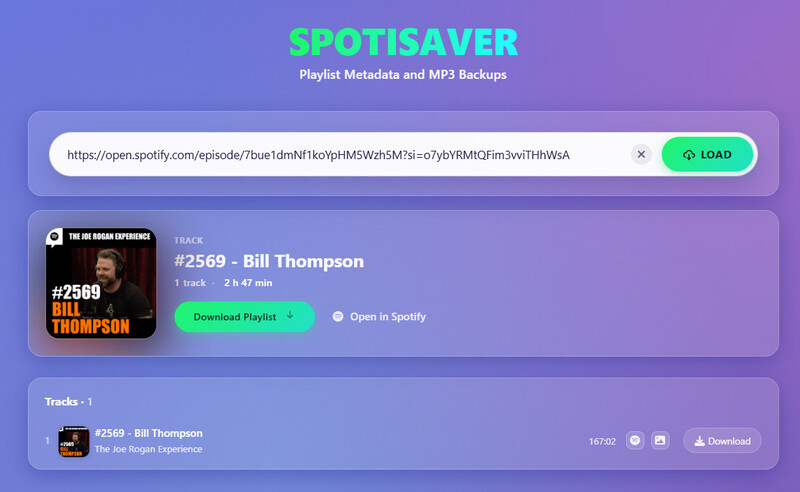
Step 2 Copy the Spotify podcast episode link and paste it into the input box.
Step 3 Click the Load button, then click Download to save the transcript as a TXT file to your device.
Pros and Cons of SpotiSaver
- Supports exporting podcast transcripts as TXT files.
- Free to use.
- Does not support downloading podcasts as MP3 files.
- Does not support downloading multiple episodes at once.
10. Podcast Transcript AI Downloader – AI-Powered Transcripts
If you want to get a Spotify podcast transcript for note-taking or content research, Podcast Transcript AI Downloader is another free option. However, unlike SpotiSaver, it doesn't provide transcripts immediately. You need to enter your email address and submit your request, then wait for the transcript to be sent to your inbox. This process usually takes several hours.
How to Download Spotify Podcast Transcripts with Podcast Transcript AI Downloader
Step 1 Visit Podcast Transcript AI Downloader in your browser.
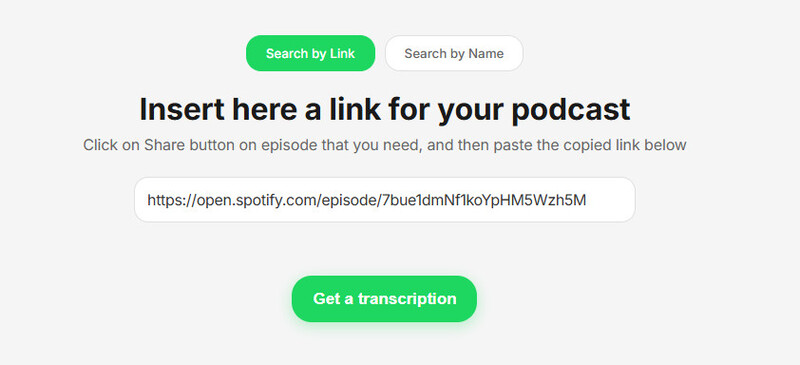
Step 2 Copy and paste a podcast link into the input box, then click "Get a Transcription".
Step 3 Enter your email address and click "Submit".
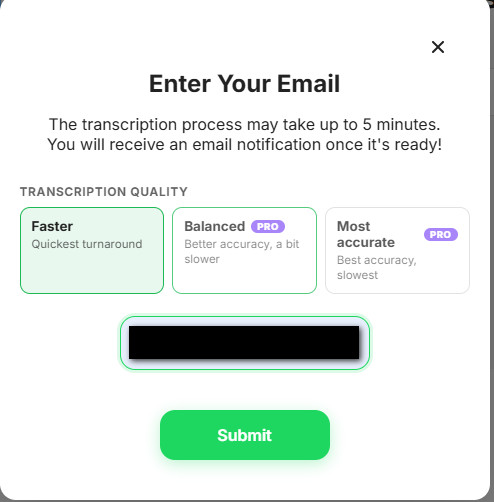
Step 4 Check your email for the verification code and enter it in the input box.
Step 5 Wait for the website to send the transcript to your email.
Pros and Cons of Podcast Transcript AI Downloader
- Free to get Spotify podcast transcripts.
- Requires email verification.
- May take several hours to receive the transcript.
- The free version only supports podcasts up to 90 minutes long.
- The process is somewhat cumbersome.
FAQs About Spotify Podcast to MP3 Downloaders
Do You Need Spotify Premium to Download Podcasts?
No. Spotify allows both Free and Premium users to download podcasts for offline listening. However, podcasts downloaded directly from Spotify can only be played within the Spotify app and cannot be exported directly as MP3 files.
If you want to save a podcast in MP3 format, you can use a third-party download tool like Sidify Podcast Downloader. Most of these tools do not require a Spotify Premium account.
Is It Legal to Use Spotify Podcast to MP3 Downloaders?
Podcasts on Spotify may be protected by copyright. Downloading content using third-party tools may violate Spotify's Terms of Service, depending on how the tool works and how it is used. If you only download podcast for personal offline listening, then it can be considered acceptable.
How to Download Spotify Podcasts as MP3 on iPhone/Android?
On your phone, you can visit an online downloader in your browser, paste the podcast link, and download Spotify podcast as the MP3 file.
For iPhone: The file can usually be found in the "Downloads" section of the Files app, where you can manage it or move it to another location as needed.
For Android: The file is usually saved in the "Downloads" folder on your phone, which you can access using a file manager.
Conclusion
When downloading Spotify podcasts, choosing the right tool depends on your needs. If you prefer quick and free downloads, online tools like Podcast Download RSS and SpotMP3 are worth trying.
If you prioritize high audio quality, batch downloads, and support for multiple output formats, you can consider Sidify Spotify Podcast to MP3 Downloader.
 Sidify Spotify Music Converter