Want to download an entire Spotify album for offline listening? Want to export, transfer or manage them as regular audio files? You are in the right place.
Spotify Premium lets you download albums for offline listening, but those downloaded albums are encrypted and remain inside the Spotify app. If you want actual audio files such as MP3, FLAC, or WAV, that's where Spotify album downloader tools help.
In this article, we have tested 14 best free Spotify album downloaders, including desktop software and online tools, helping you make the right decision. Let's jump in.
This article is for informational purposes only. Please respect copyright laws and use official channels for music whenever possible.
Comparison: How to Choose the Best Spotify Album Downloader
Not sure where to start? Pick the type that matches the way you want to download Spotify albums, then jump directly to the tool you want to try.
| Downloaders | Entire Album Download | Album Metadata | Audio Quality | Download Speed | Recommendation |
|---|---|---|---|---|---|
| 1. Sidify Spotify Album Downloader | ✅ | Complete | Up to 320kbps, Lossless | Up to 40x | ★★★★★ |
| 2. Sidify All-In-One Music Converter | ✅ | Complete | Up to 320kbps, 24-bit Lossless | 10x | ★★★★★ |
| 3. SpotDL | ✅ | ✅ | Up to 256kbps with YouTube Music Premium | Depends on source and connection | ★★★★☆ |
| 4. Spotisaver | ✅ | ✅ | Up to 320kbps | Standard | ★★★☆☆ |
| 5. SpotMate | ✅ | ✅ | Up to 320kbps | 10x | ★★★☆☆ |
| 6. SpotDown | ✅ | ❌ | Up to 320kbps | 10x | ★★★☆☆ |
| 7. SpotyLoader | ✅ | ✅ | Up to 320kbps | Depends on source and connection | ★★★☆☆ |
| 8. Spotify-Downloads | ✅ | ✅ | Up to 256kbps (Free), 320kbps (Pro) | Slow in our test | ★★☆☆☆ |
| 9. SpotiSongDownloader | ✅ | ❌ | Up to 320kbps | 10x | ★★★☆☆ |
| 10. SpotiDown.app | ✅ | ✅ | 224kbps | 10x | ★★★☆☆ |
| 11. SpotiDownloader | ✅ | ✅ | Up to 320kbps | 10x | ★★★★☆ |
| 12. Spowload | ❌ | ❌ | 131kbps | 5x | ★★☆☆☆ |
| 13. Sidify Spotify Album Downloader for Android | ✅ | ✅ | Up to 320kbps | 10x | ★★★★★ |
| 14. SpotiFlyer | ✅ | ❌ | Up to 320kbps | 5x | ★★☆☆☆ |
Part 1. Best Desktop Spotify Album Downloaders
Desktop Spotify album downloaders are ideal if you want better audio quality, output formats, and batch album downloads. Here are our top desktop picks.
NO.1. Sidify Spotify Album Downloader
Sidify Spotify Album Downloader is a professional Spotify album and playlist downloader capable of downloading entire Spotify albums or playlists as MP3 and other audio formats. The downloaded Spotify tracks are saved as real audio files on local storage, with important metadata preserved, including track number, release year, album cover, genre, composer, and lyrics.
You can add multiple albums for download at the same time, saving time and effort. Album downloads can reach high quality, up to 320kbps MP3 or 24-bit FLAC lossless, matching the quality streamed in the Spotify App.
Sidify Music Converter
- Download Spotify album music without Premium.
- Download Spotify as MP3, AAC, FLAC, WAV, ALAC, or AIFF files.
- Keep Spotify Lossless original quality after conversion.
- Convert Spotify music 10 times faster.
- Preserve ID3 tags, Spotify lyrics, and metadata after conversion.
- Free updates and technical support.

 Tips:
Tips:If you want a tool to convert any streaming music (including Spotify, Apple Music, Amazon Music, Tidal, Deezer, YouTube, YouTube Music, SoundCloud, DailyMotion …) to MP3, Sidify All-In-One is the go-to choice.
Sidify Spotify Album Downloader vs. Online Spotify Album Downloaders
| Feature | Sidify Spotify Album Downloader | Online Spotify Album Downloaders |
|---|---|---|
| Pricing | Pro / Free Version | Free / Premium |
| Compatibility | Android, Windows 8 ~ 11 & Mac OS 11 and above | Any Browser |
| Conversion Method | Record, direct Spotify stream extraction | YouTube source |
| Downloads |
Spotify Songs, Playlists, Albums, Podcasts, Audiobooks, Radio |
Spotify Songs, Playlists, Albums |
| Supported Formats | MP3, AAC, FLAC, WAV, ALAC, AIFF | Mainly MP3 |
| Audio Quality | 320kbps, LOSSLESS | 64kbps to 320kbps |
| Speed | Up to 40x speed | 10x |
| Batch Download | Download Spotify full albums or multiple Spotify albums at once | Download one album as a single ZIP file |
| Metadata Preservation | Complete (Title, Album, Artist, Track Number, Year tags, Genre etc.) | Incomplete (Title, Album, Artist) |
| User Interface | Intuitive, no Ads | Banner ads, pop-up redirects |
| Languages | 40+ | Limited |
| Extra Features | Lyrics Saving, CD Burner, Audio Editor, Tag Editor, AA/AAX Converter | No |
| Customer Support | 24/7 Support, Scheduled Updates | No |
| Perfect For | Spotify large or multiple albums or playlists | Spotify single tracks or small albums |
How to Download High Quality Albums from Spotify
Step 1 Launch Sidify
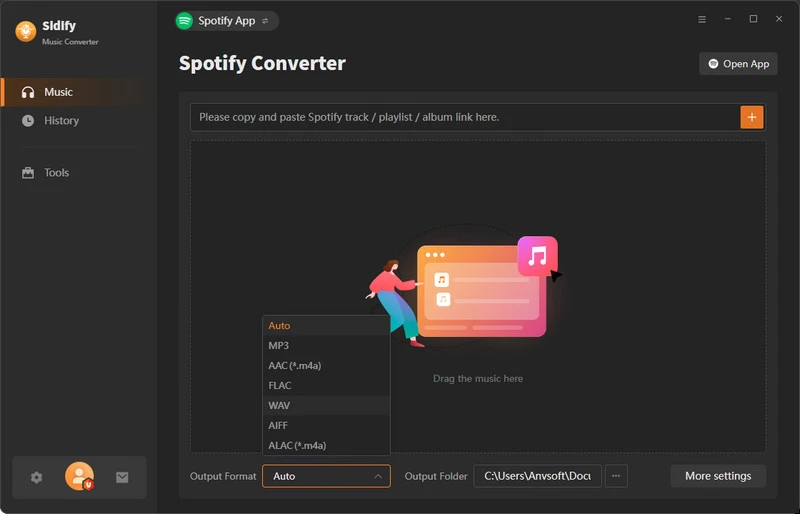
Download and run Sidify Spotify Album Downloader onto computer and come to the Spotify downloading interface like this.
Step 2 Add Spotify Album
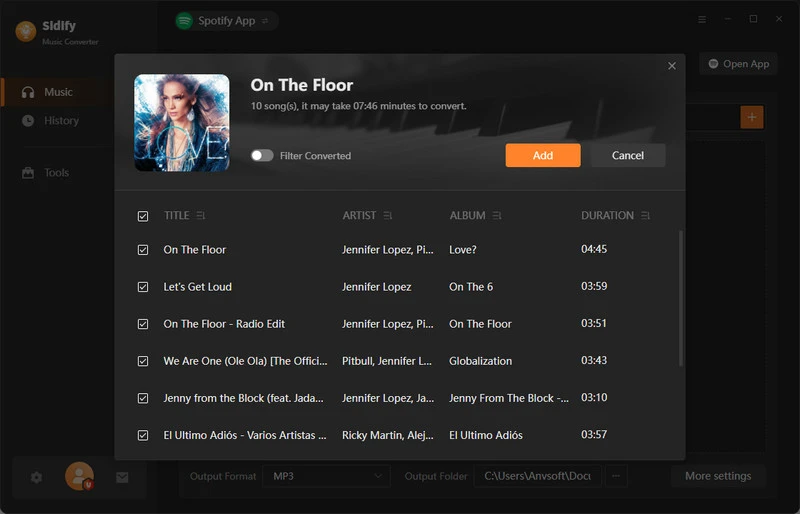
Click the add button at the right side to add the whole album playlist song to the converter. Then, select all songs included in the albums and add them to the quene to download.
Step 3 Set Output Settings
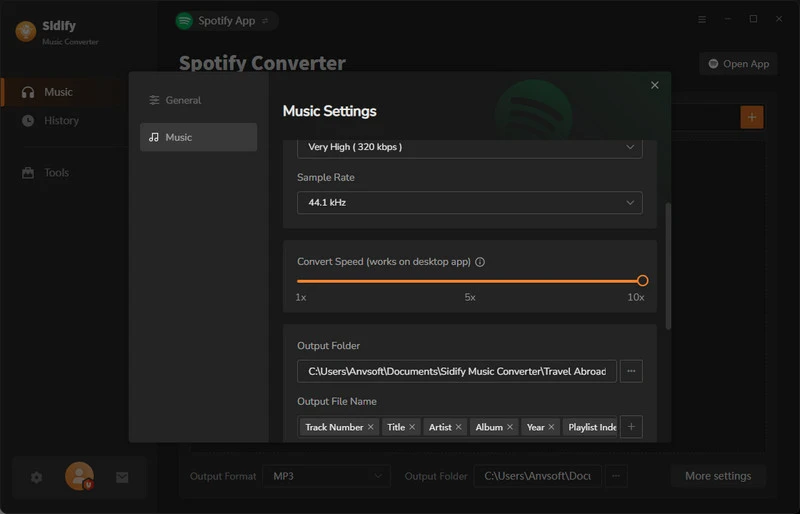
Go to the settings, pick one Spotify album download format, MP3 is widely used. You can also set up the album download structre and file name ways.
Step 4 Start to Convert
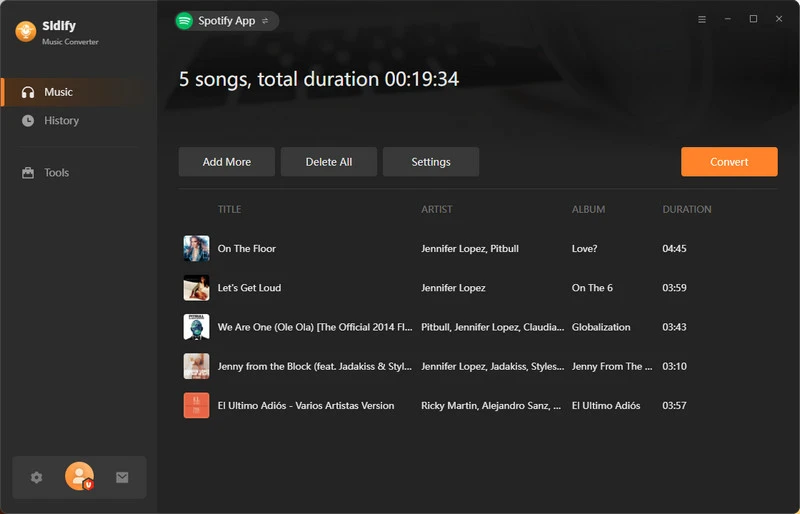
Now, click the Convert button to start the Spotify albums to MP3 conversion.
Step 5 Check Downloaded Albums
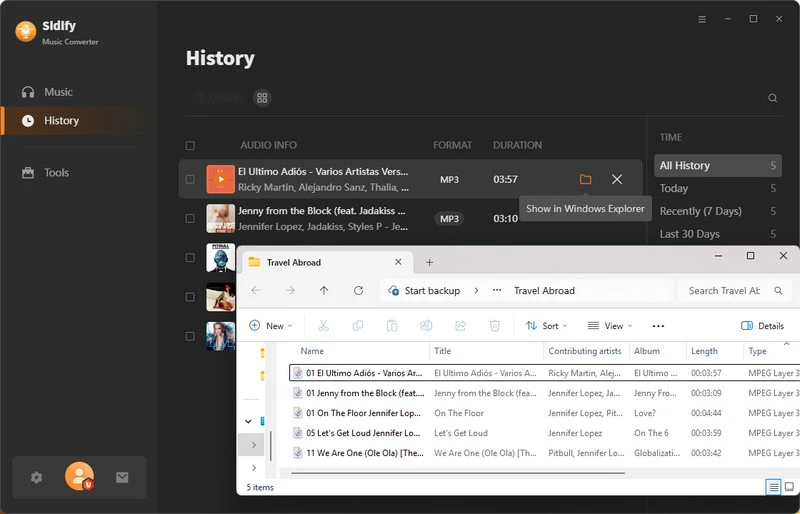
When the download is complete, you can move to the History section to check all downloaded Spotify album songs. Tap the folder icon to view the album folder with songs in the local path.
NO.2. Sidify All-In-One Music Converter
Sidify All-In-One Music Converter lets you safely export full albums and playlists directly from Spotify to MP3, WAV, AAC, FLAC, AIFF, or ALAC. It preserves complete metadata and supports batch downloads, allowing you offline access to Spotify album music while keeping all essential information intact. The best part is that you can use it to download music from multiple platforms, including Apple Music, YouTube Music, Deezer, Tidal, Amazon Music and more.
| Feature | Sidify All-in-One Downloader | Sidify Spotify Album Converter | Spotify Online Downloaders |
|---|---|---|---|
| Pricing | $79.90 / $159.90 | $44.95 / $89.90 | Free / Premium |
| Platform Support | Spotify, Apple Music, Amazon Music, Tidal, YouTube Music, etc. over 17 music services | Spotify | Spotify |
| Compatibility | Windows 8 ~ 11 & Mac OS 11 and above | Android, Windows 8 ~ 11 & Mac OS 11 and above | Any Browser |
| Conversion Method | Capture audio in real-time, directly convert Spotify data | Capture audio in real-time, directly convert Spotify data | Convert matching track from YouTube/etc. |
| Downloads | Spotify Songs, Playlists, Albums, Podcasts, Audiobooks, Radio | Spotify Songs, Playlists, Albums, Podcasts, Audiobooks, Radio | Spotify Songs, Playlists, Albums |
| Supported Formats | MP3, AAC, FLAC, WAV, ALAC, AIFF | MP3, AAC, FLAC, WAV, ALAC, AIFF | MP3 |
| Audio Quality | 320kbps, LOSSLESS | 320kbps, LOSSLESS | 64kbps to 320kbps |
| Speed | 5x - 10x speed | Up to 40x speed | 10x |
| Batch Download | Full & multiple Spotify album download | Full & multiple Spotify album download | Single album ZIP download |
| Metadata Preservation | All tags included (Title, Album, Artist, Track No., Year, Genre, etc.) | All tags included (Title, Album, Artist, Track No., Year, Genre, etc.) | Partial metadata (Title, Album, Artist only) |
| User Interface | Clean, easy-to-use interface | Clean, easy-to-use interface | Ads and redirects |
| Extra Features | Free podcast downloader, free audio recorder, CD Burner, Audio Editor, Tag Editor, AA/AAX Converter | CD Burner, Audio Editor, Tag Editor, AA/AAX Converter | NO |
| Customer Support | 24/7 Support, Scheduled Updates | 24/7 Support, Scheduled Updates | NO |
| Perfect For | Batch download albums from Spotify and other platforms | Multiple albums and large Spotify playlists | Individual tracks or small albums from Spotify |
How to Download Spotify Album Playlists in Batch?
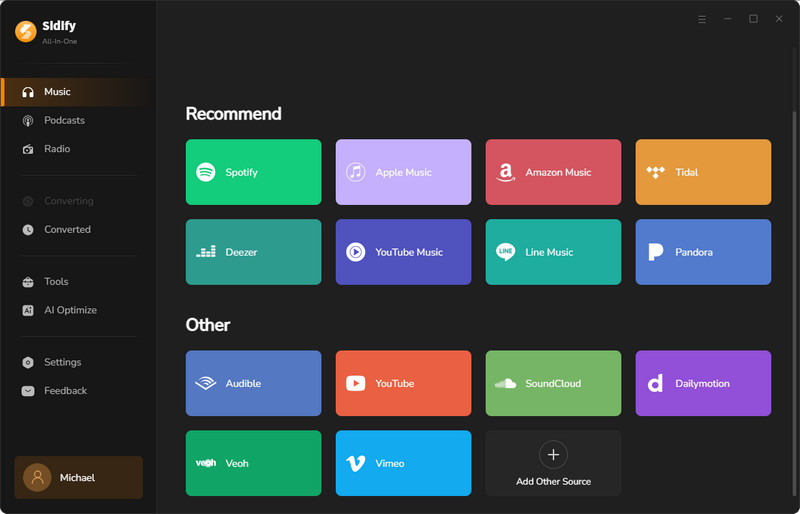
Step 1 Launch Sidify All-In-One and select the Spotify Converter from the homepage.
Step 2 Open the Spotify desktop app, go to the album page, and click the Add button to import all tracks into the converter.
Step 3 Open the settings menu to choose the output format (MP3, FLAC, or others). Then select the audio quality (up to 320kbps or LOSSLESS) and set the download location.
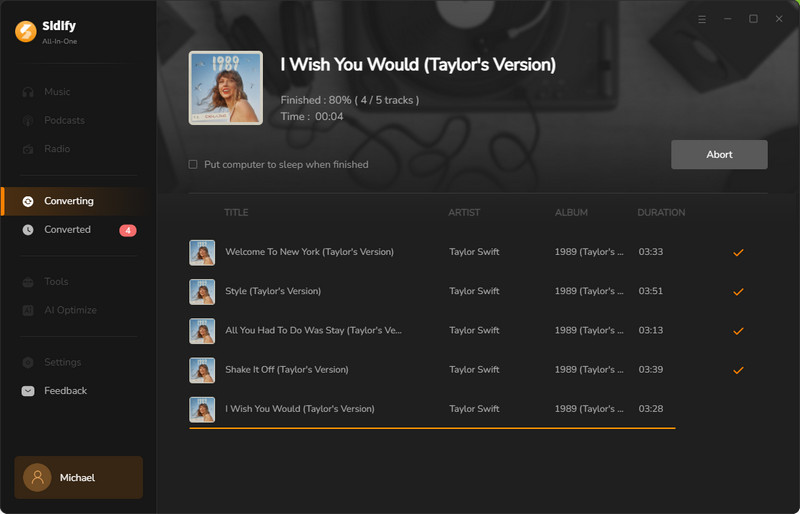
Step 4 Click the Convert button to start downloading the Spotify album.
Step 5 Once the conversion is complete, find the downloaded songs in the History tab or open the output folder you selected.
NO.3. SpotDL
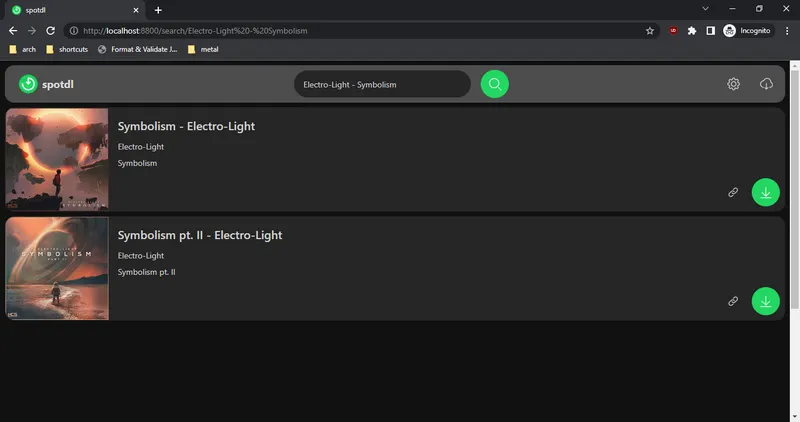
SpotDL is a free, open-source command-line tool for downloading music based on Spotify links. It supports Spotify songs, playlists, albums, and artist pages, while using YouTube and other supported audio providers as the actual audio sources. SpotDL can also embed album artwork, lyrics, and Spotify metadata into downloaded files.
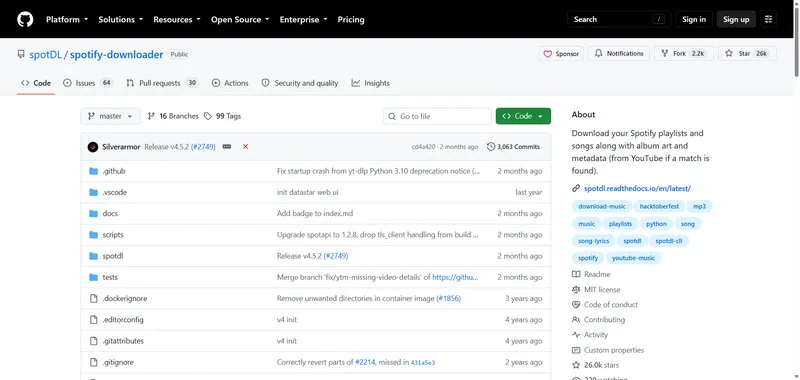
🔗 SpotDL: https://github.com/spotDL/spotify-downloader
| Entire Album Download | Output Format | Audio Quality | Album Metadata | Album Cover | Price |
|---|---|---|---|---|---|
| ✔ | MP3, FLAC, M4A, OPUS, WAV | Up to 256 Kbps with YouTube Music Premium | Title, Artist, Album, Year, Track Number | ✔ | Free |
|
|||||
- Free and open-source with no built-in ads.
- Supports Spotify albums, playlists, artists, metadata, album artwork, and lyrics.
- Supports multiple output formats and customizable file naming.
- Requires installation of dependencies and basic command-line knowledge.
- Does not download audio directly from Spotify, it uses YouTube as audio sources.
- Audio quality depends on the available source rather than Spotify's streaming quality.
How to Download a Spotify Album with SpotDL?
Step 1 Install Python on your computer and make sure to check the "Add Python to PATH" option during installation.
Step 2 Open Command Prompt (Windows) or Terminal (macOS/Linux), then install SpotDL by entering the following command:
pip install spotdl
Step 3 Install FFmpeg, which is required by SpotDL. You can also let SpotDL install it automatically by running:
spotdl --download-ffmpeg
Step 4 Copy the Spotify album URL, then run the SpotDL download command:
spotdl "Spotify album URL"
Step 5 SpotDL will find matching tracks, download the available audio files, and save them with album artwork and metadata in the current folder.
For more details, refer to the GitHub spotDL Installation Guide.
Part 2. Best Online Spotify Album Downloaders
Want a quick solution without installing software? We also have you covered. The following online Spotify album downloaders let you download albums directly from your browser.
NO.4. Spotisaver
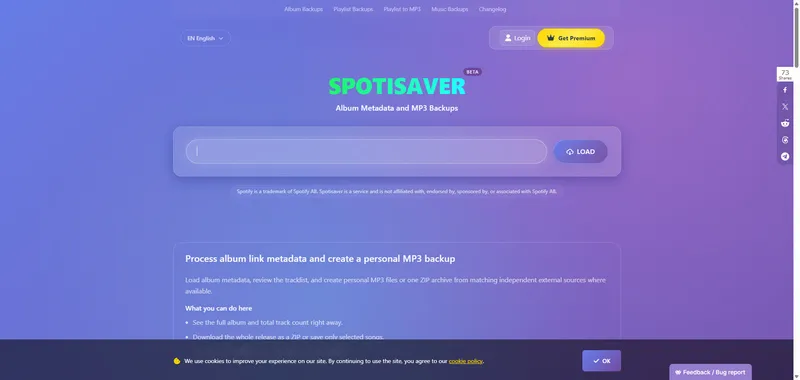
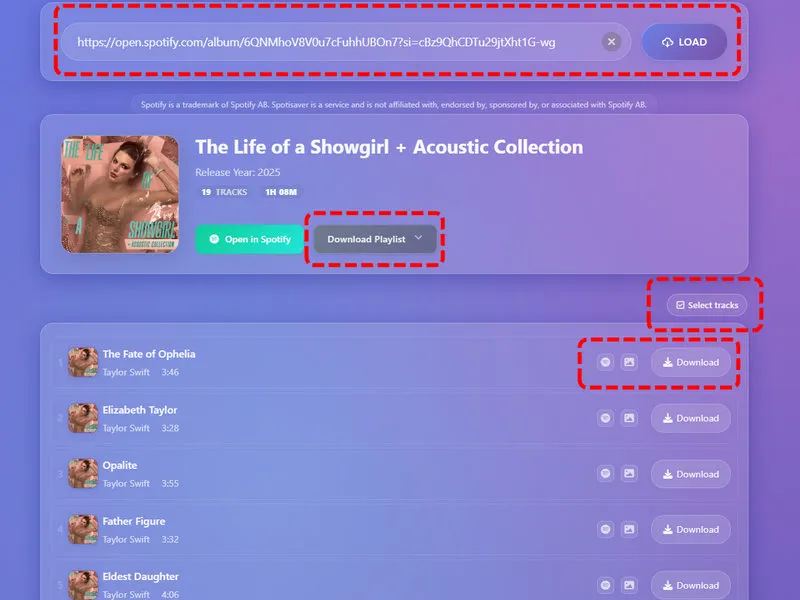
Spotisaver can be one of your best online Spotify album downloaders. It lets you load Spotify links, view album and track information, and create MP3 backups from matching independent external sources where available. Besides, you can review the full tracklist, preview album and track covers, select individual songs to download, or create a ZIP archive of the entire album.
👉 You may also like: SpotiSaver Review
🔗 Spotisaver: https://spotisaver.net/en/album-downloader
| Entire Album Download | Output Format | Audio Quality | Album Metadata | Album Cover | Price |
|---|---|---|---|---|---|
| ✔ | MP3 | Up to 320 Kbps | Title, Artist, Album, Cover Art, Release Date | ✔ | Free / Premium |
|
|||||
- Requires no installation or Spotify login.
- Lets you review an album's tracklist and select individual songs or download the entire album as a ZIP archive.
- Displays album and track artwork and preserves available metadata in the backup workflow.
- Free users have limits on playlist processing and ZIP archive creation.
- Free downloads use a fixed filename pattern and include the Spotisaver tag.
- Spotisaver does not download audio directly from Spotify, it matches audio from independent external sources where available.
How to Download a Spotify Album with Spotisaver?
Step 1 Open the Spotify album you want to back up and copy its link from the Share menu.
Step 2 Open Spotisaver in your browser and paste the Spotify album link into the input field, then click Load.
Step 3 Spotisaver will load the album information and display its tracklist, including the available track and album artwork.
Step 4 Review the tracks and select the songs. You can download individual matched tracks or choose to download the entire album as a ZIP archive.
Step 5 Then Spotisaver will create the MP3 backup files with available metadata and artwork for you.
Note: Free users can process up to 100 tracks, while Premium users can process up to 1,000 tracks. Premium also adds custom filename templates, removes the Spotisaver tag from filenames, and provides additional processing features.
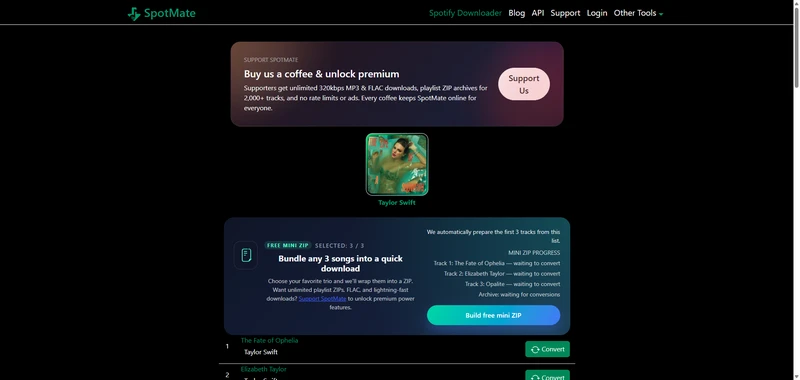
NO.5. Spotmate
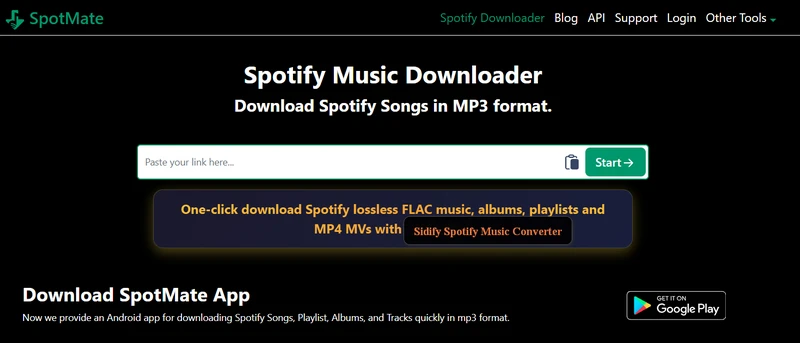
SpotMate is not complete free to download Spotify albums, especially if you want to download Spotify albums into high quality FLAC lossless quality. But is fine, it is still free open to download albums from Spotify. Similar to Sidify Music Converter, SpotMate has an Android version that you can download SpotMate app on Android and download Spotify albums on Android phone directly. But still, you need to pay for the pro version to upgrade for advanced features like batch albums downloads and lossless Spotify quality downloads for album songs.
👉 You may also like: SpotMate Review
🔗 Spotmate: https://spotmate.online/en1
| Entire Album Download | Output Format | Audio Quality | Album Metadata | Album Cover | Price |
|---|---|---|---|---|---|
| ✔ | MP3, FLAC (Premium) | Up to 320 Kbps, Lossless (Premium) | Title, Artist, Album, Year, Track Number | ❌ | Free / Premium |
|
|||||
- Download Spotify songs, albums, and playlists for free.
- Download Spotify tracks online in high-quality lossless FLAC format.
- Premium is required to download the full album in one go and in FLAC lossless quality.
How to Download Spotify Albums Locally?
Step 1 Put the Spotify album url to the SpotMate online downloader and click Start.
Step 2 To download all songs from a Spotify album in one file, select the Premium plan. Alternatively, you can download each album track individually for free.
NO.6. SpotDown
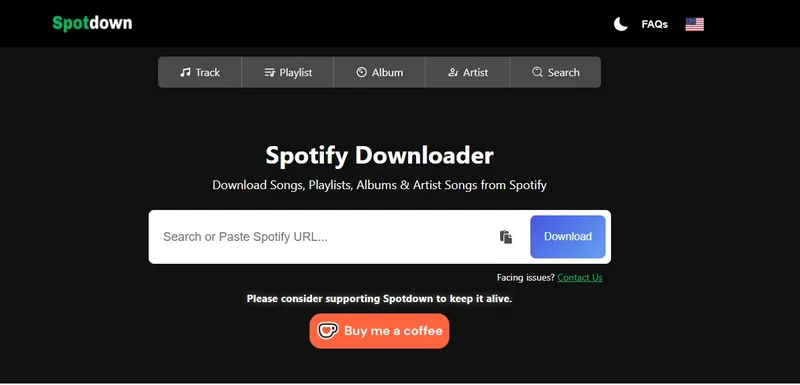
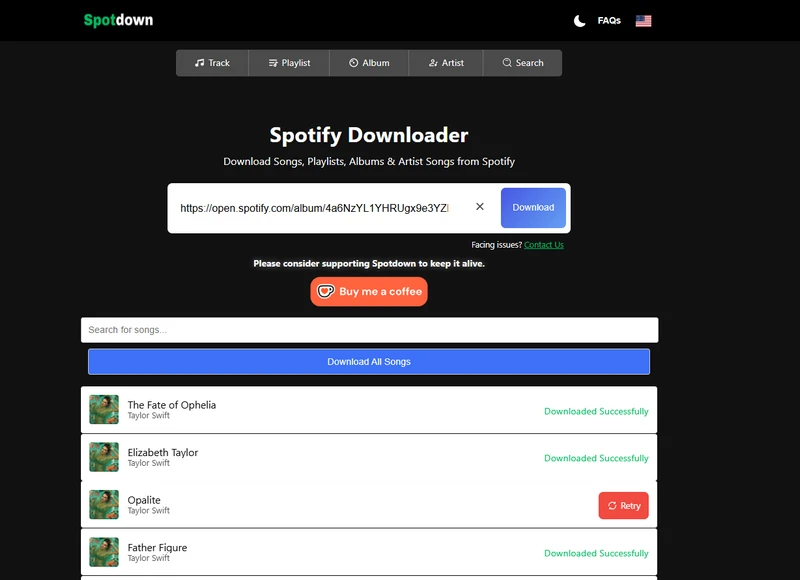
SpotDownload exports entire Spotify album songs as MP3s for free. With no download limits and fast download speed, Spotify album downloader allows you to add multiple albums and tracks to download simultaneously. Copy and paste a Spotify album link into the URL field, then click the download button to proceed.
🔗 SpotDown: https://spotdown.org/en2
| Entire Album Download | Output Format | Audio Quality | Album Metadata | Album Cover | Price |
|---|---|---|---|---|---|
| ✔ | MP3 | Up to 320 Kbps | Title, Artist | ✔ | Free |
|
|||||
- Complete free to download whole Spotify albums without charge.
- Fast Spotify album to MP3 conversion online.
- No batch song download feature.
- Spotify album audio is sourced from YouTube instead of Spotify.
How to Download All Songs in One Spotify Album As MP3s?
Step 1 Copy and paste the Spotify album into the Spotdown link input area and click Download.
Step 2 Once the Spotdown server finishes loading all songs in the album, click Download All Songs to save the entire album to your computer. Or, you can choose to download only the songs you want, one by one.
NO.7. Spotyloader
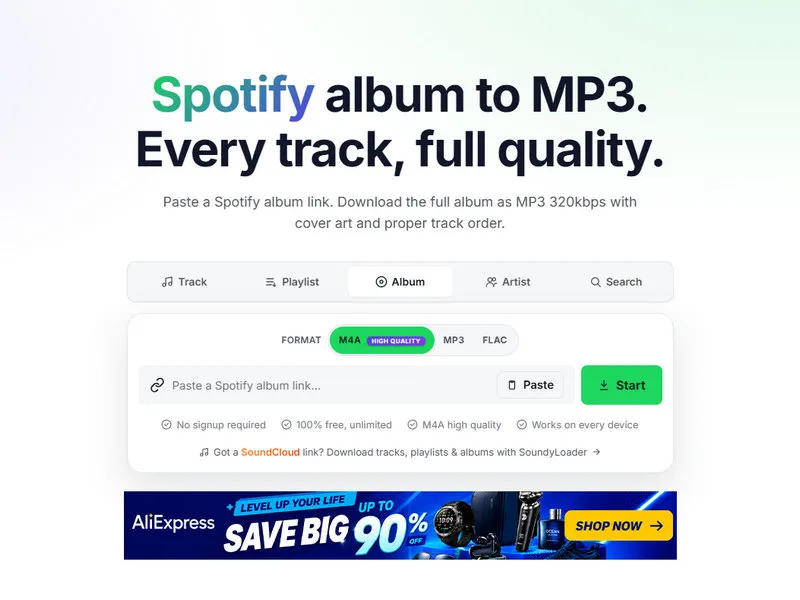
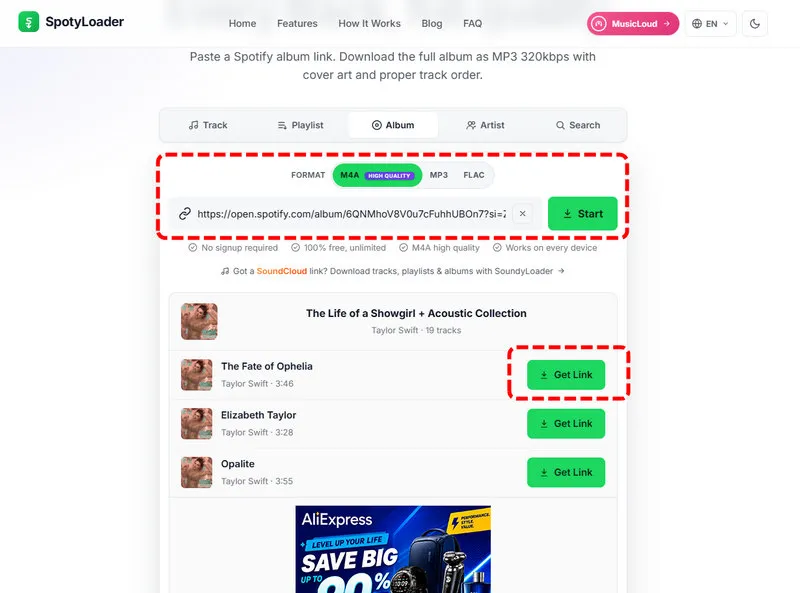
SpotyLoader is another simple online Spotify album downloader we found. It supports Spotify songs, albums, playlists, artists, and podcasts. You can choose individual songs or try to download a whole album at once, with options such as MP3, FLAC, and M4A. It also keeps album covers and basic song information. However, when we tested it, the frequent ads and promotional pages made the download process a little annoying, especially when trying to download several songs.
🔗 SpotyLoader: https://spotyloader.com/album
| Entire Album Download | Output Format | Audio Quality | Album Metadata | Album Cover | Price |
|---|---|---|---|---|---|
| ✔ | MP3, FLAC, M4A, WAV | Up to 320 Kbps | Title, Artist, Album, Track Number, Disc Number | ✔ | Free |
|
|||||
- Free and easy to use in a browser.
- No software installation or account registration is required.
- Supports MP3, FLAC, M4A, and other formats, with album artwork and metadata.
- Frequent ads and redirects can make the download process frustrating.
- Download results may vary depending on the song and available source.
- The full-album download process is not always as straightforward as expected.
How to Download a Spotify Album with SpotyLoader?
Step 1 Visit Spotify, find the album you want, and copy its Share link.
Step 2 Open SpotyLoader in your browser and paste the Spotify album link into the search box.
Step 3 Once the album is loaded, check the song list and choose the songs you want to download.
Step 4 Choose an available audio format and click the download button. If the full-album option is available, you can use it to download multiple songs together.
Step 5 Wait for the download to finish. The downloaded files may include the album cover and basic song information.
NO.8. Spotify-Downloads
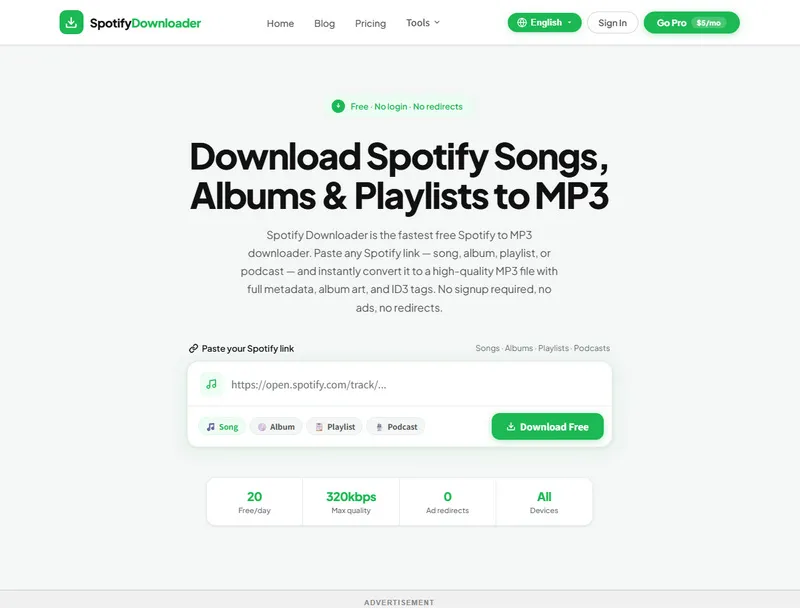
Spotify-Downloads lets you download Spotify songs, albums, playlists, and podcasts by pasting their links. When we tested it with a full album, the site started the download immediately without showing the album or letting us choose individual tracks first. We also found that the audio was sourced from YouTube, and the download was quite slow. After about five minutes, our test was still stuck at 97%. The free version allows up to 20 tracks per day, while 320kbps MP3, FLAC, WAV, and ZIP downloads are available with the Pro plan.
🔗 Spotify-Downloads: https://www.spotify-downloads.com/
| Entire Album Download | Output Format | Audio Quality | Album Metadata | Album Cover | Price |
|---|---|---|---|---|---|
| ✔ (Pro only) | MP3, FLAC, WAV | Up to 256 Kbps (Free); 320 Kbps (Pro) | Title, Artist, Album, Release Year, Track Number, Disc Number | ✔ | Free / Pro |
|
|||||
- Supports Spotify songs, albums, playlists, and podcasts.
- Downloads include album artwork and song metadata.
- Pro users can download albums and playlists as ZIP files.
- There is no album preview or track selection before downloading.
- The download can be very slow. Our test was still at 97% after about five minutes.
- The free version is limited to 20 tracks per day, and higher-quality formats require Pro.
How to Download a Spotify Album with Spotify-Downloads?
Step 1 Locate the Spotify album you want to download, and then click Copy link to Album.
Step 2 Go to Spotify-Downloads and paste the album link into the download box.
Step 3 Click Download Free. The site starts processing the album without showing a track preview first.
Step 4 Wait for the tracks to finish processing and downloading. In our test, the process was quite slow and remained at 97% after about five minutes.
Step 5 Find the downloaded files on your device. Free users can download up to 20 tracks per day, while Pro users can access higher-quality formats and ZIP downloads.

NO.9. SpotiSongDownloader
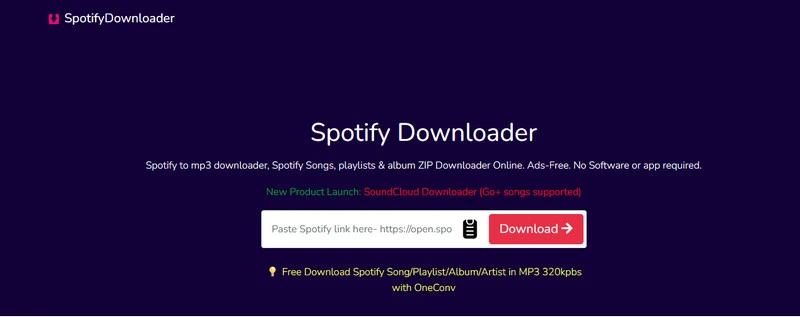
SpotiSongDownloader is an online Spotify to MP3 downloader that it can download Spotify songs, albums and playlists to mp3 in 320Kbps for limited free. The downloader can download Spotify songs in M4A & MP3 format. As an web downloader, Spotify Downloader enables you to download albums from Spotify on different devices like computer and mobile phone with ease. Be aware that free album downloads use music sourced from YouTube, not the official Spotify.
🔗 SpotiSongDownloader: https://spotisongdownloader.com/en3/
| Entire Album Download | Output Format | Audio Quality | Album Metadata | Album Cover | Price |
|---|---|---|---|---|---|
| ✔ | M4A, MP3 | Up to 320 Kbps | Title, Artist, Album, Year | ✔ | Free |
|
|||||
- Download Spotify album music to MP3 online.
- Batch download multiple album playlists.
- Not complete free.
- Paid subscription needed to get unlimited downloads of albums with tags.
- Highest MP3 bitrate is 320 Kbps, no lossless FLAC.
Spotify Album to MP3: Free Online Method
Step 1 Copy the Spotify link to album and paste it to the Spotify Downloader online input filed.
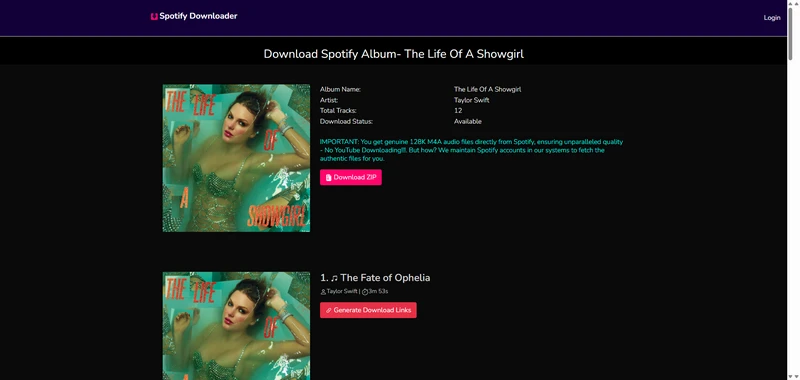
Step 2 Click Download, then choose Download ZIP or Generate Download Links, and select your preferred audio quality.
If you have an active subscription, you can download the entire Spotify album in one click as a ZIP file. Without a subscription, only the first two tracks can be downloaded as a ZIP file. Alternatively, you may download each track individually.
NO.10. Spotidown.app
SpotiDown Downloader converts Spotify songs, albums, and playlists into high quality MP3 format. For Spotify albums or playlists downloading, the Spotify MP3 downloader enables you to get ZIP file which packs up all the songs in the albums or playlist and save storage size.
👉 You may also like: SpotiDown Review
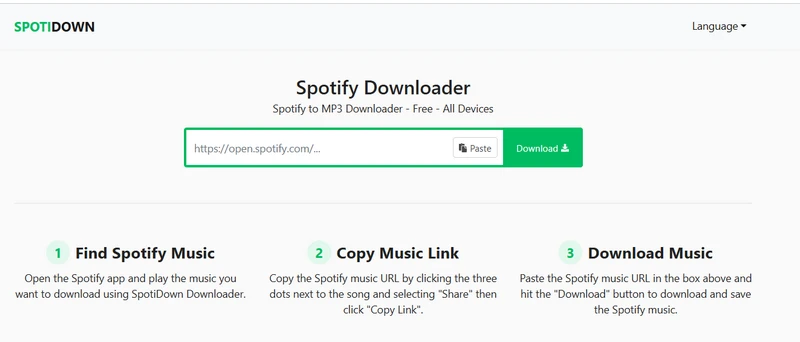
🔗 SpotifyDL: https://spotidown.app/en7
| Entire Album Download | Output Format | Audio Quality | Album Metadata | Album Cover | Price |
|---|---|---|---|---|---|
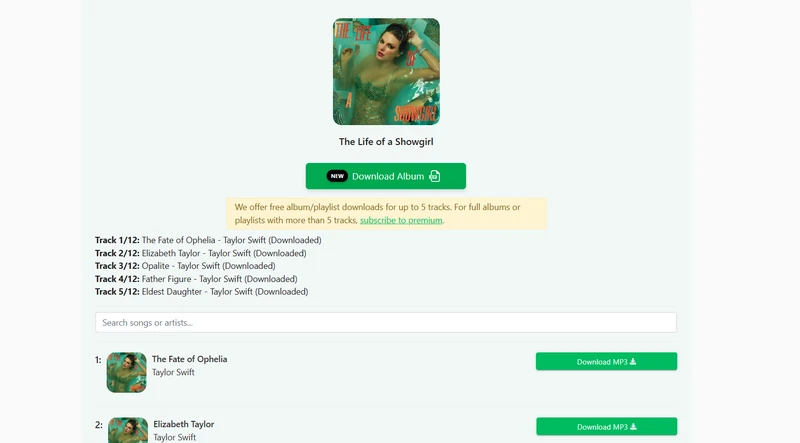
| Limited (up to 5 songs for free) | MP3 | Up to 224 Kbps | Title, Artist, Album, Year, Comments | HD ✔ | Free / Premium |
|
|||||
- Free to download Spotify album MP3 tracks online.
- Download HD album cover for free.
- Batch album downloads require Premium upgrade.
How to Download Spotify Albums Locally?
Step 1 Input the copied Spotify album link to the SpotiDown site and click Download to start.
Step 2 Click Download Album to save the full Spotify album as a ZIP file. Just so you know, you need to upgrade to Premium to download all tracks in the album. Without Premium, you can download up to 5 tracks per album for free. Alternatively, you can download songs one by one (via clicking Download MP3)
A quick note, disable the adblocker to download the full playlist or albums.
NO.11. SpotiDownloader
SpotiDownload extracts Spotify album songs as MP3 format files online. This tool is 100% free and get every tracks in the alums to downloadable mp3 files for offline use. It works with Spotify song, playlist, album and podcast urls.
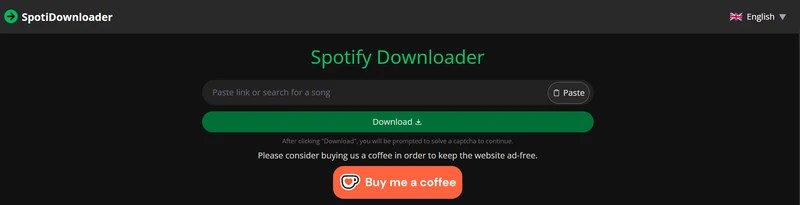
🔗 SpotiDownloader: https://spotidownloader.com/en19
| Entire Album Download | Output Format | Audio Quality | Album Metadata | Album Cover | Price |
|---|---|---|---|---|---|
| ✔ | MP3 | Up to 320 Kbps | Title, Artist, Album, Year, Track Number | ✔ | Free |
|
|||||
- Complete free to download Spotify albums in bulk.
- Download Spotify to standard 320kbps as official streams.
- Process one Spotify album link at a time.
How to Download Spotify Full Album as MP3 for Free?
Step 1 Copy and paste the Spotify album url to the designated area on SpotiDownloader, and tap "Download".
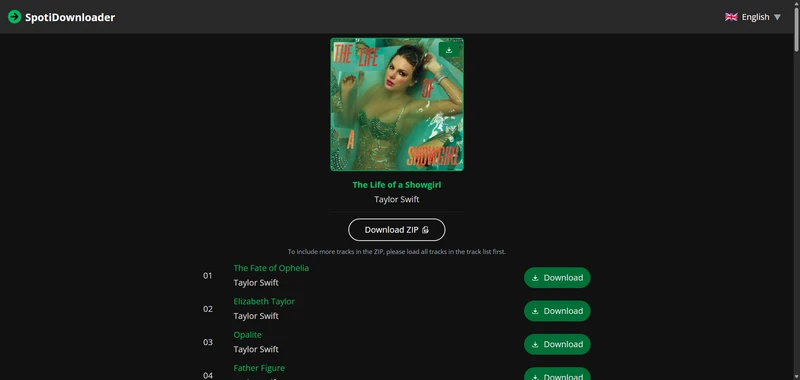
Step 2 Directly click "Download ZIP" and wait the site server to load all the tracks in the album and save the full Spotify album to computer.
NO.12. Spowload
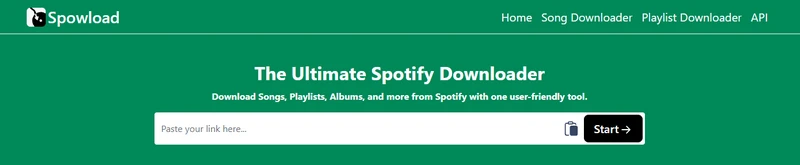
Spowload is an alternative Spotify album downloader when you try others but failed. It accepts Spotify links as input and download Spotify album or playlist songs to MP3 format. That is very suitable for full Spotify album downloads especially when you have Spotify albums of over 100 songs. And the tool is credited for its ability to include essential ID3 tag information.
🔗 Spowload: https://spowload.cc/en3
| Entire Album Download | Output Format | Audio Quality | Album Metadata | Album Cover | Price |
|---|---|---|---|---|---|
| ✔ | MP3 | Up to 131 Kbps | Title, Artist, Album, Year, Genre | ✔ | Free (external link ads) |
|
|||||
- Extract songs from Spotify album link and download Spotify albums for free.
- No batch album songs download operation.
- Ads that take you to another site.
How to Download Spotify Full Album as MP3 for Free?
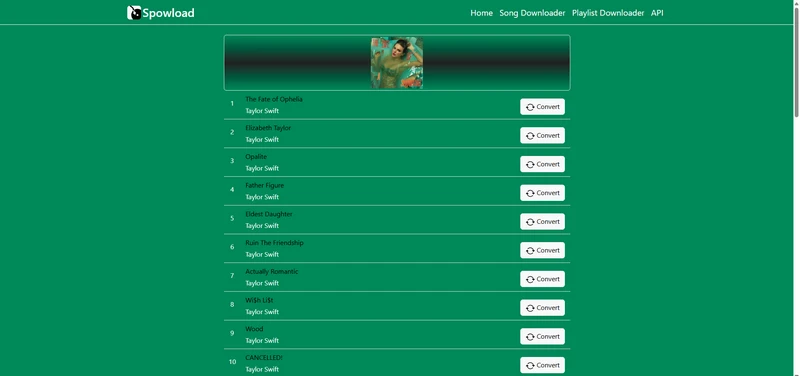
Step 1 Enter the Spotify album link into the Spowload input area and tap Start.
Step 2 Click Convert after the album song and tap download again to save the album track one by one to the device locally.
Part 3. Best Android Spotify Album Downloaders
If you prefer to download Spotify albums directly on your phone, these Android options are worth trying.
NO.13. Sidify Spotify Album Downloader for Androids
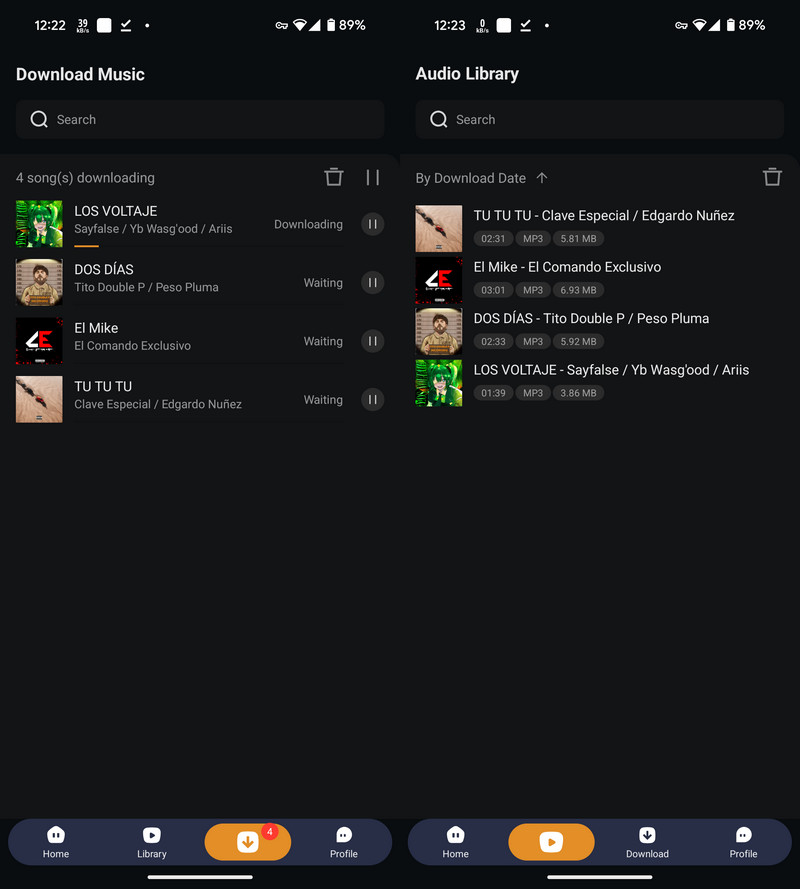
Sidify Music Converter comes with an Android version! You can download Spotify albums as MP3 files directly on Android phones. Downloading Spotify album songs to Android internal storage or SD card with Sidify Music Converter for Android is simple. Just follow these steps:

🔗 https://www.sidify.com/sp-android/music-converter.html
| Entire Album Download | Output Format | Audio Quality | Album Metadata | Album Cover | Price |
|---|---|---|---|---|---|
| ✔ | MP3, AAC, WAV, FLAC, AIFF, ALAC | Up to 320 Kbps MP3; lossless formats supported | Title, Artist, Album, Track Number, and other ID3 tags | ✔ | Free trial / $44.95 per year |
|
|||||
How to Save Spotify Album Tracks in MP3 Format on Android?
Step 1 Download the Sidify Music Converter APK onto your Android phone and agree to the installation.
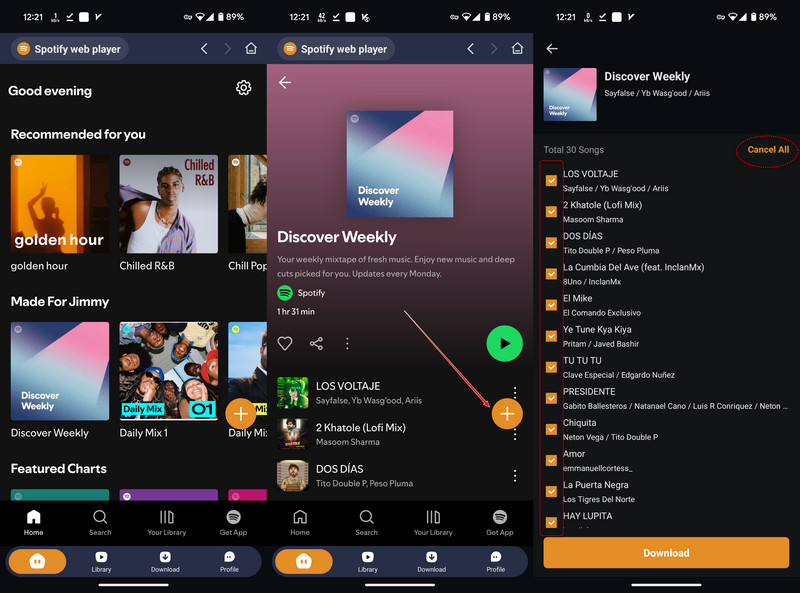
Step 2 Open Sidify, log in to your Spotify account and visit the Spotify web music library. Open the Spotify album page and tap the floating Add button on the right side. The album playlist song will be listed for selection.
You can opt to select the entire ablum songs to download, or just pick the ones that you like to download. Tap Download to continue.
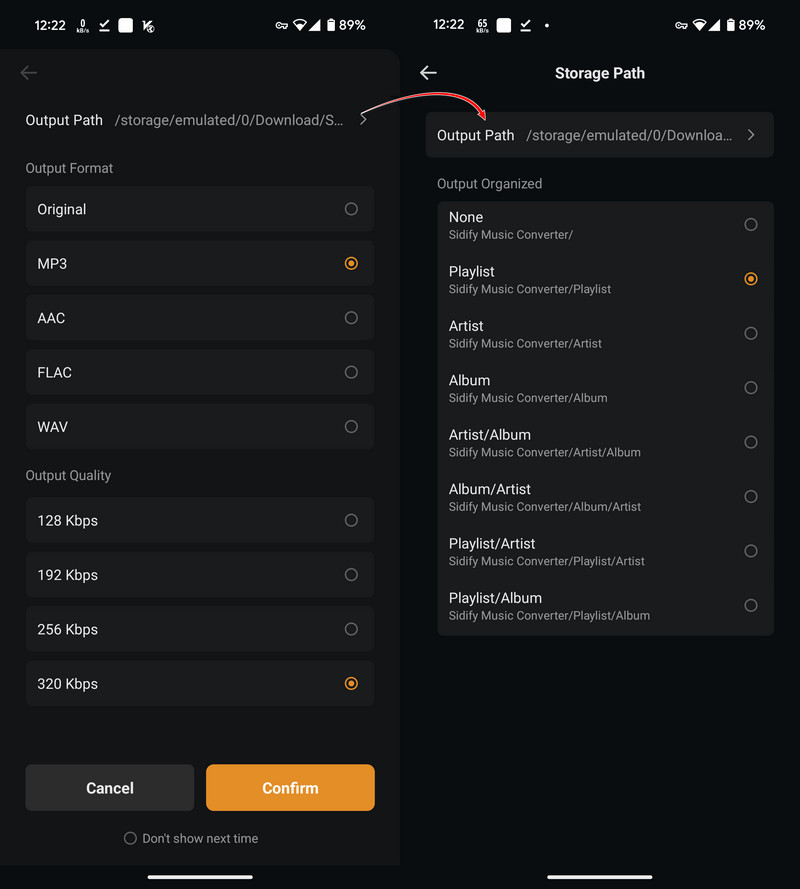
Step 3 Follow the on-screen instruction to set up the album song download format and quality. Specifically, customize a folder location to store the Spotify album downloads. There, you can decide to download the songs sorted by playlists, albums or artist as you needed.
Step 4 Go ahead, the downloader will begin to download and save the Spotify album playlist songs to your selected folder on Android.
Step 5 As the download process is done, check the downloads in the Library section. Or go to the internal storage and view the downloads.
NO.14. SpotiFlyers
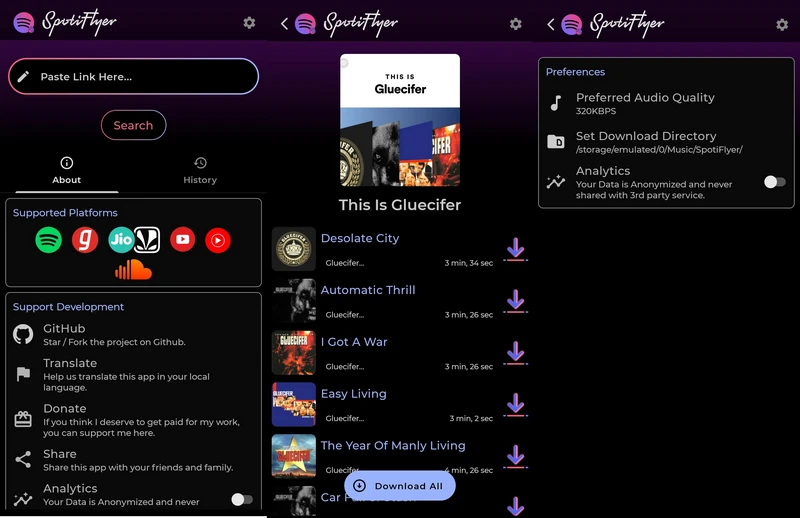
SpotiFlyer is an Android Spotify album downloader that you can simply extract MP3 audio from Spotify albums. That said, if you are more easy with downloading Spotify music on Android phone, this Spotify downloader app is good for this purpose. It supports batch downloads from Spotify album playlists and completes downloads within a short time.
🔗 SpotiFlyer: https://spotiflyer.app/app/
| Entire Album Download | Output Format | Audio Quality | Album Metadata | Album Cover | Price |
|---|---|---|---|---|---|
| ✔ | MP3 | Up to 131 Kbps | Title, Artist, Album, Year, Genre | ✔ | Free |
|
|||||
- Free Spotify album downloader app for Android users.
- Banner ads on interface.
How to Download Spotify Full Album as MP3 for Free?
Step 1 Copy Spotify album link from the Spotify App and paste it to the Spotflyer app.
Step 2 Clcik Convert after the album song and tap download again to save the album track one by one to the device locally.
Frequently Asked Questions
1. How can I download a Spotify album to MP3?
You can use a desktop downloader such as Sidify Spotify Album Downloader to download an entire Spotify album and save the tracks as MP3 files. Besides, online Spotify album downloaders also let you paste an album link and download the tracks one by one or as a ZIP file.
2. Can I download an entire Spotify album at once?
Yes. Some Spotify album downloaders can process all tracks in an album together. For example, Sidify Spotify Album Downloader supports batch album downloads, while some online downloaders offer a ZIP file containing the whole album.
3. Does the downloaded album come from Spotify’s original source?
Some online converters fetch matching tracks from third-party platforms (e.g. YouTube). Professional desktop downloaders like Sidify Music Converter and Sidify All-In-One extract audio directly from Spotify's stream, preserving original quality and structure.
4. Will the downloaded songs keep the album artwork and track information?
Many tools can keep the album cover, song title, artist, album name, and other track information. However, the amount of information saved can vary between tools.
5. Can I download Spotify albums on my phone?
Yes. If you use Android, you can try Sidify Spotify Album Downloader for Android or SpotiFlyer. They are designed for downloading Spotify music directly on Android devices.
6. Are Spotify album downloaders safe to use?
Be careful when using online downloaders. Some sites may show aggressive ads, redirect you to other pages, or ask you to sign in before downloading. Always check the site carefully and avoid entering your Spotify password on third-party download websites.
Conclusion
A good Spotify album downloader is not just about getting files, but getting them right. Full albums stay in order, track info and cover art remain intact, and audio quality sounds as intended. Free tools can grab a few songs, but keeping playlists tidy, albums organized, and music sounding correct requires a downloader that actually delivers. That is what Sidify Spotify Album Downloader is really about.
 Sidify Spotify Music Converter
Download Spotify songs, albums, and playlists to MP3 at 40X speed with 100% original quality.