
Unable to play music without an internet connection is a common problem for many Spotify users. So, is there a way to listen to Spotify music offline on any device? In this article, we will introduce the 6 best ways to play Spotify music offline on any device, helping you enjoy your favorite Spotify tracks anytime and anywhere without limitations.
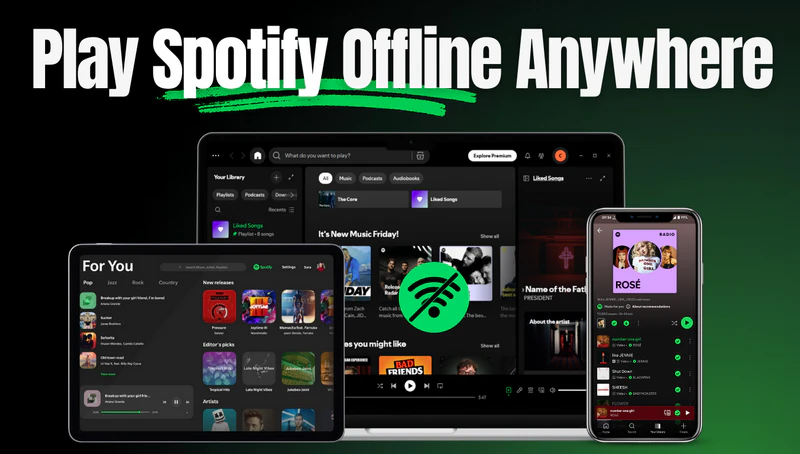
If you want to enjoy Spotify music on any device anytime, anywhere, while maintaining the original sound quality and unlimited playback, then Sidify Music Converter is undoubtedly the best choice.
Sidify Music Converter is a powerful Spotify music converter that can convert Spotify songs, albums, and playlists to various universal formats such as MP3, AAC, WAV, FLAC, AIFF, or ALAC. It maintains 100% original audio quality with full ID3 tags, supports batch downloading at 10X speed, and is simple and easy to use. With Sidify, you can save Spotify audio to your local computer and keep it forever. So you can freely transfer your Spotify music to any device, like a smartphone, MP3 player, USB drive, or DJ software. Sidify is the best choice for users who value sound quality and freedom of playback.
Sidify Music Converter
 Download Spotify songs, albums, playlists, audiobooks, podcasts and, radios to the local placesConvert Spotify to MP3, AAC, FLAC, WAV, ALAC, or AIFFKeep original audio quality & intact ID3 tagsSupport 10X faster conversion speed without quality lossFree updates and technical support
If you want a tool to convert any streaming music (including Spotify, Apple Music, Amazon Music, Tidal, Deezer, YouTube, YouTube Music, SoundCloud, DailyMotion …) to MP3, Sidify All-In-One is the go-to choice.
Step 1Download and open Sidify Music Converter on your computer and log in to your Spotify account.
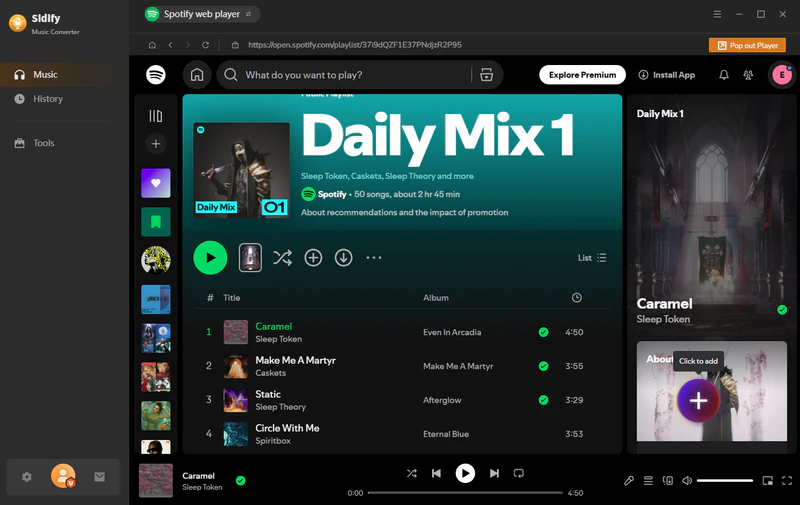
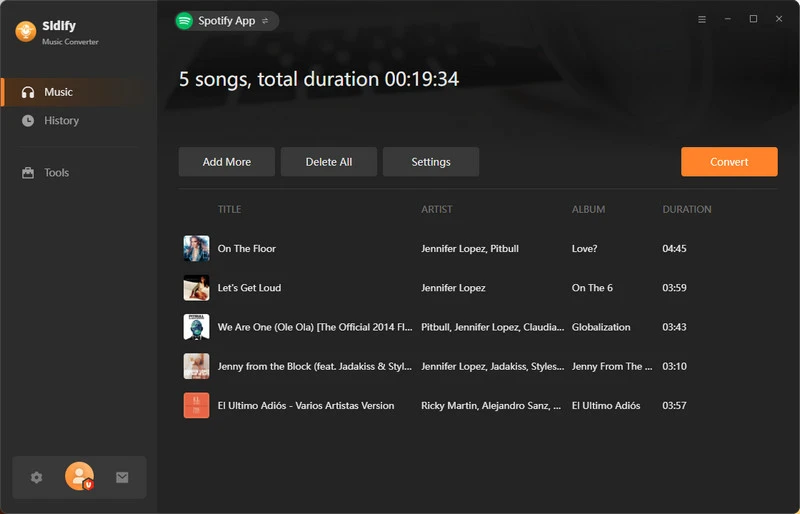
Step 2Select the songs, albums, or playlists you want to save and click the floating "+" button to add tracks to Sidify.
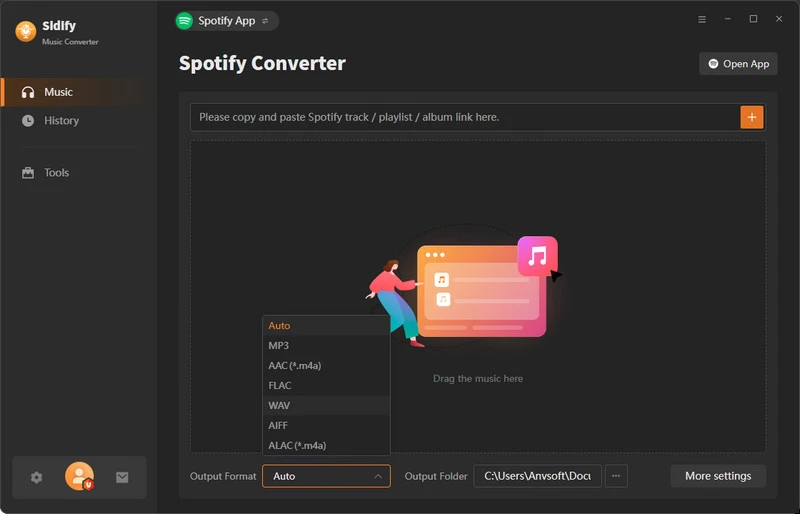
Step 3Go to the music settings page, choose the output format (MP3/AAC/WAV/FLAC/AIFF/ALAC) you prefer. You can also customize the output quality and output file name (track number, title, year, artist, etc.).
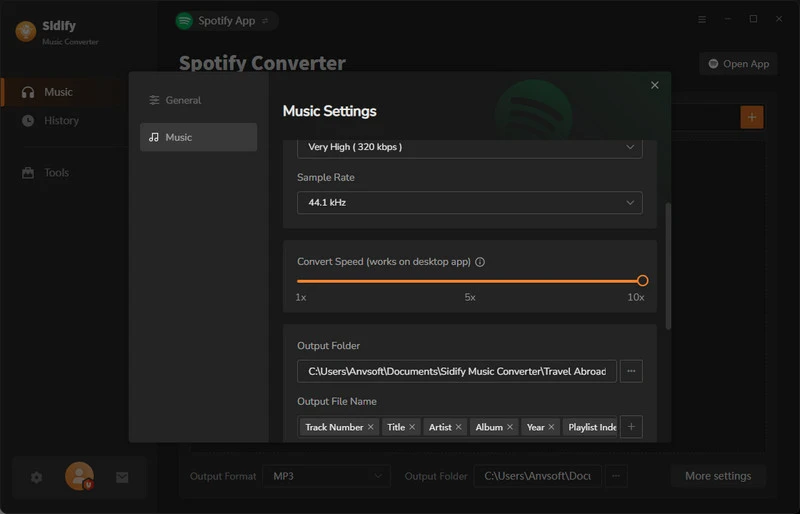
Step 4Click the "Convert" button, and Sidify will automatically download Spotify music to your local hard drive at 10x speed.
Step 5After the download is complete, go to the "History" section to view your downloaded music and click the file icon next to the song to locate the music on your computer.
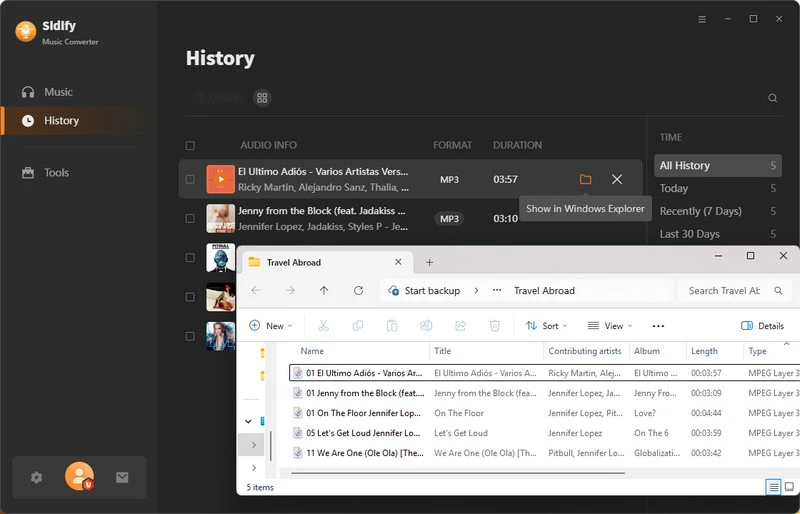
Step 6Now you can import Spotify music to any device you like for offline listening.
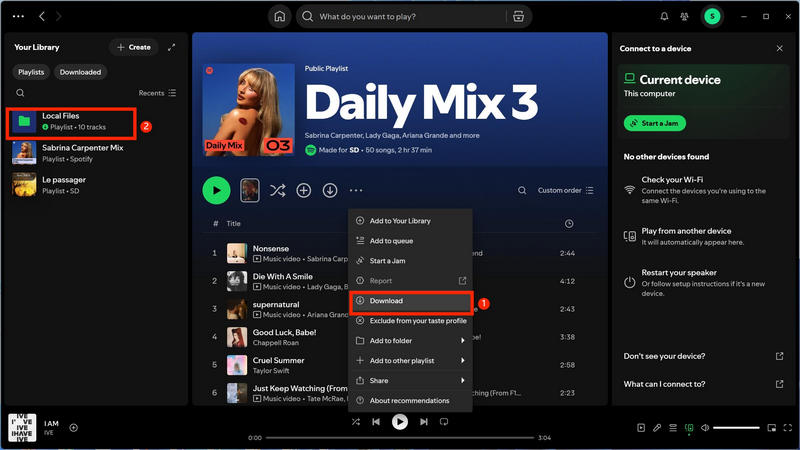
For Spotify Premium users, you can enable Spotify offline mode. The official offline playback feature allows you to listen to music within the app even without an internet connection. You can download albums, playlists, and podcasts, and each account can save up to 10,000 songs across 5 devices. This way is safe, legal, and easy to use, and it automatically syncs downloaded content across different devices, making it perfect for everyday offline listening.
Step 1Find the songs, albums, or playlists you want to listen to offline.
Step 2Click the Download button and wait for the green arrow to appear.
Step 3Enjoy your music offline.
On phone: Go to Settings → Playback → Offline Mode and turn it on.
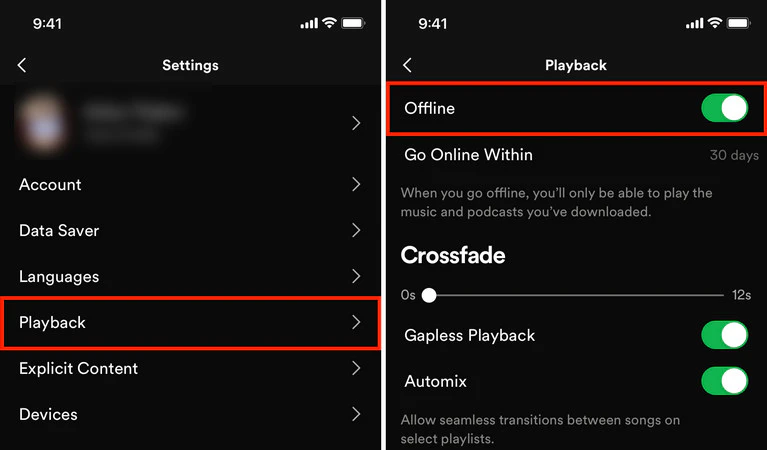
On the computer: Find "Downloaded" on your library to enjoy your downloaded music.
💡Tips: You need to log in at least once every 30 days to verify your account and keep your downloaded content valid; otherwise, the downloaded music will become invalid.
While the official method is convenient, it still has some limitations: downloaded music can only be played within the Spotify App and cannot be exported to MP3 players, USB drives, or other devices; the audio format cannot be freely selected and can only use the default format. While convenient, it still presents limitations for users who want to play music offline on any device or maintain the original sound quality.
In addition to the methods mentioned above, several free online Spotify downloaders can help you save Spotify music locally for playback on more devices. These free online tools typically support converting Spotify music to MP3 or other common audio formats, allowing you to listen offline without the Spotify App. However, free music downloaders may vary in functionality, sound quality, and stability, so you can choose the appropriate one based on your needs.
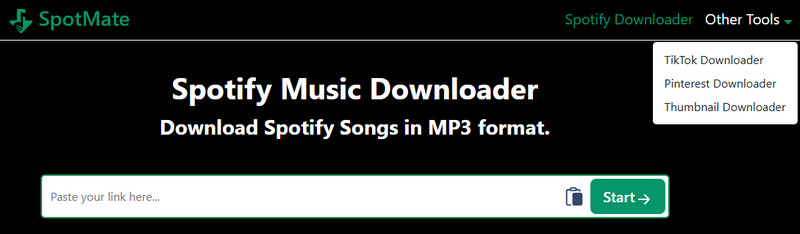
SpotMate is an online Spotify music downloader that can quickly convert Spotify songs, albums, or playlists to MP3 files, supporting multiple devices such as computers, tablets, and mobile phones. It's simple and fast, simply copy the Spotify link to easily download. No software installation or account login is required; It's suitable for users who want to quickly save single tracks or a small number of playlists. However, the free version usually has standard audio quality, and batch downloads only support the first 3 tracks from the list.
| Pros | Cons |
|---|---|
|
|
Step 1Copy the Spotify song link and paste it into the Spotmate search box.
Step 2Click the "Start" button, wait for the download link to be generated, then click "Download" to download the song to your local device.
Step 3Once downloaded, it can be played on any device that supports MP3.
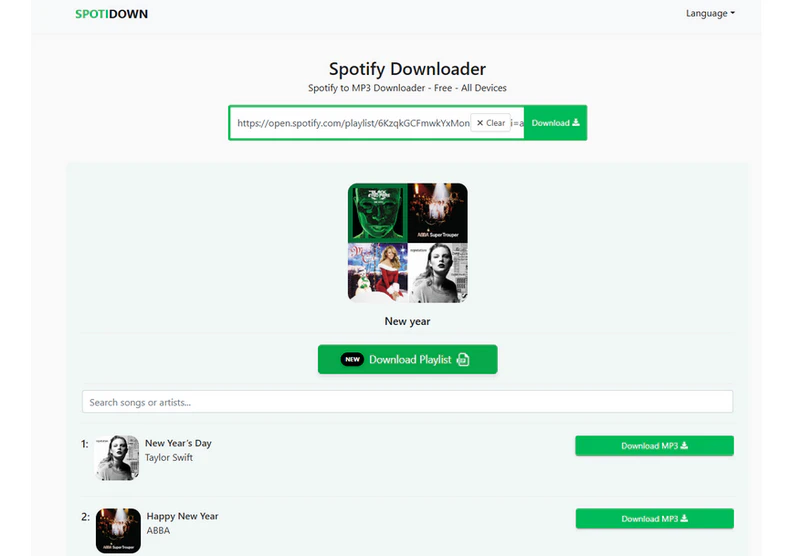
SpotiDown is a free online Spotify to MP3 downloader that supports batch downloading of single songs or entire playlists and packaging them into ZIP files, allowing you to easily save multiple songs to your local devices for offline playback. It is easy to use and downloads quickly. Suitable for quickly saving music for playback on multiple devices. However, the SpotiDown page contains retargeting ads; please be careful when clicking.
| Pros | Cons |
|---|---|
|
|
Step 1Copy the Spotify song or playlist link into the input box.
Step 2Click the "Download" button and wait for the download link to be generated.
Step 3Click "Download MP3" to download the single track, or click the "Download playlist" button to download the albums or playlist as a zip file
Step 4Once the download is complete, you can transfer Spotify Music to other compatible devices for playback.
Spotidownloader is an online music downloader that converts and downloads Spotify singles, albums, or playlists to MP3 or FLAC (Supported only when downloading a single track). No registration or software installation is required; you can simply copy the Spotify link and paste it into the website to download. Spotidownloader has a clean interface, is free to use, and supports batch downloading of albums or playlists as zip files. However, be aware that the Spotidownloader website contains banner ads and retargeting ads.
| Pros | Cons |
|---|---|
|
|
Step 1Go to Spotify and copy the link to the song, playlist, or album.
Step 2Paste the Spotify link into the SpotiDownloader search box and click the "Download" button.
Step 3Wait for the download link to be generated, then select "Download MP3" or "Download FLAC". If you are downloading playlists or albums, simply click the "Download ZIP" button. (Batch download only supports MP3 output)
Step 4Transfer the downloaded file to another device for offline playback.

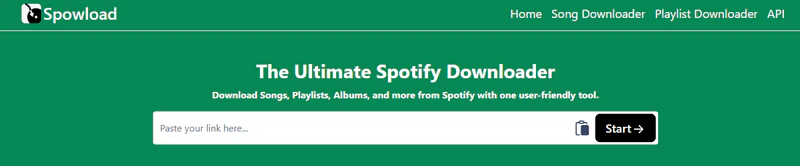
With Spowoload, you can download and convert Spotify songs, albums, and playlists to MP3 format for free. Like other online tools, no download or installation is required; you simply need to copy the Spotify music link to download. Downloaded songs can be played offline on various devices such as computers and mobile phones. Spowoload supports batch parsing of playlists, but you still need to manually download each song.
| Pros | Cons |
|---|---|
|
|
Step 1Open Spotify, find the song, album, or playlist you want to download, and tap "Share" → "Copy Link".
Step 2Paste the copied Spotify link into the Spowoload input box and click the "Start" button to begin parsing.
Step 3After the parsing is complete, click the "Convert" button to save the MP3 file to your local device.
Step 4Open the downloaded MP3 file to listen on any device.
In the preceding sections, we introduced Sidify Music Converter, Spotify offline mode, and various online Spotify downloaders. So, which method is truly the best choice to play Spotify Music offline anywhere? The comparison table below will help you make a quick decision.
| Ways | Sidify Music Converter | Spotify Premium | Online Spotify Downloader |
| Sound quality | 320kbps, Lossless | 320kbps, Lossless | 256kbps |
| Output format | MP3, AAC, FLAC, WAV, ALAC, or AIFF | ❌Export not supported | MP3 |
| Batch Download | ✅ | ✅ | Limited |
| Download speed | 10X | Fast | 1-5X |
| Multi-device support | ✅Unrestricted | ✅5 devices | ✅Unrestricted |
| Main limitations | Need pay for Pro version | Only be listened to within the Spotify App | Average sound quality and limited batch downloads |
| Best For | Long‑term Spotify users | Premium users | Casual listeners |
Yes! You can batch convert and download unlimited songs, albums, and playlists according to your needs. The downloaded music can then be played on any device, giving you true offline freedom.
Most online tools can download music directly, but some websites have ads or redirect risks. Please ensure you use reliable sources.
Sidify Music Converter is the best choice for long-term offline listening. It supports downloading and converting Spotify music in MP3, AAC, FLAC, WAV, ALAC, or AIFF formats, while preserving the original sound quality.
This article introduces the 6 methods for playing Spotify music offline on any device. You can use Sidify Music Converter, Spotify offline mode, or free online download tools. Choose the method that suits you best and enjoy Spotify music anytime, anywhere, without network restrictions.


