

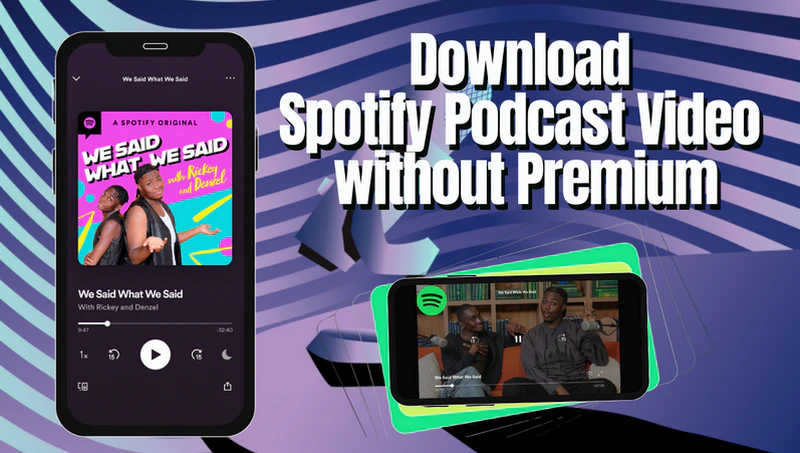
Want to download Spotify video podcasts for convenient offline viewing or listening but don't have Spotify Premium? Don't worry! In this guide, we’ll show you several efficient ways to download Spotify video podcasts without Premium, helping you easily save your favorite podcasts to high-quality MP4 or MP3 formats to play freely on any device.
Part 1. Download Spotify Podcast Video without Premium(Easy & Safe)
Even without Spotify Premium, you can easily and safely download video podcasts to MP4 or MP3 using a professional downloader. Sidify Music Converter is a professional music and video downloader designed specifically for both Spotify free and premium users. It supports not only converting Spotify music to MP3, AAC, FLAC, WAV, ALAC, or AIFF, but also converting Spotify Podcast Video into MP4. It also supports batch download at high speed while maintaining the original audio and video quality and full ID3 tags. Its clean and ad-free interface makes it an efficient tool for Spotify enthusiasts to download music and podcasts.
Sidify Music Converter
- Download Spotify Music and Podcasts without Premium
- Convert Spotify music to MP3, AAC, FLAC, WAV, ALAC, or AIFF
- Losslessly download Spotify podcast videos to MP4
- Keep the 100% original video and audio quality of Spotify
- Preserve ID3 tags, Spotify lyrics, and metadata after conversion

 Security verified. 2,568,912 people have downloaded it.
How to Download Spotify Podcast Video without Premium
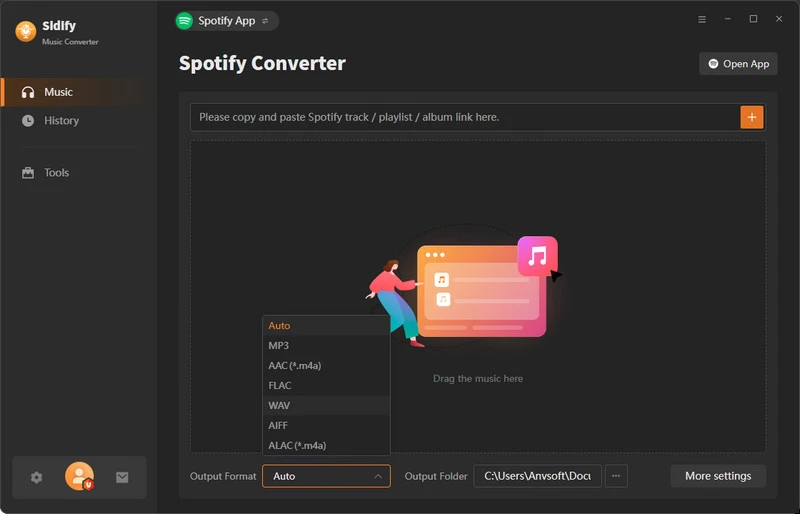
Step 1 Install and open Sidify Music Converter on your computer and log in to your Spotify account.
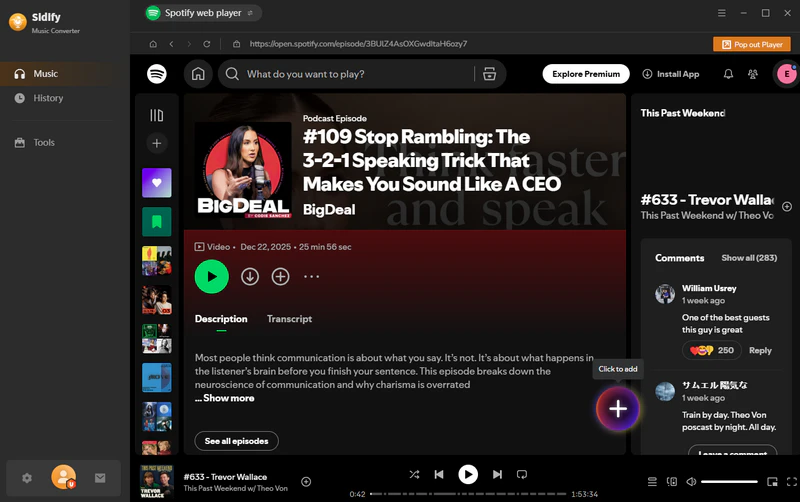
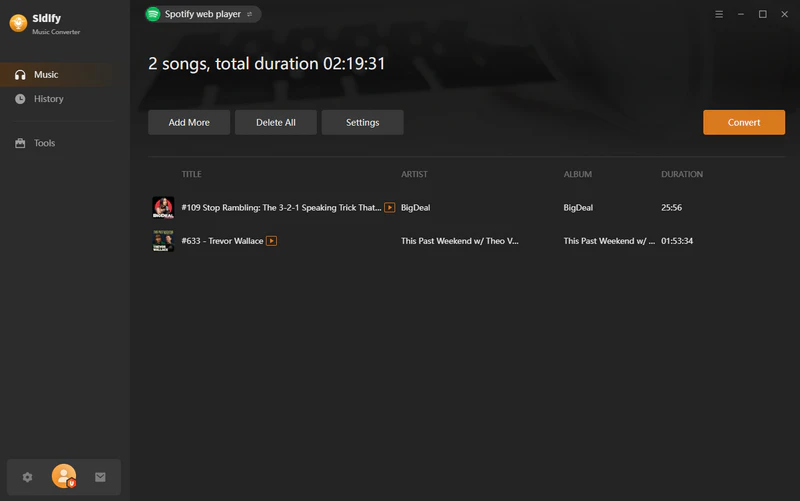
Step 2 Find the podcasts you want to save and click the "+" button to add them to Sidify. Sidify will parse all the links.
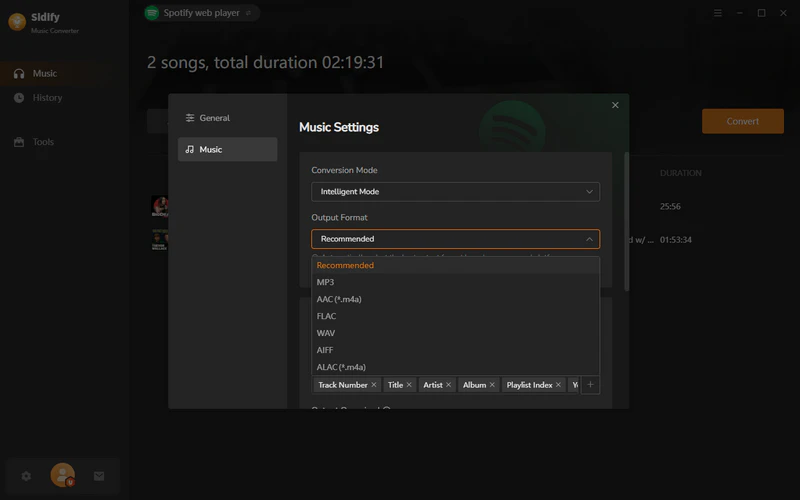
Step 3 Go to the settings page, choose "Recommended" as the output format.
Step 4 Click the "Convert" button to start downloading the podcasts to MP4 files.
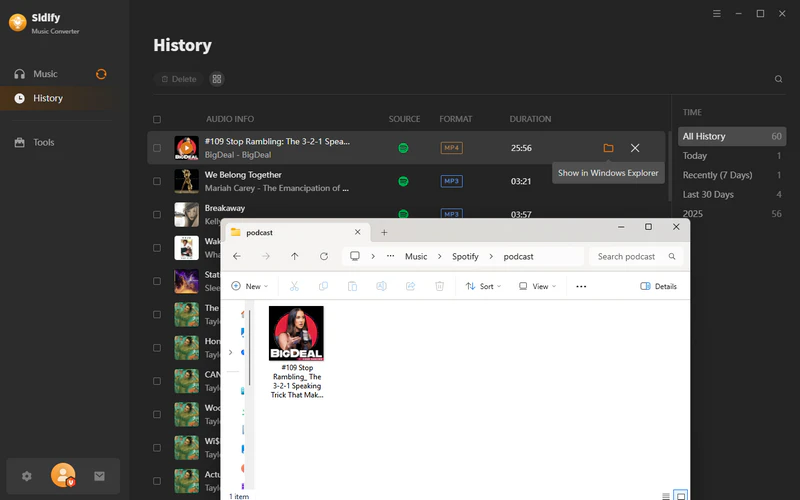
Step 5 Once the conversion is complete, you can go to "History" to view your downloaded MP4 files.
Part 2. Alternative Method to Download Spotify Podcast Videos to MP4
Besides using a professional downloader, you can also use a screen recorder to save Spotify video podcasts as MP4s. You can use OBS Studio, a free and powerful screen recording software that supports custom recording areas and high-quality output. OBS Studio is completely free to use and does not require Spotify Premium, but it cannot perform high-speed batch downloads, so it is more suitable for users who occasionally save single episodes.
- Free to use
- Customizable parameters include resolution, frame rate, and audio source
- Unable to download in batches
- Video or audio quality may be lost
- Unable to automatically save ID3 tags
How to Download Spotify Podcast Videos to MP4 for Free
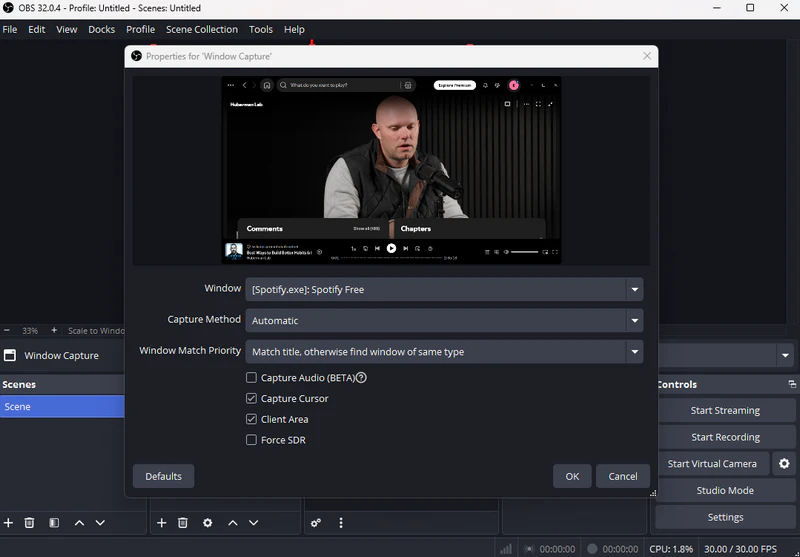
Step 1 Launch OBS Studio on your computer, add "Window Capture" under "Sources" and select [Spotify.exe].
Step 2 Go to Settings > Output, set the output format to MP4, and adjust the resolution and frame rate as needed.
Step 3 Play the video podcast on Spotify and click "Start Recording". After playback ends, click "Stop Recording". The recorded video will be saved in the output path you previously set.
Part 3. Download Spotify Video Podcast to MP3
If you only want to listen to podcast audio, you can convert Spotify podcasts to MP3. Sidify Music Converter also supports converting Spotify podcasts to MP3. However, if you need a completely free and easy method, you can use Sidify free podcast to MP3 downloader, which supports 100% free downloads of a vast number of podcasts in MP3 format.
How to Download Spotify Video Podcasts to MP3 for Free?
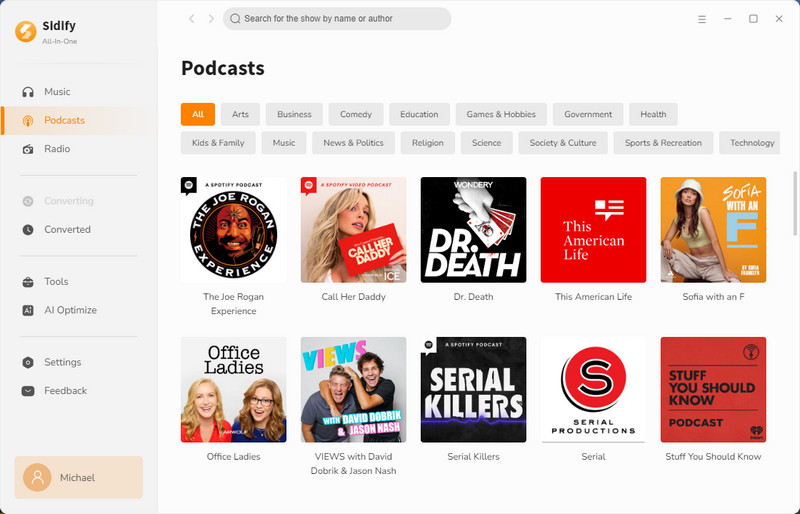
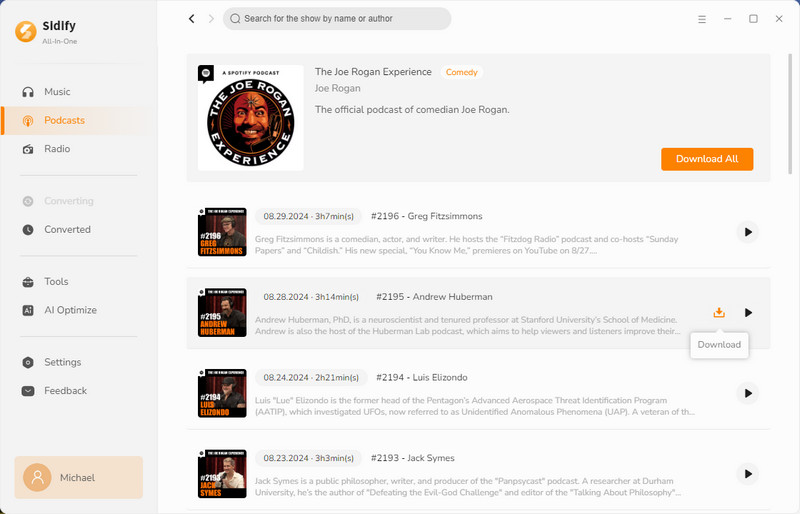
Step 1 Open Sidify All-in-One on your computer and enter the Podcasts section.
Step 2 Find or search for the podcast you want to download. You can click "Download All" or click the Download icon next to the specific episode to add podcasts to download.
Step 3 Go to the podcasts settings page, select your output folder. Then click the "Convert" button to start downloading the podcast to MP3.
Step 4 After the download is complete, go to History to view the downloaded MP3 files.
Part 4. FAQs about Downloading Spotify Podcast Video Without Premium
1. How to Watch Video Podcasts on Spotify?
Spotify supports video podcasts on mobile, desktop, and web players. Simply open the Spotify App, search for a podcast with video episodes, and tap a video episode to start watching. If a video is available, it will automatically play in the video player instead of audio-only mode.
2. Can I download Spotify video podcasts on iPhone or Android without Premium?
Spotify does not provide an official way to download video podcasts on mobile devices without Premium. However, you can download the videos on Android with Sidify Music Converter for Android.
3. Can I keep the original audio or video quality?
Of course, with a professional tool like Sidify Music Converter, you can keep the original audio and video quality when downloading Spotify podcast videos and preserve full ID3 tags.
End Words
In short, while you cannot directly download Spotify video podcasts to MP4 or MP3 without Premium, offline viewing is still easily achievable with professional tools. Of all the methods, Sidify Music Converter is the easiest and safest solution. It maintains the original video and audio quality and fully preserves ID3 tags, allowing you to easily manage and enjoy downloaded podcast content anytime, anywhere.
 Sidify Spotify Music Converter
Download Spotify podcast videos to MP4 or MP3 with original quality and ID3 tags preserved.


 Note:
Note:Sidify works for both Spotify premium and free users. The trial version of Sidify Music Converter enables you to convert the first minute of each audio file for sample testing. You can purchase the full version to unlock the time limitation.