

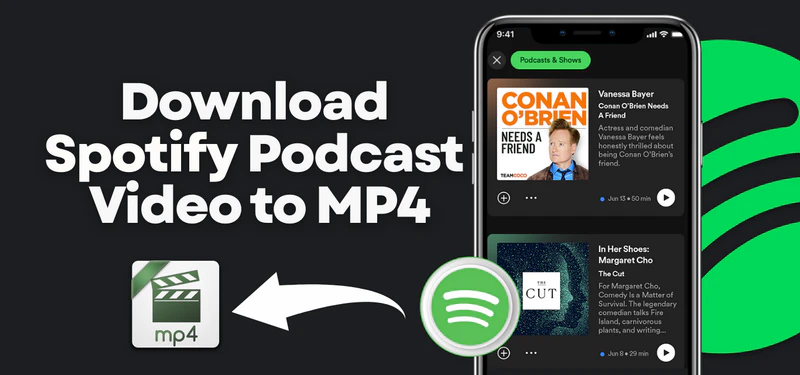
By 2026, Spotify will have become a major platform for high-quality video podcasts. With a vast array of content and genres, many users will want to save these amazing videos to their local devices in MP4 format for offline viewing. To meet this need, this article introduces two practical methods to download Spotify podcast videos to MP4 in 2026, helping you to enjoy your favorite podcasts at any time.
📍 Also Read: Spotify to MP4: 4 Ways to Download Spotify Videos as MP4 in 2026
Part 1: Can You Download Spotify Podcast Videos as MP4?
No. Even if you are a Spotify Premium user, you can only download podcast videos within Spotify for offline viewing; you cannot export podcast videos as MP4 files or use them on other players or devices.
Therefore, if you want to save Spotify podcast videos as MP4 for local playback or cross-device viewing, you can't rely solely on the official offline download function. For more flexible usage, you'll need to use third-party tools to download and convert Spotify podcast videos to universal MP4 files.
Part 2: 2 Best Ways to Download Spotify Podcast Videos to MP4
In this part, we will share 2 reliable methods to help you convert Spotify podcast videos to MP4, allowing for more flexible use and management of this content.
| ⚡ Speed |
|
| 📥 Batch Download |
|
| 🏷 Metadata Preservation |
|
| 🎯 Suitable Scenarios |
|
#1: Sidify Music Converter - High Quality & Fast
Sidify Music Converter is a music downloader designed specifically for Spotify users. It supports converting Spotify music to MP3, AAC, WAV, FLAC, AIFF, or ALAC, and also allows downloading Spotify music videos and podcast videos to MP4. The software supports high-speed batch downloads while preserving the original audio and video quality and retaining ID3 tags. Its simple and intuitive interface makes it easy for even beginners to use. Sidify offers a fast, reliable, and high-quality way to download Spotify video podcasts to MP4.
Sidify Music Converter
- Convert Spotify music to MP3, AAC, FLAC, WAV, ALAC, or AIFF.
- Losslessly download Spotify podcast videos to MP4
- Preserve ID3 tags and 10X faster conversion speed
- Supports Spotify Free and Premium
- Free updates and technical support

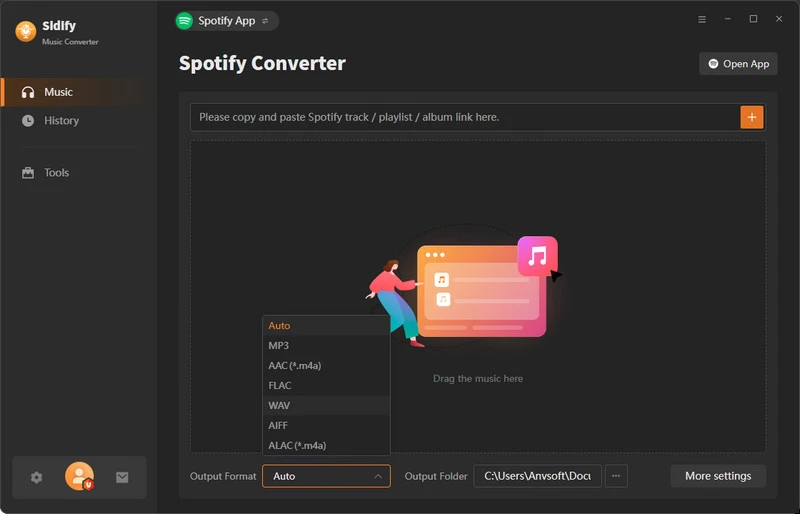
Step 1 Install and open Sidify Music Converter on your computer.
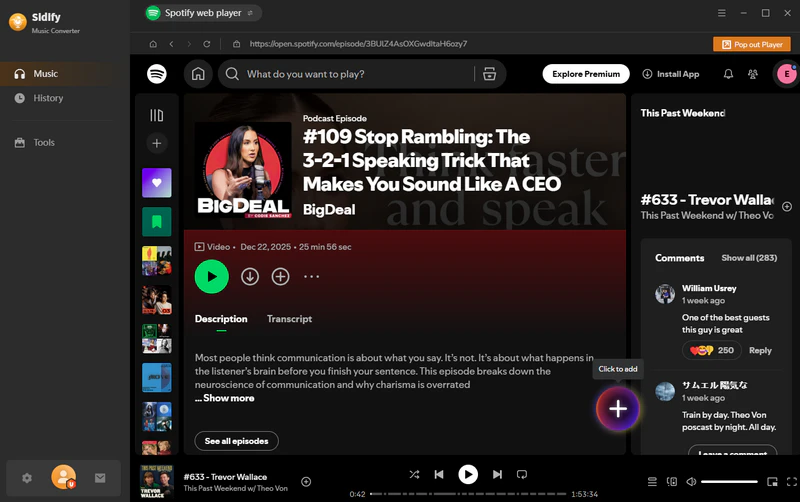
Step 2 Find your favorite podcasts and click the floating "+" button. Sidify would parse and list the link automatically.
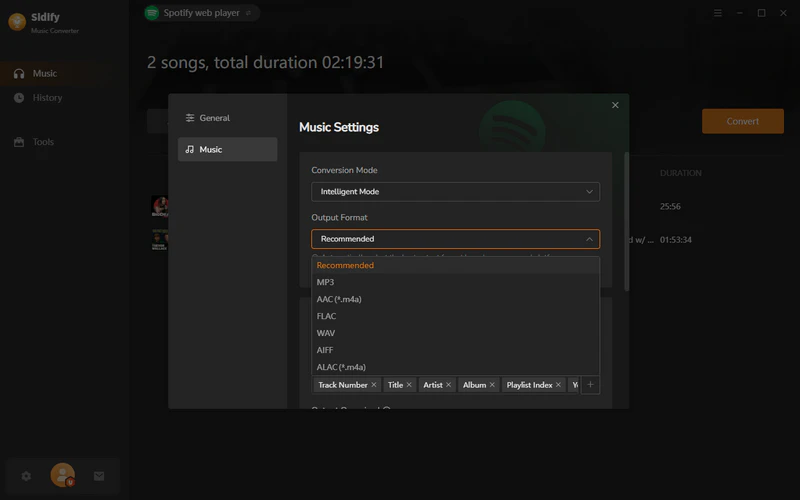
Step 3 Go to the settings page, select "Recommended" as the output format, and you can also customize the output file name.
Step 4 Click the "Convert" button, and Sidify will download and convert the selected podcasts in batches at high speed.
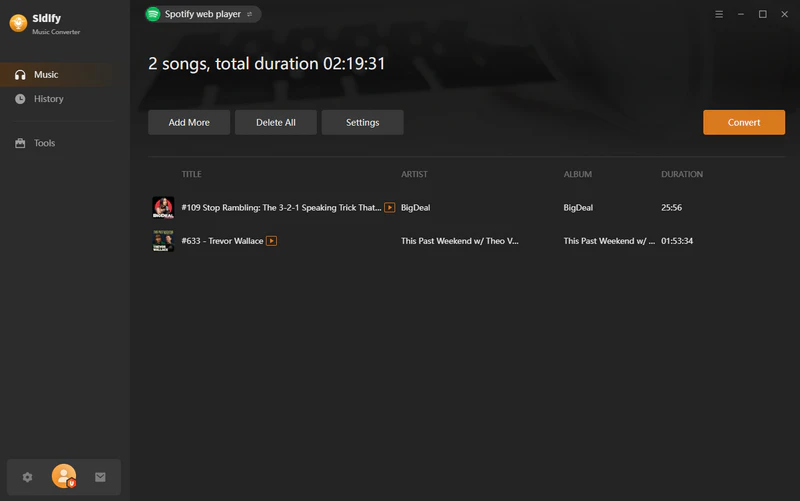
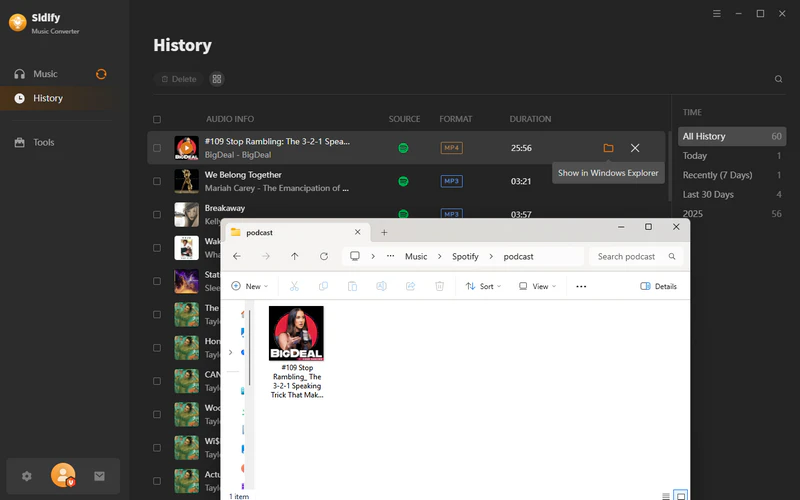
Step 5 Once the download is complete, open the History section to view the downloaded MP4 files. Click the folder icon to locate the files directly in the local folder.
#2: OBS Studio
OBS Studio is a free and open-source video recorder. It supports high-quality video capture, recording desktop, application windows, or webcam footage, and allows users to customize resolution, frame rate, and encoding format. With OBS Studio, you can record Spotify podcasts as MP4 files for local saving and offline viewing. The software is powerful yet intuitive, suitable for both beginners and professional users, and runs on Windows, Mac, and Linux platforms.
Step 1 Install and open OBS Studio on your computer.
Step 2 Open Spotify, select and play the podcast video you want.
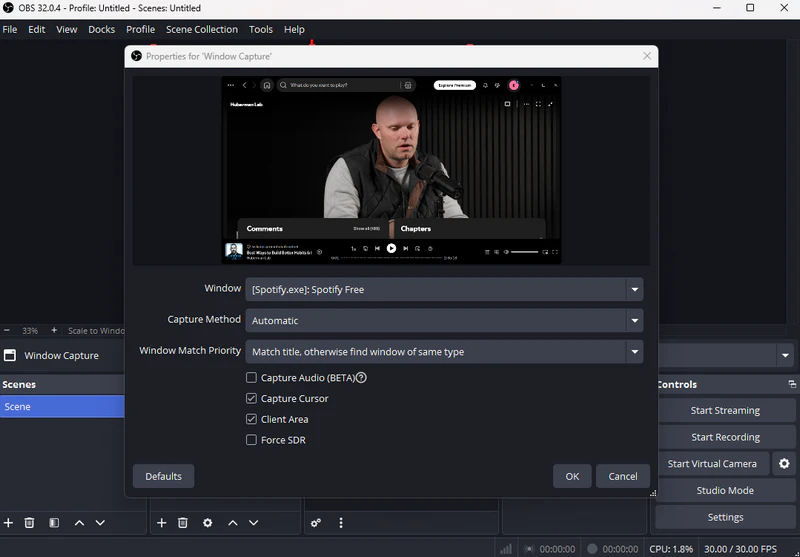
Step 3 In "Sources," add "Window Capture," and select the [Spotify.exe].
Step 4 Click Settings > Output, set the output format to MP4, and adjust the resolution and frame rate.
Step 5 Once the download is complete, open the History section to view the downloaded MP4 files. Click the folder icon to locate the files directly in the local folder.
❓FAQs about Downloading Spotify Podcast Video to MP4
Q1: Is it legal and safe to download Spotify videos to MP4?
In general, it is considered legal to use Sidify or OBS Studio to download Spotify videos to MP4 for personal offline viewing or collection. Both programs are ad-free and safe to use when downloading Spotify to MP4.
Q2: Can I download Spotify podcast videos to MP4 without Premium?
No. Even with Premium, you can't download podcast videos to MP4 directly. You need to use third-party tools like Sidify to save them locally.
Q3: Can I download Spotify podcasts to MP3?
Of course, you can use Sidify Music Converter to download Spotify podcasts to MP3. It not only can download Spotify to MP4, but it can also extract the audio from Spotify Videos to MP3, while preserving the original sound quality and ID3 tags.
Conclusion
With the two methods shared in this article, you can easily save Spotify podcast videos as MP4s. For efficient downloads, Sidify Music Converter is the best choice. It can not only save Spotify video to MP4 but also extract Spotify Audio to MP3, AAC, FLAC, WAV, ALAC, or AIFF, while maintaining the original sound quality and tag information. Using Sidify, you can enjoy your favorite podcasts anytime.
 Sidify Spotify Music Converter
Save Spotify Music Dolby Atmos and HD/Ultra HD audio with ID3 tags at 10X speed.