


YouTube has a ton of curated playlists that you can enjoy. If you want to make it even easier to listen, you can download these playlists as MP3 audio files. Plus, if you're using YouTube for free, you can further play your playlists in the background! While YouTube doesn't allow you to download playlists directly, there are plenty of third-party tools filling that gap. This guide lists 10+ top-rated YouTube playlist downloaders that are fast, reliable, and support multiple formats.
📊 Overview: Top YouTube Playlist Downloaders Comparison
| Downloader | OS | Support Platforms | Advanced Features | Output Format | Batch Download | Unlimited Downloads | Price |
|---|---|---|---|---|---|---|---|
| Sidify All-In-One | Windows & Mac | YouTube Music, YouTube, Spotify, Apple Music, Amazon Prime Music, Amazon Music Unlimited, Tidal, Deezer, Pandora, Line Music, Audible AA/AAX audiobooks, SoundCloud, Qobuz, Dailymotion, Vimeo, and more. | Embedded YouTube interface, 10X speed, converted filted, smart metadata tagging, sync to iTunes, CD burner, ai splitter, voice remover | MP3, AAC, ALAC, WAV, FLAC, AIFF | ✔ | ✔ | $79.90/Year |
| YT Saver | Windows & Mac | YouTube, Twitch, TikTok, Livestream, Twitcasting, AfreecaTV, etc. | 10X speed, built-in cutter, cloud storage upload | MP3, MP4, M4A, MOV, FLAC, AAC, OGG, WAV, etc. | ✔ | ✔ | From $9.95 |
| 4K YouTube to MP3 | Windows, Mac, Ubuntu | YouTube, SoundCloud, Bilibili, Niconico, Facebook, Vimeo, Twitch, etc. | Private YouTube playlists, integrated browser | MP3 | ✔ | ✔ | From $10 |
| NoteBurner | Windows & Mac | YouTube | In-app access to YouTube, subtitles extraction | MP3, OPUS, WEBM, MP4 | ❌ | ✔ | Free |
| YouTube Playlist Downloader | Web-based | YouTube | No installation | MP3, MP4 | ❌ | ✔ | Free |
| Y2down | Web-based | YouTube | Lightning-fast download speeds | MP3, MP4 | ❌ | ✔ | Free |
| Y2mate | Web-based | YouTube | High-speed, no registration required | MP4, M4V, 3GP, WMV, FLV, MOV, MP3, WEBM | ❌ | ✔ | Free |
| SaveMP3 | Chrome browser | YouTube, Instagram, Twitter, Soundcloud, Facebook, Tiktok, etc. | 320kbps sound output, auto-detect YouTube playlist | MP4, MP3 | ❌ | ✔ | Free |
| Video DownloadHelper | Firefox browser | 1000+ websites including YouTube | High-speed, no registration required | MP4, MP3 | ❌ | (Paid) | Free |
| Seal | Android | YouTube | Multilangues | MP4, MP3 | ❌ | ✔ | Free |
⚠️YouTube downloaders are provided solely for personal and educational use. Downloading YouTube playlists should comply with YouTube's policies and copyright laws. Any commercial use or redistribution of downloaded content is strictly discouraged.
👍 Top Recommendation: Sidify All-In-One (YouTube and YouTube Music Support)
Playlists on YouTube can be automatically updated to YouTube Music, which makes it simple to access your favorite playlists on both ways. Luckily, there is such a desktop program enabling full playlist downloads from YouTube (video) and YouTube Music (streaming service) platforms. Sidify All-In-One Converter achieves downloading entire YouTube in bulk at speeds up to 10 times faster. Output formats inlcude MP3, AAC, ALAC, AIFF, WAV, and FLAC, preserving both the sound quality and metadata exactly as they are. Once downloaded, the playlists files are stored locally on device, available to play offline on other players.
| 🎵 Download from YouTube Music | 🎬 Download from YouTube |
|---|---|
| Single songs, playlists, albums, and full podcast episodes. | Videos and playlists. |
Sidify All-In-One Converter
- Download music playlists from a broad leading streaming sources.
- Convert YouTube playlists in MP3/AAC/WAV/FLAC/AIFF/ALAC
- Download multiple YouTube playlists in one go.
- Preserve the original audio quality and keep the ID3 tags.
- Transfer YouTube playlists to USB drives and other offline devices.
- Built-in free podcast and radio to mp3 downloader and vocal remover.


How to Download Playlists from YouTube Music?
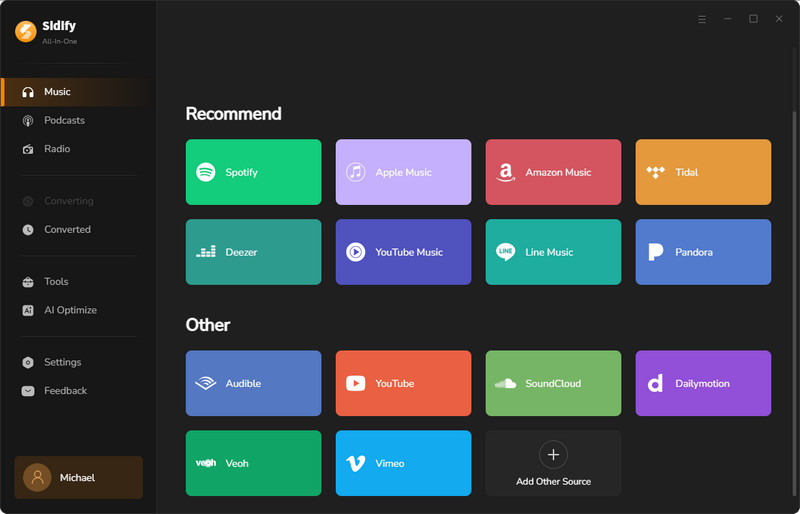
Step 1 Launch Sidify All-In-One on your desktop and select the "YouTube Music" tab.
Step 2 Use the built-in YouTube Music browser to log into your YouTube Music account.
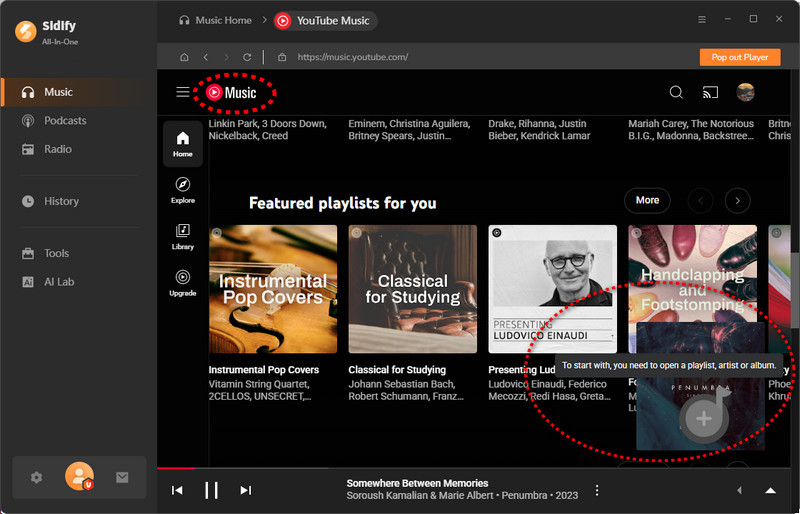
Step 3 Open a music playlist, tap "Add" to queue it, then repeat this for adding more playlists to download simultaneously later.
Step 4 Go to the output settings, pick your preferred download format and quality, and choose a local folder to save downloads.
Step 5 Tap the Convert button to start downloading. You can check all downloads in the History panel.
How to Download Playlists from YouTube.com?
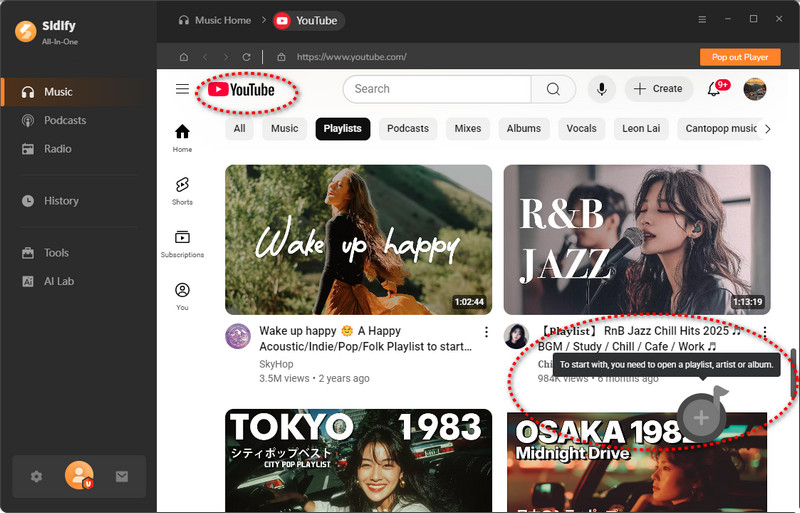
Step 1 Open Sidify All-In-One on your computer, then pick the "YouTube" module to get started.
Step 2 Head to the settings, choose an output format and change the downloads location.
Step 3 From the YouTube browser window, search the YouTube playlist you wish to download. And click the 'Add' button to put it to the converter.
Step 4 Click the "Convert" button and start the YouTube to audio conversion process.
Step 5 If the conversion is finished, you can go to the History section to view all downloaded playlist songs from YouTube.
 Note:
Note:Not only YouTube and YouTube music, but Sidify All-In-One also downloads playlists from all major platforms in one interface, such as Spotify, Apple Music, Amazon Music, Tidal, Deezer, Qobuz, SoundCloud, DailyMotion and more. If you desire to download songs, albums, and playlists from cross-platform services and keep them in one organized local library, this multi-platform streaming music downloader can be a priority.
Top 2: YT Saver (Windows & Mac)
YT Saver focus on both video and audio formats conversion from over 10,000 websites, including YouTube. This program does well in downloading YouTube playlists into MP4 and extract audio from YouTube playlists in MP3 320kbps files. It allows of downloading of entire playlists and channels quickly, with up to 10X.
- Recommend: ⭐⭐⭐
- Entrance: https://ytsaver.net/youtube-downloader/
- Supported Formats: MP4, MP3, M4A, AAC, 20+ output formats
- Download Types: YouTube videos, live stream, audios, playlists and channels
- OS: Windows and mac
- 10X download speed.
- Sync downloads to cloud storage.
- Free users can only download 1 playlist and no bulk download.
YT Saver User Guide
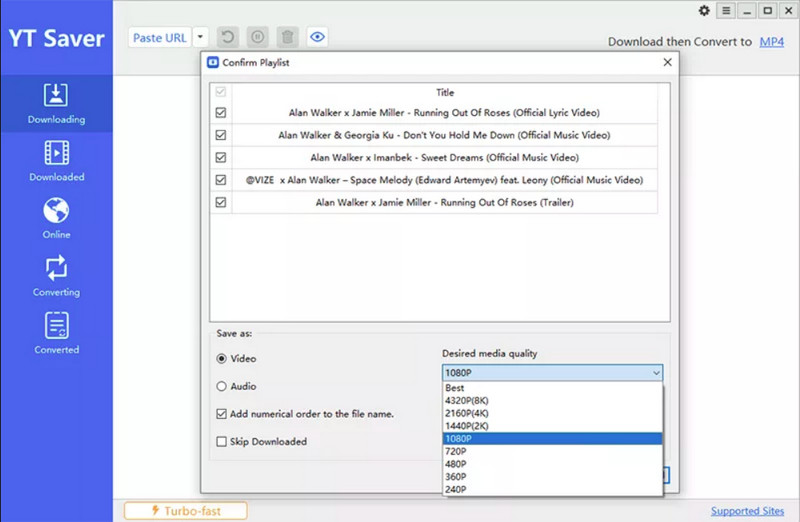
Step 1 Input the copied URL of the YouTube playlist into the program, which will retrieve and display all videos from the playlist in the list view.
Step 2 Choose the specific video to download and specify the output format and quality settings.
Step 3 If a numerical sequence for the file names is desired, select the corresponding option.
Step 4 Click "OK" to finalize the download of the playlist.
Top 3: 4K YouTube to MP3 (Windows & Mac & Ubuntu)
4K YouTube to MP3 is a desktop app available for Windows, mac, and Linux operating systems. The downloader is able to download the whole YouTube playlists as well as channel to high-quality MP3, M4A, or OGG files. Users with YouTube Premium subscription can download tracks, playlists up to 256kbps. If the converter failed to parse the link you provided, you can try its in-App browser way to download YouTube playlists instead.
- Recommend: ⭐⭐⭐
- Entrance: https://www.4kdownload.com/products/youtubetomp3
- Supported Formats: MP3, M4A and OGG
- Download Types: YouTube Playlists and Channels
- OS: Windows, Mac, Ubuntu
- Batch download YouTube playlists to MP3.
- Free user can only download a maximum of 5 single audio tracks or 10 audio tracks per playlist each day.
- Need YouTube Premium for 256kbps sound quality.
How to Use It?
Step 1 Download and run the program onto your desktop.
Step 2 Copy the link to the YouTube playlist you want to download.
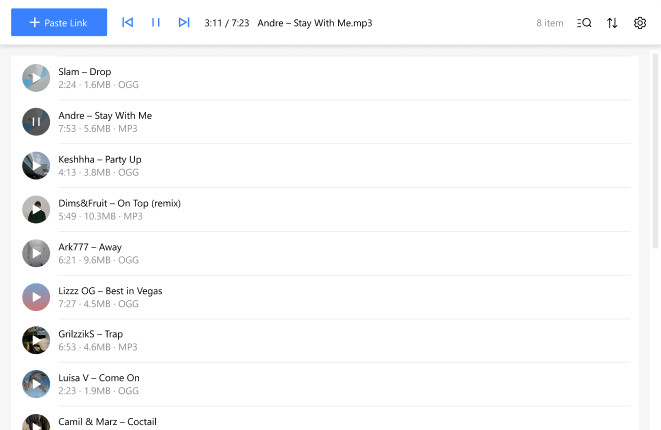
Step 3 Click the Paste Link button in the downloader. Select the Download the Playlist option from the drop-down list.
Step 4 Select the download format, quality, and a folder location.
Step 5 Click Download to start the process.
Top 4: NoteBurner YouTube Video Downloader (Windows & Mac)
NoteBurner has a free video downloader for YouTube playlists downloading. It offers you to download YouTube to MP4 videos or MP3 audio files. The program is impressive for its built-in player that you can directly search and add the YouTube playlists into a download task. Download speed is up to 10x faster.
- Recommend: ⭐⭐⭐
- Entrance: https://www.noteburner-video.com/youtube-video-downloader-for-windows.html
- Supported Formats: MP3, OPUS, WEBM, MP4
- Download Types: Contents on YouTube
- OS: Windows, Mac
- Free to download YouTube playlists
- Download YouTube playlists with subtitles.
- No batch playlist downloading option.
- Need YouTube account signin.
How to Use It?
Step 1 Download and run the YouTube video downloader onto your computer.
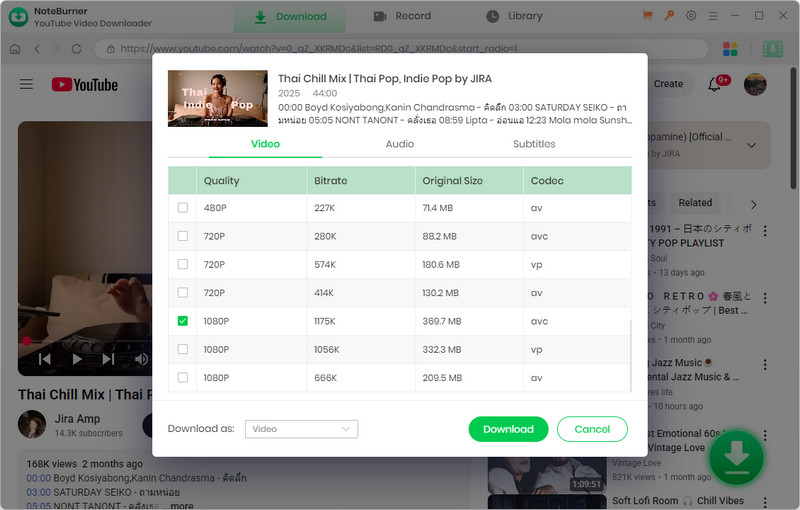
Step 2 Log into your YouTube account and access the playlist you like to download.
Step 3 Press the activated plus button and choose the download type and format.
Step 4 Tap the Download button to start the process.
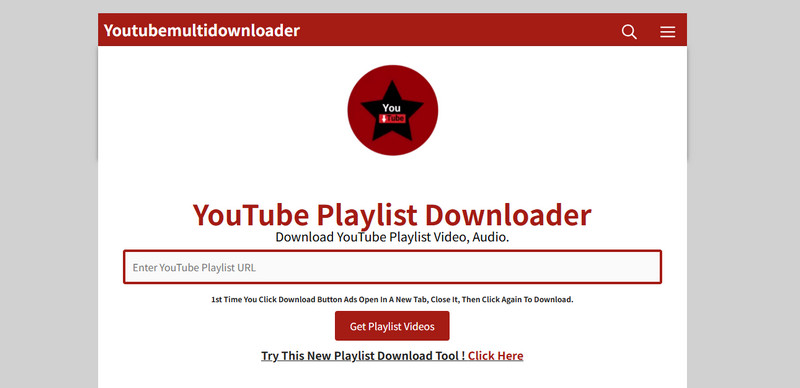
Top 5: YouTube Playlist Downloader (Online)
This free site allows you to download unlimited YouTube playlists. By default, the online YouTube downloader converts playlists to MP3 audio files. There is no other output audio formats provided. Simply input a list of YouTube links, and it will parse all the playlists, offering individual downloads for each one.
- Recommend: ⭐⭐⭐
- Entrance: https://youtubemultidownloader.org/en/
- Supported Formats: MP3
- Download Types: YouTube Playlists
- OS: All Browsers
- Free to download YouTube playlists without number limits.
- No batch playlist download features.
How to Use It?
Step 1 Copy the playlist URL from YouTube.
Step 2 Navigate to the downloader site and input the copied link, tap "Get Playlist Video".
Step 3 Tap "Download" after the playlist you want to download.
Step 4 You will be redirected to a new tab where you can choose to download the playlist as audio files in MP3 or download the YouTube playlists as MP4 videos.
Step 5 Click Download again to save the playlist into your location.
Top 6: Y2down (Online)
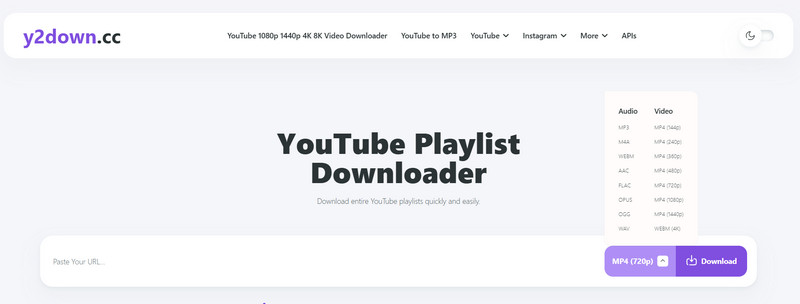
Y2down is a free YouTube playlist online downloader that can download entire playlist from YouTube directly to local storage. YouTube playlists can be downloaded into diverse audio formats like MP3, M4A. WEBM, AAC, FLAC, OPUS, OGG, and WAV and MP4 video formats in different resolutions.
- Recommend: ⭐⭐⭐
- Entrance: https://y2down.cc/enmP/youtube-playlist
- Supported Formats: MP3, M4A. WEBM, AAC, FLAC, OPUS, OGG, and WAV and MP4
- Download Types: YouTube Playlists
- OS: All Browsers
- Free to use.
- 10x download speeds.
- No batch playlists conversion support.
How to Use It?
Step 1 Copy the YouTube playlist link.
Step 2 Paste the link into the input field.
Step 3 Select download format and quality.
Step 4 Click the "Download" button to begin.
Step 5 Access the downloaded playlist for offline viewing.
Top 7: Y2mate (Online)
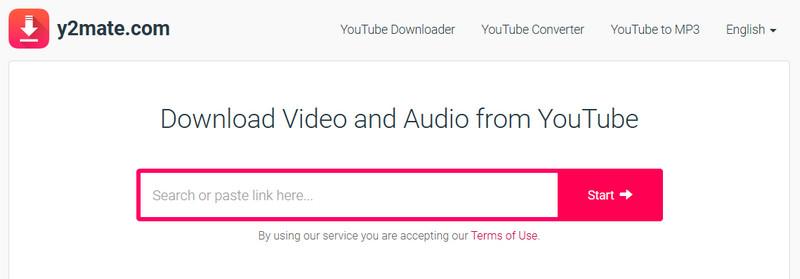
Y2mate downloads videos and audio from platforms like YouTube, Facebook, Dailymotion, Youku, and more in high-quality MP3 or MP4 formats. It also supports YouTube playlist downloads, enabling users to save entire playlists in video formats such as MP4, M4V, 3GP, WMV, FLV, and MOV, or extract audio as MP3 files.
- Recommend: ⭐⭐⭐
- Entrance: https://www.y2mate.com/
- Supported Formats: MP4, M4V, 3GP, WMV, FLV, MOV, MP3, WEBM
- Download Types: YouTube Playlists
- OS: All Browsers
- Lower sound quality at 128kbps in MP3 files.
- High-speed video converter.
- Diverse playlist download formats.
- No registration required.
- No batch playlists conversion support.
How to Use It?
Step 1 Search by name or directly paste the link of video you want to convert.
Step 2 Click "Start" button to begin converting process.
Step 3 Select the video/audio format you want to download, then click "Download" button.
Top 8: SaveMP3 (Chrome Extension)
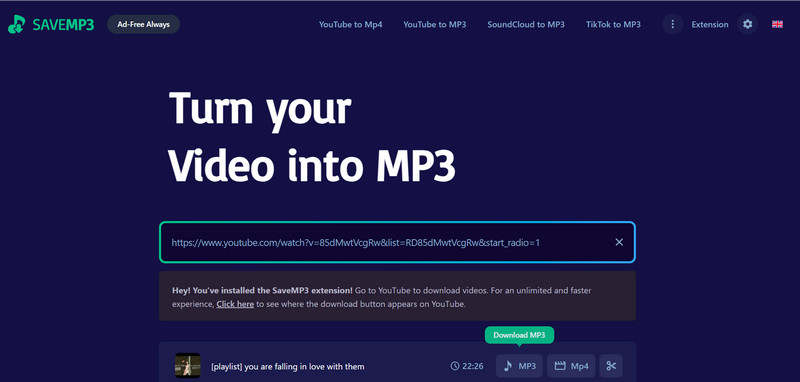
SAVMP3 is both an online and chrome extension tool that works for YouTube playlsits to MP3 conversion. Besides support YouTube, it also works for video to MP3 conversion from sites like Dailymotion, Instagram, Twitter, etc. It highly suggested to have the extension version which you can get free unlimited downloads of YouTube playlists as well as get sound quality up to 320kbps. And in this way, you can also process the download without leaving the YouTube page.
- Recommend: YouTube Playlists to MP3 Extension Tool
- Entrance: https://savemp3.net/0y5fq/
- Supported Formats: MP4, M4V, 3GP, WMV, FLV, MOV, MP3, WEBM
- Download Types: YouTube Playlists
- OS: All Browsers
- Works right on the YouTube page without copy-pasting links.
- Have formats, bitrates, or even trim the audio before downloading.
- Only process one youtube playlist a time.
- Extensions can break after browser or YouTube updates.
How to Use It?
Step 1 First download the CRX Emulator extension onto chrome to allow for a smooth YouTube MP3 conversion.
Step 2 Install the SAVEMP3 extension onto the chrome.
Step 3 Open the YouTube playlist with the videos you'd like to extract audio from.
Step 4 Click on the extension icon in the browser toolbar.
Step 5 Customize the download format you like and click download to start. When in process, do not close the tab.
Step 6 If downloaded, it will prompt up a directory to save the audio files.
Top 9: Video DownloadHelper (Firefox Extension)
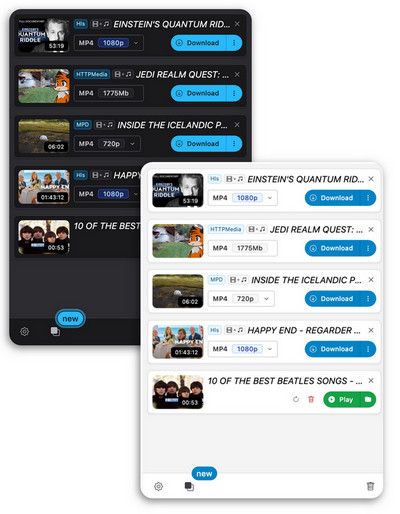
Video DownloadHelper claims to allow you to download videos from over 1,000 websites, including YouTube. By installing this video downloader add-on for Firefox, you can download YouTube playlists without needing any additional apps. However, this tool is not completely free.
- Recommend: ⭐⭐
- Entrance: http://www.downloadhelper.net/
- Supported Formats: MP4, MKV, WebM, MP3
- Download Types: YouTube Video playlists
- OS: FireFox
- Download up to 1080p YouTube videos playlists.
- Download YouTube playlists without navigating between pages.
- Free users need to purchase a license to extract MP3 audio from YouTube.
- Not fully compatible with all broswer systems.
How to Use It?
Step 1 First, install the Video DownloadHelper from extension store onto a Firefox browser.
Step 2 Open and play a YouTube playlist. Then, click on the menu tab and find the Video DownloadHelper extension, which will detect the playing videos.
Step 3 A download card will appear. Click 'Download' to save the video, or right-click and select 'Extract Audio As' to save it as an MP3.
Top 10: Seal (Android)
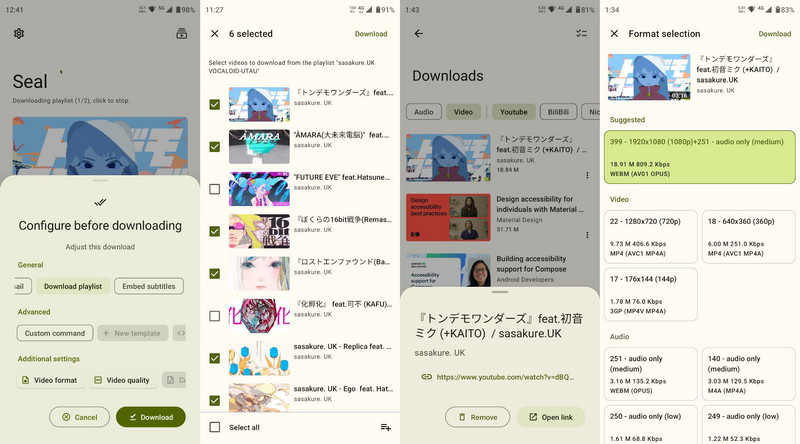
Seal is an Android apk developed on yt-dlp, so previously known as youtube-dl. You can use it to download YouTube playlists get offline files. You can even download entire playlists, force the inclusion of subtitles, or save the video thumbnail separately. Plus, you can choose to download YouTube playlist as audio playlists in MP3 files.
- Recommend: ⭐⭐⭐
- Entrance: https://github.com/JunkFood02/Seal
- Supported Formats: MP4, MP3, WEBM
- Download Types: YouTube Playlists
- OS: Android
- Free to extract YouTube playlists on Android phone.
- Save playlists from YouTube to Android local folders.
- Long time not update.
How to Use It?
Step 1 Go to the Github release section (https://github.com/JunkFood02/Seal/releases) and download the latest version of the apk.
Step 2 Download and install the apk onto the android phone. Greet to the source permission and get the Seal application on the phone screen.
Step 3 Prepare the YouTube playlist link and get it pasted onto the video link area on Seal homepage.
Step 4 Then click download to continue the download settings. From there, you can further adjust the download settings. If to output YouTube playlist as audio files, pick MP3 format.
Step 5 Go ahead, start the downloading and just wait for the process to complete itself.
More About YouTube Playlist Downloading
1. Can I choose which videos to download from a playlist?
Yes! When adding many playlist downloaders let you select individual videos within a playlist before downloading, instead of grabbing the whole list.
2. Can I download YouTube playlists to mobile?
Seal YT Downloader is available for Android users and supports full playlist downloads. For iOS phones, direct playlist download apps are not available due to App Store restrictions. However, you can use web-based tools in Safari or download playlists to a computer and then transfer the files to iPhone using iTunes.
3. What to do if a playlist fails to download?
Check if the videos are age-restricted, private, or region-locked. Update the downloader or switch to an alternative one that supports the latest YouTube changes.
 Sidify All-In-One Music Converter
Batch download YouTube and YouTube Music playlists to MP3, AAC, ALAC, WAV, FLAC, or AIFF at up to 10X speed.
Note:Sidify All-In-One works for both YouTube premium and free listeners. The trial version of All-In-One Music Converter enables you to convert the first minute of each audio file for sample testing. You can purchase the full version to unlock the time limitation.












