


Y2Mate is one of the preferred choices for converting YouTube videos to MP3 or MP4. Yet over time, constant mirror changes, pop-ups, and security concerns have made many users rethink its reliability. The need for trustworthy, stable, and higher-quality options is clearer than ever. This article takes a closer look at the most dependable Y2Mate alternatives, like professional desktop program, straightforward online converters and official YouTube premium methods. Here, you can always pick up the best and safest way to download YouTube MP3 music or MP4 videos!
⚠ Disclaimer: This article is for informational use only. Please convert or download media files only when you have the rights to do so.
Part 1. Y2Mate Review (The Original YouTube to MP3 Converter)
1. What is Y2Mate and the Main Features?
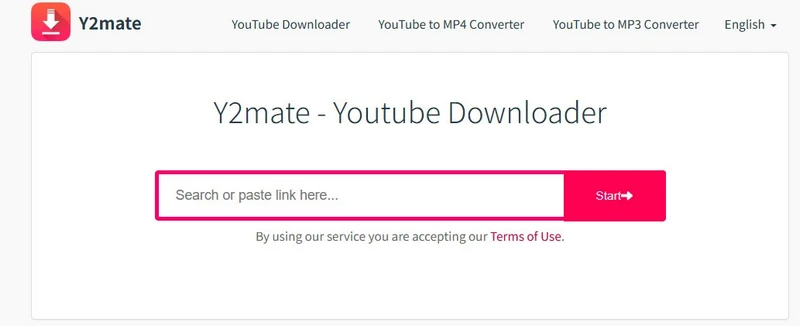
Y2Mate is a widely recognized online ripper for downloading YouTube videos as MP3 (audio) or MP4 (video) files.
- 💻 Fully web-based interface, no installation needed.
- 🗂️ MP4, MP3, M4V FLV, AVI, 3GP, WEBM, WMV, etc. conversion formats.
- 🔄 Output Quality: YouTube videos in 360p, 720p, 1080p, and even 4K, audio in 64kbps, 128kbps, 192kbps, 256kbps and 320kbps.
- 🔗 Input Method: Copy & paste YouTube URLs for conversion.
- ⚡ Speed: Fast depending on network and file size.
- 🎚️ Free unlimited downloads
- 📱 Works on desktop and mobile browsers.
2. Y2Mate Available Websites
Y2Mate has several domains appearing online. Some are temporary mirrors or redirects, which may vary by region.
| Category | Website Links | Status | Remarks |
|---|---|---|---|
| Android App | Google Play App | Stable | Downloadable from Google Play, relatively low-risk. |
| Website Domains |
https://v6.www-y2mate.com/
https://y2mate.nu/ysM1/
https://en.y2mate.is/_v12/
https://www.gotofreight.ca/
|
⚠ Mirror | Unofficial mirrors or phishing redirects, use with caution. |
3. How to Use Y2Mate to Download YouTube Files?
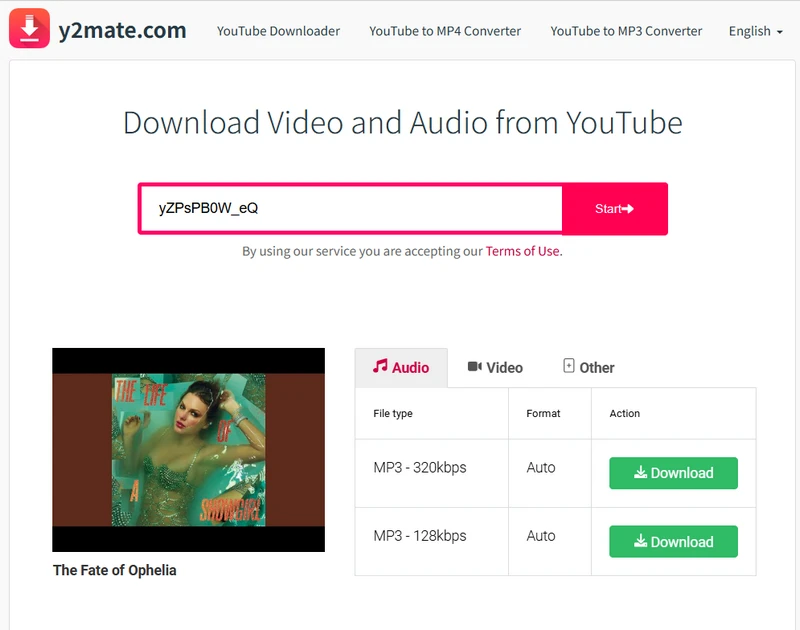
Step 1 Paste the YouTube link into the Y2Mate search bar and click "Start".
A quick security-enhanced method. Add sos before "youtube" in the video link to get videos or MP3 outputs directly. For instance: https://www.sosyoutube.com/watch?v=yZPsPB0W_eQ
Step 2 From the outcome options, choose MP3 (128kbps or 320kbps) to save it as an audio file. To download the video instead, select MP4 with your preferred resolution under the "Video" tab. Then click "Download" next to your chosen format.
Step 3 In the pop-up window, click the "Download" button again to save the file to the PC's local directory.
4. Y2Mate Pros and Cons
- Free accessible: Hosted online, work right away, no software download or signup.
- Various formats: Convert YouTube videos to MP4, M4V, 3GP, WMV, FLV, MO, MP3, WEBM, and more.
- Simple interface: Very easy to operate even for first-time users.
- High efficiency: Rapid video ripping and efficient standard-quality downloads.
- Wide compatiblility: Works on browsers across PC and mobile.
- Unstable mirrors: Site URLs often change due to takedowns or regional bans.
- Limited quality: No 4K or 8K high-definition downloads.
- Basic setup only: No custom file names or tags.
- No batch download: Only one video conversion at a time.
- Ad pop-ups: Ads and redirects appear in the download phase.
Part 2. Professional Safe Y2Mate Alternative Downloader - Sidify All-in-One
Sidify All-In-One is a dedicated clean program that can download high-quality audio from both YouTube and YouTube Music in MP3, FLAC, WAV, AIFF, ALAC, or AAC formats. More robust than Y2Mate online downloader, Sidify All-in-One is trusted for its dependable performance and consistent stability. It ensures audio is sourced directly from YouTube or YouTube Music, supports multiple playlists at once, converts without any quality loss, and achieves a near 100% success rate.
| Y2Mate | Sidify All-In-One |
|---|---|
|
|
*How to Download MP3s from YouTube
Step 1 Download the latest version of Sidify All-In-One onto computer, and enter the "YouTube" section from the interface.
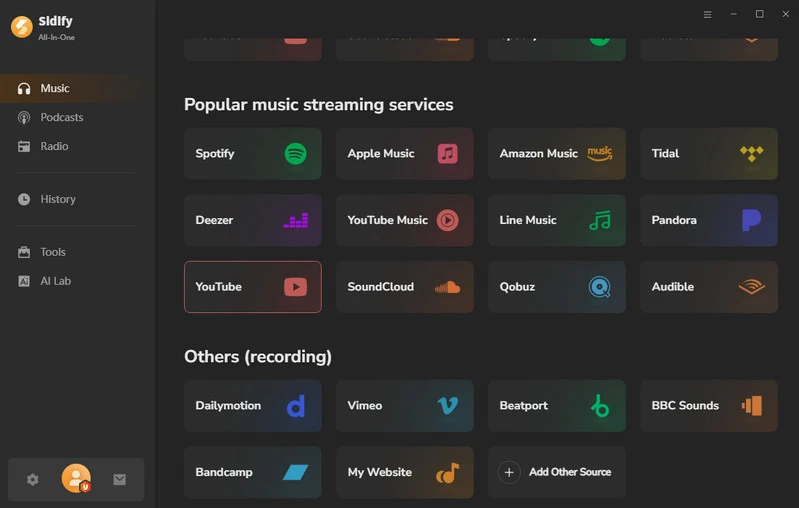
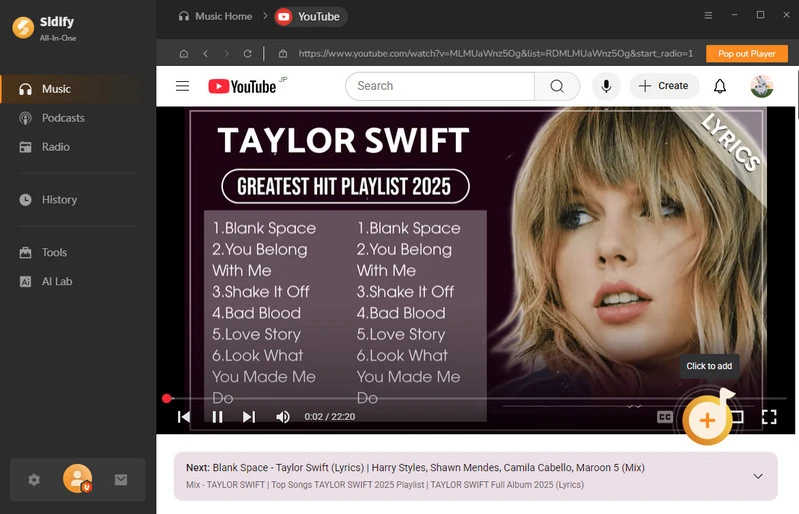
Step 2 Browse and open one YouTube video, then press the "+" button to add it, and repeat for mass YouTube vdieo playlists conversions.
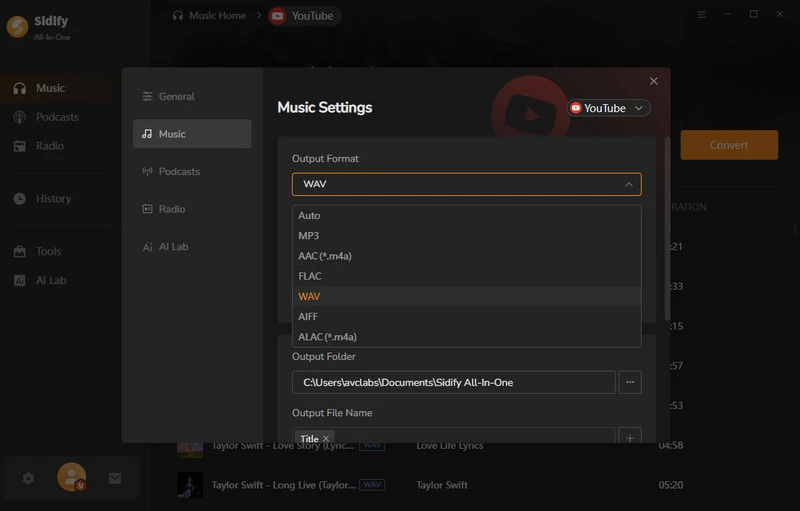
Step 3 Open the "Settings" menu, choose the YouTube audio file format, and set the output path, file name, and organization preferences.
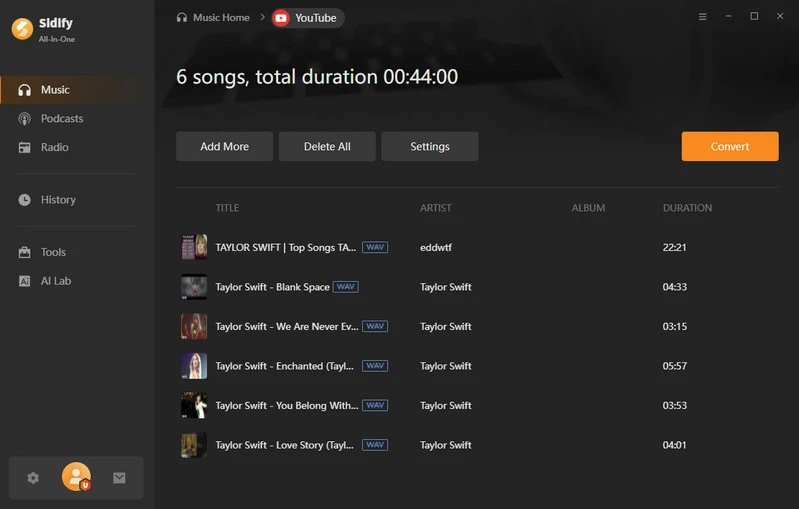
Step 4 Press the "Convert" button to start downloading the YouTube video to audio file format.
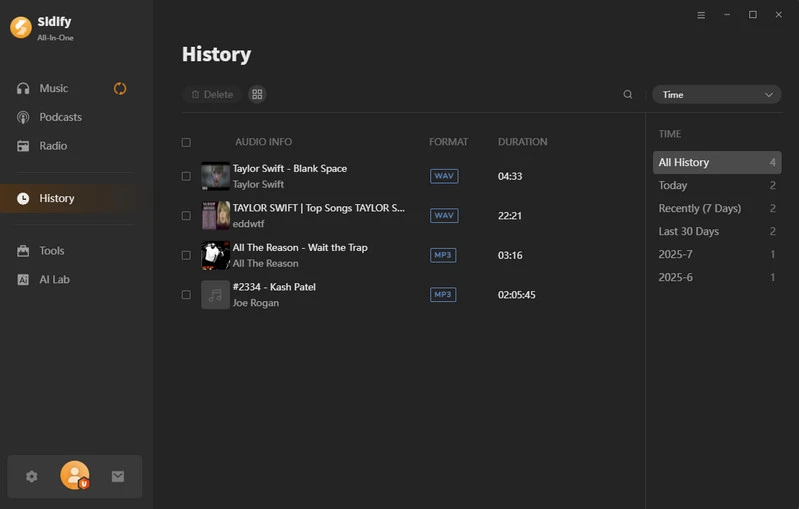
Step 5 When conversion is finished, you view all YouTube downloads in the "History" section.
*How to Download YouTube Music to MP3
Step 1 From Sidify All-In-One homepage, pick "YouTube Music" module to start.
Step 2 From the embedded YouTube music web player, log into YouTube music account to browse the whole music library. Open the playlist and click the Click to Add button. Following, select specific tracks to queue and download.

Step 3 Open Settings, set the output format to MP3 and quality to 256kbps. Then, customize the save path and files organization.

Step 4 Click on the Convert button to start exporting the YouTube Music as .mp3 files.

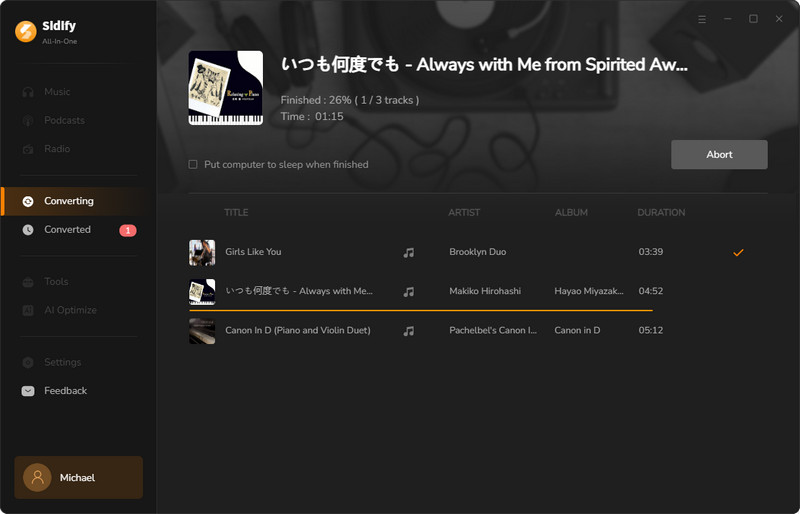
After the conversion is completed, go to the History menu to find the converted YouTube music.

Part 3. Y2Mate Desktop & Mobile Alternatives
| Feature | Y2Mate | NoteBurner | FlixiCam | AVC | Ucmate |
|---|---|---|---|---|---|
| YouTube to MP3 Conversion | ✔ | ✔ | ✔ | ✔ | |
| YouTube to MP4 Downloading | ✔ | ✔ | ✔ | ✔ | ✔ |
| 4K Video Quality | ✔ | ✔ | ✔ | ✔ | |
| Multiple Output Formats (MP3/MP4/WEBM) | ✔ | ✔ | ✔ | ✔ | ✔ |
| Windows & Mac Compatibility | ✔ | ✔ | ✔ | ✔ | ✔ |
| Android APK | ✔ | ✔ | |||
| Free to Use | ✔ | ✔ | ✔ | ✔ | |
| Subtitle/Captions | ✔ | ✔ | ✔ | ✔ | |
| High-Speed Download | ✔ | ✔ | ✔ | ✔ | |
| Download in Batches | ✔ | ✔ | ✔ | ||
| Ad-Free | ✔ | ✔ | ✔ | ✔ |
1. NoteBurner YouTube Video Downloader
NoteBurner YouTube Video Downloader is a Y2Mate comparable program for converting YouTube videos to MP4 on desktop. It grabs videos from YouTube and exports files in MP4 format, up to 1080p video quality. Particularly, NoteBurner YT video downloader can include subtitles in multiple languages. The catch? It only processes one video at a time and you can't watch anything else when it works.
- Convert YouTube videos to audio within seconds.
- Directly visit YouTube library and convert in a streamline way.
- Not complete free.
- Download failures or errors.
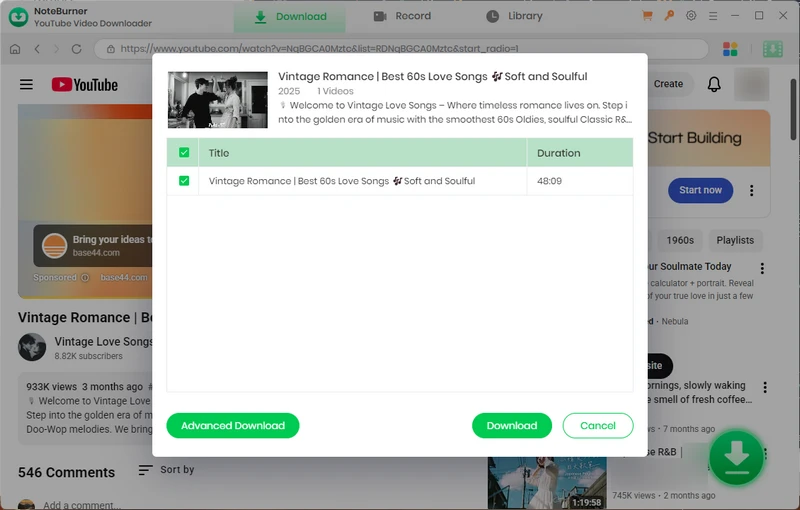
Step 1 Open the NoteBurner YouTube Video Converter on your Windows or Mac desktop.
Step 2 Log in with a YouTube account, find the video to download, and click the "Add" button.
Step 3 Select a video download format as well as the quality, and tap "Download".
2. FlixiCam StreamOne
FlixiCam StreamOne can rip movies, shows, and videos from over 1,000 websites, including Netflix, OnlyFans, Amazon Prime, Disney+, Peacock, and more. For YouTube videos, FlixiCam allows free downloads. Regular YouTube videos and Shorts can be exported in MP4 or MKV format, with resolutions up to 8K, 4K, 1080p, or 720p. Besides, FlixiCam features YouTube to MP3 free conversion, 5X faster download speeds, and parallel downloads of different YouTube videos.
- Free to convert YouTube videos and music.
- Download YouTube playlists and songs in bulk.
- Paid for other platforms' video downloading.
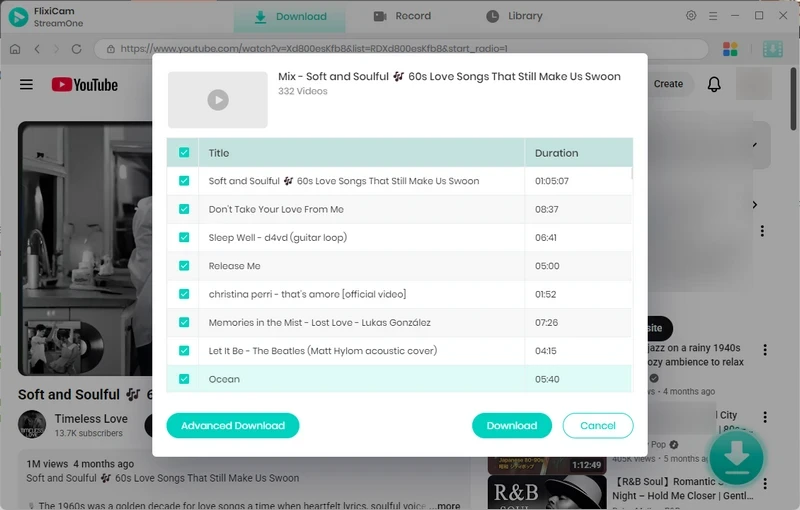
Step 1 Open FlixiCam, select YouTube, and choose your preferred video format and quality in Settings.
Step 2 Sign in to your YouTube account and open the video you want to download.
Step 3 Choose the playlist videos and click the "Download" button to save the video to the computer.
3. Any Video Converter
Any Video Converter or AVC, functions as an all-rounder in video downloading. It captures videos from over 1,000 popular websites and converts originals into multiple video formats, including MP4, MKV, MOV, FLV, and WMV, as well as audio formats such as MP3, FLAC, and WAV. The operation feels smooth, the results clear, and the whole setup proven enough to rival Y2Mate's desktop edition. The video converter keeps running steady, even when processing big jobs.
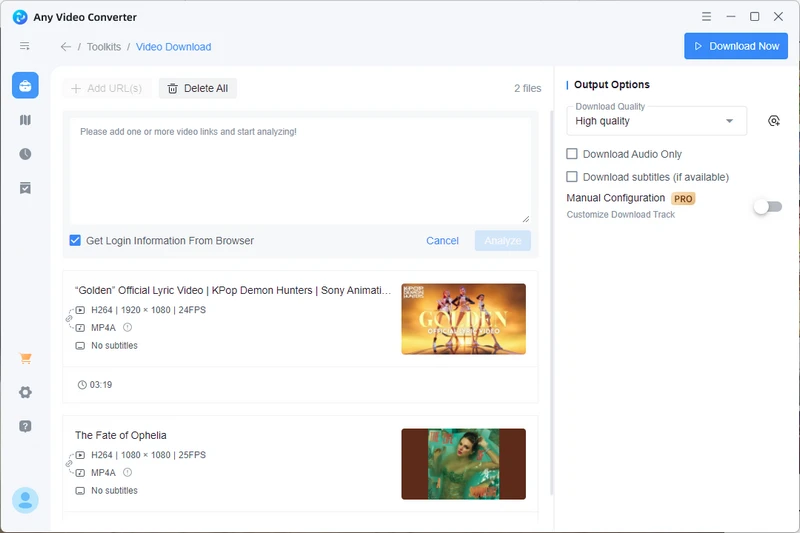
Step 1 Run AVC and open the "Video Download" section under the toolkit.
Step 2 Copy and paste the YouTube URLs into the input box, then click "Analyze".
Step 3 On the right sidebar, choose the download quality and click "Download Now" to get the actual video or audio file.
- Link copy-and-paste input process.
- Multiple urls download at once.
- Sometimes fails to recognize video URLs.
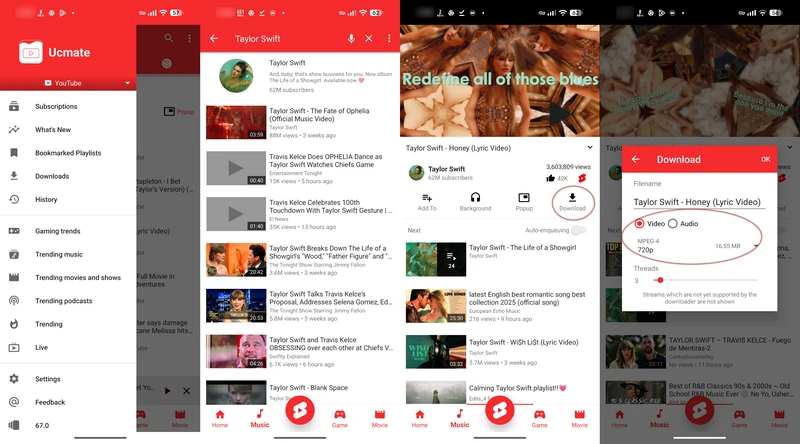
4. Ucmate Android
Ucmate (🔗https://ucmate.com/) is an Android application that enables users to download videos from YouTube in resolutions ranging from 144p to 4K and to extract high-quality MP3 audio. The application supports YouTube video background playback without requiring a premium subscription and is compatible with other platforms, including Instagram (posts, stories, reels), Facebook, SoundCloud, and Bandcamp.
- Free to use.
- Play videos directly and download as needed.
- Download videos from other more platforms.
- Videos can only be added one by one.
Step 1 Download the Ucmate APK from the website and install it on your Android phone.
Step 2 Open the app and tap the three-line menu icon. From there, choose a platform to browse content, such as YouTube, SoundCloud, Bandcamp, etc. Select the YouTube channel, then search for and open the video you want to download.
Step 3 Below the playing video, tap the "Download" option. Choose to download it as a video or audio, and select the desired resolution or quality.
Step 4 After downloading, go to the "Downloads" tab to find MP3s or MP4s. Just play the downloaded videos with native video player on Android.
Part 4. Y2Mate Equivalent Free Online YouTube Downloaders
The overall aspects comparison of Y2Mate vesus the other online YouTube downloader alternatives:
| Features | Y2Mate | YTMP3 | MP3Juice | EZMP3 |
|---|---|---|---|---|
| YouTube to MP3 Music | ✓ | ✓ | ✓ | ✓ |
| YouTube to MP3 MP4 Video | ✓ | ✓ | ✓ | ✗ |
| Choose Audio Quality (128–320 kbps) | ✗ | ✗ | ✗ | ✓ |
| Bulk Videos Download | ✗ | ✗ | ✗ | ✗ |
| YouTube Keyword Search Function | ✓ | ✗ | ✓ | ✗ |
| Pop-ups / Ads | Few | Few | Few | Few |
| Protected Connection | ⚠ Varies | ✓ | ✓ | ✓ |
| Domain Stability | ⚠ Varies | ⚠ Moderate | ✓ Stable | ⚠ Varies |
1. YTMP3
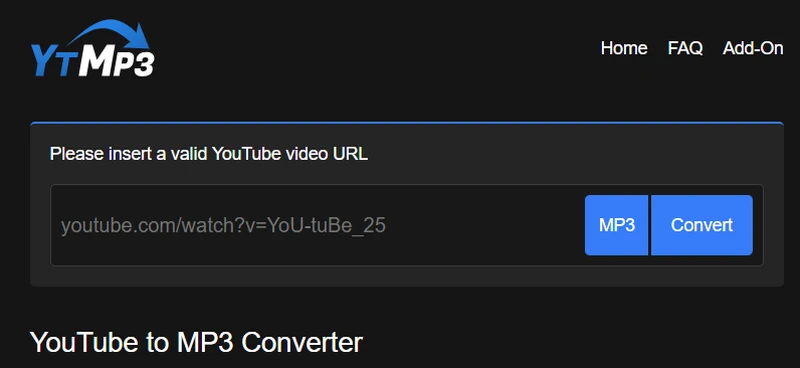
YTMP3 (YouTube to MP3 Converter) 🔗https://ytmp3.as/AOPR/ is a free YouTube converter site that can export YouTube MP3 audio or MP4 video online. It operates entirely through a web browser, requiring no installation, and provides a straightforward way to save YouTube content for offline use.
- No cost or extra signup needed.
- Speedy YouTube MP3 or MP4 extraction.
- Redirect to unknown ads when click Download.
- One video or music file download at a time
Step 1 Open YouTube, search for the video you want, and copy its URL from the browser's address bar.
Step 2 Enter the copied URL into the YTMP3 input area and choose a download format. By default, the video will be converted to MP3 (audio).
Step 3 Click "Convert" to start the process (videos up to 90 minutes). When finished, click “Download” to save the converted file.
2. MP3Juice
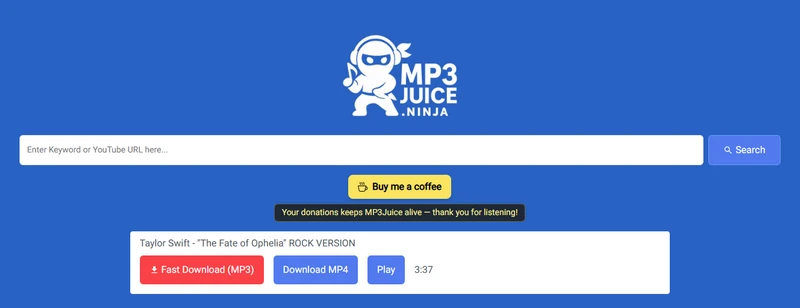
MP3Juice (🔗https://mp3juice.ninja/) is a free online Y2Mate alternative for YouTube MP3 music and YouTube video conversion. You can search by keywords and download MP3 audio files from YouTube website. The YouTube downloads are saved locally, allowing for flexible offline use.
- Instant video loading and quick display of results.
- Zero cost, simple, straightforward steps for downloading.
- Contain redirect ads.
- Does not support YouTube playlist downloads.
Step 1 Copy the YouTube video link and paste it into the search bar on the Mp3Juice website.
Step 2 Click "Search" and wait for the results to load. Then select the download option you want, either "Download MP3" or "Download MP4."
Step 3 Save the file when the pop-up window appears, choosing a preferred location on the computer.
3. EZMP3
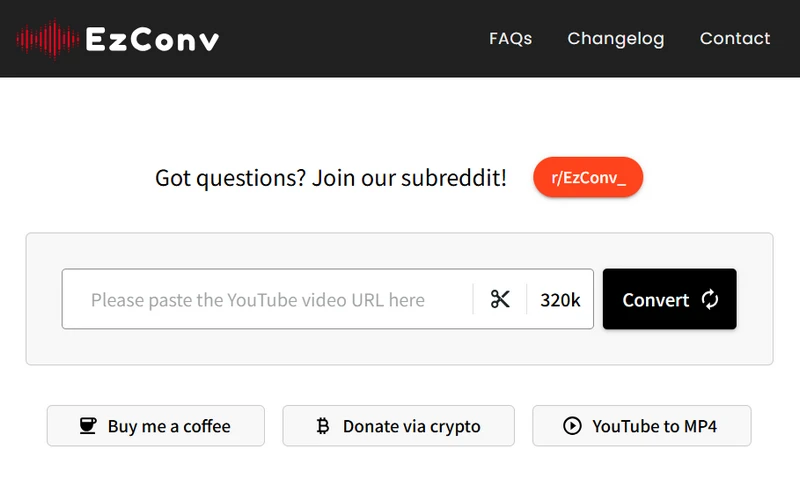
EZMP3 (or EzConv 🔗https://ezconv.com/6zem) is an online free YouTube-to-MP3 converter and a popular Y2Mate counterpart site. It downloads YouTube into MP3 audio files with customizable output quality from 64 kbps to 320 kbps. Focused on MP3 files, the web downloader doesn't provide MP4 download capability.
- Free online tool for extracting MP3 audio from YouTube.
- Adjustable output audio quality.
- No MP4 video format download.
Step 1 Open YouTube and copy the URL of the video (standard videos and Shorts).
Step 2 Paste the link into the converter's input box, and set a sound quality.
Step 3 Click "Convert," wait for the process to finish, and then select "Download MP3".
Part 5. Safer but Limited Alternative - Official YouTube Premium Subscription
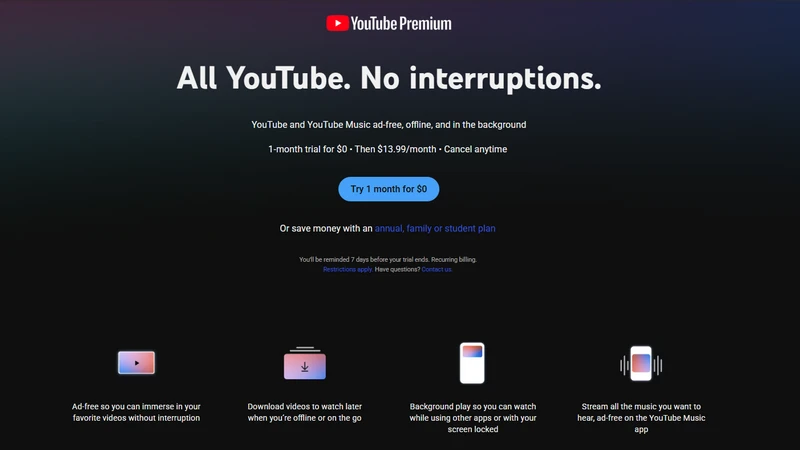
If you actually care about downloading YouTube videos legally with full protection, and no laptop catching fire, YouTube Premium is the sensible replacement. Premium subscribers download videos to watch offline, play videos in the background, and best of all, no ads. Sure, you can't export the real video files anywhere else, but at least you're not risking device on some sketchy site run out of someone's basement.
| Y2Mate | YouTube Premium |
|---|---|
|
|
Part 6. Comparison Summary of Y2Mate Alternatives
Last but not least, check the key factors that matter most when choosing a Y2Mate substitute converter to download YouTube music and videos.
| Aspects/Tools | Y2Mate | Sidify All-in-One | Desktop YouTube Downloader | Online YouTube Downloader | YouTube Premium |
|---|---|---|---|---|---|
| Input Way | Copy & Paste YouTube URL | Built-in Web Player + One-click Add | Video URL | Video URL | YouTube App |
| Download Files | Audio & Video | Audio | Audio & Video | Audio & Video | Streaming Only |
| Output Format | MP3 / MP4 | MP3, FLAC, AAC, AIFF, ALAC, WAV | MP3 / MP4 / MKV | MP3 / MP4 | Offline Streaming |
| Highest Quality | 320kbps / 4K | 320kbps, Lossless, HiFi, HD, Ultra HD | 320kbps / 8K | 320kbps / 1080p | Up to 4K |
| Batch Process | ✘ | ✔ | ✔ | ✘ | ✘ |
| Price | Free (with ads) | Paid | Free / Paid | Free | Paid Subscription |
| Ad-Free | ✘ | ✔ | ✔ | ✘ | ✔ |
| Compatibility | All Browsers | Windows / macOS | Windows / macOS | All Browsers | All Platforms |
| Other platfroms | YouTube | YouTube, YouTube Music, Spotify, Apple Music, Amazon Music, Tidal Music, Qobuz, SoundCloud, Bandcamp, etc. | YouTube, NetFlix, HBO, OnlyFans, Amazon Prime, Disney+, Peacock, etc. | YouTube | YouTube,YouTube Music |
| Rate | ⭐⭐⭐ | ⭐⭐⭐⭐⭐ | ⭐⭐⭐ | ⭐⭐⭐ | ⭐⭐⭐⭐ |
Part 7. FAQ about Y2Mate and YouTube Video Downloading
1. Is it legal to download videos from YouTube?
Downloading videos from YouTube is generally allowed only for personal, offline use.
2. What is the safest way to download YouTube videos?
Using reputable software (like Sidify All-In-One) or official approach (like YouTube Premium's offline download feature) is safest.
3. What's the difference between online downloaders and desktop software?
Online tools are browser-based, often limited in resolution or quality. Desktop programs provide better stability, higher quality, and multi-video downloading.
4. Can subtitles or closed captions be downloaded with the video?
NoteBurner YouTube Downloader and FlixiCam StreamOne support subtitle downloads in SRT or embedded formats.
5. Why are there multiple links for the same online downloader?
Website links may change over time and often have multiple mirror sites. This helps the service stay accessible and avoid downtime for legal or technical reasons.
Final Words
We explore nearly every aspect of each tool, which measures up as proper YouTube downloader or a Y2Mate swap for clean downloads. If Y2Mate or your downloader suddenly stops working, site vanishes overnight, or you simply want something reliable with better protection, the solutions above are ready to step in. But if you want the one that actually works without drama, go for Sidify All-in-One. It’s safe, ad-free, professional, and won't crash halfway through a download!
 Sidify All-in-one Music Converter
Download and convert music from all major streaming services in one place. Get MP3 or other popular formats in source audio quality, save songs offline on Windows or Mac, and enjoy up to 10X faster downloads with ID3 tags and lyrics preserved.












