

Not all SoundCloud songs are available for direct MP3 download—in fact, many aren't. And the SoundCloud downloaders that do exist are a mixed bag—some are unreliable, others are ad-ridden, and a few simply don't work.
That's why we've put them to the test. Here, we've tested and listed the 10 best SoundCloud to MP3 downloaders for 2026—so you don't have to. Once downloaded, you're free to enjoy your music offline, import tracks into any MP3 player, and build a personal library that isn't tied to an internet connection. Let's get started.
You may also like 👉: Convert SoundCloud to MP4 Video | 8+ Best Tested SoundCloud Ad Blockers
Quick Picks: Best SoundCloud to MP3 Downloaders at a Glance
Use the quick reference below to find what you need, or scroll on for detailed reviews and additional downloaders.
| Tool / Category | Best For | Max Quality | Ads-Free | Link |
|---|---|---|---|---|
| Sidify SoundCloud Downloader | ⭐ Best Overall (Lossless & Bulk) | 320kbps / FLAC | ✅ |
 Free Download
 Free Download
|
| SoundCloudMate | Best Free Online Tool | 128kbps | ✅ | Read Review |
| SoundCloudAud | Best Free Playlist Download | 128kbps | ❌ | Read Review |
| CloudMP3 | Best for Dropbox or Google Drive Uploads | 128kbps | ✅ | Read Review |
 Our Testing Process: How We Picked the Winners
We didn't just read descriptions—we actually downloaded and used 20+ SoundCloud MP3 downloaders or sites to see what works and what's a waste of time. Our picks came down to four real-world checks:
- True Audio Quality – 320kbps, 256kbps or just inflated 128kbps? We verified every file.
- Safety First – Zero tolerance for pop-up spam, redirects, or malware red flags.
- Batch Power – One-click playlist downloads, or manual track-by-track grind?
- Smart Metadata – Artist, title, and cover art auto-saved, or left blank?
To ensure fair comparisons, we tested each downloader with the same two links:
- A single track: https://on.soundcloud.com/pMcRcr9IgbjLfWf282
- A playlist: https://soundcloud.com/user-392374797/sets/summer-playlist-2024
🌟 Best Desktop SoundCloud 320kbps Downloader – Sidify SoundCloud Downloader
Now, most people may prefer online tools for convenience, but we have to say—desktop software is always the top choice when it comes to safety, batch download support, and high quality. Sidify SoundCloud Downloader is a dedicated SoundCloud to MP3 downloader for Windows and Mac that can download SoundCloud songs, playlists, and albums to MP3 at original quality, with full ID3 tags preserved.
Unlike most online SoundCloud to MP3 sites—which often stall on playlists, bury you in ads, or quietly drop quality to 128kbps—Sidify runs as desktop software, so downloads stay fast, private, and consistent, with no popup ads or sudden redirects. You also get more than a one-off MP3 save: batch playlist downloads, formats like AAC/WAV/AIFF/FLAC, and metadata that actually sticks. It’s a strong pick when you want a real offline library, not just a quick single-track grab. Below is what it offers and how to get started.
- Supports music downloads from multiple platforms (Spotify, Apple Music, Tidal, SoundCloud, etc.)
- High-quality audio output, up to 320kbps / FLAC
- Batch download of singles, playlists, and albums
- Simple interface and fast download speeds (up to 10x speed)
- No ads, safe and stable
- Only available on Windows and Mac, not mobile
How to Download SoundCloud Music to MP3 on PC or Mac? (Step-by-Step Guide)
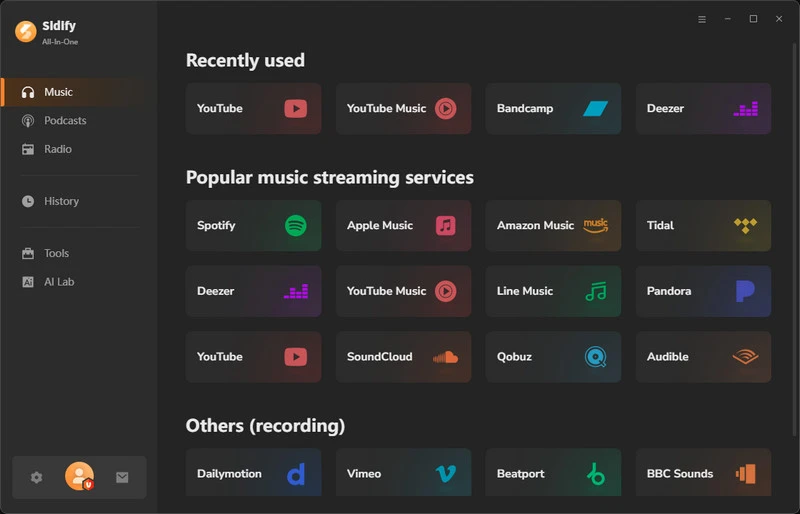
Step 1 See, Sidify supports many music streaming sites, just choose SoundCloud from the support list.
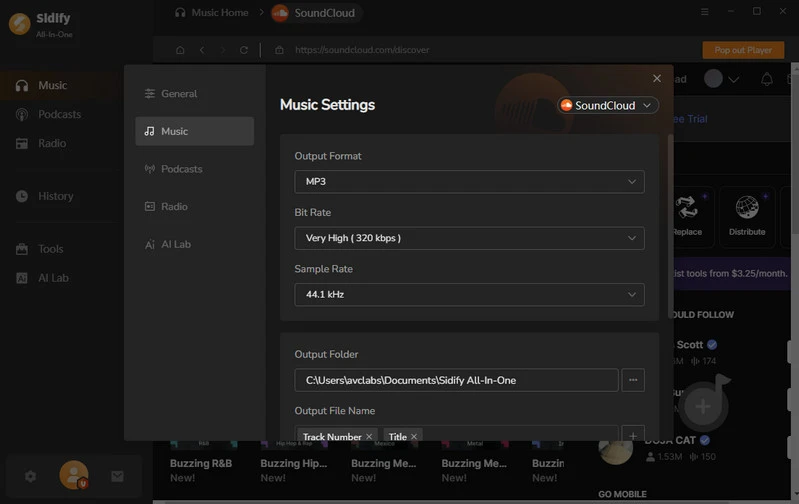
Step 2 Set the output format on the General Settings window. You can open it by clicking the gear icon on the bottom-left. Generally, the MP3 is the default options.
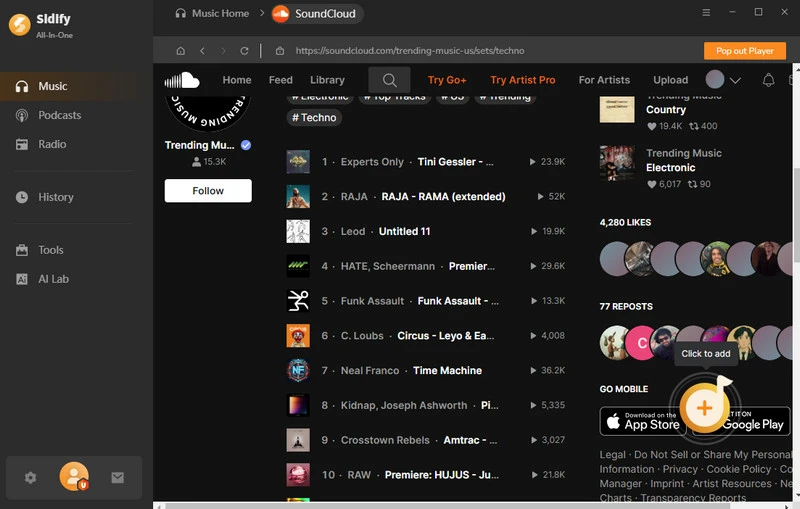
Step 3 Tap on the "+" button to add a single SoundCloud track, full playlist, or album into Sidify.
Step 4 Click the "Convert" button to convert Soundcloud tracks to MP3, Sidify will automatically perform batch conversion.
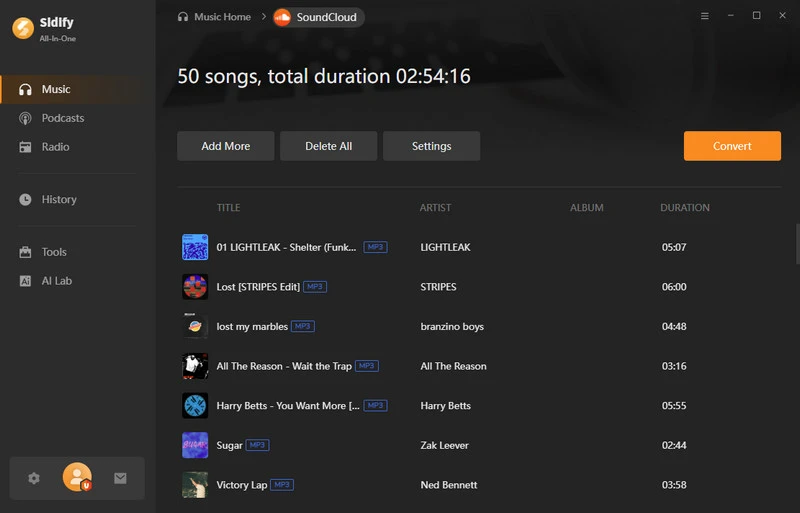
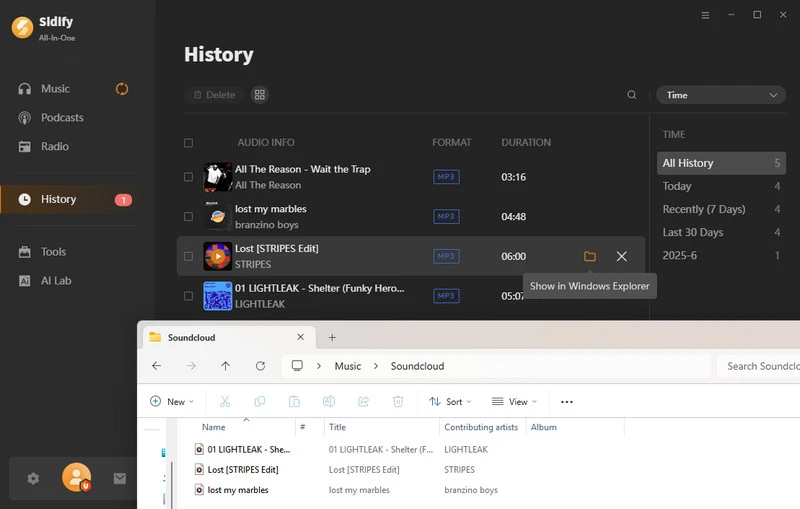
Step 5 After the conversion is complete, click on the History section to find the downloaded soundcloud music files.
9 Free Online SoundCloud to MP3 Downloaders
Besides the professional Sidify SoundCloud Downloader, there are many other online SoundCloud to MP3 downloaders available, perfect for those who occasionally download individual tracks or quickly save music. Here are 9 free SoundCloud MP3 downloaders for you.
A note about SoundCloud 320kbps download:Free online SoundCloud downloaders often claim it, but most only deliver 128kbps. No new audio data is added. For true high-quality audio and complete ID3 tags, consider a dedicated desktop software - Sidify SoundCloud Downloader.
1. SoundCloudMate
Website: https://soundloadmate.com/enB14
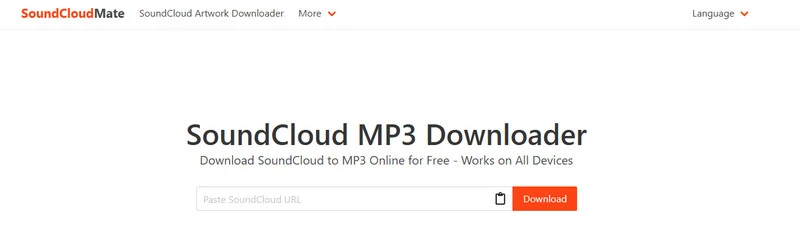
SoundLoadMate (formerly SoundCloudMate) is a well-known online SoundCloud MP3 downloader. Its domain frequently changes—currently it's operating under enB14—but despite the shifting URLs, the service itself remains fully functional. The interface is clean and ad-free, with no intrusive popups. Once you paste a link, it presents a clear set of options: Download MP3, Download Cover [HD], Download MP3 [320kbps], and Download Another Song—making it a convenient choice for quick, single-track downloads.
The best part we found is that it supports downloading SoundCloud playlists. We just tried a playlist with over 170 songs, and it could download each song within seconds. The success rate is high. If you find some tracks fail and get prompted "track not found," that's because those songs might not be available in your country. Yes, we encountered this issue too.
- Web tool, no installation required
- Easy to use, just copy and paste the link to download
- Clear download options, including HD cover art
- Support downloading SoundCloud playlist
- The actual output is around 128kbps
- Only supports MP3 format
2. MusicVerter
Website: https://www.musicverter.com/
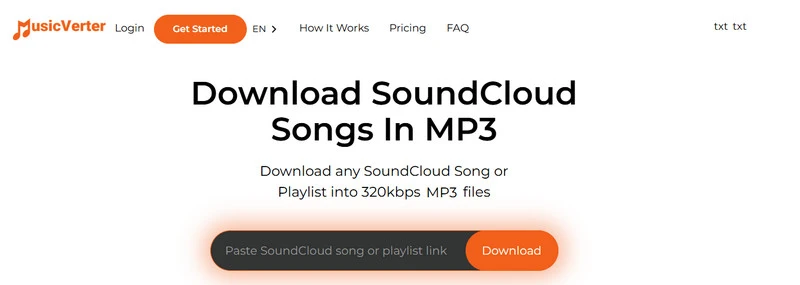
MusicVerter is the freemium SoundCloud music MP3 downloader in this list: free users can pull single tracks as MP3, but only at about 128kbps. The 320kbps option, playlist downloads, extra formats (WAV/AAC/FLAC), and fewer limits are locked behind the Premium plan.
The free version doesn't support downloading SoundCloud playlists. During our test, when we pasted a playlist link, it prompted: "This link is not valid. Read the FAQ below." The Premium plan costs $13/month. It's a reasonable online option if you're willing to pay for higher quality and batch downloads, but less compelling if you only need an occasional free MP3.
That said, we do appreciate the interface—it's clean, intuitive, and straightforward, with no cluttered buttons or unnecessary redirects to other sites. Everything stays on one page.
- Simple and easy-to-use interface
- Premium can download the entire playlist at once
- Premium adds extra formats (WAV, AAC, FLAC); free is MP3 only
- Free tier is limited to ~128kbps; 320kbps needs Premium
- Only the song title is retained
- Playlist downloads and extra formats also require Premium
3. CloudMP3
Website: https://cloudmp3.cc/en1/
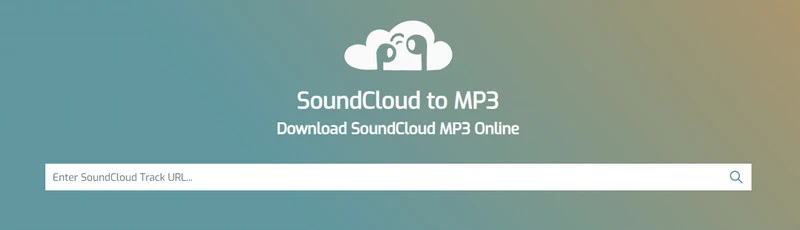
CloudMP3 is one of the few free SoundCloud to MP3 downloaders that can send files straight to Dropbox or Google Drive—not just your local folder. It's ad-free and requires no sign-up, making it a solid pick if cloud storage is your priority.
That said, there are a few limitations. Playlist links will list individual tracks for download, but there's no true bulk ZIP option. And in our tests, the audio quality topped out around 128kbps—so it's better for convenience than for fidelity.
We also noticed one quirk: it doesn't recognize certain SoundCloud share links. For example, this link didn't work:
https://on.soundcloud.com/pMcRcr9IgbjLfWf282
But when we used the standard URL instead:
https://soundcloud.com/sweetspace/fernandoeirin-realfreedom-originalmix-calamusic
—it worked fine. They're actually the same track. If you encounter the same issue, don't worry—just copy the link from your browser's address bar instead of using the share icon on SoundCloud.
- No ads and free
- Support uploading to Dropbox or Google Drive
- No sign-up required
- Audio quality is limited to about 128kbps
- Keep only song titles
- Batch downloading is not supported
4. DownCloudMe
Website: https://downcloudme.com/en9R
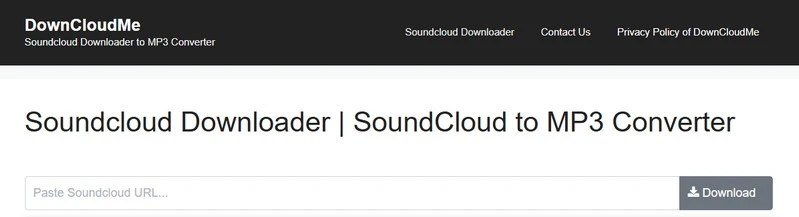
DownCloudMe (formerly SoundCloudMe) is a free SoundCloud MP3 downloader with playlist support. The interface is very clean. When you paste a playlist link, it lists all the tracks along with their duration and number of likes, which makes it convenient for browsing. However, the actual download process is less convenient. You still have to download songs one by one, and some tracks may be skipped. After each download finishes, the site also tends to redirect to another page. It’s not an ad, just a redirect, but it can be a bit annoying.
In our tests, the audio quality hovered around 128kbps, with no 320kbps option despite the site's claim. On the plus side, DownCloudMe lets you back up the download links. If a download fails due to network issues, you can simply retry it later, which is a genuinely useful feature. Another small quirk is that it adds random numbers to downloaded filenames, something most other tools don't do.
Overall, DownCloudMe is handy for quickly previewing and browsing a playlist, but it's less ideal if you're looking for true one-click batch downloads.
- Clean interface; can preview playlist tracks before downloading
- Completely free and no account registration required
- Can back up download links and retry failed tracks
- Audio quality is limited to about 128kbps
- Redirects to another page after download (not an ad, but annoying)
- Unable to download a playlist with one click; some tracks may be skipped
5. Soundclouddl.cc
Website: https://soundclouddl.cc/
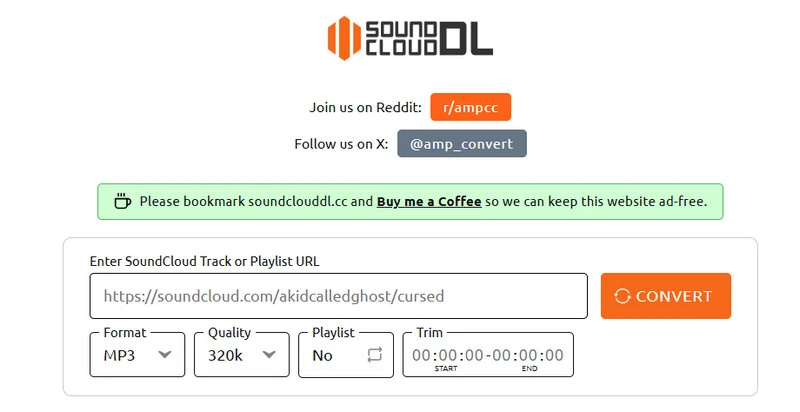
Soundclouddl.cc is one of the cleaner free online SoundCloud downloaders we tried—no signup, no ads, and multiple formats and quality options are all freely available. You can choose Format (MP3 / M4A / FLAC), Quality (128k / 192k / 256k / 320k), toggle Playlist mode on or off, and even trim tracks using the built-in time editor. Yes, all of this is completely free.
The downside of Soundclouddl.cc is reliability. In our tests, only about 1 in every 4 to 5 public links actually completed successfully—the rest either failed to parse or stalled mid-download. Playlist downloads are supported too, though there's a roughly 240-minute cutoff for longer sets.
One more thing to note: the downloaded file comes as a ZIP archive, so you'll need to unzip it to access the MP3 files.
Overall, Soundclouddl.cc SoundCloud MP3 downloader is definitely worth a try for the format controls and editing options when it works—but keep a backup tool handy for when it doesn't.
- No ads
- Selectable format: MP3, M4A, or FLAC
- Quality picker (128k–320k), playlist toggle, and trim/crop
- High failure rate—many links fail to parse or download
- Batch downloads are limited to a maximum of 240 minutes, any excess will be truncated
6. SoundCloudAud
Website: https://soundcloudaud.com/en81
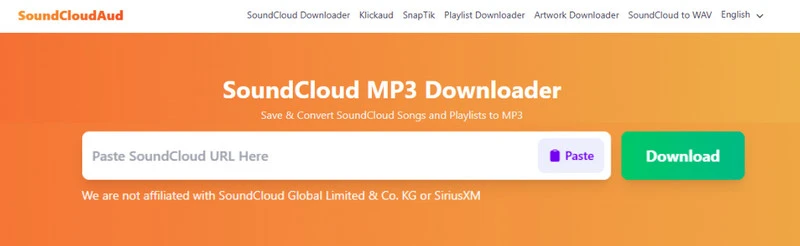
SoundCloudAud is one of the more ad-heavy SoundCloud MP3 downloaders on our list. Multiple pop-ups appear on the page, and you'll need to close them before you can proceed with a smooth download. That said, the ads don't affect its core functionality—it can grab SoundCloud tracks within seconds.
Once you click download, you're presented with four options: Download MP3 Audio, Download Album Cover, Download Profile Picture, and Download More—a nice touch if you like to save artwork alongside your music.
The online SoundCloud MP3 downloader also supports album and playlist downloads, but not directly from the track link—you'll need to use the dedicated playlist page: https://soundcloudaud.com/en80/playlist. On that page, you can choose individual tracks to download as MP3, or download the entire playlist as a single ZIP file.
The main catch: there's no bitrate picker. In our tests, the output MP3 landed around 128kbps, so don't expect high-fidelity audio here.
- Free to use
- Separate buttons for MP3, album cover, and profile picture
- Supports downloading entire albums or playlists as ZIP files
- No quality selector; output is about 128kbps
- Multiple pop-up ads on the page
- Playlist ZIP is only on the dedicated playlist page, not the track page
7. Klickaud
Website: https://www.klickaud.org/en17/
KlickAud is a classic free SoundCloud to MP3 converter. The ads aren't too intrusive, but when you first visit the site, you're asked to watch a short ad (around 10–15 seconds) to unlock access for 1 hour. After that, you can paste a SoundCloud track link, wait a few seconds, and download the MP3.
In our tests, we found that it handles long podcasts particularly well. It worked smoothly with content over 3 hours long, something many other tools struggle with. The trade-off is that audio quality is capped at 128kbps.
Overall, it's a decent option for casual single-track downloads, especially if you're using an ad blocker.

- Free online use, no registration required
- Handles long podcasts (3+ hours) smoothly
- Ads are relatively light after the first unlock
- Must watch a 10–15s ad to unlock 1 hour of use
- Audio quality is capped at about 128kbps
Is Klickaud safe and worth using in 2026? Discover its actual bitrate, safety test results, limitations, and how it compares to top alternatives like Sidify.
Learn More →8. Forhub.io
Website: https://www.forhub.io/soundcloud/en17/
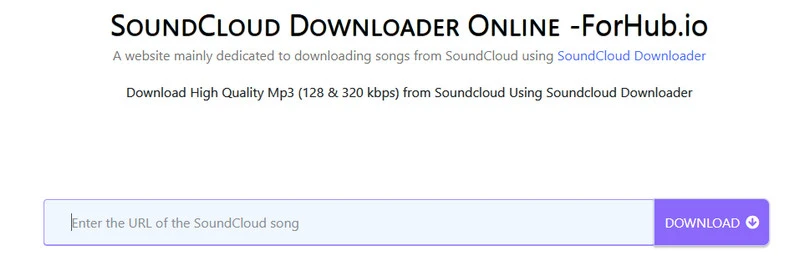
Similar to KlickAud, ForHub.io requires you to watch an ad to remove limits for 1 hour. The default download is MP3 audio at 128kbps.
It supports playlist downloads—once you paste a link, it will list all the tracks. The downside? It doesn't offer a ZIP download option, so you have to download them one by one. On top of that, it appends "forhub soundcloud to mp3" to every downloaded filename, which can get a bit messy if you're grabbing multiple tracks.
- Easy to operate
- Available in multiple languages
- Online operation, suitable for multiple operating systems
- Must watch an ad to unlock 1 hour of use
- Playlist tracks must be downloaded one by one (no ZIP)
- Default quality is 128kbps; filenames get a “forhub” suffix
9. SCDLer
Website: https://scdler.com/
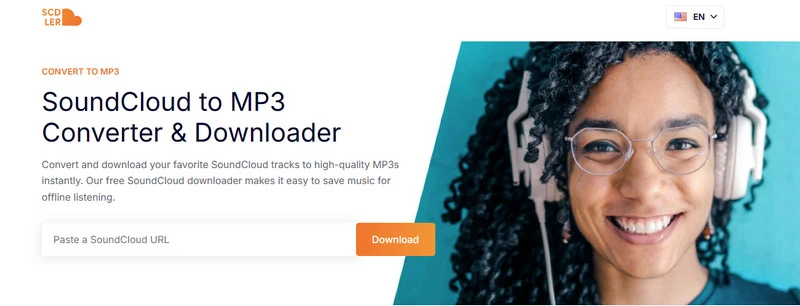
SCDLer is a dark-themed online SoundCloud downloader that requires sign-up and limits free users to 5 minutes of downloads. So why does it make our list? Because its download function is genuinely unique: once you paste a link, you're presented with three options—Full Audio, Vocals, and Instrumental. It feels less like a typical downloader and more like an audio editing workflow, which makes it a standout if you're after stems or instrumental versions.
- Unique vocal/instrumental separation
- Provide MP3 and OGG formats
- Fast conversion Speed
- No batch downloads
- Requires sign-up before you can use it
- Free users are capped at just 5 minutes of downloads.
How to Download SoundCloud to MP3 Online?
Most online SoundCloud to MP3 sites follow the same paste-and-download flow. Once you’ve picked a tool from the list above, you can use these steps for nearly all of them:
Step 1 Open SoundCloud and copy the track (or playlist) URL you want to save.
Step 2 Paste the link into the input box on the online converter page.
Step 3 Click Convert / Download, then wait for the site to parse the link. If quality or format options appear (MP3 bitrate, M4A, ZIP, etc.), choose what you need.
Step 4 Click the real download button to save the file to your device—and skip pop-ups or look-alike download ads.
Tip: Online tools work best for public tracks and occasional saves. If a link fails, try another site from the list, or use Sidify SoundCloud Downloader for more stable batch downloads.
Full Comparison: Which is the Best SoundCloud MP3 Downloader?
To help you better understand the pros and cons of various tools, we’ve compared all the SoundCloud to MP3 downloaders mentioned above to find the most suitable one.
| Downloaders | Output Sound quality | Output Format | Batch Download | Download speed | ID3 Tags | AD-FREE | Recommended level |
|---|---|---|---|---|---|---|---|
| Sidify SoundCloud Downloader | 320kbps / FLAC (original quality) | MP3, AAC, ALAC, AIFF, WAV, FLAC | ✅ | 10X | Full ID3 (Title, Artist, Album) | ✅ | ⭐⭐⭐⭐⭐ |
| SoundCloudMate | ~128kbps (320kbps option is not real) | MP3 | ✅ | Fast | Title + HD cover (separate) | ✅ | ⭐⭐⭐⭐ |
| MusicVerter | ~128kbps free / 320kbps Premium | MP3; WAV/AAC/FLAC (Premium) | ✅ (Premium only) | Fast | Title only | ✅ | ⭐⭐⭐⭐ |
| CloudMP3 | ~128kbps | MP3 | ❌ (lists tracks, no ZIP) | Fast | Title only | ✅ | ⭐⭐⭐ |
| DownCloudMe | ~128kbps | MP3 | ❌ (one-by-one) | Fast | Title (random numbers in filename) | ❌ (redirect after DL) | ⭐⭐⭐ |
| Soundclouddl.cc | 128 - 320kbps | MP3, M4A, FLAC | ✅ (max 240 min, ZIP) | Unstable | Title | ✅ | ⭐⭐ |
| SoundCloudAud | ~128kbps | MP3 | ✅ (playlist as ZIP) | Fast | Title + cover (separate) | ❌ | ⭐⭐⭐ |
| Klickaud | ~128kbps | MP3 | ❌ | Fast (incl. 3h+ podcasts) | Title | ❌ (10–15s ad wall) | ⭐⭐ |
| Forhub.io | ~128kbps | MP3 | ❌ (one-by-one, no ZIP) | Fast | Title (filename watermark) | ❌ (1-hour ad unlock) | ⭐⭐ |
| SCDLer | Not specified | MP3, OGG (Full / Vocals / Instrumental) | ❌ | Fast | Title | ✅ | ⭐⭐ |
How to choose depends on your situation:
- Building a long-term offline library (batch playlists, full ID3 tags, stable 320kbps/FLAC) → go with Sidify SoundCloud Downloader.
- Best free online starter → SoundCloudMate: ad-free, works for single tracks and large playlists (actual quality is still ~128kbps).
- Want selectable 320kbps / extra formats online → Soundclouddl.cc is free (MP3/M4A/FLAC, trim tools) but unreliable; MusicVerter Premium ($13/month) if you need stable batch downloads plus WAV/AAC/FLAC.
- Need playlist ZIP packaging online → SoundCloudAud (use its dedicated playlist page).
- Save straight to Dropbox or Google Drive → CloudMP3 (use the full SoundCloud URL, not the short share link).
- Long podcasts (3+ hours) → Klickaud. Vocal / instrumental stems → SCDLer (sign-up required; free cap is 5 minutes).
FAQ about SoundCloud to MP3
Is it legal to download music from SoundCloud to MP3?
It depends on the track and your use case. SoundCloud allows downloads only when the uploader enables the free download option. Converting or downloading copyrighted tracks without permission may violate SoundCloud’s terms and copyright law. For personal offline listening of tracks you are allowed to access, use a trusted tool carefully and always respect the artist’s rights and licensing.
Can I download SoundCloud songs to MP3 on my phone?
Yes. Most online SoundCloud to MP3 downloaders work in a mobile browser on iPhone or Android—just paste the track link and download the MP3. Desktop software such as Sidify SoundCloud Downloader runs on Windows and Mac, so for phone use, browser-based tools are usually more convenient. After downloading, you can save the MP3 to your phone’s music app or files folder.
Why can’t I download some SoundCloud tracks?
Some tracks fail to download because they are private, geo-restricted, removed by the artist, or blocked by SoundCloud’s download settings. Age-restricted or Go+ exclusive content can also be unavailable in free online converters. If a link doesn’t work, try another track, confirm the URL is public, or use a more stable desktop converter like Sidify SoundCloud Downloader for publicly available SoundCloud music.
Conclusion
This article introduces over 10 best SoundCloud to MP3 downloaders. You can pick the right tool based on your needs. Overall, Sidify SoundCloud Downloader is the top choice if you want to download SoundCloud music in bulk, preserve high quality, and save it to your computer, Android, iPhone, or other devices.
 Sidify SoundCloud Downloader
Download SoundCloud music to MP3/AAC/WAV/FLAC with ID3 tags at 10X speed.












