
Hey all, I recently bought an MP3 player but I'm kind of stuck on where to actually get MP3 music for it. I tried a few free sites, but they either don’t have what I’m looking for or the selection is really limited. Any suggestions on where I can find/download MP3 songs?
Download streaming music in the free MP3 format becomes the preferred choice because it works across all devices, from phones to laptops and offline players. There are some sites for free MP3 downloads, where search tools, genre filters, and direct download options help simplify the process. In this guide, we will show you some ways to quickly download MP3 music from sites or streaming platforms such as Spotify to the computer, so you can build a personal music library and organize playlists freely and efficiently.
📍 Also Read: Top 10 Best Free MP3 Download Sites, Safe and Legal
Sidify Music Converter Free is a totally free program. No matter you are a Spotify Free user or premium subscriber, you can use it to convert Spotify songs to MP3, AAC, WAV, FLAC, AIFF or ALAC format. It works at super fast speed and is able to keep partial ID3 tags after conversion.

If you are looking for a tool to convert any streaming music (such as Spotify, Apple Music, Amazon Music, Tidal, Deezer, YouTube, YouTube Music, SoundCloud, DailyMotion …) to MP3, Sidify All-In-One is the go-to choice.
Sidify Music Converter Free works with the Spotify App. Before we move forward, please make sure you've got both Sidify and Spotify well installed on your computer. Also, please do not open Spotify manually. Once Sidify Music Converter Free is launched, Spotify would be opened automatically.
Sidify Music Converter Free is a user-friendly program. Even if you are a new user, you can be familiar with it within seconds. Here comes the step-by-step tutorial:
Step 1Launch Sidify Music Converter
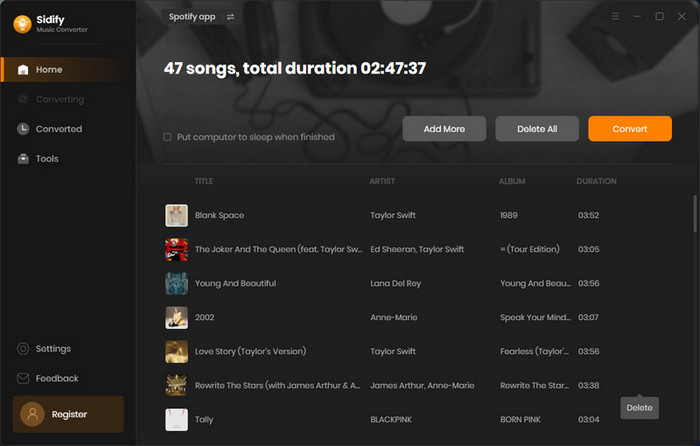
Run Sidify Music Converter, you will access the modern interface of the program.
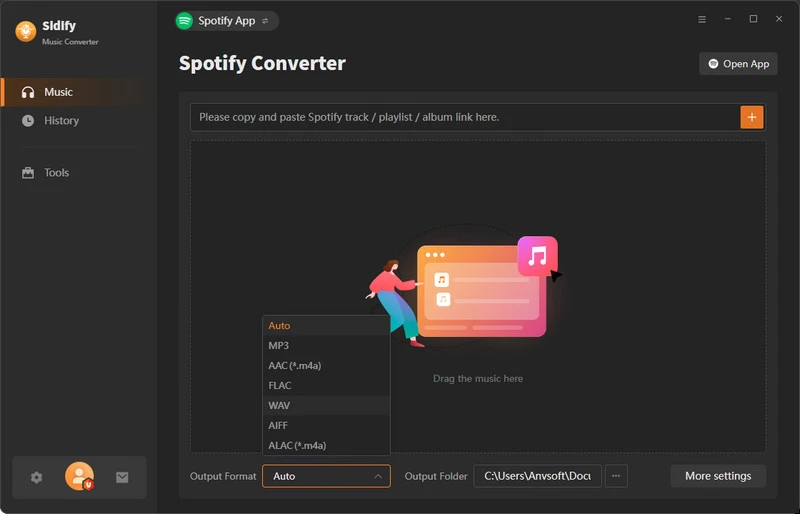
Step 2 Add Spotify Songs to Sidify
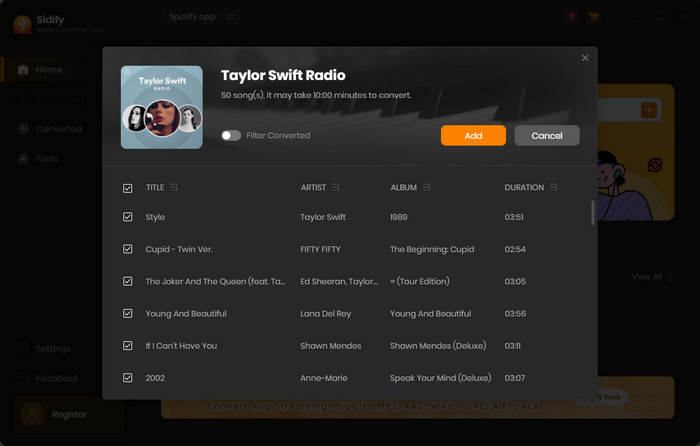
Click the "Add" icon and you'll be prompted to drag & drop a song/playlist from Spotify to Sidify. Besides, you can also copy the link of a song/playlist to clipboard to import Spotify songs to Sidify.
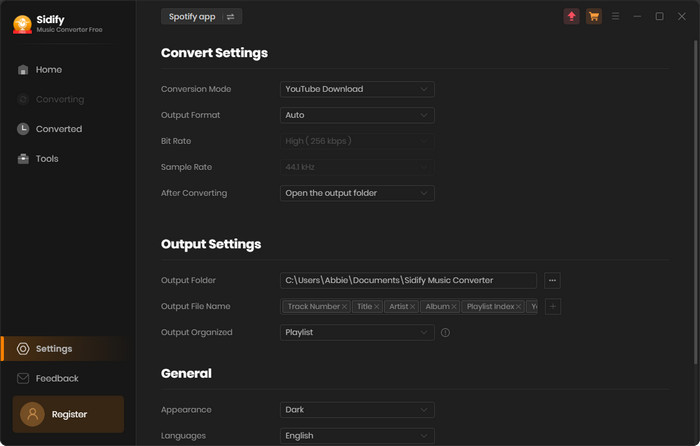
Step 3 Choose MP3 as the Output Format
Click on the "Settings" button on the lower-left corner, and then you can choose output format (MP3/AAC/WAV/FLAC/AIFF/ALAC), customize the output path, and how you'd like to sort out the converted files.
Step 4 Export MP3 Songs to Computer
Click the "Convert" button to start exporting songs from Spotify (free) to your computer as MP3 files. Once the conversion is done, you can find the well-downloaded mp3 songs by clicking the "Converted" tab on the left panel.
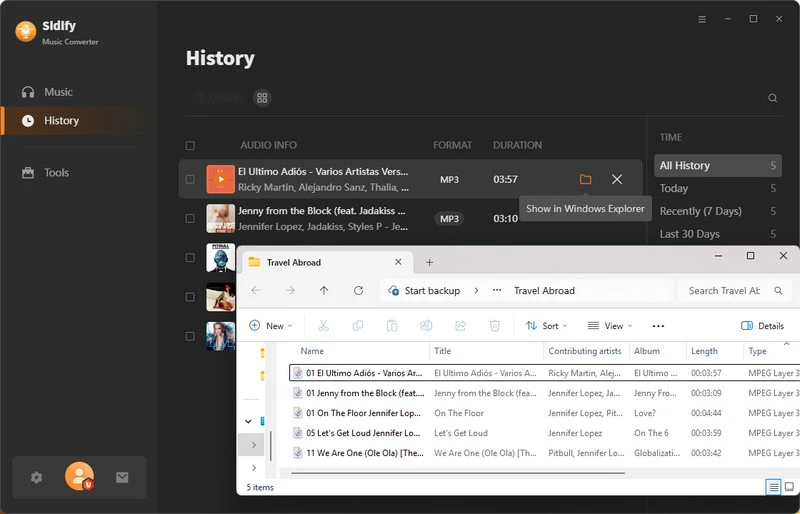
Sidify Music Converter Free is an ideal tool to get mp3 songs for free. It works great most of the time, but sometimes the converted songs may not be your expected ones or meet your need to get high audio quality. Besides, it keeps partial ID3 tags only. Considering it’s a totally freeware, it’s highly recommended to download it for a try.
If you’d like to get 100% high output audio quality or keep all the important ID3 tags, you can upgrade to the pro version - Sidify Music Converter Professional, which is able to keep the original audio quality (up to 320kbps).
If you are interested in the pro version, you can go to the professional version and download it for free trial, which limits you to convert the first minute of each song.



 800,000+ Downloads


