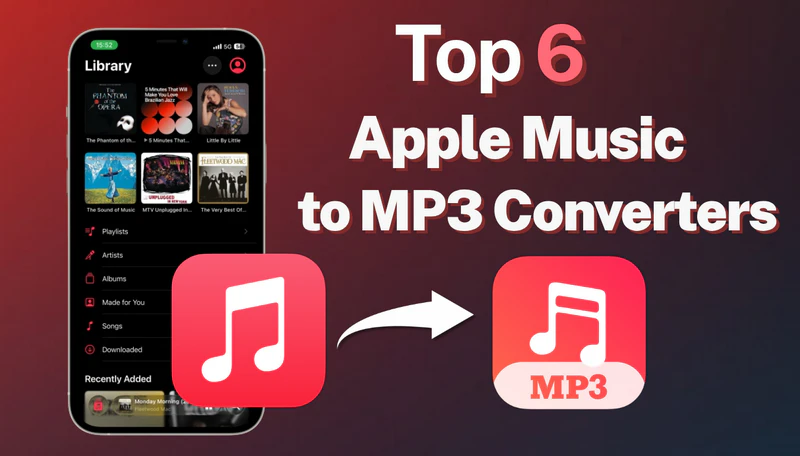
Apple Music tracks cannot be exported directly as MP3 files, which limits offline playback on MP3 players, car stereos, and other non-Apple devices. In this article, we've compiled the 6 best free and paid Apple Music to MP3 converters in 2026 to help you easily convert Apple Music into a universal format and enjoy unlimited offline playback on any device.
Part 1. Quick Comparison Table
To help you quickly select the most suitable Apple Music to MP3 converter, we have compiled a comparison of the 6 tools mentioned in this article, focusing on aspects such as output audio quality and security. The table below allows you to gain a general overview of each tool before diving into the detailed reviews.
| Converters | Type | MP3 320kbps | Batch | Safe | Other Formats | Ratings |
|---|---|---|---|---|---|---|
| Sidify Apple Music Converter | Desktop | ✅ | ✅ | ✅ | FLAC, AAC, WAV, ALAC, AIFF | ⭐⭐⭐⭐⭐ |
| APLMate | Online | ✅ | ❌ | ✅ | ❌ | ⭐⭐⭐ |
| AAPLmusicDownloader | Online | ✅ | ✅(Paid) | ✅ | M4A | ⭐⭐⭐ |
| Apple-music-downloader.com | Online | ❌ | ❌ | ✅ | M4A | ⭐⭐⭐ |
| FreeMp3Cloud | Online | ❌ | ❌ | ❌ | ❌ | ⭐⭐ |
| Apowersoft Online Audio Recorder | Online | ✅ | ❌ | ✅ | ❌ | ⭐⭐⭐ |
Part 2. Best Apple Music to MP3 Converter - Sidify Apple Music Converter
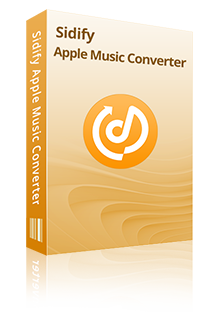
Sidify Apple Music Converter is a professional music converter that supports converting Apple Music songs, albums, playlists, and iTunes M4P files to high-quality 320kbps MP3 or lossless formats such as WAV and FLAC, while preserving full ID3 tags. It also supports batch conversion at up to 10X faster speed, enabling you to quickly download large Apple Music playlists. With Sidify Apple Music Converter, you can safely and efficiently save Apple Music as MP3 files and transfer them to any device for offline listening.
Sidify Apple Music Converter
- Convert Apple Music to MP3, AAC, FLAC, WAV, AIFF, or ALAC.
- Preserve the lossless audio quality and retain ID3 tags.
- Burn Apple Music to CD and edit ID3 tags.
- Supports batch conversion at up to 10x speed.
- Fully support Windows 11 & macOS Tahoe 26.


 Note:
Note:If you want a tool to convert any streaming music (including Spotify, Apple Music, Amazon Music, Tidal, Deezer, YouTube, YouTube Music, SoundCloud, DailyMotion …) to MP3, Sidify All-In-One is the go-to choice.
- Multi-format Support: MP3, AAC, FLAC, WAV, AIFF, or ALAC.
- Retains High-Quality Audio Output.
- Obtain Apple Music lyrics in text or LRC format.
- 100% Ad-Free and Safe to Use.
- Built-in tools: CD Burner, ID3 Tags, Format Converter, AI Audio Splitter, etc.
- Free updates and technical support.
- Paid.
- Desktop only.
How to Convert Apple Music to MP3?
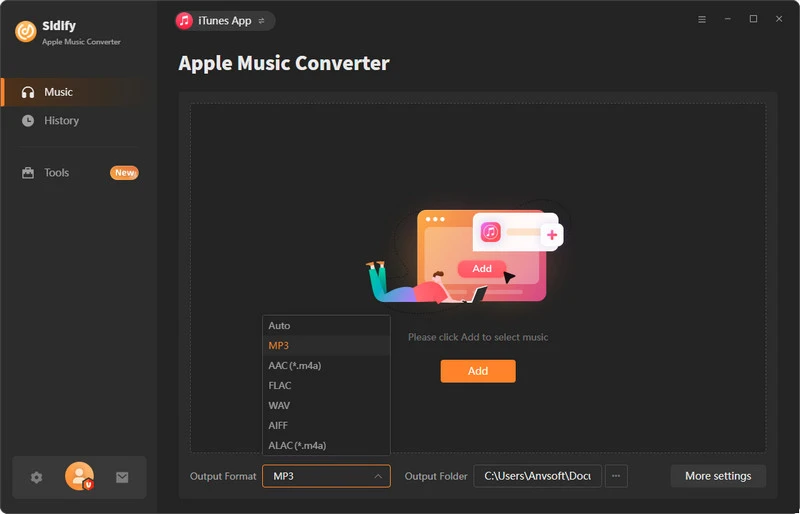
Step 1 Install and launch Sidify Apple Music Converter
Open Sidify Apple Music Converter on your computer, and then select either App Mode or Web Player Mode.
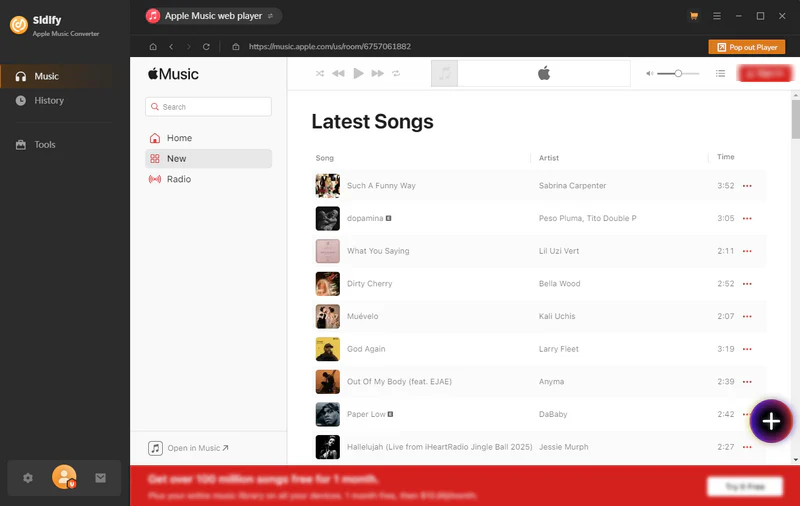
Step 2 Add Apple Music tracks to Sidify
Find any song, album ,or playlist you want to save and click the "+" button to add songs to Sidify.
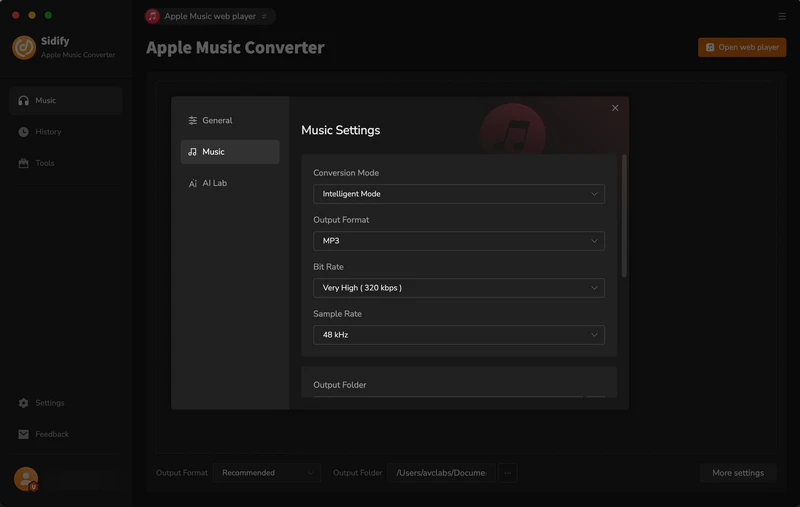
Step 3 Select MP3 as the output format
Tap the "Settings" button and select MP3 as the output format, you can also customize the output file name like Title, Artist, album, and year.
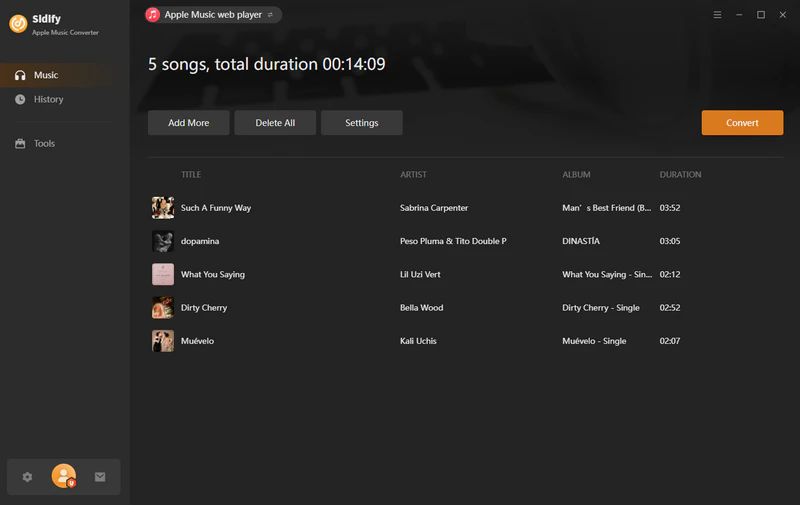
Step 4 Start converting
Click the "Convert" button, and Sidify will download the songs to your local computer at 10× speed.
Step 5 View downloaded Apple Music files
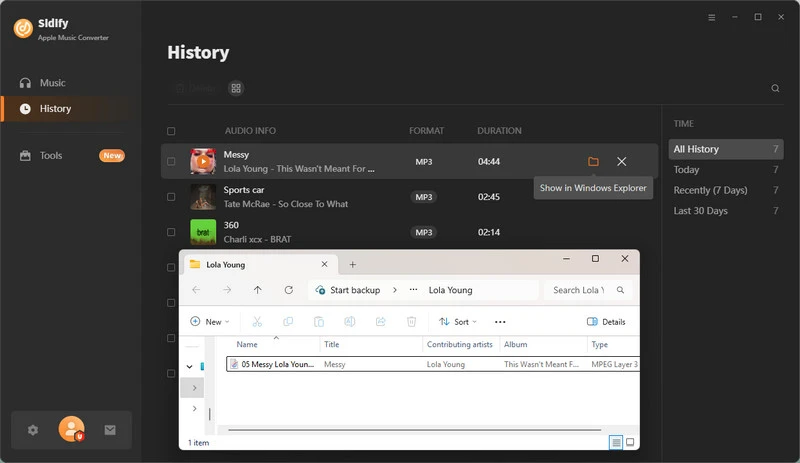
After the download is complete, you can go to the "History" section to view your downloaded MP3 files. Click the folder icon next to the song to locate the files directly in the local folder.
 Note:
Note:The trial version of Sidify Apple Music Converter enables you to convert the first minute of each audio file for sample testing. You can purchase the full version to unlock the time limitation.
Part 3. Free Apple Music to MP3 Converters Online
In addition to specialized software, there are also several free online Apple Music to MP3 downloaders available; since they require no downloading or installation, they offer greater convenience. However, such tools typically have limitations regarding audio quality, conversion speed, and stability.
1. APLMate
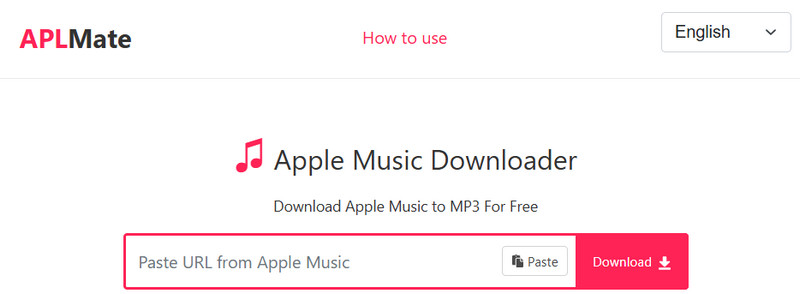
APLMate (https://aplmate.com/) is a free online Apple Music downloader to MP3. You can download any Apple Music songs, albums, and playlists to MP3 up to 320kbps. It features a simple interface and is easy to use; simply copy and paste the link to quickly convert and download Apple Music to MP3. However, it does not support batch downloads, making it suitable for users with light usage needs.
- Download Apple Music for free.
- No download or installation required.
- Easy to use and ad-free.
- Support MP3 output only.
- Batch downloading is not supported.
- The sound quality doesn't live up to the advertised effect.
Step 1 Visit APLMate's official website.
Step 2 Copy the link of Apple Music songs, albums, or playlists and paste it into the search box.
Step 3 Click the "Download" button and wait for the download link to appear.
Step 4 Tap the "Download" button next to the song again to save the MP3 file to your local drive.
2. AAPLmusicDownloader
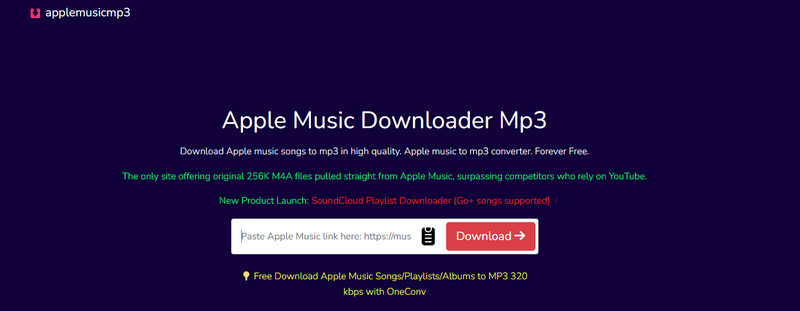
AAPLmusicDownloader (https://aaplmusicdownloader.com/) is a web-based Apple Music downloader that supports downloading Apple Music tracks in MP3 or M4A format. It offers various audio quality options (up to 320kbps), is compatible with multiple web browsers, and provides a batch download feature that packages playlists into ZIP files. However, free users are limited to downloading only 3 songs per day, and the batch ZIP download functionality typically requires payment to unlock.
- Online Tools and ad-free page.
- Offers various audio quality options.
- Supports Batch Downloading.
- Free users can only download 3 songs per day.
- Limited download speed.
- Batch download up to 100 songs at a time.
Step 1 Copy the Apple Music link and paste the copied link into the input box.
Step 2 AAPLmusicDownloader parses the link and generates the download links.
Step 3 Click the "Generate Download Link" button, select audio quality, and wait for the download to complete.
3. Apple-music-downloader.com
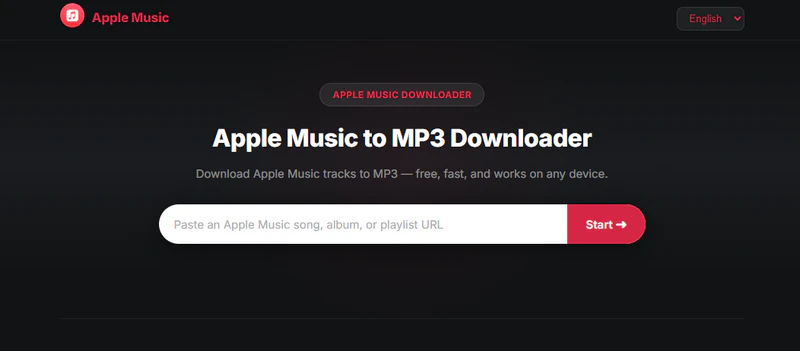
Apple-music-downloader.com (https://apple-music-downloader.com/) is an online Apple Music downloader that allows you to download Apple Music tracks to MP3 or M4A. This tool features a clean interface, is simple to use, and offers fast download speeds. However, it does not support quality selection or batch downloading.
- Completely free to use.
- Compatible with all browsers.
- Fast download speed.
- No batch download feature.
- Occasional conversion failures.
- The sound quality is not selectable and is limited.
Step 1 Find a song, album, or playlist on Apple Music and copy its link.
Step 2 Open https://apple-music-downloader.com/ and paste the copied link into the input box.
Step 3 Click the "Start" button, then select "Download MP3" to save the Apple Music MP3 file to your local device.
4. FreeMp3Cloud
FreeMp3Cloud (https://g2.freemp3cloud.com/) is a free online MP3 downloader that allows you to quickly search for and download MP3 music files by entering a song title or artist name. The interface is straightforward, download speeds are fast, and it's ideal for users who want to download audio files directly. Please note that the site contains redirect ads and does not support batch downloads.

- Free to use.
- Supports multiple languages.
- No registration required.
- Contains redirect ads.
- Unstable sound quality.
- Batch downloads are not supported.
Step 1 Go to the FreeMp3Cloud website and enter the name of the song or artist you want to download in the search box.
Step 2 Select the desired version of the song from the search results, then click the download button next to it to get the MP3 file.
5. Apowersoft Online Audio Recorder
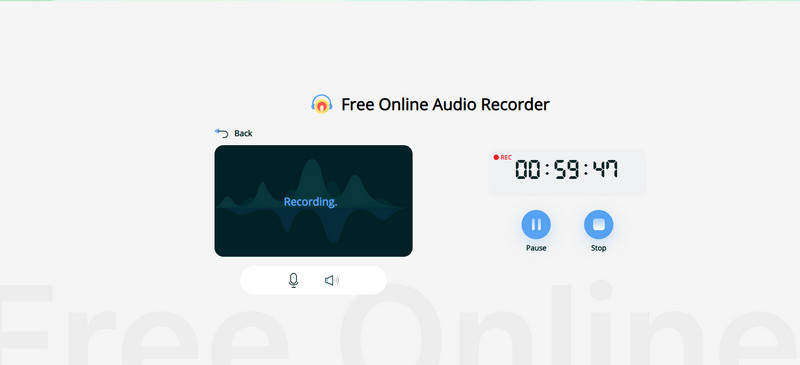
Apowersoft Free Online Audio Recorder (https://www.apowersoft.com/free-audio-recorder-online) is a browser-based online audio recording tool that allows you to record Apple Music and convert it into MP3 files. This tool is simple to use; all you need to do is open the webpage and activate the recording function to capture either system audio or microphone input. However, because it relies on real-time recording, it is less efficient; it cannot automatically split tracks and does not support batch processing. Overall, it is best suited for lightweight audio saving scenarios.
- No software installation required.
- The recording process is simple.
- Record songs, playlists, albums, podcasts, audiobooks, and radio.
- Real-time recording.
- Batch recording is not supported.
- Unable to preserve ID3 tags.
Step 1 Open your browser and navigate to the Apowersoft Free Online Audio Recorder page.
Step 2 Allow the web page to access your system sound.
Step 3 Play any song in Apple Music and click the “Start Recording” button.
Step 4 Once the recording is complete, click "Stop," then click "Save" to obtain the MP3 file.
Part 4: Free Online Apple Music to MP3 Converters That Don't Work (2026)
During our testing, we discovered that some online Apple Music to MP3 converters are no longer functioning properly or encounter significant issues during the link parsing and downloading processes. Listed below are some of the tools that are no longer working correctly.
| Tools | Website | Status | Main Issues |
|---|---|---|---|
| KeepVid Apple Music Downloader | https://keepvid.ch/apple-music-new4 | ❌ | High Link Parsing Failure Rate |
| Soundloaders | https://www.soundloaders.com/apple-music-downloader/ | ❌ | Page Unavailable |
| Apple Playlist Downloader | https://apple-playlist-downloader-pvx.onrender.com/ | ❌ | Failed to parse link |
FAQs on Apple Music to MP3 Converters
1. What is the best Paid or Free software to convert Apple Music to MP3's?
Currently, the best Apple Music to MP3 converter available is Sidify Apple Music Converter. It supports lossless downloading and converting Apple Music songs, albums, and playlists into MP3 format and other popular formats while preserving full ID3 tags. Furthermore, it supports fast batch conversion, making it ideal for downloading large volumes of music files.
2. Is it legal to convert Apple Music to MP3?
It depends on the purpose. Converting music to MP3 for personal offline listening is generally legal, but using it for commercial purposes, sharing, or redistribution is not permitted. Please always comply with Apple's Terms of Service and local copyright laws.
3. Can I convert Apple Music playlists to MP3?
Yes, all the Apple Music downloaders mentioned above can parse Apple Music playlist links. If playlist downloads are your main priority, you can also compare more Apple Music playlist downloaders. However, if you want to download entire Apple Music playlists to MP3 format in one click, Sidify Apple Music Converter is the best choice.
4. How to add MP3 to Apple Music on iPhone?
After using an Apple Music MP3 downloader, you can import the downloaded MP3 files into Apple Music on your computer (via the Apple Music app or iTunes). Once added to your library, simply enable Sync Library, and the songs will automatically appear on your iPhone under the same Apple ID.
Conclusion
That's all about the top 6 best Apple Music to MP3 converters in 2026. These various tools differ in terms of features, audio quality, and user experience; free online Apple Music playlist downloaders are suitable for light usage, while professional software—such as Sidify Apple Music Converter—is better suited for users who require high-quality output and batch conversion capabilities. Choose the tools that meet your needs.