If you like to rip music from Apple Music and you are actually on Microsoft Windows computer and Apple Mac operating system, there are some music Apple downloaders compatible with Windows and Mac OS, and you can try the converters to directly download music from Apple Music to the PC local folders.
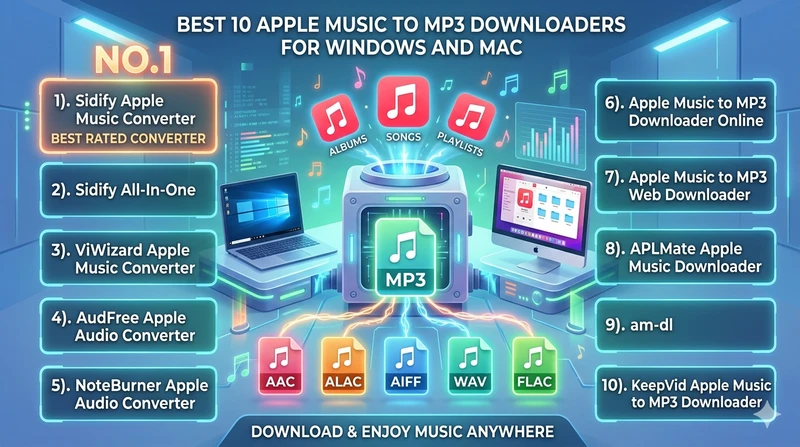
Overview: Comparison of Apple Music Downloader Tools
| Apple Music Downloaders | Features | Insights |
|---|---|---|
| Sidify Apple Music Converter | 6 formats (MP3,ALAC, FLAC, etc.), Hi-res, 20×, batch download, preferences, tags editing... | Apple Music high-quality fast conversion |
| Sidify All-In-One | 6 formats (MP3, ALAC, FLAC, etc.), lossless, 20×, download playlists in bulk... | Premium MP3 downloader for Apple Music |
| ViWizard | 5 formats (MP3, M4A, WAV, FLAC, M4B), 17×, ID3 metadata, | Easy Apple Music conversion |
| AudFree | MP3, WAV, AIFF, FLAC, AAC, 17×, batch conversion | High-speed and high-quality audio conversion |
| NoteBurner | 6 formats (MP3, ALAC, FLAC, etc.), lossless, 10×, batch conversion, lyrics and cover art | Simple Apple Music conversion |
| apple-music-downloader.com | MP3, free, no batch conversion | Free Apple Music downloader online |
| aaplmusicdownloader.com | 256K M4A & 320Kbps formats, zip download, artwork image | Rip audio from Apple Music to computer |
| aplmate.com | MP3, free, simple UI, no batch conversion | Apple Music to MP3 downloader for free |
| am-dl.pages.dev | AAC format, single and playlist download | Free downloader for Apple Music to AAC |
| keepvid.ch/apple-music-new4 | MP3 only, free or paid, variable speed | Free Apple Music web downloader |
Part 1. Sidify Apple Music Converter, ⭐4.9/5
Sidify Apple Music Converter, suitable for Windows and Mac, is no doubt the NO 1. in the Apple music downloading service. With it, you can download the entire iTunes or Apple Music library all at once, saving Apple Music in the format of MP3, AAC, ALAC, AIFF, WAV, and FLAC. You can put batch Apple Music playlists to download and experience Apple Music conversion at 20x faster speed. Downloaded Apple Music is kept with original sound quality, synced lyrics, album cover and ID3 tags. Apple Music tracks are stored locally on the computer and remain permanently accessible, even without an Apple Music subscription, over time.
- Safe and effecient Apple Music MP3 Downloader on desktop and laptop.
- Batch Apple Music playlist downloads.
- Export Apple Music files with lyrics.
- 1 minute download limits for free trial version.
Sidify Apple Music Converter
- Download and remove encrypted protection on Apple Music.
- Convert Apple Music to MP3, AAC, FLAC, WAV, AIFF, or ALAC.
- Preserve the lossless audio quality and retain ID3 tags.
- Burn Apple Music to CD and edit ID3 tags.
- Fully support Windows 11 & macOS Tahoe 26.


Step 1 Start Sidify Apple Music Converter and come to the interface of the program.
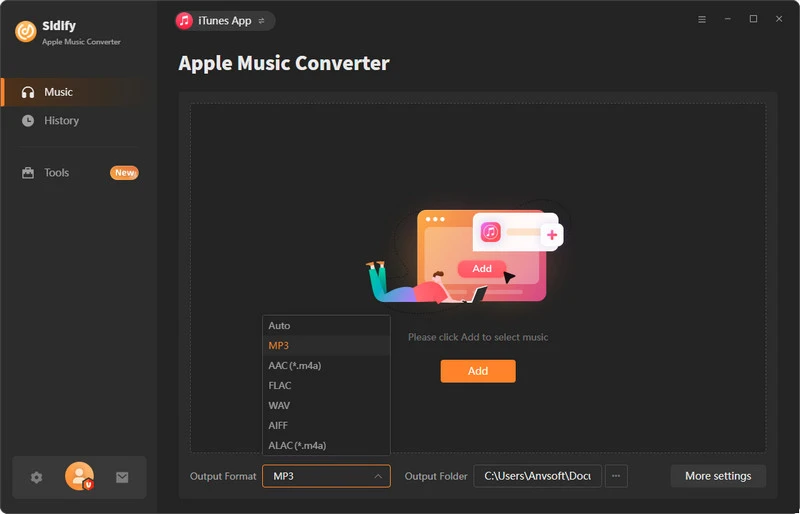
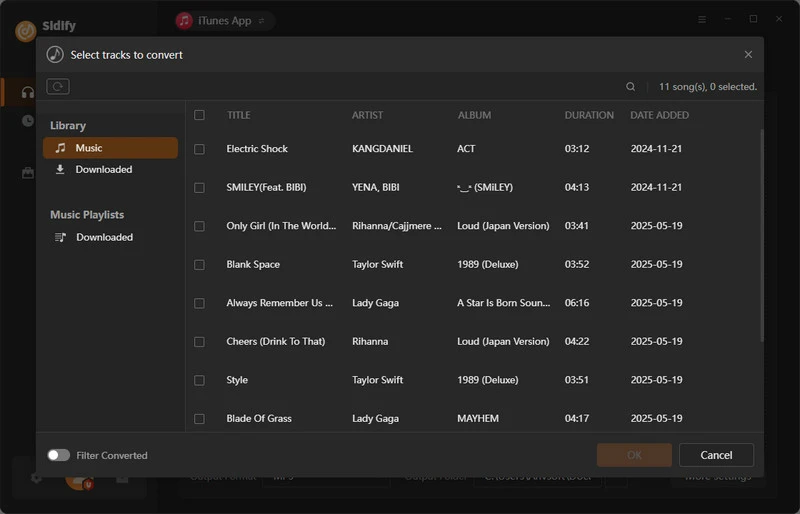
Step 2 Add Apple Music Tracks to Converter
From the built-in Apple Music web player, open the playlist and click the "Add" button at the bottom right to add the Apple Music to the program.
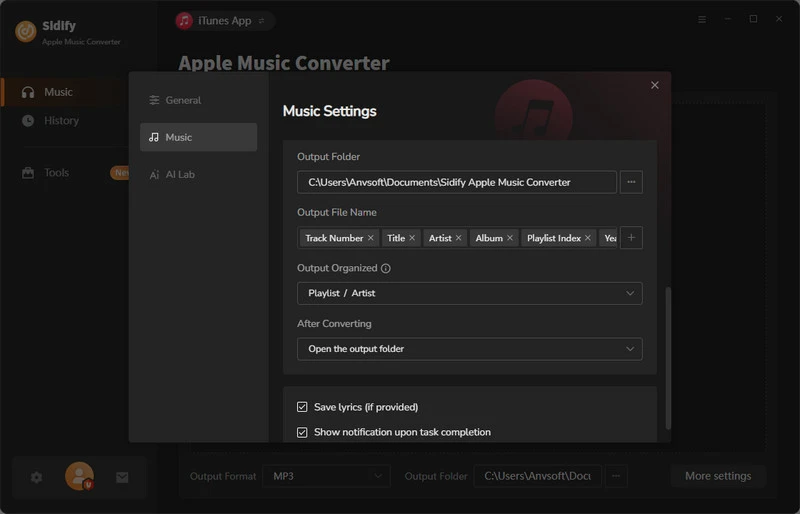
Step 3 Choose Output Format and Customize Output Path.
Go to the Settings icon in the left panel. Here you can choose the output format (MP3/AAC/WAV/FLAC/AIFF/ALAC), the output quality, and the output path as well. Besides, you can customize how you'd like to name and sort out the converted files.
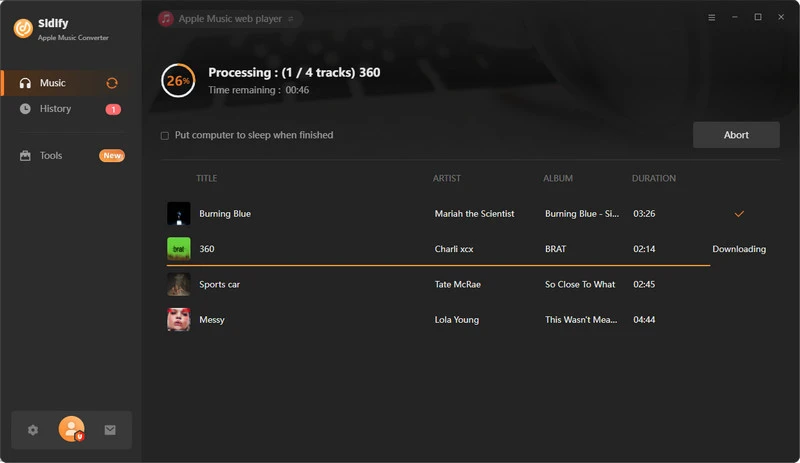
Step 4 Convert Apple Music to DJUCED Format
Click the Convert button and Sidify will immediately start converting the Apple Music to MP3s.
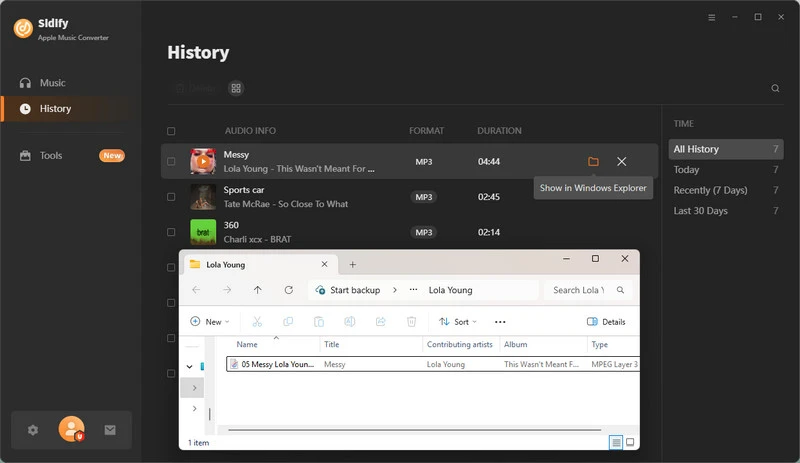
Step 5 Find the MP3 downloads on the Local Drive.
Once the conversion is done, click the History tab and you can check all the Apple Music that have been converted successfully. Go to the output folder set in the previous step, you'll find the downloaded MP3s.
2). Sidify All-In-One, ⭐4.8/5
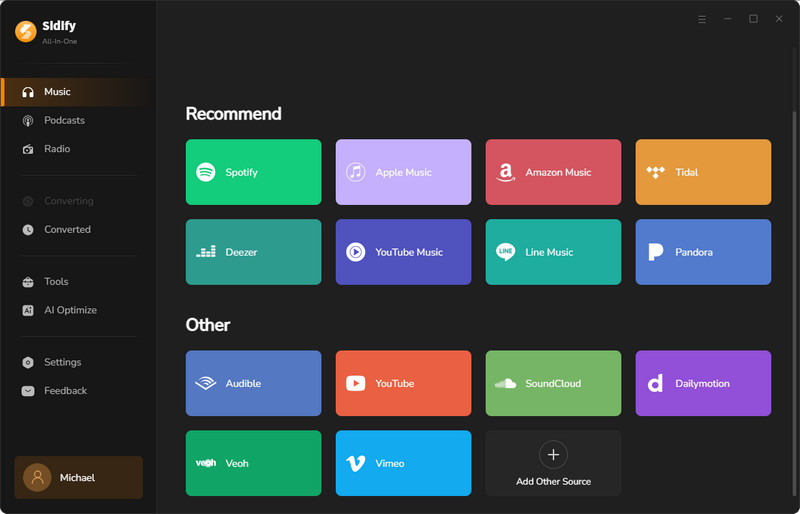
Don't get confused. Sidify All-In-One is a higher level music downloader that is supports not only Apple Music but also Spotify, YouTube Music, Amazon Music, Tidal, Deezer, Pandora, SoundCloud, Qobuz, and more. To be clear, you can download music, playlists albums, podcasts and audiobooks, etc from Apple Music and other platforms all in one program. Likewise, you can directly add and convert Apple Music to file formats like MP3 and others.
- Comprehensive music downloader for Apple Music, Spotify, Amazon Music, YouTube Music and more 17 platforms.
- Free download Apple podcasts and radios to MP3 on Windows.
- Download Apple Music playlists in bulk and keep cover art, lyrics and ID3 tags.
- 1-minute download limits for free trial users.
- Higher price than Sidify Apple Music Converter.
Sidify All-In-One Converter
- Download music from all major music platforms (Spotify, Apple Music, etc.)
- Convert music to MP3/AAC/WAV/FLAC/AIFF/ALAC
- Losslessly download music to the computer.
- Rip music from online library and burn music to CD.
- Built-in free podcast and radio to mp3 downloader and vocal remover.
 Supported Platforms:
Spotify, Apple Music, Amazon Prime Music, Amazon Music Unlimited, Tidal, Deezer, YouTube Music, Pandora, Line Music, Audible AA/AAX audiobooks, YouTube, SoundCloud, Qobuz, Dailymotion, Vimeo and more.
Step 1 Open the Sidify All-In-One application, pick Apple Music service and come to the converter interface.
Step 2 Open the Settings menu, customize the Apple music downloading format.
Step 3 From the Apple web player window, locate your preferred Apple music playlist, click the Add button and put them to the converter.
Step 4 Press the Convert button to start the process.
Step 5 When you finish Apple music downloading, go to Hisotry section to view all downloads.
3). ViWizard Apple Music Converter, ⭐4.2/5
The ViWizard Apple Music Converter allows you to convert audio from Apple Music, iTunes, Audible, and other common audio sources into popular formats like MP3, M4A, WAV, and FLAC. It offers a fast 20× conversion speed and retain the original 256 Kbps or preserve lossless quality at bit rates up to 768 Kbps, 192,000 Hz sample rate, and 24-bit depth.
- Software for Windows to convert Apple Music library in MP3s.
- Download 24-Bit ALAC at up to 192kHz from Apple Music.
- Compatible with Windows 7, 8, 10, 11 and macOS 10.13 to macOS 26.
- Free Trial converts only the first 30 seconds of each song.
- Doesn't always detect existing music.
- Difficulty registering even after purchase.
- Slow customer support.
Step 1 Download and install the software. Open it. Log in with your Apple Music, iTunes, or Audible account.
Step 2 Go to Preferences. Choose output format such as MP3, M4A, FLAC, or WAV. Adjust quality and output folder if needed.
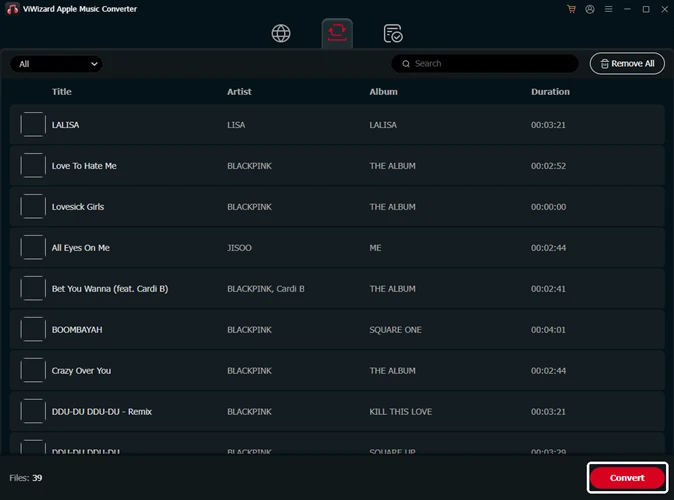
Step 3 Search songs, albums, or playlists inside the built-in library. Click the add button to load them into the converter list.
Step 4 Choose the songs or playlists you want to convert. Make sure they are added to the conversion list.
Step 5 Click the Convert button. The software will download and convert the files automatically.
Step 6 Go to History after conversion. Click Open Folder to access your converted music files.
4). AudFree Apple Audio Converter, ⭐4.1/5
AudFree Apple Audio Converter is available for both Mac and Windows. With it, you can easily download Apple Music songs, playlists, and albums directly from the Apple Music web player, saving them as local files on the Windows computer. It also supports the conversion of iTunes M4B, M4A, and M4P files into standard audio formats like MP3. Download speed is up to 17X faster with a batch feature for large playlists conversion.
- Desktop download client alternative to Sidify Apple Music MP3 downloading.
- Download songs, albums, playlists from Apple Music web to file folder.
- Free Trial: Limited to convert the first 30 seconds of each song only.
- Issues with old iTunes M4P files.
- Can slow down computer performance.
Step 1 Download and install AudFree Auditor on your computer. Open the program. You will see the built-in music platform.
Step 2 Go to Preferences. Choose output format such as MP3, M4A, FLAC, or WAV. Adjust quality and output folder if needed.
Step 3 Go to Preferences. Choose output format like MP3, FLAC, WAV, or M4A. Adjust quality settings if needed.
Step 4 Browse songs, playlists, or albums in the built-in player. Click the add button to import them into the list.
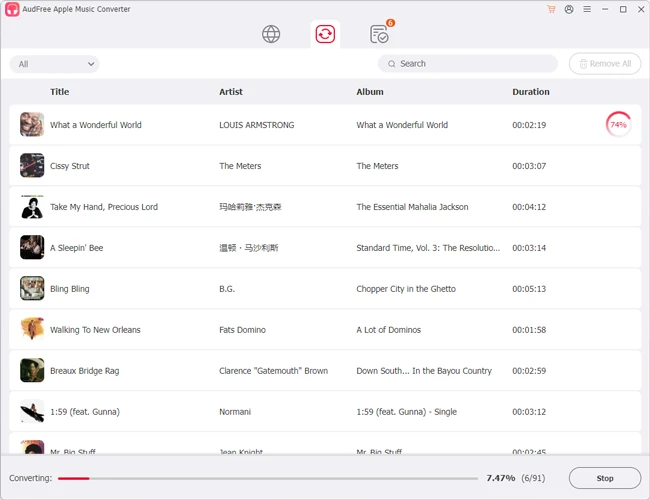
Step 5 Go to the converting window. Click Convert. The software will process and save the files automatically.
Step 6 After conversion, open the Converted section. Click Open Folder to locate your downloaded music.
5). NoteBurner iTunes Audio Converter, ⭐4.0/5
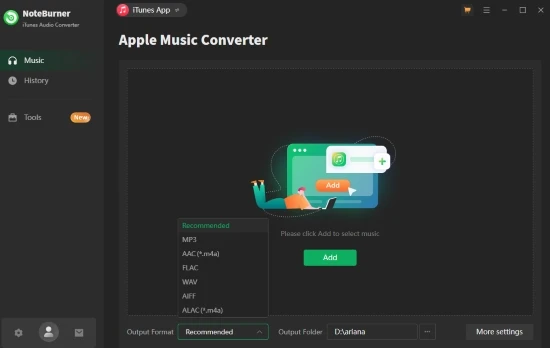
To use NoteBurner, you need an active Apple Music subscription. NoteBurner is one of the few Windows programs that can download Apple Music to accessible formats such as MP3, AAC, FLAC, or WAV. If you prefer to have the whole Apple Music library in MP3s, this software does exactly that. It converts your Apple Music songs, albums, and playlists without compromising audio quality. And the resulting MP3s are downloaded to the PC's local folder, keeping forever playable.
- Download Apple Music and songs in iTunes to preferred audio formats.
- Offer high-quality Apple music MP3 downloads.
- Slow download speed.
- Free 1 minute download for each song.
Step 1 Download and install the program. Open it. Click Register and enter your email and license code to activate the full version.
Step 2 Launch the program. Select a mode such as recording from the iTunes app or web player depending on your source.
Step 3 Open Settings. Choose output format like MP3, AAC, FLAC, or WAV. Adjust quality, speed, and output folder if needed. Open Settings. Choose output format like MP3, AAC, FLAC, or WAV. Adjust quality, speed, and output folder if needed.
Step 4 Click the Add button. Select songs, playlists, or audiobooks from your library. You can also drag and drop files into the program.
Step 5 Click Convert. The software will record and convert the audio automatically in the background.
Step 6 Open the History section. Click to open the output folder and access your converted files.
6). Apple Music to MP3 Downloader Online, ⭐3.9/5
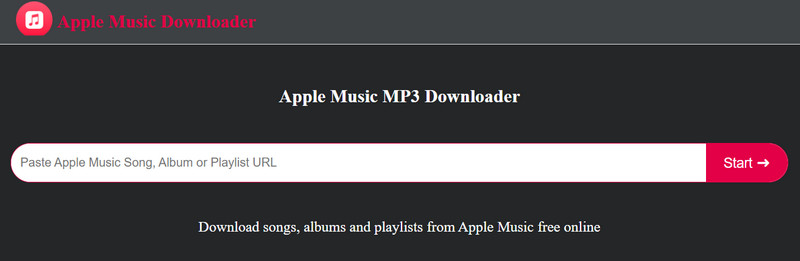
apple-music-downloader.com is a free online Apple Music downloader that works entirely in any browser. It requires no software installation and is compatible with iPhone, Android, Windows, Mac, and Linux devices. Simply open the web tool, paste the Apple Music link, and the service will generate downloadable MP3 files from the selected songs, albums, or playlists, with album artwork. But the online downloader doesn't have advanced download settings or batch playlist features like Sidify's.
- Complete free online Apple Music downloader supported on Windows.
- No batch playlist download .
- Error alerts.
Step 1 Open the Apple Music desktop on Windows and locate the playlist and copy its URL.
Step 2 Paste the link into the apple-music-downloader.com. Click Start, then choose Get Download.
Step 3 Choose to download the Apple songs as MP3 or M4A, and save the audio file to the chosen directory on Windows.
7). Apple Music to MP3 Web Downloader, ⭐3.8/5
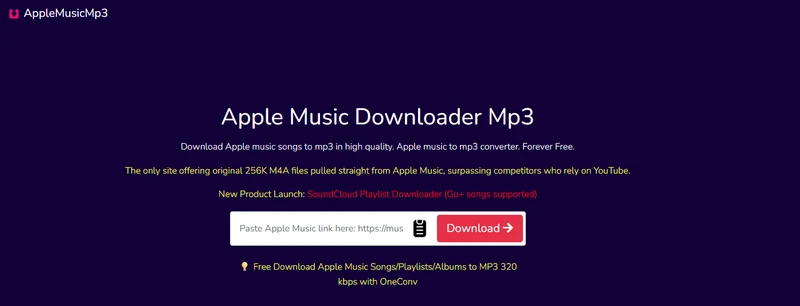
As a browser-based Apple Music downloader, aaplmusicdownloader.com is fully compatible with Windows and Mac systems. Likewise, you can simply input the Apple Music link and straightforward complete the Apple Music to MP3 320 kbps or 256 kbps M4A conversion. It supports Apple Music playlists, albums and single songs. There is a one-click ZIP download feature for download all the songs in one Apple Music playlist, but it is only free for downloading single songs or playlists with fewer than five tracks. For full playlist downloads, paid plans start at $8.99 per month, $17.99 per year, or $27.99 for lifetime access.
- Free Apple Music Songs to MP3 downloader online.
- Download entire Apple Music playlist as Zip file (paid).
- Not truly free.
Step 1 Open Apple Music (app or web). Find the song or playlist and copy the link.
Step 2 Go to the downloader page. Paste the link into the box and click Start to process.
Step 3 Once ready, download individual tracks or choose the ZIP option to download everything at once.
8). APLMate Apple Music Downloader, ⭐3.7/5
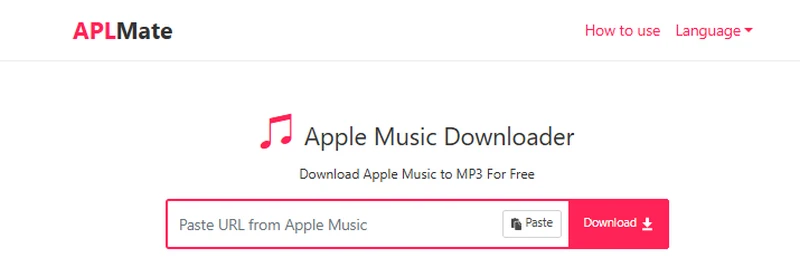
Being a quick way to save Apple Music tracks to MP3s the Windows local storage, APLMate Music Downloader (https://aplmate.com/) is a simple option worth trying. It runs in the browser and works on Windows surely. By downloading Apple Music to real music files and store locally, you can use Apple Music to its full potential, such as mixing on DJ software or setting Apple Music as ringtones.
- 100% free Apple Music downloader for Windows.
- No simultaneous playlist downloads.
- Banner ads.
Step 1 Open the site and paste the copied Apple Music playlist or single track link.
Step 2 Hit Download, then click Download again from the results to get MP3 files.
Step 3 Batch playlist downloading is not supported, so each track must be downloaded individually.
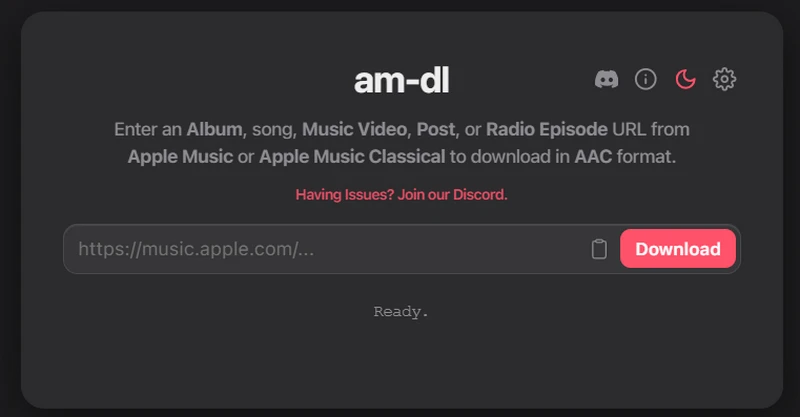
9). am-dl, 3.7/5
am-dl.pages.dev is a straightforward website for downloading audio from the Apple Music library by converting Apple Music links (song, album, or music video URL) into downloadable AAC (.M4A) audio files. Direct playlist links are not accepted. It works in the browser, so Windows users can use it without installing software. Note that you can't directly input playlist url which is not supported with this site.
- Fast Apple Music to AAC converter for Windows.
- No MP3 output format .
- Apple Music playlist URLs are not supported.
Step 1 Copy the link of a single Apple Music track and paste it into the input box on the downloader site.
Step 2 Click "Download" and wait for the process to load and finish.
Step 3 Click the download icon, then save the playlist to your computer. Unzip the file to listen to your songs offline.
10). KeepVid Apple Music to MP3 Downloader, 3.7/5
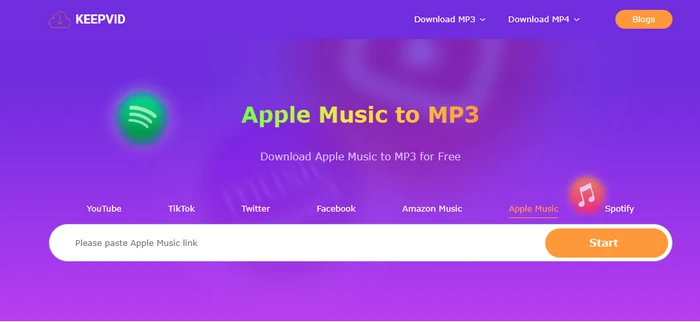
KeepVid Apple Music Downloader (https://keepvid.ch/apple-music-new4) is often used as a quick Apple Music MP3 converter for Windows. It is fairly helpful to download single Apple Music tracks to a computer in MP3 format without installing any software. The platform also supports downloading playlists and multiple tracks and offers ZIP file downloads for easier batch saving.
- Download Apple Music songs to computer in a minite.
- Sometimes fail to recognize copied Apple Music links.
Step 1 Open apple music website/APP and click "..." > "Share" > "Copy Link".
Step 2 Paste the copied URL in the search box and click "Start" to analyze the link.
Step 3 Choose the desired output format to start the Apple to MP3 conversion process.
Conclusion
In conclusion, selecting the right Apple Music downloader makes a significant difference. The tools in this article allow you to download Apple Music to your computer as local files, giving you complete control over your music. Each option meets different needs, from high-quality conversions to batch downloading and easy-to-use interfaces. Sidify Apple Music Converter offers all of these features and provides a smooth, efficient experience
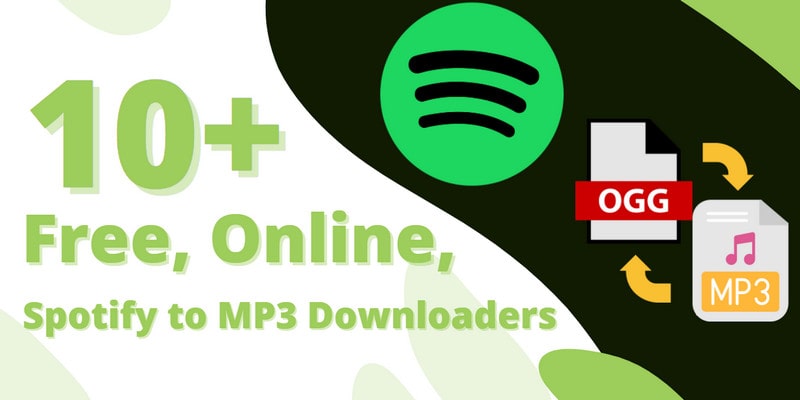
Spotify music listeners, you can find these online tools to download and convert songs from Spotify as MP3 format without cost.
Learn More →Note:How to Transfer Apple Music Playlists to Spotify, YouTube Music, Amazon Music, Tidal, Deezer and More? Playlist Transfer makes it quick and simple.
 Sidify Apple Music Converter
Save Apple Music Dolby Atmos and HD/Ultra HD audio with ID3 tags at 10X speed.