


Spotify has millions of songs, but saving music locally is not a thing that a Premium subscription can do. Free Spotify music downloader like Sidify Music Converter Free exists. This is a desktop program that allows both Spotify Free and Premium listeners to download and export Spotify music files. Yet, the actual performance, output quality, ease of use, and whether the free version is practical, lots of questions await. In this article, we will test Sidify Music Converter Free from a user perspective. You will get everything you want to know about Sidify Music Converter Free in this review.
 Tips
Tips
Let's clear one thing up. Sidify Music Converter comes with two versions: Free and Pro. The Free version is completely free to use, which means you can download Spotify music without paying anything. And here, we are going to take a closer look at the Free version, check out its main features, and see how it actually performs in our tests.
1. What is Sidify Music Converter Free?
Sidify Music Converter Free is a free Spotify music downloader that allows users to download Spotify songs and playlists and save them in common audio formats like MP3. The desktop program is free to install, free to use, and also provides free updates when new versions are released.
Unlike the Pro version that downloads audio directly from Spotify, Sidify Music Converter Free uses a different approach. It reads the song details from Spotify, including the title, artist, and album information, then finds the same track on YouTube and downloads the audio from that source.
2. Sidify Music Converter Free Overview vs. Pro
| Feature | Sidify Music Converter Free vs. Pro |
|---|---|
| Compatibility | Windows 8+ (32/64-bit), macOS 11+, Android 8+ |
| Download Content | Music, Podcasts, Audiobooks |
| Download Method | YouTube mode, Spotify Lossless Record |
| Output Format | MP3, AAC, ALAC, AIFF, WAV, FLAC |
| Output Quality | 128kbps to 256kbps, 320kbps, LOSSLESS |
| Download Speed | 10X, 40X |
| ID3 Tags | Artist, Title, Album, Artwork, Year, Lyrics |
| Built-in Tools | Format Converter, CD Burner, Tags Editor, AA/AAX Converter |
| Price | Free, $44.95/Y, $89.90/Lifetime |
3. Key Features of Sidify Music Converter Free
🌟 Free Download Spotify Music to MP3, AAC, ALAC, AIFF, WAV, and FLAC
Sidify Music Converter is free to download and convert Spotify music to audio formats, which makes Spotify music compatible with multiple players.
🌟 Convert Spotify Music to Offline Files
Download and export Spotify songs as local audio files that can be played anytime without the Spotify App, a premium subscription, or an internet connection.
🌟 Preserve ID3 Tags
Downloaded Spotify songs are with basic ID3 tags like cover art, title, artist and album details.
🌟 Unlimited Downloads and Bulk Conversion
Convert thousands of songs in one click and there is no limits on how many songs you can download.
🌟 Personalized Settings
Fine-tune Spotify music download settings including output format, quality, storage location, and output organzied way.
4. How to Use Sidify Music Converter Free
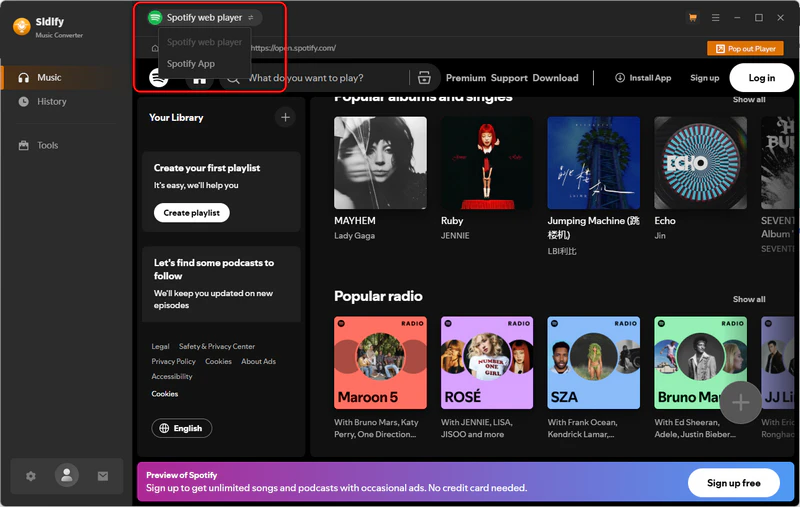
Sidify Music Converter Free gives you two options to download Spotify music: Spotify App mode and Spotify Web mode. They work a little differently when adding songs. If you use Spotify App mode, you can simply drag and drop songs into the converter. With Web mode, you can add a whole playlist in one click. Both are easy to use, it just depends on which way you prefer.
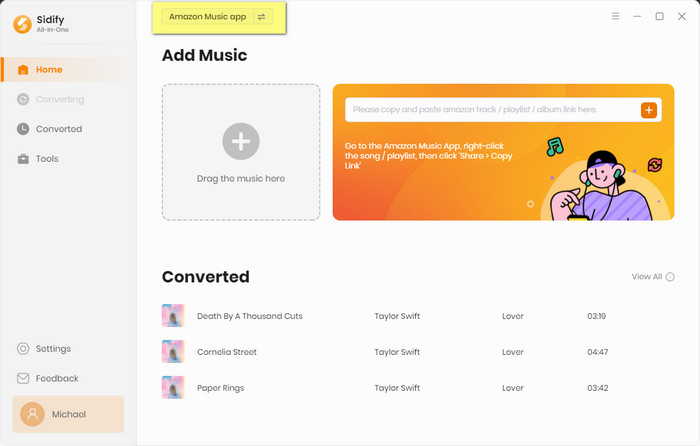
Step 1 Launch Sidify Music Converter
Run Sidify Music Converter, you will access the modern interface of the program.
Step 2 Choose Output Settings
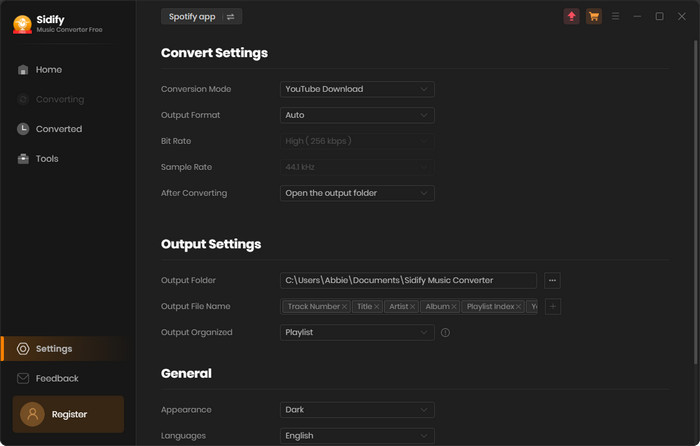
Next, go to the "Settings" part where you can customize the music output format, output sound quality, and output folder. You can as well personalize the output file in an organized way to your liking.
Step 3 Add Spotify Music to Converter
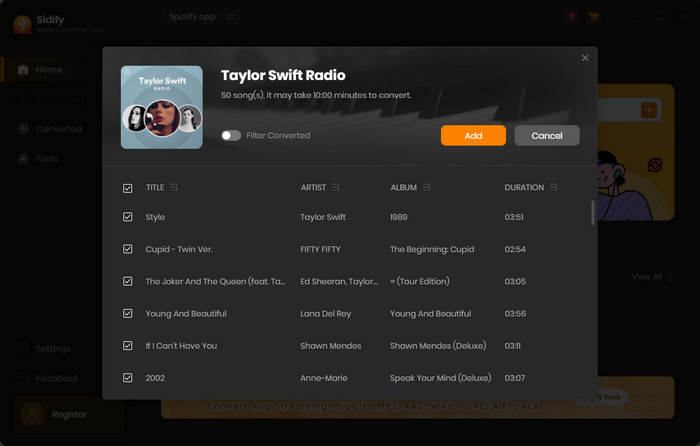
Directly drag the Spotify playlist or albums to Sidify music converter. Repeat this process to add multiple playlist to convert in one go.
Step 4 Start to Convert Music
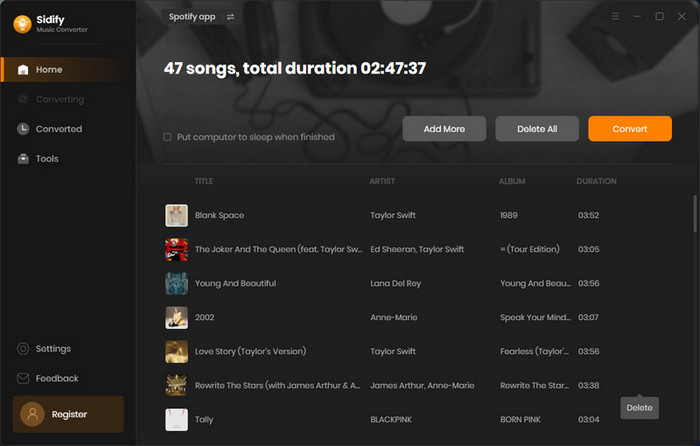
Go ahead, tap the "Convert" button to start Spotify to MP3 conversion. It will go at a 10X faster speed.
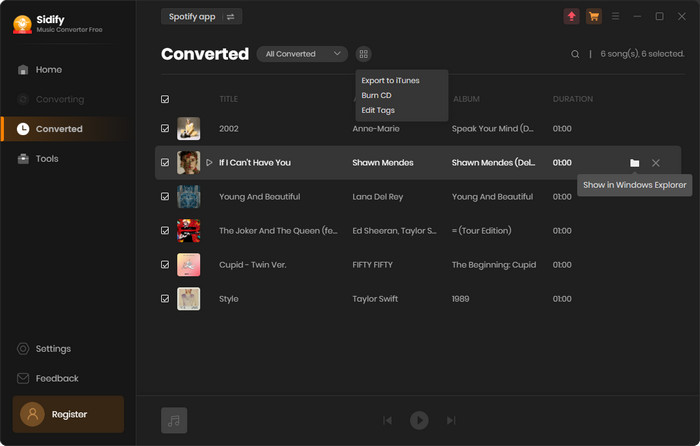
Step 5 Check Spotify Downloads
Once the conversion is done, you can find the converted audios by clicking "History" tab on the left panel.
5. Sidify Music Converter Free Plans
No worries, we've tested it, you can download Spotify songs completely free by using the YouTube mode. You may also notice there is a Record mode available, but that feature is only included in the Pro version.
Free Version
Free to Use
$0
Perfect for casual listeners.
 Spotify to MP3, AAC, WAV, FLAC, AIFF, or ALAC
- Lossy output quality
- Fast conversion
- Basic song title and artist tags
- Windows version only
No Cost At All
Pro Version
Core
$3.75 (billed annually)
Billed annually at $44.95/year
Great choice for getting Spotify best sound quality.
- Spotify to MP3, AAC, WAV, FLAC, AIFF, or ALAC
- 320kbps & lossless output quality
- Batch conversion & 40× faster
- Full ID3 tags including original playlist order
- Windows, Mac, Android versions available
- Lifetime Free Updates
 Buy Now
Cancel Anytime
6. Spotify Music Converter Free Ratings
- Easy to use and free to download.
- Stable conversion, much better than online downloader.
- Playlist batch processing.
- Keeps music organized.
- Flexible output settings.
- Helpful support.
- Lower maximum output quality.
- Risk with Spotify account.
7. Spotify Music Converter Free Alternatives
1). Online Spotify Music Downloader
Online Spotify music downloaders like SpotiDownloader, SpotiDown, SpotMate and more are web-based tools that allow you to download Spotify songs without installing any software. They are usually easy to use, just paste a Spotify song or playlist link, and the tool will process the download for you. This option can be convenient for occasional downloads, but it often comes with limitations, such as pop-up ads, unstable performance, limited output quality, fewer supported songs, and privacy concerns when uploading links to third-party websites.
Compared with online tools, Spotify Music Converter Free provides a more stable desktop experience with more control over conversion settings, music formats, and batch processing.

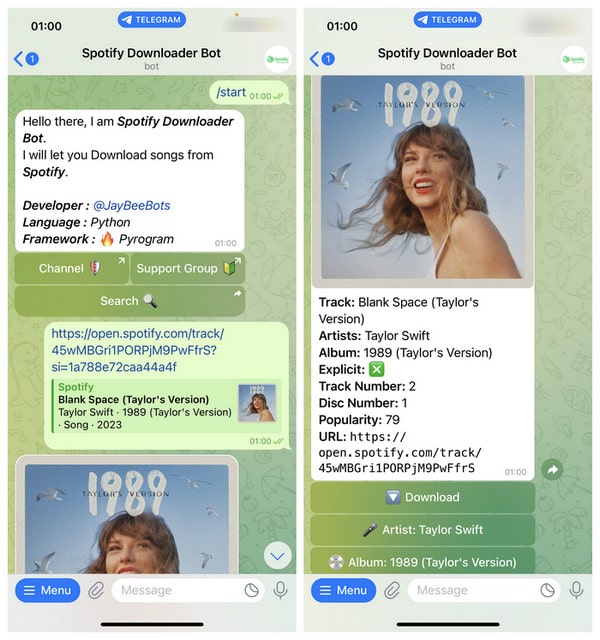
2). Spotify Telegram Bot Downloader
Spotify Telegram bots are another free way to download Spotify music for free. You can usually send a Spotify track or playlist link to a Telegram bot, and it will return downloadable audio files. This method is simple and doesn’t require installing extra software, making it popular among users who only need to download a few songs.
However, Telegram bots may have limits on download speed, file availability, and playlist support. Since these bots are maintained by third parties, they may stop working or change their service without notice. For users who want a more reliable way to manage large music collections, a dedicated Spotify music converter can offer a smoother experience.
Frequently Asked Questions
Is it completely free to download Spotify music with Sidify Music Converter?
Yes. Sidify Music Converter Free version costs no money to download and convert Spotify music to MP3 files.
Does Sidify Music Converter Free download 320kbps music?
No. The free version uses YouTube mode, which downloads songs from YouTube rather than directly from Spotify. This means the maximum audio quality is limited to YouTube’s 256kbps audio quality.
Can I download Spotify podcasts with Sidify Music Converter Free?
Yes. The program supports downloading both music and podcasts from Spotify. However, if you want to download video podcasts, you’ll need the Pro version.
What is the difference between Sidify Music Converter Free and the Pro version?
The main differences are the download source and maximum output quality. The free version uses the YouTube source, with audio quality up to 256kbps. The Pro version downloads directly from Spotify, offering up to 320kbps and lossless quality, similar to what Spotify Premium provides.
Conclusion
So, is Sidify Music Converter Free the ultimate answer to every Spotify user’s dream? Probably not. Nothing is. Even the fanciest tools have their quirks, because apparently making software is slightly harder than making a sandwich. But does it make Spotify music conversion simple? Yes. It’s easy to understand, straightforward to use, and does the job without forcing you to become a technical expert first.
Of course, it's not the only way to handle Spotify music. Online tools, bots, and other converters all have their place. The right choice depends on what you value most — convenience, flexibility, speed, or control.
Don't worry, Sidify Music Converter is free but doesn't mean you're on your own. If you run into any problems, just email our support team and they’ll help you find a solution. The Sidify team is always friendly and welcome to your any feedback and advice, not only for paid users.
 Sidify Music Converter
Batch download Spotify Music to any popular music formats for offline listening on any device.












